 QRJiffy
Email QR Code Generator
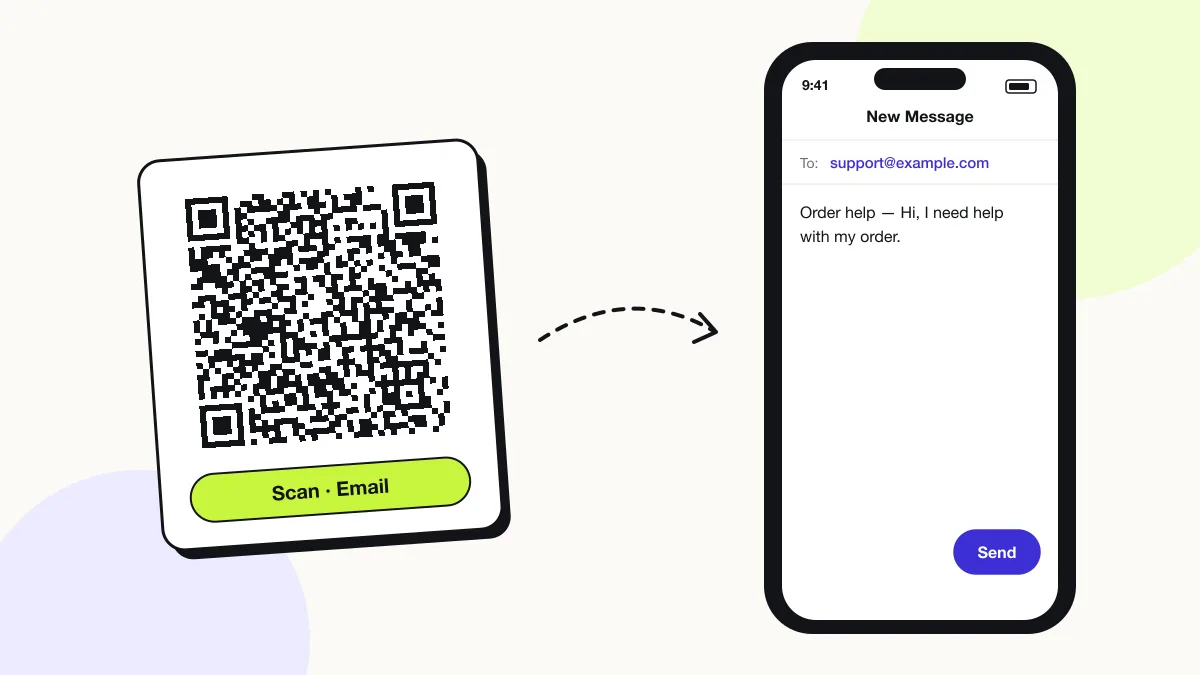
An email QR code composes a new email with the recipient, subject and message already filled in. It stores a mailto link, so the scanner’s default mail app opens a draft and the person only taps Send. It suits support requests, sign-ups and feedback.
Just your email to download · no password needed
Phones read this code directly, so it has no scan count.
Encoded data
How to create an email QR code
You create an email QR code in 4 steps with the free generator above, and the code is ready to download as PNG or SVG.
- Enter the recipient email address.
- Write a subject that identifies the source, for example “Flyer — spring offer”.
- Add a short message template the sender completes.
- Scan the preview to check the draft opens in your mail app, then download.
What does an email QR code contain?
An email QR code stores recipient address, plus optional subject, message body.
| Payload standard | mailto: URI (RFC 6068) |
|---|---|
| Native camera support | iPhone iOS 11+, Android 9+ |
| Needs internet to use | Only to send — the draft opens offline |
| Editable after printing | No |
| Scan tracking | Not possible; count received emails by subject line instead |
| Recommended error correction | M (15%) |
| Minimum print size | 2 × 2 cm for a short subject; 3 × 3 cm with a body |
| Field | Required | What it does | Example |
|---|---|---|---|
| Recipient address | Yes | The email address the draft is addressed to. | support@example.com |
| Subject | Optional | Pre-filled subject line; also tags where the email came from. | Order help — table 12 |
| Message body | Optional | Pre-filled text the sender edits before sending. | Hi, I need help with… |
Email QR code payload format
mailto:<address>?subject=<subject>&body=<message>
mailto:support@example.com?subject=Order%20help&body=Hi%2C%20I%20need%20help%20with%20my%20order.
The mailto scheme is defined in RFC 6068. Spaces and punctuation in the subject and body are percent-encoded (%20 for a space).
Format reference: RFC 6068: The 'mailto' URI scheme (IETF)

Can an email QR code include a subject and message?
Yes, an email QR code pre-fills the recipient, the subject line and the message body through the mailto format.
Can an email QR code send to multiple recipients?
Yes, mailto supports several addresses separated by commas, plus cc and bcc fields, and most mail apps honour them.
Gmail and Apple Mail read mailto:a@example.com,b@example.com?cc=c@example.com. Some Android mail apps drop bcc.
Does scanning an email QR code send the email automatically?
No, scanning only opens a draft; the person always taps Send themselves, so no email leaves the phone without consent.
What happens when someone scans an email QR code?
The phone camera decodes an email QR code in under a second and shows a prompt; tapping it starts the action stored in the code. The prompt differs by device:
iPhone
The Camera banner shows the address; tapping it opens Mail (or the default mail app set in Settings) with the draft ready.
Android
The camera or Google Lens offers Send email, which opens Gmail or the default mail app.
No mail app
A phone with no mail account set up shows the address to copy instead of a draft.
Is there a scan limit on an email QR code?
No, an email QR code has no scan limit, because the phone reads the details straight from the pattern without visiting QRJiffy. That also means it works offline but cannot be edited or counted after printing; print a new code when the details change.
Where to use email QR codes
Email QR codes work in 4 common places: customer support, newsletter sign-ups, feedback boxes and job fairs.
Customer support
Receipts and packaging open a support email with the order context already in the subject.
Newsletter sign-ups
Event visitors send a pre-written “Subscribe me” email in one tap.
Feedback boxes
Hotel rooms and classrooms collect comments by email.
Job fairs
Candidates send a CV request with the role pre-filled.
Email QR code best practices
An email QR code scans first time when it follows these 4 rules.
- Keep the body under 150 characters — the code stays small and the sender writes the rest.
- Use a distinct subject per poster or flyer to measure which placement works.
- Use a shared inbox such as support@ so responses survive staff changes.
- Test the code on iPhone and Android; some mail apps ignore the body field.
Email QR code FAQ
What happens if the scanner has no mail app?
The phone shows the email address with a copy option instead of opening a draft.
Does an email QR code work offline?
Yes, the draft opens offline; the email sends once the phone reconnects.
Is there a length limit for the message?
Yes, practically about 300 characters. Longer bodies make the code too dense for small prints.
Can I track how many people scanned it?
No, not directly. Count the received emails that carry the unique subject line instead.