 QRJiffy
Spotify & Apple Music QR Code Generator
A Spotify QR code opens a Spotify playlist, song, album, artist or podcast in the Spotify app of the phone that scans it. The same generator makes Apple Music, YouTube Music, Tidal and Deezer codes. Unlike a Spotify Code, it scans with any phone camera, not only inside the Spotify app.
Just your email to download · no password needed
Short link:
Change where it points any time — the printed code stays the same. Free for 200 scans a month.
Encoded data
How to create a Spotify QR code
You create a Spotify QR code in 5 steps with the free generator above, and the code is ready to download as PNG or SVG.
- Open the playlist, song, album or podcast in Spotify or Apple Music.
- Tap ••• › Share › Copy link.
- Paste the link into the generator; delete everything from
?si=onwards to shorten it. - Download the code as SVG for print or PNG for screens.
- Scan the code with a phone that has the app installed and with one that does not.
Can I create a Spotify QR code?
Yes — copy any Spotify share link, paste it into the generator above and download a free QR code that opens it in the Spotify app.
The code works for playlists, songs, albums, artists, podcasts and episodes. It costs nothing and needs no Spotify Premium.
How to get Spotify barcode?
Spotify shows its barcode — called a Spotify Code — under ••• › Share on any playlist, song or album, as a sound-wave image under the cover art.
| Attribute | Spotify Code | QR code |
|---|---|---|
| Scans with | Spotify app camera only | Any phone camera |
| Works without Spotify installed | No | Yes (web player) |
| Custom colours | Background colour only | Any colours, logo |
| Print file | PNG/JPG/SVG from spotifycodes.com | PNG and SVG |
| Works for Apple Music | No | Yes |
What does a Spotify QR code contain?
A Spotify QR code stores music link, plus optional item type, colours, error correction.
| Payload standard | open.spotify.com or music.apple.com share URL |
|---|---|
| Native camera support | iPhone iOS 11+, Android 9+ (opens the music app via universal links) |
| Needs internet to use | Yes — the app streams the music |
| Change after printing | Yes — edit the playlist in Spotify, or point the code at another playlist in your QRJiffy dashboard |
| Scan tracking | QRJiffy dashboard scans, plus Spotify for Artists stream stats |
| Recommended error correction | M (15%); Q (25%) for stickers and merch |
| Minimum print size | 2 × 2 cm (0.8 in) with the ?si= parameter removed |
| Field | Required | What it does | Example |
|---|---|---|---|
| Music link | Yes | Share link of the playlist, song, album, artist or podcast. | https://open.spotify.com/album/… |
| Item type | Optional | Read from the link path: playlist, track, album, artist or show (podcast). | playlist |
| Colours | Optional | Foreground and background of the code. Spotify green (#1DB954) on white scans; avoid green on black. | #121417 on #FFFFFF |
| Error correction | Optional | Damage tolerance: L 7%, M 15%, Q 25%, H 30%. | M |
Spotify QR code payload format
https://open.spotify.com/<playlist|track|album|artist|show>/<id>
https://open.spotify.com/playlist/37i9dQZF1DXcBWIGoYBM5M
Every Spotify item has a 22-character ID. The ?si=… tracking parameter that Spotify adds to shared links is safe to delete; removing it shortens the link by about 25 characters and makes the code sparser. Apple Music links follow https://music.apple.com/<country>/playlist/<name>/pl.<id>.
Format reference: RFC 3986: URI generic syntax (IETF)

How do I scan a song on Spotify?
You scan a Spotify Code by opening Spotify’s Search tab, tapping the camera icon and pointing it at the code; QR codes scan with the phone’s normal camera.
What is the QR code Spotify sends about a Family plan?
Spotify’s Family-plan QR code is an address check: it confirms that a member lives at the plan manager’s home, and it cannot be created with a generator.
Spotify shows this code in the app or by email and asks members to scan or confirm their location. It is unrelated to sharing music. Follow the steps in the Spotify app; a third-party QR code cannot replace it.
What happens when someone scans a Spotify QR code?
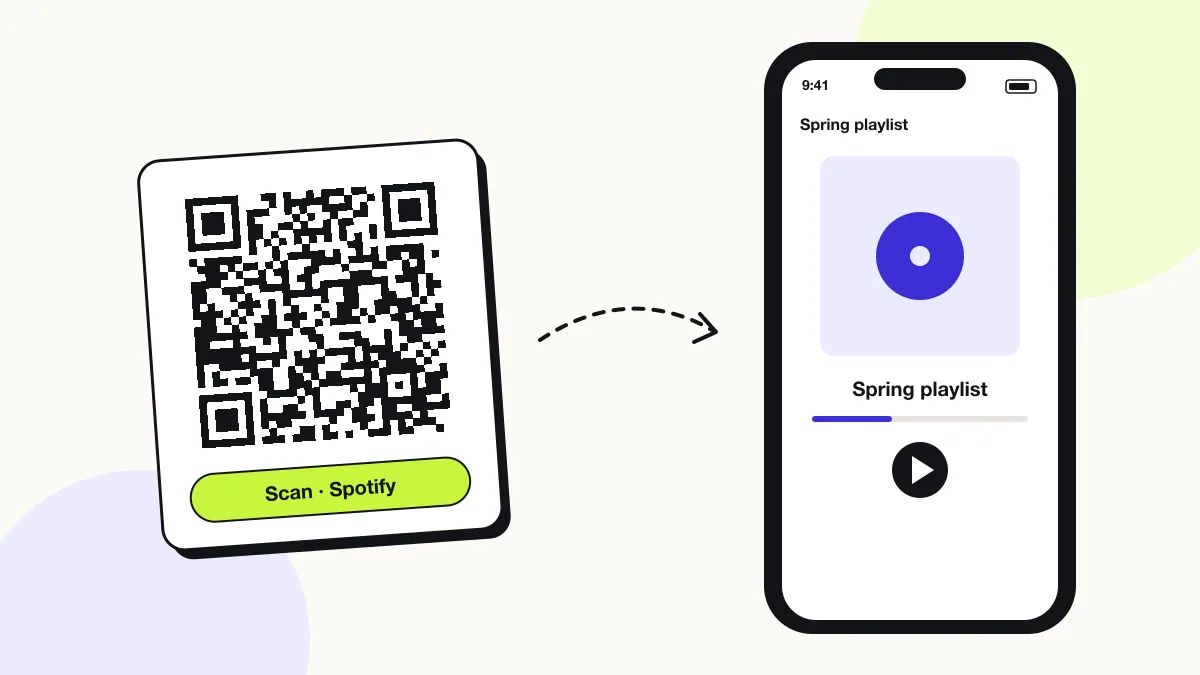
The phone camera decodes a Spotify QR code in under a second and shows a prompt; tapping it starts the action stored in the code. The prompt differs by device:
Phone with the app
The link opens the Spotify or Apple Music app directly on the playlist, track or album page.
Phone without the app
Spotify links open the web player at open.spotify.com, which plays 30-second previews or full tracks after sign-in.
Spotify Codes
Spotify’s own sound-wave codes scan only inside the Spotify app’s camera; a QR code scans in every phone camera.
How many scans does a free Spotify QR code get?
A free account gets 200 scans a month across all its codes; Pro removes the limit for $30 a year. One scan is one phone opening the code. Each code uses a QRJiffy short link, so you can change where it points after printing and see scan counts. Compare Free and Pro.
Where to use Spotify QR codes
Spotify QR codes work in 4 common places: weddings and parties, shops, cafés and gyms, artists and bands and gifts.
Weddings and parties
A table card opens the reception playlist so guests add their requests.
Shops, cafés and gyms
A sign answers “what song is this?” by opening the in-store playlist.
Artists and bands
Posters, merch and album sleeves open the new release in the listener’s app.
Gifts
A printed card opens a personal mixtape playlist.
Spotify QR code best practices
A Spotify QR code scans first time when it follows these 5 rules.
- Remove the
?si=parameter from Spotify links; it shortens the code and drops a personal tracking ID. - Make collaborative playlists public before printing; private playlists show an error to scanners.
- Print “Scan to play on Spotify” or “Scan to listen” beside the code so listeners know what opens.
- Use one code per playlist, not per song — playlists stay editable after printing.
- Keep contrast high: Spotify green #1DB954 works on white, not on black.
Spotify QR code FAQ
Can I create a free QR code for Spotify?
Yes. QRJiffy creates Spotify QR codes free, with no watermark.
How to create a QR code for a music playlist?
Copy the playlist’s share link in Spotify, Apple Music or YouTube Music, paste it into the generator and download the code.
How do I share my Spotify playlist?
Tap ••• › Share on the playlist, then copy the link, send it in a message, or turn it into a QR code for print.
Does a Spotify QR code work with Apple Music?
No. A Spotify link opens Spotify; make a second code from the Apple Music link for Apple listeners.
Can I change the songs after printing the code?
Yes. The code opens the playlist, so every song you add or remove in Spotify appears for the next scanner.