 QRJiffy
YouTube QR Code Generator
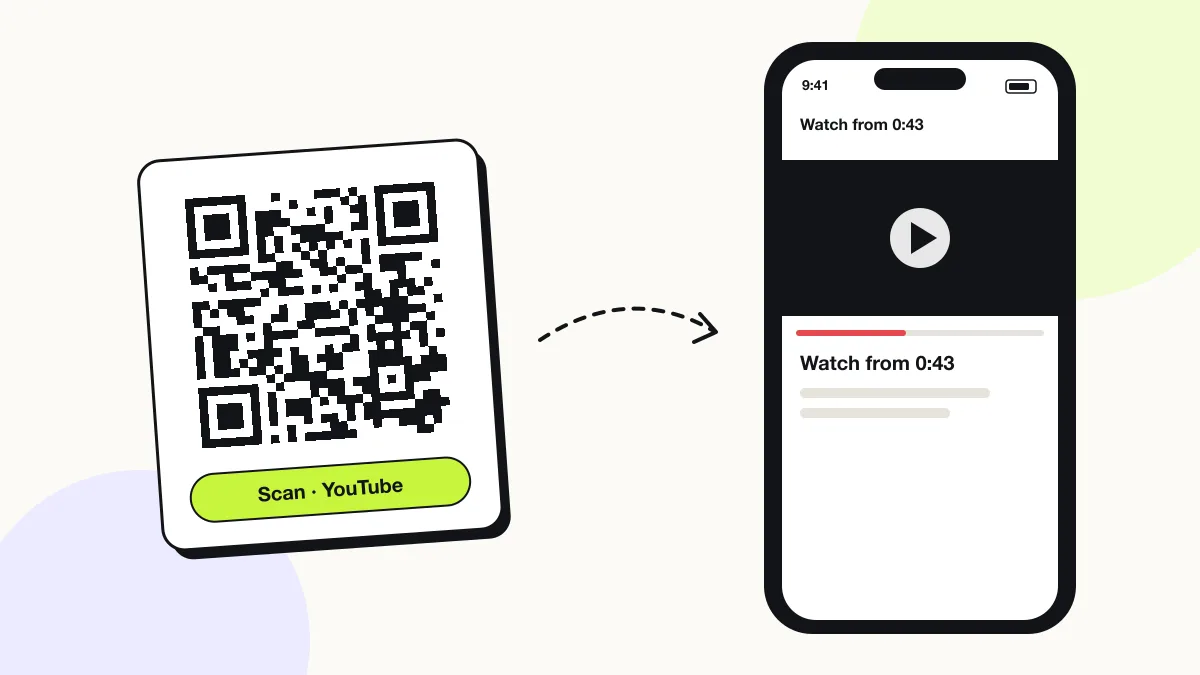
A YouTube QR code plays a YouTube video, opens a playlist or shows a channel, so the scanner watches or subscribes without searching. Teachers, product brands and musicians print it on worksheets, manuals and posters. A youtu.be link with a timestamp starts the video at the exact second that matters.
Just your email to download · no password needed
Short link:
Change where it points any time — the printed code stays the same. Free for 200 scans a month.
Encoded data
How to create a YouTube QR code
You create a YouTube QR code in 5 steps with the free generator above, and the code is ready to download as PNG or SVG.
- Open the video, tap Share › Copy link, and paste the youtu.be link above.
- Add
?t=plus seconds to start at a specific moment, for example?t=90. - Choose a dark code colour on a light background.
- Download SVG for print or PNG for slides.
- Scan the file and confirm the video starts where you expect.
What is the QR code on the YouTube TV sign-in screen?
The QR code on a smart TV’s YouTube sign-in screen is a one-time login code that the TV generates; you cannot create it here. Scan it with the phone logged in to your Google account, or visit youtube.com/activate and type the code shown on the TV.
- Scan the TV’s QR code with your phone camera, then approve the sign-in.
- Or open youtube.com/activate on any device and enter the TV’s code.
- A code stuck on screen disappears after you sign in or choose “Sign in later” with the remote.
What does a YouTube QR code contain?
A YouTube QR code stores YouTube URL, plus optional start time, channel handle, colours.
| Payload standard | Plain youtu.be or youtube.com URL (UTF-8 text) |
|---|---|
| Native camera support | iPhone iOS 11+, Android 9+ (Google Lens / camera) |
| Needs internet to use | Yes — the profile loads in the app or browser |
| Change after printing | Yes — point the code at a new profile or page in your QRJiffy dashboard; the printed code stays the same |
| Scan tracking | Scans by day, device and country in your QRJiffy dashboard |
| Opens in | The platform’s app when installed, otherwise the browser |
| Recommended error correction | M (15%); H (30%) when a logo covers the centre |
| Minimum print size | 2 × 2 cm (0.8 in) for profile URLs under 40 characters |
| Field | Required | What it does | Example |
|---|---|---|---|
| YouTube URL | Yes | A video, Short, playlist or channel link. | https://youtu.be/dQw4w9WgXcQ |
| Start time | Optional | A ?t= parameter in seconds that starts playback at a moment. | ?t=90 |
| Channel handle | Optional | A youtube.com/@handle link that opens the channel. | https://www.youtube.com/@yourchannel |
| Colours | Optional | A dark code colour on a light background; avoid red-on-white below 4.5:1 contrast. | #121417 on #FFFFFF |
YouTube QR code payload format
https://youtu.be/<video-id>?t=<seconds>
https://youtu.be/dQw4w9WgXcQ?t=43
The youtu.be short link is 13 characters shorter than a youtube.com/watch?v= link. A channel handle URL (youtube.com/@name) opens the channel page with the Subscribe button.
Format reference: RFC 3986: URI generic syntax (IETF)

How do you find your YouTube QR code?
YouTube does not provide a print-ready QR code for videos or channels, so you create one from the share link. Copy the link with Share › Copy link, paste it above and download the code.
Should a YouTube QR code link to a video or a channel?
A video link suits a single tutorial, trailer or song; a channel link suits subscriber growth. A playlist link suits courses and series, because YouTube plays the next video automatically.
| Destination | URL format | Best for |
|---|---|---|
| Video | youtu.be/VIDEO_ID | Tutorials, product demos, trailers |
| Video at a timestamp | youtu.be/VIDEO_ID?t=90 | Manual steps, lesson sections |
| Playlist | youtube.com/playlist?list=… | Courses, albums, series |
| Channel | youtube.com/@handle | Subscriber growth |
What happens when someone scans a YouTube QR code?
The phone camera decodes a YouTube QR code in under a second and shows a prompt; tapping it starts the action stored in the code. The prompt differs by device:
iPhone
The Camera shows “youtu.be”; one tap plays the video in the YouTube app.
Android
Google Lens or the Camera opens the video in the YouTube app, which ships pre-installed on most Android phones.
Without the app
The video plays on youtube.com in the browser.
How many scans does a free YouTube QR code get?
A free account gets 200 scans a month across all its codes; Pro removes the limit for $30 a year. One scan is one phone opening the code. Each code uses a QRJiffy short link, so you can change where it points after printing and see scan counts. Compare Free and Pro.
Where to use YouTube QR codes
YouTube QR codes work in 4 common places: product manuals, classroom worksheets, band posters and real-estate signs.
Product manuals
Each step links to the second of the video that shows it.
Classroom worksheets
Students open the lesson video from the printed sheet.
Band posters
Fans play the new music video on the street.
Real-estate signs
Buyers watch the property walkthrough from the curb.
YouTube QR code best practices
A YouTube QR code scans first time when it follows these 5 rules.
- Use the youtu.be short link for a sparser code.
- Add a ?t= timestamp when only one part of the video matters.
- Set unlisted videos to unlisted, not private; private videos block scanners.
- Print “Scan to watch (2 min)” so people know the time cost.
- Re-test codes after editing the video; a deleted video breaks the code.
YouTube QR code FAQ
How can I generate a QR code for my YouTube video?
Copy the video’s share link, paste it above and download the code as PNG or SVG. The code plays the video in the YouTube app.
Can a YouTube QR code start at a specific time?
Yes. Add ?t= followed by the number of seconds, for example youtu.be/VIDEO_ID?t=90 starts at 1:30.
Does a YouTube QR code work for unlisted videos?
Yes. Unlisted videos play for anyone with the link. Private videos play only for invited accounts.
Is a YouTube QR code free?
Yes. The YouTube QR code here is free and downloads as PNG or SVG with no watermark.