 QRJiffy
PDF to QR Code Generator
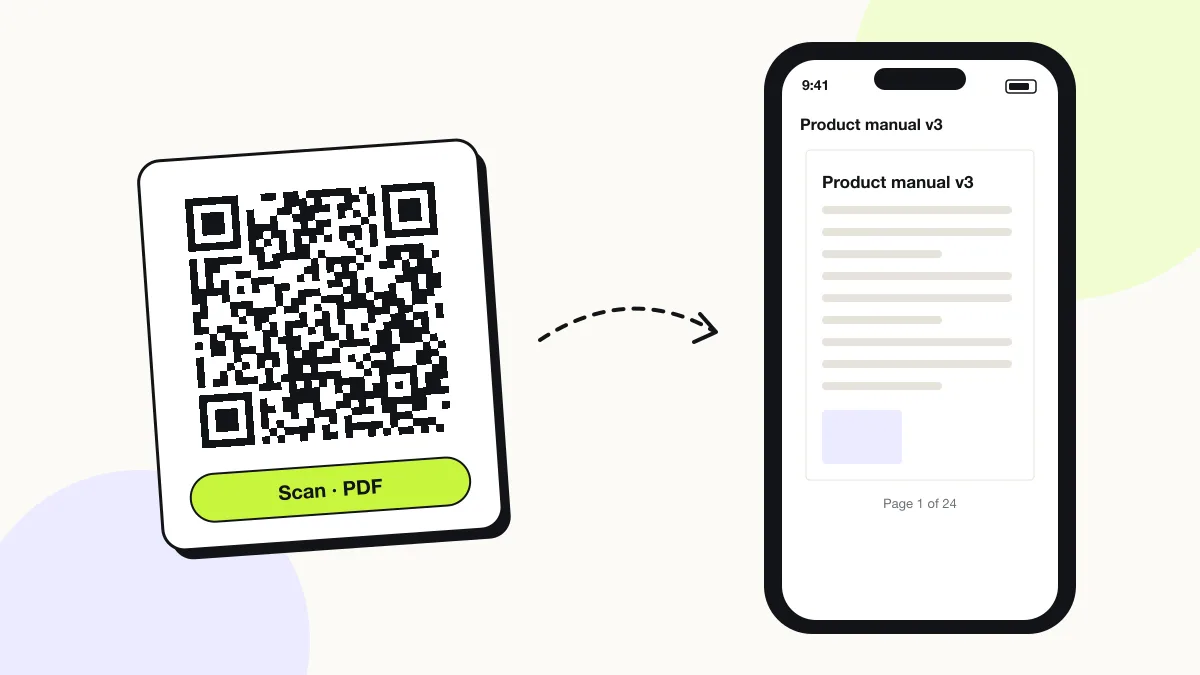
A PDF QR code opens a PDF document on the phone that scans it, by storing the web address where the file is hosted. Manuals, brochures, menus and certificates reach a reader in one scan instead of a typed link. Upload the PDF and QRJiffy hosts it, or paste a link to a file you already host.
Just your email to download · no password needed
Short link:
Change where it points any time — the printed code stays the same. Free for 200 scans a month.
Encoded data
How to create a PDF QR code
You create a PDF QR code in 5 steps with the free generator above, and the code is ready to download as PNG or SVG.
- Upload the PDF to a public location: your website, Google Drive (Share › General access › Anyone with the link) or Dropbox (Share › Copy link).
- Open the link in a private browser window to confirm the PDF loads without a sign-in screen.
- Paste the link into the Link to your PDF field and check the live preview.
- Download the code as SVG for print or PNG for screens.
- Scan the downloaded file with your own phone before you print it.
What does a PDF QR code contain?
A PDF QR code stores PDF link, plus optional file size, colours, error correction.
| Payload standard | URL of a hosted .pdf file (the file is never inside the code) |
|---|---|
| Native camera support | iPhone iOS 11+, Android 9+ (opens in the browser’s PDF viewer) |
| Needs internet to use | Yes — the phone downloads the PDF |
| Change after printing | Yes — upload a new version or swap the link in your QRJiffy dashboard; the printed code stays the same |
| Scan tracking | Scans by day, device and country in your QRJiffy dashboard |
| File hosting | QRJiffy (upload up to 25 MB with a free account), Google Drive, Dropbox or your website |
| Recommended error correction | M (15%); Q (25%) for laminated or outdoor prints |
| Minimum print size | 2.5 × 2.5 cm (1 in) for links under 60 characters |
| Field | Required | What it does | Example |
|---|---|---|---|
| PDF link | Yes | Public address of the hosted PDF. It opens without a login. | https://example.com/menu.pdf |
| File size | Optional | Not stored in the code, but it sets how fast the PDF opens on mobile data. Files under 5 MB open in about 2 seconds on 4G. | 1.8 MB |
| Colours | Optional | Foreground and background colour of the code. A dark code on a light background scans fastest. | #121417 on #FFFFFF |
| Error correction | Optional | Share of the code that can be damaged and still scan: L 7%, M 15%, Q 25%, H 30%. | M |
PDF QR code payload format
https://<host>/<path-to-file>.pdf
https://example.com/docs/product-manual-v3.pdf
A QR code holds at most 2,953 bytes, so no PDF fits inside the code itself. The code stores the file’s address, and the phone downloads the PDF from there. A Google Drive share link is about 80 characters; a short website path such as example.com/m.pdf produces a sparser, easier-to-scan code.
Format reference: RFC 3986: URI generic syntax (IETF)

Is there a free PDF QR code generator without a watermark?
Yes — QRJiffy turns a PDF link into a QR code free, with no watermark, and saves it to your free account as PNG or SVG.
Paste the share link from Google Drive, Dropbox or your website. The code opens that address, so the PDF stays where you already keep it and you control who sees it.
How do I make a QR code for a PDF in Google Drive?
You make a Google Drive PDF QR code by sharing the file as “Anyone with the link”, copying that link and pasting it into the generator.
- Right-click the PDF in Drive and choose Share.
- Under General access, change Restricted to Anyone with the link (Viewer).
- Click Copy link and paste it into the generator above.
- Use Manage versions › Upload new version later to replace the PDF without changing the link.
What is the difference between a PDF QR code and a QR code inside a PDF?
A PDF QR code opens a PDF; a QR code inside a PDF is an image placed on a page, which opens whatever that code stores.
To place a code inside a document, download the code as SVG and insert it into Word, InDesign or Canva before exporting the PDF. SVG stays sharp at every print size, while a 300 px PNG blurs above 2.5 cm.
What happens when someone scans a PDF QR code?
The phone camera decodes a PDF QR code in under a second and shows a prompt; tapping it starts the action stored in the code. The prompt differs by device:
iPhone
The Camera shows the link banner; tapping it opens the PDF in Safari’s viewer. The share button then saves it to Files or Books.
Android
Chrome opens the PDF in its built-in viewer or downloads it to the Downloads folder, depending on the Chrome version.
Google Drive and Dropbox links
Share links open a preview page first, then the PDF. A link left on “Restricted” shows the scanner a “Request access” screen instead of the document.
How many scans does a free PDF QR code get?
A free account gets 200 scans a month across all its codes; Pro removes the limit for $30 a year. One scan is one phone opening the code. Each code uses a QRJiffy short link, so you can change where it points after printing and see scan counts. Compare Free and Pro.
Where to use PDF QR codes
PDF QR codes work in 4 common places: product manuals, brochures and catalogues, certificates and spec sheets and property listings.
Product manuals
A code on the box or device sends owners to the current manual without a web search.
Brochures and catalogues
Trade-show visitors take the full catalogue on their phone instead of a 40-page printed copy.
Certificates and spec sheets
Labels and invoices link compliance documents, safety data sheets and test certificates.
Property listings
A “For sale” sign links the floor plan and property details PDF.
PDF QR code best practices
A PDF QR code scans first time when it follows these 5 rules.
- Set Google Drive files to Anyone with the link · Viewer; the default “Restricted” setting blocks every scanner.
- Compress the PDF below 5 MB and use a single-column layout for phone screens.
- Replace the file from your QRJiffy dashboard when the PDF changes; the printed code keeps working.
- Label the code with what it opens, for example “Scan for the full manual (PDF, 2 MB)”.
- Test the PDF on a phone over mobile data before printing; files over 10 MB open slowly.
PDF QR code FAQ
Can a QR code store a PDF file directly?
No. A QR code holds at most 2,953 bytes, far less than any PDF, so the code stores a link to a hosted copy of the file.
Can I update the PDF after printing the QR code?
Yes. Upload the new version to the same code in your QRJiffy dashboard, or point the code at a new link; the printed code keeps working.
Do people need an app to open a PDF QR code?
No. iPhone and Android open PDFs in the browser’s built-in viewer straight from the camera.
Why does my PDF QR code show “Request access”?
The file is shared as “Restricted”. Change Google Drive’s General access to “Anyone with the link” and the same printed code starts working.
How big can the PDF be?
The code sets no size limit, because the file is not inside it. Files over 10 MB load slowly on mobile data, so compress large scans first.