 QRJiffy
Facebook QR Code Generator
A Facebook QR code opens a Facebook Page, profile, group or event in the Facebook app, so scanners like, follow or join in one tap. Local businesses use it on doors, receipts and flyers to grow their Page. Groups and event organisers use it to fill a group or an RSVP list.
Just your email to download · no password needed
Short link:
Change where it points any time — the printed code stays the same. Free for 200 scans a month.
Encoded data
How to create a Facebook QR code
You create a Facebook QR code in 5 steps with the free generator above, and the code is ready to download as PNG or SVG.
- Open your Facebook Page, group or event and tap Share › Copy link.
- Paste the link above and remove any text after a question mark.
- Choose a dark code colour on a light background.
- Download SVG for print or PNG for screens.
- Scan the file from a phone that is logged out of Facebook to confirm the public view.
Does Facebook have its own QR code?
Facebook offers a built-in QR code for some Pages in the Facebook app, but the option depends on the app version and account type. Copying the Page link and generating the code here works for every Page, profile, group and event, and adds a vector SVG for print.
What does a Facebook QR code contain?
A Facebook QR code stores Facebook URL, plus optional destination type, colours, error correction.
| Payload standard | Plain facebook.com URL (UTF-8 text) |
|---|---|
| Native camera support | iPhone iOS 11+, Android 9+ (Google Lens / camera) |
| Needs internet to use | Yes — the profile loads in the app or browser |
| Change after printing | Yes — point the code at a new profile or page in your QRJiffy dashboard; the printed code stays the same |
| Scan tracking | Scans by day, device and country in your QRJiffy dashboard |
| Opens in | The platform’s app when installed, otherwise the browser |
| Recommended error correction | M (15%); H (30%) when a logo covers the centre |
| Minimum print size | 2 × 2 cm (0.8 in) for profile URLs under 40 characters |
| Field | Required | What it does | Example |
|---|---|---|---|
| Facebook URL | Yes | The Page, profile, group or event address. A Page username URL is shortest. | https://www.facebook.com/yourbusiness |
| Destination type | Optional | Page grows likes, group grows members, event grows RSVPs. | facebook.com/groups/yourgroup |
| Colours | Optional | Brand colours for the code; dark on light scans fastest. | #1B3B8B on #FFFFFF |
| Error correction | Optional | Use Q (25%) for stickers on doors and windows that collect scratches. | Q |
Facebook QR code payload format
https://www.facebook.com/<page-username>
https://www.facebook.com/yourbusiness
A Page username URL (facebook.com/yourbusiness) is shorter than a numeric ID URL (facebook.com/profile.php?id=1000…), so it produces a sparser code that scans from further away.
Format reference: RFC 3986: URI generic syntax (IETF)

Which Facebook link belongs in the QR code: Page, profile, group or event?
A business uses its Page link, a community uses its group link and an organiser uses the event link. Each destination triggers a different action after the scan.
| Destination | URL pattern | Action after scan |
|---|---|---|
| Page | facebook.com/yourbusiness | Like and follow the business |
| Profile | facebook.com/yourname | Add friend or follow |
| Group | facebook.com/groups/yourgroup | Request to join |
| Event | facebook.com/events/123… | Mark Going or Interested |
How do I get a short Facebook Page URL for a QR code?
A Facebook Page gets a short URL by setting a username in Page settings, which turns facebook.com/profile.php?id=… into facebook.com/yourbusiness. The shorter URL creates a code with fewer modules.
What happens when someone scans a Facebook QR code?
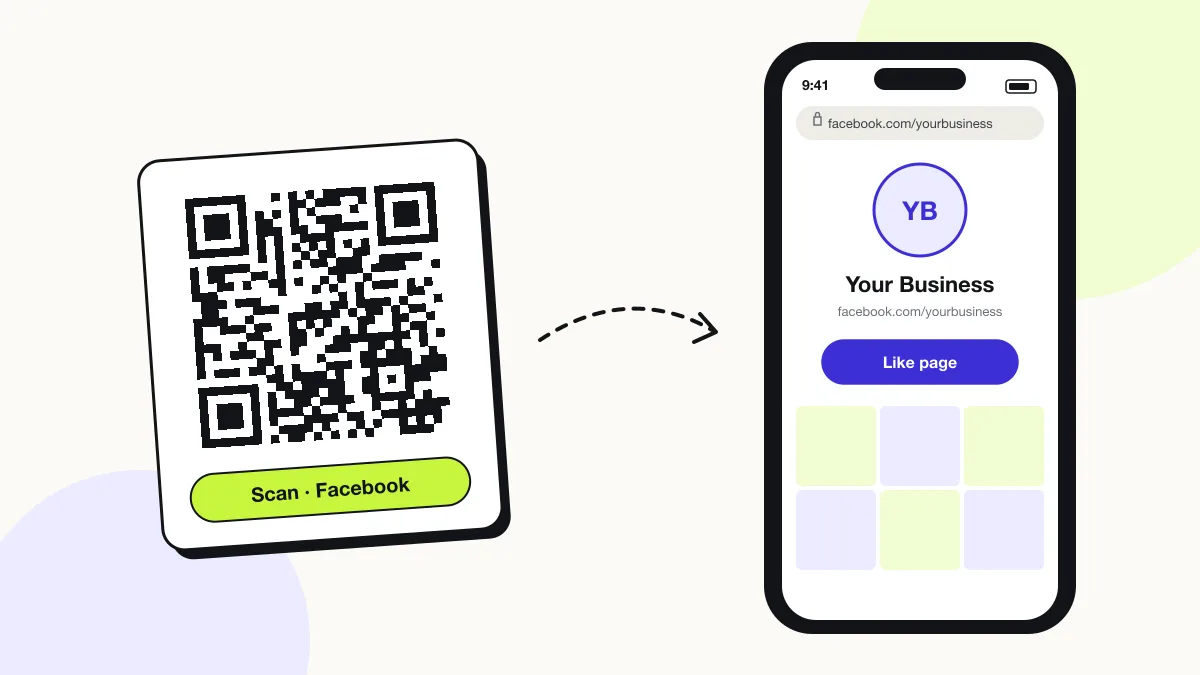
The phone camera decodes a Facebook QR code in under a second and shows a prompt; tapping it starts the action stored in the code. The prompt differs by device:
iPhone
The Camera shows “facebook.com”; one tap opens the Page in the Facebook app, or in Safari when the app is missing.
Android
Google Lens or the Camera hands the link to the Facebook app through Android app links.
Logged-out scanners
Public Pages and events show their posts to logged-out visitors; private groups show only the group name and a Join button.
How many scans does a free Facebook QR code get?
A free account gets 200 scans a month across all its codes; Pro removes the limit for $30 a year. One scan is one phone opening the code. Each code uses a QRJiffy short link, so you can change where it points after printing and see scan counts. Compare Free and Pro.
Where to use Facebook QR codes
Facebook QR codes work in 4 common places: shop doors and receipts, community noticeboards, event posters and delivery bags.
Shop doors and receipts
Customers like the Page and see offers in their feed.
Community noticeboards
Neighbours join a local group in one scan.
Event posters
Readers RSVP on the Facebook event and get reminders.
Delivery bags
Customers follow the restaurant and leave a recommendation.
Facebook QR code best practices
A Facebook QR code scans first time when it follows these 5 rules.
- Set a Page username so the encoded URL stays under 40 characters.
- Strip
?mibextid=and other share parameters before generating. - Print “Like us on Facebook” or “Join the group” beside the code.
- Make the Page public before printing; private Pages show a login wall.
- Use error correction Q on window stickers exposed to cleaning and sun.
Facebook QR code FAQ
Can a QR code open the Facebook app directly?
Yes. A facebook.com link opens the Facebook app on iPhone and Android when the app is installed, through universal links and app links.
Can I make a QR code for a Facebook group?
Yes. Paste the group link (facebook.com/groups/…) above. Scanners land on the group with a Join button.
Is a Facebook QR code free?
Yes. The Facebook QR code here is free and has no watermark.
Does a Facebook QR code work for people without Facebook?
Yes, for public Pages and events, which open in the browser. Private groups and profiles ask the visitor to log in.