 QRJiffy
X (Twitter) QR Code Generator
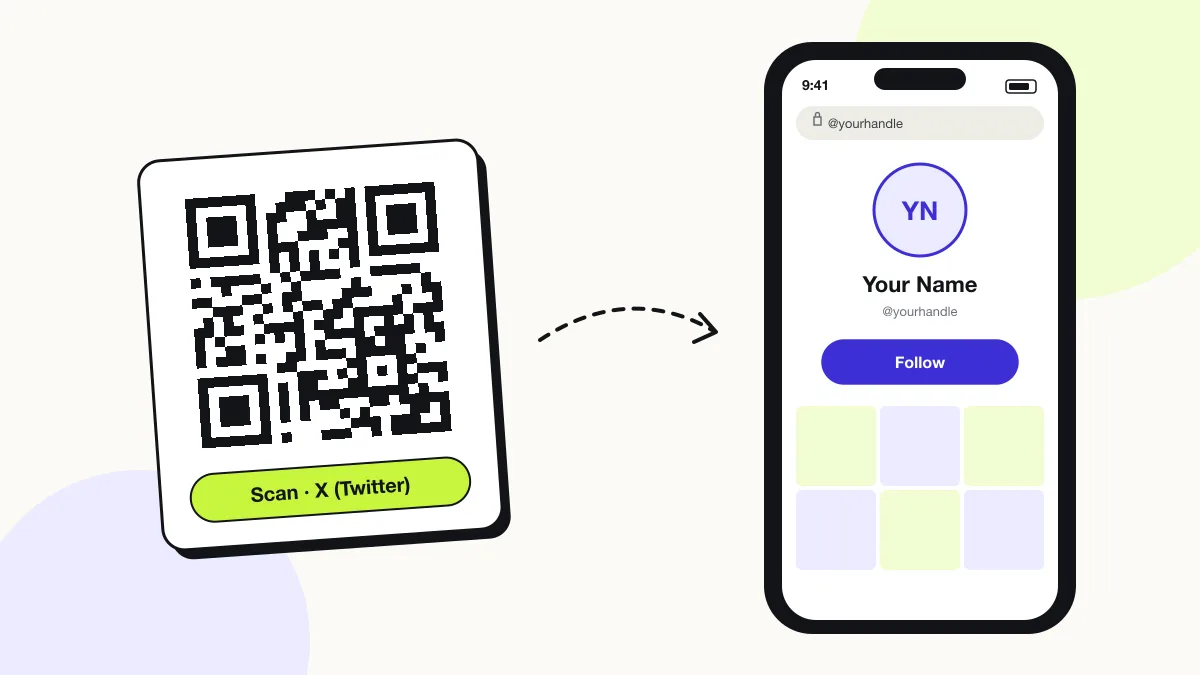
An X (Twitter) QR code opens an X profile or post in the X app, so the scanner follows the account or replies to the post in one tap. Twitter became X in 2023; both twitter.com and x.com links open the same profile. Speakers, journalists and brands print it on slides, badges and press kits.
Just your email to download · no password needed
Short link:
Change where it points any time — the printed code stays the same. Free for 200 scans a month.
Encoded data
How to create an X (Twitter) QR code
You create an X (Twitter) QR code in 5 steps with the free generator above, and the code is ready to download as PNG or SVG.
- Open your X profile in a browser and copy the address (x.com/yourhandle).
- Paste it above; twitter.com links work too.
- Keep the code black or a dark brand colour on white.
- Download SVG for print or PNG for slides.
- Scan the file to confirm the profile opens in the X app.
What does an X (Twitter) QR code contain?
An X (Twitter) QR code stores X URL, plus optional handle, colours, error correction.
| Payload standard | Plain x.com or twitter.com URL (UTF-8 text) |
|---|---|
| Native camera support | iPhone iOS 11+, Android 9+ (Google Lens / camera) |
| Needs internet to use | Yes — the profile loads in the app or browser |
| Change after printing | Yes — point the code at a new profile or page in your QRJiffy dashboard; the printed code stays the same |
| Scan tracking | Scans by day, device and country in your QRJiffy dashboard |
| Opens in | The platform’s app when installed, otherwise the browser |
| Recommended error correction | M (15%); H (30%) when a logo covers the centre |
| Minimum print size | 2 × 2 cm (0.8 in) for profile URLs under 40 characters |
| Field | Required | What it does | Example |
|---|---|---|---|
| X URL | Yes | A profile (x.com/handle) or post (x.com/handle/status/…) link. | https://x.com/yourhandle |
| Handle | Optional | Your @handle printed under the code. | @yourhandle |
| Colours | Optional | Black on white matches X’s brand and scans fastest. | #000000 on #FFFFFF |
| Error correction | Optional | M (15%) for slides and print; H (30%) with a logo. | M |
X (Twitter) QR code payload format
https://x.com/<handle>
https://x.com/yourhandle
An x.com link is 6 characters shorter than its twitter.com version and redirects identically, so it yields a slightly sparser code.
Format reference: RFC 3986: URI generic syntax (IETF)

Do twitter.com QR codes still work after the rename to X?
Yes, QR codes that contain twitter.com links still work, because twitter.com redirects to x.com. Codes printed before 2023 keep opening the same profiles and posts.
Can a QR code link to a specific tweet or post?
Yes, a QR code opens a specific post when you encode its status link (x.com/handle/status/…). Use post codes for announcements, giveaways and threads you want people to reply to.
Does X have a built-in QR code for profiles?
X does not provide a print-ready vector QR code for profiles, so generating the code from your x.com link is the dependable method. The code works in every phone camera and in the X app.
What happens when someone scans an X (Twitter) QR code?
The phone camera decodes an X (Twitter) QR code in under a second and shows a prompt; tapping it starts the action stored in the code. The prompt differs by device:
iPhone
The Camera shows “x.com”; one tap opens the profile or post in the X app.
Android
Google Lens or the Camera passes the link to the X app through app links.
Logged-out scanners
X shows a limited preview to logged-out visitors and asks them to sign in to see replies.
How many scans does a free X (Twitter) QR code get?
A free account gets 200 scans a month across all its codes; Pro removes the limit for $30 a year. One scan is one phone opening the code. Each code uses a QRJiffy short link, so you can change where it points after printing and see scan counts. Compare Free and Pro.
Where to use X (Twitter) QR codes
X (Twitter) QR codes work in 4 common places: conference slides, press kits, event badges and live TV and streams.
Conference slides
The audience follows the speaker before the talk ends.
Press kits
Journalists open the official account to confirm statements.
Event badges
Attendees follow each other in one scan.
Live TV and streams
Viewers open the show’s post and join the conversation.
X (Twitter) QR code best practices
An X (Twitter) QR code scans first time when it follows these 5 rules.
- Encode x.com rather than twitter.com for a shorter link.
- Print the @handle under the code for search fallback.
- Show slide codes for at least 10 seconds and 15% of slide height.
- Test with the X app installed and logged out.
- Pin the post the code promotes so it stays at the top of your profile.
X (Twitter) QR code FAQ
Is it called a Twitter QR code or an X QR code?
Both names describe the same code. People search “Twitter QR code” about 12 times more often than “X QR code”, and both link formats work.
Is an X (Twitter) QR code free?
Yes. The code here is free and downloads without a watermark.
Can I track scans on an X QR code?
Yes. Your QRJiffy dashboard counts every scan by day, device and country; X itself ignores UTM parameters.
Why does my X QR code ask people to log in?
X limits logged-out viewing. The profile still opens, but replies and full timelines need an account.