 QRJiffy
Image to QR Code Generator (Photos & Pictures)
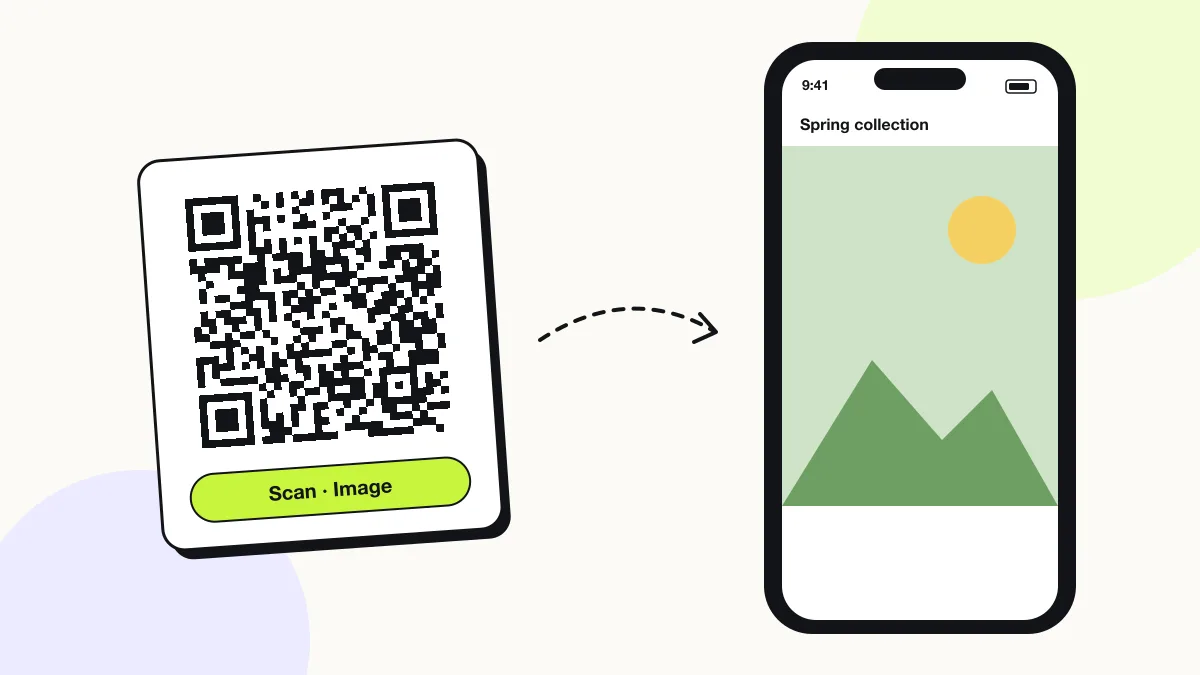
An image QR code displays a photo, picture or album on the phone that scans it, by storing the web address where the image is hosted. Portfolios, wedding albums, product photos and posters open full-screen in one scan. JPG, PNG, GIF and WebP links all work, as do shared albums from Google Photos and iCloud.
Just your email to download · no password needed
Short link:
Change where it points any time — the printed code stays the same. Free for 200 scans a month.
Encoded data
How to create an image QR code
You create an image QR code in 5 steps with the free generator above, and the code is ready to download as PNG or SVG.
- Upload the picture to a public location: your website, Google Photos (Share › Create link), iCloud Photos (Share › Copy iCloud link) or Dropbox.
- Open the link in a private browser window to confirm the picture shows without a sign-in.
- Paste the link into the Link to your image or album field.
- Download the code as SVG for print or PNG for screens.
- Scan the printed proof with both an iPhone and an Android phone.
What does an image QR code contain?
An image QR code stores image or album link, plus optional image format, colours, error correction.
| Payload standard | URL of a hosted image file or shared album |
|---|---|
| Native camera support | iPhone iOS 11+, Android 9+ (opens in the browser) |
| Needs internet to use | Yes — the phone loads the image |
| Change after printing | Yes — upload a new image or change the link in your QRJiffy dashboard |
| Scan tracking | Scans by day, device and country in your QRJiffy dashboard |
| Image hosting | QRJiffy (PNG, JPG, WebP or GIF upload), Google Photos, Google Drive, Dropbox or your website |
| Recommended error correction | M (15%) indoors, Q (25%) on photo prints and canvases |
| Minimum print size | 2 × 2 cm (0.8 in) for links under 50 characters |
| Field | Required | What it does | Example |
|---|---|---|---|
| Image or album link | Yes | Public address of the picture, or of a shared album that opens without a login. | https://example.com/photo.jpg |
| Image format | Optional | JPG, PNG, GIF and WebP display in every phone browser. HEIC from iPhones does not display on most Android phones; export it as JPG first. | JPG |
| Colours | Optional | Foreground and background of the code. Keep it dark on light. | #121417 on #FFFFFF |
| Error correction | Optional | Damage tolerance: L 7%, M 15%, Q 25%, H 30%. | Q |
Image QR code payload format
https://<host>/<path>.jpg | <shared album URL>
https://example.com/gallery/spring-collection.jpg
A QR code holds 2,953 bytes at most, while a 12-megapixel phone photo is about 3,000,000 bytes, so the picture itself never fits inside the code. The code stores where the picture lives.
Format reference: RFC 3986: URI generic syntax (IETF)

Can you create a QR code for an image only?
Yes — a QR code opens a single image when it stores that image’s direct address, such as a link ending in .jpg or .png.
A direct image link shows the picture alone, full-screen, with no page around it. An album or page link shows the picture inside that service’s page, with its buttons and other photos.
What is the difference between a QR code for an image and a QR code with an image?
A QR code for an image opens a picture when scanned; a QR code with an image has a logo or picture placed inside the code itself.
Both are searched as “QR code with image”. To put your logo in the middle of the pattern, use the QR code generator with logo and set error correction to H (30%) so the covered modules are recovered.
How do I make a QR code for a picture for free?
You make a free picture QR code by uploading the picture to a free host, copying its public link and pasting it into the generator above.
| Host | Link type | Link lifetime |
|---|---|---|
| Google Photos | Shared album link | Until you stop sharing |
| iCloud Photos | iCloud link | 30 days |
| Google Drive | File share link | Until you stop sharing |
| Your website | Direct .jpg / .png URL | Permanent |
What happens when someone scans an image QR code?
The phone camera decodes an image QR code in under a second and shows a prompt; tapping it starts the action stored in the code. The prompt differs by device:
iPhone
The Camera banner opens the picture in Safari; a long press on the image offers Save to Photos.
Android
Google Lens or the Camera opens the link in Chrome; a long press on the image offers Download image.
Shared albums
Google Photos and iCloud links open an album page with every picture in it. iCloud shared links expire after 30 days, so they suit short events, not permanent prints.
How many scans does a free image QR code get?
A free account gets 200 scans a month across all its codes; Pro removes the limit for $30 a year. One scan is one phone opening the code. Each code uses a QRJiffy short link, so you can change where it points after printing and see scan counts. Compare Free and Pro.
Where to use image QR codes
Image QR codes work in 4 common places: photographer portfolios, event photo albums, art and exhibitions and product catalogues.
Photographer portfolios
A code on a business card opens the full portfolio album.
Event photo albums
Guests scan a table card to see and download every photo from the event.
Art and exhibitions
A label beside a piece opens the high-resolution image and detail shots.
Product catalogues
Packaging and shelf tags show close-up product photos and colour options.
Image QR code best practices
An image QR code scans first time when it follows these 5 rules.
- Resize images to 2,000 px on the long side before upload; larger files load slowly over mobile data.
- Export iPhone HEIC photos as JPG so Android phones display them.
- Avoid iCloud links on anything printed to last; they expire after 30 days.
- Print the code on a light, matte area of a photo print — glossy finishes reflect and slow scanning.
- Name the action next to the code, for example “Scan to see all 120 wedding photos”.
Image QR code FAQ
Can a QR code hold a photo inside it?
No. A QR code stores at most 2,953 bytes and a phone photo is about 1,000 times larger, so the code stores the photo’s link instead.
Which image formats work with a QR code?
JPG, PNG, GIF and WebP open in every phone browser. HEIC opens on iPhones only, so convert it to JPG for everyone.
Can I show several pictures with one QR code?
Yes. Link a shared album from Google Photos, iCloud or Dropbox, and the scanner sees every picture in it.
Why does my image QR code show an error?
The image was deleted, moved, or its share link was turned off. Upload the image again or set a working link in your QRJiffy dashboard, and the printed code works again.