 QRJiffy
Product QR Code Generator
A product QR code opens your product’s page — manual, specifications, ingredients or reorder link — when a customer scans the package or label. It puts unlimited information behind a 2 × 2 cm square on the box. QRJiffy links the code to a page you already host, and you switch the page it opens in your dashboard without touching the packaging.
Just your email to download · no password needed
Short link:
Change where it points any time — the printed code stays the same. Free for 200 scans a month.
Encoded data
How to create a product QR code
You create a product QR code in 5 steps with the free generator above, and the code is ready to download as PNG or SVG.
- Pick the page a customer needs most after buying: setup guide, manual, care instructions or reorder.
- Paste its URL; add
?utm_source=qr&utm_medium=packagingif you also want the visits in Google Analytics. - Choose error correction Q for curved or glossy surfaces.
- Download the SVG and place it on the pack artwork with a 4-module quiet zone.
- Print a proof and scan it on the real material before the full run.
What does a product QR code contain?
A product QR code stores product page URL, plus optional UTM parameters, error correction.
| Payload standard | Plain URL (RFC 3986) |
|---|---|
| Native camera support | iPhone iOS 11+, Android 9+ |
| Needs internet to use | Yes — the scanner loads your product page |
| Change after printing | Yes — point the code at a new page in your QRJiffy dashboard; packaging stays the same |
| Scan tracking | Scans by day, device and country in your QRJiffy dashboard |
| Recommended error correction | Q (25%) on curved or glossy packaging |
| Minimum print size | 2 × 2 cm (0.8 in) on a box; 1.5 × 1.5 cm only for URLs under 30 characters |
| Field | Required | What it does | Example |
|---|---|---|---|
| Product page URL | Yes | The page the scanner opens: product page, manual, ingredient list or reorder page. | https://example.com/products/mug |
| UTM parameters | Optional | Tags that separate packaging scans from other traffic in analytics. | ?utm_medium=packaging |
| Error correction | Optional | Q or H keeps codes readable on curved, creased or glossy packs. | Q |
Product QR code payload format
https://<domain>/<product-path>?utm_source=qr&utm_medium=packaging
https://example.com/products/ceramic-mug?utm_source=qr&utm_medium=packaging
QRJiffy counts packaging scans in your dashboard; UTM parameters add them to your own analytics. For retail barcodes that also scan at checkout, use a GS1 Digital Link QR Code Generator code instead.
Format reference: RFC 3986: URI generic syntax (IETF)

What should a product QR code link to?
A product QR code links to the information a customer needs after purchase: setup instructions, manuals, ingredients, warranty registration or a reorder page.
- Electronics: quick-start video and manual PDF.
- Food: ingredients, allergens and recipes.
- Cosmetics: full ingredient list and usage.
- Consumables: one-tap reorder page.
Can a QR code prove a product is authentic?
Yes, when every item carries a unique serialized QR code that a verification server checks on each scan.
The server flags a code scanned in 2 distant cities or scanned hundreds of times, which signals a copied label. A single shared QR code printed on every box cannot prove authenticity, because counterfeiters copy it. QRJiffy creates one code per product page, which suits manuals and reorders, not authentication.
Do products need QR codes by law?
Yes, for some categories: the EU Ecodesign regulation introduces Digital Product Passports, starting with batteries in February 2027, that are accessed through a data carrier such as a QR code.
What happens when someone scans a product QR code?
The phone camera decodes a product QR code in under a second and shows a prompt; tapping it starts the action stored in the code. The prompt differs by device:
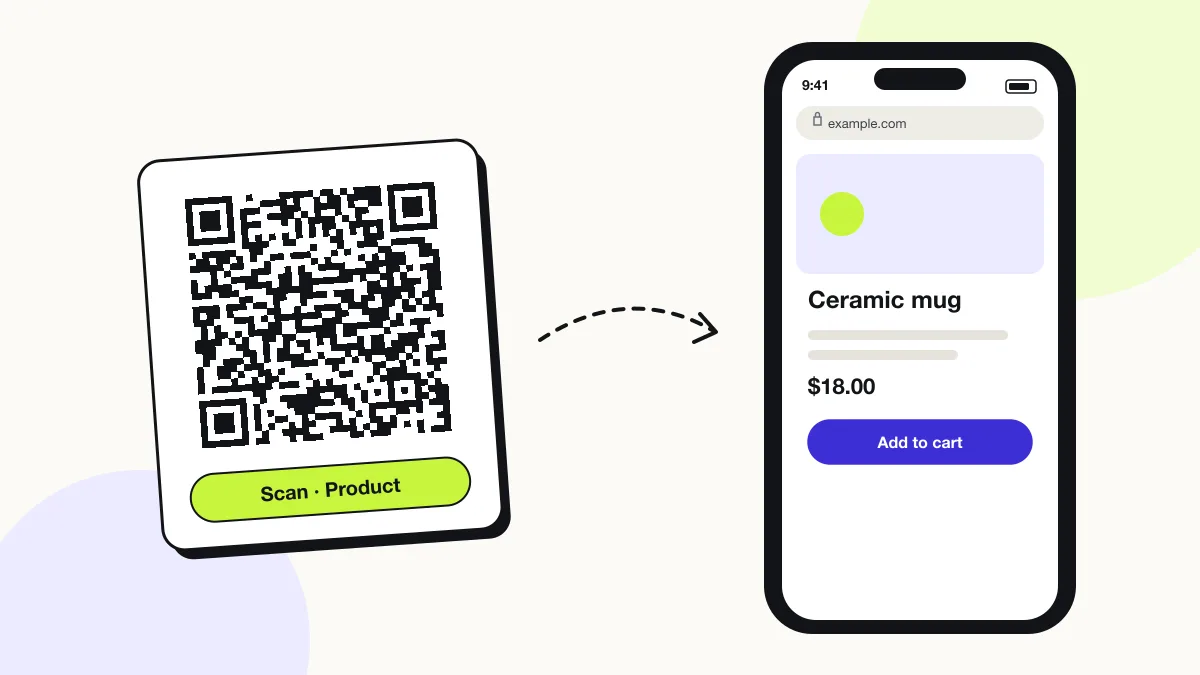
iPhone
The Camera shows the link banner; tapping it opens your product page in Safari.
Android
Google Lens or the Camera app opens the page in Chrome.
In-store
Shoppers scan before buying to read reviews and specifications, so link to a page that loads in under 2 seconds on mobile data.
How many scans does a free product QR code get?
A free account gets 200 scans a month across all its codes; Pro removes the limit for $30 a year. One scan is one phone opening the code. Each code uses a QRJiffy short link, so you can change where it points after printing and see scan counts. Compare Free and Pro.
Where to use product QR codes
Product QR codes work in 4 common places: manuals, reorders, warranty registration and ingredient lists.
Manuals
Replace a printed manual with a QR code to the PDF and save paper on every unit.
Reorders
A code on consumables opens the reorder page in one scan.
Warranty registration
A code on the box opens the registration form with the model preselected.
Ingredient lists
Food and cosmetics brands publish full lists beyond what fits on the label.
Product QR code best practices
A product QR code scans first time when it follows these 4 rules.
- Use a URL on your own domain that you control for the product’s whole shelf life.
- Print the code on a flat panel; curves wider than 15° distort it.
- Add a call to action such as “Scan for setup video”.
- Keep EAN/UPC barcodes on the pack; a product QR code does not replace checkout scanning unless it is a GS1 Digital Link code.
Product QR code FAQ
How big should a QR code be on packaging?
At least 2 × 2 cm (0.8 in). Larger codes scan faster on shelves and curved packs.
Can a product QR code replace a barcode?
Not a plain URL code. Only a GS1 Digital Link QR code carries the GTIN that checkout scanners read.
What happens if I discontinue the product?
Point the code at a support page or the replacement product in your QRJiffy dashboard, because printed packaging stays in homes for years.
Can I see how many people scanned my product?
Yes. Your QRJiffy dashboard counts scans by day, device and country for each product code.