 QRJiffy
Multi-Link QR Code Generator (Link in Bio)
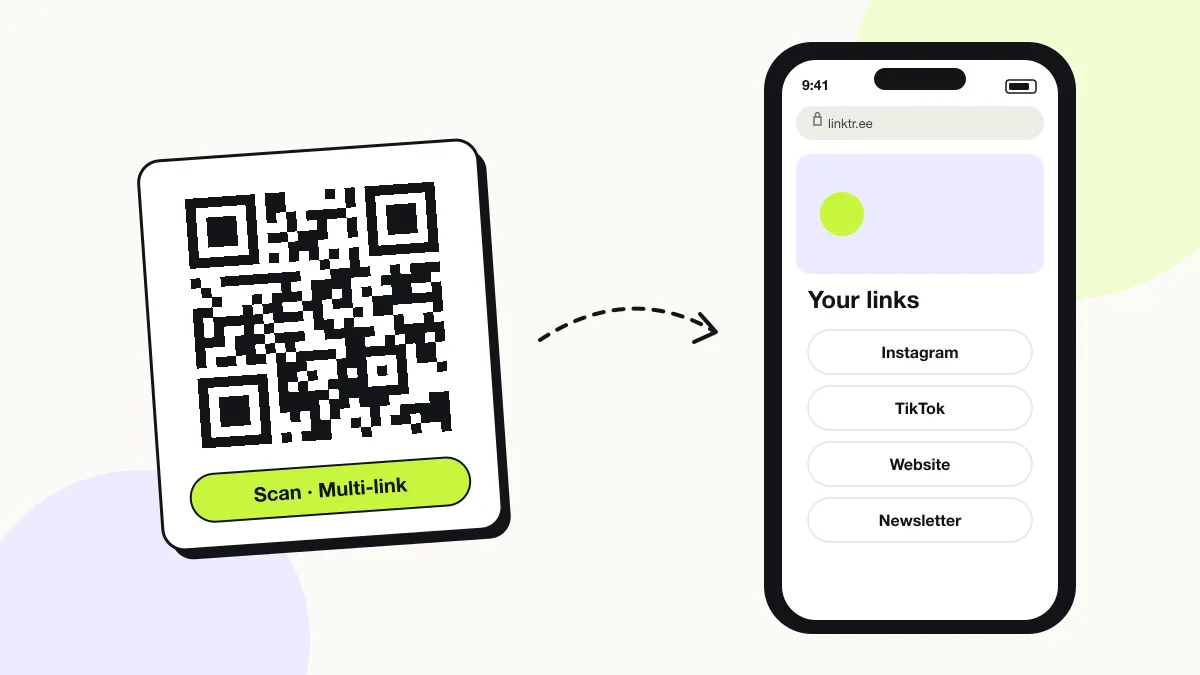
A multi-link QR code opens a page of several buttons — shop, book, menu, video — so one scan gives people every link you want to share. It is the printed version of a link-in-bio page. Build a link page on QRJiffy with up to 25 buttons, or paste the address of your Linktree, bio link or website link page.
Just your email to download · no password needed
Short link:
Change where it points any time — the printed code stays the same. Free for 200 scans a month.
Encoded data
How to create a multi-link QR code
You create a multi-link QR code in 5 steps with the free generator above, and the code is ready to download as PNG or SVG.
- Open your Linktree, bio link or website link page and copy its address.
- Paste the address into the link page field.
- Choose a dark code colour on a light background.
- Download SVG for print or PNG for screens.
- Scan the file and tap each button to confirm every destination loads.
What does a multi-link QR code contain?
A multi-link QR code stores link page URL, plus optional button labels, button destinations, button order.
| Payload standard | Plain URL of a link page (UTF-8 text) |
|---|---|
| Native camera support | iPhone iOS 11+, Android 9+ (Google Lens / camera) |
| Needs internet to use | Yes — the profile loads in the app or browser |
| Change after printing | Yes — point the code at a new profile or page in your QRJiffy dashboard; the printed code stays the same |
| Scan tracking | Scans by day, device and country in your QRJiffy dashboard |
| Opens in | The platform’s app when installed, otherwise the browser |
| Recommended error correction | M (15%); H (30%) when a logo covers the centre |
| Minimum print size | 2 × 2 cm (0.8 in) for profile URLs under 40 characters |
| Field | Required | What it does | Example |
|---|---|---|---|
| Link page URL | Yes | The page that holds your buttons. The code opens it. | https://linktr.ee/yourname |
| Button labels | Optional | Short, verb-first labels on the page, for example “Book a table”. | Order online |
| Button destinations | Optional | The URL behind each button: shop, form, video or profile. | https://example.com/book |
| Button order | Optional | The sequence of buttons; the top button receives the most taps. | 1. Order online |
Multi-link QR code payload format
https://<link-page-url>
https://linktr.ee/yourname
A QR code stores exactly one link. “Multiple links” always means one link to a page of buttons; no QR standard holds two destinations.
Format reference: RFC 3986: URI generic syntax (IETF)

Can Linktree be a QR code?
Yes, a Linktree becomes a QR code by encoding its linktr.ee address, and Linktree’s own Share menu also offers a QR code. Generating it here adds custom colours, error correction control and a vector SVG for print.
Step-by-step setup, sizes for posters and stickers, and Linktree-specific tips are in the Linktree QR code guide.
Can a QR code have two links?
No, a QR code stores one link only. A multi-link QR code solves this by opening a page with several buttons, so the scanner picks the link they need.
How many links belong on a multi-link page?
A multi-link page converts best with 3 to 7 buttons. Beyond 7 buttons scanners scroll, and the bottom links receive few taps.
- Put the action you want most first, for example “Order online”.
- Group secondary links, for example social profiles, under one button.
- Remove buttons that receive under 2% of taps each month.
What happens when someone scans a multi-link QR code?
The phone camera decodes a multi-link QR code in under a second and shows a prompt; tapping it starts the action stored in the code. The prompt differs by device:
iPhone
The Camera shows the link page’s domain; one tap opens it in Safari with every button ready.
Android
Google Lens or the Camera opens the page in Chrome. Buttons pointing to apps hand off through app links.
Inside Instagram or TikTok
Scanning with the in-app camera opens the page in the app’s built-in browser, which supports all standard buttons.
How many scans does a free multi-link QR code get?
A free account gets 200 scans a month across all its codes; Pro removes the limit for $30 a year. One scan is one phone opening the code. Each code uses a QRJiffy short link, so you can change where it points after printing and see scan counts. Compare Free and Pro.
Where to use multi-link QR codes
Multi-link QR codes work in 4 common places: creators and artists, restaurants, conference speakers and retail shelf talkers.
Creators and artists
Merch, music, videos and bookings sit behind one printed code.
Restaurants
Menu, reservations, delivery apps and reviews on a single table tent.
Conference speakers
Slides, recording, newsletter and contact on the final slide.
Retail shelf talkers
Product video, specs and reorder link next to the item.
Multi-link QR code best practices
A multi-link QR code scans first time when it follows these 5 rules.
- Lead with one verb-first button that matches the print context.
- Keep button labels under 25 characters so they fit on one line on phones.
- Check the scan counts in your QRJiffy dashboard and move the busiest action to the top.
- Test every button on iPhone and Android after each edit.
- Print “Scan for all links” beside the code so people know a menu of choices waits.
Multi-link QR code FAQ
Is a multi-link QR code the same as a social media QR code?
No. A social media QR code lists profiles; a multi-link QR code lists any actions, such as ordering, booking or watching. Both store one link to a page.
Do I need to reprint the code when I change a link?
No. Edit the buttons on your QRJiffy link page, or point the code at a different page in your dashboard; the printed code keeps working.
Can I add or remove links after printing?
Yes. Edit the buttons on your link page; the printed code keeps opening the same page with the new links.
Which link-in-bio services work with this generator?
Every service that gives you a public URL works, for example Linktree, Beacons, bio.link and Carrd.