 QRJiffy
Google Review QR Code Generator
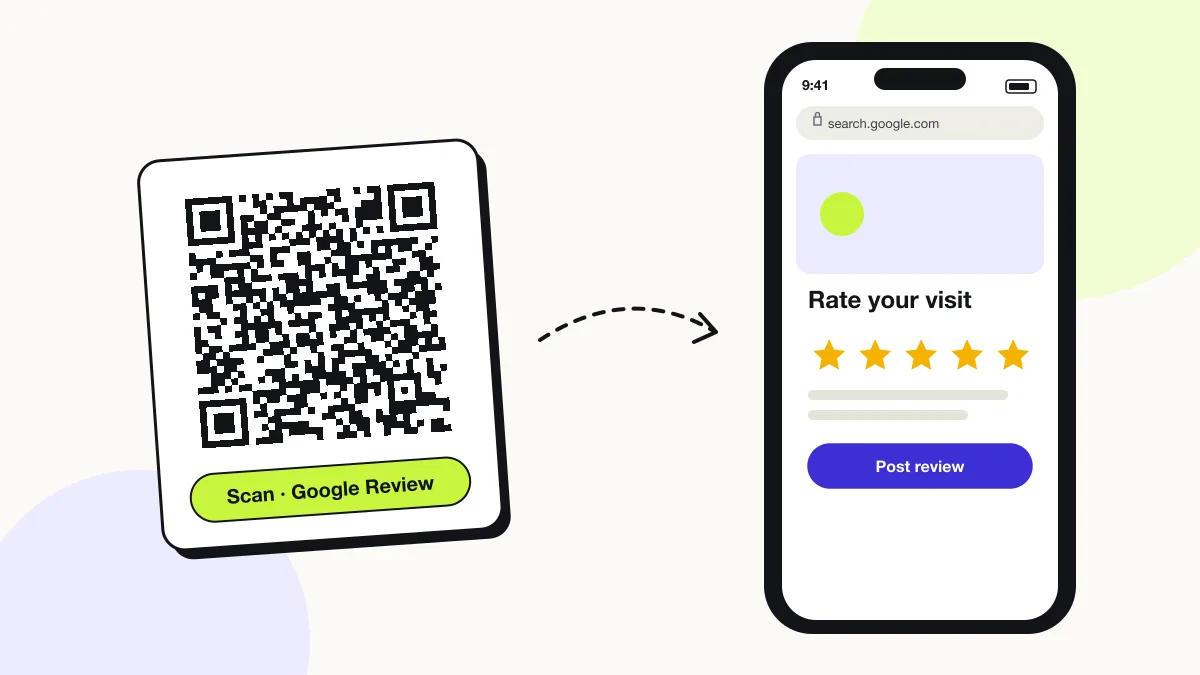
A Google review QR code opens the review form of a business’s Google Business Profile, so a customer leaves a star rating and review without searching for the business. It removes the 4–5 taps that make most happy customers give up. The code stores your review link from Google Business Profile.
Just your email to download · no password needed
Short link:
Change where it points any time — the printed code stays the same. Free for 200 scans a month.
Encoded data
How to create a Google review QR code
You create a Google review QR code in 5 steps with the free generator above, and the code is ready to download as PNG or SVG.
- Open Google Business Profile (search your business name on Google while signed in) and click Ask for reviews.
- Copy the review link that Google shows, for example
https://g.page/r/…/review. - Paste it into the generator above and choose error correction Q.
- Download SVG and place it on a counter stand, receipt or table card with “Scan to leave us a review”.
- Scan the printed code once to confirm it opens the star-rating box for your business.
How can I find my Google review QR code?
Your Google review QR code is in Google Business Profile: search your business name on Google, click “Ask for reviews”, then download the QR code or copy the link.
Google’s own code is a plain black PNG. A code made from the same link on QRJiffy adds your colours, a logo and an SVG file that stays sharp on large stands.
How do you get a Google review link without owning the profile?
Build the link from the Place ID: look up the business in Google’s Place ID Finder and append it to https://search.google.com/local/writereview?placeid=.
- Open Google’s Place ID Finder (developers.google.com/maps › Place ID Finder).
- Type the business name and pick it on the map.
- Copy the Place ID that starts with “ChIJ”.
- Paste
https://search.google.com/local/writereview?placeid=followed by the ID into the generator.
What does a Google review QR code contain?
A Google review QR code stores review link, plus optional place ID, call to action, logo and stars.
| Payload standard | Google review URL (g.page or writereview?placeid=) |
|---|---|
| Native camera support | iPhone iOS 11+, Android 9+ |
| Needs internet to use | Yes; the reviewer signs in to a Google account |
| Change after printing | Rarely needed — the review link stays the same; switch it in your QRJiffy dashboard if you move |
| Scan tracking | Scans in your QRJiffy dashboard; new reviews in Business Profile |
| Recommended error correction | Q (25%) for counter stands; H (30%) with a logo |
| Minimum print size | 2.5 × 2.5 cm (1 in); 5 cm on counter stands |
| Field | Required | What it does | Example |
|---|---|---|---|
| Review link | Yes | Your profile’s “write a review” URL. | https://g.page/r/…/review |
| Place ID | Optional | Google’s unique ID for a location, used to build the review link. | ChIJN1t_tDeuEmsRUsoyG83frY4 |
| Call to action | Optional | Printed text next to the code. | Enjoyed your visit? Scan to review us |
| Logo and stars | Optional | Brand logo in the code centre and a 5-star graphic on the sign. | logo.png |
Google review QR code payload format
https://g.page/r/<profile-id>/review · https://search.google.com/local/writereview?placeid=<Place ID>
https://search.google.com/local/writereview?placeid=ChIJN1t_tDeuEmsRUsoyG83frY4
Both links open the same review box. The Place ID link works for any business listed on Google Maps, even when you are not the profile owner.
Format reference: RFC 3986: URI generic syntax (IETF)

How do I scan a QR code for Google reviews?
Point the phone camera at the code and tap the link: the business’s review box opens with the star rating ready. The reviewer signs in to a Google account to post.
Can you offer a discount for a Google review?
No. Google’s review policy prohibits incentives for reviews and “review gating” (asking only happy customers). Google removes such reviews and can suspend reviews on the profile. Ask every customer, with no reward.
What happens when someone scans a Google review QR code?
The phone camera decodes a Google review QR code in under a second and shows a prompt; tapping it starts the action stored in the code. The prompt differs by device:
iPhone
The camera opens the review box in Safari or the Google Maps app; the reviewer taps stars and writes.
Android
The link opens Google Maps directly on the review form for signed-in users.
Not signed in
The page asks the reviewer to sign in to a Google account before posting.
How many scans does a free Google review QR code get?
A free account gets 200 scans a month across all its codes; Pro removes the limit for $30 a year. One scan is one phone opening the code. Each code uses a QRJiffy short link, so you can change where it points after printing and see scan counts. Compare Free and Pro.
Where to use Google review QR codes
Google review QR codes work in 4 common places: counter stands, receipts, table cards and service visits.
Counter stands
A stand next to the till catches customers at the moment of payment.
Receipts
A small code at the bottom of a printed receipt reminds customers after they leave.
Table cards
Restaurants place a card with the bill.
Service visits
Plumbers and cleaners leave a card or sticker after the job.
Google review QR code best practices
A Google review QR code scans first time when it follows these 5 rules.
- Ask every customer, never only happy ones; Google bans review gating.
- Never offer a discount, gift or entry in exchange for a review.
- Print the stars and “Scan to review us” next to the code.
- Use one code per location; each Google profile has its own review link.
- Test the printed code while signed out of your own account.
Google review QR code FAQ
Is a Google review QR code free?
Yes. Google’s review link is free, and the QRJiffy code made from it is free to download.
Can one Google review QR code cover several locations?
No. Each location has its own review link, so print one code per location to keep reviews on the right profile.
Can I add my logo to a Google review QR code?
Yes. Use error correction H (30%) and keep the logo under about 20% of the code area.
Can I make a Yelp or Tripadvisor review QR code?
Yes. Paste the review page link from Yelp, Tripadvisor or Trustpilot into the generator; the code opens that page.