 QRJiffy
TikTok QR Code Generator
A TikTok QR code opens a TikTok profile or video in the TikTok app, so viewers follow, like and watch more without searching for your handle. TikTok makes a profile code inside its app. This generator adds any video link, any colour and vector files for print on packaging, merch and posters.
Just your email to download · no password needed
Short link:
Change where it points any time — the printed code stays the same. Free for 200 scans a month.
Encoded data
How to create a TikTok QR code
You create a TikTok QR code in 5 steps with the free generator above, and the code is ready to download as PNG or SVG.
- Open your TikTok profile, tap Share profile, then Copy link.
- Paste the link above.
- Choose a dark code colour and a light background.
- Download SVG for print or PNG for screens.
- Scan the file to confirm it opens your profile, not a video.
What does a TikTok QR code contain?
A TikTok QR code stores TikTok URL, plus optional username, colours, error correction.
| Payload standard | Plain tiktok.com URL (UTF-8 text) |
|---|---|
| Native camera support | iPhone iOS 11+, Android 9+ (Google Lens / camera) |
| Needs internet to use | Yes — the profile loads in the app or browser |
| Change after printing | Yes — point the code at a new profile or page in your QRJiffy dashboard; the printed code stays the same |
| Scan tracking | Scans by day, device and country in your QRJiffy dashboard |
| Opens in | The platform’s app when installed, otherwise the browser |
| Recommended error correction | M (15%); H (30%) when a logo covers the centre |
| Minimum print size | 2 × 2 cm (0.8 in) for profile URLs under 40 characters |
| Field | Required | What it does | Example |
|---|---|---|---|
| TikTok URL | Yes | A profile (@username) or video link. | https://www.tiktok.com/@yourbrand |
| Username | Optional | Your @handle printed under the code. | @yourbrand |
| Colours | Optional | Any brand colour that stays dark against the background. | #121417 on #FFFFFF |
| Error correction | Optional | H (30%) when a logo sits in the centre. | H |
TikTok QR code payload format
https://www.tiktok.com/@<username>
https://www.tiktok.com/@yourbrand
Links copied from the app use a short vm.tiktok.com/… redirect. Both forms work; the full @username URL tells scanners whose profile opens before they tap.
Format reference: RFC 3986: URI generic syntax (IETF)

Where is my TikTok QR code?
Your TikTok QR code is on your profile: tap Share profile, and the app shows your code with a Save option. TikTok’s code links only to your own profile; generate one here for a specific video.
Can a QR code open a specific TikTok video?
Yes, a QR code opens a specific TikTok video when you encode that video’s share link. Use video codes on packaging that shows a recipe, tutorial or unboxing.
How do you scan a QR code inside TikTok?
TikTok scans QR codes from the Discover search bar: tap the scan icon and point the camera at the code. Phone cameras on iPhone (iOS 11+) and Android (Android 9+) scan TikTok codes without opening TikTok first.
What happens when someone scans a TikTok QR code?
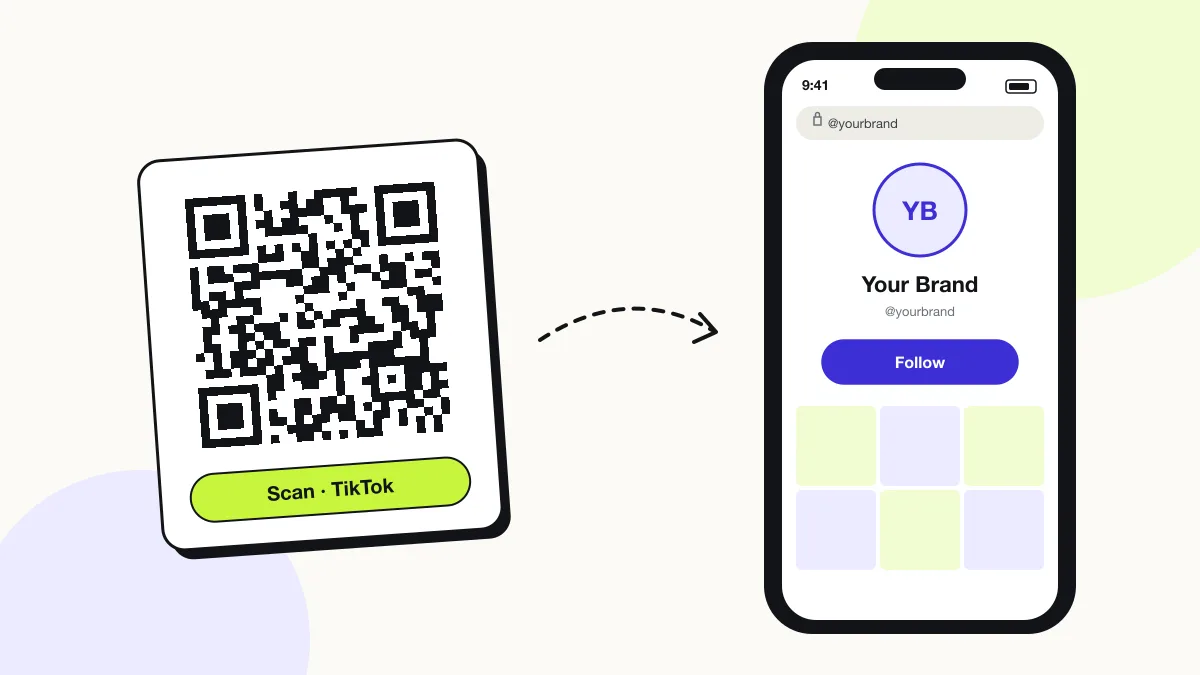
The phone camera decodes a TikTok QR code in under a second and shows a prompt; tapping it starts the action stored in the code. The prompt differs by device:
iPhone
The Camera shows “tiktok.com”; one tap opens the profile or video in the TikTok app.
Android
Google Lens or the Camera hands the link to the TikTok app through app links.
Without the app
The browser shows the profile or video on tiktok.com with a prompt to open the app.
How many scans does a free TikTok QR code get?
A free account gets 200 scans a month across all its codes; Pro removes the limit for $30 a year. One scan is one phone opening the code. Each code uses a QRJiffy short link, so you can change where it points after printing and see scan counts. Compare Free and Pro.
Where to use TikTok QR codes
TikTok QR codes work in 4 common places: product packaging, merch and stickers, pop-up shops and restaurant counters.
Product packaging
The code opens a 30-second how-to video next to the product.
Merch and stickers
Fans follow you from a laptop sticker or tee.
Pop-up shops
Shoppers follow and see the drop announcement first.
Restaurant counters
Diners watch behind-the-scenes clips while they wait.
TikTok QR code best practices
A TikTok QR code scans first time when it follows these 5 rules.
- Encode the @username URL so scanners see your handle in the preview banner.
- Print a reason to scan, for example “Watch how it’s made”.
- Keep the code at least 2 × 2 cm on packaging.
- Test the code with the TikTok app installed and uninstalled.
- Use H error correction when a TikTok-style logo covers the centre.
TikTok QR code FAQ
Is a TikTok QR code free?
Yes. The TikTok QR code here is free to create and download, with no watermark.
Does a TikTok QR code work on a laptop?
Yes. Scanning with a phone opens TikTok on the phone; laptop cameras do not read QR codes natively.
Why does my TikTok QR code open the wrong account?
The code points at an old or mistyped link. Copy the link again from Share profile and paste it into your QRJiffy dashboard; the printed code opens the right account from the next scan.
Which TikTok placements get the most scans?
Compare codes in your QRJiffy dashboard: name one code per spot, such as the till, the packaging insert and the shop window, and the scan totals show which spot earns followers.
Does a TikTok QR code open the For You feed or my profile?
Your profile. A tiktok.com/@handle link opens the profile grid with the Follow button, not the For You feed, so new viewers see your pinned videos first.
Can I put a logo in my TikTok QR code?
Yes. Set error correction to H (30%) and keep the logo under 20% of the code area so it still scans.