 QRJiffy
QR Code Size Guide
A printed QR code is at least 2 × 2 cm (0.8 × 0.8 in) and one tenth as wide as the distance it is scanned from. The right size also depends on how much data the code holds, because more data means smaller modules at the same width.
Updated · QRJiffy team
What is the minimum size for a QR code?
The practical minimum is about 2 × 2 cm (0.8 × 0.8 in) for a code holding a short link, scanned from 10–20 cm away. At that size a version 3 code has modules around 0.6 mm wide, which modern phone cameras resolve easily. Business cards, product labels and table tents usually sit between 2 and 3 cm.
What matters to the camera is the size of a single module, not the code as a whole. A good working target is a module at least 0.4–0.5 mm wide for close-range scanning, and proportionally larger for longer distances.
How do you calculate QR code size from scanning distance?
Use the 10:1 rule: the code’s width is at least one tenth of the scanning distance. Measure where people will realistically stand, divide by 10, and round up.
| Scanning distance | Minimum code width | Typical placement |
|---|---|---|
| 20 cm (8 in) | 2 cm (0.8 in) | Business card, product label, receipt |
| 50 cm (20 in) | 5 cm (2 in) | Table tent, flyer, packaging front |
| 1 m (3.3 ft) | 10 cm (4 in) | Counter display, A4 poster |
| 2 m (6.6 ft) | 20 cm (8 in) | Wall poster, shop window |
| 5 m (16 ft) | 50 cm (20 in) | Large window sign, trade-show banner |
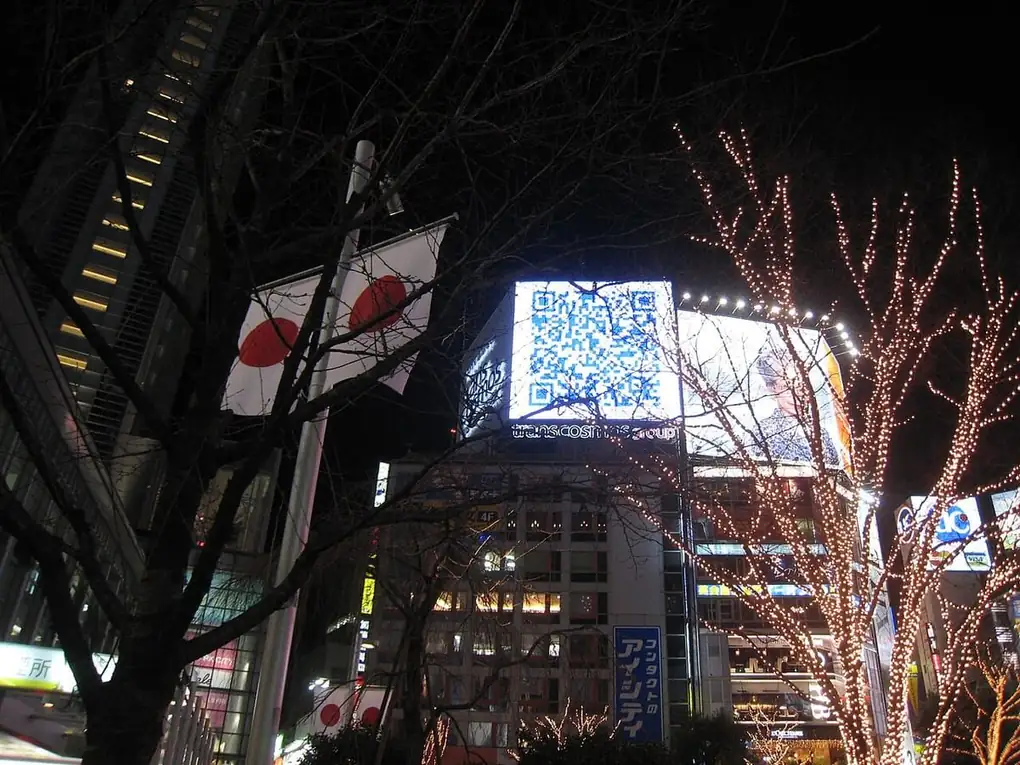
| 10 m (33 ft) | 1 m (3.3 ft) | Billboard, building wrap |
The rule assumes a code of moderate density. For codes with a lot of data, add 25–50% to these sizes.
What size should a QR code be on a business card, flyer or poster?
A QR code is 2–2.5 cm on a business card, 3–5 cm on a flyer, 8–10 cm on an A3 poster and 20 cm or more on a window sign. The size chart lists common print items.
| Print item | Recommended size | Scanning distance |
|---|---|---|
| Business card | 2–2.5 cm (0.8–1 in) | 15–25 cm |
| Product label, receipt | 2–3 cm (0.8–1.2 in) | 15–30 cm |
| Flyer, brochure (A5/A4) | 3–5 cm (1.2–2 in) | 30–50 cm |
| Table tent, menu card | 4–5 cm (1.6–2 in) | 40–50 cm |
| Poster (A3/A2) | 8–15 cm (3–6 in) | 1–1.5 m |
| Window or wall sign | 20–50 cm (8–20 in) | 2–5 m |
| Banner, billboard | 1 m+ (40 in+) | 10 m+ |
Business card layouts, including where to place the code, are covered in QR codes for business cards.
How small can a QR code be to be readable?
A QR code is readable down to about 1 × 1 cm when it holds under 20 characters and is printed sharply, but 2 cm is the reliable minimum. Below 1 cm, each module of a version 1 code is under 0.4 mm, which many phone cameras cannot focus on. Engraved and laser-marked parts use tiny codes with industrial scanners, not phones.
What is the maximum limit of a QR code?
The maximum is version 40: a grid of 177 × 177 modules holding 7,089 digits, 4,296 alphanumeric characters or 2,953 bytes. There is no maximum print size: a QR code scales up to building size, as long as the 10:1 distance rule holds. The what is a QR code guide lists capacity by version.
Why is my QR code too small to scan?
A QR code is too small to scan when its modules are narrower than the camera resolves at that distance, usually under 0.4 mm at 15 cm. Dense content shrinks modules: a 200-character link at 2 cm has modules 3 times smaller than a 25-character link. Fix it by printing larger, shortening the content or lowering error correction from H to M. More causes are in QR code not working.
Do QR codes have to be black and white?
No, QR codes do not have to be black and white, but low-contrast colours need a larger print size. A dark code on a light background with a contrast ratio of 4:1 or more scans at the sizes in this guide. Colour choices are covered in QR code colors.
How does the amount of data change the size you need?
More data creates a higher QR code version with more modules, so each module is smaller at the same printed width and the code must be printed larger. A 25-character link produces a 25 × 25 grid; a full contact card with address and several phone numbers can produce a 69 × 69 grid, with modules nearly three times smaller at the same width.
There are 3 ways to keep codes small:
- Shorten long URLs and remove unnecessary tracking parameters.
- Store only the fields people need — a vCard QR code generator works best with name, phone, email and website rather than every possible field.
- Use a link shortener, so the code stores a short address no matter how long the destination is.
In our scan tests, a 30-character short link made a 29 × 29 grid and a 123-character tracked address made 49 × 49. Printed at the same size, the short-link code read from about 2× the distance in our phone-photo model, so shortening the content is as effective as doubling the print size.
Does error correction affect QR code size?
Yes — higher error correction adds recovery data, which raises the version and shrinks the modules. Moving from level M to level H on the same data typically adds one or two versions. If you choose H to add a logo, increase the print size by about 20%. See QR code error correction levels for the trade-offs.
How much blank space does a QR code need around it?
A QR code needs a quiet zone of at least 4 modules of blank space on every side. For a 2 cm version 3 code, that is about 2.5 mm. Text, borders or busy backgrounds inside the quiet zone stop scanners finding the edges of the code. QRJiffy downloads include a quiet zone by default; keep it when you place the code in your design.
Which file format and resolution should you use for printing?
Use SVG for print, because a vector file stays sharp at any size; use PNG only for screens or when your print tool cannot place SVG.
- SVG or PDF: scale freely from a sticker to a banner with no blur.
- PNG: export at least 300 pixels per inch of printed size — a 5 cm (2 in) code needs a 600 × 600 px image.
- Never upscale a small PNG; scaling blurs the module edges and causes failed scans.
- Avoid JPEG, whose compression adds artefacts around the modules.
What else affects how large a QR code must be?
Contrast, surface and lighting all reduce effective size, so add margin when conditions are poor. Glossy laminate reflects light, curved bottles distort the grid, and dim venues blur the camera image. Codes people scan at a table, such as a QR code menu, need to scan without anyone picking the card up, which means 4–5 cm or more.
How do you check a QR code size before printing?
Print a proof at the exact size and scan it from the real distance with at least two different phones. If either phone hesitates, increase the size by 25% or shorten the data, then test again. One proof costs far less than a reprinted run.
Download a print-ready SVG from the free QRJiffy QR code generator and size it with the charts above.
Frequently asked questions
How big should a QR code be on a poster?
A QR code on a poster is one tenth of the scanning distance wide. A poster read from 2 metres needs a code about 20 cm wide; a window sign read from 5 metres needs about 50 cm.
Should I download a QR code as PNG or SVG for print?
Download SVG for print. SVG is a vector format and stays sharp at any size; a PNG needs at least 300 pixels per inch at the printed size.
How do you scan a really small QR code?
Scan a very small QR code by moving the phone to 8–12 cm and letting the camera switch to its macro lens, or zoom in 2× from further away. Good light and a steady hand matter more than the phone model.
What size should a QR code be in pixels for a website?
A QR code on a website is at least 150 × 150 CSS pixels, so phones can scan it from a laptop screen. Export the PNG at 2× (300 px or more) to stay sharp on high-density displays.
Sources
- QRJiffy QR code scan tests — our own reproducible tests with two open-source decoders
- Point for setting the module size — DENSO WAVE (QRcode.com)
- Point for determining the code area (quiet zone) — DENSO WAVE (QRcode.com)
- Information capacity and versions of QR Code — DENSO WAVE (QRcode.com)
- ISO/IEC 18004:2024 — QR Code bar code symbology specification — ISO