 QRJiffy
QR Code Error Correction Levels Explained
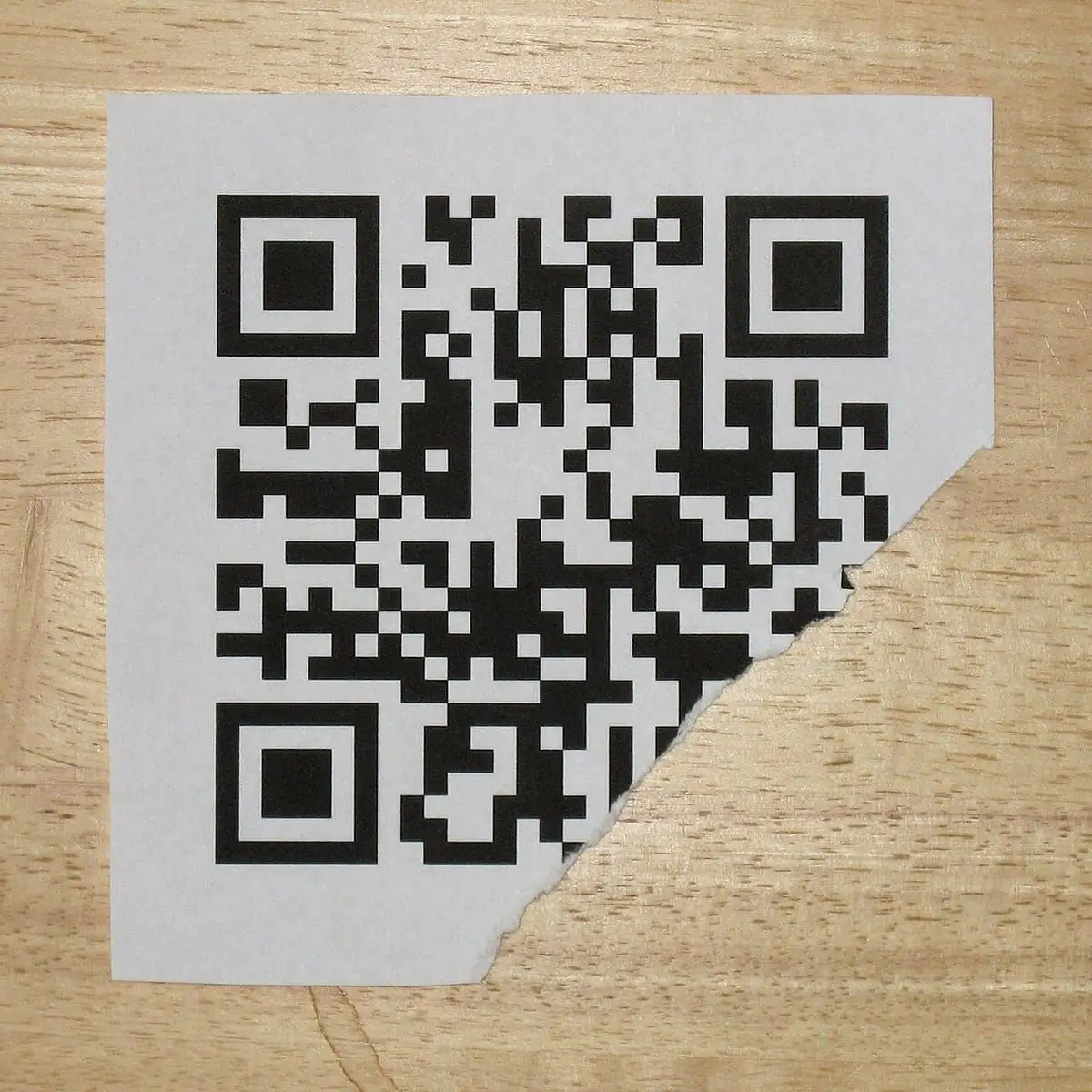
QR code error correction is built-in redundancy that lets a code scan even when part of it is dirty, torn or covered: level L restores about 7% of the data, M 15%, Q 25% and H 30%. You choose the level when you generate the code, and it trades capacity for resilience.
Updated · QRJiffy team
What are the four QR code error correction levels?
There are 4 levels: L (Low, 7% recoverable), M (Medium, 15%), Q (Quartile, 25%) and H (High, 30%). The percentage is the share of codewords that can be lost or wrong while the code still decodes correctly.
| Level | Recoverable data | Byte capacity at version 10 | Best for |
|---|---|---|---|
| L — Low | ~7% | 271 bytes | Screens, clean indoor print, long payloads |
| M — Medium | ~15% | 213 bytes | General-purpose default for posters, cards and packaging |
| Q — Quartile | ~25% | 151 bytes | Outdoor signs, warehouses, surfaces that get scuffed |
| H — High | ~30% | 119 bytes | Codes with a centre logo, rough or curved materials |
How does QR code error correction work?
QR codes use Reed–Solomon codes, which add extra codewords calculated from the data so that missing or corrupted codewords can be mathematically reconstructed. The same family of codes protects CDs, DVDs and deep-space radio links.
The data is split into 8-bit codewords and grouped into blocks. For each block, the generator computes error-correction codewords and interleaves all blocks across the grid. Interleaving spreads every block over the whole code, so a single scratch or sticker damages a little of many blocks rather than all of one block. A Reed–Solomon block with n error-correction codewords can fix up to n/2 wrong codewords, or up to n codewords that are known to be missing.
What does higher error correction cost?
Higher error correction reduces how much data fits in a given version, so the same content produces a denser code with smaller modules. A 60-character link fits in a version 4 code at level L but needs version 6 at level H — 41 × 41 modules instead of 33 × 33. Printed at the same 2 cm width, each module at level H is about 20% smaller and harder for a camera to resolve.
The fix is simple: when you raise the level, raise the print size too, or shorten the data. The QR code size guide shows how to calculate the size you need.
Which error correction level should you choose?
Choose level M (15%) by default, and change it only for the 4 situations below. Then adjust for these situations:
- Lots of data, clean surface: choose L. A vCard QR code with many fields stays scannable at business-card size with L.
- Normal print: choose M for flyers, menus, posters and packaging.
- Harsh environment: choose Q for outdoor signs, shop floors, vehicle stickers and laminated cards that get scratched.
- Logo or decoration: choose H whenever you place an image over the code.
How does error correction allow a logo in a QR code?
A centre logo works because the modules it hides are treated as damage and rebuilt by error correction. The logo consumes part of the recovery budget, so the code becomes less tolerant of any other damage.
- Use level H and keep the logo at or below 25% of the code width (about 6% of its area), leaving most of the error budget for real-world wear.
- Place the logo in the centre; never cover the three finder patterns, the timing patterns or the format information beside the finders.
- Give the logo a solid background so its edges do not blend with nearby modules.
- Test-scan the final artwork with several phones before printing in volume.
The QR code generator with logo previews the code with your logo, so you can test-scan it before you download.
How much damage did each level survive in our tests?
In our scan tests codes survived one centre patch up to 42% of the width at level H, but scattered specks broke them: at 4% random damage level H read only 18% of the time. Error correction repairs damaged codewords, and each codeword spans 8 modules, so damage spread across the code uses up the budget far faster than the same amount in one place.
| Level | Largest centre patch that scanned | Decoded with 2% random damage |
|---|---|---|
| L | 22% of width (5% of area) | 25% of trials |
| M | 33% of width (11% of area) | 68% of trials |
| Q | 34% of width (12% of area) | 57% of trials |
| H | 42% of width (18% of area) | 70% of trials |
The lesson for print: a higher level protects against one sticker or tear, but it will not save a code from scuffs and faded ink. Laminate codes that get handled.
Does a short link need less error correction?
No, a short link needs the same level, but it leaves more room to spare because it holds fewer characters. A short link produces a low version with large modules, so level H for a logo still prints small. The QR code size guide shows how content length sets print size.
How do you test that the error correction level is enough?
Test by scanning the final printed code in its real conditions, then cover part of it and scan again. Print a proof at the real size, scan it with an iPhone and an Android phone at the expected distance and lighting, and then cover about a tenth of the code with your finger away from the finder patterns. If it still scans quickly, the level and size are right.
Pick L, M, Q or H in the style options of the free QRJiffy QR code generator and download a print-ready SVG.
Frequently asked questions
What is the best QR code error correction level?
Level M (15%) is the best default for most codes. Choose L for screens and clean print with long data, Q for outdoor or industrial use, and H when the code carries a logo or faces heavy wear.
Does higher error correction make a QR code harder to scan?
It can. Higher levels add codewords, which raises the version and makes modules smaller at the same print size. If you raise the level, print the code larger to keep the modules the same size.
Can I put a logo in any QR code?
Only if the logo covers less of the code than its error correction level can recover. In our tests a logo failed above 42% of the code width at level H, so keep it at or below 25% of the width, never cover the finder patterns, and test-scan before printing.
Does error correction fix a code that is too small or blurry?
No. Error correction repairs missing or wrong codewords; it cannot help if the camera cannot resolve individual modules. Fix blur and size problems by printing larger or shortening the data.
Sources
- QRJiffy QR code scan tests — our own reproducible tests with two open-source decoders
- ISO/IEC 18004:2024 — QR Code bar code symbology specification — ISO
- Error correction feature — DENSO WAVE (QRcode.com)
- Information capacity and versions of QR Code — DENSO WAVE (QRcode.com)
- Reed–Solomon error correction — Wikipedia