 QRJiffy
GS1 Digital Link QR Code Generator
A GS1 Digital Link QR code stores a product’s GTIN, plus optional batch and serial number, as a web address, so the same code rings up at checkout and opens product information on a phone. It is the 2D successor to the EAN/UPC barcode. GS1’s Sunrise 2027 target is for retail checkout scanners to read 2D codes like this by the end of 2027.
Just your email to download · no password needed
Phones read this code directly, so it has no scan count.
Encoded data
How to create a GS1 Digital Link QR code
You create a GS1 Digital Link QR code in 5 steps with the free generator above, and the code is ready to download as PNG or SVG.
- Enter the GTIN printed under your existing EAN or UPC barcode.
- Add a batch and serial number for lot traceability or per-item identity.
- Set your resolver domain to control where phone scans land.
- Download the SVG and place it on pack artwork with a 4-module quiet zone.
- Test with a phone and a 2D-capable checkout scanner before printing.
What does a GS1 Digital Link QR code contain?
A GS1 Digital Link QR code stores GTIN (AI 01), plus optional batch / lot (AI 10), serial number (AI 21), expiry date (AI 17), resolver domain.
| Payload standard | GS1 Digital Link URI (ISO/IEC 18975) |
|---|---|
| Native camera support | iPhone iOS 11+, Android 9+ (opens the URL); checkout needs a 2D-capable scanner |
| Needs internet to use | Phones: yes · Checkout: no (the GTIN is read from the code) |
| Editable after printing | The GTIN is fixed; your resolver domain can redirect phone scans |
| Scan tracking | Available on your own resolver domain |
| Recommended error correction | M (15%); Q on curved packs |
| Minimum print size | Per GS1 General Specifications; about 1.5 × 1.5 cm on retail packs |
| Field | Required | What it does | Example |
|---|---|---|---|
| GTIN (AI 01) | Yes | The Global Trade Item Number licensed from GS1, normalised to 14 digits. | 09506000134352 |
| Batch / lot (AI 10) | Optional | Production lot for recalls and traceability, up to 20 characters. | ABC123 |
| Serial number (AI 21) | Optional | Identifies one individual unit for authentication and warranty. | 12345 |
| Expiry date (AI 17) | Optional | Expiry or best-before date in YYMMDD, as a query parameter. | ?17=271231 |
| Resolver domain | Optional | The domain that redirects phone scans. Your brand domain gives you control. | https://id.example.com |
GS1 Digital Link QR code payload format
https://<domain>/01/<GTIN-14>/10/<batch>/21/<serial>
https://id.gs1.org/01/09506000134352/10/ABC123
Each path segment is a GS1 Application Identifier (AI): 01 GTIN, 10 batch or lot, 21 serial number. Expiry (AI 17, YYMMDD) is a query parameter, e.g. ?17=271231.
Format reference: GS1 Digital Link standard (reference) (GS1)

What is GS1 Sunrise 2027?
Sunrise 2027 is GS1’s target for retail checkout scanners worldwide to read 2D barcodes, including GS1 Digital Link QR codes, by the end of 2027.
EAN and UPC barcodes stay valid during the transition. Brands add a GS1 Digital Link QR code now so packs work with both old and new scanners. Read what Sunrise 2027 means for packaging.
What is the difference between a GS1 QR code and a normal QR code?
A GS1 Digital Link QR code contains a GTIN in a standard URL path that checkout systems parse; a normal QR code contains any URL that only phones open.
| Attribute | GS1 Digital Link QR | Plain URL QR |
|---|---|---|
| Scans at checkout | Yes, on 2D scanners | No |
| Carries GTIN, batch, serial | Yes | No |
| Opens a web page on phones | Yes | Yes |
| Requires a GS1 licence | Yes, for the GTIN | No |
Do I need a GS1 membership to make a GS1 QR code?
Yes, to sell at retail you need GTINs licensed from your national GS1 organisation; the QR format itself is free to generate.
What happens when someone scans a GS1 Digital Link QR code?
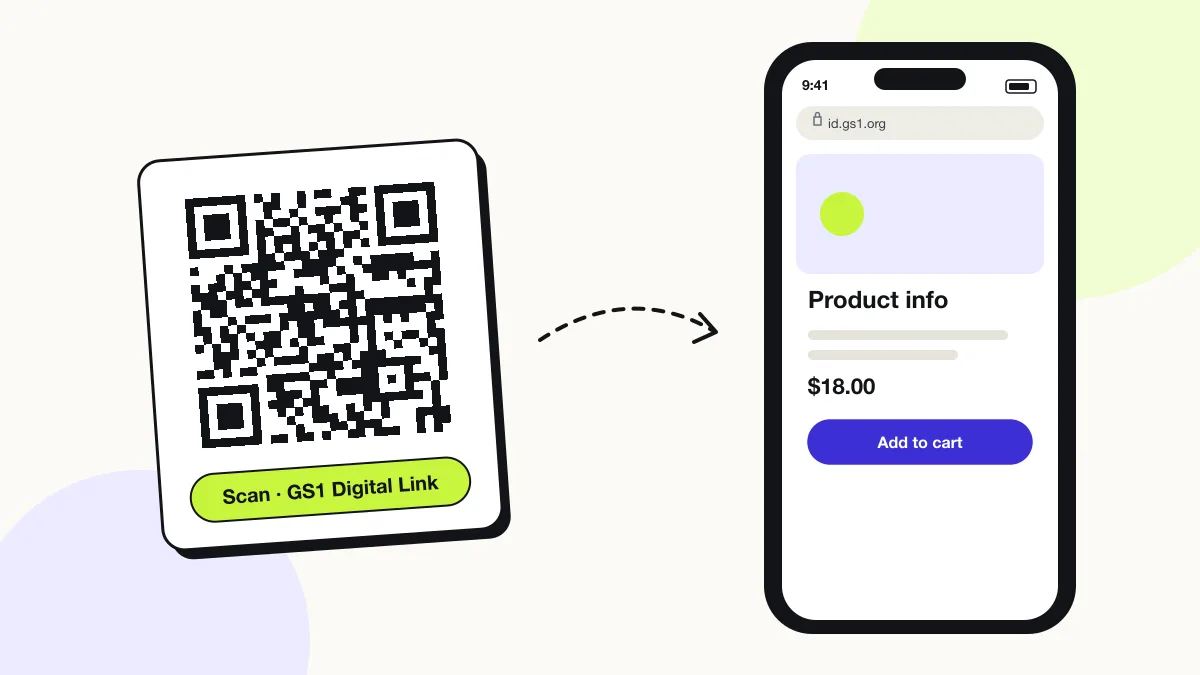
The phone camera decodes a GS1 Digital Link QR code in under a second and shows a prompt; tapping it starts the action stored in the code. The prompt differs by device:
Checkout scanner
A 2D-capable point-of-sale scanner extracts the GTIN, batch and expiry and rings up the product exactly as from an EAN-13 barcode.
Shopper’s phone
The camera opens the URL; your resolver redirects to product information, instructions or recall notices.
Supply chain
Warehouse scanners read batch and serial data for stock rotation, expiry checks and recalls.
Is there a scan limit on a GS1 Digital Link QR code?
No, a GS1 Digital Link QR code has no scan limit, because the phone reads the details straight from the pattern without visiting QRJiffy. That also means it works offline but cannot be edited or counted after printing; print a new code when the details change.
Where to use GS1 Digital Link QR codes
GS1 Digital Link QR codes work in 4 common places: retail packaging, food traceability, digital Product Passports and healthcare products.
Retail packaging
One code serves the checkout and the shopper.
Food traceability
Batch and expiry data support stock rotation and targeted recalls.
Digital Product Passports
GS1 Digital Link is a leading data carrier for EU product passports.
Healthcare products
Batch, serial and expiry in one code support patient-safety traceability.
GS1 Digital Link QR code best practices
A GS1 Digital Link QR code scans first time when it follows these 5 rules.
- Use only GTINs your company licensed from GS1; invented numbers cause checkout and marketplace conflicts.
- Keep the EAN/UPC barcode on pack until your retailers confirm 2D scanning.
- Host the resolver on your own domain to control consumer destinations.
- Never shorten the URL: checkout systems must read the
/01/path to find the GTIN. - Check symbol size and contrast against GS1 General Specifications.
GS1 Digital Link QR code FAQ
Will a GS1 Digital Link QR code scan at checkout today?
Yes, on 2D-capable scanners configured for GS1 Digital Link. Many retailers are still upgrading, so keep the linear barcode on pack.
Can I use my own domain instead of id.gs1.org?
Yes. GS1 Digital Link allows any domain; checkouts read the GTIN path and your domain decides where phones go.
Can I add an expiry date?
Yes. Append Application Identifier 17 as a query parameter in YYMMDD format, for example ?17=271231 for 31 December 2027.
Is a GS1 QR code the same as a GS1 DataMatrix?
No. Both are 2D symbols, but GS1 DataMatrix is used mainly in healthcare and is not readable by phone cameras as a web link; a GS1 Digital Link QR code opens on any phone.