 QRJiffy
Google Maps & Address QR Code Generator
A Google Maps QR code opens a place in Maps so the scanner navigates there with turn-by-turn directions. It stores a Google Maps search link built from an address, a place name or GPS coordinates. It opens the Google Maps app on Android, and the app or the browser on iPhone.
Just your email to download · no password needed
Short link:
Change where it points any time — the printed code stays the same. Free for 200 scans a month.
Encoded data
How to create a Google Maps QR code
You create a Google Maps QR code in 4 steps with the free generator above, and the code is ready to download as PNG or SVG.
- Type the address or business name as you would search it in Google Maps.
- For a car park, trailhead or gate, add latitude and longitude instead.
- Scan the preview and confirm Maps drops the pin on the right spot.
- Download the code for invitations, signs and directions cards.
What does a Google Maps QR code contain?
A Google Maps QR code stores address or place name, plus optional latitude, longitude.
| Payload standard | Google Maps URLs (search, api=1) |
|---|---|
| Native camera support | iPhone iOS 11+, Android 9+ |
| Needs internet to use | Yes, unless offline maps are downloaded |
| Change after printing | Yes — point the code at the new location in your QRJiffy dashboard |
| Scan tracking | Scans by day, device and country in your QRJiffy dashboard |
| Works without the app | Yes, Google Maps opens in the browser |
| Recommended error correction | Q (25%) for outdoor signs |
| Minimum print size | 2 × 2 cm (0.8 in) |
| Field | Required | What it does | Example |
|---|---|---|---|
| Address or place name | Yes | What Google Maps searches for; a business name finds its listing. | Ferry Building, San Francisco |
| Latitude | Optional | North–south position in decimal degrees, for spots with no address. | 37.7955 |
| Longitude | Optional | East–west position in decimal degrees. | -122.3937 |
Google Maps QR code payload format
https://www.google.com/maps/search/?api=1&query=<address or lat,lng>
https://www.google.com/maps/search/?api=1&query=37.7955,-122.3937
This is Google’s Maps URLs format, which works on iPhone, Android and desktop without an API key. Coordinates use decimal degrees with a period.
Format reference: RFC 3986: URI generic syntax (IETF)

How do I get a QR code for my Google Maps location?
Type the address or business name into the generator above, or paste coordinates, and download the QR code.
Google Maps also offers Share › Copy link; that maps.app.goo.gl link works in the link to QR code generator too.
Can a location QR code open Apple Maps instead?
Yes, encode an Apple Maps link (https://maps.apple.com/?q=…) as a link QR code; it opens Apple Maps on iPhone and a browser map on Android.
How do I find the coordinates of a place?
Long-press the spot in Google Maps; the latitude and longitude appear in the search box, ready to copy.
What happens when someone scans a Google Maps QR code?
The phone camera decodes a Google Maps QR code in under a second and shows a prompt; tapping it starts the action stored in the code. The prompt differs by device:
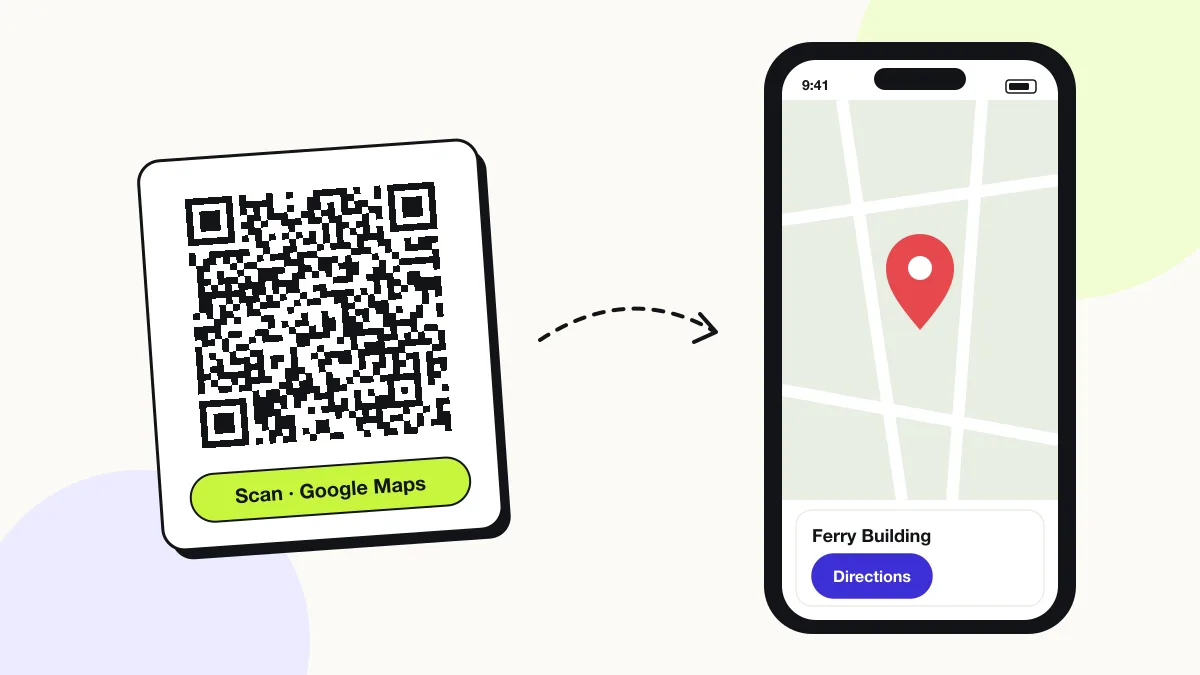
Android
The link opens the Google Maps app on the place, with a Directions button.
iPhone
The link opens Google Maps if installed, otherwise Google Maps in Safari. Apple Maps does not open Google Maps links.
Coordinates
Coordinates drop an exact pin, accurate to about 1 metre at 5 decimal places.
How many scans does a free Google Maps QR code get?
A free account gets 200 scans a month across all its codes; Pro removes the limit for $30 a year. One scan is one phone opening the code. Each code uses a QRJiffy short link, so you can change where it points after printing and see scan counts. Compare Free and Pro.
Where to use Google Maps QR codes
Google Maps QR codes work in 4 common places: event invitations, shop and office signs, real estate flyers and hiking and parks.
Event invitations
Guests open directions to the venue from the card.
Shop and office signs
Customers find the entrance, car park or second location.
Real estate flyers
Buyers navigate to the open house.
Hiking and parks
Trail signs pin the next waypoint or the car park.
Google Maps QR code best practices
A Google Maps QR code scans first time when it follows these 4 rules.
- Use coordinates for places without a street address, such as gates and trailheads.
- Use the exact business name when it has a Google listing — the scanner sees reviews and hours too.
- Print the address in text beside the code.
- Use error correction Q (25%) on outdoor signs.
Google Maps QR code FAQ
Does a Google Maps QR code need the Google Maps app?
No. Without the app, the link opens Google Maps in the browser.
Does a location QR code work offline?
No, the map loads online, unless the area is downloaded for offline use in Google Maps.
Does a Google Maps QR code open Apple Maps on iPhone?
No. The Google Maps URL opens Google Maps, in the app when installed and in Safari otherwise.
Can a QR code show multiple locations?
No. One code opens one place; a hosted page lists several locations.