 QRJiffy
Survey & Feedback QR Code Generator
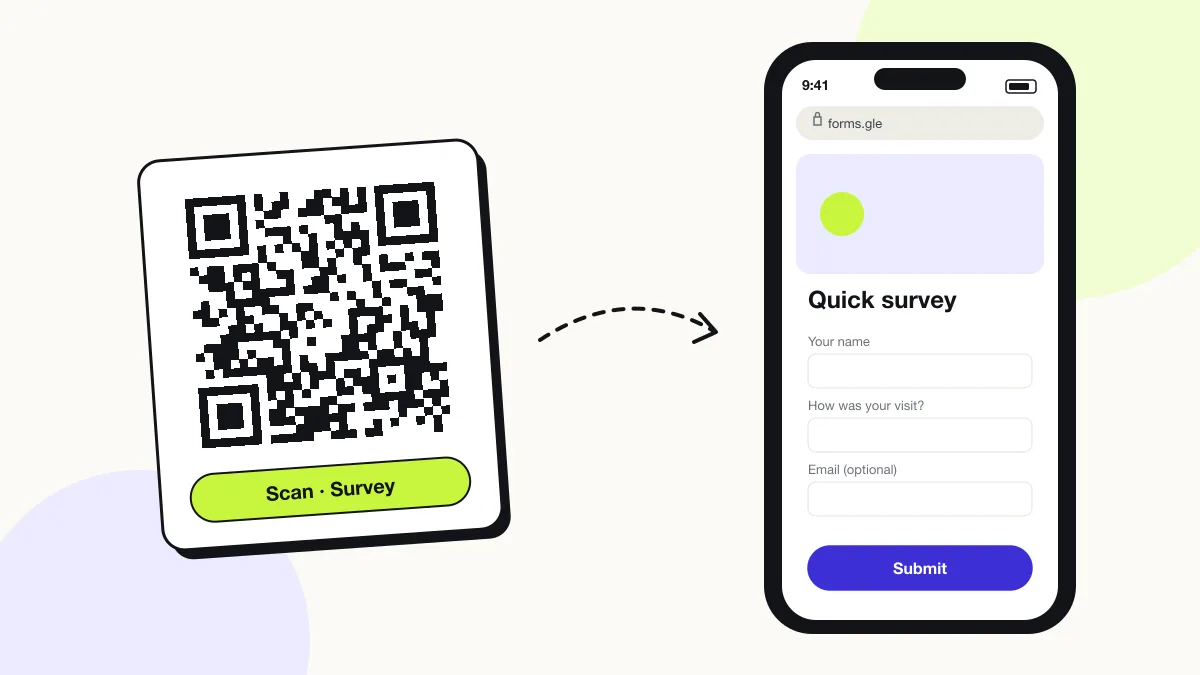
A survey QR code opens a feedback form or questionnaire, so a customer rates a visit and answers questions on their phone in under a minute. It collects feedback while the experience is fresh: at the table, in the hotel room or at the end of an event. Any form tool works behind it.
Just your email to download · no password needed
Short link:
Change where it points any time — the printed code stays the same. Free for 200 scans a month.
Encoded data
How to create a survey QR code
You create a survey QR code in 5 steps with the free generator above, and the code is ready to download as PNG or SVG.
- Build a short form of 3–5 questions in Google Forms, Typeform or Microsoft Forms.
- Copy the public form link; add a pre-filled field for the location if you print several codes.
- Paste the link into the generator and download SVG.
- Print it with a reason to scan, for example “1-minute survey: help us improve”.
- Submit one test response from your phone to confirm the form accepts answers from anyone with the link.
What does a survey QR code contain?
A survey QR code stores form link, plus optional rating question, comment field, placement tag, contact opt-in.
| Payload standard | Plain https:// URL stored as UTF-8 text |
|---|---|
| Native camera support | iPhone iOS 11+, Android 9+ (camera or Google Lens) |
| Needs internet to use | Yes — the scan opens a web page |
| Change after printing | Yes — change the destination in your QRJiffy dashboard; the printed code stays the same |
| Scan tracking | Scans by day, device and country in your QRJiffy dashboard; UTM tags add Google Analytics detail |
| Recommended error correction | M (15%); Q (25%) on surfaces that get cleaned |
| Minimum print size | 2 × 2 cm (0.8 in); 4 cm on posters read from 40 cm |
| Field | Required | What it does | Example |
|---|---|---|---|
| Form link | Yes | The survey or form the code opens. | https://forms.gle/… |
| Rating question | Optional | One headline question with a 1–5 or 0–10 scale. | How was your visit? |
| Comment field | Optional | A free-text box for details. | What could we do better? |
| Placement tag | Optional | A hidden or pre-filled field identifying the table, room or branch. | branch=soho |
| Contact opt-in | Optional | An optional email field for follow-up on complaints. | name@example.com |
Survey QR code payload format
https://<form-tool>/<form-id>?<hidden-field>=<value>
https://forms.gle/AbCdEf123
Pre-filled or hidden fields (for example ?location=room-12) tag each response with the printed placement, so one form serves many tables or branches.
Format reference: RFC 3986: URI generic syntax (IETF)

How many questions should a QR code survey have?
A QR code survey works best with 3–5 questions that take under 60 seconds on a phone. Start with one rating question; every extra screen lowers the completion rate.
Which survey tools work with a QR code?
Every survey tool with a public link works: examples are Google Forms, Typeform, Microsoft Forms, SurveyMonkey and Jotform.
| Tool | Where the public link is |
|---|---|
| Google Forms | Send › link icon › Shorten URL |
| Microsoft Forms | Collect responses › Copy link |
| Typeform | Share › Copy link |
| SurveyMonkey | Collect responses › Web link |
Are QR code surveys anonymous?
Yes, when the form does not require sign-in and asks for no name or email. Turn off “Collect email addresses” in Google Forms and “Record name” in Microsoft Forms.
What happens when someone scans a survey QR code?
The phone camera decodes a survey QR code in under a second and shows a prompt; tapping it starts the action stored in the code. The prompt differs by device:
iPhone
The camera opens the form in Safari; answers submit without an app.
Android
Google Lens or the camera opens the form in Chrome.
Sign-in walls
Forms that require a Microsoft or Google account lose most respondents; allow anonymous responses.
How many scans does a free survey QR code get?
A free account gets 200 scans a month across all its codes; Pro removes the limit for $30 a year. One scan is one phone opening the code. Each code uses a QRJiffy short link, so you can change where it points after printing and see scan counts. Compare Free and Pro.
Where to use survey QR codes
Survey QR codes work in 4 common places: restaurants, hotels, events and training and healthcare waiting rooms.
Restaurants
A card with the bill asks for a 1–5 rating and one comment.
Hotels
A code in each room collects feedback before checkout, while issues are fixable.
Events and training
A code on the last slide gathers session ratings from the audience.
Healthcare waiting rooms
Patients rate the visit anonymously.
Survey QR code best practices
A survey QR code scans first time when it follows these 5 rules.
- Keep the survey under 60 seconds.
- State the time cost next to the code: “1-minute survey”.
- Allow anonymous answers, with sign-in turned off.
- Tag each placement with a pre-filled field.
- Route negative ratings to a follow-up contact field.
Survey QR code FAQ
Is a survey QR code free?
Yes. A survey QR code from QRJiffy is free to create, and most form tools have free plans.
Can a QR code survey collect email addresses?
Yes, through an optional email question in the form; the QR code itself collects no data.
Can I use one survey QR code for several locations?
Yes. Add a question for location, or print one code per location with a pre-filled location field.
Can I see how many people scanned my survey QR code?
Yes. Your QRJiffy dashboard counts scans by day and device; compare them with form responses to see your completion rate.