 QRJiffy
UPI QR Code Generator
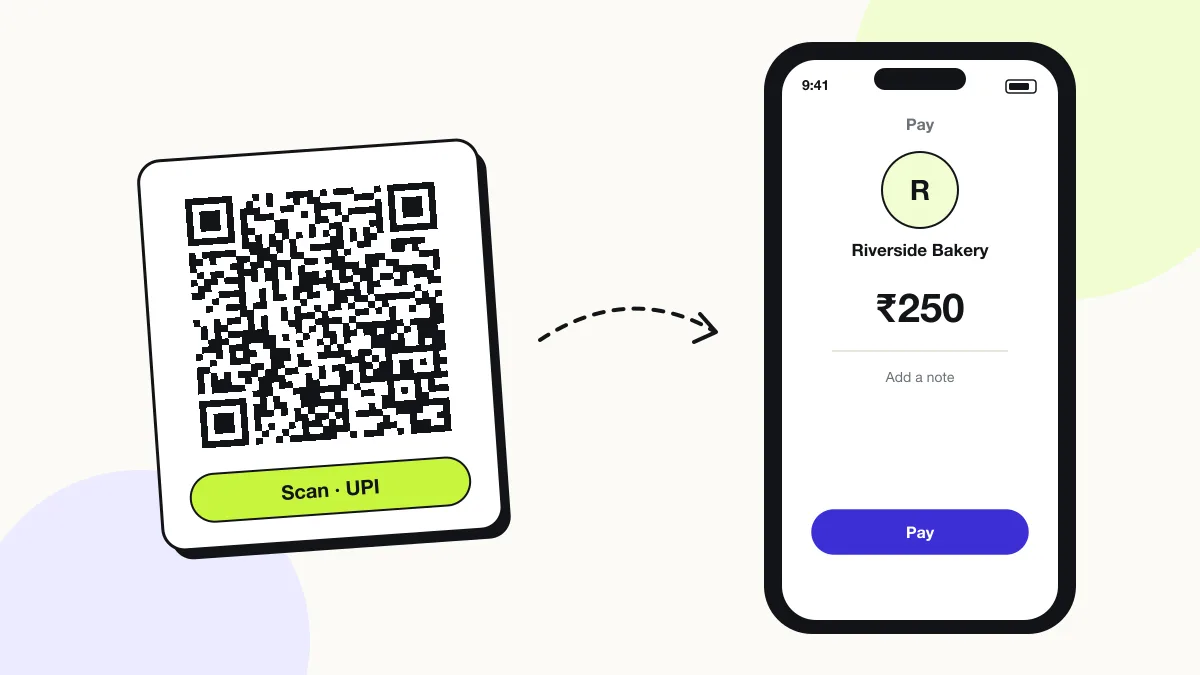
A UPI QR code sends money to your UPI ID: any UPI app in India reads the code, shows your name and transfers the amount from the payer’s bank account. UPI QR codes follow the NPCI <code>upi://pay</code> format, so Google Pay, PhonePe, Paytm, BHIM and bank apps all read the same code.
Just your email to download · no password needed
Phones read this code directly, so it has no scan count.
Encoded data
How to create a UPI QR code
You create a UPI QR code in 5 steps with the free generator above, and the code is ready to download as PNG or SVG.
- Copy your UPI ID from Google Pay, PhonePe, Paytm or your bank app.
- Enter the UPI ID and the payee name exactly as your bank account shows it.
- Add an amount and note for a fixed bill.
- Download the code and print it with your name and UPI ID below.
- Pay ₹1 to yourself from another UPI app to test it.
What does a UPI QR code contain?
A UPI QR code stores UPI ID (pa), plus optional payee name (pn), amount (am), note (tn).
| Payload standard | NPCI UPI deep link (upi://pay) |
|---|---|
| Native camera support | Scanned inside UPI apps (Google Pay, PhonePe, Paytm, BHIM); phone cameras offer to open a UPI app |
| Needs internet to use | Yes — the payer’s UPI app needs data to complete the transfer |
| Editable after printing | No — a new UPI ID or amount needs a new code |
| Scan tracking | Not available; your bank statement lists every UPI credit |
| Recommended error correction | Q (25%) for counter signs and stickers that get handled |
| Minimum print size | 2.5 × 2.5 cm (1 in) on a counter sign; 2 × 2 cm on a flyer |
| Field | Required | What it does | Example |
|---|---|---|---|
| UPI ID (pa) | Yes | Your virtual payment address, linked to your bank account. | riversidebakery@okaxis |
| Payee name (pn) | Optional | The name the payer sees; it must match your bank account name to avoid “name mismatch” warnings. | Riverside Bakery |
| Amount (am) | Optional | A fixed amount in rupees; empty means the payer types it. | 250 |
| Note (tn) | Optional | A transaction note that appears on both statements. | Order 1042 |
UPI QR code payload format
upi://pay?pa=<upi-id>&pn=<payee-name>&am=<amount>&cu=INR&tn=<note>
upi://pay?pa=riversidebakery@okaxis&pn=Riverside%20Bakery&am=250&cu=INR
pa is the payee address (UPI ID), pn the payee name, am the amount, cu the currency (always INR) and tn the transaction note. The @ in the UPI ID stays unencoded so every UPI app parses it.
Format reference: RFC 3986: URI generic syntax (IETF)

Which apps can scan a UPI QR code?
Every UPI app scans a UPI QR code, for example Google Pay, PhonePe, Paytm, BHIM, Amazon Pay and most Indian bank apps.
What is the difference between a counter UPI QR code and a bill UPI QR code?
A counter UPI QR code shows the same UPI ID for every payment; a bill UPI QR code is generated per sale with the exact amount and an order reference.
Shops print counter codes once. Billing systems and payment gateways show a new bill code on the screen for each sale. QRJiffy creates counter codes, with or without a fixed amount.
Is there a fee to accept payments with a UPI QR code?
No, person-to-merchant UPI payments from a bank account carry no merchant discount rate, so receiving money through a UPI QR code is free.
What happens when someone scans a UPI QR code?
The phone camera decodes a UPI QR code in under a second and shows a prompt; tapping it starts the action stored in the code. The prompt differs by device:
UPI apps
The payer opens the scanner in their UPI app, sees your payee name and amount, and enters their UPI PIN to pay.
Phone camera
Android cameras and Google Lens recognise upi:// codes and offer to open an installed UPI app.
iPhone
The iPhone Camera passes the code to a UPI app such as Google Pay or PhonePe when one is installed.
Is there a scan limit on a UPI QR code?
No, a UPI QR code has no scan limit, because the phone reads the details straight from the pattern without visiting QRJiffy. That also means it works offline but cannot be edited or counted after printing; print a new code when the details change.
Where to use UPI QR codes
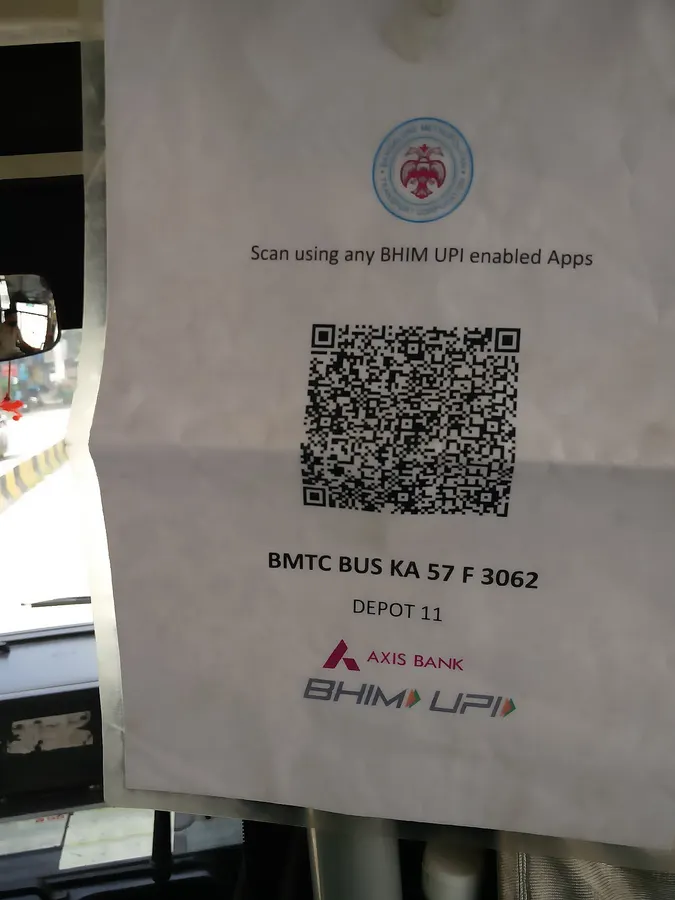
UPI QR codes work in 4 common places: shops and kirana stores, home tutors and services, temples and NGOs and events.
Shops and kirana stores
A counter standee accepts payments from every UPI app.
Home tutors and services
A code on the invoice or WhatsApp message gets fees paid instantly.
Temples and NGOs
Amount-free codes collect donations of any size.
Events
A fixed-amount code per ticket type speeds up entry.
UPI QR code best practices
A UPI QR code scans first time when it follows these 5 rules.
- Enter the payee name exactly as on your bank account; mismatches make some apps show a warning.
- Check your signs daily: QR scams (“quishing”) paste a fake payment sticker over the real code.
- Laminate counter signs or print them behind acrylic so a sticker cannot be placed on top unnoticed.
- Scan the downloaded file with your own phone and send a 1-unit test payment before you print 100 copies.
- Choose error correction Q for signs that get touched, splashed or scratched.
UPI QR code FAQ
Is a UPI QR code from QRJiffy free?
Yes. The code is free and has no watermark. It stores your UPI ID directly, so no third party sits between payer and bank.
Can I receive money from any UPI app?
Yes. UPI is interoperable, so a code with your UPI ID accepts payments from every UPI app.
Does a UPI QR code work outside India?
Yes, in a limited way: UPI works in some countries such as Singapore, UAE, France and Nepal for Indian account holders, but the payee account stays in India.
Can a UPI QR code be misused?
No. The code contains only your public UPI ID; money can leave an account only when its owner enters their UPI PIN.