 QRJiffy
Pinterest QR Code Generator
A Pinterest QR code opens a Pinterest profile, board or Pin, so the scanner saves your ideas and follows your boards. Makers, wedding planners and home brands print it on packaging and catalogues. A board link turns a single product into a whole collection of ideas.
Just your email to download · no password needed
Short link:
Change where it points any time — the printed code stays the same. Free for 200 scans a month.
Encoded data
How to create a Pinterest QR code
You create a Pinterest QR code in 5 steps with the free generator above, and the code is ready to download as PNG or SVG.
- Open the Pinterest profile, board or Pin and tap Share › Copy link.
- Paste the link above.
- Choose a dark code colour on a light background.
- Download SVG for print or PNG for screens.
- Scan the file to confirm the right board opens.
What does a Pinterest QR code contain?
A Pinterest QR code stores Pinterest URL, plus optional destination type, colours, error correction.
| Payload standard | Plain pinterest.com or pin.it URL (UTF-8 text) |
|---|---|
| Native camera support | iPhone iOS 11+, Android 9+ (Google Lens / camera) |
| Needs internet to use | Yes — the profile loads in the app or browser |
| Change after printing | Yes — point the code at a new profile or page in your QRJiffy dashboard; the printed code stays the same |
| Scan tracking | Scans by day, device and country in your QRJiffy dashboard |
| Opens in | The platform’s app when installed, otherwise the browser |
| Recommended error correction | M (15%); H (30%) when a logo covers the centre |
| Minimum print size | 2 × 2 cm (0.8 in) for profile URLs under 40 characters |
| Field | Required | What it does | Example |
|---|---|---|---|
| Pinterest URL | Yes | A profile, board or Pin link. A board link shows a full collection. | https://www.pinterest.com/yourbrand/spring-recipes/ |
| Destination type | Optional | Profile builds followers; board shows a theme; Pin shows one idea. | Board |
| Colours | Optional | A dark brand colour on a light background. | #9B1C2C on #FFFFFF |
| Error correction | Optional | Q (25%) on craft tags and kraft-paper packaging. | Q |
Pinterest QR code payload format
https://www.pinterest.com/<username>/<board>/
https://www.pinterest.com/yourbrand/spring-recipes/
Links copied from the app use a short pin.it/… redirect. A full board URL shows the board name in the scan preview, which raises tap-through.
Format reference: RFC 3986: URI generic syntax (IETF)

What is the difference between a Pinterest Pincode and a Pinterest QR code?
A Pinterest Pincode is Pinterest’s proprietary circular code that scans only inside the Pinterest app, while a Pinterest QR code scans in every phone camera. A QR code reaches people who do not have Pinterest open.
Can a QR code open a specific Pinterest board?
Yes, a QR code opens a specific Pinterest board when you encode the board URL. Board codes suit packaging, because one product leads to a curated set of related ideas.
Which Pinterest link converts best in a QR code?
A board link converts best for products and events, a profile link converts best for brand growth, and a Pin link converts best for one recipe or tutorial.
What happens when someone scans a Pinterest QR code?
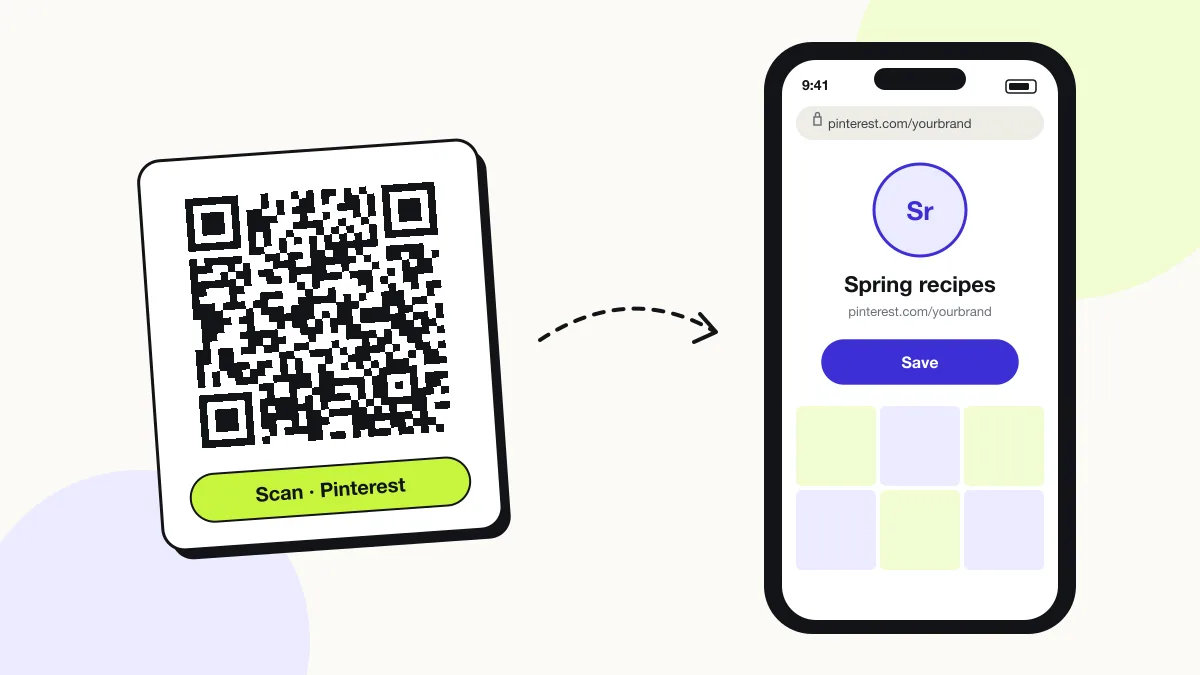
The phone camera decodes a Pinterest QR code in under a second and shows a prompt; tapping it starts the action stored in the code. The prompt differs by device:
iPhone
The Camera shows “pinterest.com”; one tap opens the board in the Pinterest app.
Android
Google Lens or the Camera hands the link to the Pinterest app through app links.
Without the app
The board opens on pinterest.com; Pinterest shows a preview and asks visitors to log in to save Pins.
How many scans does a free Pinterest QR code get?
A free account gets 200 scans a month across all its codes; Pro removes the limit for $30 a year. One scan is one phone opening the code. Each code uses a QRJiffy short link, so you can change where it points after printing and see scan counts. Compare Free and Pro.
Where to use Pinterest QR codes
Pinterest QR codes work in 4 common places: craft fairs, wedding planners, recipe packaging and print catalogues.
Craft fairs
Shoppers save your designs and order later.
Wedding planners
Couples open your inspiration boards from a brochure.
Recipe packaging
The code opens a board of recipes using the product.
Print catalogues
Each page links to a board with styled photos.
Pinterest QR code best practices
A Pinterest QR code scans first time when it follows these 5 rules.
- Link to a board with at least 20 Pins so scanners find depth.
- Name boards in plain words; the name appears in the scan preview.
- Print “Scan for 30 more ideas” beside the code.
- Use Q error correction on textured or kraft paper.
- Keep boards public; secret boards are invisible to scanners.
Pinterest QR code FAQ
Is a Pinterest QR code free?
Yes. The Pinterest QR code here is free for print and packaging, with no watermark.
Can I make a QR code for a secret Pinterest board?
No. Secret boards are visible only to you and invited collaborators, so scanners see an error. Make the board public first.
Does a Pinterest QR code work without the Pinterest app?
Yes. The link opens on pinterest.com in the browser, where visitors view the board.
How big should a Pinterest QR code be on a product tag?
A Pinterest QR code on a product tag needs at least 2 × 2 cm (0.8 in) with a 4-module blank margin.