 QRJiffy
Coupon QR Code Generator
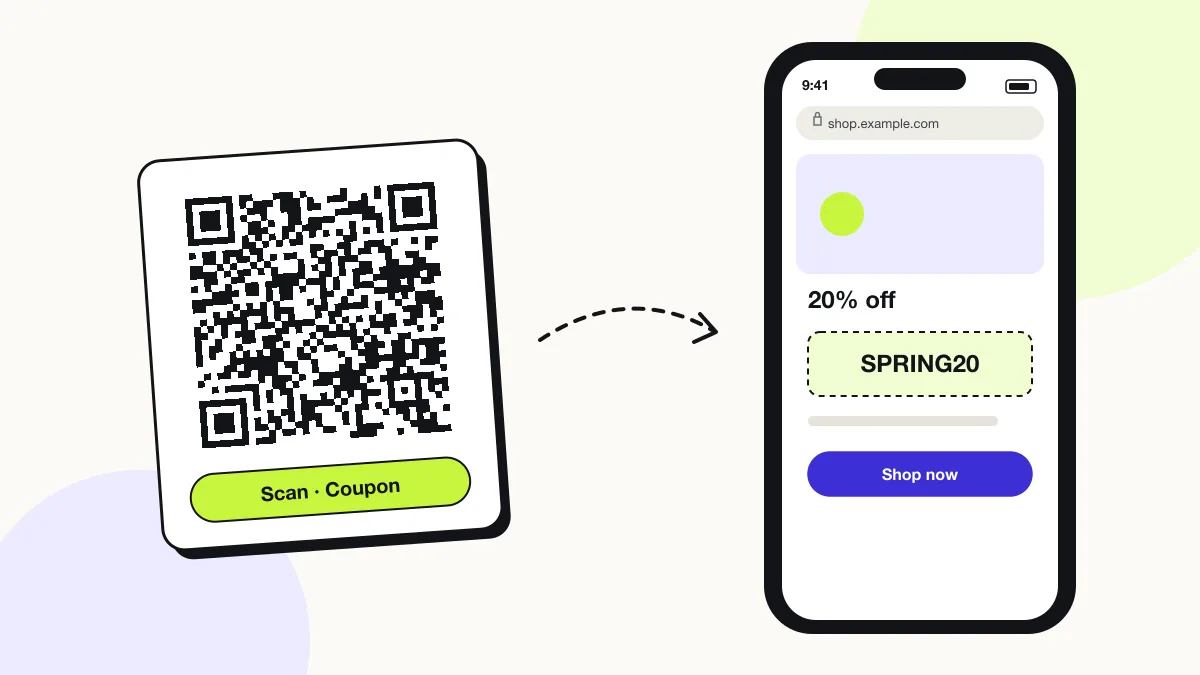
A coupon QR code shows a discount offer and its promo code, or opens a store page that applies the discount, so a customer redeems the offer in one scan. It turns flyers, packaging and receipts into measurable promotions. Build a coupon page on QRJiffy with the code, expiry date and terms, or link a store discount that applies itself.
Just your email to download · no password needed
Short link:
Change where it points any time — the printed code stays the same. Free for 200 scans a month.
Encoded data
How to create a coupon QR code
You create a coupon QR code in 4 steps with the free generator above, and the code is ready to download as PNG or SVG.
- Create the discount in your store and copy its shareable discount link.
- Paste the link into the generator; use one code per campaign so redemptions stay separate.
- Download the SVG and print it with the offer, the expiry date and the terms.
- Scan the code and complete a test checkout to confirm the discount applies.
What does a coupon QR code contain?
A coupon QR code stores offer link, promo code, plus optional offer headline, expiry date, terms.
| Payload standard | Plain https:// URL stored as UTF-8 text |
|---|---|
| Native camera support | iPhone iOS 11+, Android 9+ (camera or Google Lens) |
| Needs internet to use | Yes — the scan opens a web page |
| Change after printing | Yes — change the destination in your QRJiffy dashboard; the printed code stays the same |
| Scan tracking | Scans by day, device and country in your QRJiffy dashboard; UTM tags add Google Analytics detail |
| Recommended error correction | M (15%); H (30%) with a logo |
| Minimum print size | 2 × 2 cm (0.8 in); 3 cm on flyers |
| Field | Required | What it does | Example |
|---|---|---|---|
| Offer link | Yes | A discount link or a page that shows the offer. | https://shop.example.com/discount/SPRING20 |
| Promo code | Yes | The code applied at checkout or shown at the till. | SPRING20 |
| Offer headline | Optional | What the customer gets. | 20% off your next order |
| Expiry date | Optional | When the offer ends. | 30 June 2027 |
| Terms | Optional | Minimum spend, exclusions and one-use rules. | Min. spend $30 |
Coupon QR code payload format
https://<store>/discount/<CODE>?redirect=/<page> (Shopify)
https://shop.example.com/discount/SPRING20?redirect=/collections/all
A Shopify discount link stores the code in the cart session, so the customer never types it. Most stores support the same idea through a ?coupon= or ?code= parameter.
Format reference: RFC 3986: URI generic syntax (IETF)

Can a QR code apply a discount automatically?
Yes. A QR code that stores a store discount link applies the code at checkout without typing. Shopify, BigCommerce and WooCommerce (with a coupon-URL plugin) support discount links.
How do coupon QR codes work in a physical store?
The customer scans the code, shows the offer page with its promo code at the till, and the cashier enters or scans the code in the POS. Print the code text under the QR code for cashiers.
Can a coupon QR code be used only once?
No, a printed QR code stores one shared offer that anyone can reuse. One-time use requires unique codes per customer, which your store or POS issues and limits.
What happens when someone scans a coupon QR code?
The phone camera decodes a coupon QR code in under a second and shows a prompt; tapping it starts the action stored in the code. The prompt differs by device:
iPhone
The camera opens the offer page or the store with the discount in the cart.
Android
The link opens in Chrome; Shopify discount links work in any browser.
Expired offers
Point expired links to a page that says the offer ended and shows the current deal.
How many scans does a free coupon QR code get?
A free account gets 200 scans a month across all its codes; Pro removes the limit for $30 a year. One scan is one phone opening the code. Each code uses a QRJiffy short link, so you can change where it points after printing and see scan counts. Compare Free and Pro.
Where to use coupon QR codes
Coupon QR codes work in 4 common places: packaging inserts, flyers and mailers, receipts and shop windows.
Packaging inserts
A code inside the box offers 15% off the next order.
Flyers and mailers
Each mailer version carries its own code to compare response.
Receipts
A return-visit discount at the bottom of the receipt.
Shop windows
A passer-by offer that works after closing time on the online store.
Coupon QR code best practices
A coupon QR code scans first time when it follows these 5 rules.
- Print the expiry date and terms beside the code.
- Use one discount code per channel to measure redemptions.
- Print the promo code as text for cashiers.
- Redirect expired offers to a current offer, never to an error.
- Run a test checkout before printing.
Coupon QR code FAQ
Is a coupon QR code free?
Yes. A coupon QR code from QRJiffy is free to create and print.
How do I end a coupon offer?
Set an expiry date on the QRJiffy coupon page, or point the code at the current deal in your dashboard so late scanners still find a reason to buy.
Can I track coupon QR code redemptions?
Scans show in your QRJiffy dashboard; redemptions show in the discount code’s usage report in your store.
Can I add my logo to a coupon QR code?
Yes. Use error correction H (30%) and keep the logo under about 20% of the code.