 QRJiffy
How to Make a QR Code in Word, Google Docs and Excel
To add a QR code to Word, Google Docs or Excel, generate it as an SVG or PNG and insert it as a picture; Word for Windows and Mac can also draw one with the DISPLAYBARCODE field. This guide gives the exact steps for each app and the settings that keep the code scannable after printing.
Updated · QRJiffy team
How do you insert a QR code in Microsoft Word?
Download the QR code as SVG, then choose Insert › Pictures › This Device and select the file. SVG stays sharp at any size in Word for Microsoft 365, Word 2021 and Word for Mac. Steps:
- Create the code in a QR code generator and download the SVG file.
- Open the document and place the cursor where the code belongs.
- Click Insert › Pictures › This Device and pick the SVG.
- Resize the code to at least 2 × 2 cm while holding Shift to keep it square.
- Scan the code on screen with your phone before you save or print.
How do you make a QR code with Word’s DISPLAYBARCODE field?
Press Ctrl+F9 (Cmd+F9 on Mac), type DISPLAYBARCODE "https://example.com" QR \q 3, and press F9 to render the code. The field arguments are:
"https://example.com": the text or link the QR code stores.QR: the barcode type.\q 3: error correction level, where 0 = L, 1 = M, 2 = Q and 3 = H.\s 100: optional scale in percent.
The field works in Word for Windows and Word for Mac. Word for the web shows the code but does not let you edit the field. Fields are useful in mail merge, where each recipient needs a different link.
How do you add a QR code in Google Docs?
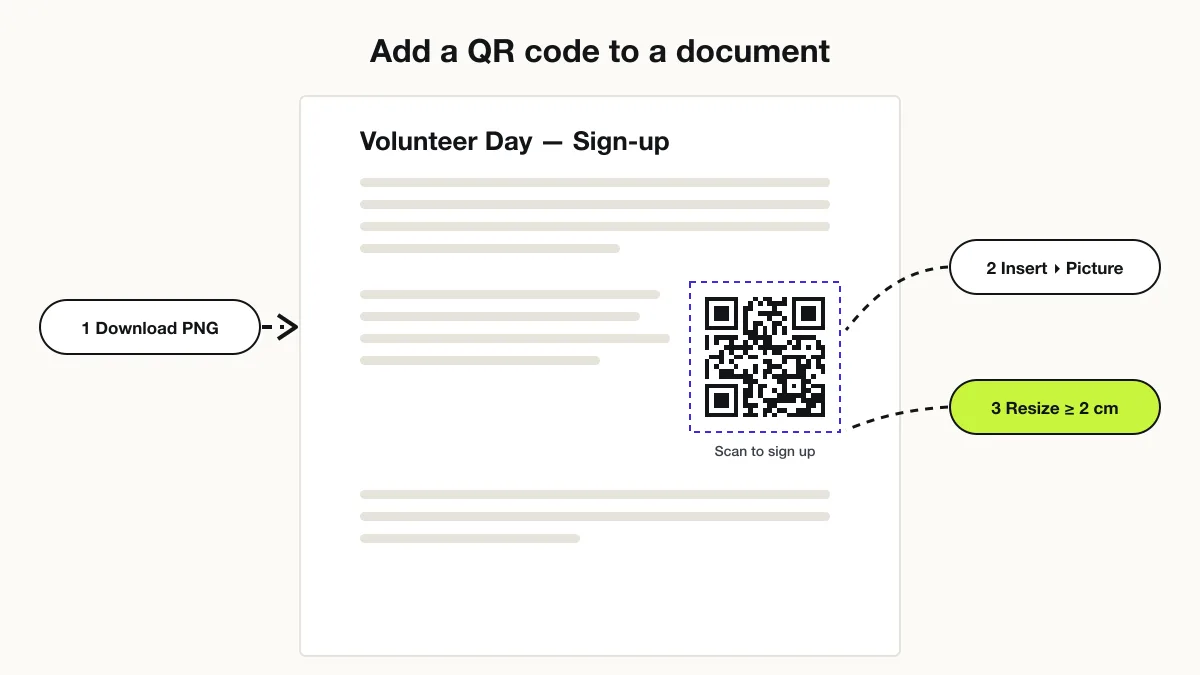
Google Docs has no QR code tool, so download a PNG and choose Insert › Image › Upload from computer. Google Docs does not accept SVG files, so export the PNG at 1,200 px or larger to keep it sharp when printed. Steps:
- Generate the code and download the PNG.
- Open the Google Doc and click Insert › Image › Upload from computer.
- Set the image to “In line” so the code stays in place when text moves.
- Drag a corner to at least 2 cm wide and test-scan the screen.
Making a code for a form first? The Google Forms QR code generator explains how to copy the shortened form link.
How do you create QR codes in Excel?
Excel has no QR function, so insert QR images one by one, or generate many codes from a column with a bulk generator. For a single code, use Insert › Pictures and an SVG file. For a list of links, products or tickets, paste the column into the bulk QR code generator, download the ZIP and insert the images. Name each image file after its row ID so it matches the right cell.
What size should a QR code be in a document?
A QR code in a printed document needs at least 2 × 2 cm (0.8 × 0.8 in), with a blank margin of 4 modules on every side. Codes on a flyer read from 1 m need about 10 cm. Word and Docs wrap text tightly around images, so set the wrap to “Top and bottom” to keep the quiet zone clear.
Why is my QR code blurry in Word?
Word compresses pictures to 220 ppi by default, which blurs small PNG codes. Fix it in File › Options › Advanced › Image Size and Quality: tick “Do not compress images in file” and set the default resolution to “High fidelity”. Inserting SVG avoids the problem, because vector graphics are not compressed.
Download a print-ready SVG or PNG from the free QRJiffy QR code generator and insert it into your document.
Frequently asked questions
Does Microsoft Word have a QR code generator?
Yes, Word for Windows and Mac has a hidden DISPLAYBARCODE field that draws a QR code. Word has no menu button for it, so most people insert a downloaded QR image instead.
Will a QR code in Word still scan after printing?
Yes, if it is printed at least 2 × 2 cm and Word does not compress it. Insert SVG or a large PNG, and turn off image compression in File › Options › Advanced.
Can I add a QR code to a mail merge in Word?
Yes, put a DISPLAYBARCODE field that references a merge field, such as { DISPLAYBARCODE { MERGEFIELD Link } QR }, and every merged letter gets its own QR code.
Can Google Sheets make a QR code?
Google Sheets has no built-in QR function. You insert QR images made elsewhere, or use an add-on from the Google Workspace Marketplace.
Sources
- Field codes: DisplayBarcode — Microsoft Support
- Point for setting the module size — DENSO WAVE (QRcode.com)