 QRJiffy
How to Print a QR Code
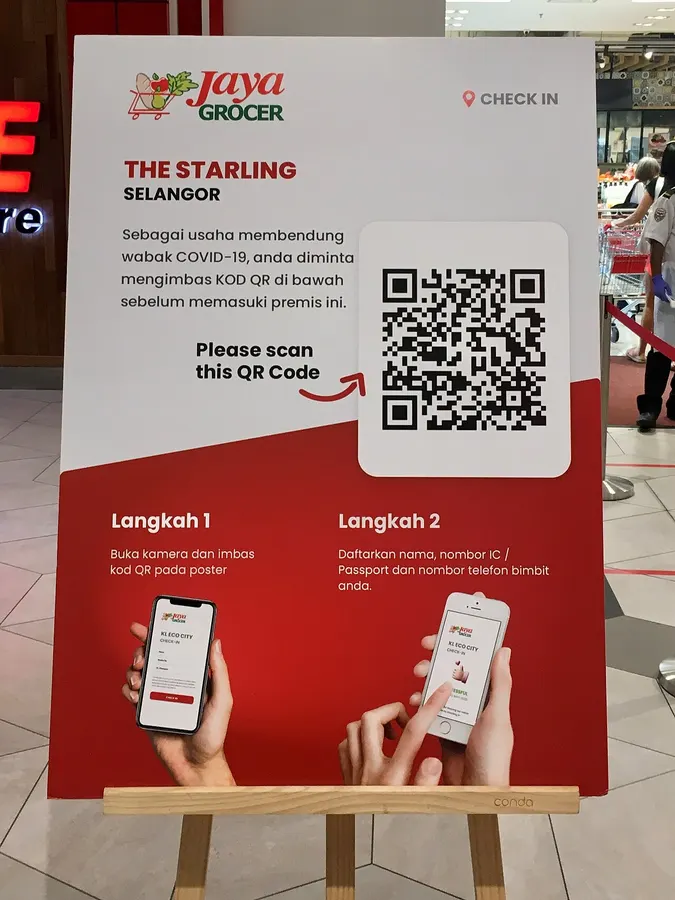
Print a QR code from an SVG file (or a PNG at 300 DPI or more), at least 2 × 2 cm, with a 4-module white margin, on matte material. Then scan one test print from the real distance before printing the full run.
Updated · QRJiffy team
How do you print a QR code step by step?
Download the right file, place it at the right size, keep the quiet zone, print a test and scan it. The 6 steps below work for flyers, posters, stickers and packaging.
- Download the QR code as SVG for print, or PNG at a minimum of 1,200 × 1,200 pixels.
- Place the file in your design tool without stretching it; keep the width and height equal.
- Size the code at least 2 × 2 cm and about one tenth of the scanning distance.
- Keep a blank margin of 4 modules on every side.
- Print one copy on the final material at 100% scale.
- Scan the test print with an iPhone and an Android phone from the real distance.
Is SVG or PNG better for printing a QR code?
SVG is better for printing because it is a vector format that stays sharp at any size. PNG is a raster image and blurs when enlarged past its pixel size. The table compares the two formats.
| Attribute | SVG | PNG |
|---|---|---|
| Scaling | Unlimited, always sharp | Blurs above its native size |
| Print resolution | Not applicable | Needs 300 DPI at print size |
| Edit colours later | Yes, in any vector editor | No |
| Best for | Print, signage, packaging, engraving | Websites, slides, documents, social posts |
What DPI does a printed QR code need?
A printed PNG QR code needs at least 300 DPI (dots per inch) at its final size. Multiply the printed width in inches by 300 to get the minimum pixel width: a 2-inch code needs 600 pixels, a 4-inch code needs 1,200 pixels. Large-format banners viewed from far away work at 150 DPI.
How big should a printed QR code be?
A printed QR code scans reliably at about one tenth as wide as the scanning distance, and never smaller than 2 × 2 cm. The table applies the 10:1 rule to common placements.
| Scanning distance | Minimum width | Typical placement |
|---|---|---|
| 20 cm (8 in) | 2 cm | Business card, product label |
| 50 cm (20 in) | 5 cm | Table tent, flyer, sticker |
| 1 m (3.3 ft) | 10 cm | Counter display, A4 poster |
| 2 m (6.6 ft) | 20 cm | Wall poster, window |
| 5 m (16 ft) | 50 cm | Banner, large window sign |
The QR code size guide explains how data length changes the minimum size.
How do you print QR code stickers?
Print QR code stickers on matte vinyl or label sheets, from an SVG, with the quiet zone inside the sticker’s cut line. A sticker trimmed too close to the code removes the quiet zone and slows scanning. Outdoor stickers need waterproof vinyl and UV-resistant ink. Raise error correction to Q (25%) or H (30%) so scratched stickers still scan.
Which materials cause QR code scanning problems?
Glossy, transparent, curved and textured materials cause most printed-code failures. Each has a fix:
- Glossy paper and lamination: switch to matte lamination to stop glare.
- Transparent film and glass: print a white layer behind the code.
- Bottles and cans: keep the code under one sixth of the circumference so it stays flat enough to read.
- Fabric and wood: increase the size by 25–50% and use error correction H.
Can you print a QR code in colour?
Yes, a QR code prints in colour when the modules are clearly darker than the background. Dark blue, dark green, black and deep red on white or cream all scan well. The QR code colors guide lists contrast rules and colour pairs to avoid.
Where can you get a print-ready QR code?
QRJiffy exports every QR code as a vector SVG and a 1,200-pixel PNG, free. Create a print-ready QR code now.
Frequently asked questions
What resolution should a QR code be for printing?
A PNG QR code needs at least 300 pixels per inch at the printed size. A 5 cm (2 in) code therefore needs a PNG at least 600 × 600 pixels; an SVG has no resolution limit.
Can I print a QR code on a home printer?
Yes, any laser or inkjet printer prints a scannable QR code. Use plain or matte paper, the printer’s best quality setting and 100% scale with no “fit to page” shrinking.
What is the best paper for printing QR codes?
Matte paper or matte sticker vinyl gives the most reliable scans. Glossy paper and lamination reflect light and cause glare at some angles.
Can a QR code be printed in colour?
Yes, a QR code prints in any colour as long as the modules are much darker than the background. Avoid light yellows, pastels and inverted light-on-dark codes.
How do I print a QR code sticker?
Download the code as SVG, place it on a sticker template with a 4-module white margin, and print on matte vinyl or label sheets. Test one sticker before printing the full sheet.
Sources
- Point for setting the module size — DENSO WAVE (QRcode.com)
- Point for determining the code area (quiet zone) — DENSO WAVE (QRcode.com)
- ISO/IEC 18004:2024 — QR Code bar code symbology specification — ISO