 QRJiffy
QR Codes for Weddings
A wedding QR code is a QR code on an invitation, table card or sign that opens a wedding website, RSVP form or shared photo album when guests scan it. Guests reach the album or form without typing a link. Paste the link below, download the code and print it on stationery or signage.
Just your email to download · no password needed
Short link:
Change where it points any time — the printed code stays the same. Free for 200 scans a month.
How do you make a QR code for weddings?
You make a QR code for weddings in 5 steps with the free generator above.
- Create the destination first: a shared Google Photos album, an RSVP form or your wedding website.
- Copy the share link and paste it into the field above.
- Match the code colour to your stationery, keeping a dark code on a light background.
- Download the SVG and add it to the invitation, table cards or a welcome sign.
- Scan a printed proof before sending invitations to every guest.
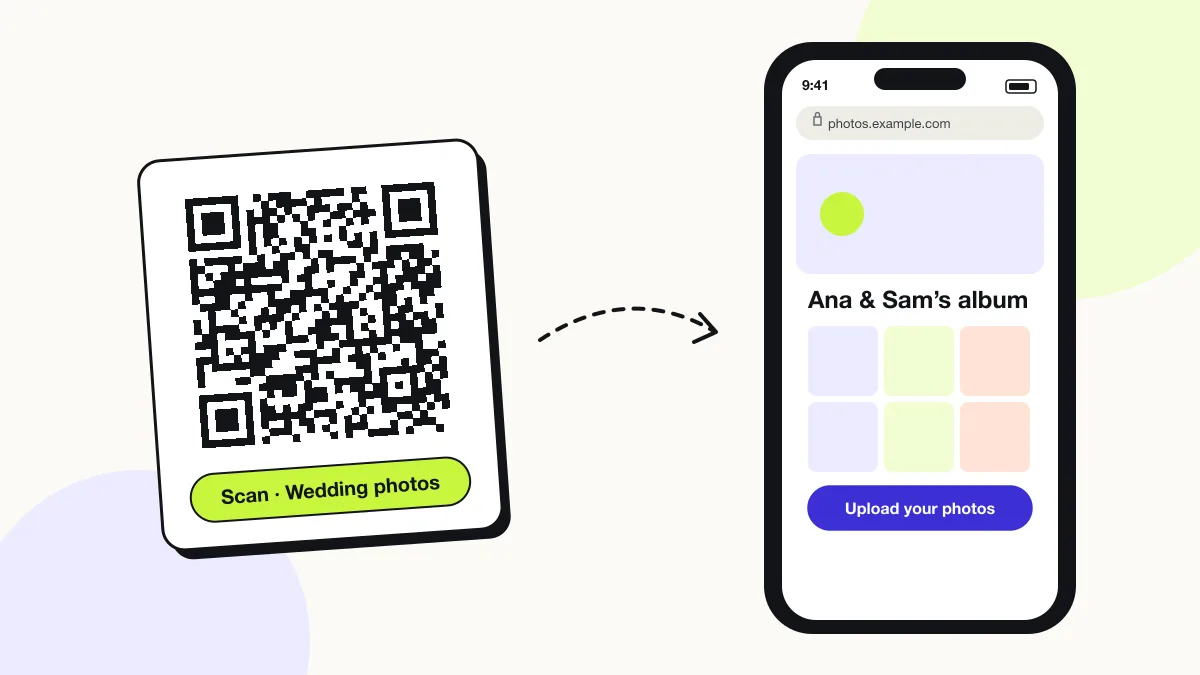
What can a wedding QR code link to?
A wedding QR code links to 4 common destinations: a shared photo album, an RSVP form, a wedding website and a gift registry.
| Destination | Example service | Print it on |
|---|---|---|
| Photo album | Google Photos, iCloud Shared Album | Table cards, welcome sign |
| RSVP form | Google Forms, wedding website RSVP | Invitation, save-the-date |
| Wedding website | Zola, The Knot, Squarespace | Invitation insert |
| Gift registry | Amazon, Zola registry | Invitation insert |
How do guests share wedding photos with a QR code?
Guests scan the code, the shared album opens, and they upload photos from their phone to the album you created.
Google Photos shared albums accept uploads from anyone with the link when “Collaborate” is on. iCloud Shared Albums accept contributions from invited Apple ID users or through a public website link that is view-only.
Will a wedding QR code still work after the wedding?
Yes, a wedding QR code keeps opening the album or website for as long as that page stays online.
Printed invitations and signs become keepsakes. Use a link you control long-term, such as your own album, instead of a vendor trial page that expires.
Weddings QR code FAQ
Where should I put a QR code at a wedding?
Put photo-album codes on every table card and at the entrance sign, so each guest is within 2 metres of a code during the reception.
How big should a wedding table-card QR code be?
A table-card QR code needs at least 2.5 × 2.5 cm, scanned from about 25 cm away. Signs read from 2 metres need a code about 20 cm wide.
Can the QR code match my wedding colours?
Yes. Choose any dark code colour on a light background; very light code colours and inverted (light-on-dark) codes scan poorly on older phones.
Do guests need an app to scan a wedding QR code?
No. The built-in camera on iPhone and Android opens the link directly.
QR code types used for weddings
4 QR code types cover most weddings uses: Link QR code, Google Forms QR code, Event QR code and Image QR code.
Further reading: QR code colours and contrast · QR codes for other uses