 QRJiffy
How to Make a Bitcoin QR Code
You make a Bitcoin QR code by pasting your wallet’s public receiving address into a crypto QR code generator, choosing Bitcoin as the coin and downloading the image. A payer’s wallet scans it and fills in the address, so nobody copies a 26 to 62 character string by hand. It takes 3 minutes, most of it spent checking the address.
What do you need before you start?
You need 4 things ready, and no account to try the generator. A free account, or just your email, is asked for only at the download step.
- A public receiving address, copied from your wallet’s receive screen.
- The coin and network that address belongs to: Bitcoin, Ethereum, Litecoin or Dogecoin.
- A second wallet holding a small balance, for a test payment.
- An amount in whole coins, only when you invoice a fixed sum.
How do you make a Crypto QR code step by step?
Follow these 7 steps in the Bitcoin & Crypto QR Code generator; the preview updates as you type. Each screenshot below is the real screen, filled in with a sample bakery’s details.
1Copy a receiving address from your wallet
Open your wallet app and copy a receiving address with its copy button. The sample in the screenshots is the Bitcoin address
bc1qar0srrr7xfkvy5l643lydnw9re59gtzzwf5mdq, 42 characters long. Never retype an address by hand.This is the only thing the generator needs from the wallet. A private key or seed phrase does not belong in any QR code generator, on any website.
Tip: Use a fresh receiving address for each printed code or invoice when privacy matters. Payments to one reused address are linked together on the public blockchain.
2Choose the coin and paste the address
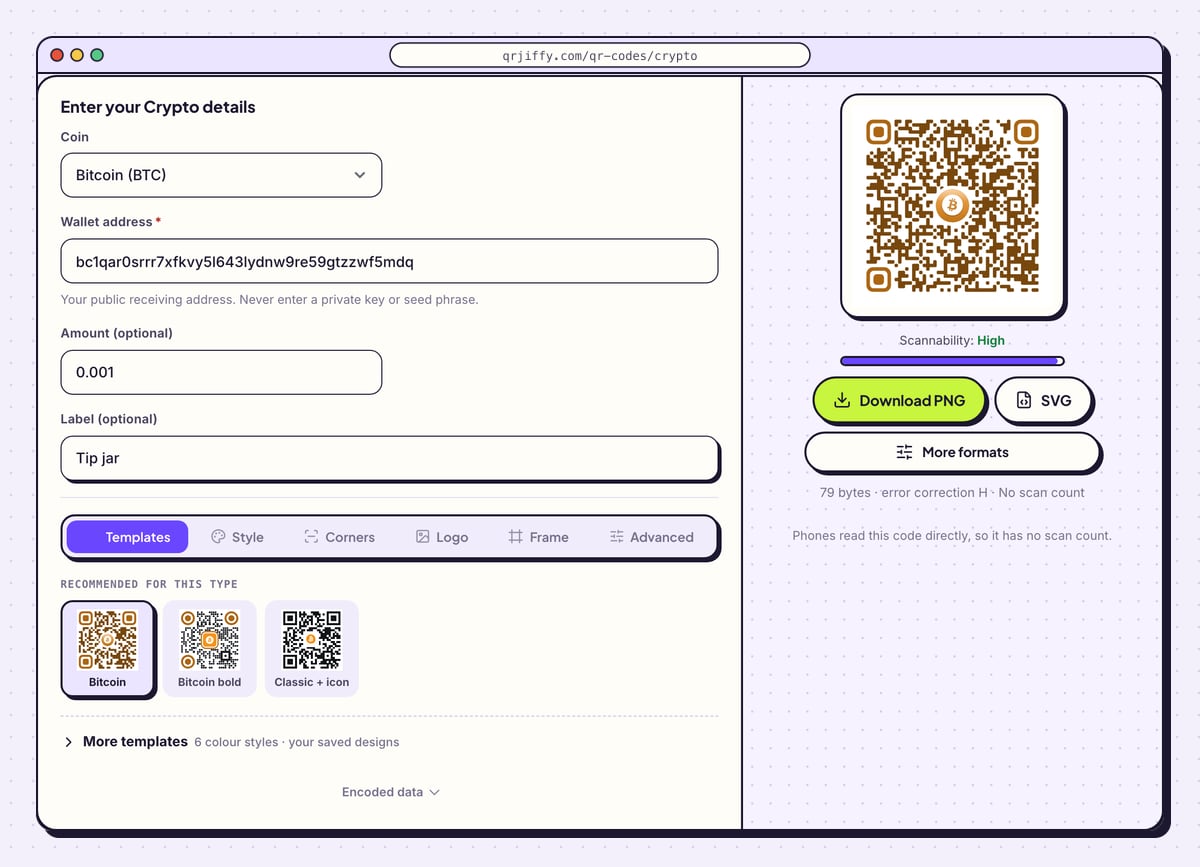
Open the crypto QR code generator. Set Coin to match the address: Bitcoin (BTC), Ethereum (ETH), Litecoin (LTC) or Dogecoin (DOGE). The coin tells the payer’s wallet which network to use, and coins sent on the wrong network are usually lost.
Paste into Wallet address. The hint below the field repeats the rule: “Your public receiving address. Never enter a private key or seed phrase.”
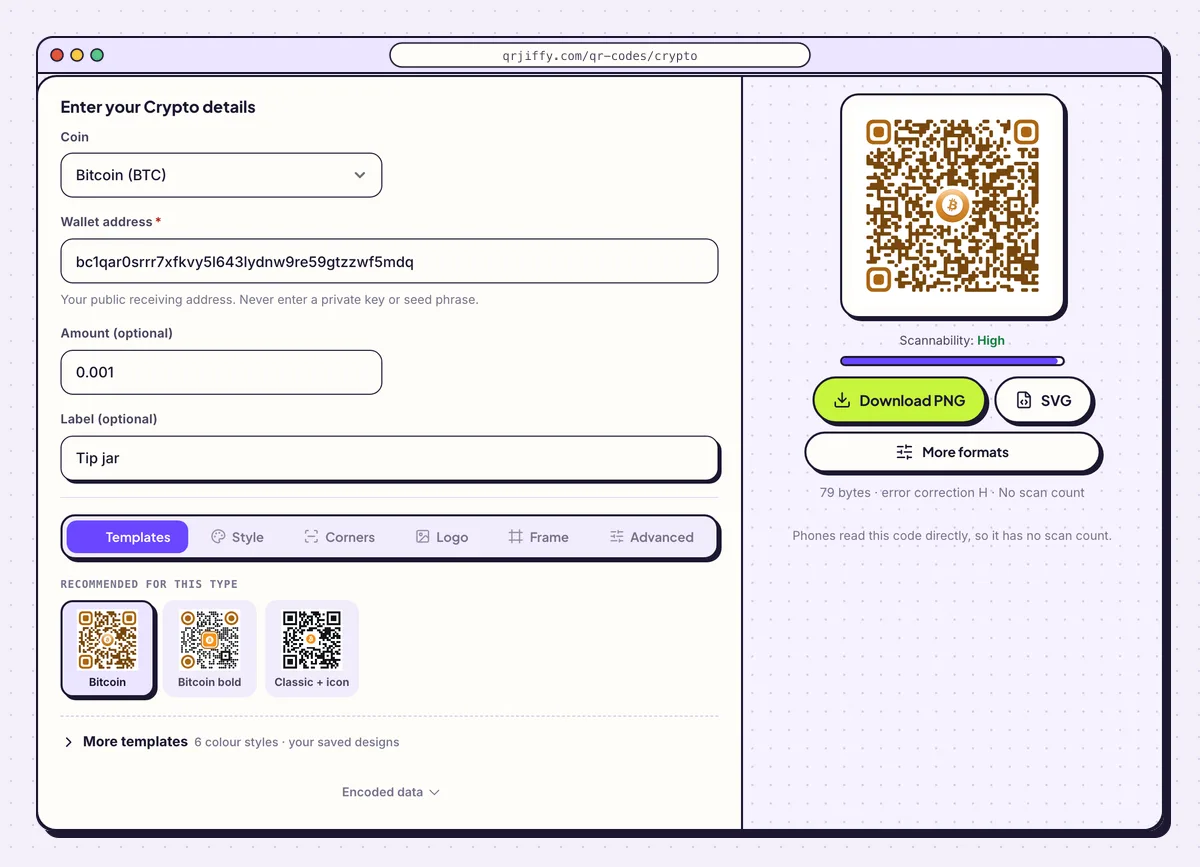
Coin, address, and an optional amount and label for the sample tip jar. 3Add an amount and a label for invoices
Amount (optional) is in whole coins, not satoshis: 0.001 means 0.001 BTC. Wallets let the payer edit it. Label (optional) holds a recipient name or purpose, such as Tip jar, which some wallets show on the send screen.
For the sample, the code stores
bitcoin:bc1q…5mdq?amount=0.001&label=Tip%20jar, the BIP21 format that nearly every Bitcoin wallet reads. Leave both fields empty for a donation code.Tip: Wallets differ in how they read an amount in an Ethereum code. Test an Ethereum code with the wallet your payers use.
4Keep the design plain and high-contrast
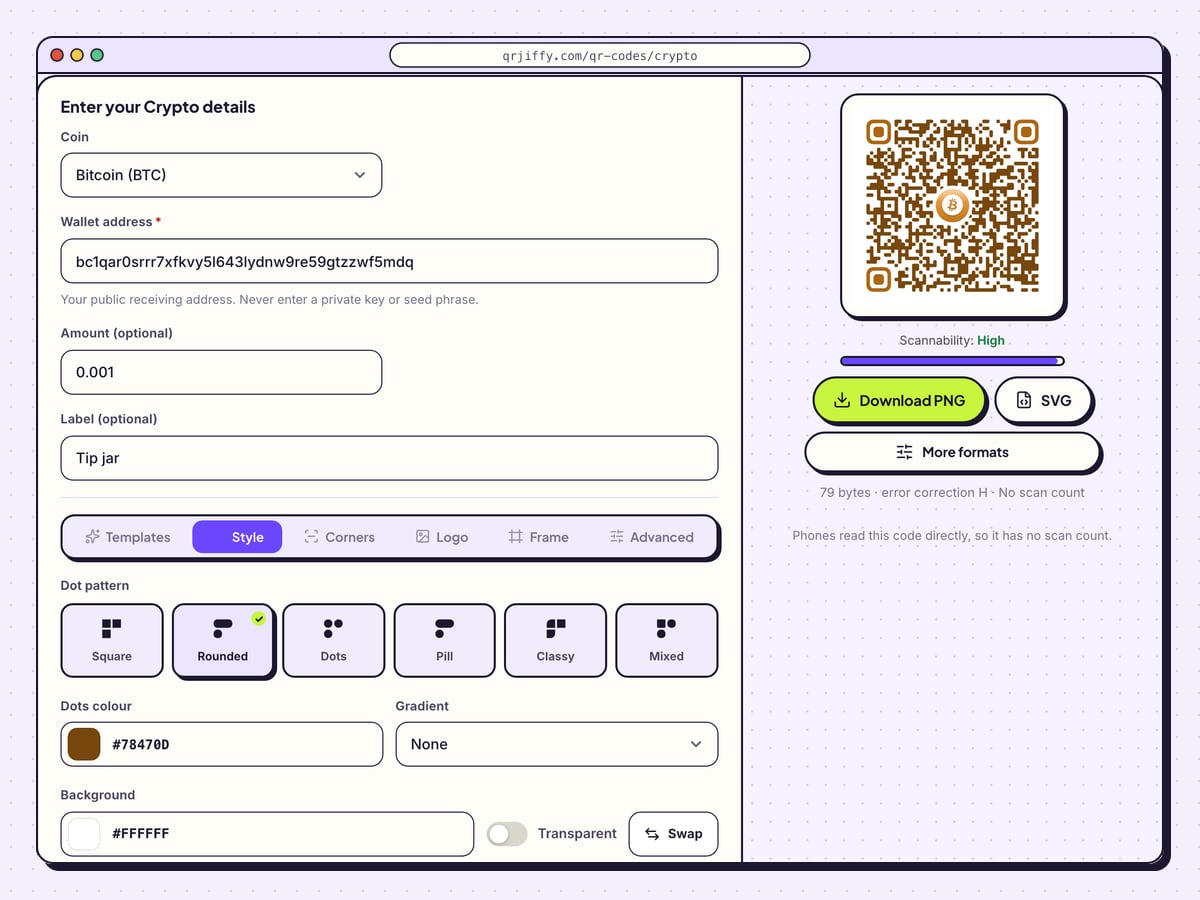
A long address makes a dense code, so restraint pays off here. The Style tab offers six dot patterns (Square, Rounded, Dots, Pill, Classy, Mixed) plus Dots colour, Gradient and Background. Choose a dark dot colour on a white background and leave Transparent off for print. Error correction M (15%) suits these codes; it is set in the Advanced tab.
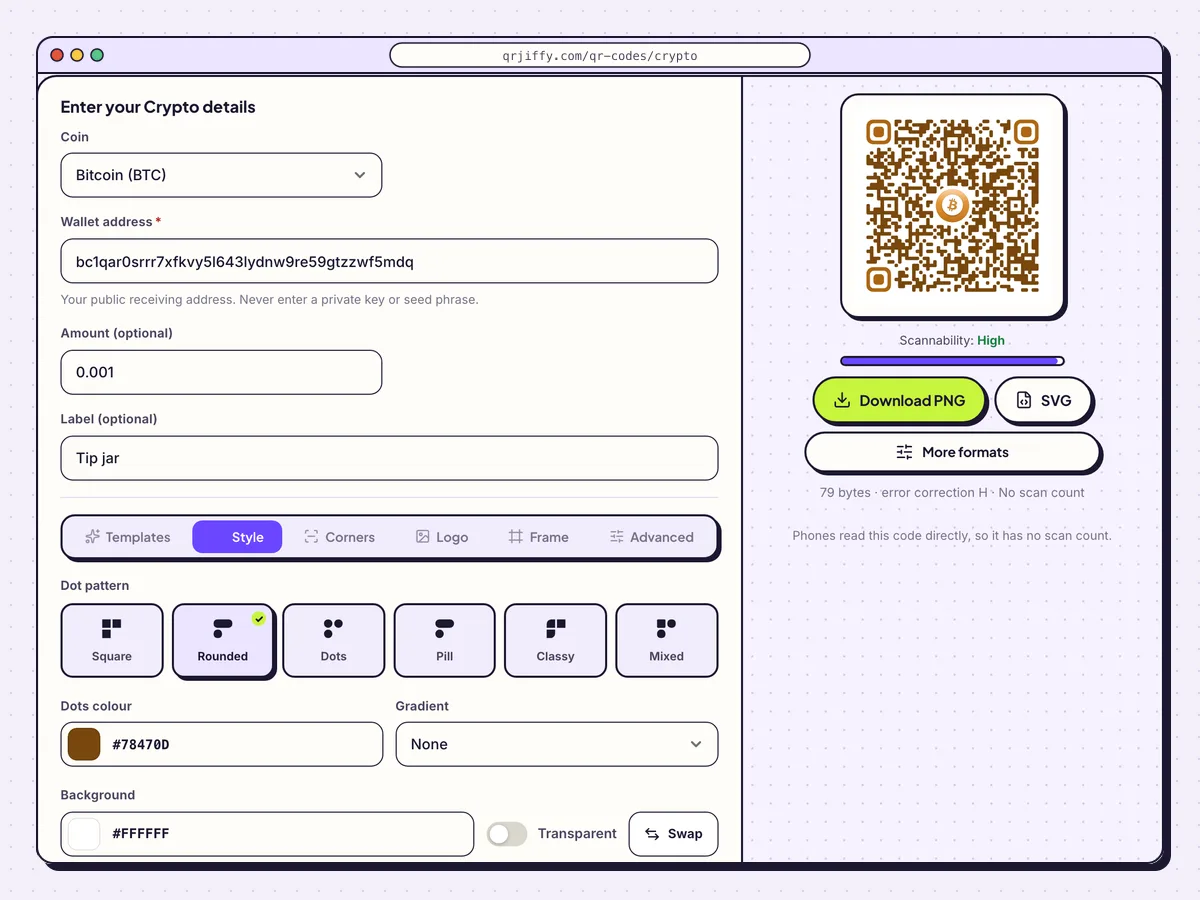
The Style tab: pick a dot pattern, then keep the colours dark on light. 5Download the code
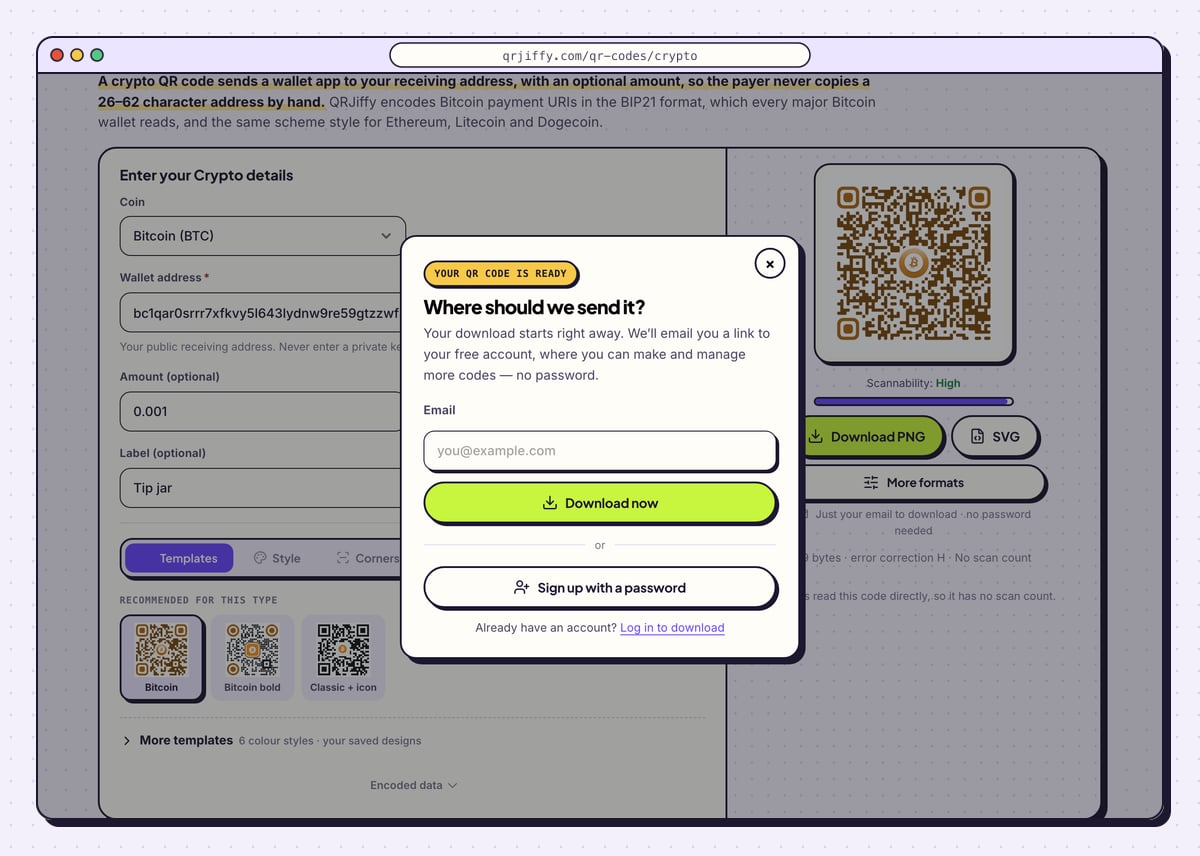
Click Download PNG for a stream overlay or web page, or SVG for a poster. Type an email into the dialog and click Download now; the file saves as
qrjiffy-crypto.png. Wallets read the address straight from the image. The code involves no short link and no scan count.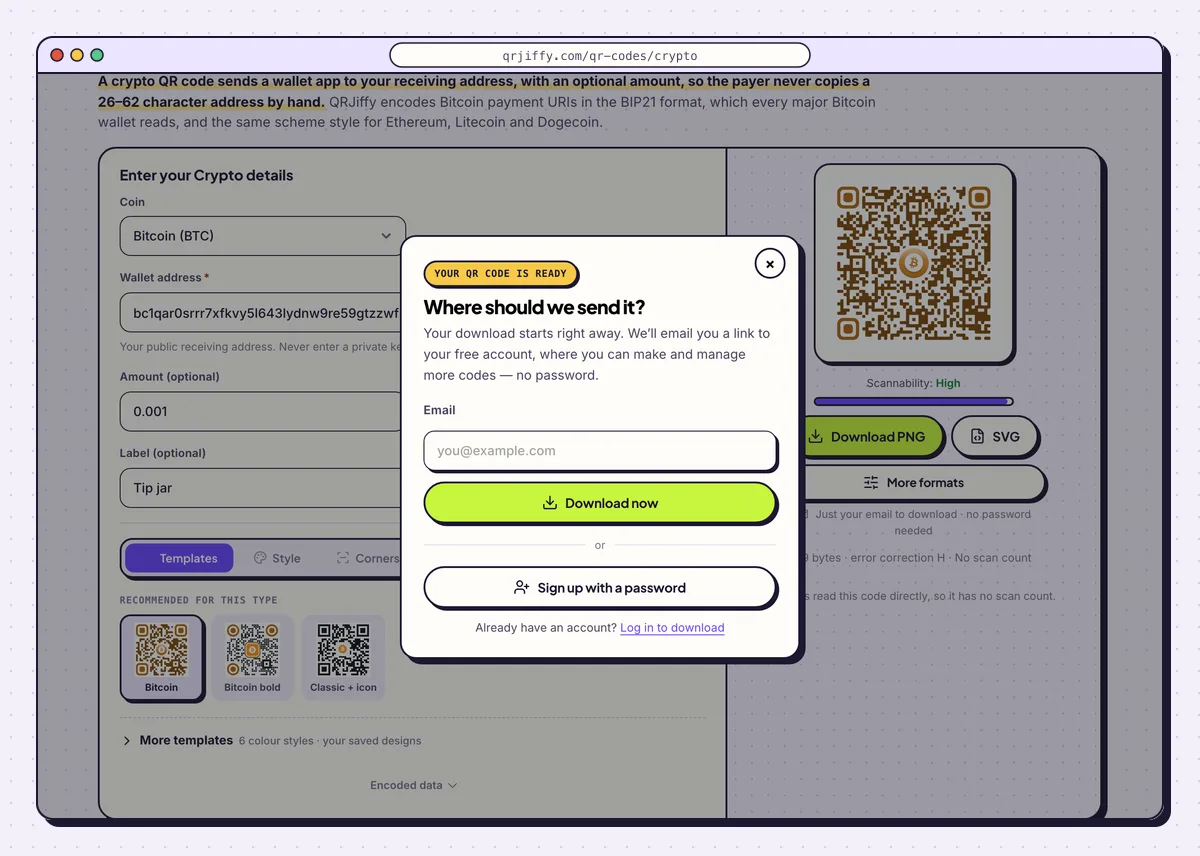
After the email step the crypto code saves as qrjiffy-crypto.png. 6Compare every character, then send a small test
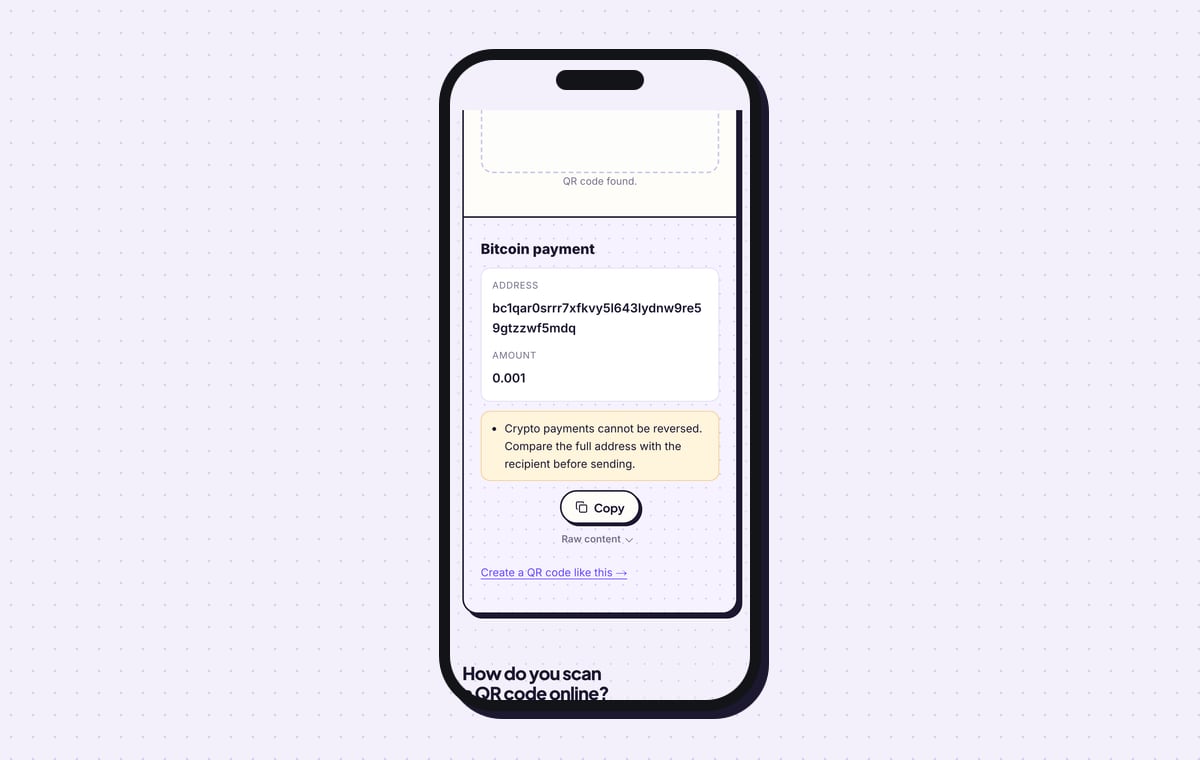
Upload the downloaded file to the QR code scanner. It shows “Bitcoin payment”, the full address and the amount, with the warning that crypto payments cannot be reversed. Compare that address with the one in your wallet, character by character, from first to last.
Then scan the code with a second wallet and send a small amount. Publish the code only after that payment appears in your wallet.
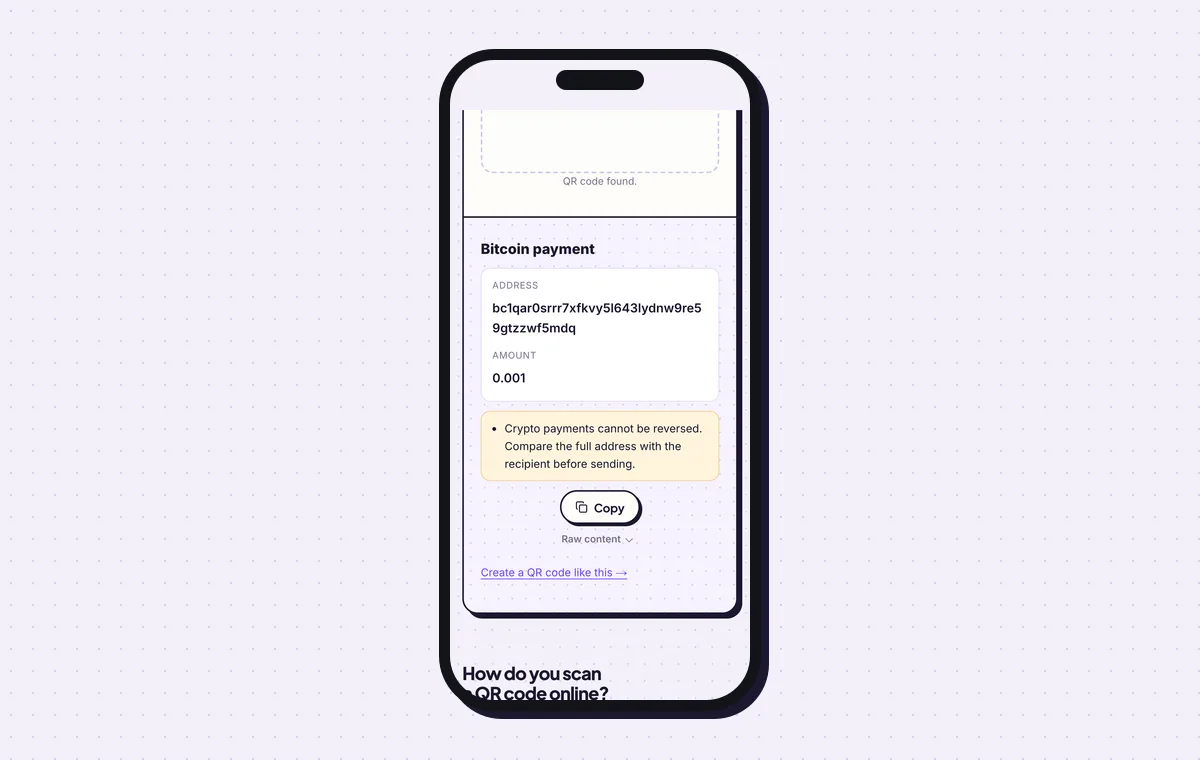
The decoded address, ready to compare with the wallet character by character. 7Print it with the first and last 6 characters
Print the code at least 2.5 × 2.5 cm (1 in) for a 42-character address, with a white margin of 4 dots. Beside it, print the coin name and the first and last 6 characters of the address, for the sample
bc1qarandwf5mdq. Payers match those against their wallet’s send screen after scanning. See the QR code size guide for larger formats.
Open the Bitcoin & Crypto QR Code generatorFree. Nothing to install.
How do you verify a Bitcoin QR code before using it?
Decode the code and compare the whole address with the one in your wallet, then confirm a small test payment arrives. A blockchain payment cannot be reversed. One changed character is enough to lose the payment.
- As the owner: check all characters once at creation, and the first and last 6 on every printed copy.
- As the payer: compare the address on the wallet’s send screen with the characters printed beside the code.
- In public places: check printed codes for tampering, the way shops check payment stickers for fakes placed on top.
Is it safe to share a Bitcoin QR code publicly?
Yes, the code contains only a public receiving address, and a public address cannot be used to spend your coins. Sharing it is how you get paid. The trade-off is privacy: anyone can look up payments to a public address on the blockchain. A fresh address per printed code keeps payments from being linked.
Can you change the address in a crypto QR code later?
No, the address is stored in the pattern itself, so a new address needs a new code and a reprint. The generator gives this type no dashboard link and no scan count. The blockchain is the record: it lists every payment to the address publicly. Keep access to the old address for as long as a printed copy of the old code is in circulation.
Which coins and wallets does the code work with?
The generator makes codes for Bitcoin, Ethereum, Litecoin and Dogecoin, and wallet apps read them with their built-in scanner. Bitcoin codes follow BIP21, which Bitcoin Core, Electrum, BlueWallet, Muun and major exchange apps read. Ethereum payment links are defined by EIP-681. A phone camera recognises bitcoin: and similar schemes and offers to open an installed wallet. With no wallet installed, the phone shows the raw text and the payer copies the address into an exchange app. Lightning is not covered: a Lightning wallet creates its own invoice for each payment.
What mistakes stop a Crypto QR code from working?
These 6 mistakes cause most failed Crypto QR codes; each has a quick fix. Test the downloaded file with two different phones before you print anything.
| Mistake | Fix |
|---|---|
| A private key or seed phrase is pasted into the address field | Delete it from the field at once. Only the public receiving address goes in a code. |
| The coin does not match the address | Set Coin to the network the address belongs to; a mismatch loses funds. |
| The amount is entered in satoshis | Enter whole coins: 0.001 for 0.001 BTC, not 100000. |
| The address was typed by hand | Use the wallet’s copy button, then compare every character in the scanner result. |
| A dense code is printed at sticker size | Print at 2.5 × 2.5 cm or larger and keep the design plain. |
| The poster shows the code and nothing else | Add the coin name and the first and last 6 characters of the address. |
Frequently asked questions
Is a Bitcoin QR code free to make?
Yes. The code is free, carries no watermark and works for as long as you control the address.
Can I reuse one Bitcoin QR code for every payment?
Yes, it keeps working. Reuse links all payments to that address on the public chain, so generate a new address per code when privacy matters.
What happens when someone sends the wrong coin?
The coins are usually lost, because the address belongs to a different blockchain.
Can the payer change the amount in the code?
Yes. The amount is a request, and wallets let the payer edit it before sending.
Does scanning a Bitcoin QR code need internet?
Yes, for paying. The payer’s wallet needs a connection to broadcast the transaction.
Ready to make your Crypto QR code?
The generator is free and works in the browser on a phone or a computer. Your code downloads as PNG for screens or SVG for print.
Open the Bitcoin & Crypto QR Code generator
Related guides: How to Print a QR Code · QR Code Size · QR Code Not Working