 QRJiffy
How to Make a Calendar Event QR Code
You make a calendar event QR code by entering the event title, the start and end times and the location in an event QR code generator, then downloading the code. A scan offers to add the event to the phone’s calendar with those details filled in. The form route takes about 4 minutes. A second route, below the steps, publishes an event page with an Add to calendar button.
What do you need before you start?
You need 4 things ready, and no account to try the generator. A free account, or just your email, is asked for only at the download step.
- The confirmed date, start time and end time. They are fixed once the code is printed.
- The venue’s full street address, not just its name, so it opens in a maps app from the calendar entry.
- A one-line description of 100 characters or fewer: what to bring, where to park.
- An iPhone and an Android phone, because the two handle event codes differently.
How do you make an Event QR code step by step?
Follow these 7 steps in the Event QR Code generator; the preview updates as you type. Each screenshot below is the real screen, filled in with a sample bakery’s details.
1Open the event generator and use the form
The event QR code page has a card for the event page builder at the top and the form below it. The form makes a code that carries the event itself. The builder makes a web page instead, covered after these steps.
2Enter the title, start and end
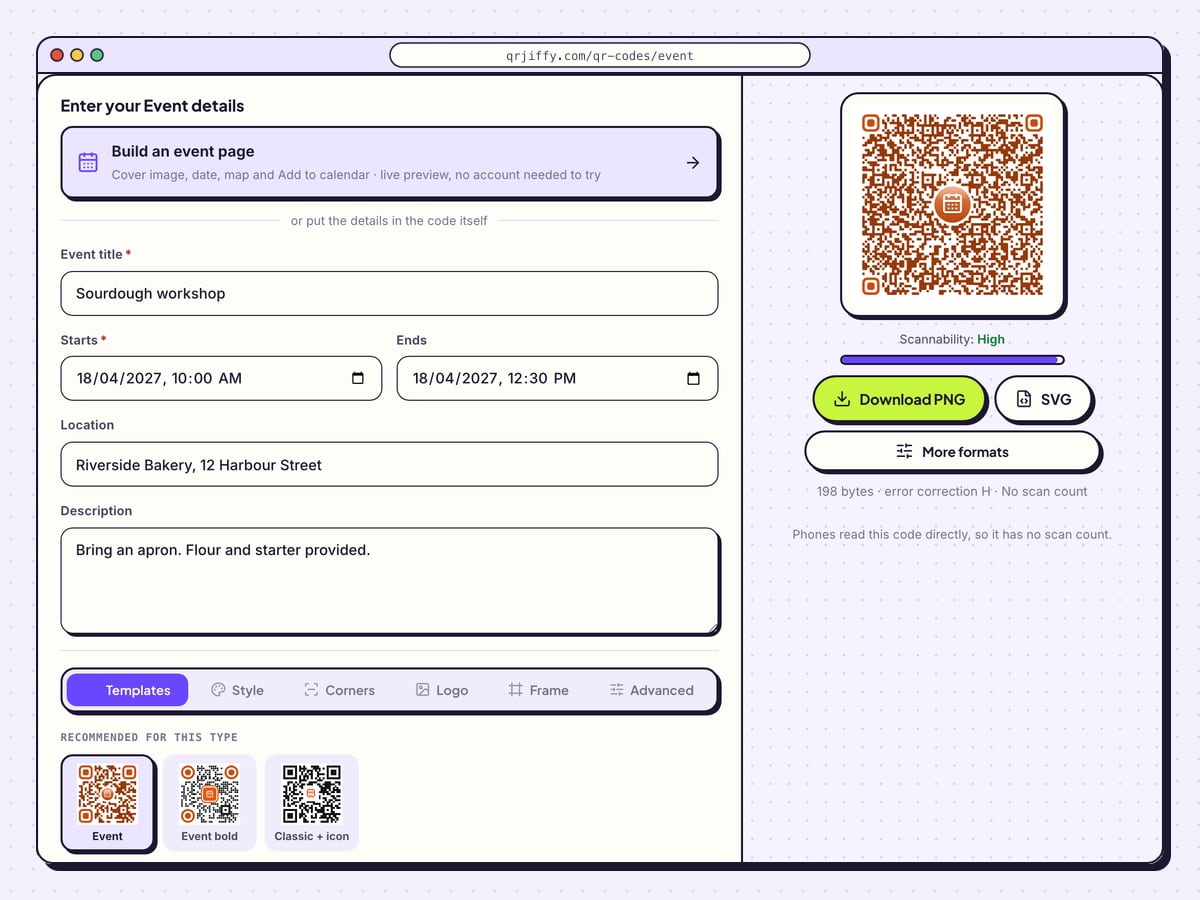
Type the name in Event title as you want it to appear in people’s calendars. Pick the date and time under Starts, then under Ends. The sample is “Sourdough workshop” on 18 April 2027, from 10:00 AM to 12:30 PM.
Ends is optional on the form. Fill it in anyway: without an end time, calendar apps book 1 hour.
Tip: Look twice at AM and PM in the time picker before you move on.
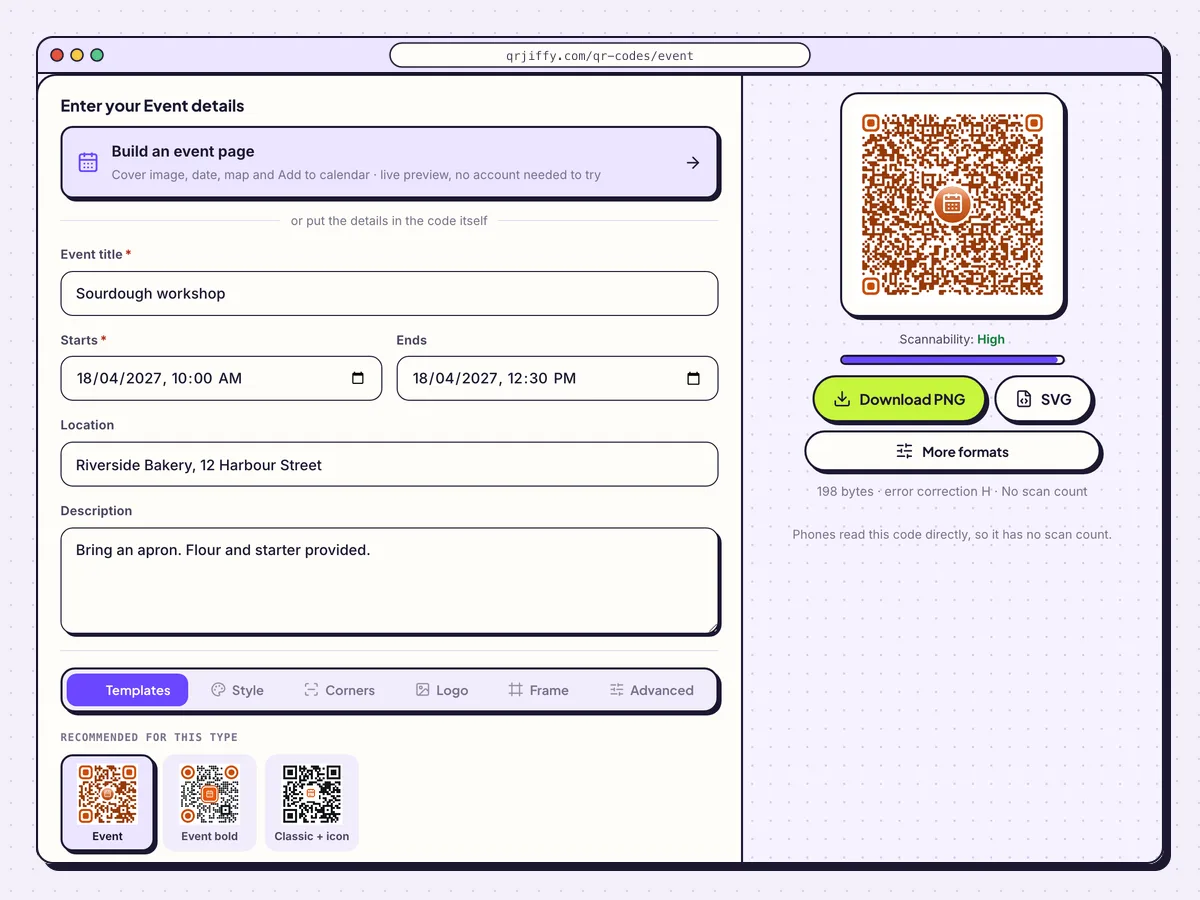
The event form with the sample workshop. The preview shows 198 bytes for these details. 3Add the location and a short description
In Location, write the venue and street address, for example “Riverside Bakery, 12 Harbour Street”. Calendar apps make the location tappable, and a full address opens in maps.
Description holds the practical note: “Bring an apron. Flour and starter provided.” Keep it under 100 characters, since every word adds dots.
4Add a label that names the action
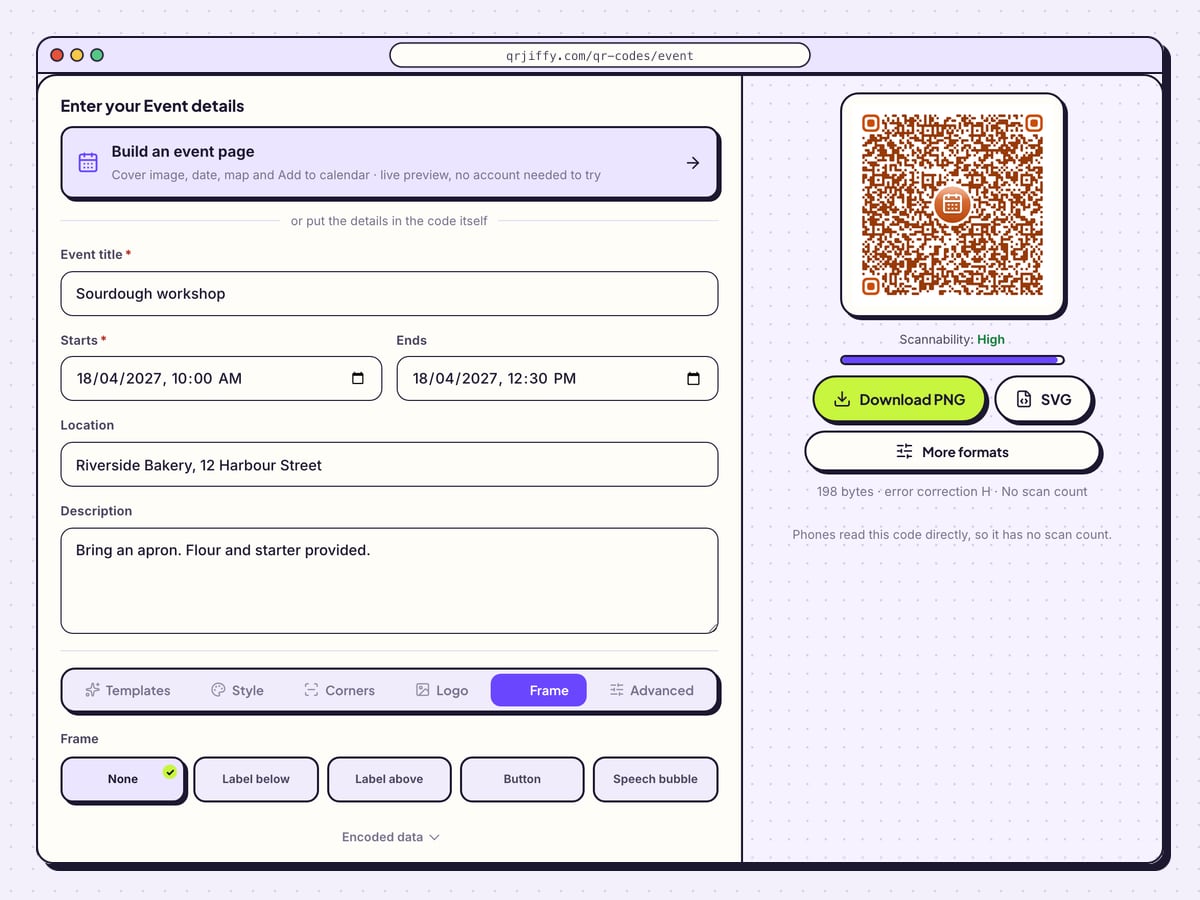
Switch to Frame and choose Label below or Call to action, then type “Scan to add to your calendar”. A code that says it saves the date gets scanned by people who would skip a website.
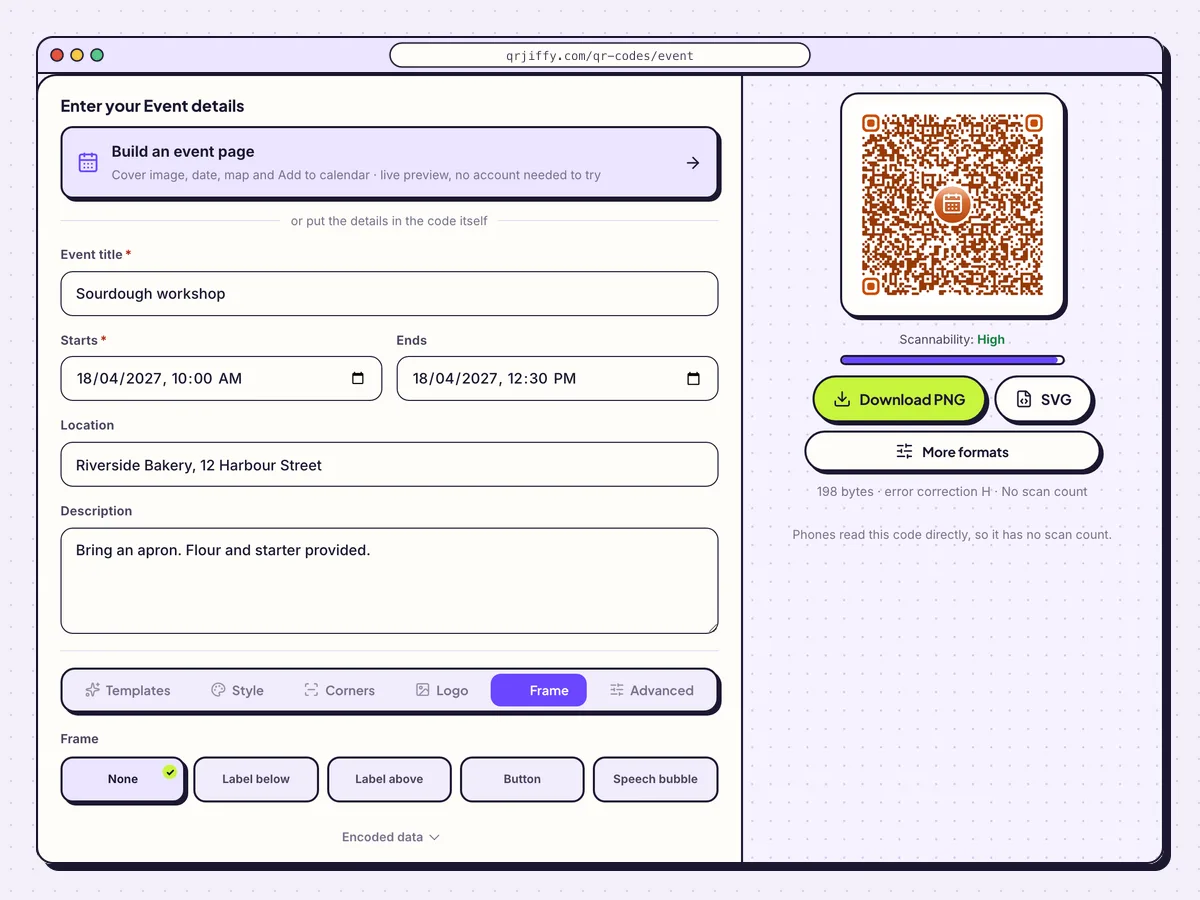
A frame label tells guests the code saves the date to their calendar. 5Download the event code
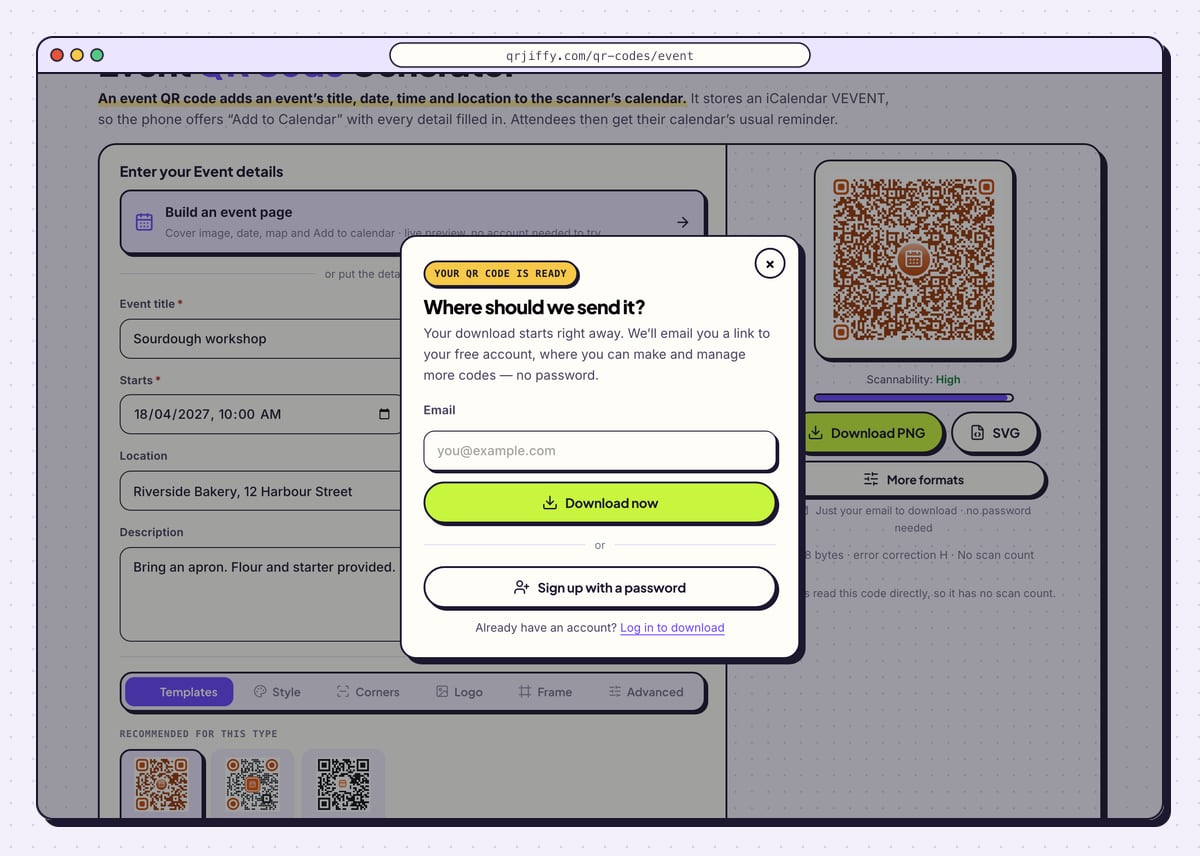
Take SVG for invitations and posters that a designer lays out, or Download PNG for a newsletter or a slide. The email form shows once; complete it and press Download now. Your file is
qrjiffy-event.png.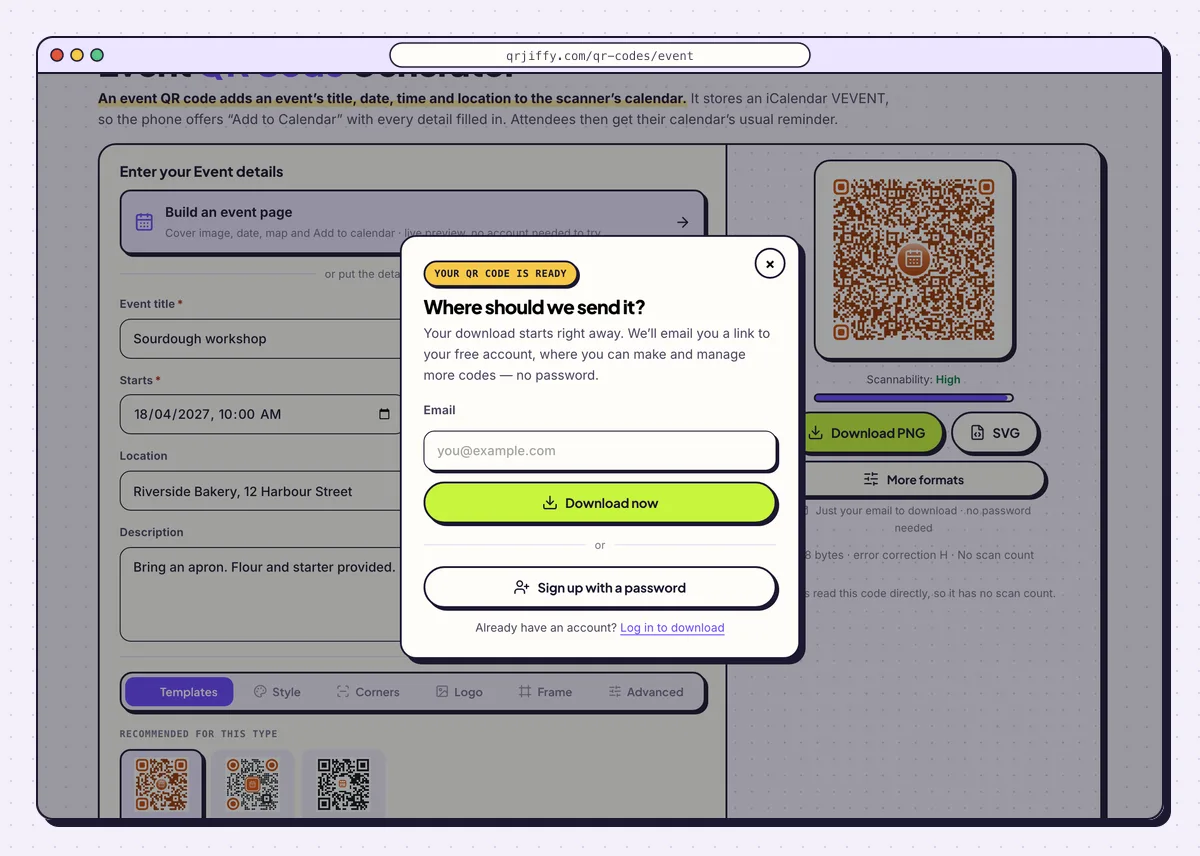
The dialog that appears before the event code downloads. 6Add the event to two calendars
Scan with an iPhone: the banner reads “Add to Calendar” and opens a filled-in event. Scan with an Android phone through Google Lens, which shows the event with an Add to calendar action on most phones. Save it on each and check the date, both times and the address.
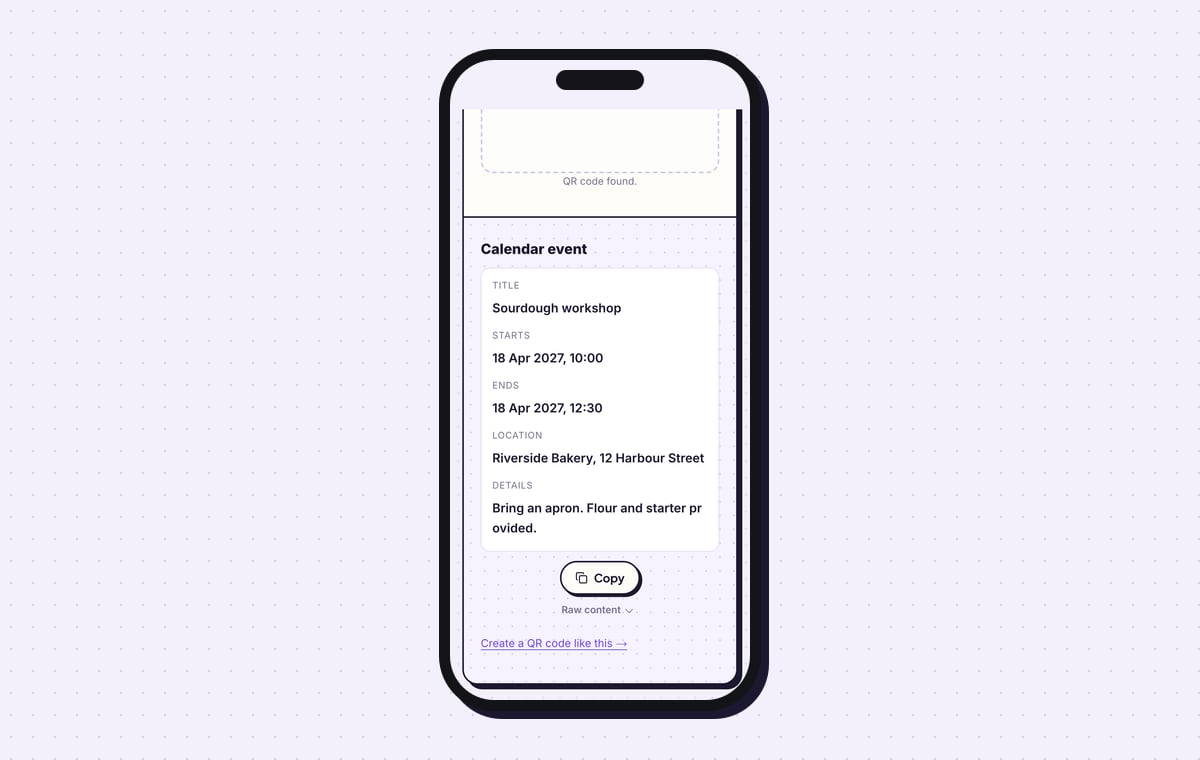
The QRJiffy scanner lists the stored fields under “Calendar event”. Times appear in the raw calendar format, so
20270418T100000means 18 April 2027 at 10:00:00.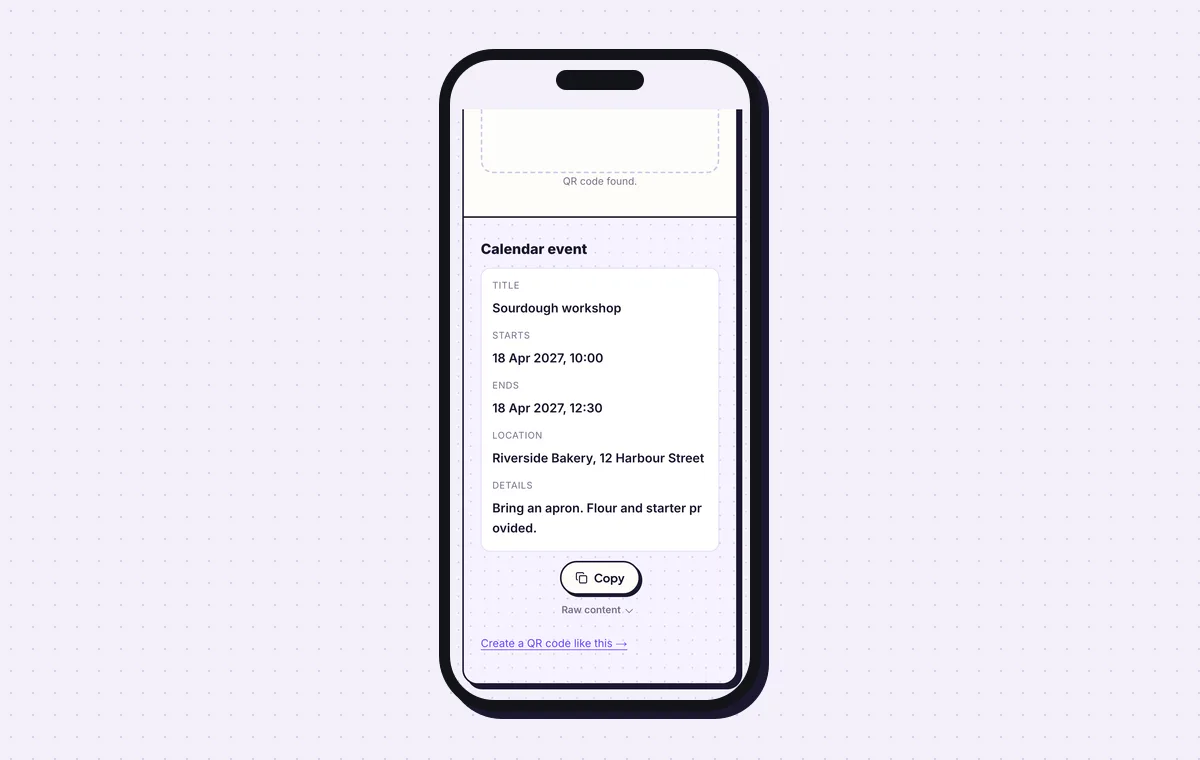
The scanner shows the event’s title, start, end and location as stored. 7Print the date in words beside the code
Print an event code with a description at 2.5 × 2.5 cm (1 in) or larger. Put the date, time and venue in text next to it. Some Android camera apps show the raw event text with no calendar button, and those guests read the print.
Open the Event QR Code generatorFree. Nothing to install.
How do you make an event page with an Add to calendar button?
1Describe the event in the Content step
Click the builder card on the event page. In Content, choose a page colour and upload a Cover image. Fill in the title, times and Location, write a paragraph in About the event, and name the host in Organiser.
Button text and Button link add a second button, such as “Book a place” pointing at your booking form. The phone preview on the right updates as you type.
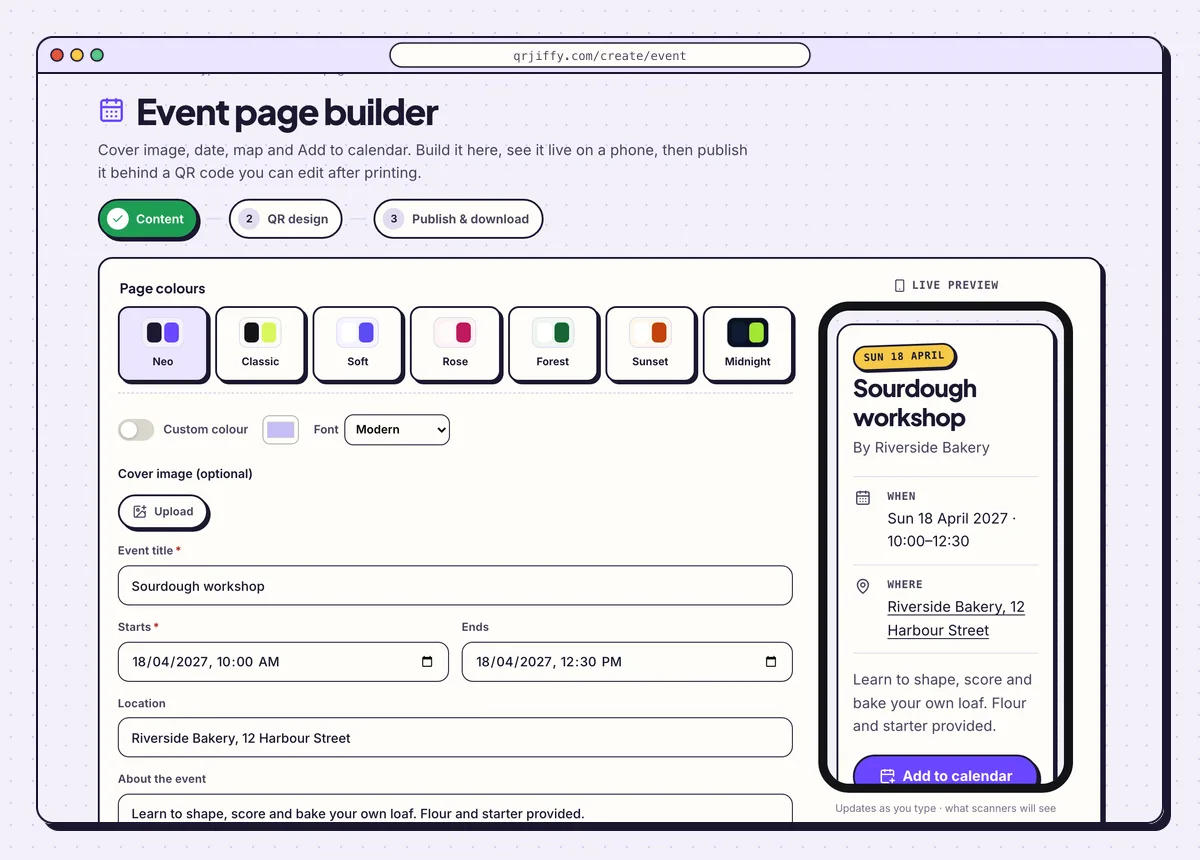
The event builder’s Content step with the workshop previewed on a phone. 2Style the code for your poster
Press Next: QR design to reach the second step. Here you style the code that opens the page. Match it to the poster with dark dots on a light background, and continue.
3Publish the page and download its code
The last step is Publish & download. Click Publish & download PNG, create the free account, and the page goes live. A guest who scans sees the cover image, the When and Where rows, and two buttons: Add to calendar and your own.
If the start time moves, edit the page in the dashboard. Posters already printed show the new time.
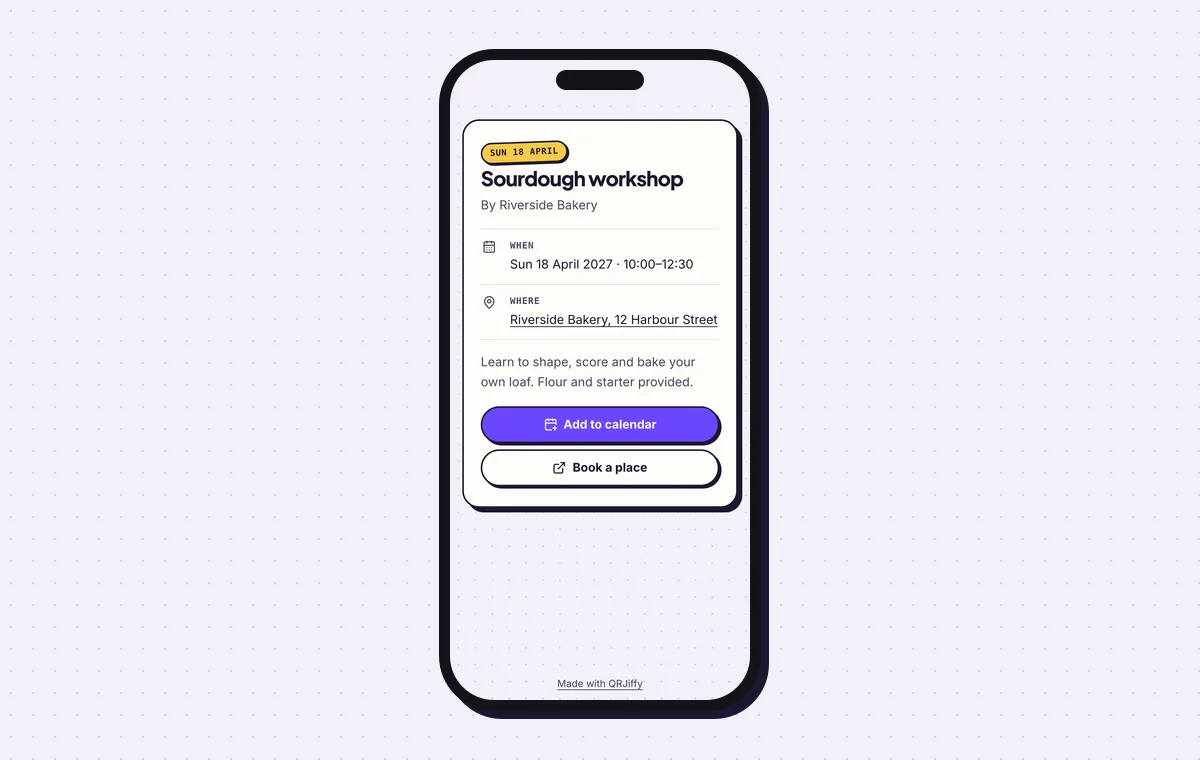
The live event page, with Add to calendar as its main button.
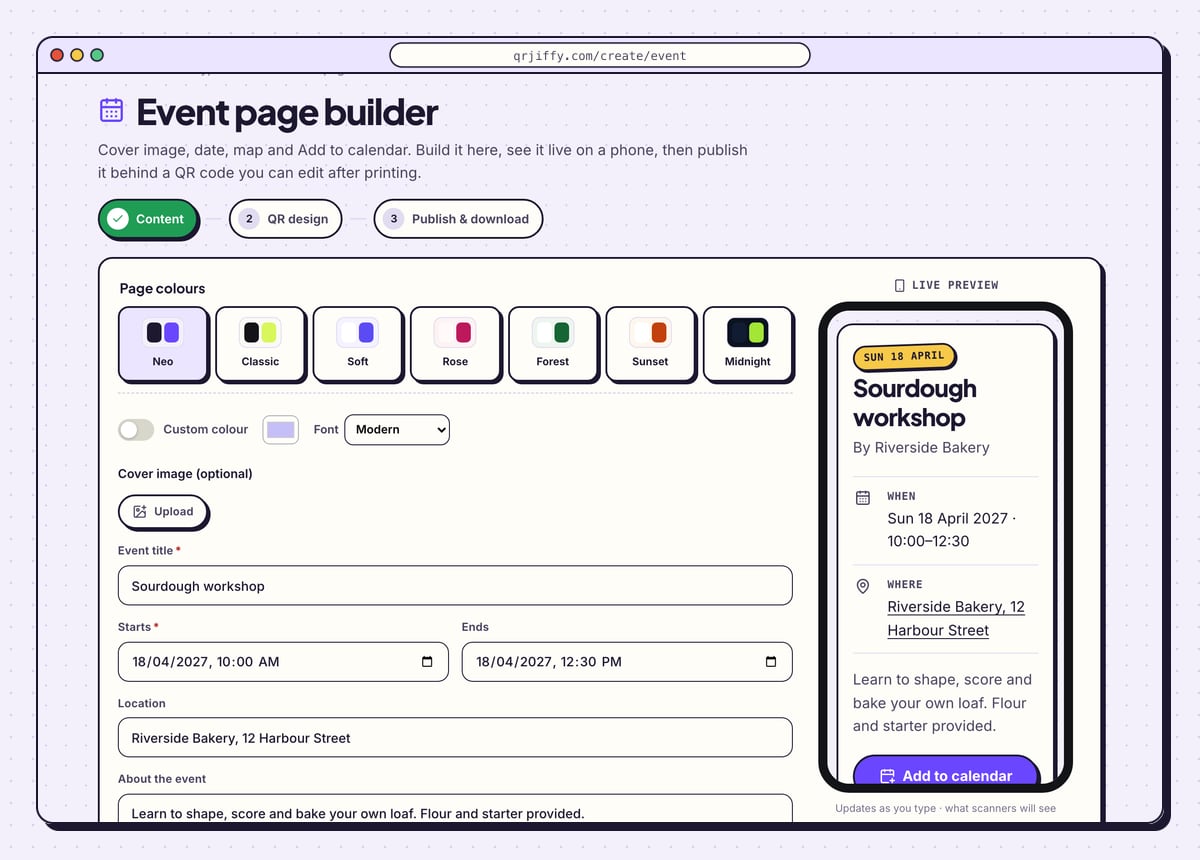
Build a event pageLive preview. No account needed to try.
What happens when someone scans a calendar event QR code?
The phone reads the title, times, location and description from the code and offers to save them as a calendar entry. The event is stored as an iCalendar VEVENT record, so no internet is needed.
- iPhone (iOS 11 or later): the Camera banner reads “Add to Calendar”. Tapping it opens the event in the Calendar app.
- Android: Google Lens shows the event with an Add to calendar action on most phones. Some manufacturer camera apps display the raw text.
- Reminders: the saved event takes the person’s default calendar alert, for example 30 minutes before.
Can you change the date after the code is printed?
No. The date and time are stored in the pattern, so a rescheduled event needs a new code on every poster and invitation. For an event whose date is still moving, publish an event page and print its code, because that page is corrected without a reprint.
Which time zone does the event use?
The code stores local clock time with no time zone, so 10:00 shows as 10:00 on every phone that saves it. That suits in-person events. Enter the time as it is at the venue.
Can a calendar event QR code work as a ticket?
No. An event code saves a date to a calendar and is identical for every guest. A ticket code holds a unique ID that a ticketing system checks at the door.
What mistakes stop an Event QR code from working?
These 4 mistakes cause most failed Event QR codes; each has a quick fix. Test the downloaded file with two different phones before you print anything.
| Mistake | Fix |
|---|---|
| The Ends field is left empty | Set an end time. Calendars otherwise assume the event lasts 1 hour. |
| AM and PM are swapped in the time picker | Save the event to your own calendar from a scan and read the time there. |
| Only the venue name in Location | Write the full street address so it opens in a maps app from the calendar. |
| The date changed after the posters went up | Make a new code and replace the prints, or use the event page route for dates that move. |
Frequently asked questions
Is it free to make a calendar event QR code?
Yes. Filling in the form and downloading the code is free and the picture has no watermark. You give an email address or open a free account for the first download.
Can I add a reminder to the event?
No. Each person’s calendar applies its own default alert to the saved event.
Can the event include a link?
Yes. Put the web address in the Description field, and calendar apps make it tappable.
Can I see how many people saved my event?
No. The calendar entry is created on the phone alone, and no scan reaches a server. The event page route counts scans in the dashboard.
Ready to make your Event QR code?
The generator is free and works in the browser on a phone or a computer. Your code downloads as PNG for screens or SVG for print.
Open the Event QR Code generator
Related guides: How to Print a QR Code · QR Code Size · QR Code Not Working