 QRJiffy
How to Make a Coupon QR Code
You make a coupon QR code by pasting your store’s discount link, or the address of a page that shows the promo code, into a coupon QR code generator and downloading the image. A discount link applies the code at checkout with no typing. A shop with no online store builds a coupon page showing the offer, the code and the end date instead.
What do you need before you start?
You need 4 things ready, and no account to try the generator. A free account, or just your email, is asked for only at the download step.
- A discount created in your store, with its code, for example SPRING20.
- The shareable discount link. In Shopify: Discounts › your code › Share › Copy link.
- The end date and terms of the offer, to print beside the code.
- A separate discount code per channel (flyer, packaging, receipt) if you want to compare them.
How do you make a Coupon QR code step by step?
Follow these 6 steps in the Coupon QR Code generator; the preview updates as you type. Each screenshot below is the real screen, filled in with a sample bakery’s details.
1Copy the discount link from your store
Create the discount in your store admin and copy its link. A Shopify link has the form
https://shop.example.com/discount/SPRING20, and adding?redirect=/collections/allchooses the page the customer lands on. The link stores the code in the cart session, so the customer never types it.BigCommerce supports discount links too, and WooCommerce does with a coupon-URL plugin. With no such link, use the address of any page that displays the code.
2Paste it into the coupon generator
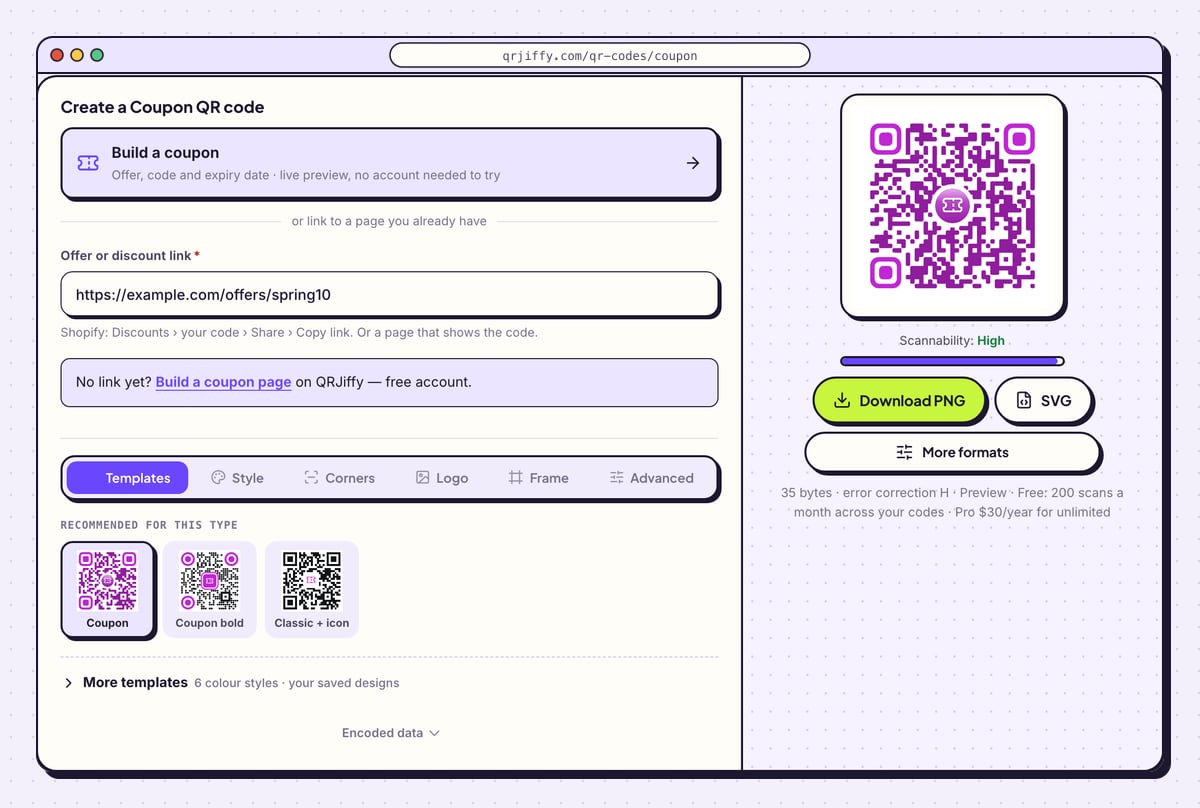
Open the coupon QR code generator and paste the link into Offer or discount link. The sample in the screenshot is
https://example.com/offers/spring10. The code is drawn beside the form straight away.Make one QR code per campaign. Scans for the spring flyer and the packaging insert then stay apart in your account, just as redemptions stay apart in the store when each has its own discount code.
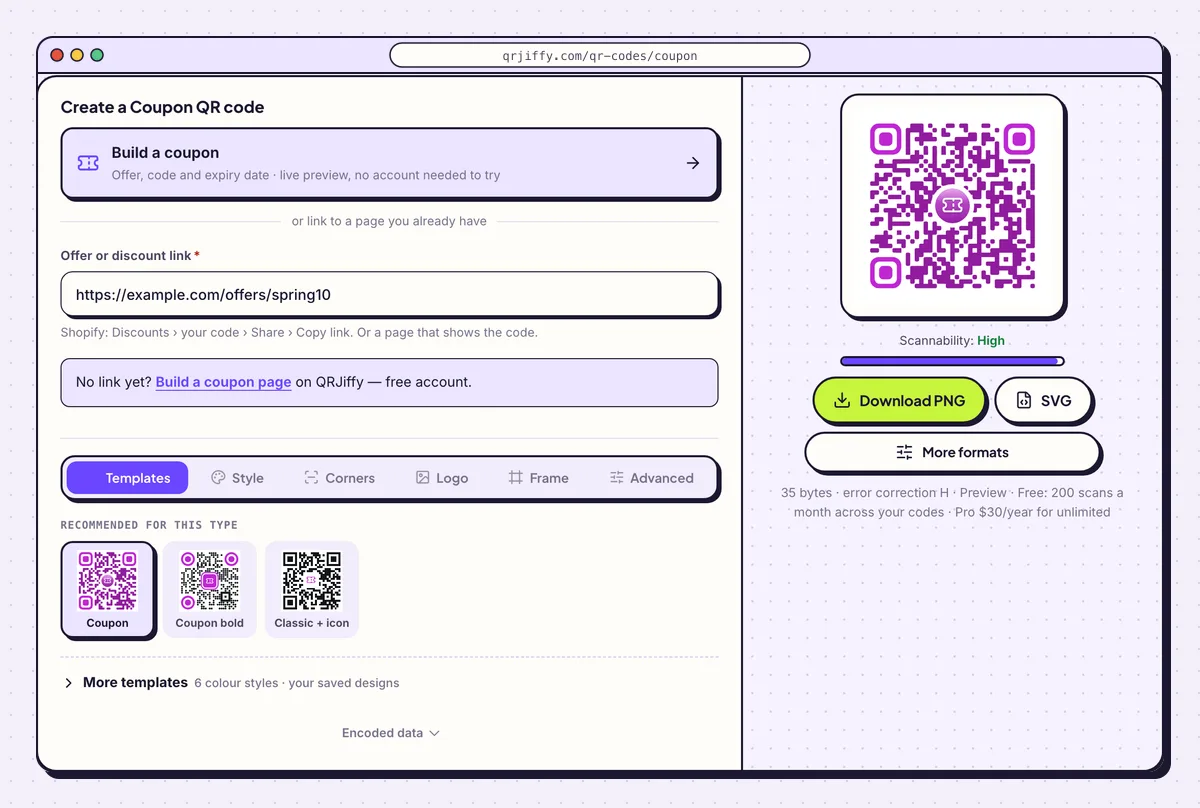
The discount link goes under the Build a coupon card. 3Match the code to the flyer
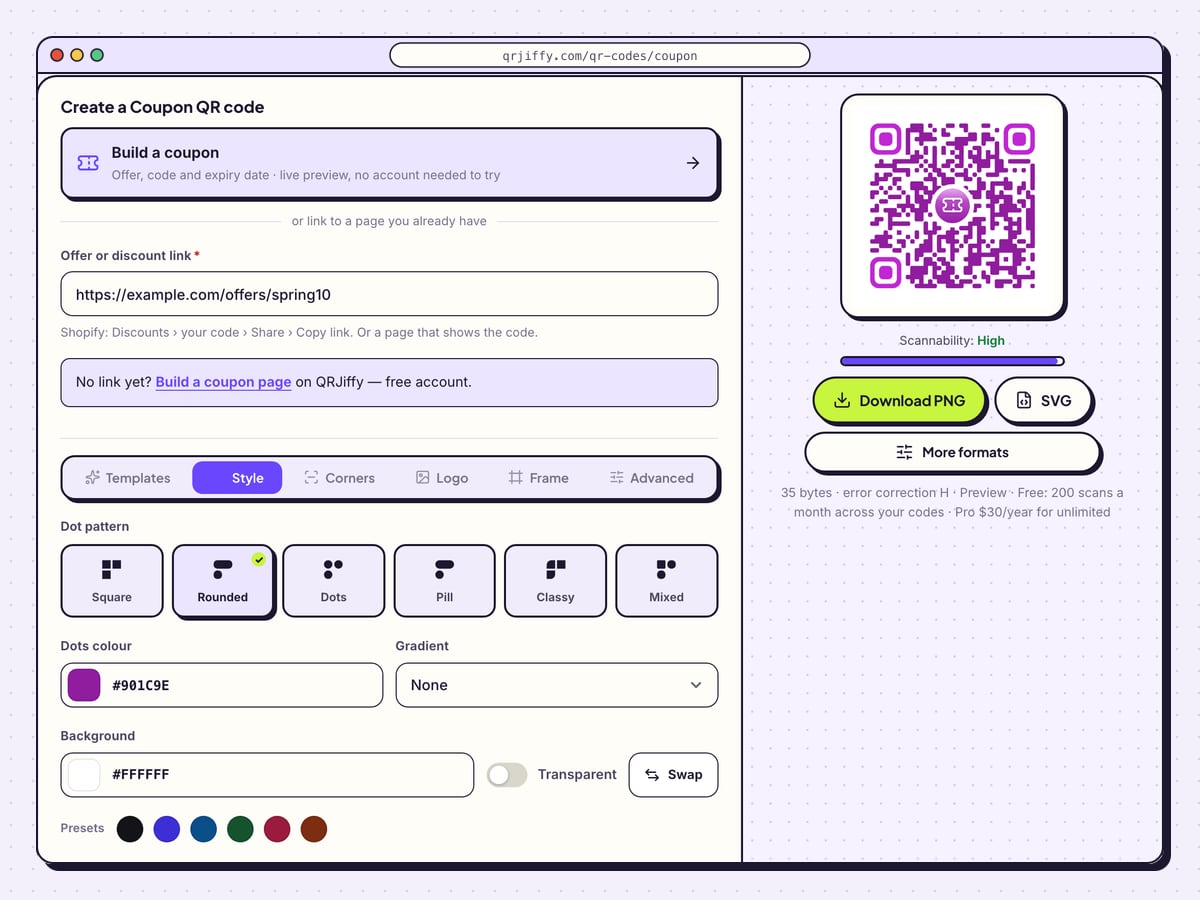
In the Style tab, choose a dot pattern from Square, Rounded, Dots, Pill, Classy and Mixed, and set Dots colour to the darkest colour of the flyer. A Gradient with a Second colour works when both colours are dark.
The Logo tab adds the shop logo, and error correction moves to H (30%) with it. Keep the logo under about 20% of the code.
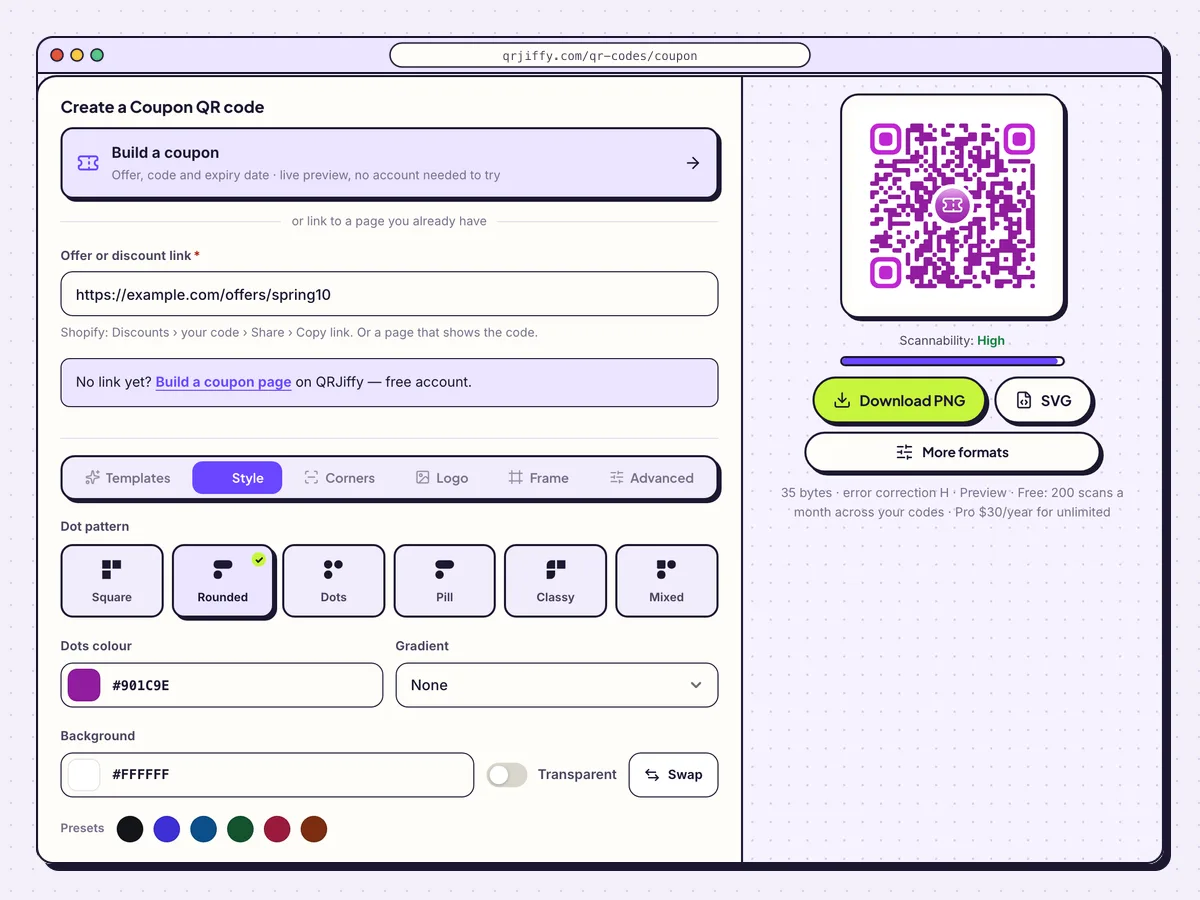
Dot pattern and colours are set in the Style tab. 4Download the coupon code
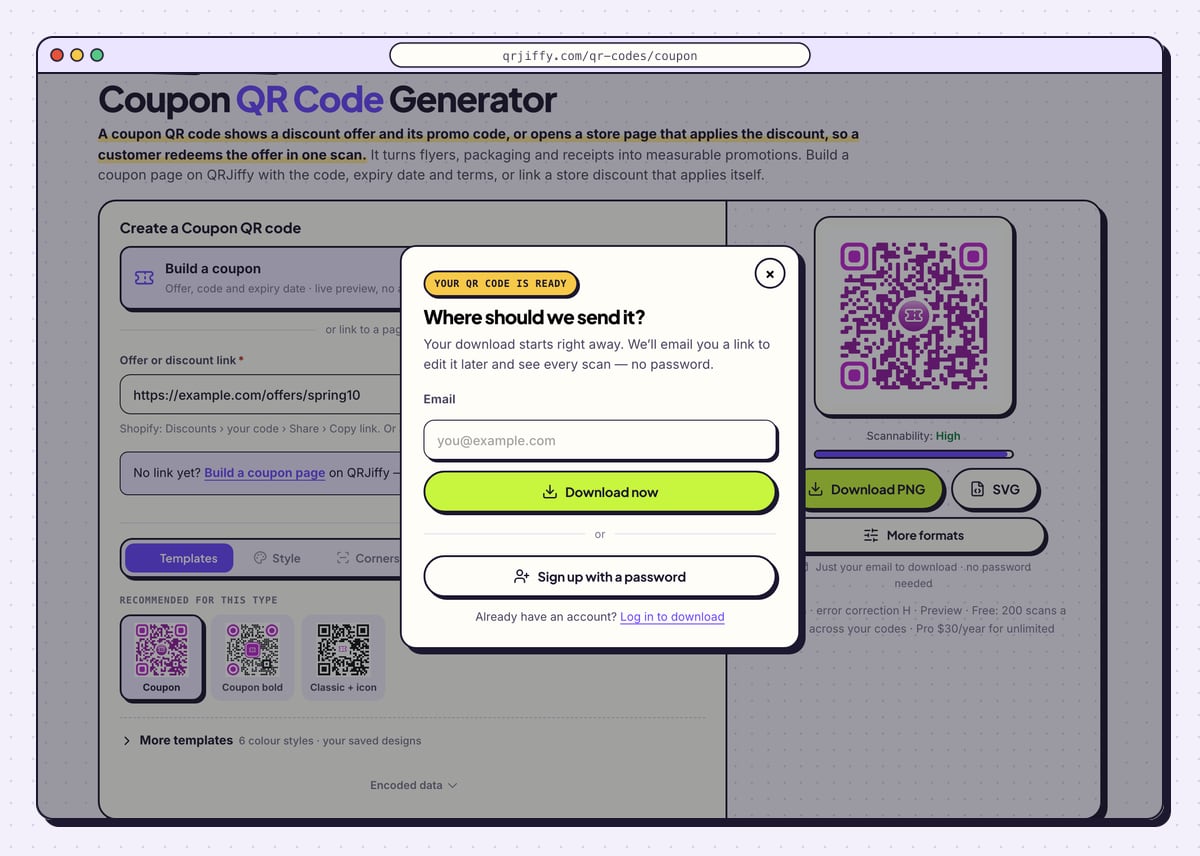
Choose SVG for flyers, mailers and packaging inserts and Download PNG for emails and receipts. Type an email under “Where should we send it?” and click Download now. The saved file is called something like
qrjiffy-coupon-vmeh7xa.png.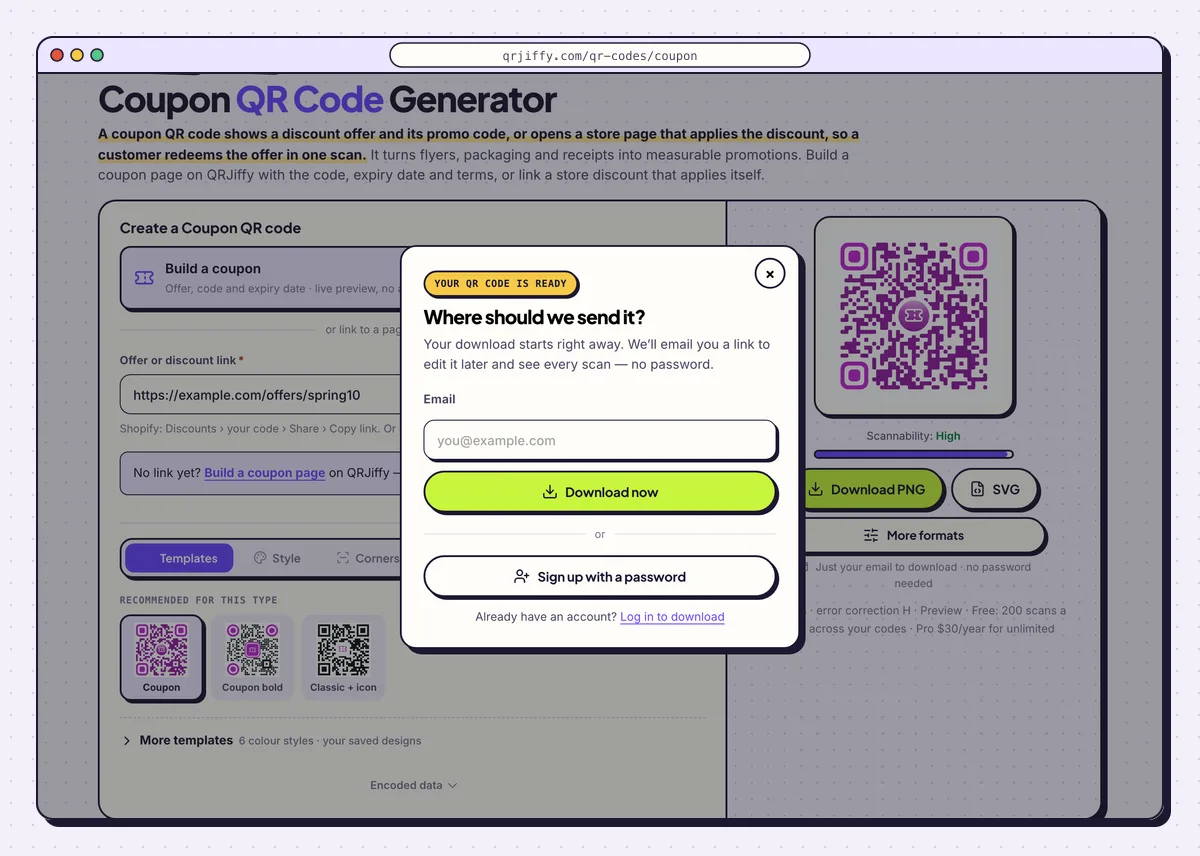
One email, then the PNG or SVG saves to the computer. 5Run a test checkout
Scan the code and add a product to the cart. The discount line appears at checkout with the code already applied. Stop before paying, or complete the order and refund it. A scan that opens the store without the discount means the link is a plain store link, not the discount link.
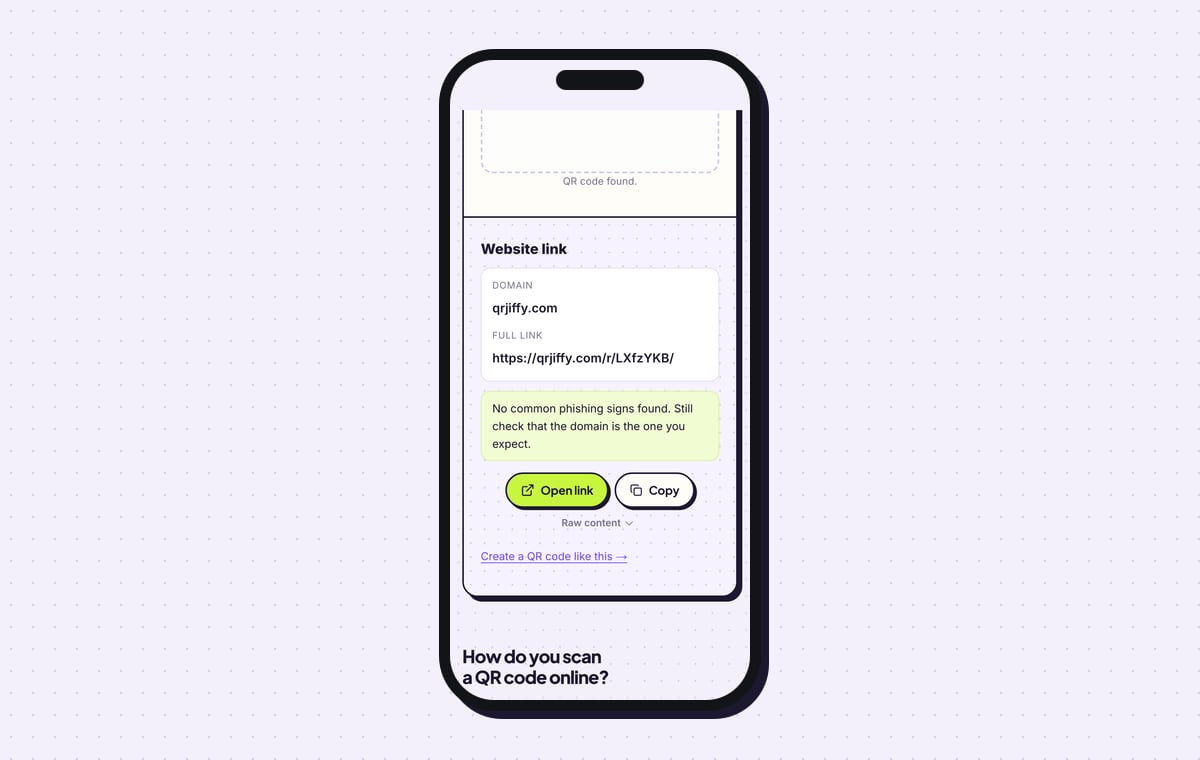
The QR code scanner shows the downloaded file as “Website link” on qrjiffy.com with the full short link. Open link follows it to the offer.
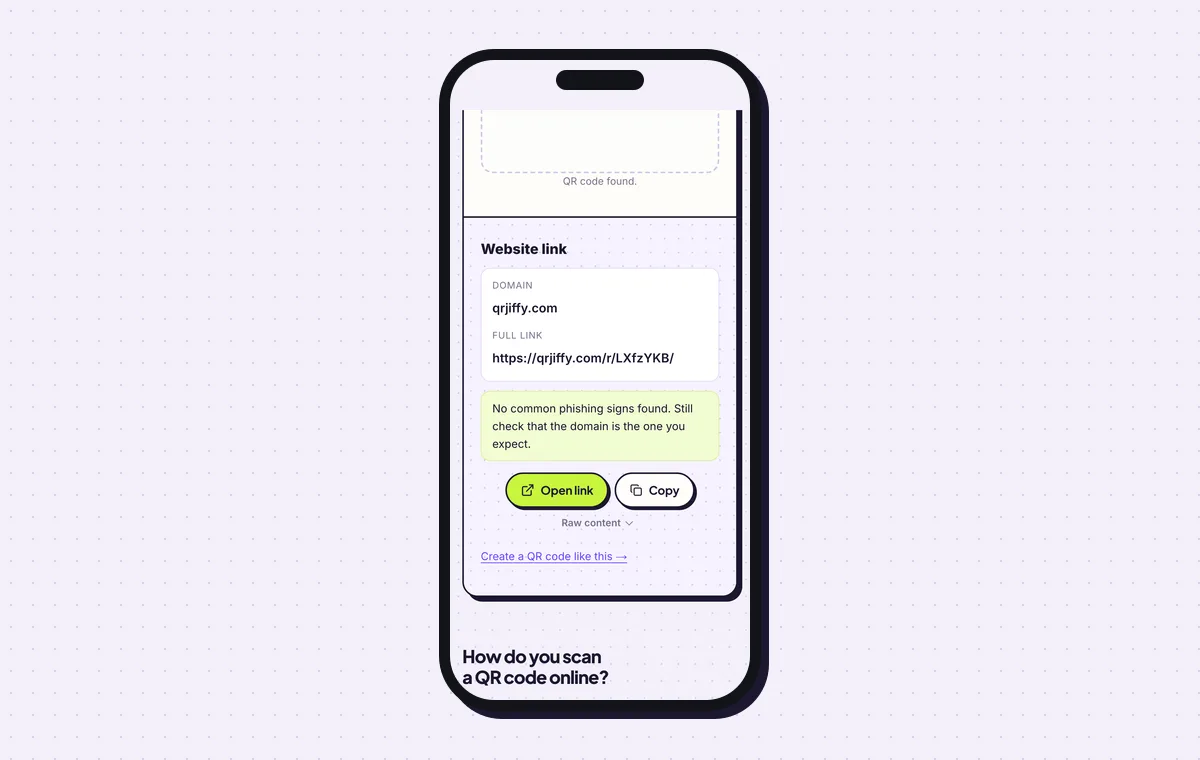
The coupon file read back: a short link that forwards to the offer. 6Print it with the terms and plan for the end date
Print the code at 3 cm on flyers and no smaller than 2 × 2 cm (0.8 in) anywhere. Beside it, print the offer, the end date, the terms and the promo code as text, so a cashier reads it without scanning.
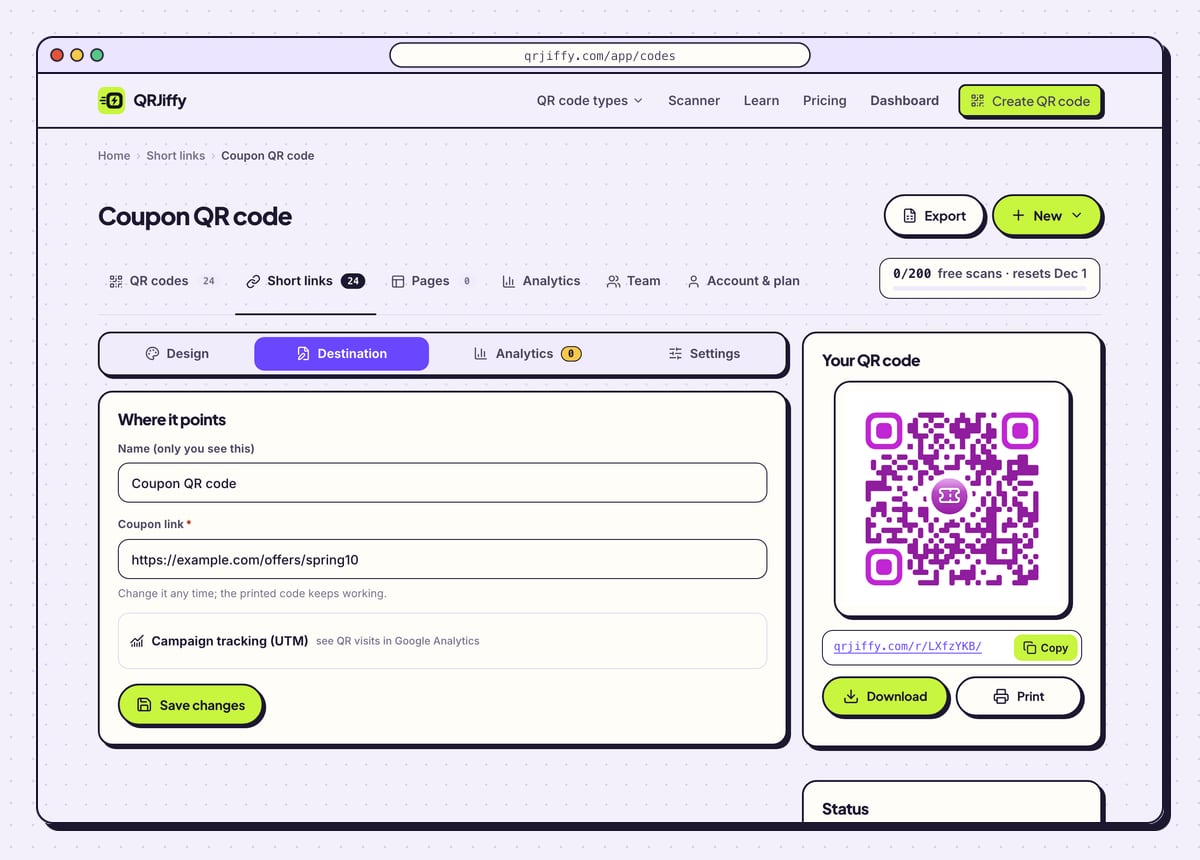
When the offer ends, open the code in the dashboard and use Destination to point it at the current deal. Late scanners then find a live offer instead of an error. Analytics shows scans by day, device and country, and the store’s discount report shows redemptions.
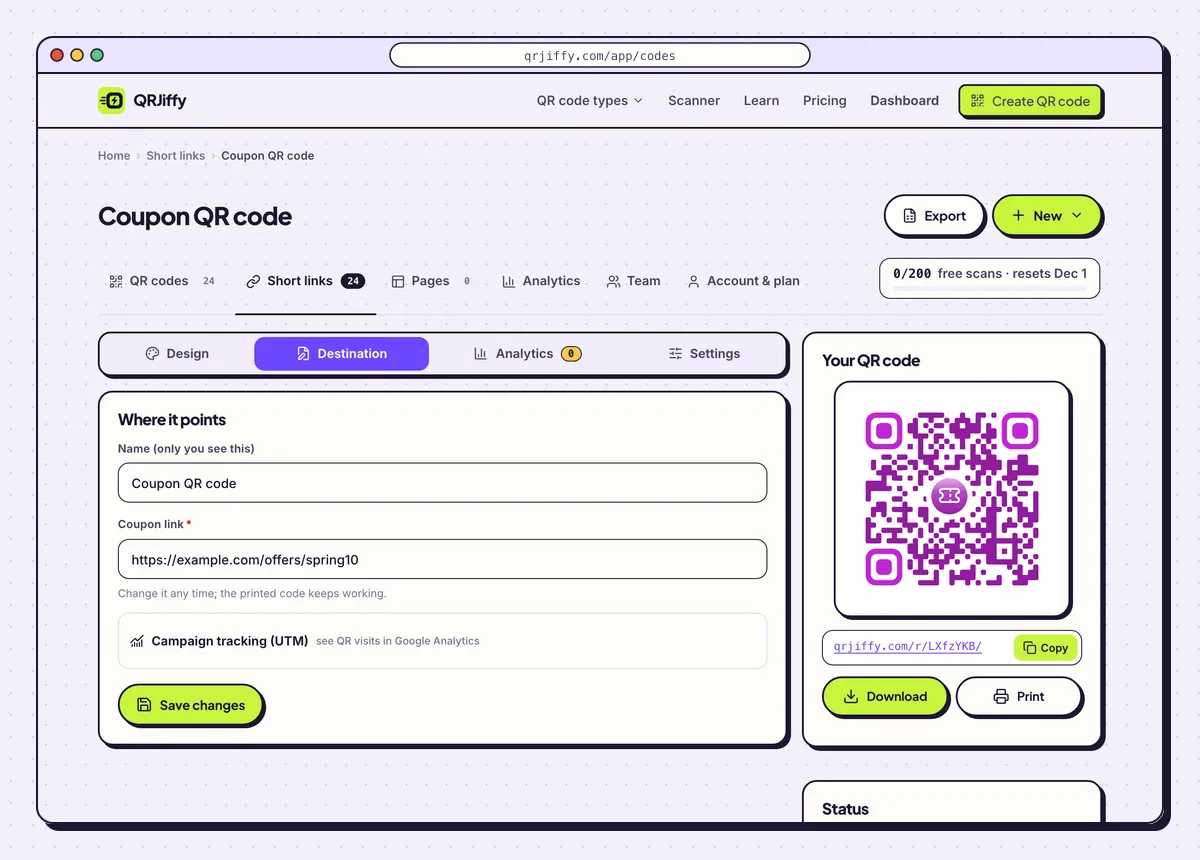
After the campaign, Destination sends old flyers to the current deal.
Open the Coupon QR Code generatorFree. Nothing to install.
No online store? How do you build a coupon page?
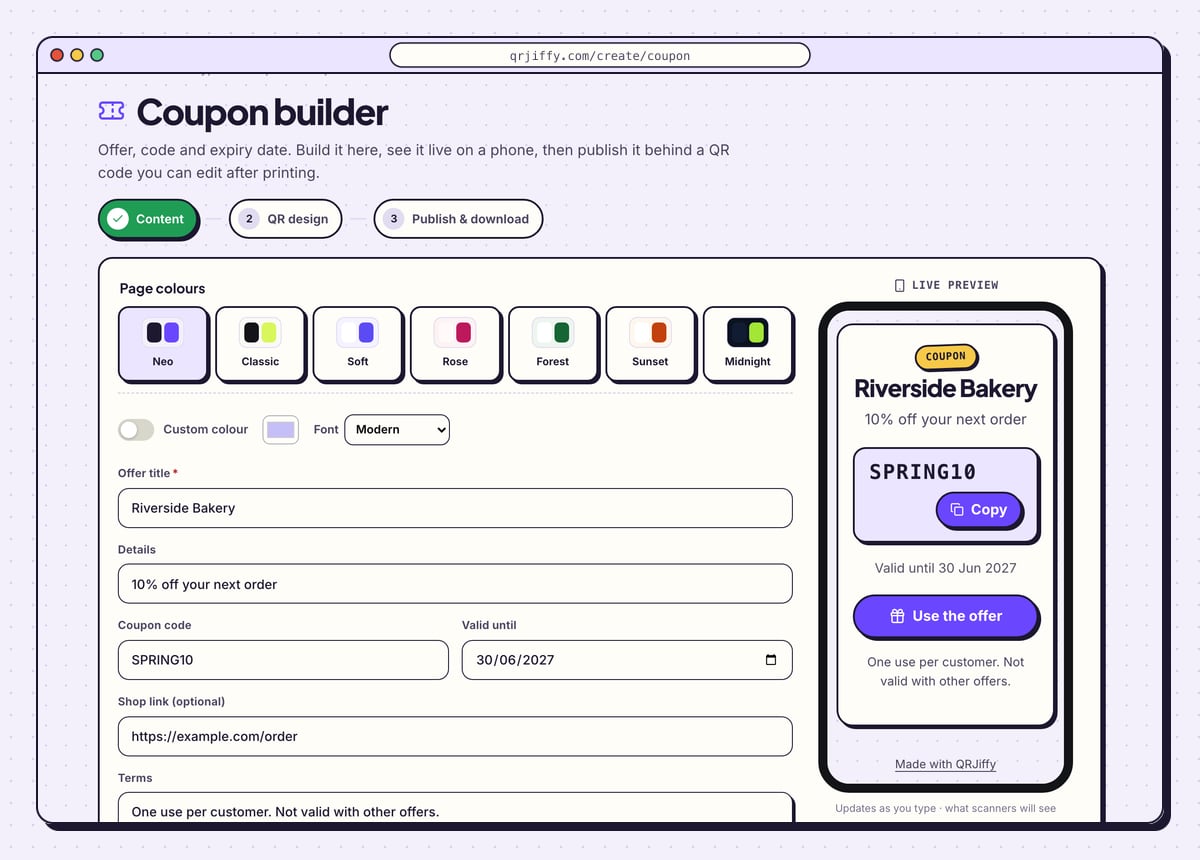
1Enter the offer, the code and the end date
Type the shop or campaign name into Offer title and the deal into Details, for example “10% off your next order”. Put the promo code into Coupon code and pick a date in Valid until. Shop link (optional) adds a button to an ordering page, and Terms takes the small print.
Seven colour themes, from Neo to Midnight, and a Custom colour switch style the page.
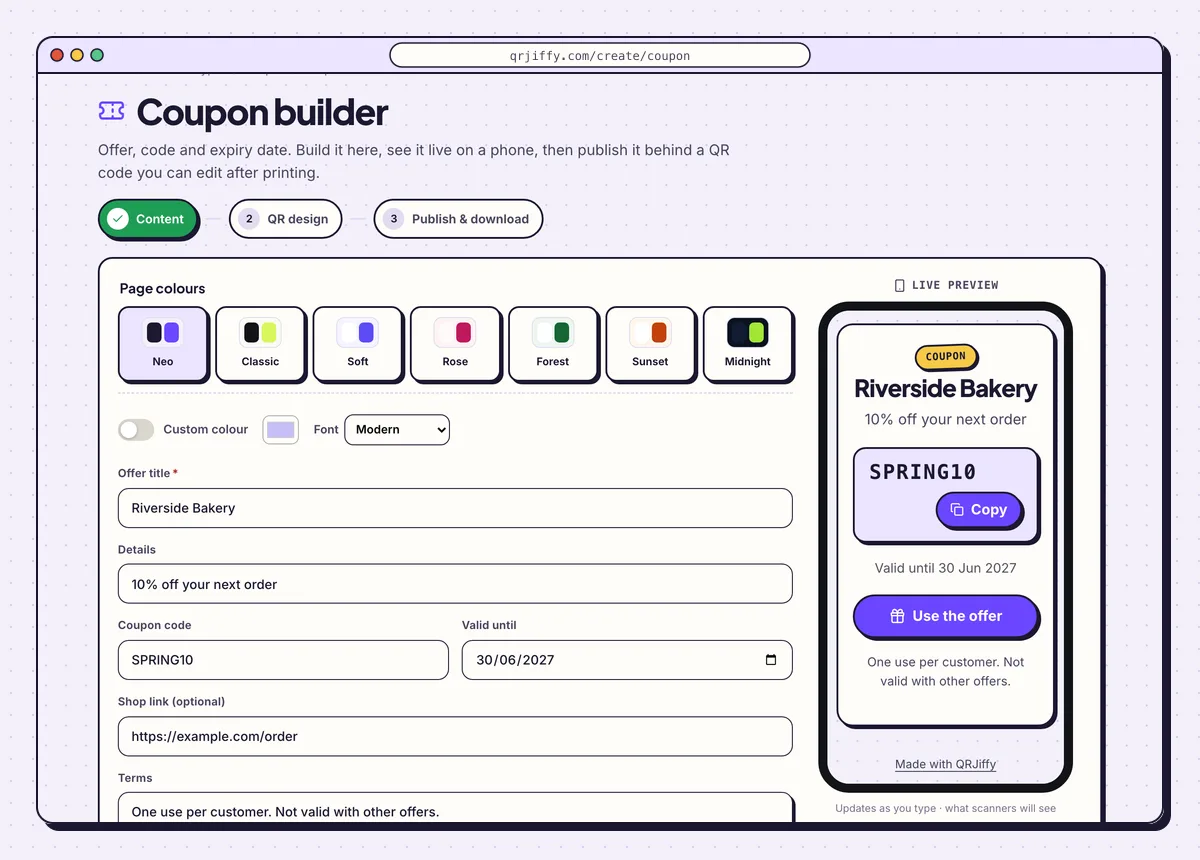
The coupon builder with the sample offer SPRING10, valid until 30 June 2027. 2Publish and download
Click Next: QR design, style the code, then click Publish & download PNG on the last step. Publishing asks for a free account. The coupon page goes live at its own short link, and the code that opens it downloads at the same moment.
3Check the coupon on a phone
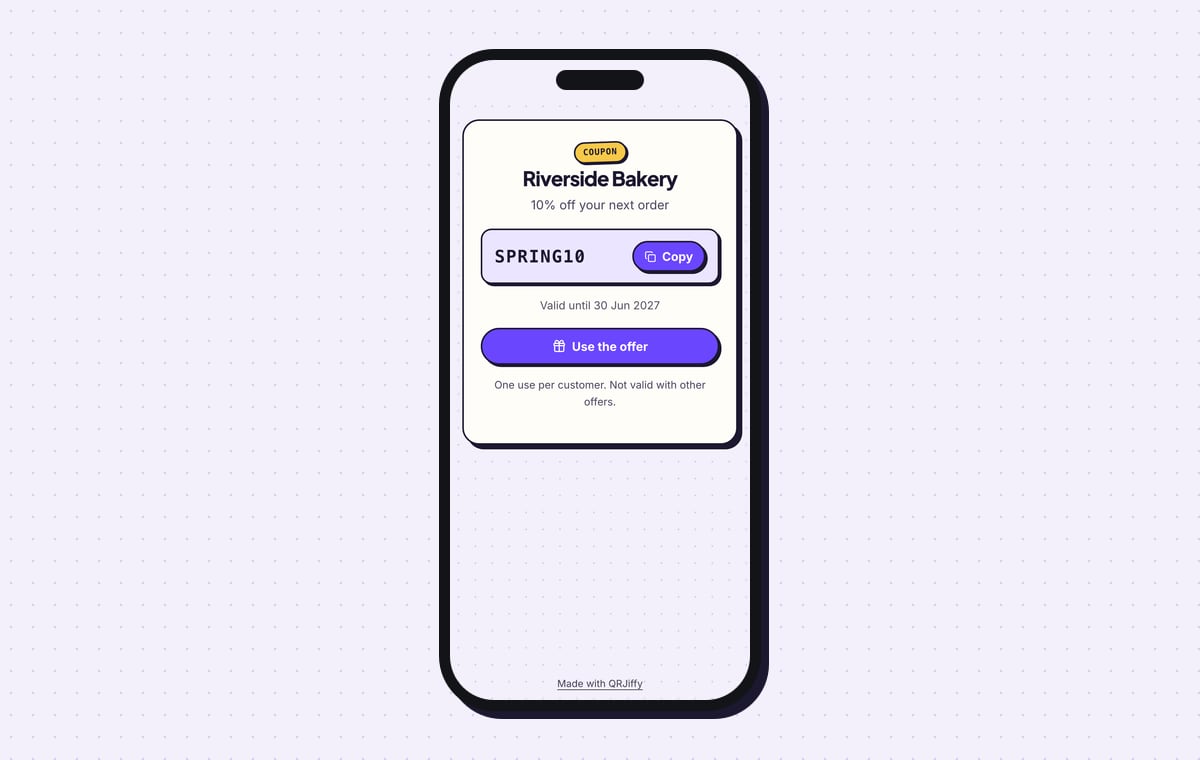
Scan the code. The page shows a “Coupon” badge, the title, the deal, and the code SPRING10 in a box with a Copy button. Under it are “Valid until 30 Jun 2027”, a Use the offer button that opens the shop link, and the terms. A customer in the shop shows this screen at the till, and the cashier enters the code in the POS.
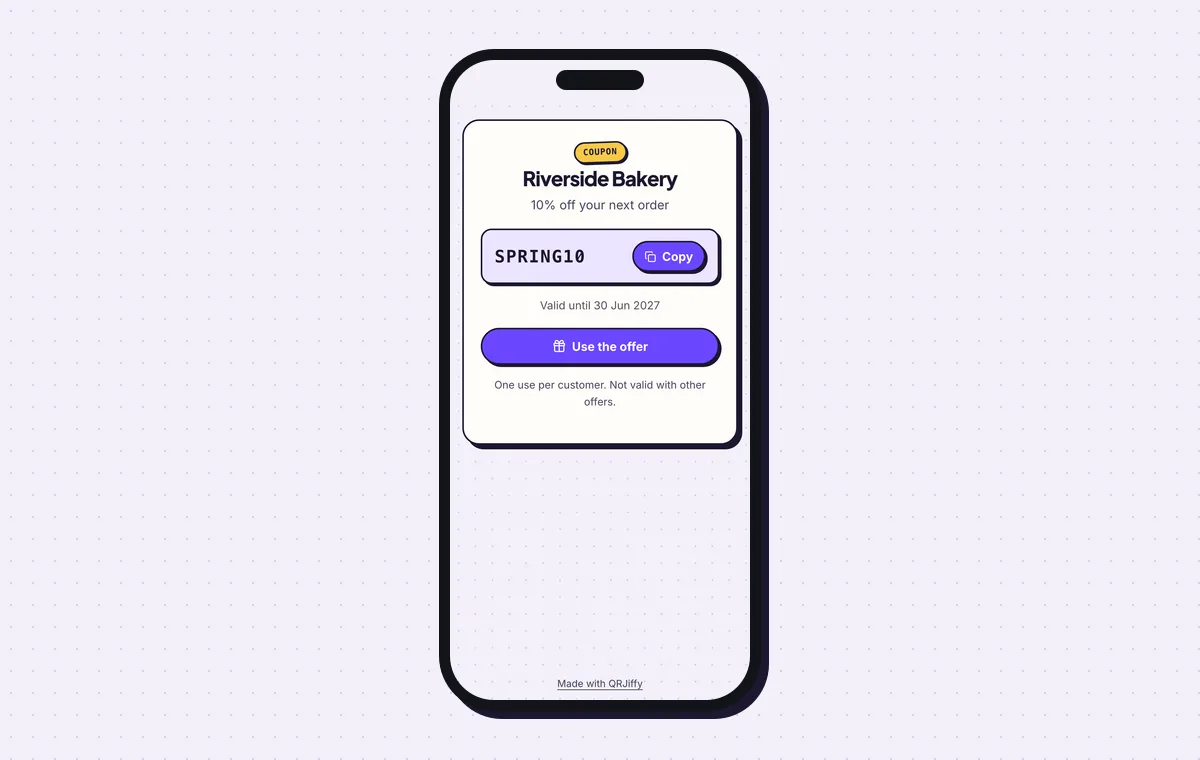
The published coupon: code, end date, button and terms on one screen.
Build a couponLive preview. No account needed to try.
Does the QR code apply the discount automatically?
Yes, when the code opens a store discount link: the store applies the promo code at checkout without typing. Shopify and BigCommerce support discount links, and WooCommerce does with a coupon-URL plugin. Many other stores accept a ?coupon= or ?code= parameter. A code that opens a page showing the promo code leaves the customer to copy it.
How is a coupon QR code redeemed in a physical shop?
The customer scans the code, shows the offer page at the till, and the cashier enters the promo code in the POS. The QR code does not talk to the till. Print the promo code as text under the QR code as well, so that the offer works when a phone battery is flat.
Can each customer use the coupon only once?
No. A printed QR code carries one shared offer, and anyone who scans it gets the same one. One-time use needs a unique code per customer, which the store or POS issues and limits.
What happens to the printed code when the offer ends?
The printed code keeps scanning, so point it at the current deal in the dashboard. Flyers stay in drawers for months. The code holds a short link, and its destination changes at any time while the print stays the same. For a coupon page built on QRJiffy, the Valid until date shows scanners when the offer ends.
What mistakes stop a Coupon QR code from working?
These 5 mistakes cause most failed Coupon QR codes; each has a quick fix. Test the downloaded file with two different phones before you print anything.
| Mistake | Fix |
|---|---|
| The code opens the store homepage with no discount | Copy the discount link from the store admin (Shopify: Discounts › your code › Share › Copy link). |
| Every channel uses the same discount code | Create one discount code and one QR code per channel to compare flyers with packaging. |
| The flyer shows no end date | Print the end date and terms beside the code. |
| The expired offer leads to an error page | Change the destination to the current deal in the dashboard. |
| No one tried a checkout before printing 5,000 flyers | Scan the code and take one order as far as the discount line. |
Frequently asked questions
Is a coupon QR code free to make?
Yes. Making, downloading and printing the code is free. A free account covers 200 scans a month across all codes, and Pro costs $30 a year for unlimited scans.
Can I see how many coupons were redeemed?
Partly. QRJiffy counts scans, and your store counts redemptions in the usage report of the discount code. Compare the two numbers.
Can I put a logo in the middle of a coupon QR code?
Yes. Add it in the Logo tab. Error correction goes to H (30%), and a logo up to about 20% of the code scans reliably.
What size does a coupon QR code need on a flyer?
3 cm wide on a flyer. The minimum anywhere is 2 × 2 cm (0.8 in).
Can I change the offer after the flyers are printed?
Yes. Change the destination of the code in the dashboard, or edit the coupon page if you built it on QRJiffy. The printed code stays the same.
Ready to make your Coupon QR code?
The generator is free and works in the browser on a phone or a computer. Your code downloads as PNG for screens or SVG for print.
Open the Coupon QR Code generator
Related guides: How to Print a QR Code · QR Code Size · QR Code Not Working