 QRJiffy
How to Make a Facebook QR Code
You make a Facebook QR code by copying the link to your Page, profile, group or event, pasting it into a Facebook QR code generator and downloading the result. Scanning it opens that Page in the Facebook app, where a visitor likes, follows, joins or replies to the invitation. The steps below use a bakery Page as the example and take about 3 minutes.
What do you need before you start?
You need 4 things ready, and no account to try the generator. A free account, or just your email, is asked for only at the download step.
- The link to your Page, group or event: on a Page, tap ••• › Share › Copy link.
- A Page username, set in Page settings, so the address reads facebook.com/yourbusiness instead of a long ID.
- A decision on the destination: Page for likes, group for members, event for RSVPs.
- A phone that is logged out of Facebook, or a private browser tab, for the test.
How do you make a Facebook QR code step by step?
Follow these 7 steps in the Facebook QR Code generator; the preview updates as you type. Each screenshot below is the real screen, filled in with a sample bakery’s details.
1Decide which Facebook destination the code opens
Each kind of Facebook link produces a different action after the scan. A Page link (
facebook.com/yourbusiness) invites a like and a follow. A group link (facebook.com/groups/yourgroup) shows a request to join, and an event link (facebook.com/events/123…) lets the visitor mark Going or Interested.A personal profile link leads to Add friend or Follow. Pick one destination per code, then open the Facebook QR code generator.
2Paste the Page link or type the Page username
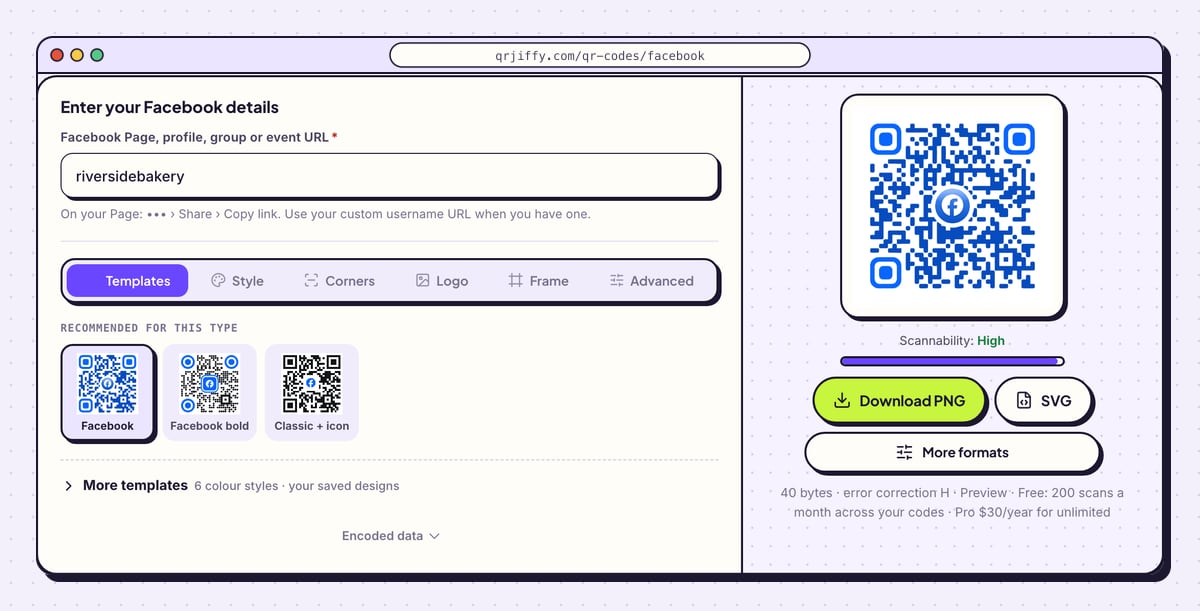
Click the field named Facebook Page, profile, group or event URL. Paste the copied link, or type the Page username alone:
riversidebakerybecomeshttps://www.facebook.com/riversidebakery. Group and event addresses need the full link, since they contain more than a username.Remove any text after a question mark, such as
?mibextid=. Facebook adds these share tags when you copy a link, and they make the address longer for no benefit.Tip: An address that starts with
facebook.com/profile.php?id=means the Page has no username yet. Set one first for a shorter address.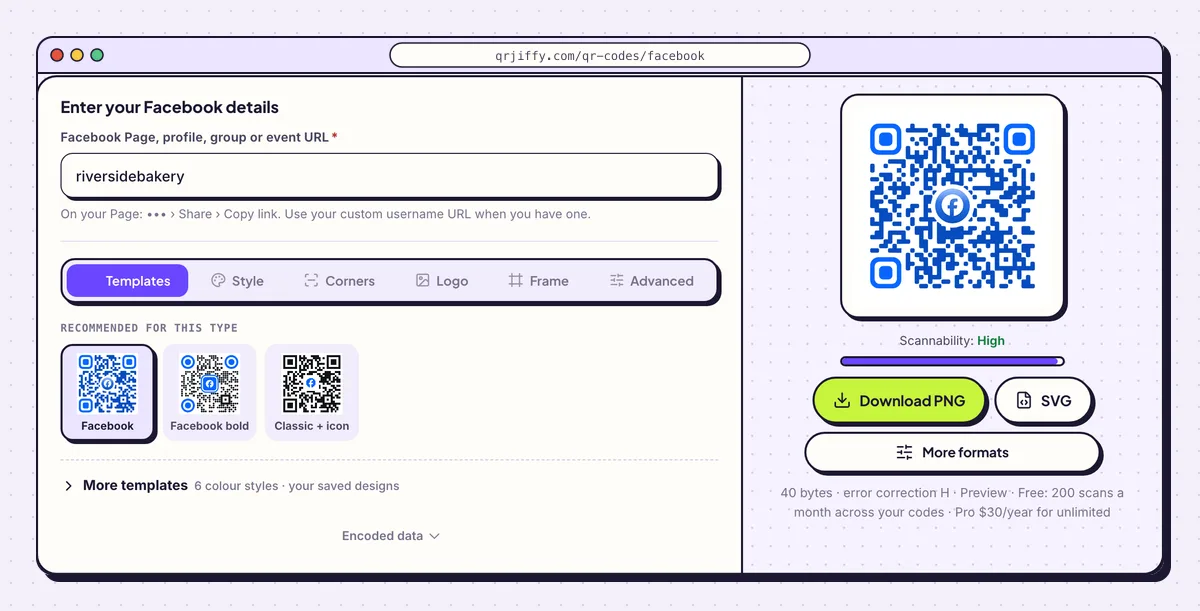
A Page username on its own is enough. The generator writes the full facebook.com address. 3Add a “Like us on Facebook” label in the Frame tab
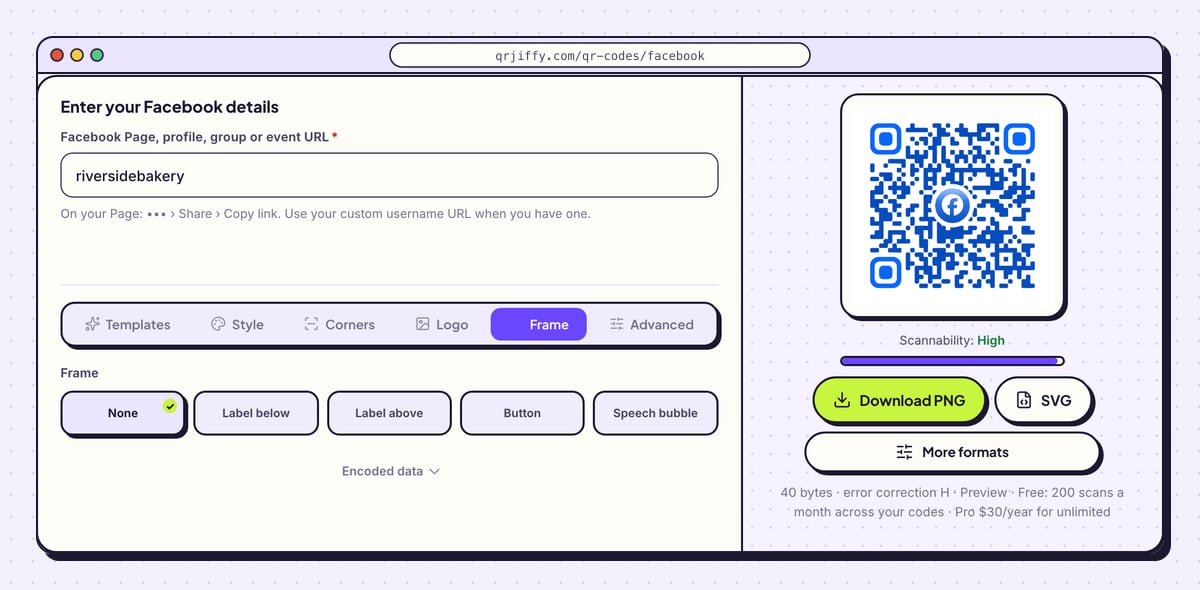
Open Frame and choose one of the six layouts: None, Label below, Label above, Button, Speech bubble or Call to action. Type the instruction that matches your destination, for example “Like us on Facebook” for a Page or “Join the group” for a community.
Frame colour and Text colour sit below the layouts. Choose a dark frame with light text, or the reverse, so the words read clearly from the same distance as the code.
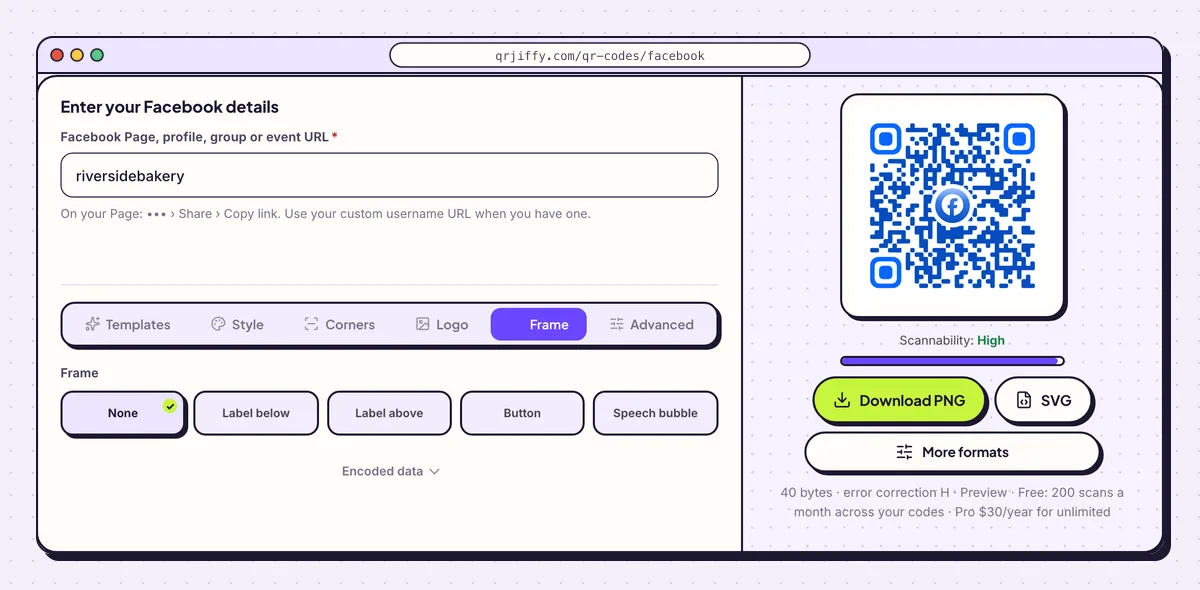
The Frame tab prints the instruction as part of the image, so it never gets cropped off the artwork. 4Save the file to your computer
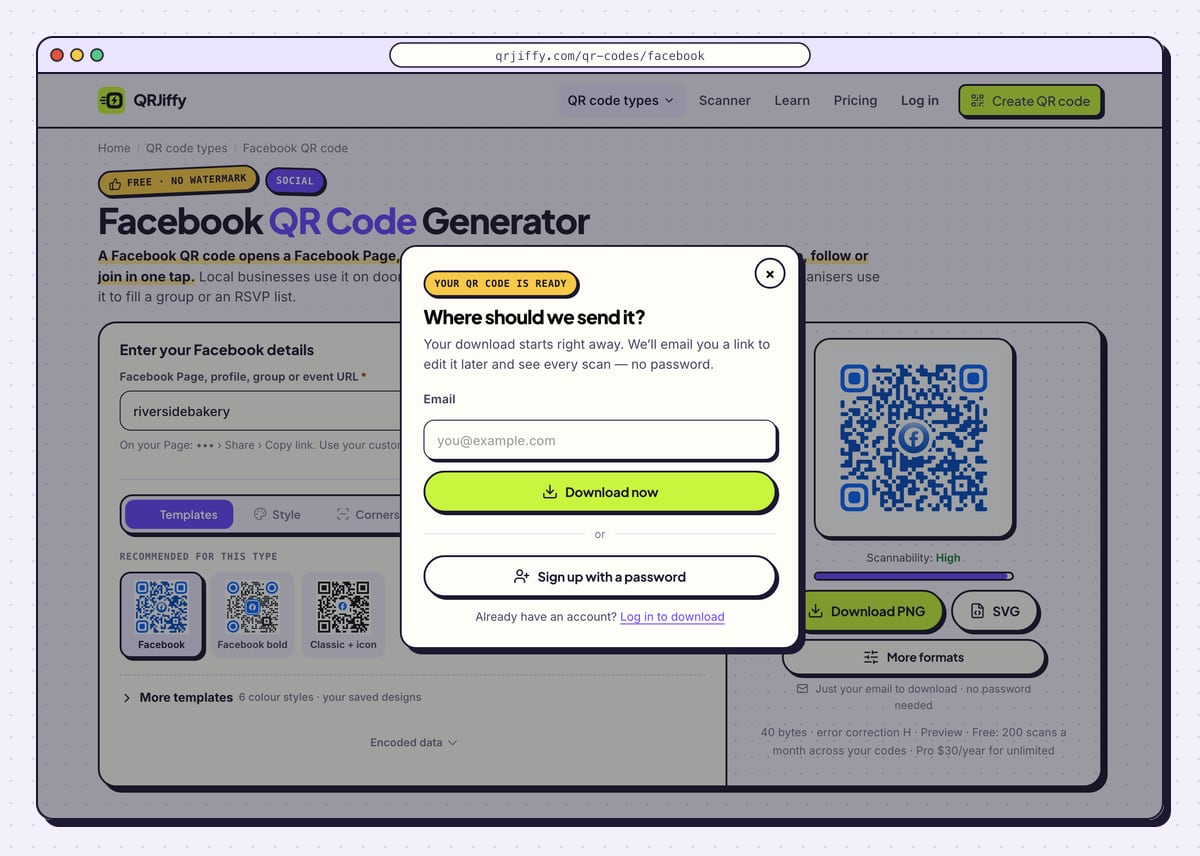
Press Download PNG for a Facebook post, an email footer or a receipt printer. Press SVG when a sign maker or print shop handles the job. On the first download a small window asks for an email address; type it and press Download now. Sign up with a password creates a full account in the same window.
The saved file is called
qrjiffy-facebook-followed by seven characters, for exampleqrjiffy-facebook-qkUSVPM.png.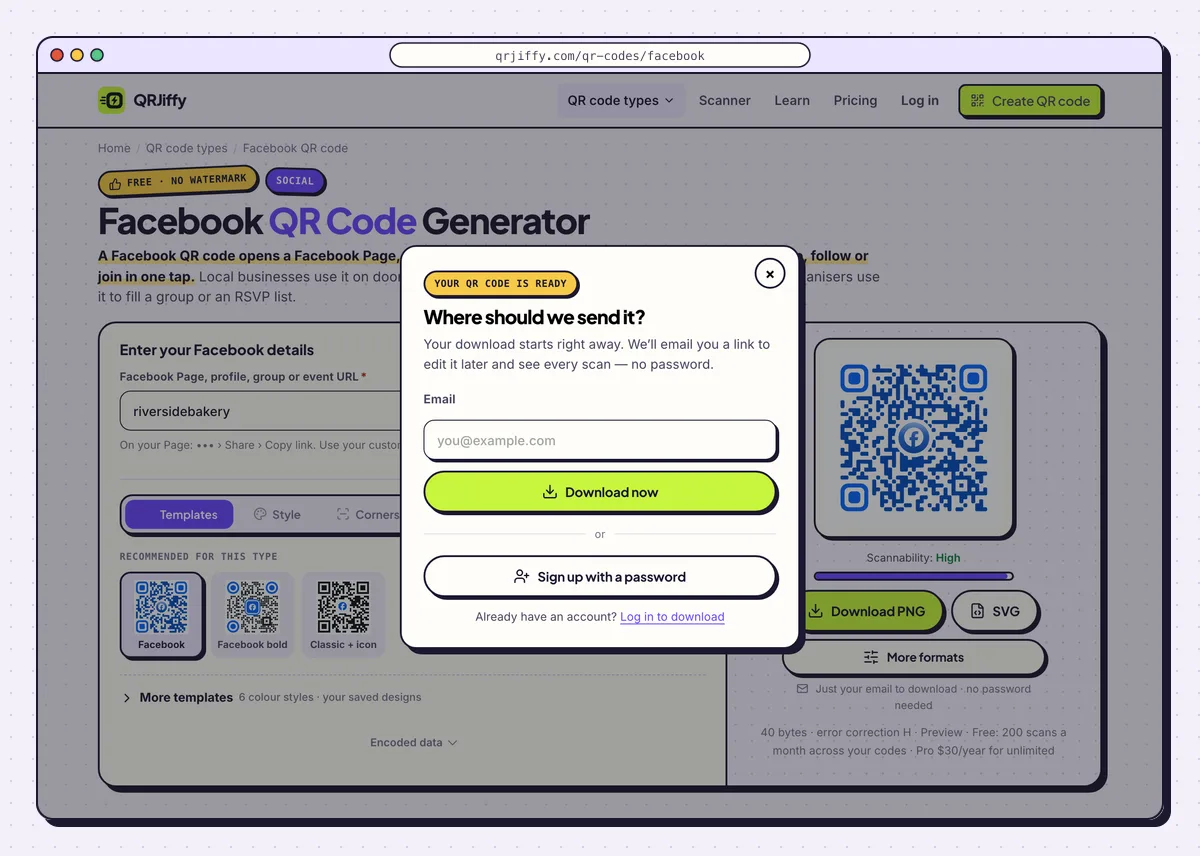
The window asks for an email once, and the file downloads straight away. 5Test the code from a logged-out phone
Scan the code with a phone that is signed out of Facebook. A public Page or event shows its posts to that visitor. A private group shows only the group name and a Join button, and a private Page shows a login wall. What the logged-out phone sees is what a stranger at your shop door sees.
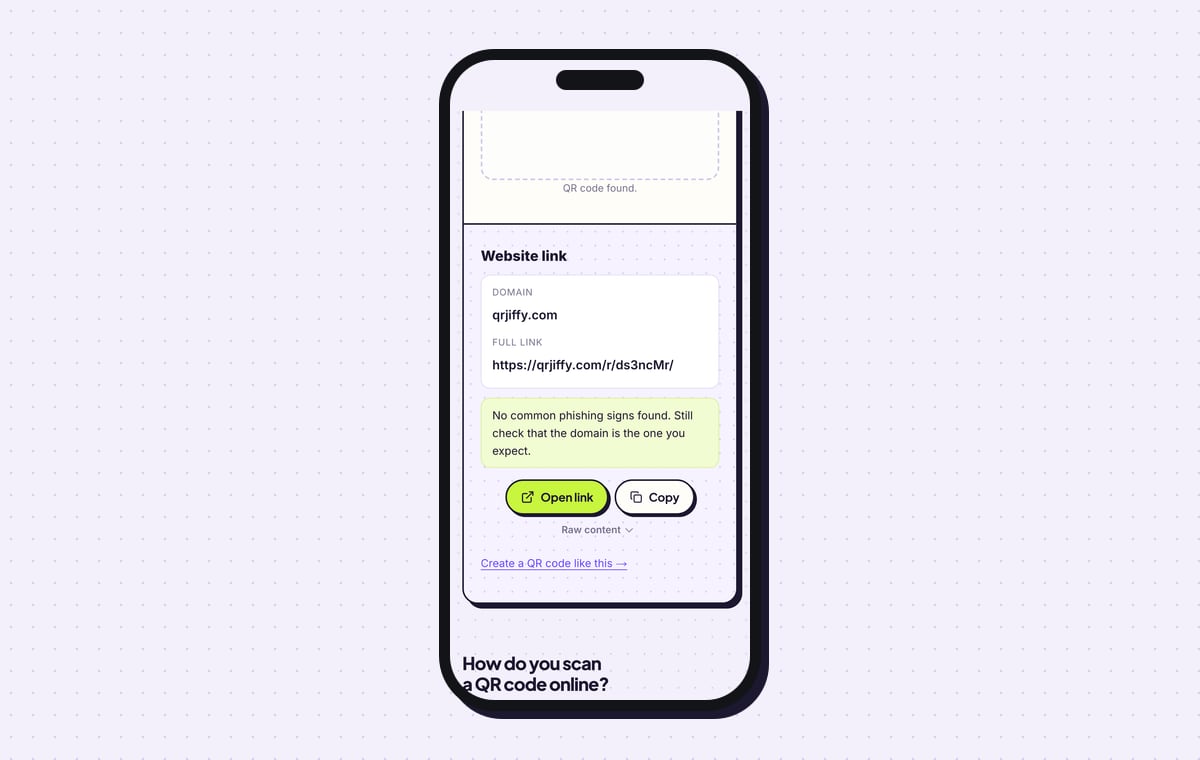
The QR code scanner reads the downloaded file as a Website link on qrjiffy.com. Tap Open link there to follow the short link through to Facebook.
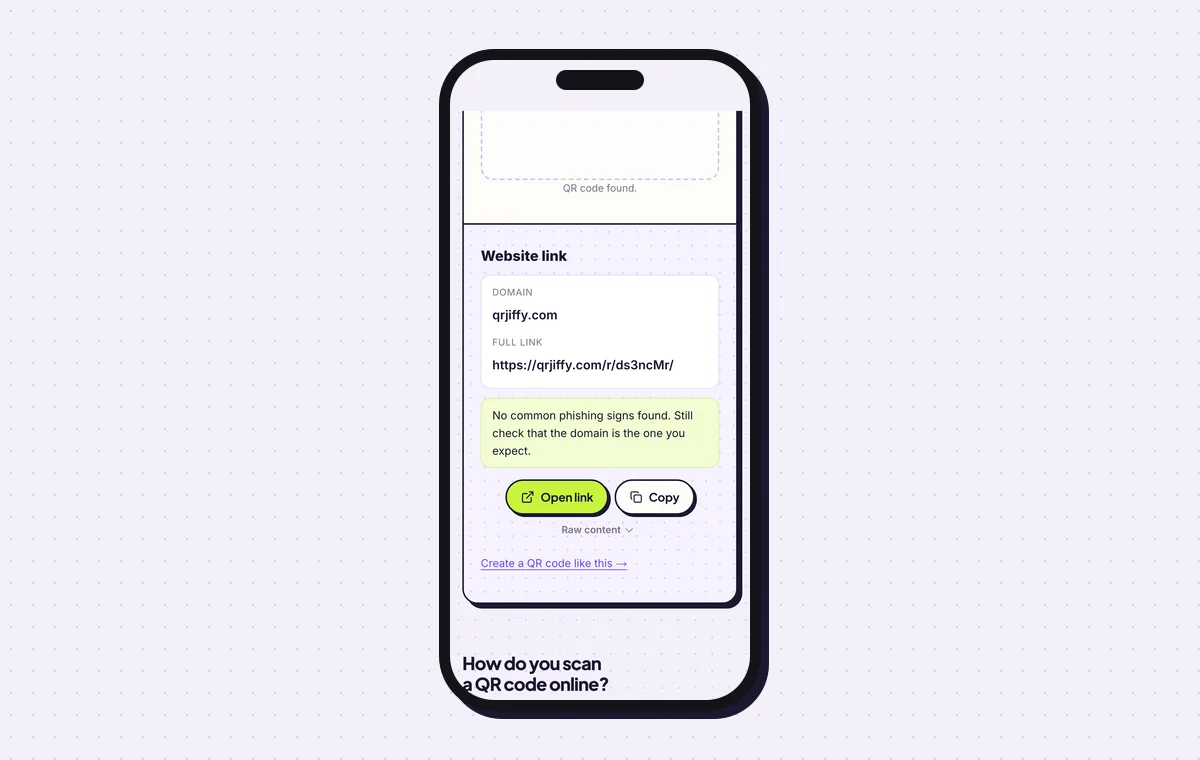
The file holds a short link. Opening it leads to the Facebook Page. 6Switch the destination when the campaign changes
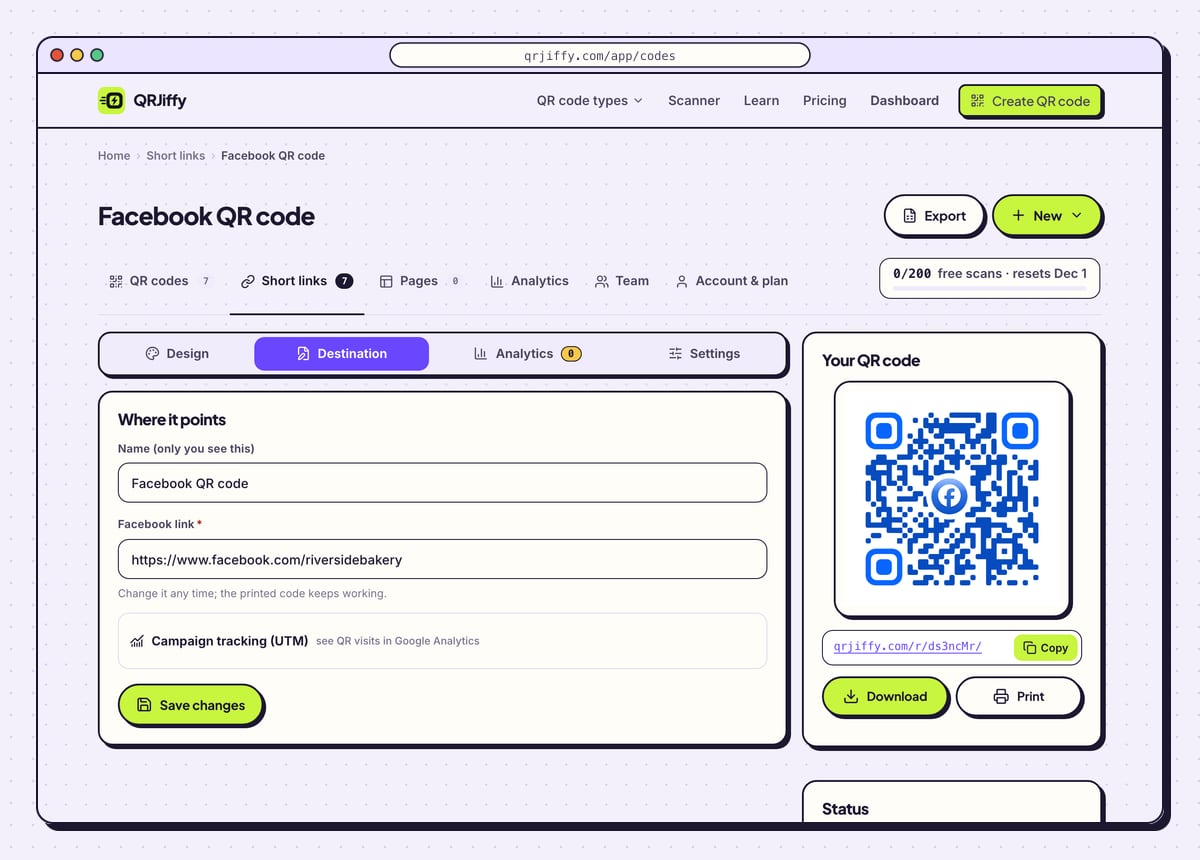
The downloaded code holds a short link such as
qrjiffy.com/r/…, and that link is editable. In the dashboard, open the code and choose Destination to replace the Page link with an event link for a launch weekend, then switch it back afterwards. The sticker on the door stays where it is.The Analytics tab lists scans by day, device and country. Free accounts include 200 scans a month across every code they own; Pro removes the limit for $30 a year.
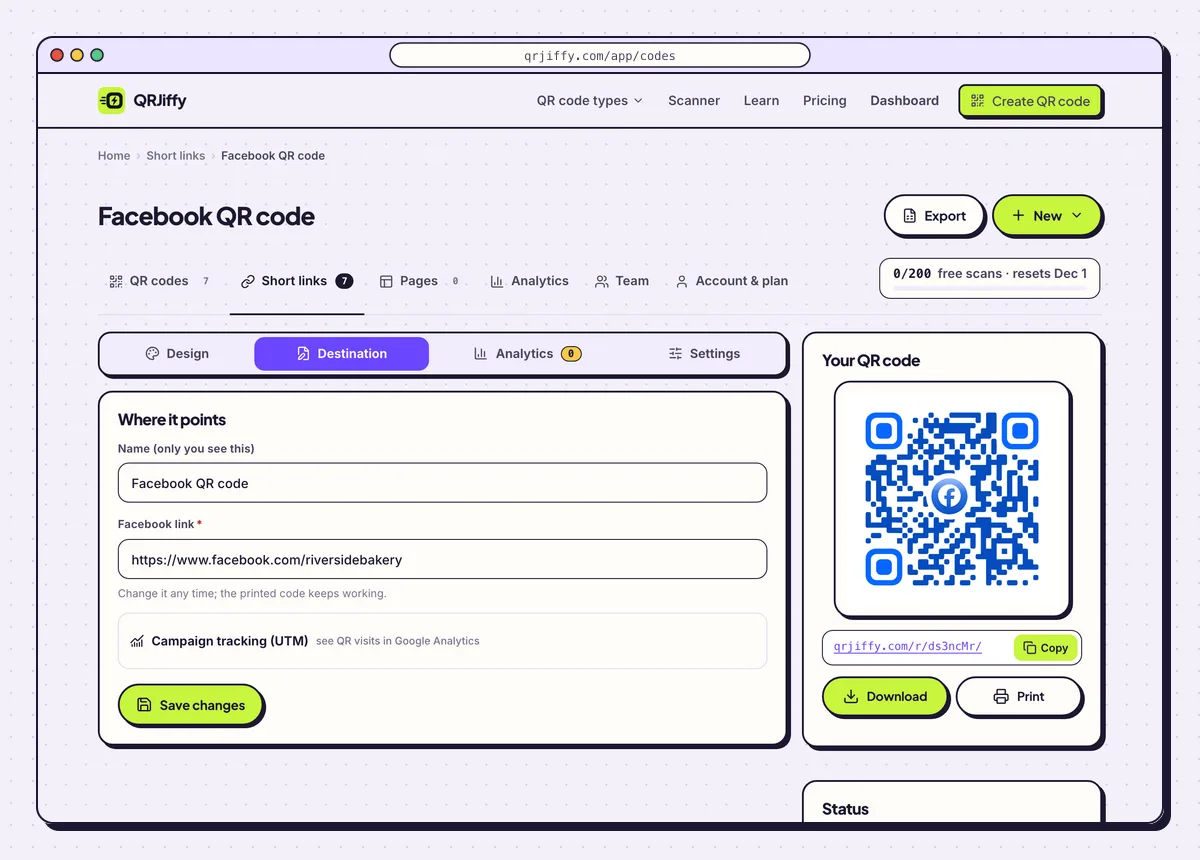
The Destination tab is where a Page link gets swapped for an event or group link. 7Print the sticker, receipt or poster
For door and window stickers, open the Advanced tab before the final download and set error correction to Q. Level Q recovers up to 25% of the pattern, which covers scratches, cleaning marks and sun fade. Print at least 2 × 2 cm on receipts and delivery bags.
A code is readable from about 10 times its width, so a poster read from 2 m needs a code 20 cm wide. Community noticeboards, event posters and shop doors are the usual homes for a Facebook code.
Open the Facebook QR Code generatorFree. Nothing to install.
Does Facebook make its own QR code for a Page?
Facebook offers a built-in QR code for some Pages in its app, but the option depends on the app version and the account type. Copying the link and generating the code works for every Page, profile, group and event. The generated code also comes as a vector SVG, which a printer needs for large formats.
How do you get a short Facebook Page link?
Set a username in Page settings, and the address changes from facebook.com/profile.php?id=… to facebook.com/yourbusiness. The username version is easier to read when printed under the code. It also stays under 40 characters, which keeps a directly encoded link sparse.
What does a phone do when it scans a Facebook QR code?
The phone shows a link banner, and one tap opens the Page in the Facebook app, or in the browser when the app is missing. iPhones on iOS 11 or later and Android phones on Android 9 or later scan from the built-in camera. No separate scanner app is involved.
- iPhone: the Camera app shows the banner; the Page opens in the Facebook app, or in Safari without it.
- Android: Google Lens or the camera hands the link to the Facebook app.
- No Facebook account: public Pages and events open in the browser. Private groups and profiles ask the visitor to log in.
What mistakes stop a Facebook QR code from working?
These 6 mistakes cause most failed Facebook QR codes; each has a quick fix. Test the downloaded file with two different phones before you print anything.
| Mistake | Fix |
|---|---|
The link is the long profile.php?id= form | Set a Page username in Page settings and use facebook.com/yourbusiness. |
| The Page is unpublished or private when the flyers go out | Make the Page public before printing; a private Page shows a login wall to scanners. |
| The code was tested only on the owner’s phone | Scan from a phone that is logged out of Facebook to see the public view. |
| A private group link is printed with no explanation | Print “Join the group” beside it. Scanners see the group name and a Join button, not the posts. |
| A window sticker fades or scratches until it stops scanning | Choose error correction Q in the Advanced tab and reprint the sticker. |
Share tags such as ?mibextid= are left on the link | Delete everything after the question mark before generating. |
Frequently asked questions
Can I make a QR code for a Facebook group?
Yes. Paste the group link, which looks like facebook.com/groups/yourgroup. Scanners land on the group with a Join button.
Does a Facebook QR code open the Facebook app directly?
Yes. A facebook.com link opens the Facebook app on iPhone and Android when the app is installed. Without the app it opens in the browser.
Is a Facebook QR code free?
Yes. Creating and downloading the code is free and the image has no watermark. Free accounts include 200 scans a month across their codes.
Can one code serve both my Page and my event?
No, one code opens one link at a time. Point it at the event before the date and back at the Page afterwards, from the dashboard.
What do I print next to a Facebook QR code?
A short instruction that names the action, such as Like us on Facebook or Join the group. People scan more readily when they know what opens.
Ready to make your Facebook QR code?
The generator is free and works in the browser on a phone or a computer. Your code downloads as PNG for screens or SVG for print.
Open the Facebook QR Code generator
Related guides: How to Print a QR Code · QR Code Size · QR Code Not Working