 QRJiffy
How to Make a Menu QR Code
You make a menu QR code by giving a menu QR code generator the link to your menu, or uploading the menu as a PDF or image, and printing the downloaded code on table tents. Guests scan it and read the menu on their phones. Prices and dishes change later without reprinting, because the printed code holds a short link and not the menu itself.
What do you need before you start?
You need 4 things ready, and no account to try the generator. A free account, or just your email, is asked for only at the download step.
- Your menu in one of three forms: a web page link, a public PDF link, or a PDF or image file to upload.
- A free QRJiffy account if QRJiffy hosts the file or the built menu.
- A table-tent or sticker template, A6 or 4 × 6 in, with room for a 3 cm code.
- For the menu builder: your sections, dish names, descriptions and prices typed out.
How do you make a Menu QR code step by step?
Follow these 6 steps in the QR Code Menu generator; the preview updates as you type. Each screenshot below is the real screen, filled in with a sample bakery’s details.
1Decide how the menu reaches the phone
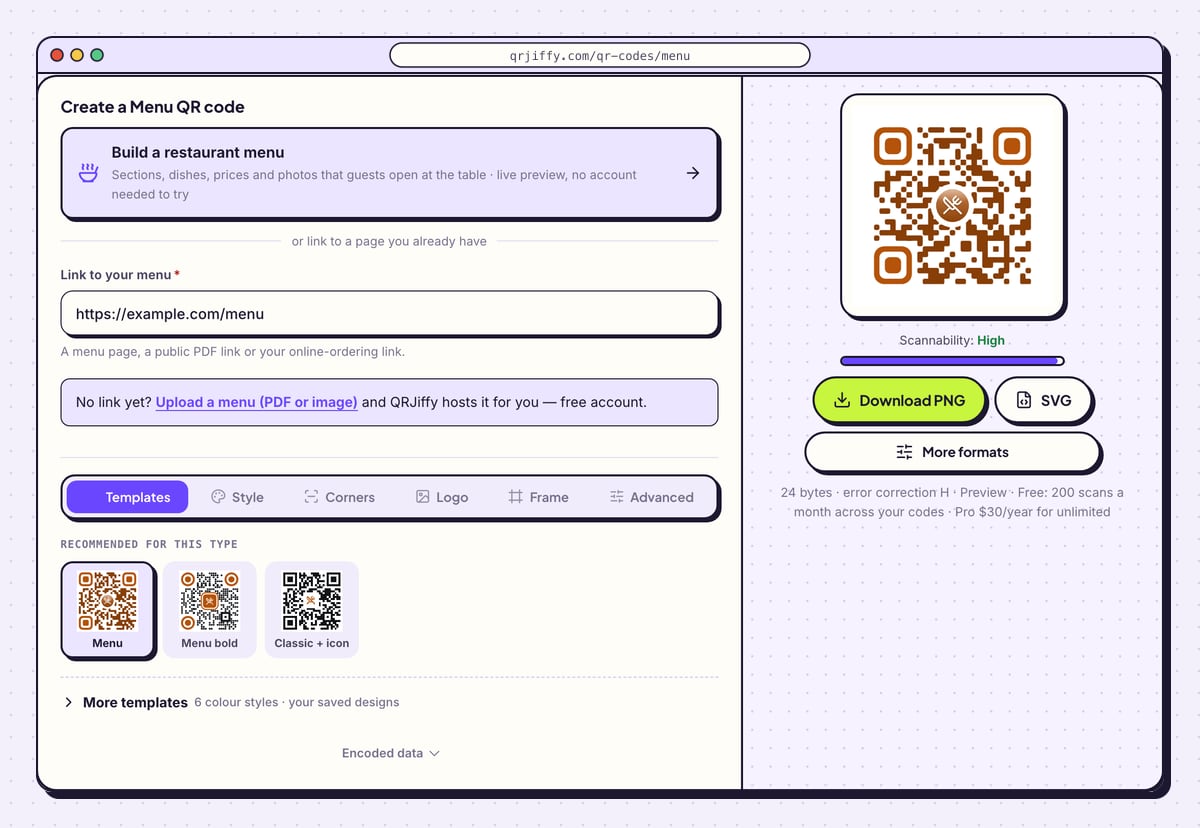
The menu generator has three routes. Link to your menu takes a menu page, a public PDF link or an online-ordering link. The line “No link yet?” has an Upload a menu (PDF or image) link, and QRJiffy hosts the file with a free account. The card Build a restaurant menu opens a builder with sections, dishes, prices and photos.
A web page or a built menu reads better on a phone than a PDF, which forces pinch-zooming on a 6-inch screen. A PDF is the fastest to set up.
2Paste the menu link or upload the file
For an existing menu, paste its address into Link to your menu. The sample in the screenshot is
https://example.com/menu, 24 bytes. A PDF in Google Drive or Dropbox needs sharing set to “Anyone with the link”, otherwise guests see a sign-in page.The preview on the right shows the code with a cutlery icon in the centre. The line under the buttons reads “error correction H”, the strongest level, which suits tables.
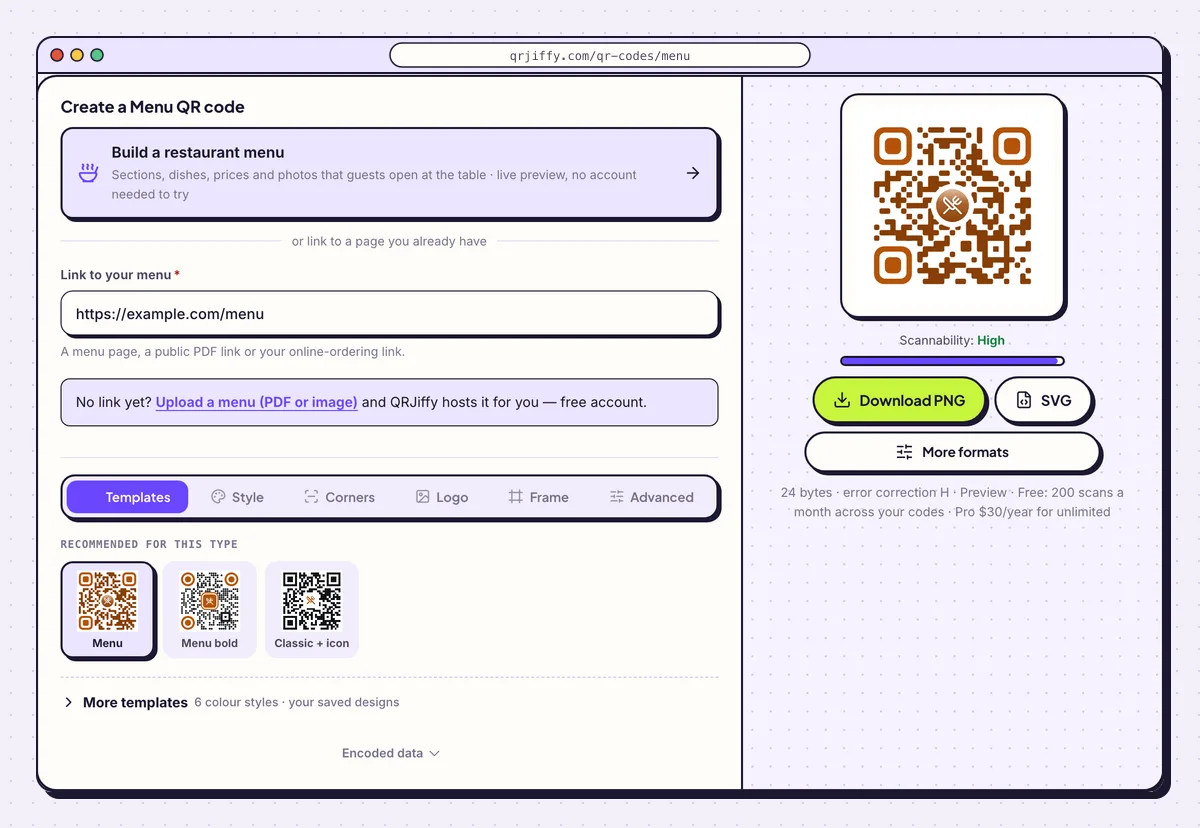
Three ways in on one screen: build a menu, paste a link, or upload a PDF or image. 3Frame the code with “Scan for the menu”
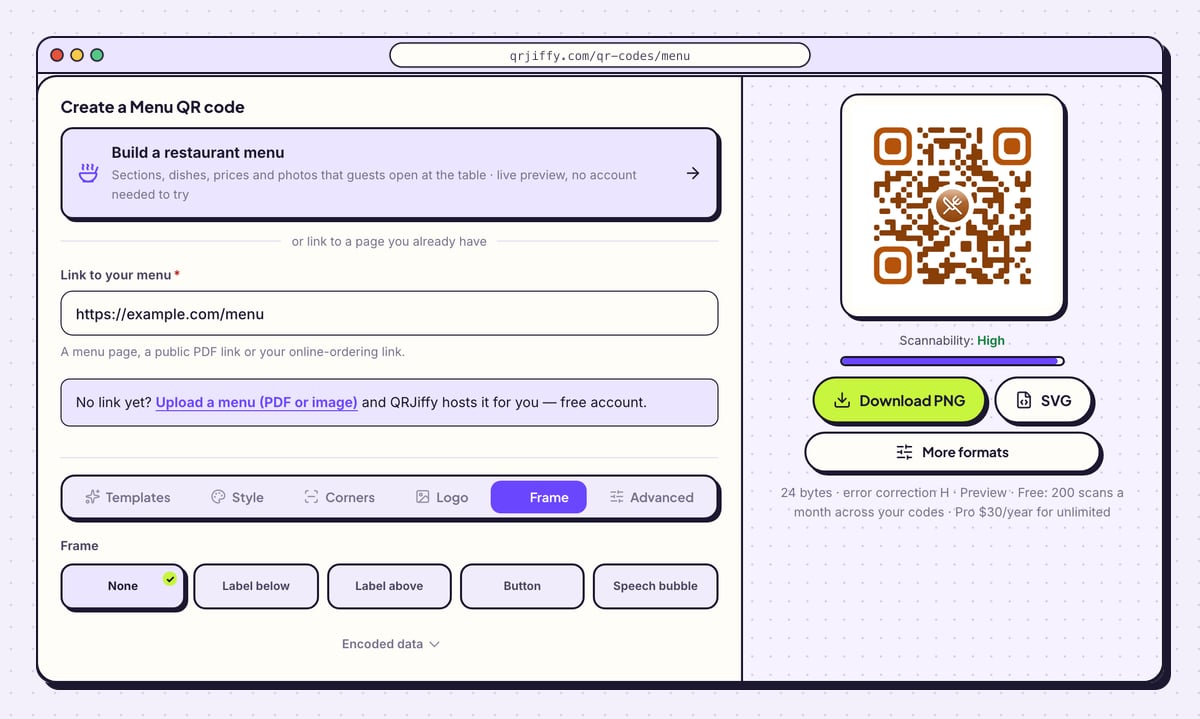
Open Frame and choose Label above, then type “Scan for the menu”. Button and Speech bubble draw the same words in a different shape. Set Frame colour to a dark brand colour and keep Text colour readable against it.
The Templates tab offers three menu designs (Menu, Menu bold, Classic + icon). Dark dots on white scan fastest in a dim dining room.
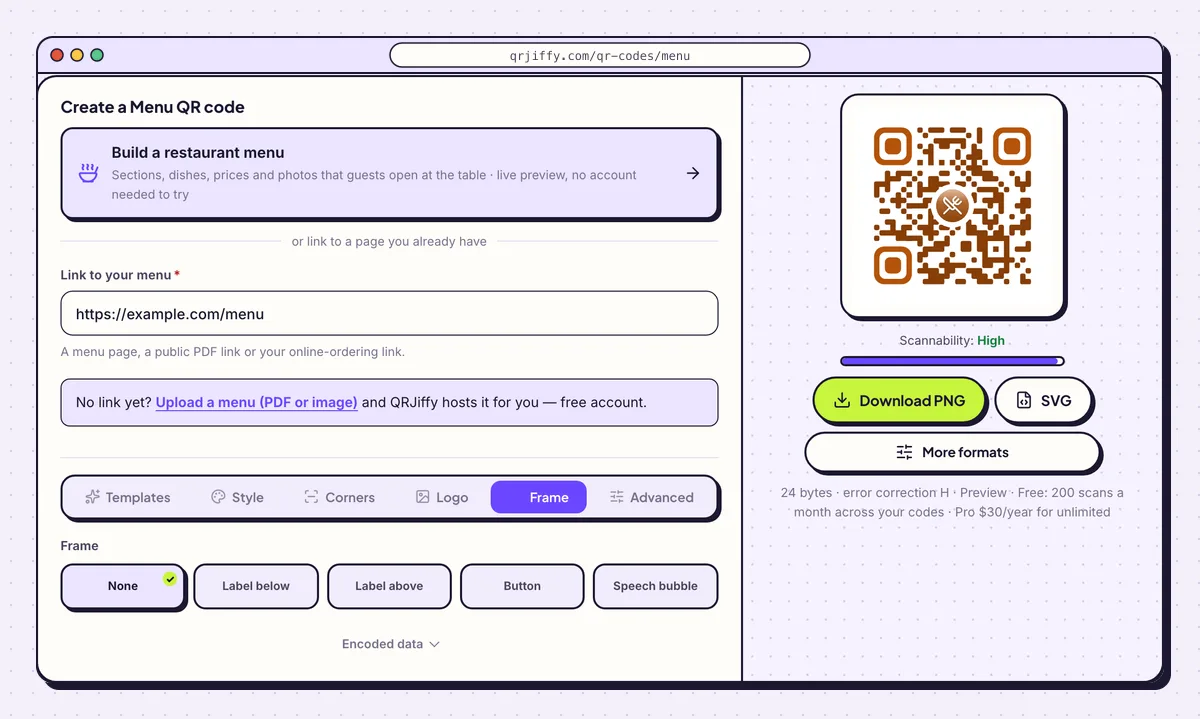
The label is part of the image, so it prints with the code on every tent. 4Download the SVG for the printer
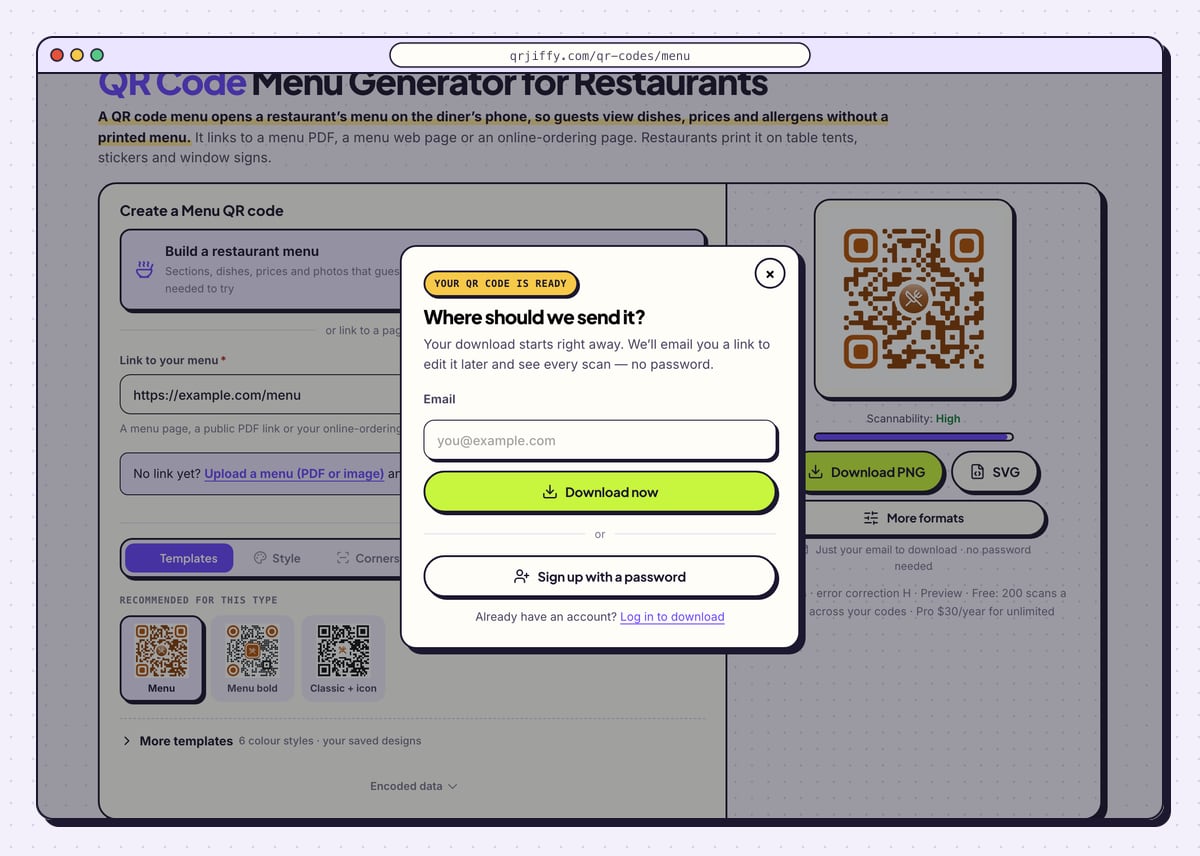
Click SVG for table tents and window signs, or Download PNG to drop the code into a document. The first download opens “Where should we send it?”: give an email and click Download now. The PNG is named like
qrjiffy-menu-kWfUNCz.png.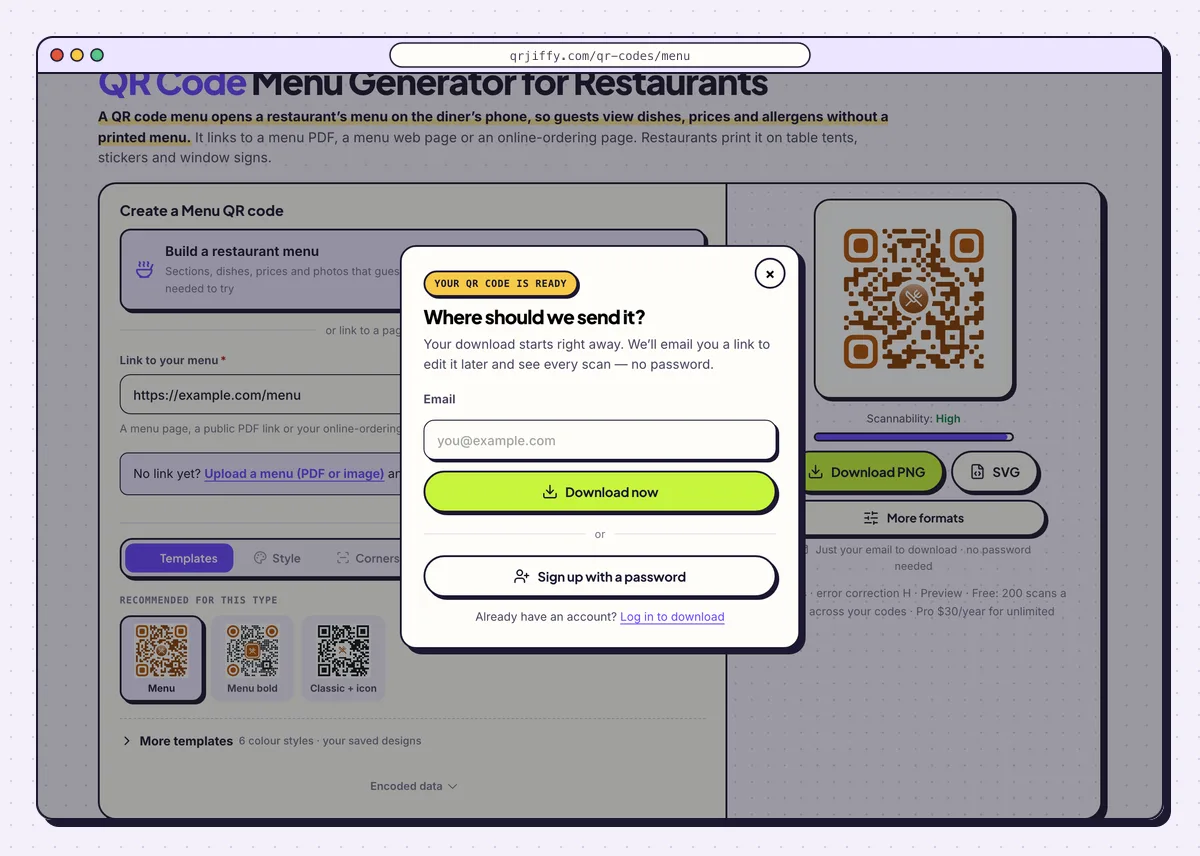
The dialog appears on the first download only. 5Scan a printed tent before printing forty
Print one tent and scan it at the table with an iPhone and an Android phone, in the evening lighting guests sit in. Safari opens the page or its PDF viewer on iPhone. Chrome opens it on Android, and PDFs open in the Drive or browser viewer. Time the load on mobile data: under 3 seconds on 4G is the target.
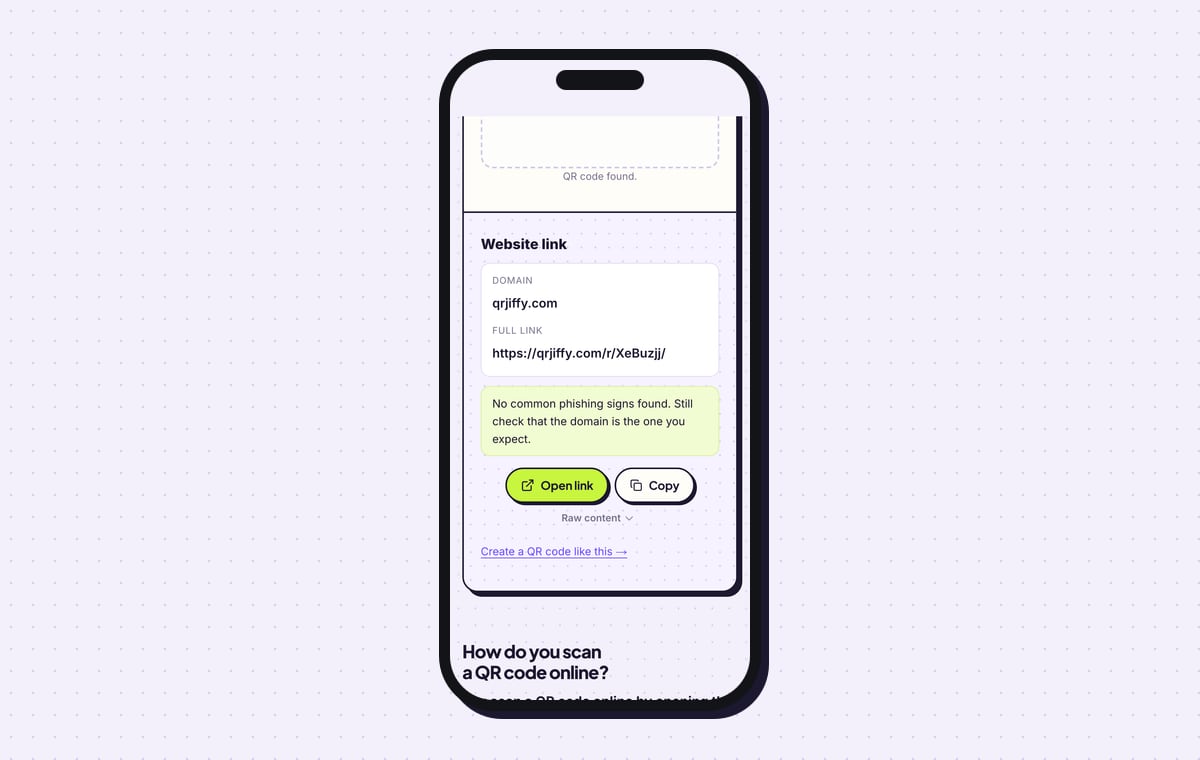
Uploading the downloaded file to QRJiffy’s scanner shows “Website link”, the domain qrjiffy.com and the full short link. That short link is what forwards guests to the menu.
Tip: Print the short link in small text under the code. A guest whose camera fails types it instead.
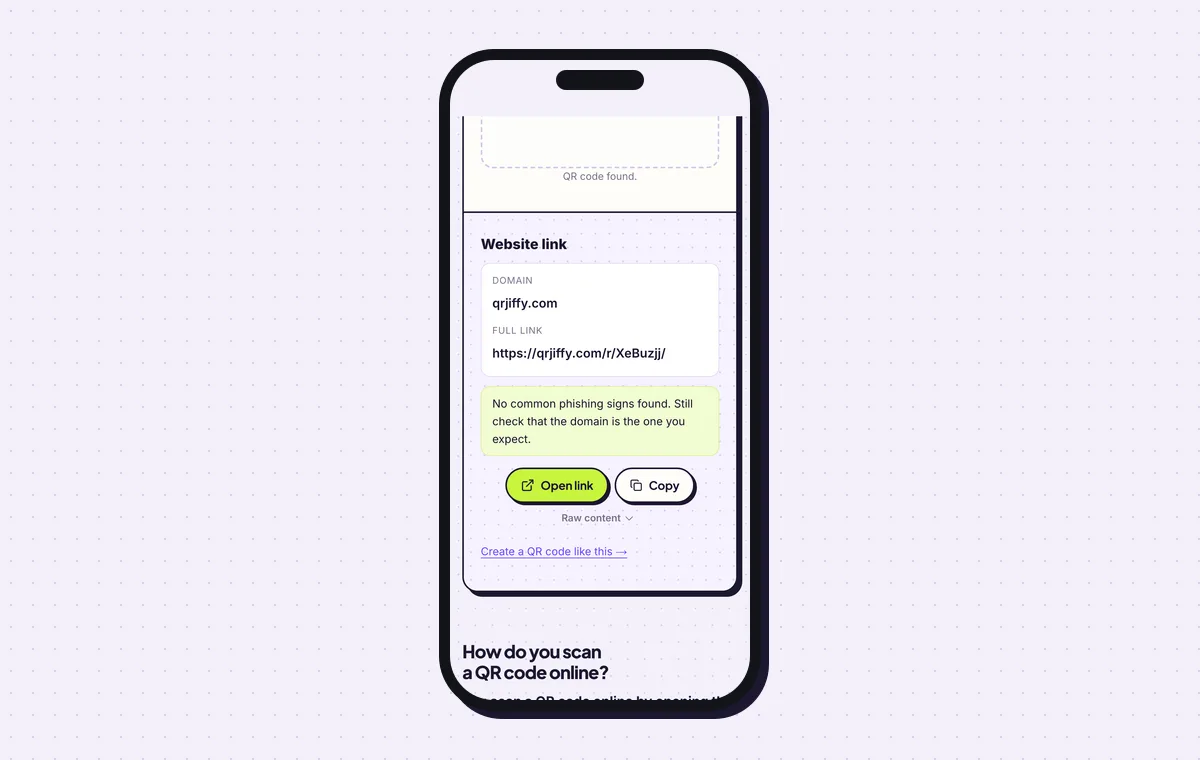
The scanner reads back the short link that the table tent carries. 6Print the tents and change the menu when prices change
Print the code at least 3 × 3 cm (1.2 in) on 300 gsm card or a laminated sheet, so the tent survives wiping. Guests scan from 20 to 30 cm. Stand the tent in the centre of the table and keep 3 to 5 printed menus for guests without a smartphone.
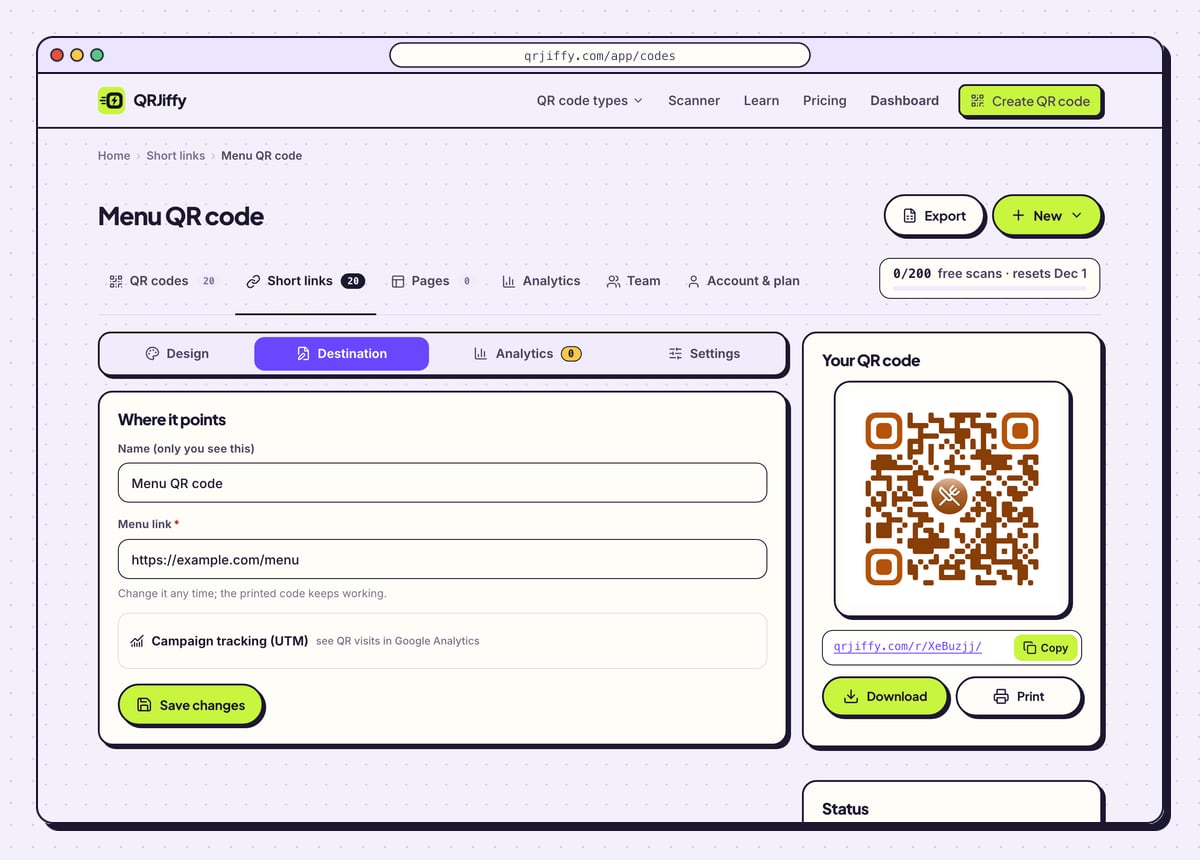
When the menu changes, open the code in the dashboard. Paste the new link into the Destination tab, or upload the new menu file, and every tent shows the new menu from the next scan. Analytics shows scans by day, which reveals the busy services.
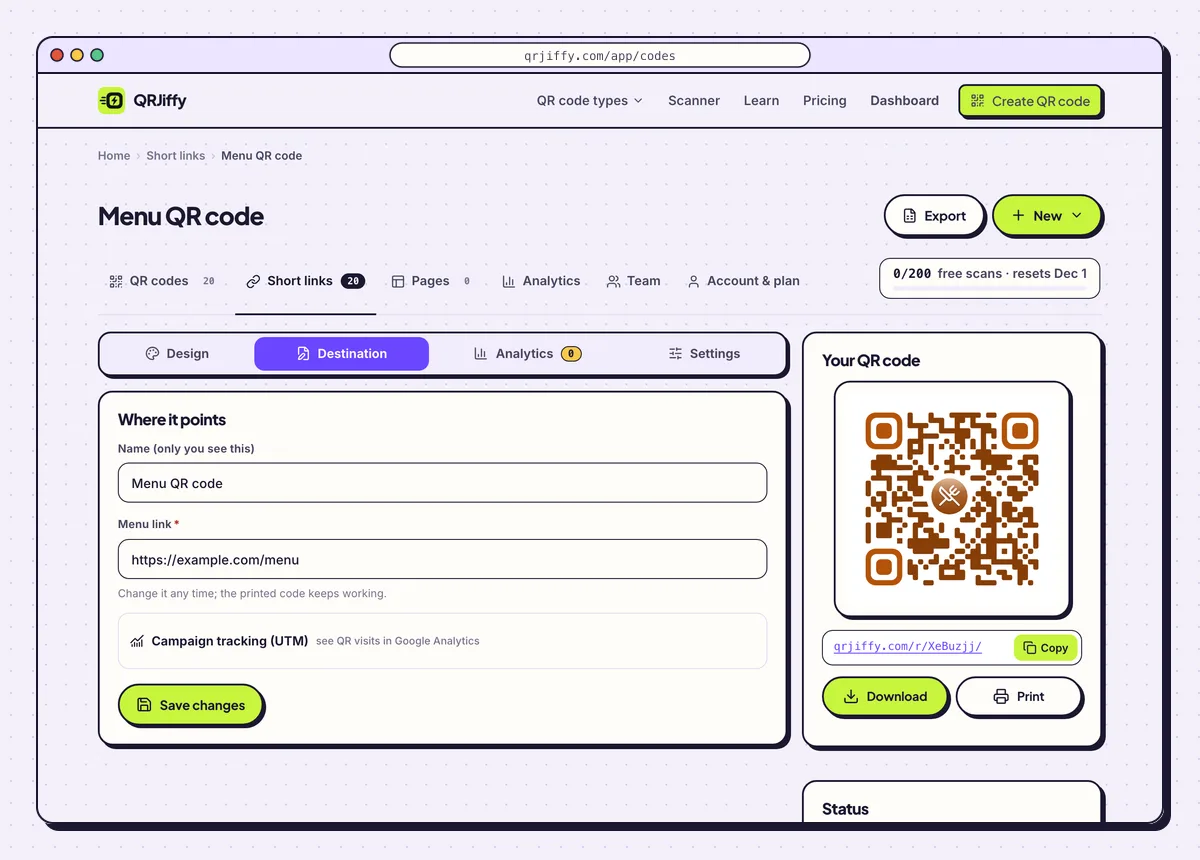
The menu code in the dashboard. A new menu goes in under Destination.
Open the QR Code Menu generatorFree. Nothing to install.
How do you build the menu on QRJiffy instead of linking a PDF?
1Enter the restaurant, sections and dishes
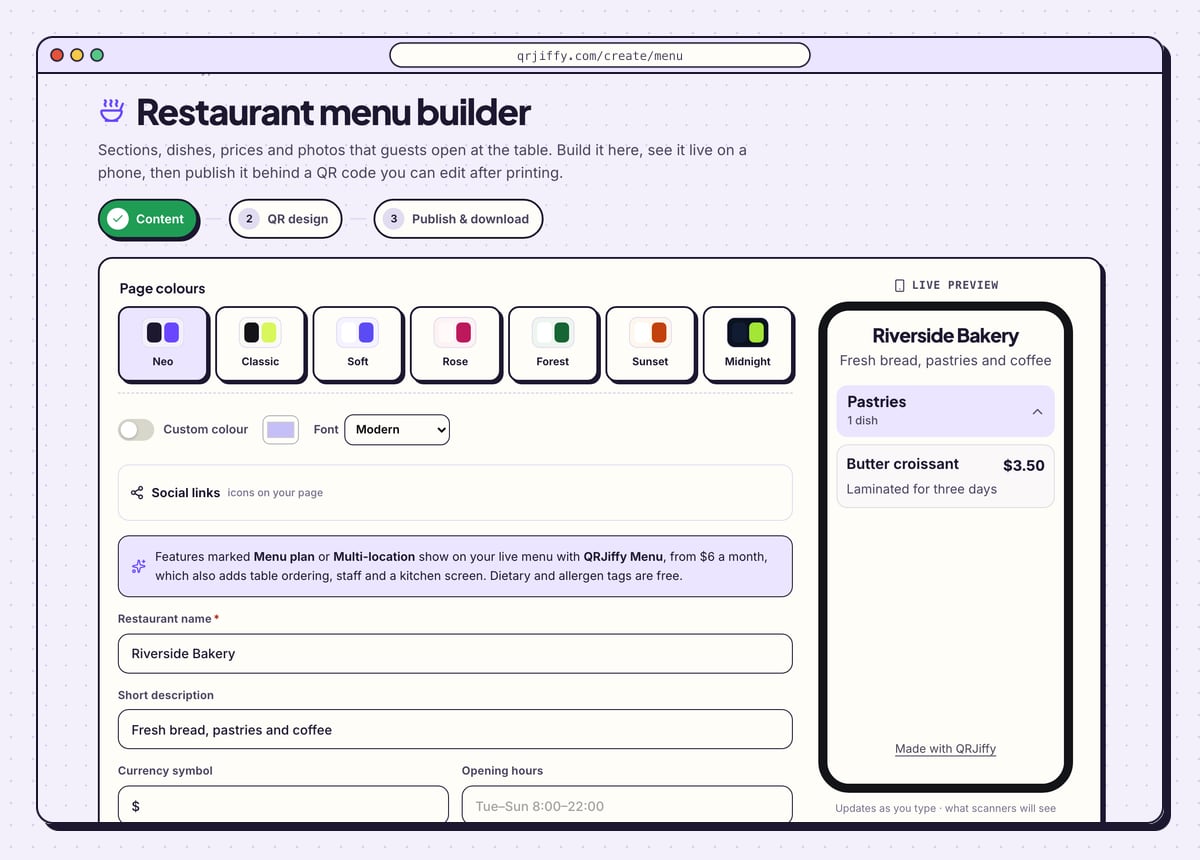
Fill in Restaurant name, Short description, Currency symbol and Opening hours. Add a section such as “Pastries”, then add each dish with its name, price and description. Upload adds a photo. Dietary and allergen tags are included at no cost.
A notice in the builder explains that features marked Menu plan or Multi-location belong to QRJiffy Menu, the paid restaurant product.
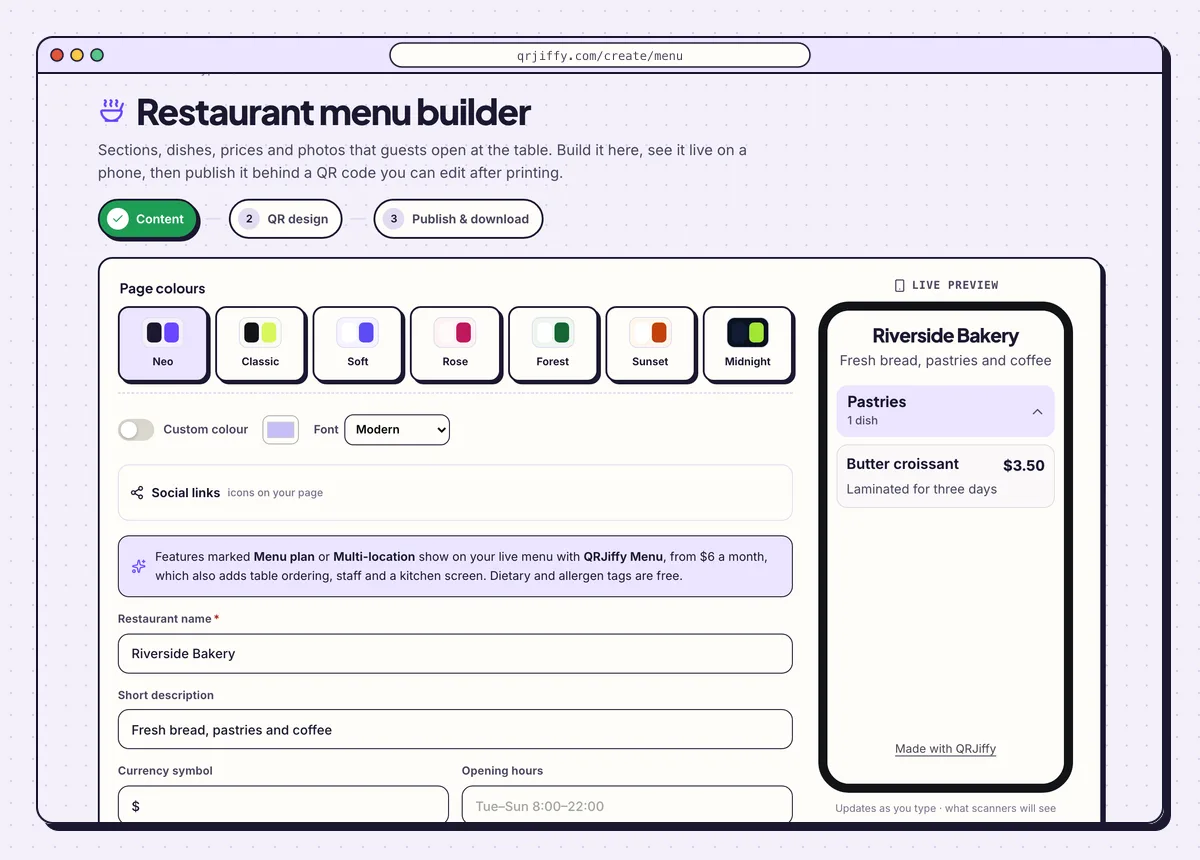
The menu builder’s Content step. The preview shows the Pastries section with one dish. 2Choose the page colours and the code design
Seven themes sit under Page colours: Neo, Classic, Soft, Rose, Forest, Sunset and Midnight. Custom colour and the Font menu match the page to the restaurant. Click Next: QR design to style the code itself with the same tabs as the generator.
3Publish and check the menu on a phone
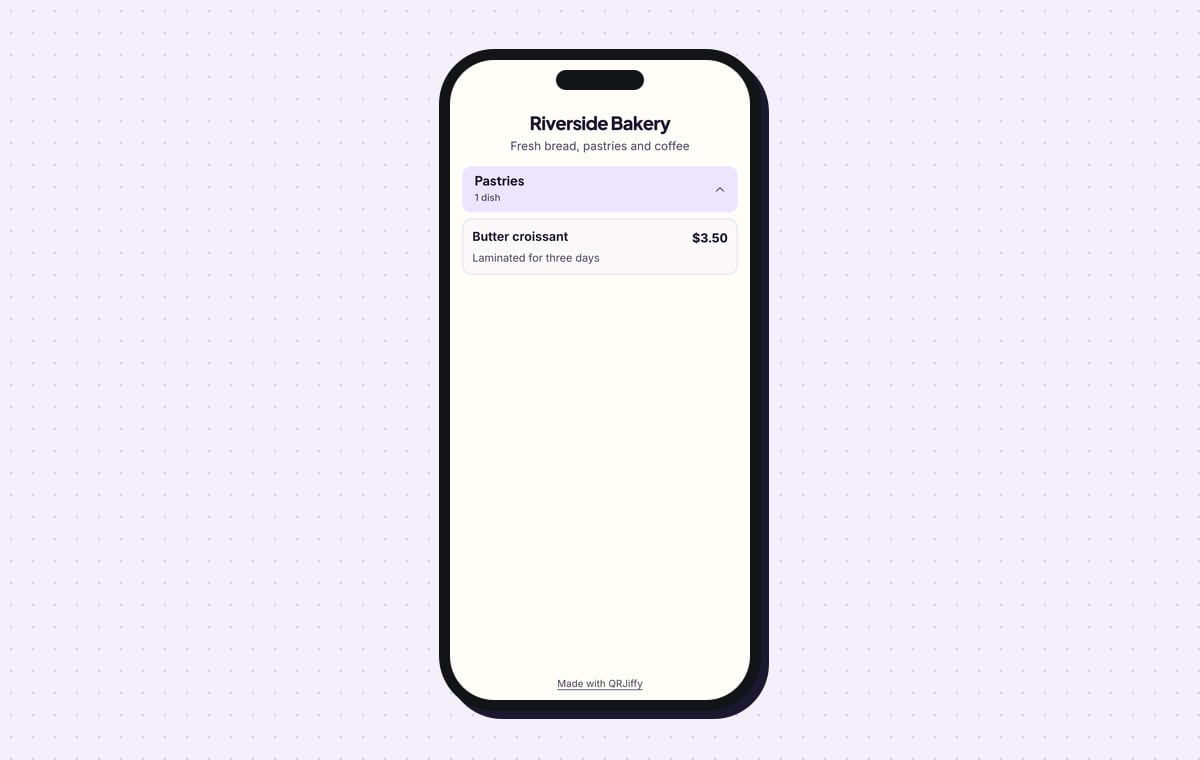
On the third step, click Publish & download PNG and sign in to a free account. The menu goes live at its own short link. On a phone, guests see the restaurant name, the description and collapsible sections: the sample shows “Pastries, 1 dish” and “Butter croissant, $3.50, Laminated for three days”.
Edit a price in the dashboard and the printed code shows the new price.
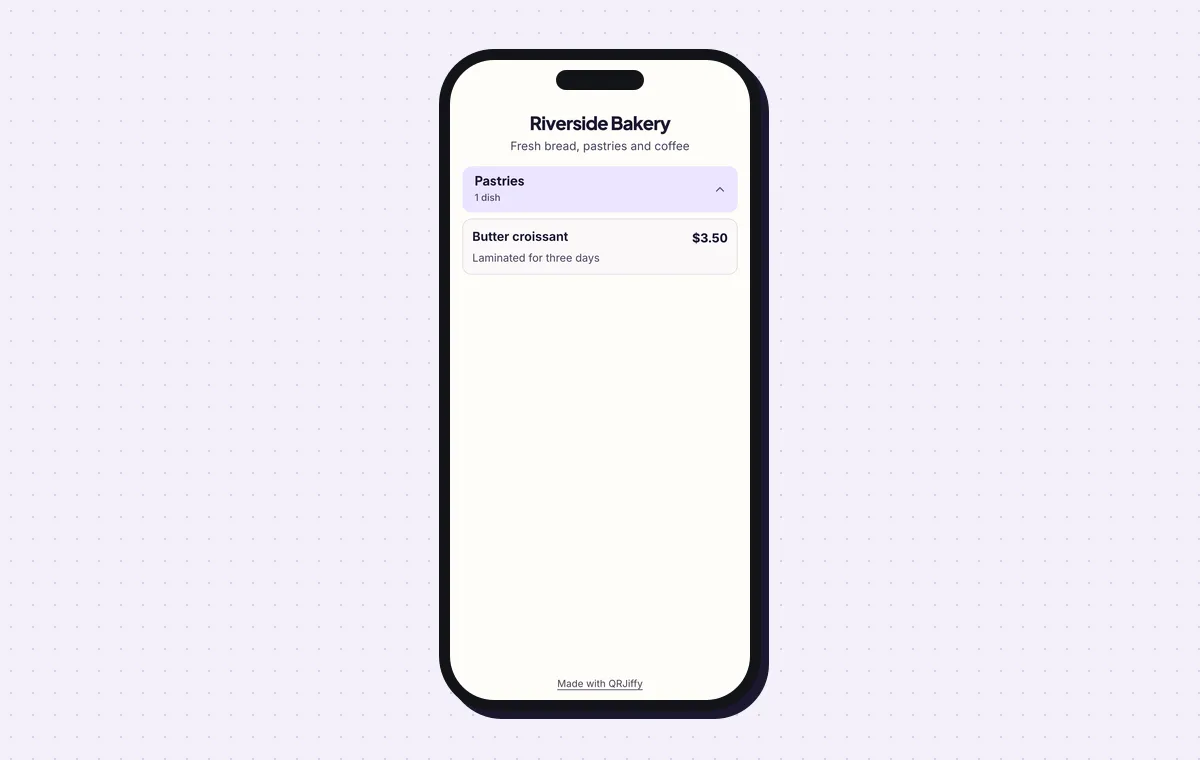
The published menu. Sections fold open and closed with a tap.
Build a restaurant menuLive preview. No account needed to try.
Can you change the menu without reprinting the QR code?
Yes. Upload the new menu or paste a new link in the dashboard, and the printed code shows it from the next scan. The code on the table stores a QRJiffy short link, not the menu file. A menu built in the builder is edited dish by dish. Table tents, stickers and window signs stay in place through every price change.
Can guests order and pay from the menu QR code?
Not with the menu QR code alone: it shows the menu, and ordering needs an ordering system behind the link. There are two ways to add one. Paste the online-ordering link from your POS or ordering provider into the generator. Or use QRJiffy Menu at qrmenu.qrjiffy.com, a separate product with table ordering, an order board and a kitchen screen, on plans from $6 a month. A restaurant that only wants guests to read the menu does not need it.
Is a PDF or a web page better for a QR code menu?
A web page is better to read on a phone, and a PDF is faster to set up. A print-layout PDF makes guests zoom and scroll sideways. Start with the PDF you already have if opening night is tomorrow, then move to a page or the menu builder. The printed code stays the same when you switch.
How big does a menu QR code need to be on a table?
At least 3 × 3 cm (1.2 in) on a table tent read at arm’s length. A larger code scans faster in dim light. Leave a white margin of 4 dots around it and use error correction Q (25%) or higher, because tables get wiped and spilled on. The guide on QR code size covers window signs and posters.
What mistakes stop a Menu QR code from working?
These 6 mistakes cause most failed Menu QR codes; each has a quick fix. Test the downloaded file with two different phones before you print anything.
| Mistake | Fix |
|---|---|
| The PDF link needs a Google or Dropbox sign-in | Set sharing to “Anyone with the link”, or upload the file to QRJiffy and let it host the menu. |
| The code is reprinted every time prices change | Keep the code. Change the menu behind it in the dashboard. |
| The tent is glossy and reflects the ceiling lights | Use matte card or matte lamination and test in evening lighting. |
| The code sits on the wall, two metres from the table | Put a 3 cm code on each table, in the centre. |
| A 12 MB scanned PDF takes ten seconds to open | Export the menu as a compressed PDF, or build it as a page so it loads in under 3 seconds on 4G. |
| There are no paper menus left in the building | Keep 3 to 5 printed copies for guests without a phone or with low vision. |
Frequently asked questions
Is a menu QR code free?
Yes. Creating the code is free, and a free account hosts an uploaded menu file. Free accounts include 200 scans a month across all codes; Pro is $30 a year for unlimited scans.
Does each table need its own QR code?
No, one code works for every table when the menu is read-only. Separate codes per table are needed only when the link carries a table number for ordering.
Can I upload a photo of my menu instead of a PDF?
Yes. The upload accepts a PDF or an image, and QRJiffy hosts either one behind the code.
Do guests need an app to open the menu?
No. The phone camera scans the code and the menu opens in the browser. This works on iOS 11 or later and Android 9 or later.
Can I show allergens on a QR code menu?
Yes. The menu builder has dietary and allergen tags for each dish at no cost. In a PDF menu, print them beside each dish.
Ready to make your Menu QR code?
The generator is free and works in the browser on a phone or a computer. Your code downloads as PNG for screens or SVG for print.
Open the QR Code Menu generator
Related guides: How to Print a QR Code · QR Code Size · QR Code Not Working