 QRJiffy
How to Make a Payment QR Code
You make a payment QR code by choosing a payment app, entering the username, $Cashtag or UPI ID that receives the money, and downloading the code. The scan opens that app with you as the recipient. A single-app code takes 3 minutes; a page that lists several apps takes about 6. In both cases the payer’s own app sends the money, and QRJiffy never holds it.
What do you need before you start?
You need 4 things ready, and no account to try the generator. A free account, or just your email, is asked for only at the download step.
- The app most of your payers already have: Venmo or Cash App for people in the US, PayPal for international payers, UPI for India.
- Your public ID in that app: Venmo username, PayPal.me name, $Cashtag, or UPI ID such as name@okaxis.
- A fixed amount, only if you sell at one price.
- A phone to scan the result, and a second account to send a 1-unit test payment.
How do you make a Payment QR code step by step?
Follow these 6 steps in the Payment QR Code generator; the preview updates as you type. Each screenshot below is the real screen, filled in with a sample bakery’s details.
1Choose the payment app
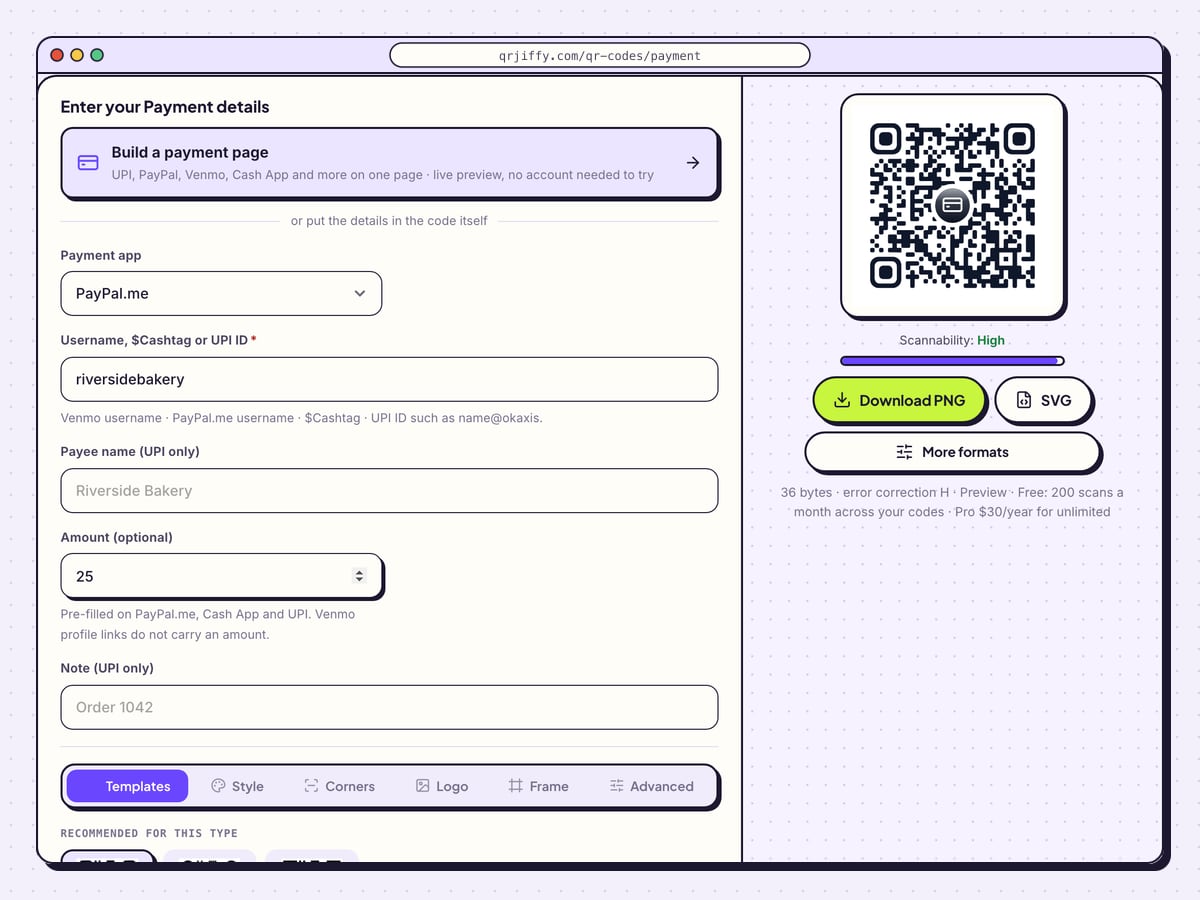
Open the payment QR code generator and set Payment app to one of four values: Venmo, PayPal.me, Cash App or UPI (India). One code opens one app. If your customers are split between apps, skip to the page builder further down, which puts them all behind one code.
Tip: Zelle is not on the list. It has no public pay-link format, so its code comes from the Zelle or banking app.
2Enter the ID that receives the money
Fill in Username, $Cashtag or UPI ID. The sample uses PayPal.me with riversidebakery. Handles work with or without a leading @ or $, and a pasted profile link gives the same result.
Use Amount (optional) for a fixed price: the sample’s 25 produces
paypal.me/riversidebakery/25. The amount is pre-filled on PayPal.me, Cash App and UPI. Venmo profile links carry no amount. Payee name (UPI only) and Note (UPI only) matter for UPI alone.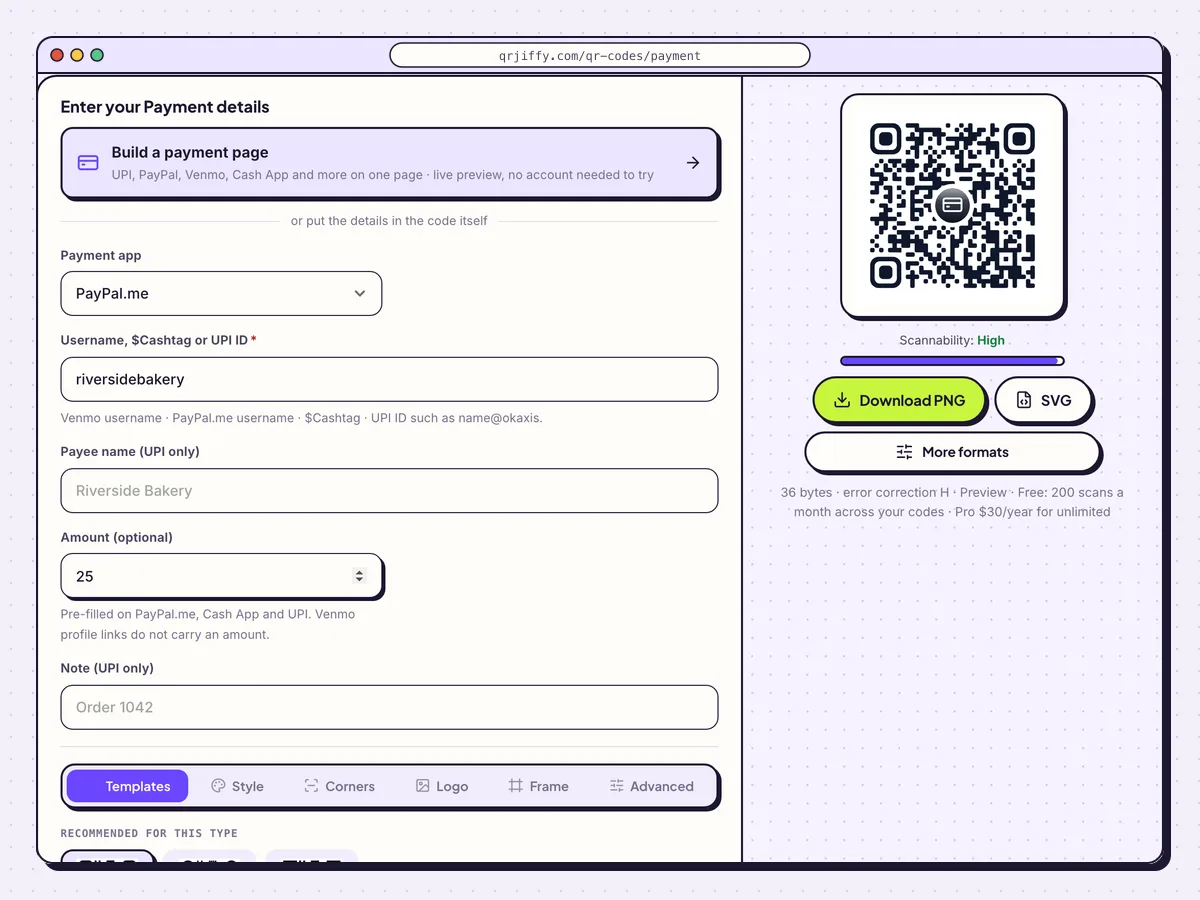
One form covers four apps; the labels marked “UPI only” apply to UPI codes. 3Name the app on the code
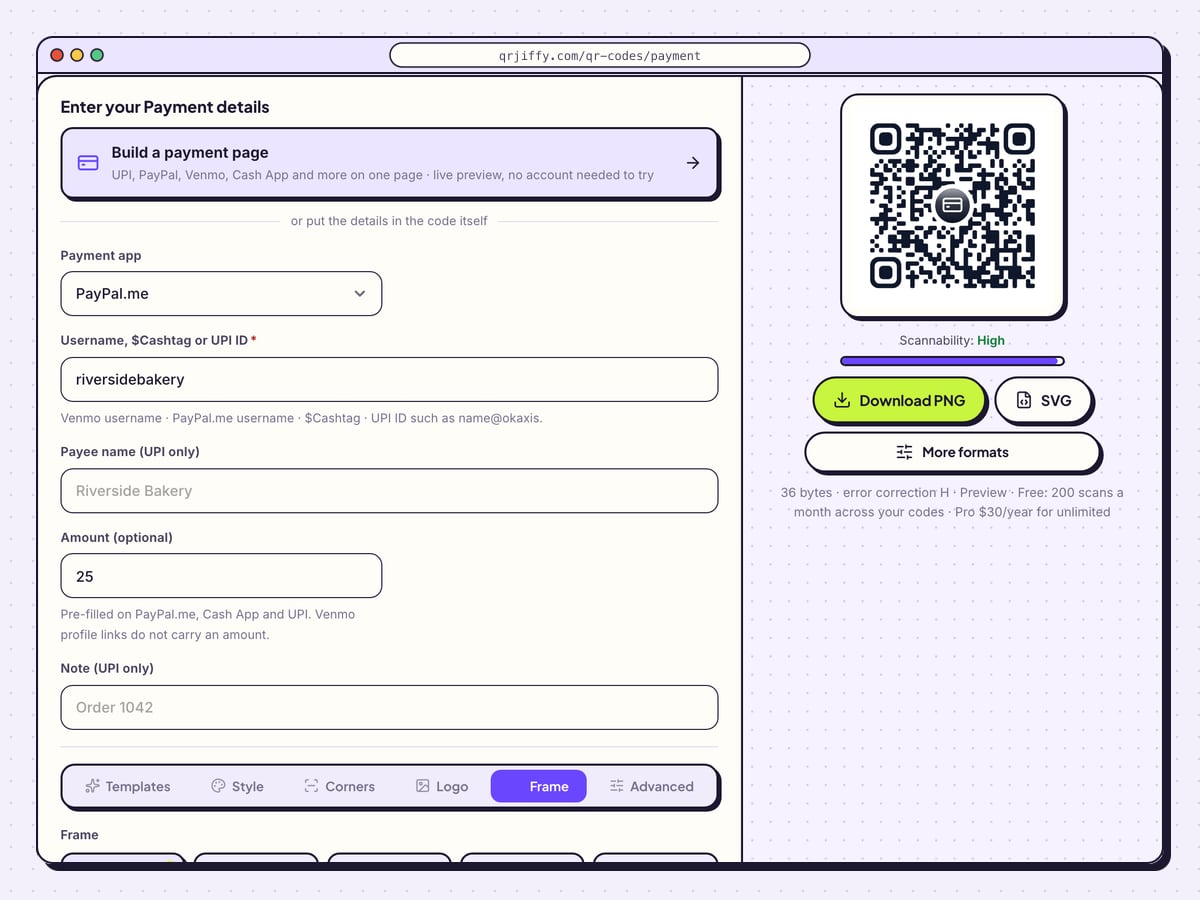
A payer needs to know which app the square opens before scanning. In the Frame tab choose Label below or Button and type the app’s name: “Pay with PayPal”, “Venmo me”, “Scan to pay by UPI”. Adjust Frame colour and Text colour to suit the sign. The Logo tab adds a centre icon.
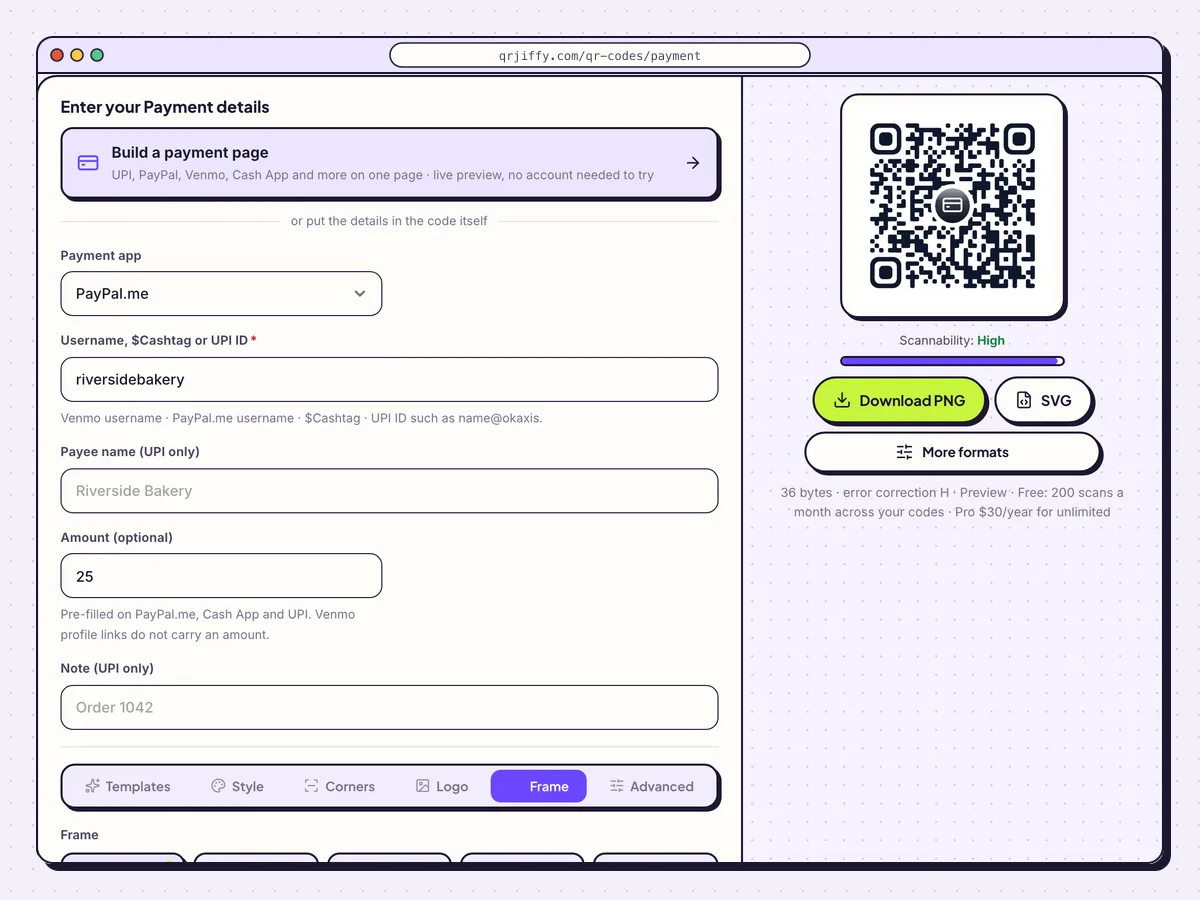
Use the frame text to say which payment app the code opens. 4Download the code
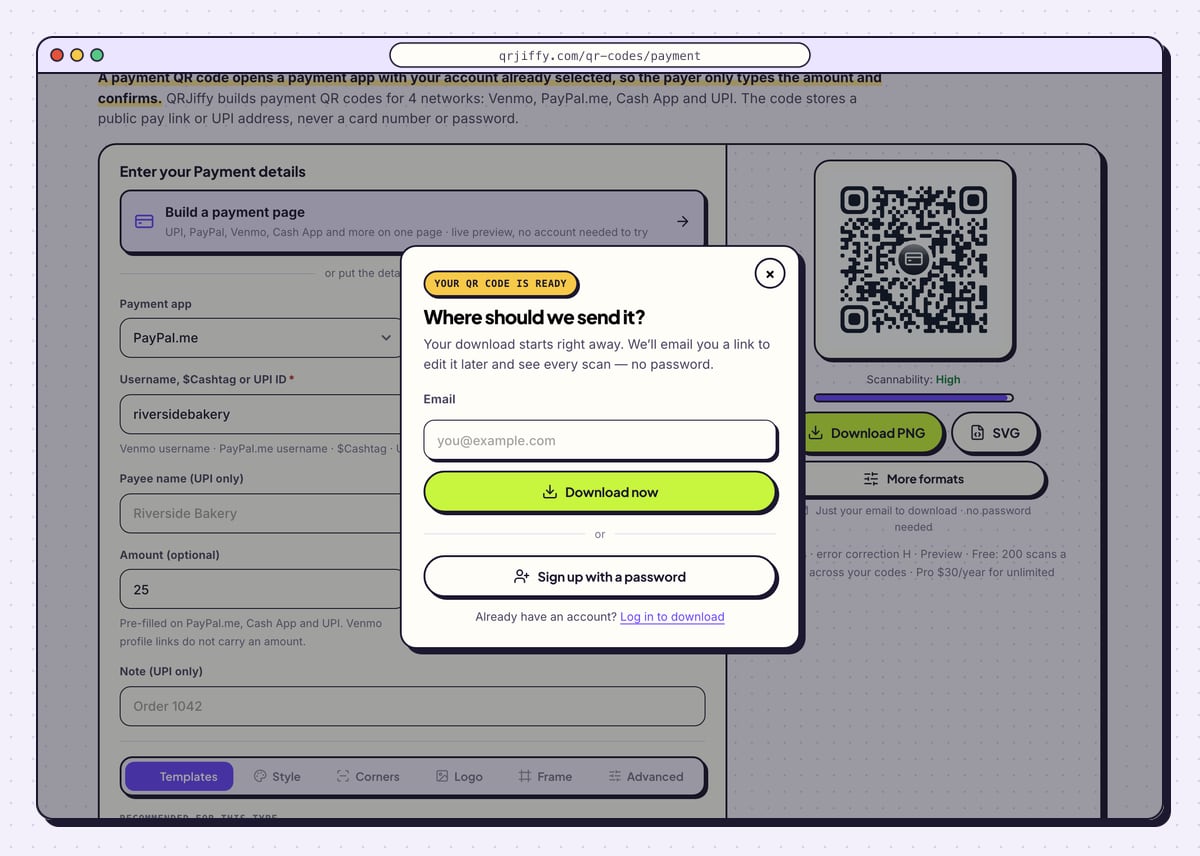
Download PNG suits invoices and screens; SVG suits signs and stickers. The first download asks for an email under “Where should we send it?”, then Download now saves a file such as
qrjiffy-payment-6AhjycA.png. For Venmo, PayPal and Cash App the page also shows the code’s short link,qrjiffy.com/r/….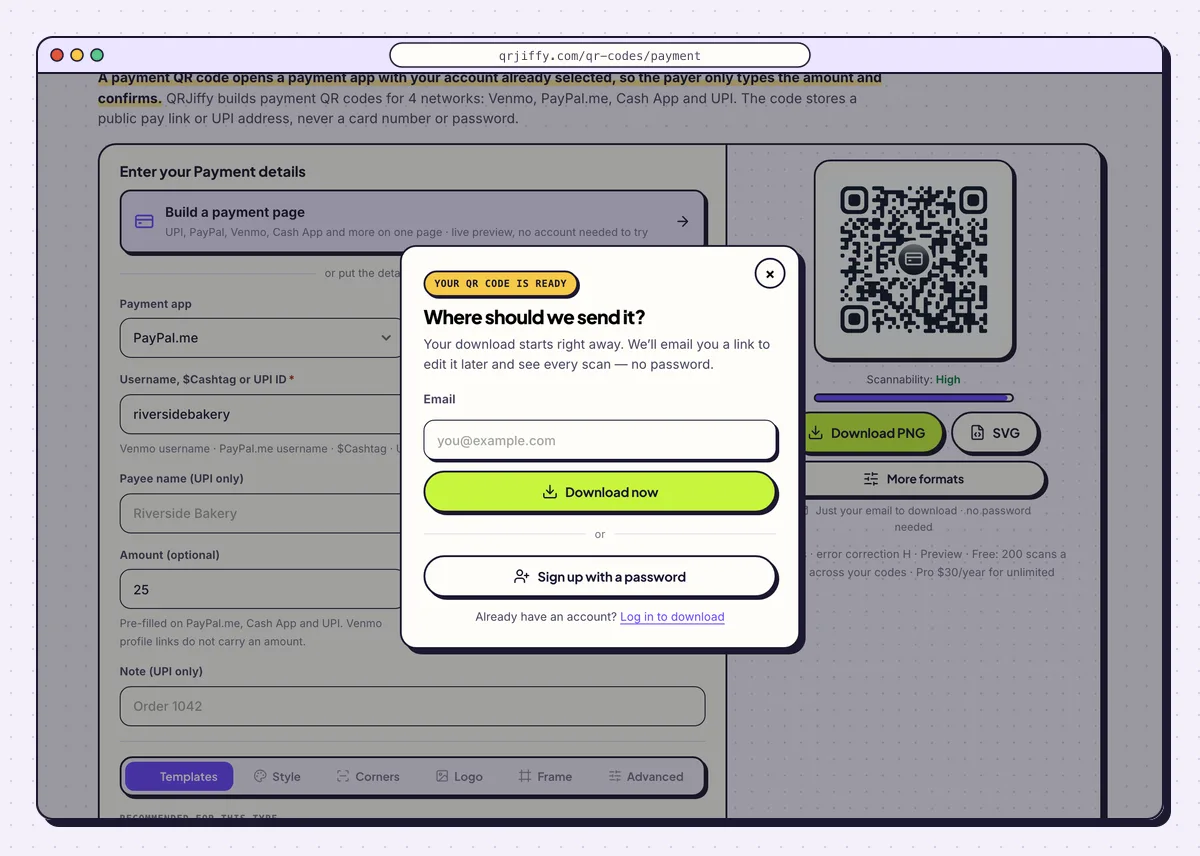
The ready dialog: an email address, then the payment code downloads. 5Scan it and send yourself a test payment
Scan the downloaded file with a phone. The payment app opens on your account: check the name it shows, then send 1 dollar, pound or rupee from a second account and see it arrive. Do this before printing 100 copies.
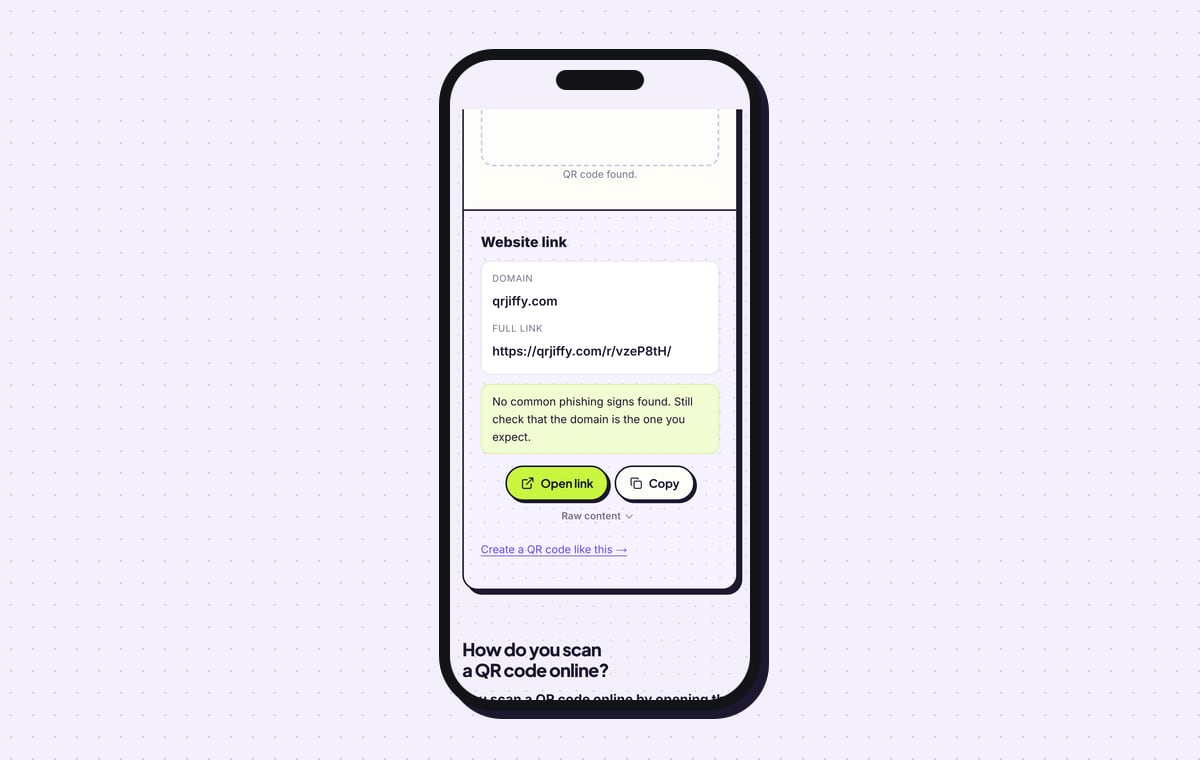
The QR code scanner shows what the file holds. For the PayPal sample that is a website link on qrjiffy.com, the short link that forwards to PayPal.me.
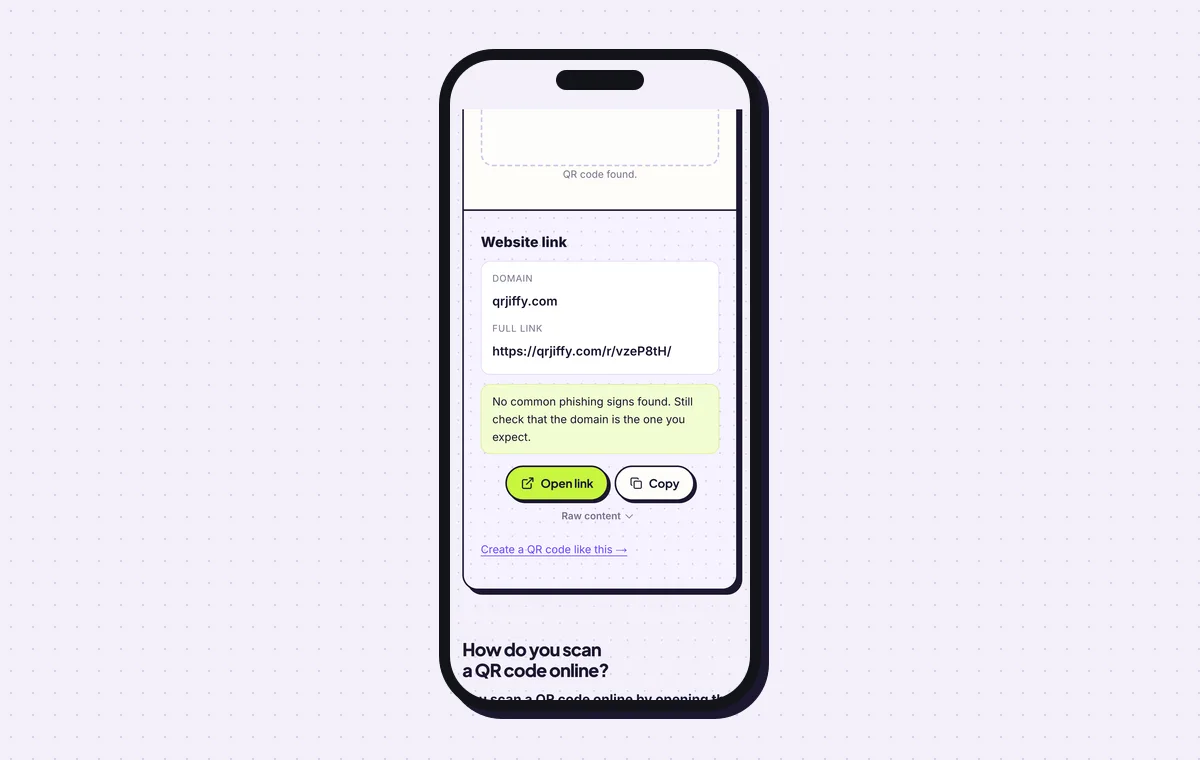
For PayPal, Venmo and Cash App codes the scanner reports the QRJiffy short link. 6Print it, then manage it from the dashboard
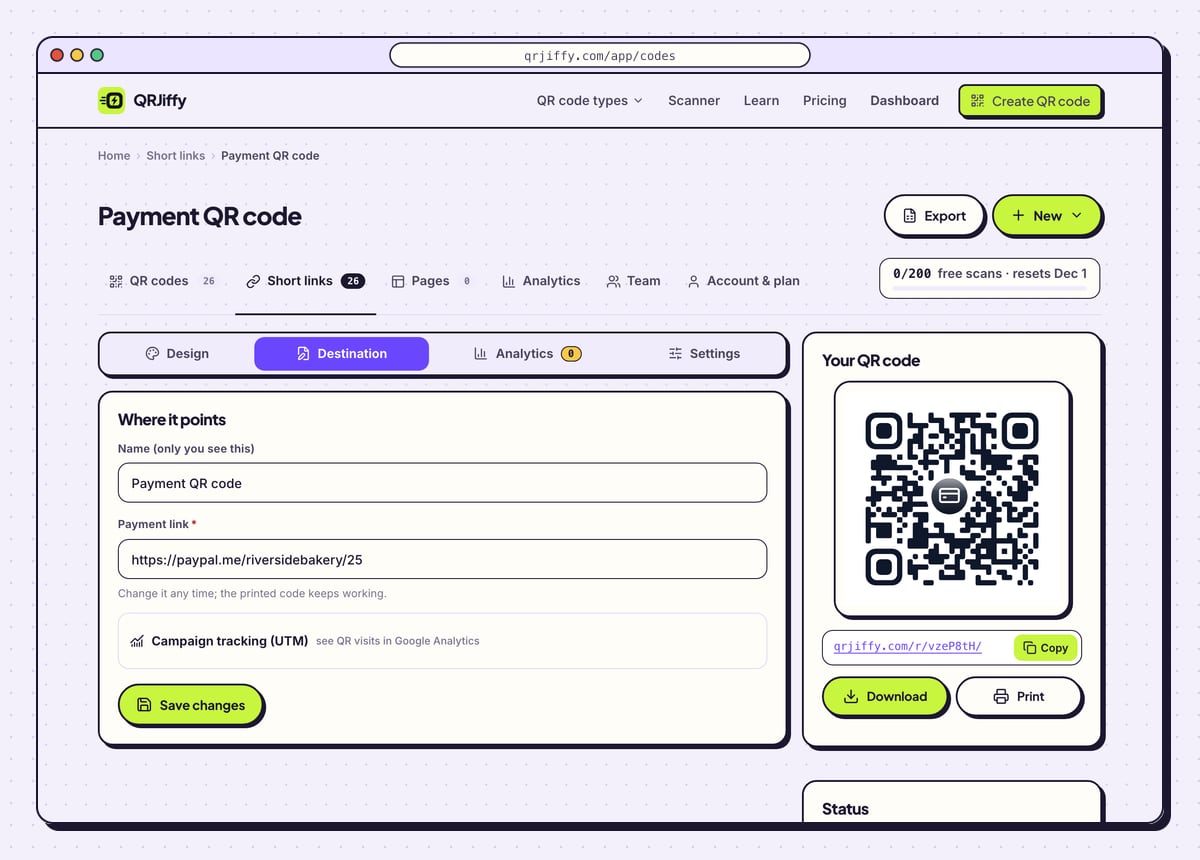
Print at 2.5 × 2.5 cm (1 in) or more on a counter sign, with the payee name next to the code. A PayPal, Venmo or Cash App code appears in your dashboard under Short links, with the tabs Design, Destination, Analytics and Settings. Destination swaps the pay link after a username or price change. A UPI code is different: the details live in the pattern, so a new UPI ID means a new code.
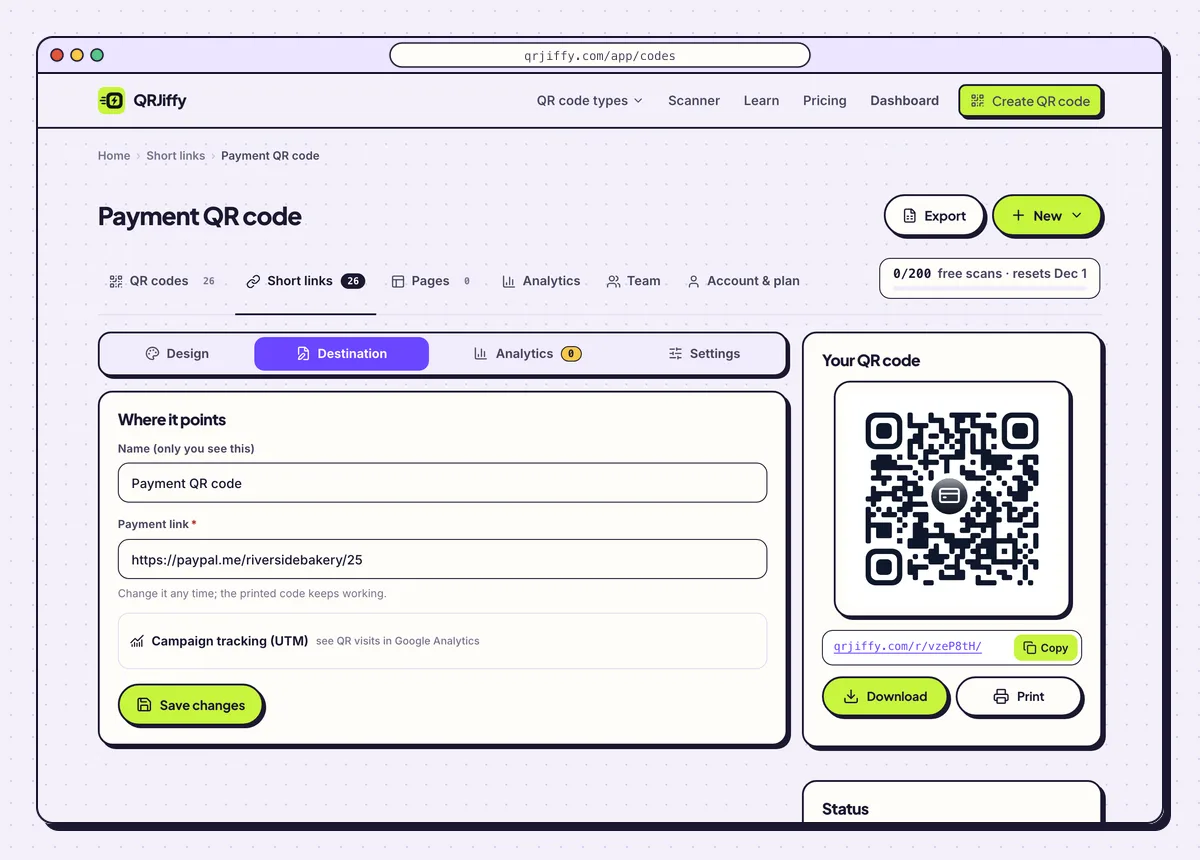
The payment code in the dashboard, where its pay link can be replaced after printing.
Open the Payment QR Code generatorFree. Nothing to install.
How do you put Venmo, PayPal, Cash App and UPI behind one QR code?
1Fill in the Content step
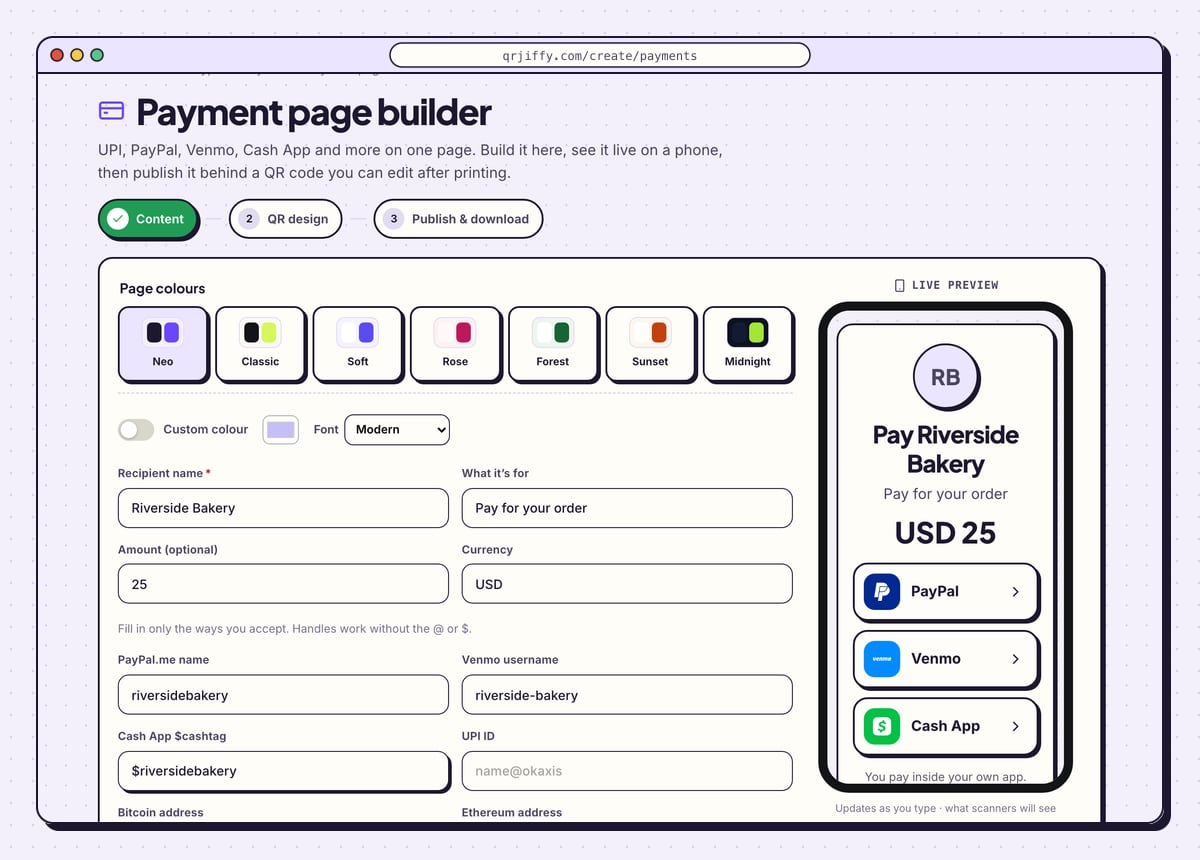
Open the payment page builder from the “Build a payment page” card on the generator. Type the Recipient name (Riverside Bakery), What it’s for (Pay for your order), and if needed an Amount (optional) and Currency (25, USD). Then fill in only the ways you accept: PayPal.me name, Venmo username, Cash App $cashtag, UPI ID, Bitcoin address, Ethereum address, Stripe payment link, Wise link or Revolut link. The phone preview on the right adds a button for each one.
Tip: Pick one of the seven page colours (Neo, Classic, Soft, Rose, Forest, Sunset, Midnight) or switch on Custom colour to match your brand.
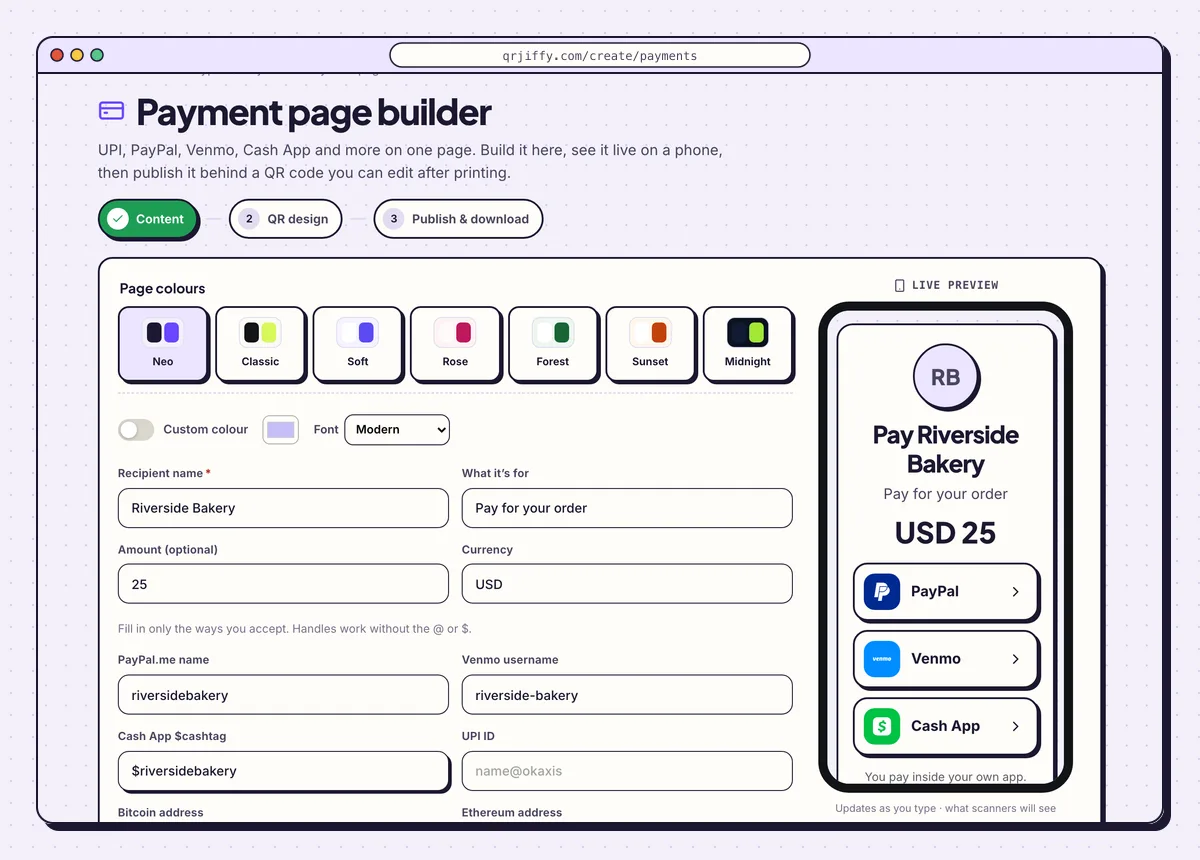
The builder’s Content step, with the page forming in the phone preview as fields are filled. 2Style the code in the QR design step
Click Next: QR design. This is the same design panel as the generator: dot pattern, colours, a logo and a frame label. A label such as “Scan to pay” fits here, because the page, not the code, lists the apps. Keep dark dots on a light background.
3Publish the page and download the code
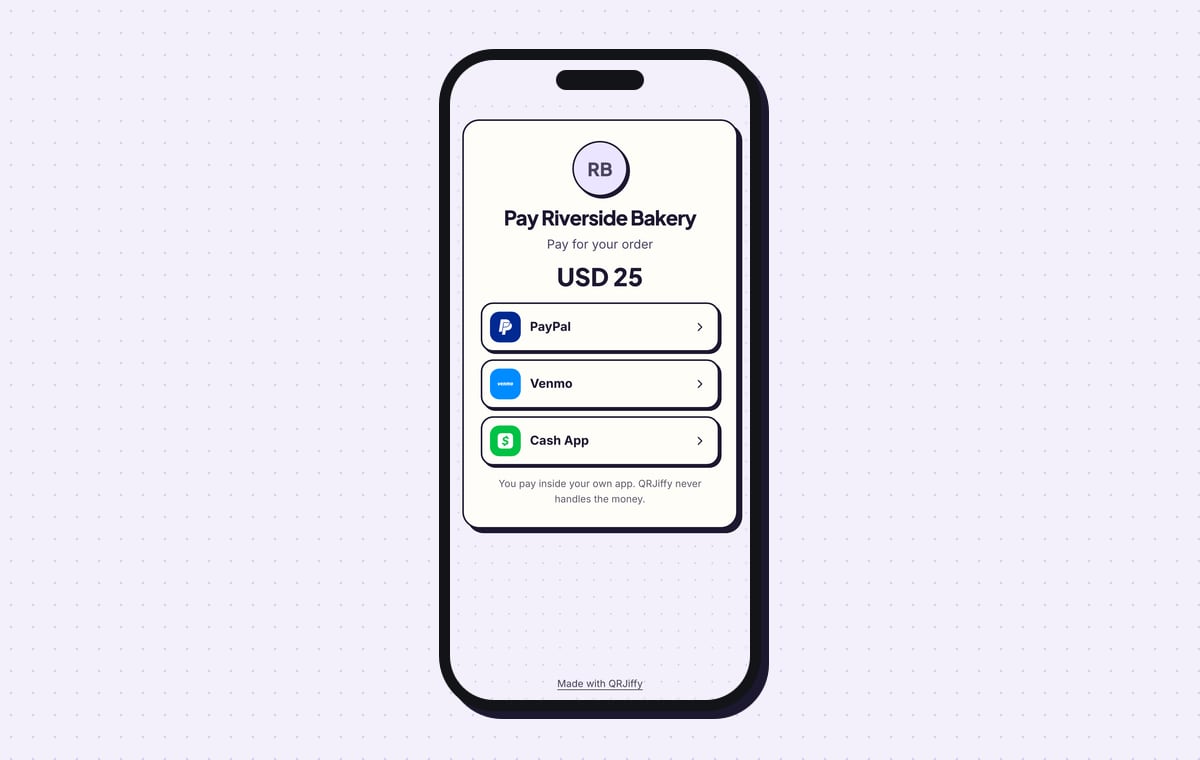
On Publish & download, click Publish & download PNG and sign in to a free account. The page goes live at its own short link and the code downloads. Scanning it shows “Pay Riverside Bakery”, the purpose, “USD 25” and one button per app, above the line “You pay inside your own app. QRJiffy never handles the money.” Tap every button on your own phone and confirm each app opens on your name. Later edits to the page need no reprint.
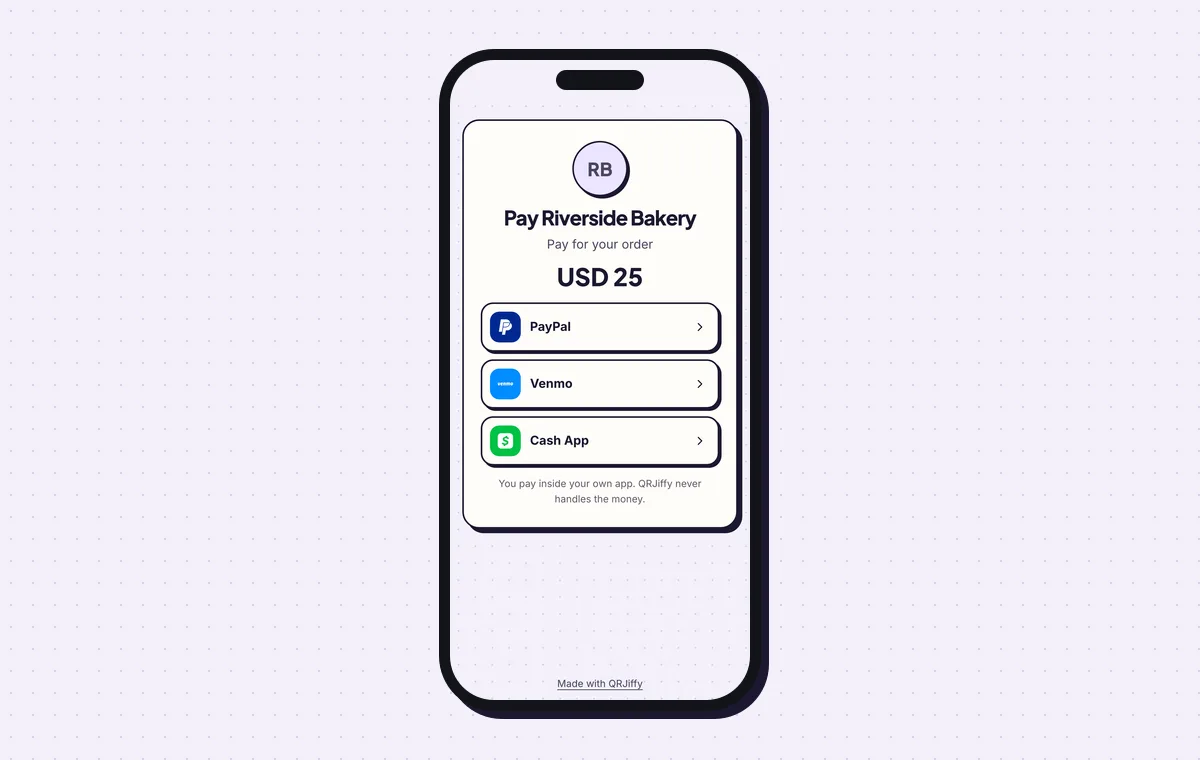
The live page: the payer taps the app they use and pays there.
Build a payment pageLive preview. No account needed to try.
Which payment app do you put in a QR code?
Use the app most of your payers already have installed, because a payer without it cannot finish the payment on the spot. The four options differ in reach and in whether the amount is pre-filled.
- Venmo: United States. No pre-filled amount. Opens
venmo.com/u/…. - PayPal.me: 200+ markets. Amount pre-filled. Opens
paypal.me/…/25. - Cash App: United States and United Kingdom. Amount pre-filled. Opens
cash.app/$…/25. - UPI: India. Amount pre-filled. Stores
upi://pay?pa=…, read by every UPI app.
How do you confirm a payment QR code sends money to you?
Scan the finished code yourself, read the recipient name in the payment app, and complete a 1-unit test payment. A QR code moves no money. It carries the recipient’s address, and the payer approves the transfer in the app after checking the name. That name check is the whole safeguard, so support it: print your payee name beside every code.
What are the risks of taking payments by QR code?
The main risk is fraud: a scammer sticks a fake code over yours and customers pay the scammer’s account. The practice is called quishing. Check your signs daily, and laminate them or mount them behind acrylic so an added sticker shows.
- People cannot read a QR code by eye. They rely on the name the app displays.
- Every payment needs mobile data or WiFi on the payer’s phone.
- A printed UPI code cannot be changed. PayPal, Venmo and Cash App codes can, in the dashboard.
- No code contains a password, card number or bank account number.
Is there a monthly fee for a payment QR code?
No, there is no monthly fee: a free QRJiffy account includes 200 scans a month across all its codes, and Pro is $30 a year for unlimited scans. Payments go straight to your Venmo, PayPal, Cash App or UPI account, and QRJiffy takes no cut.
What mistakes stop a Payment QR code from working?
These 4 mistakes cause most failed Payment QR codes; each has a quick fix. Test the downloaded file with two different phones before you print anything.
| Mistake | Fix |
|---|---|
| An amount is entered with Venmo selected | Venmo links carry no amount. Print the price by the code, or switch to PayPal.me or Cash App. |
| The UPI-only fields are filled in for a PayPal code | Leave Payee name (UPI only) and Note (UPI only) empty unless the app is UPI. |
| One code is expected to open two apps | A code stores one pay link. Print two labelled codes side by side, or use the page builder. |
| The sign goes up without a test payment | Send yourself 1 unit from a second account first, then print. |
Frequently asked questions
What is pay with QR?
It is a payment where the payer scans a code that opens their payment app with the recipient already filled in. The payer checks the name, enters or confirms the amount and approves it.
Can I get a payment QR code without a subscription?
Yes. Payment QR codes are free to create with no monthly subscription, and a free account keeps them in one place.
Does a payment QR code work for Zelle?
No. Zelle has no public pay-link format, so its QR code is generated inside the Zelle or banking app.
Is it safe to post a payment QR code online?
Yes. The code contains only your public username, $Cashtag or UPI ID, which everyone who pays you already sees.
Does the payer need an internet connection?
Yes. The payment app confirms the transfer online, so the payer needs mobile data or WiFi.
Ready to make your Payment QR code?
The generator is free and works in the browser on a phone or a computer. Your code downloads as PNG for screens or SVG for print.
Open the Payment QR Code generator
Related guides: How to Print a QR Code · QR Code Size · QR Code Not Working