 QRJiffy
How to Make a PayPal QR Code
You make a PayPal QR code by entering your PayPal.me username, and an amount if the price is fixed, into a PayPal QR code generator and downloading the image. The scan opens your PayPal.me page with that amount filled in, and the payer logs in to PayPal to send it. Allow 3 minutes. PayPal carries the payment; QRJiffy only supplies the code.
What do you need before you start?
You need 4 things ready, and no account to try the generator. A free account, or just your email, is asked for only at the download step.
- A PayPal.me link. Find it on your profile in PayPal; every PayPal account claims one at no cost.
- The amount for an invoice, ticket or fixed price, or a decision to leave it open for tips and donations.
- Your account’s default currency, because a plain number is charged in it.
- A phone to scan the result, and an email address for the download.
How do you make a PayPal QR code step by step?
Follow these 7 steps in the PayPal QR Code generator; the preview updates as you type. Each screenshot below is the real screen, filled in with a sample bakery’s details.
1Find your PayPal.me link
Open PayPal, go to your profile and copy the PayPal.me link. It reads
paypal.me/followed by a name you chose, such aspaypal.me/riversidebakery. If the profile shows no link yet, create one there first. Then open the PayPal QR code generator, where the form is headed “Enter your PayPal details”.Tip: PayPal lets you change a PayPal.me link once. Pick a name you are happy to print.
2Enter the PayPal.me username
Payment app is fixed on PayPal.me. In PayPal.me username, type the part after
paypal.me/: for the sample, riversidebakery. Pasting the whole link works as well, and the form keeps only the name.This name is unique and public. It is not your PayPal email address and not your password, and the code never contains either.
3Add an amount for a fixed price
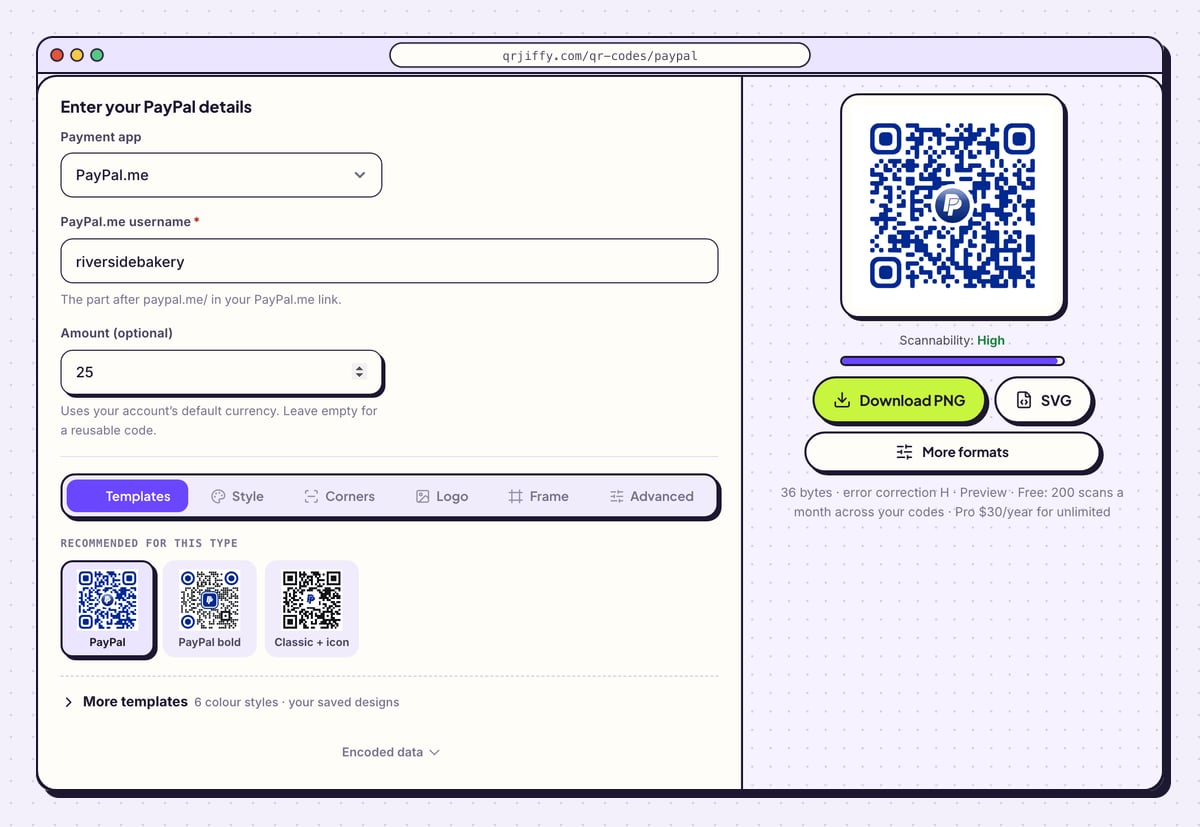
Type a number into Amount (optional), such as 25. The pay link becomes
paypal.me/riversidebakery/25, and the payer sees 25 already entered and confirms it. The note under the field says the amount uses your account’s default currency.Leave the field empty for a reusable code on a tip jar or donation poster. The payer then types any sum.
Tip: Billing in another currency? PayPal.me reads a 3-letter code after the number, such as 25EUR. The amount box takes digits only, so add the currency later under Destination in the dashboard.
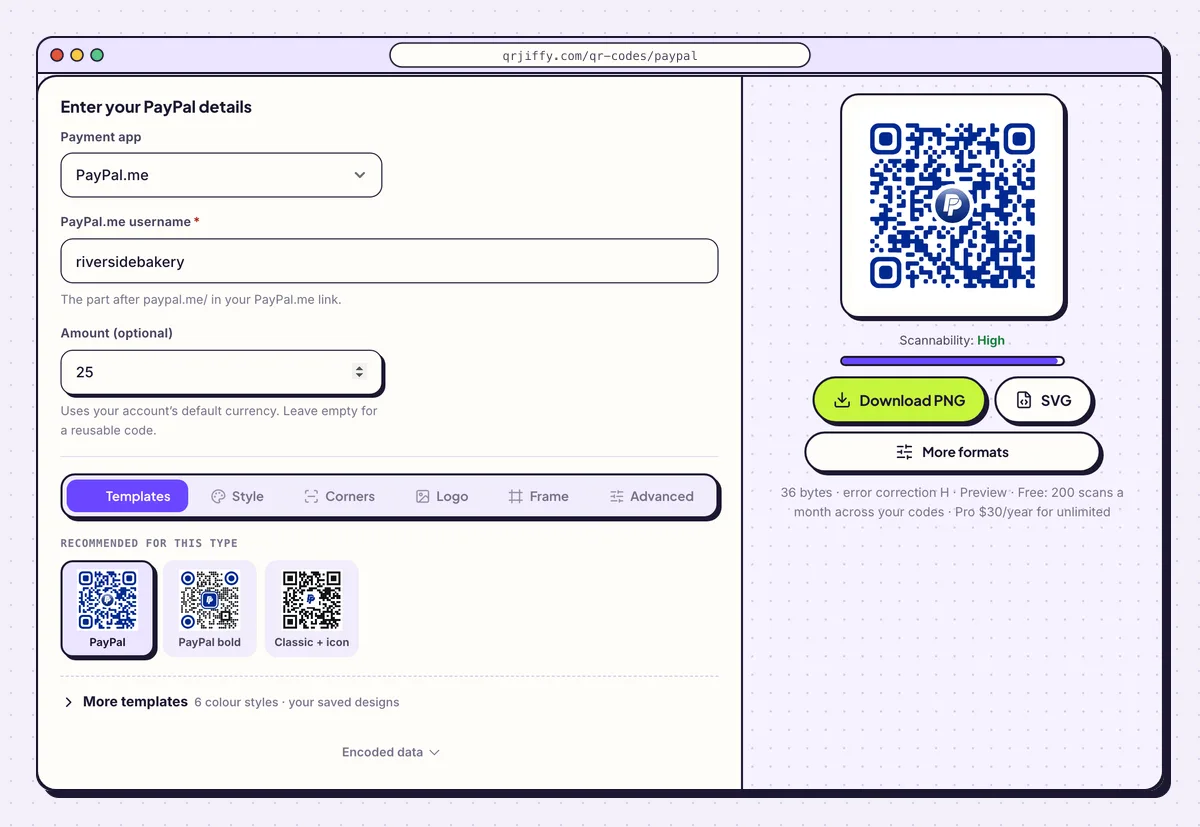
Username plus an optional amount: the preview updates as soon as either changes. 4Put the PayPal logo in the centre
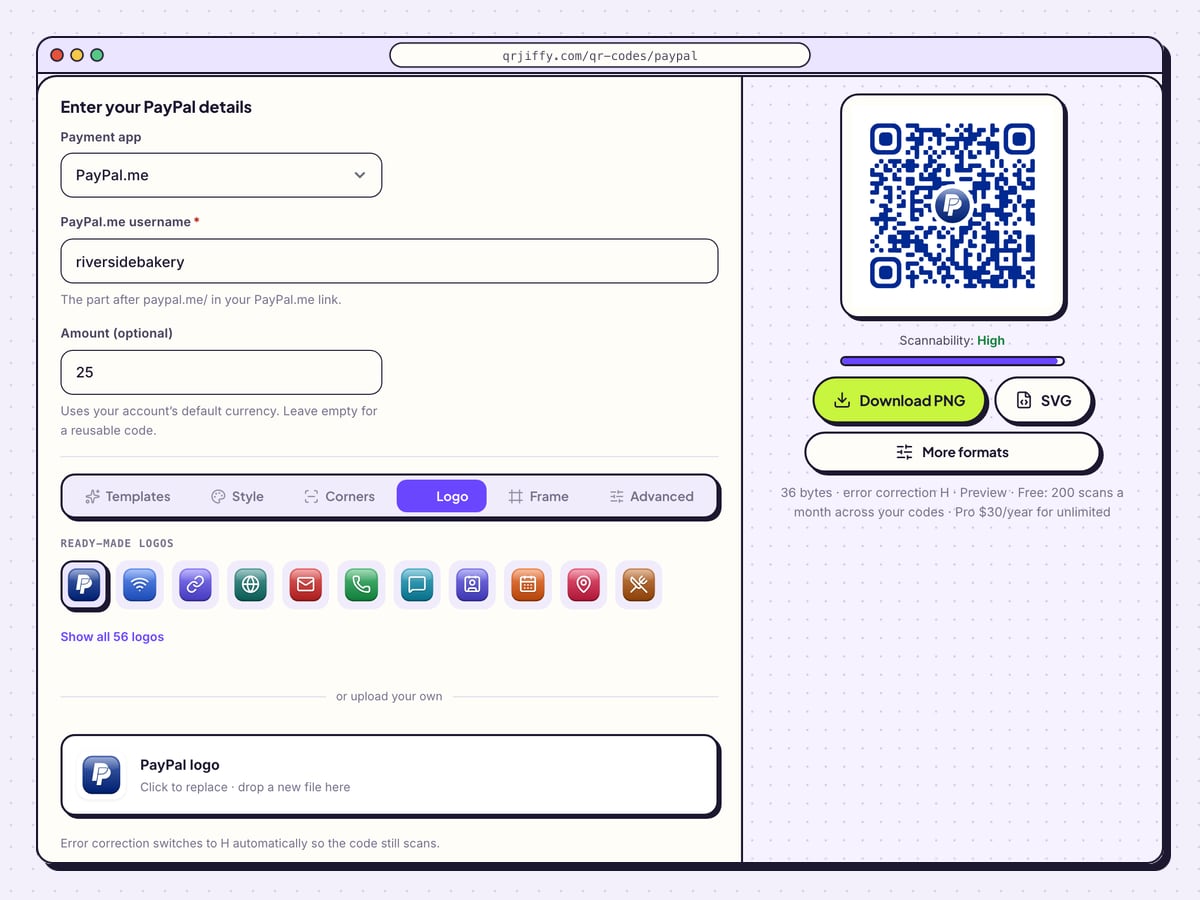
Open the Logo tab. The PayPal mark is already selected among the ready-made logos, and Show all 56 logos lists the rest. The upload box takes your own file, for example a shop logo. Logo size, options such as Square, Rounded and Circle, and Padding control how much of the pattern the logo covers.
A line under the box confirms that error correction switches to H automatically, so the code still scans with a logo on it.
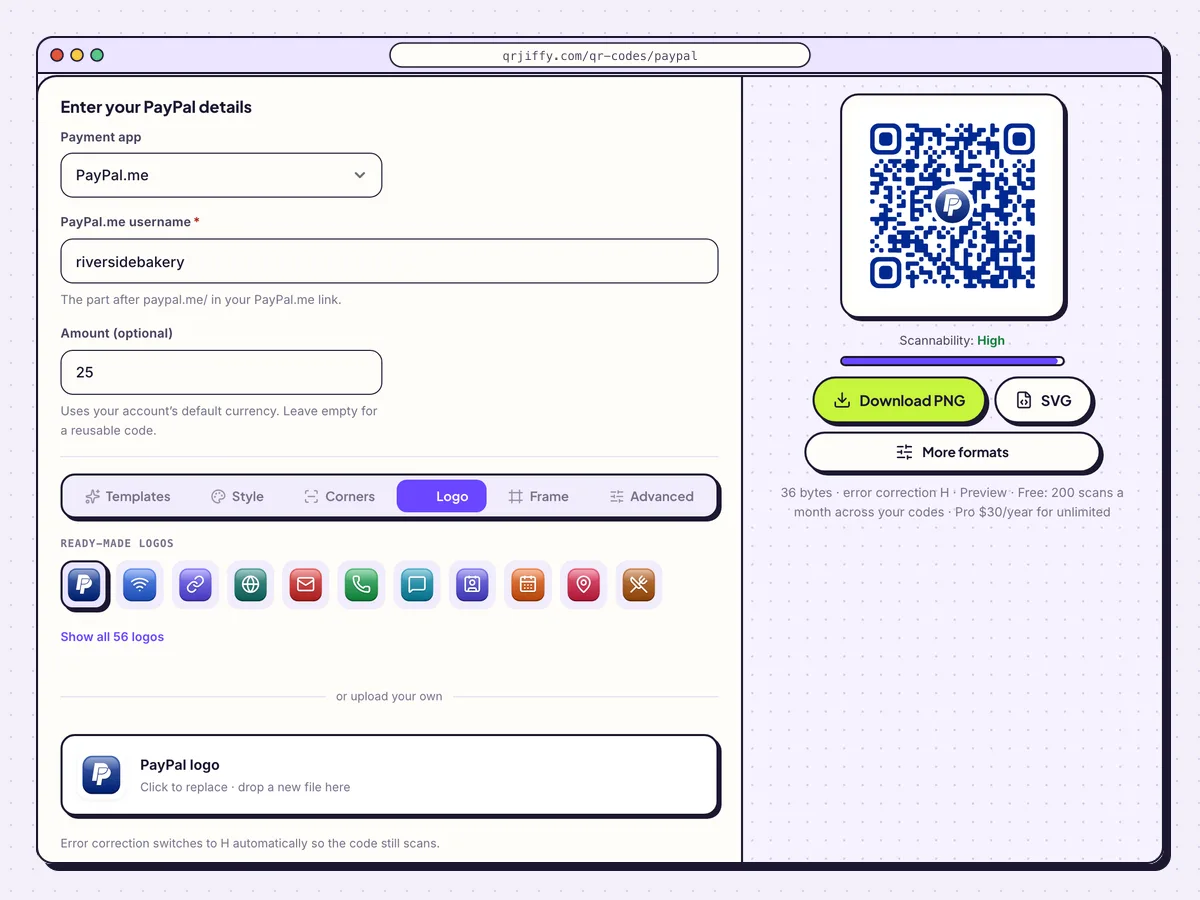
The Logo tab places PayPal’s mark, or your own, in the middle of the code. 5Download the file
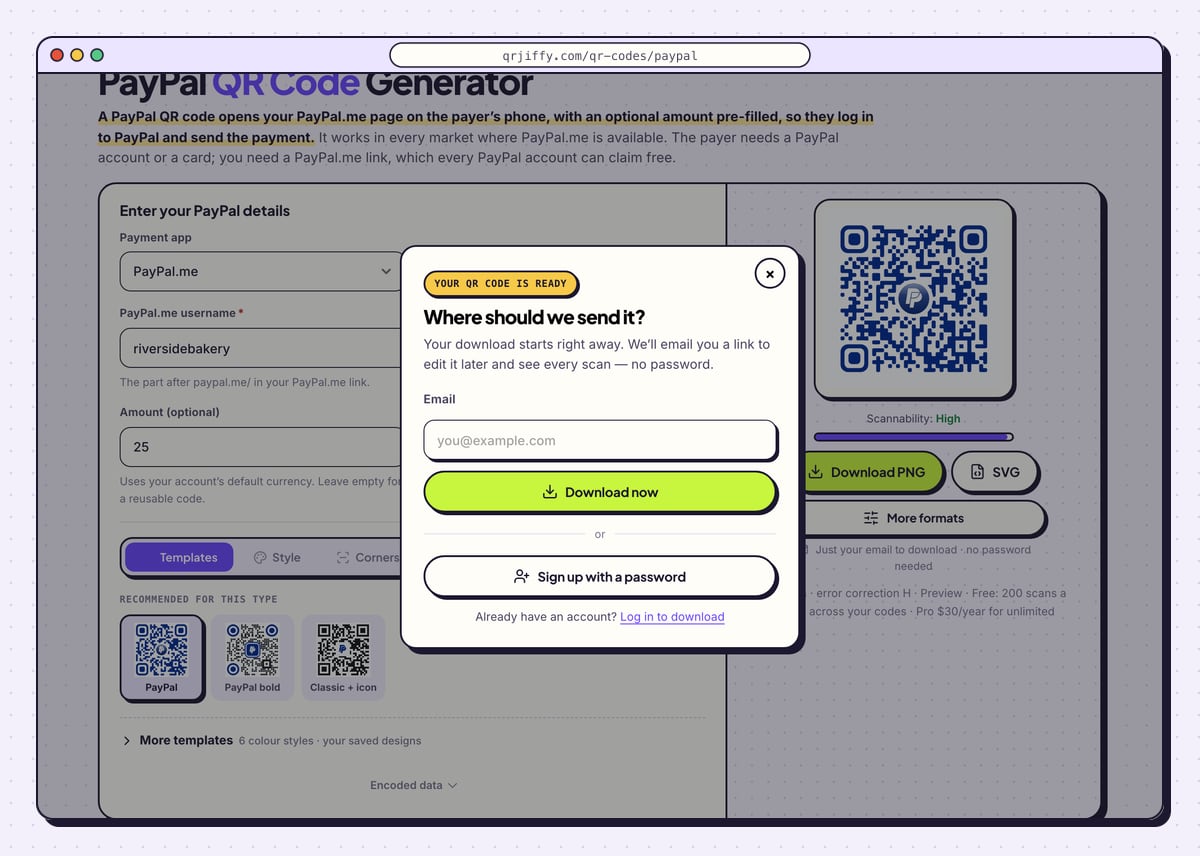
Choose Download PNG for a PDF invoice or a web page, and SVG for anything a print shop handles. Enter an email in the “Where should we send it?” box and press Download now. The download starts at once with a name like
qrjiffy-paypal-YiMe8hV.png, and the page displays the code’s short link,qrjiffy.com/r/….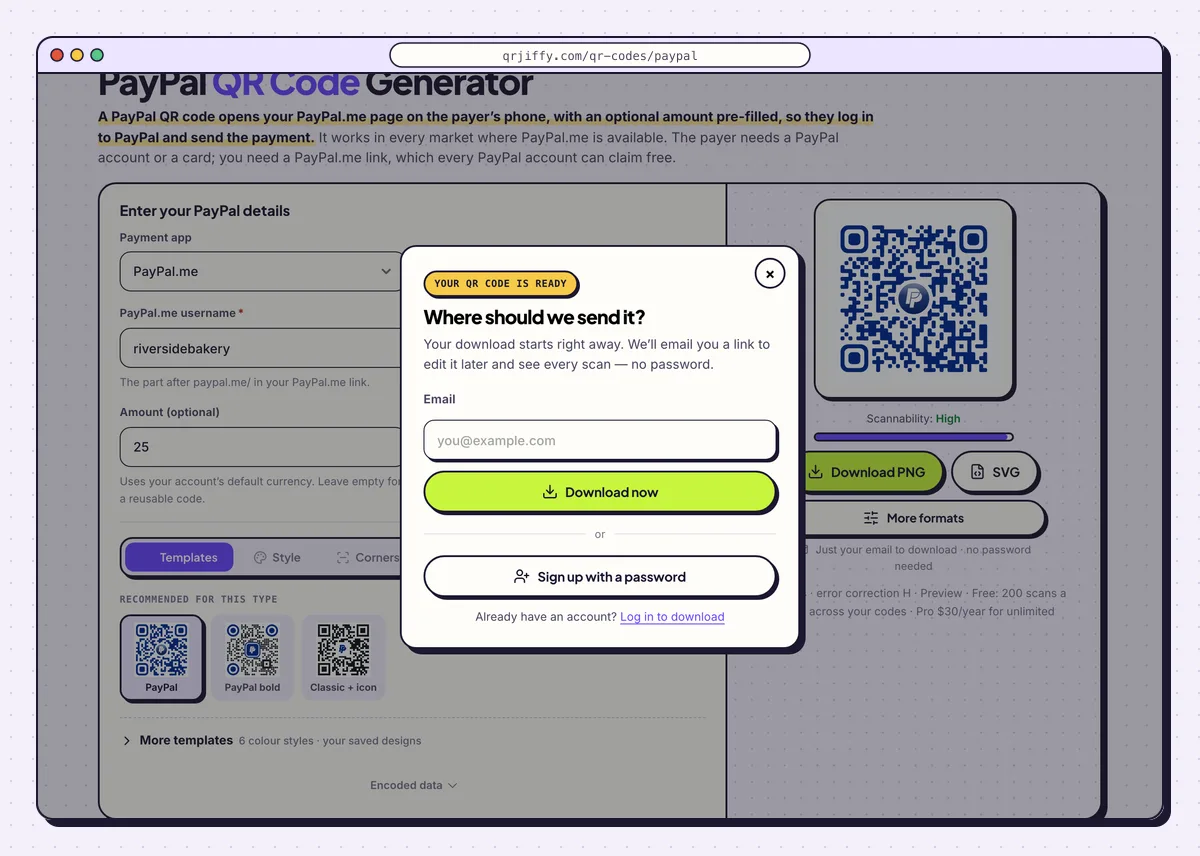
One email address unlocks the download and a link to edit the code later. 6Scan the code and read the name PayPal shows
Scan the file with a phone camera. The PayPal.me page opens in the PayPal app or in the browser. Check three things: your name, your photo and the amount. Send a 1-unit payment to yourself from another account before printing in bulk.
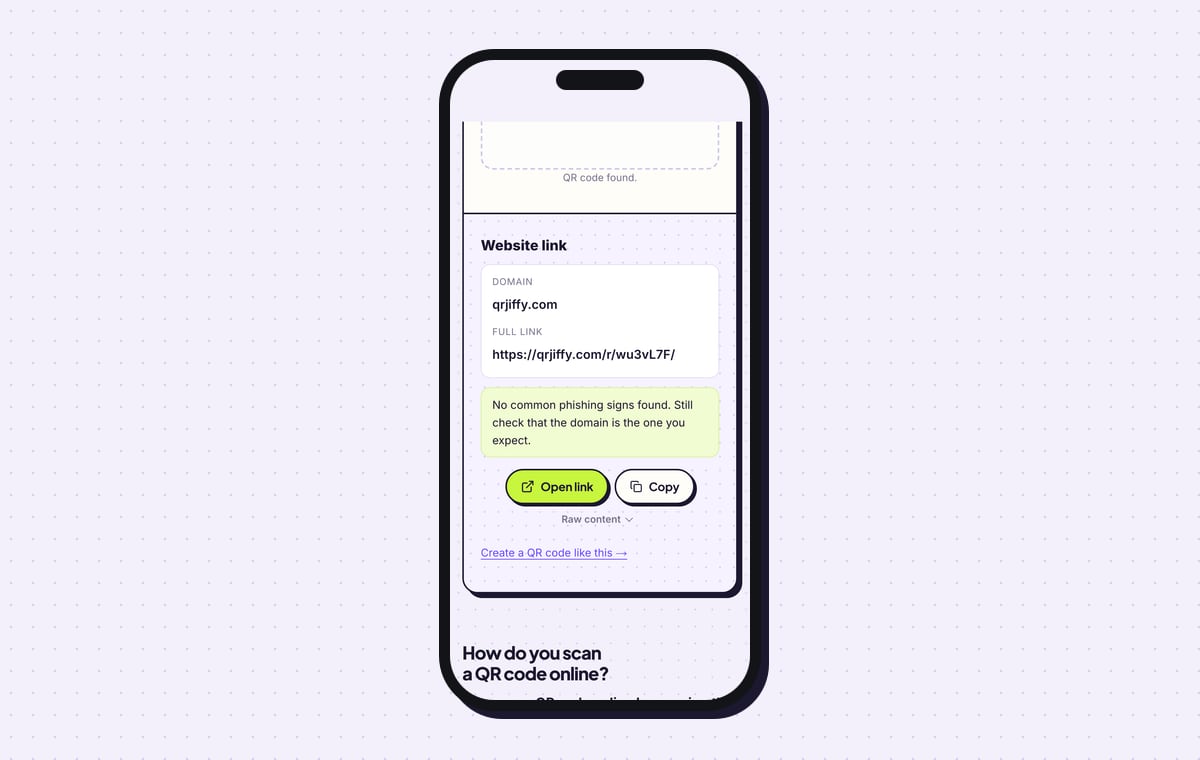
The QR code scanner reads the same file and lists a website link on qrjiffy.com. That short link forwards to your PayPal.me address.
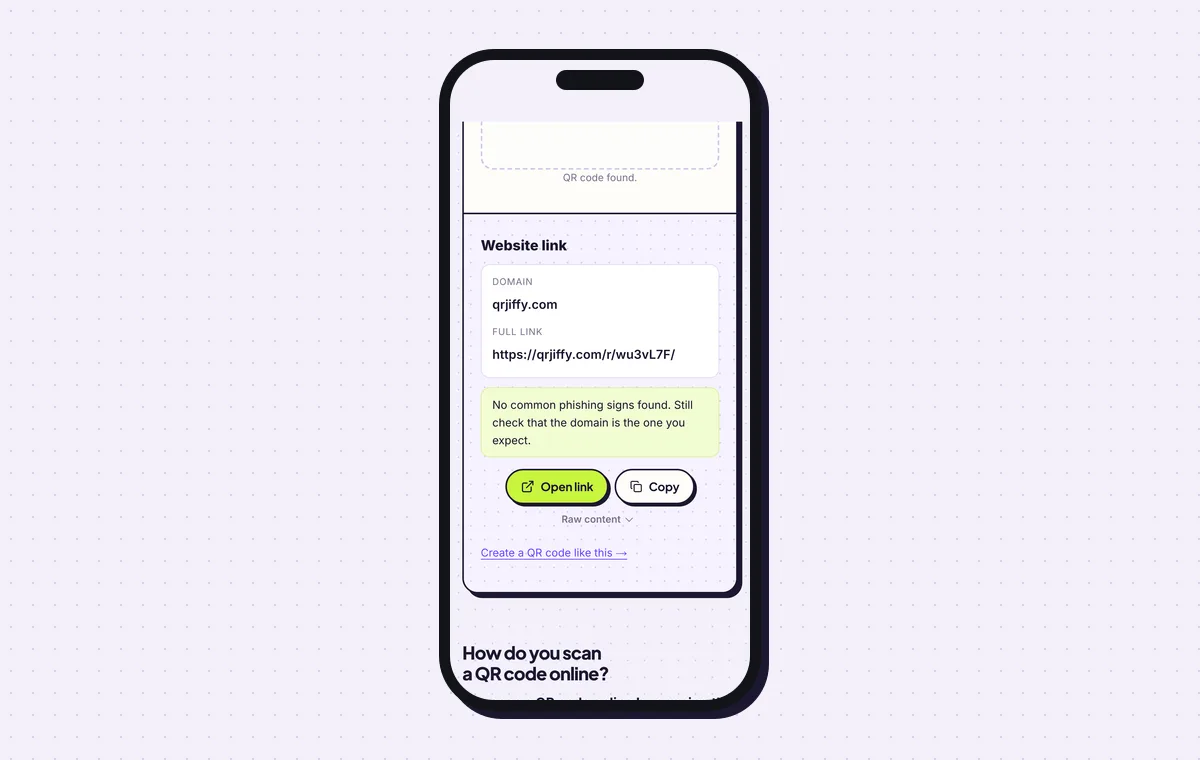
Scanner result for the downloaded PayPal code, showing the short link it carries. 7Change the amount or link without reprinting
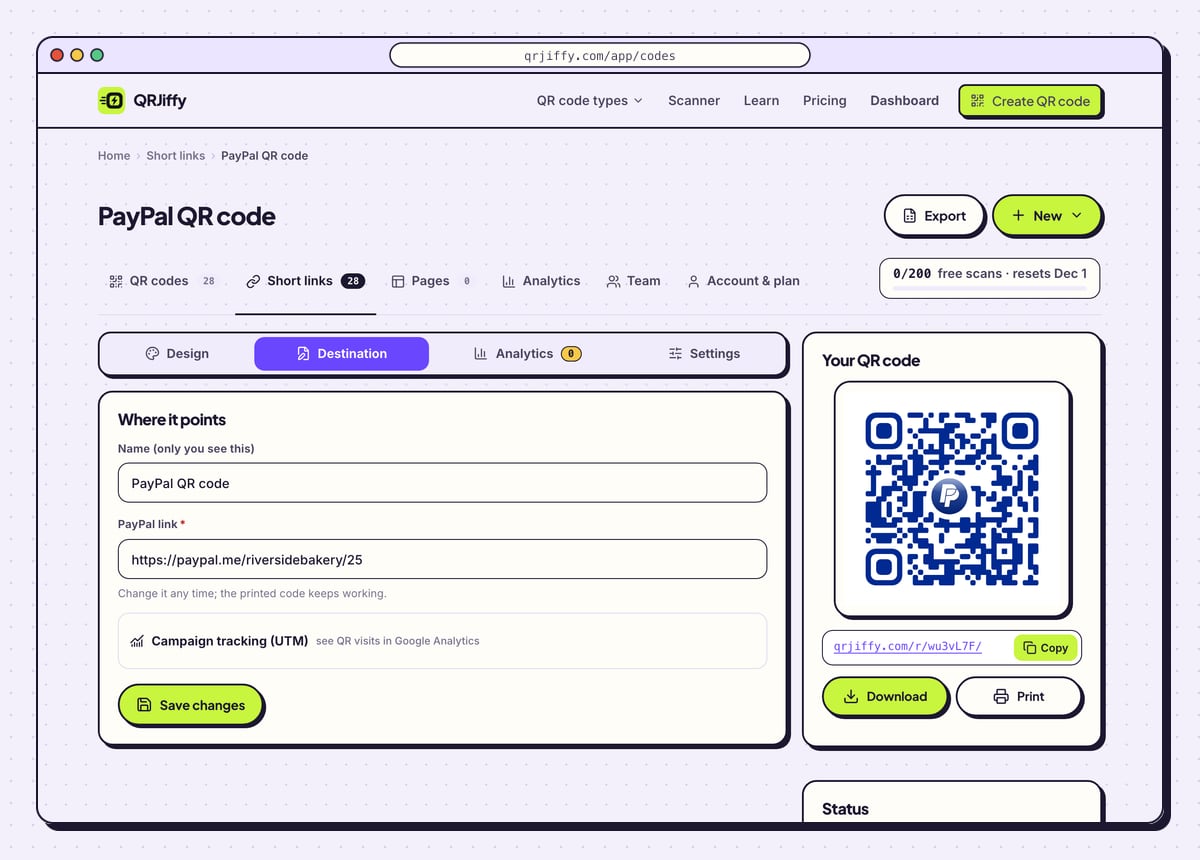
Your code sits in the QRJiffy dashboard under four tabs: Design, Destination, Analytics and Settings. To raise a price, open Destination and edit the link from
/riversidebakery/25to/riversidebakery/30. The printed code then asks for 30. Analytics counts scans; your PayPal activity lists the payments.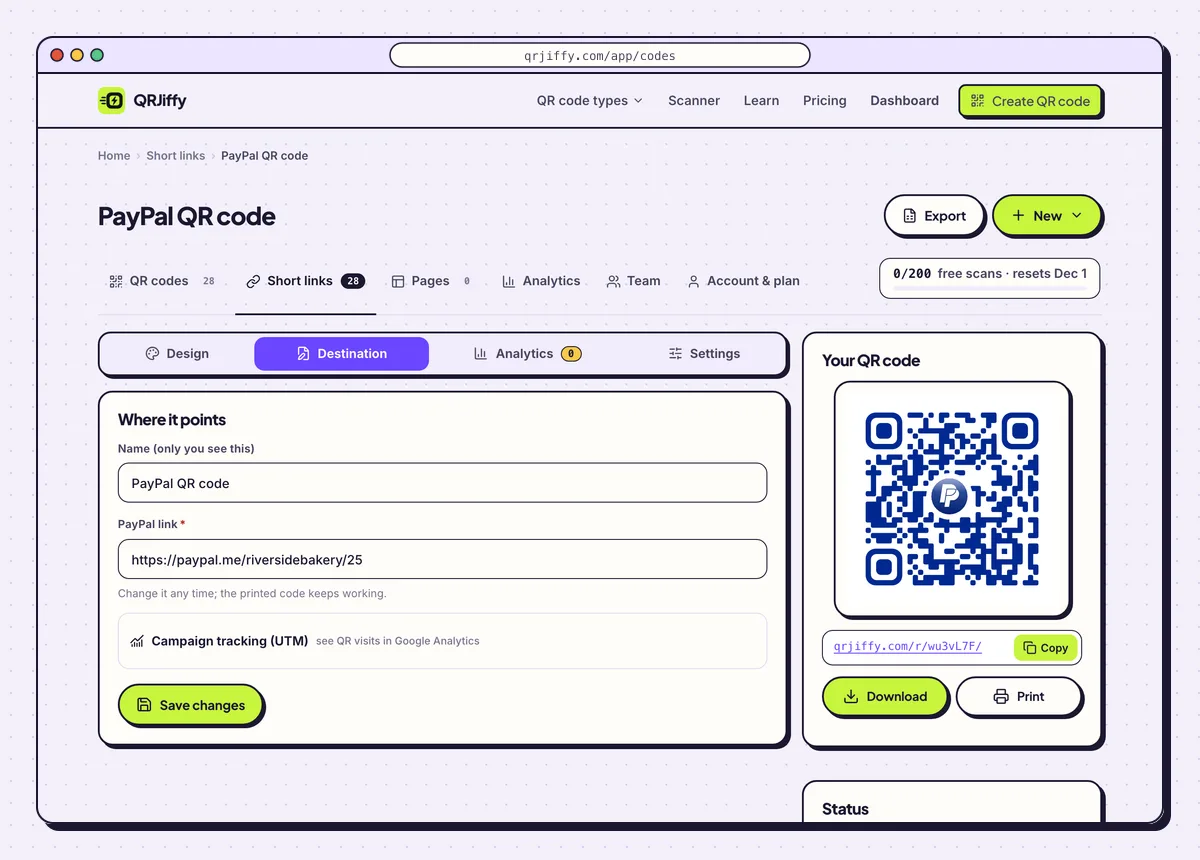
Edit the PayPal.me link under Destination and every printed copy follows.
Open the PayPal QR Code generatorFree. Nothing to install.
How does a payer know a PayPal QR code is genuine?
The payer checks the name and photo on the PayPal.me page against the name printed next to the code, before entering a password or card. A QR pattern is unreadable to people, so that screen is the checkpoint. Make it easy: print your PayPal name on the invoice or sign.
- Scammers cover real payment codes with their own stickers. Inspect signs daily.
- Put counter signs behind acrylic or lamination, so a sticker on top is obvious.
- Scan the final printed piece yourself, not only the file on screen.
- The code holds a public link. Your PayPal password and card details are never in it.
Does PayPal have its own QR code, and which one do you print?
Yes, the PayPal app shows a personal QR code under Get paid, or behind the QR icon on its home screen, and that code works inside the PayPal app. A QRJiffy PayPal code is built from your PayPal.me link instead. Three things make the QRJiffy code the one to print:
- It opens from any phone camera.
- It accepts a pre-filled amount.
- It downloads as SVG, in your colours, with a label.
Does the person paying need a PayPal account?
No, in most markets PayPal.me lets a payer use a debit or credit card as a guest, though guest checkout depends on the country. PayPal.me works across borders, which makes this the payment code for international clients. A PayPal.me link typed into a desktop browser behaves the same way, so print the link under the code on invoices.
What does a PayPal QR code cost?
Making the code costs nothing, and a free QRJiffy account includes 200 scans a month across all your codes. Pro is $30 a year for unlimited scans. PayPal charges its standard fees on goods-and-services payments, exactly as for any other PayPal.me payment. QRJiffy takes no cut, because the money never passes through it.
What mistakes stop a PayPal QR code from working?
These 5 mistakes cause most failed PayPal QR codes; each has a quick fix. Test the downloaded file with two different phones before you print anything.
| Mistake | Fix |
|---|---|
| The PayPal email address is typed instead of the PayPal.me name | Use only the part after paypal.me/, such as riversidebakery. |
| A fixed amount is left in a code meant for donations | Clear Amount (optional) so the payer chooses the sum. |
| The amount is charged in the wrong currency | A bare number uses your default currency. Add a code such as 25EUR to the link under Destination. |
| The PayPal.me name was changed in PayPal settings | Paste the new link into the dashboard the same day, and printed codes keep working. |
| The uploaded logo covers too much of the pattern | Lower Logo size until Scannability reads “High”, then test on two phones. |
Frequently asked questions
Can I put a PayPal QR code on a website?
Yes. Place the PNG on the page and write the PayPal.me link beside it, since desktop visitors click instead of scanning.
Can one PayPal QR code serve several prices?
No, one code carries one amount or none. Make a code per ticket price, or leave the amount empty and print the price list.
Is my PayPal password stored in the QR code?
No. The code leads to your public PayPal.me link. Passwords, card numbers and bank details stay inside PayPal.
How big does a PayPal QR code need to be on an invoice?
At least 2 × 2 cm on paper held in the hand, and 2.5 × 2.5 cm (1 in) on a counter sign.
Does the payer have to accept the pre-filled amount?
No. The amount appears already entered and the payer confirms it before PayPal sends anything.
Ready to make your PayPal QR code?
The generator is free and works in the browser on a phone or a computer. Your code downloads as PNG for screens or SVG for print.
Open the PayPal QR Code generator
Related guides: How to Print a QR Code · QR Code Size · QR Code Not Working