 QRJiffy
How to Make a Phone Number QR Code
You make a phone number QR code by typing the number, with a plus sign and the country code, into a phone QR code generator and downloading the image. A scan puts the number in the phone’s dialler, and one tap starts the call. With a single field to fill, this is a 2-minute job.
What do you need before you start?
You need 4 things ready, and no account to try the generator. A free account, or just your email, is asked for only at the download step.
- The number in international format: + then the country code (+1, +44, +91) then the number.
- A line that someone answers, such as the office number, not one employee’s mobile.
- A phone with a SIM to place the test call. Tablets without a SIM do not dial.
- The distance people scan from: arm’s length for a menu, 2 m or more for a van or a sign.
How do you make a Phone number QR code step by step?
Follow these 6 steps in the Phone Number QR Code generator; the preview updates as you type. Each screenshot below is the real screen, filled in with a sample bakery’s details.
1Open the phone number QR code generator
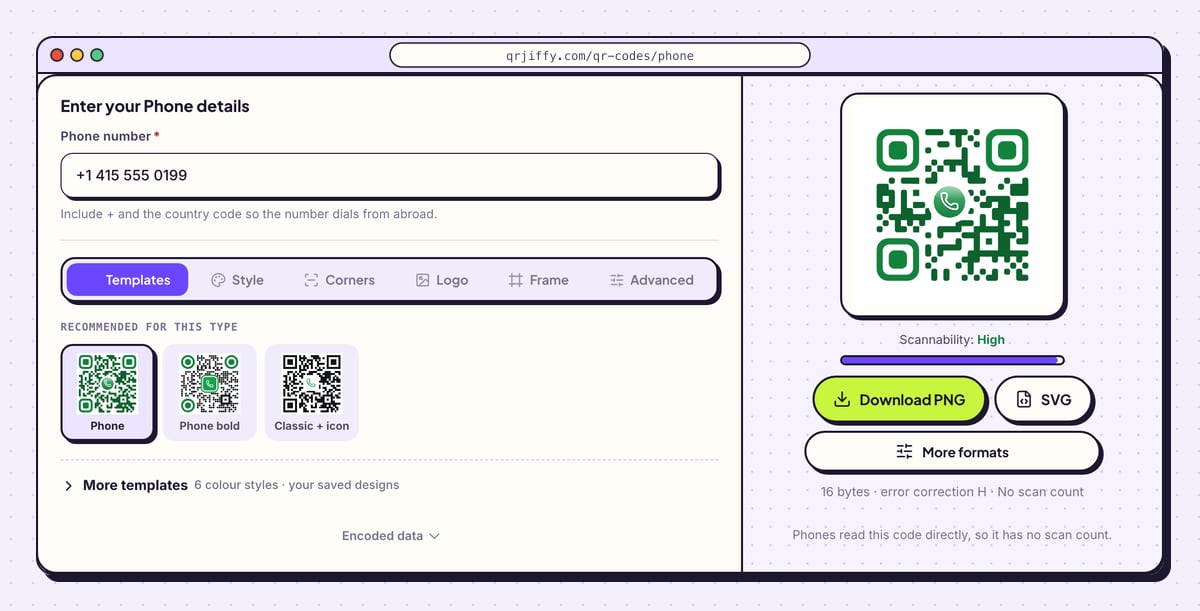
Head to the phone number QR code generator. The form is one field long, Phone number, and the code beside it carries a handset icon. Decide now which line the code calls, because that choice is fixed once the code is printed.
2Type the number with its country code
Enter the number in Phone number, beginning with + and the country code. The hint explains why: “Include + and the country code so the number dials from abroad.” A phone on a foreign SIM does not reach a number written in national format.
The sample is +1 415 555 0199. Spaces, dashes and brackets are stripped out, and the code stores
tel:+14155550199. Open Encoded data to confirm that only digits follow the plus sign.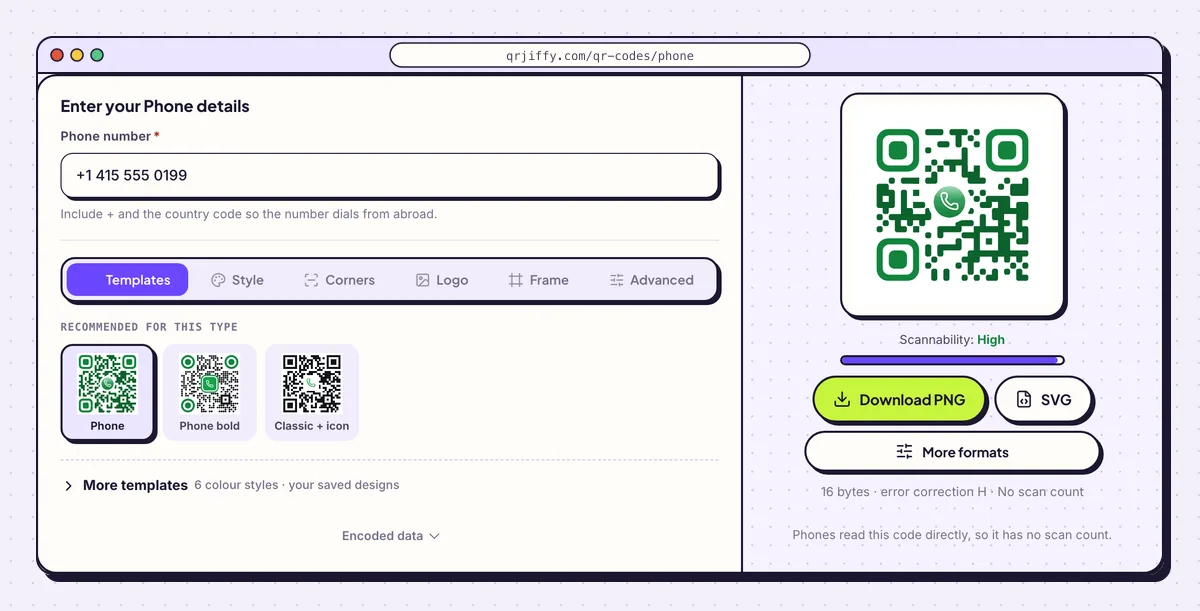
A phone code needs just the number, written with its country code. 3Add a “Call us” label
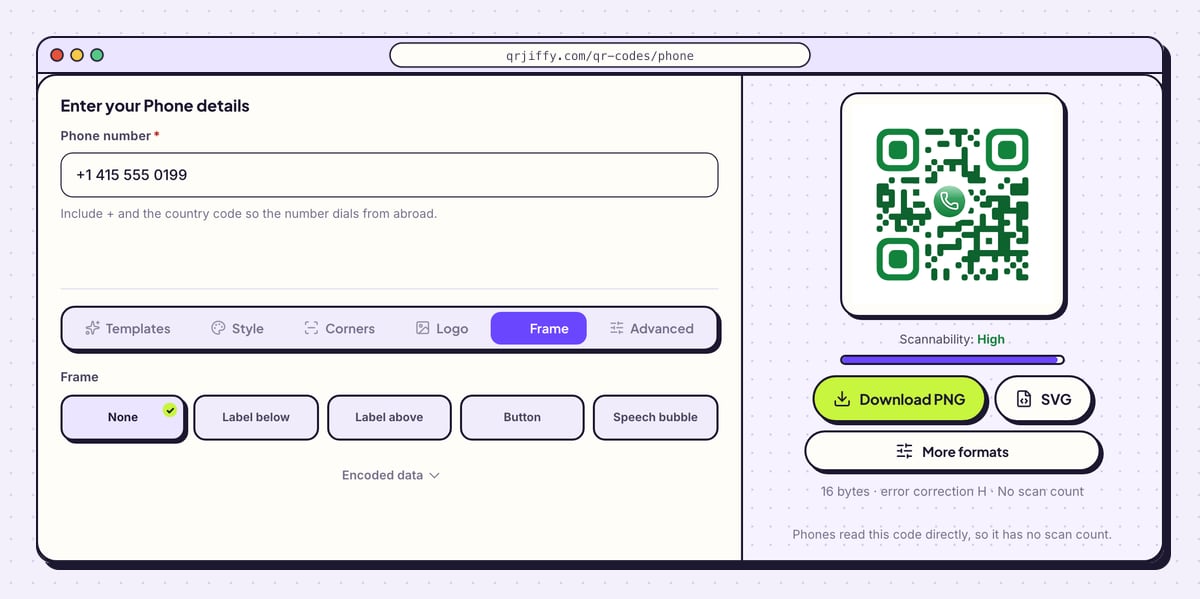
A code that dials a number surprises people unless it says so. On the Frame tab, six layouts are listed: None, Label below, Label above, Button, Speech bubble and Call to action. Pick one and type two or three words, such as “Scan to call” or “Call the office”.
Frame colour and Text colour set the look of the label. Dark text on a pale frame reads best from a distance.
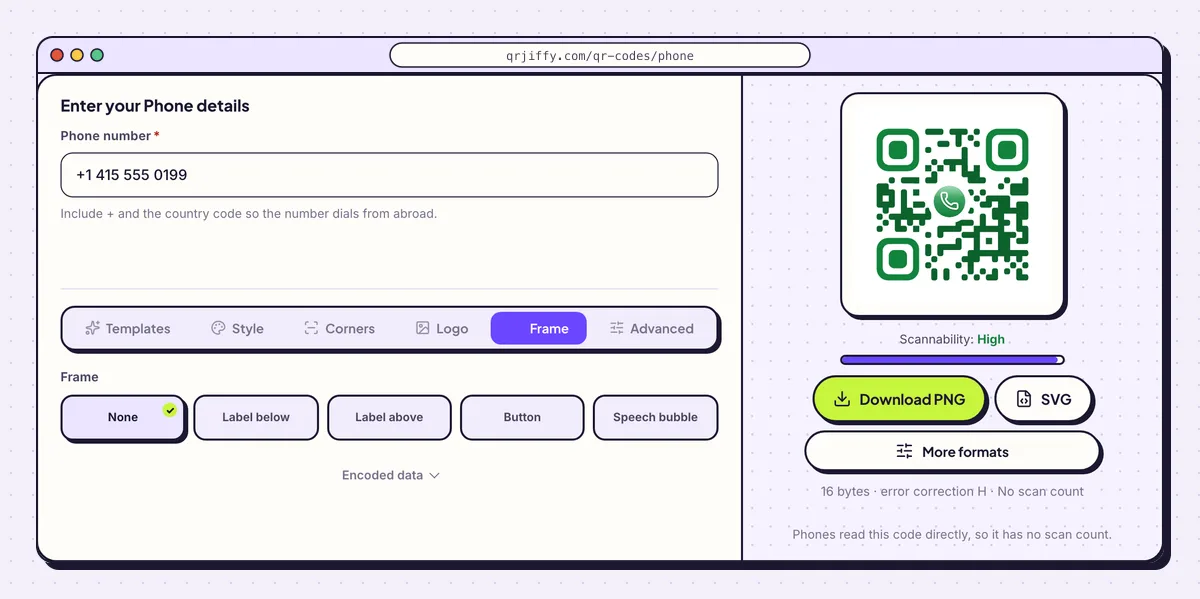
Six frame layouts add a short instruction around the phone code. 4Download the image
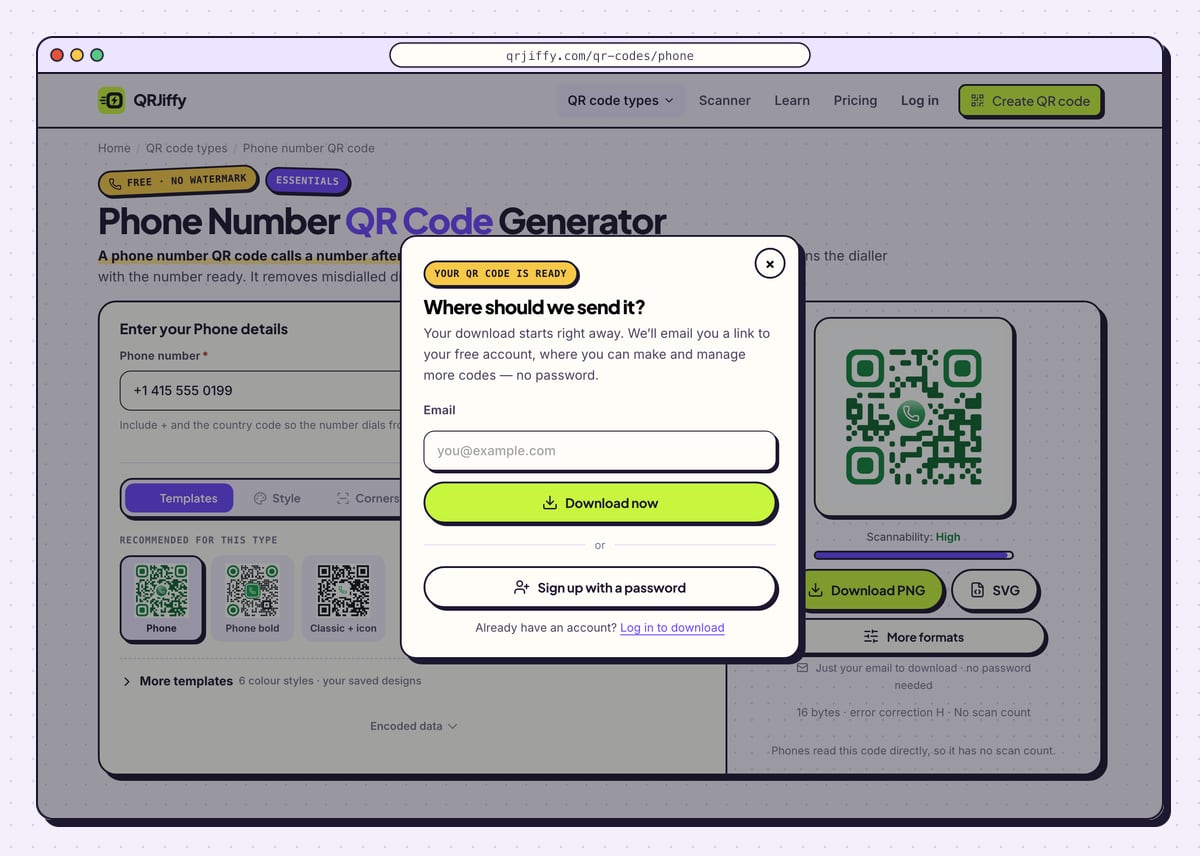
Use SVG for vehicle graphics and signboards, which are printed large, and Download PNG for menus, leaflets and web pages. New users get a prompt for an email address before the first file; enter it and click Download now. The PNG is called
qrjiffy-phone.png.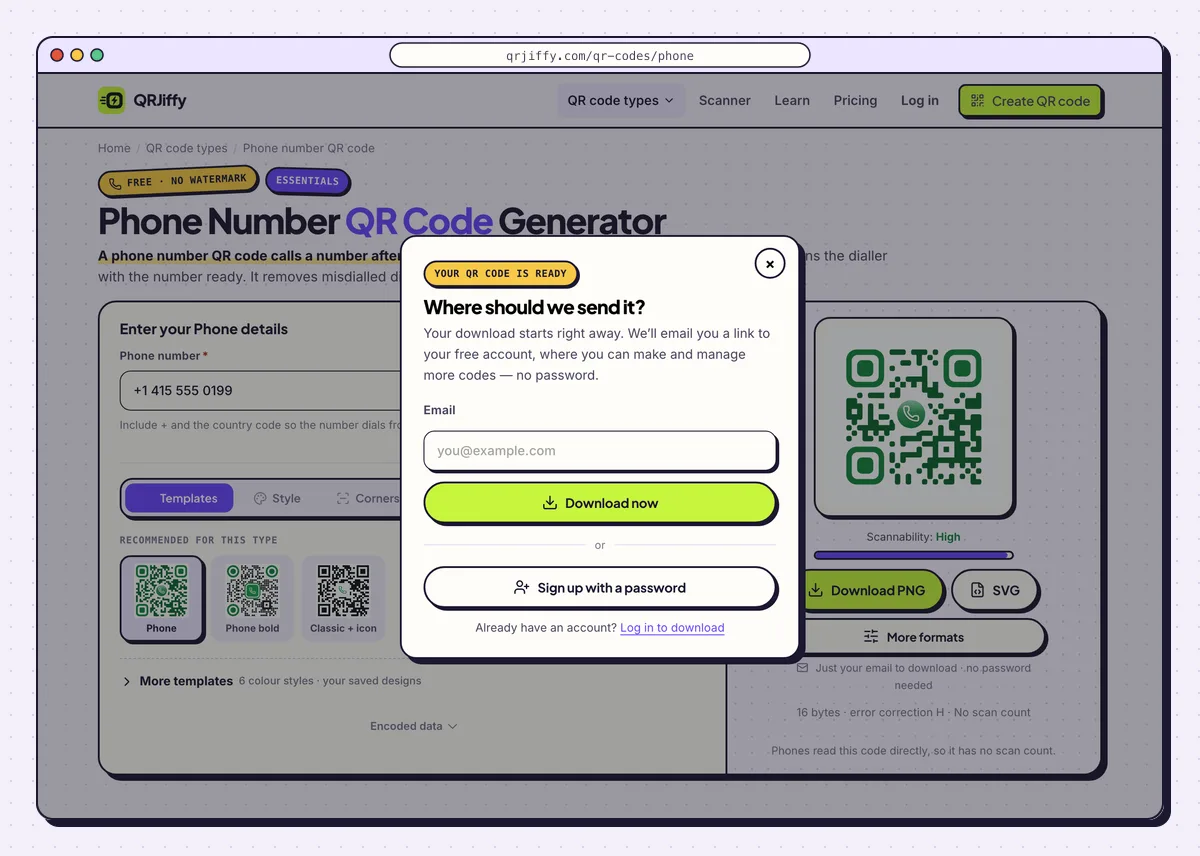
The email prompt that precedes the first download. 5Scan it and place a test call
Scan the downloaded code with a phone that has a SIM. An iPhone shows a banner starting “Call +1 415…” and then a call confirmation. An Android phone offers Call and opens the dialler with the number entered. Nothing dials until you tap, so go ahead and tap: confirm the right line rings.
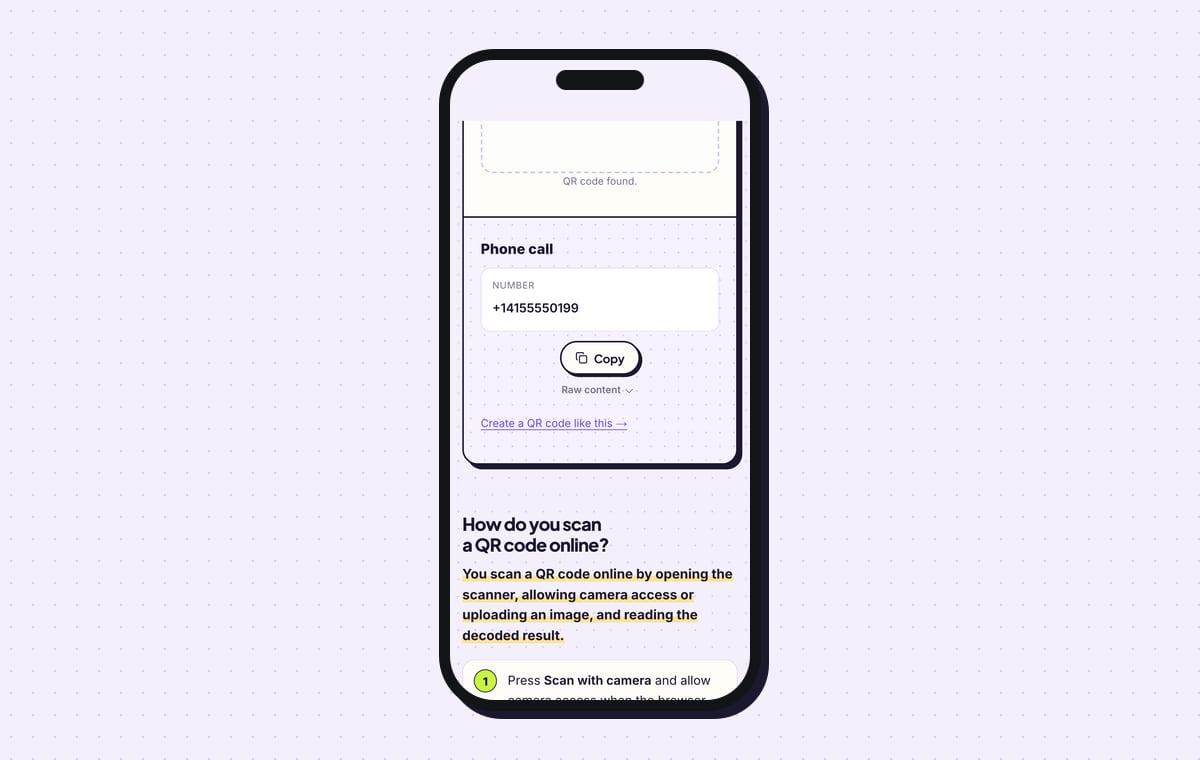
The QRJiffy scanner reads the same file as “Phone call” and prints the stored number, +14155550199, so you can compare every digit with your records.
Tip: Ask someone with a foreign SIM to scan it too, if your customers include visitors from abroad.
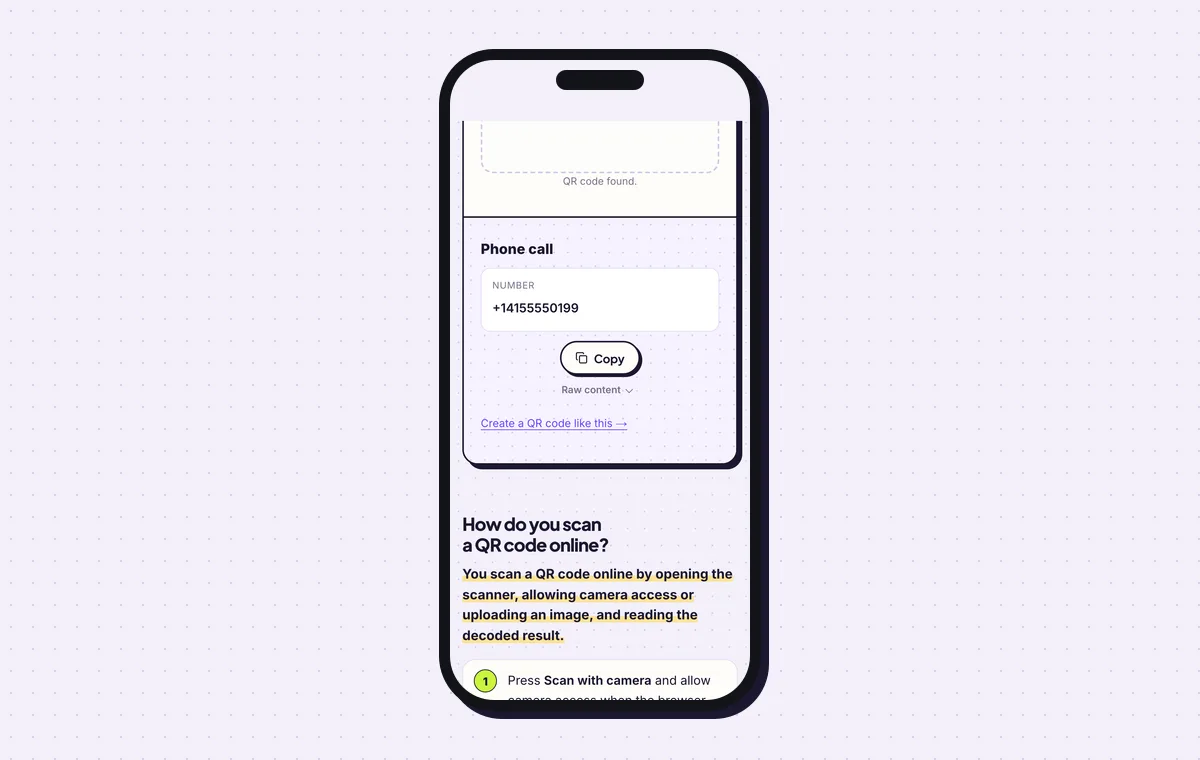
The scanner shows the exact number the code dials. 6Print it next to the written number
For paper held in the hand, 2 × 2 cm (0.8 in) is enough. For a van or a sign, make the code one tenth of the scanning distance: 20 cm wide to be read from 2 m. Print the number in digits beside it for people who prefer to dial. The QR code size guide lists widths for longer distances.
Tip: On vehicles, keep error correction on H (30%) in the Advanced tab. Road dirt and scratches then cover part of the code without stopping the scan.
Open the Phone Number QR Code generatorFree. Nothing to install.
What happens when someone scans a phone number QR code?
The phone offers to call the number, and the call starts only after the person taps to confirm. The code stores a tel: link, which cameras on iOS 11 or later and Android 9 or later recognise. The call goes over the mobile network, so no internet connection is involved.
- iPhone: the Camera banner reads “Call +1 415…”. Tapping it brings up a call confirmation.
- Android: the camera or Google Lens offers Call, which opens the dialler with the number in place.
- Tablets and iPads: a device without a SIM offers FaceTime, a linked phone or Copy in place of a call.
Can you change the number after the code is printed?
No. The digits are stored in the pattern, so a different number needs a new code and a reprint. Choose a number that outlasts the print: a main line or a forwarding number you control. When staff change, you redirect that line and the stickers stay on the vans.
How big does a phone QR code need to be on a van or sign?
Make it one tenth of the distance people scan from: 20 cm wide for 2 m, 50 cm wide for 5 m. A phone number is short, so the code has few, large dots and reads well at a distance. Keep error correction on H (30%) for anything that lives outdoors.
How do you know how many calls the code brings in?
Put a call-tracking number in the code, because the generator records no scans for phone codes. The phone dials straight from the pattern and never contacts a server. A tracking number used only on the code makes every call to it a call from the code.
What mistakes stop a Phone number QR code from working?
These 5 mistakes cause most failed Phone number QR codes; each has a quick fix. Test the downloaded file with two different phones before you print anything.
| Mistake | Fix |
|---|---|
| A national number such as 0800 555 0123 with no country code | Write it in international format, starting with + and the country code. |
| An employee’s personal mobile on a fleet of vans | Use the office line or a forwarding number that stays with the business. |
| A 3 cm code on a vehicle door | Print it 20 cm wide for scanning from 2 m. |
| Error correction lowered on a code for a vehicle | Keep H (30%) in the Advanced tab for vans and weathered surfaces. |
| No written number near the code | Print the digits beside it. Some people dial by hand. |
Frequently asked questions
Is a phone number QR code free?
Yes. The generator and both file formats are free, and no watermark is added. An email address or a free account is needed once, at the first download.
Does a phone QR code call automatically?
No. The dialler opens with the number filled in, and the person taps Call to start.
Does the caller pay for the call?
Yes. Standard call rates apply. A toll-free number such as an 800 or 0800 line removes the charge for callers.
Can a phone number QR code dial an extension?
Yes. Add a comma and the extension after the number, as in +18005550123,204. The comma creates a 2-second pause before the extension is dialled.
Can someone save the number instead of calling?
Yes. iPhone and Android both offer Add to Contacts from the call screen. A vCard QR code saves the full contact directly.
Ready to make your Phone number QR code?
The generator is free and works in the browser on a phone or a computer. Your code downloads as PNG for screens or SVG for print.
Open the Phone Number QR Code generator
Related guides: How to Print a QR Code · QR Code Size · QR Code Not Working