 QRJiffy
How to Make a Pinterest QR Code
You make a Pinterest QR code by copying the link to a profile, board or Pin, pasting it into a Pinterest QR code generator and downloading the code. A shopper scans it on a product tag and arrives on a board full of related ideas to save. Unlike a Pinterest Pincode, the result scans in any phone camera.
What do you need before you start?
You need 4 things ready, and no account to try the generator. A free account, or just your email, is asked for only at the download step.
- The link to the board or Pin: open it in Pinterest and tap Share › Copy link.
- For the whole account: your Pinterest username.
- A board that is public and holds at least 20 Pins.
- The tag, catalogue page or packaging artwork, and the paper it prints on.
How do you make a Pinterest QR code step by step?
Follow these 7 steps in the Pinterest QR Code generator; the preview updates as you type. Each screenshot below is the real screen, filled in with a sample bakery’s details.
1Pick a profile, a board or a single Pin
The three Pinterest destinations do different jobs. A board shows a themed collection and converts best for products and events. A profile builds followers for the brand as a whole. A Pin shows one idea, which is right for one recipe or one tutorial.
Open the one you want and tap Share › Copy link. The app gives a short
pin.it/…redirect. The full address, such aspinterest.com/yourbrand/spring-recipes/, also works.2Paste the board link or type your username
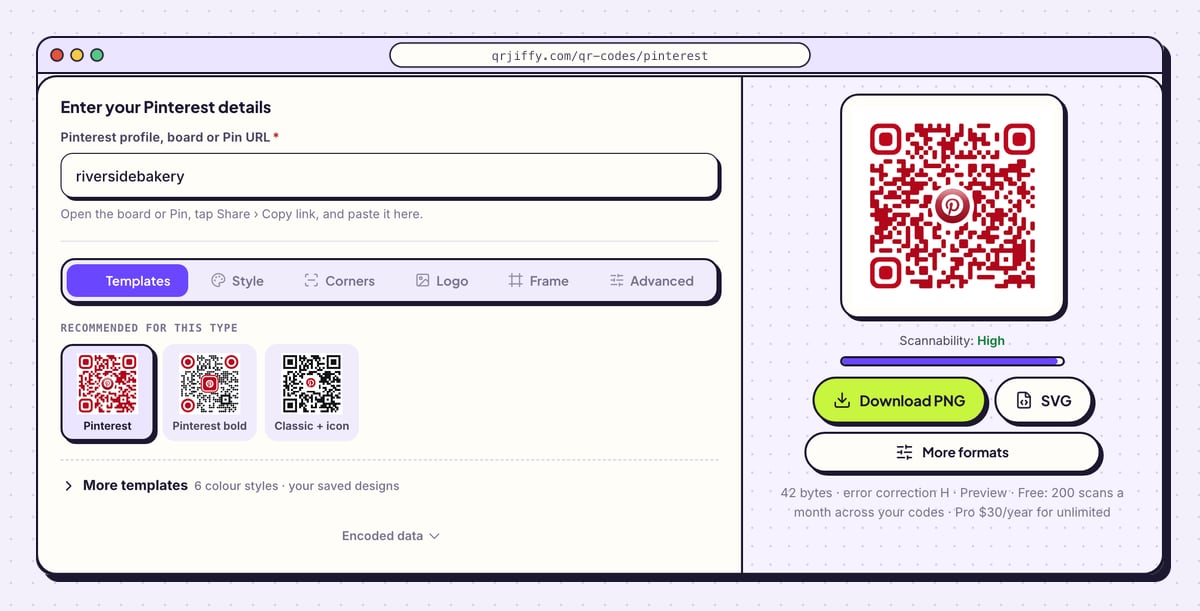
The Pinterest QR code generator has one field, Pinterest profile, board or Pin URL. Paste the copied link into it. For a profile, the username is sufficient:
riversidebakeryis written out ashttps://www.pinterest.com/riversidebakery/, with the closing slash added.A board or Pin needs its complete link, since a username points at the profile. The preview shows the code with the Pinterest logo at its centre.
Tip: Name boards in plain words before you copy the link, for example “Spring recipes”. Visitors see that name at the top of the board.
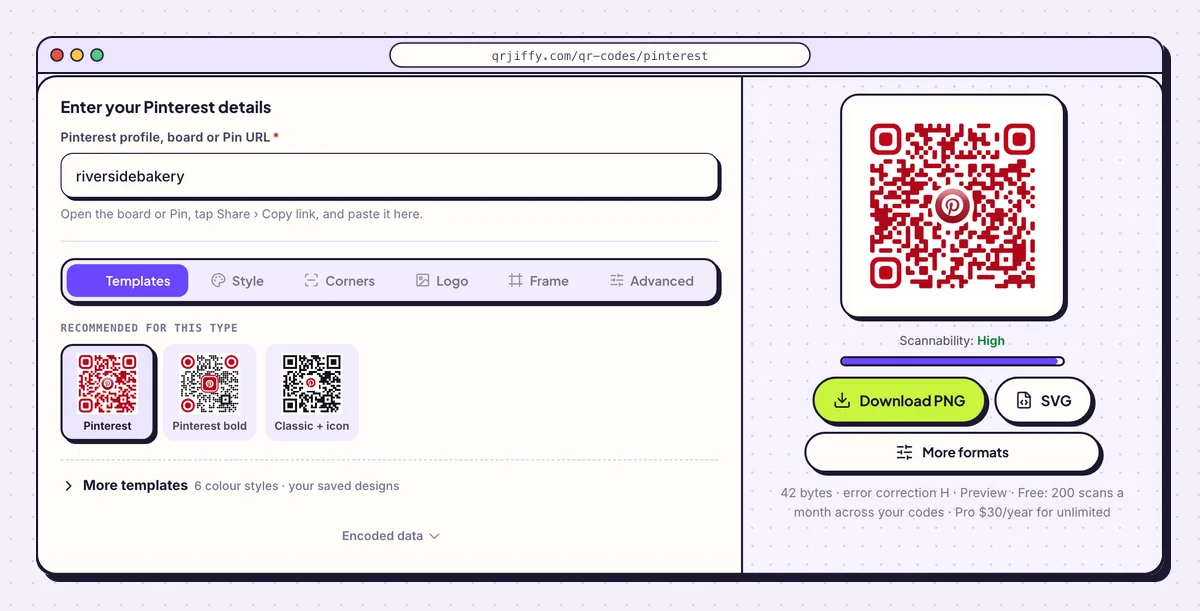
A username gives a profile code. A pasted board link gives a board code. 3Adjust the Pinterest logo
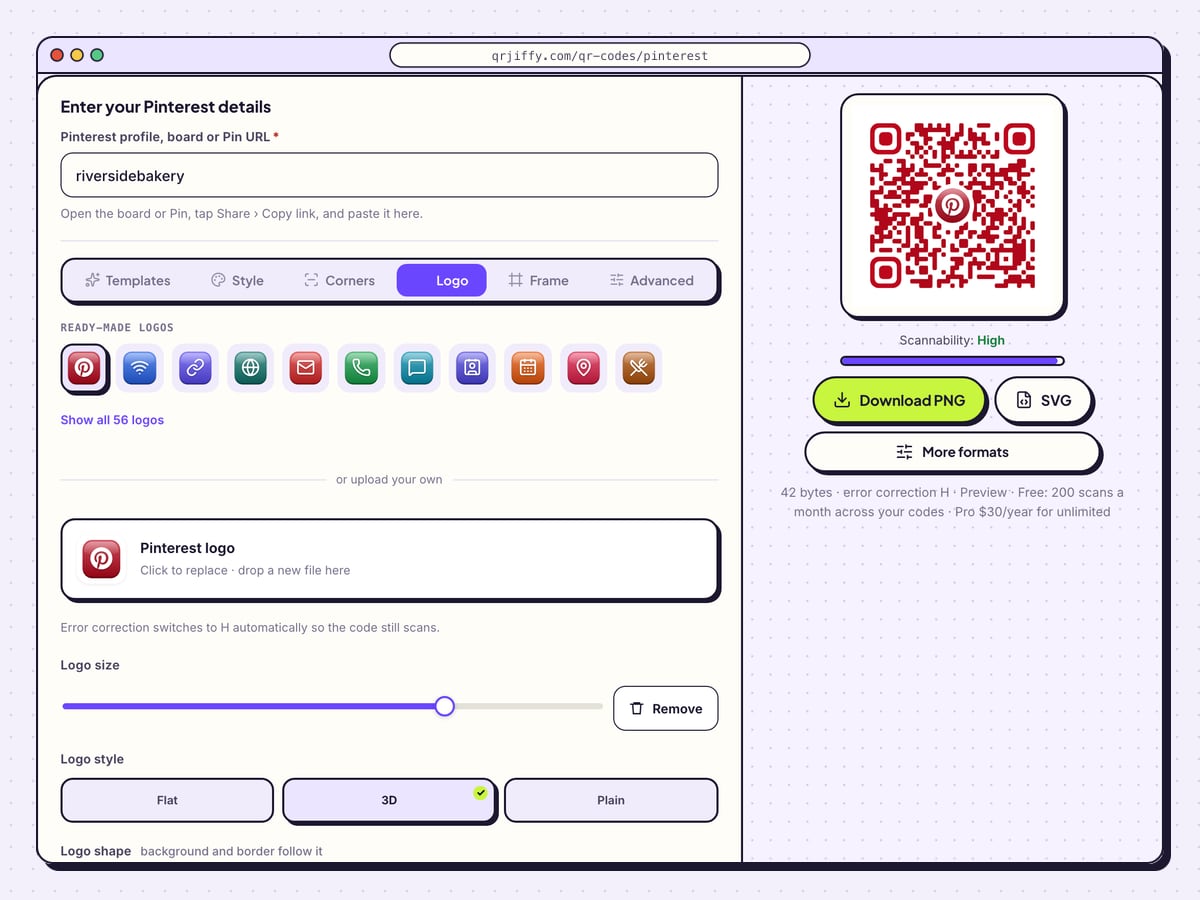
Select the Logo tab. The Pinterest icon is in place, with Logo size below it and three renderings: Flat, 3D and Plain. Padding sets the space between the logo and the dots, and Logo background colour, Border and Border colour frame it.
With a logo in the middle, error correction moves to H, which recovers 30% of the pattern. On a small craft tag, reduce the logo a little so the dots around it stay large enough to print cleanly.
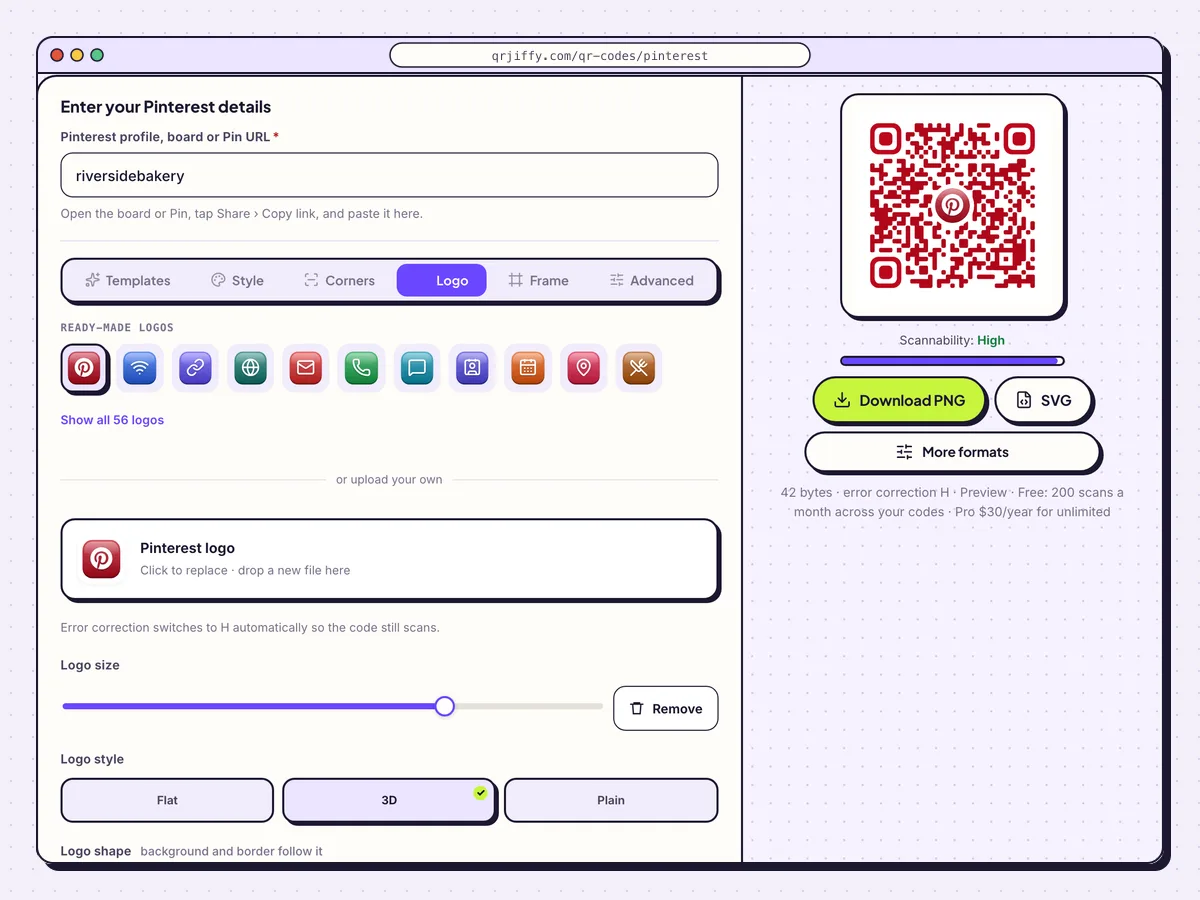
The Pinterest icon comes pre-selected; size, padding and border are adjustable. 4Download the artwork file
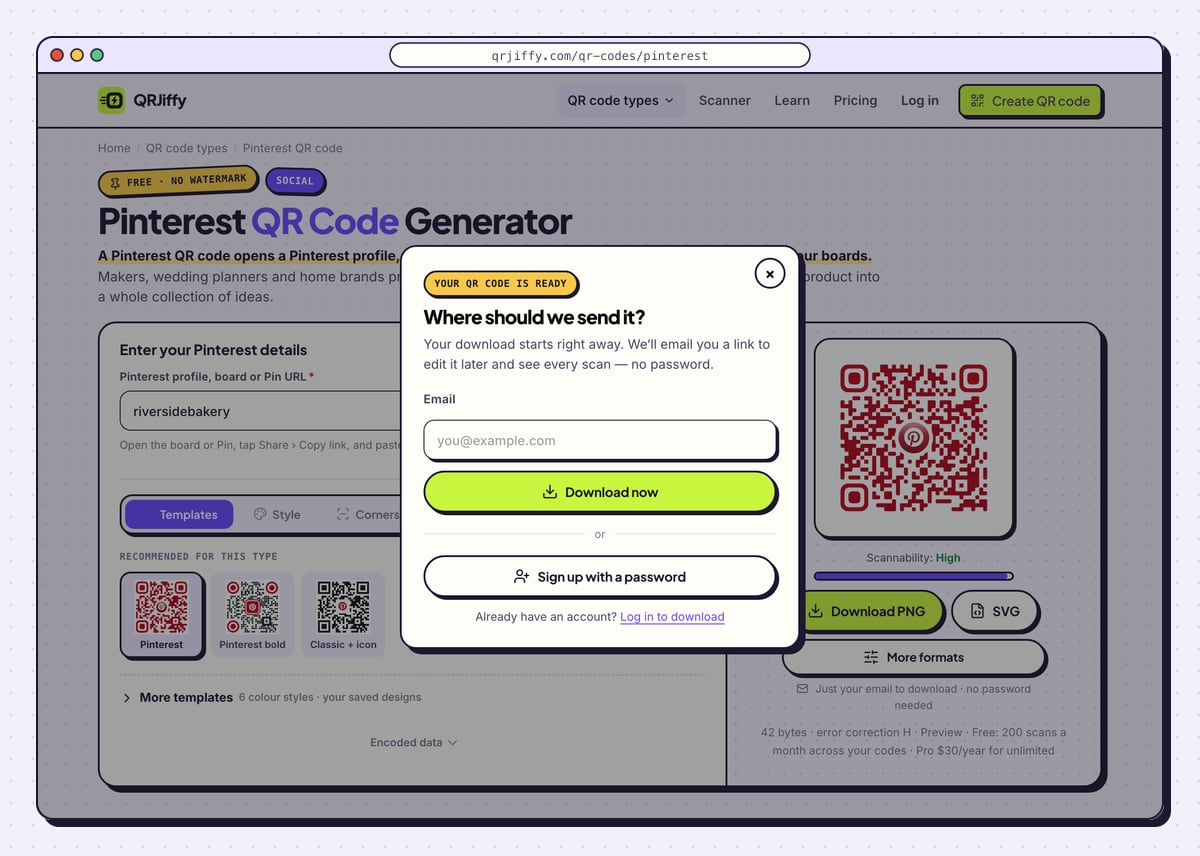
Packaging and catalogue printers want the SVG. For a home printer or a market-stall sign, Download PNG is enough. The download asks one question the first time, “Where should we send it?”: give an email and choose Download now, or pick Sign up with a password for a regular login.
Look for
qrjiffy-pinterest-rAYtaPP.pngor similar in your downloads. The generator page now shows the short link that the code contains.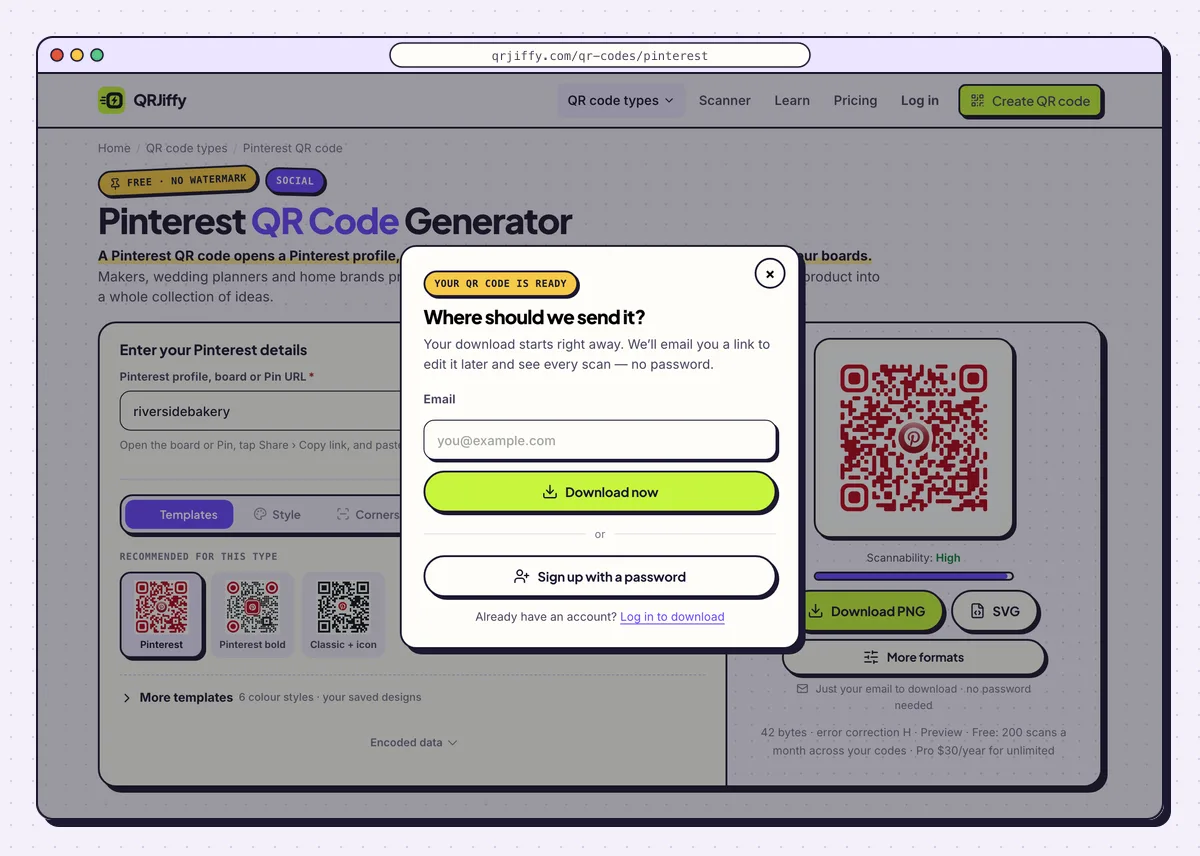
The prompt takes an email and releases the file immediately. 5Check that the right board opens
Scan the code with a phone that has the Pinterest app: the board opens in the app, ready to save from. Then try a phone without it. The board loads on pinterest.com, where Pinterest shows a preview and asks visitors to log in before they save Pins.
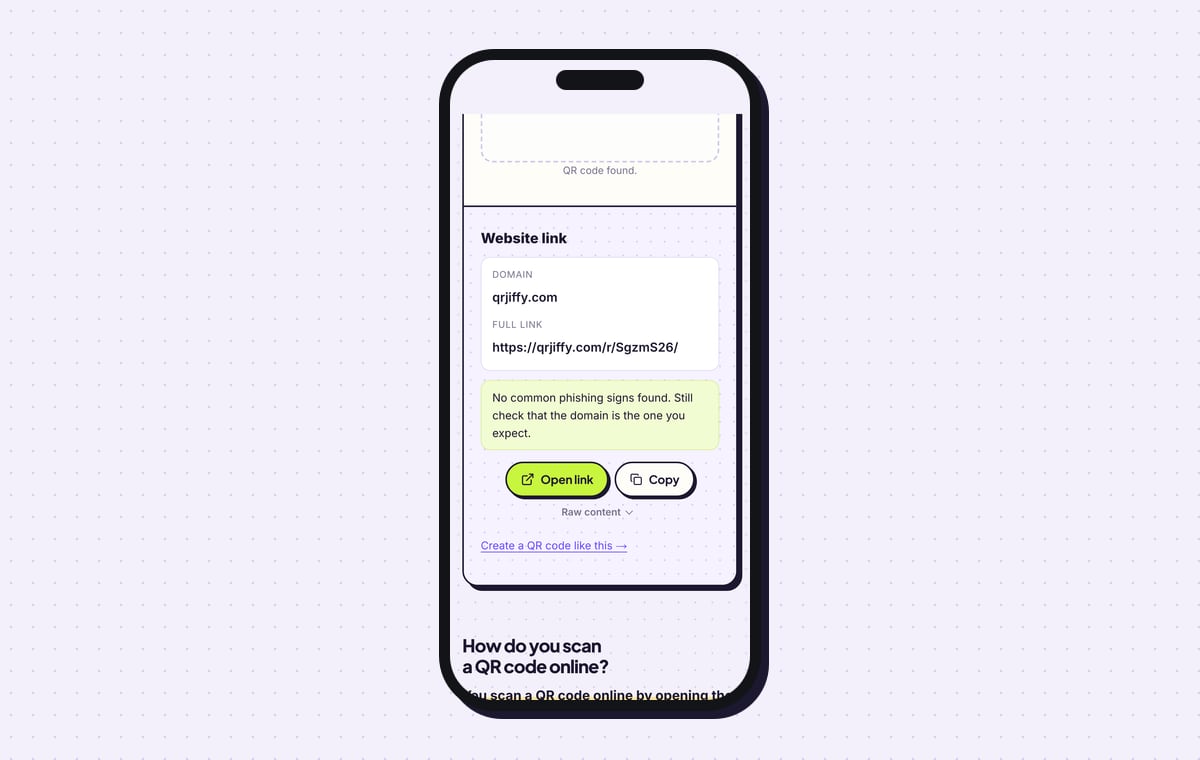
A secret board shows an error to everyone except you and invited collaborators. The QR code scanner reads the file as a Website link; tap Open link in a private browser tab to see the board as a stranger does.
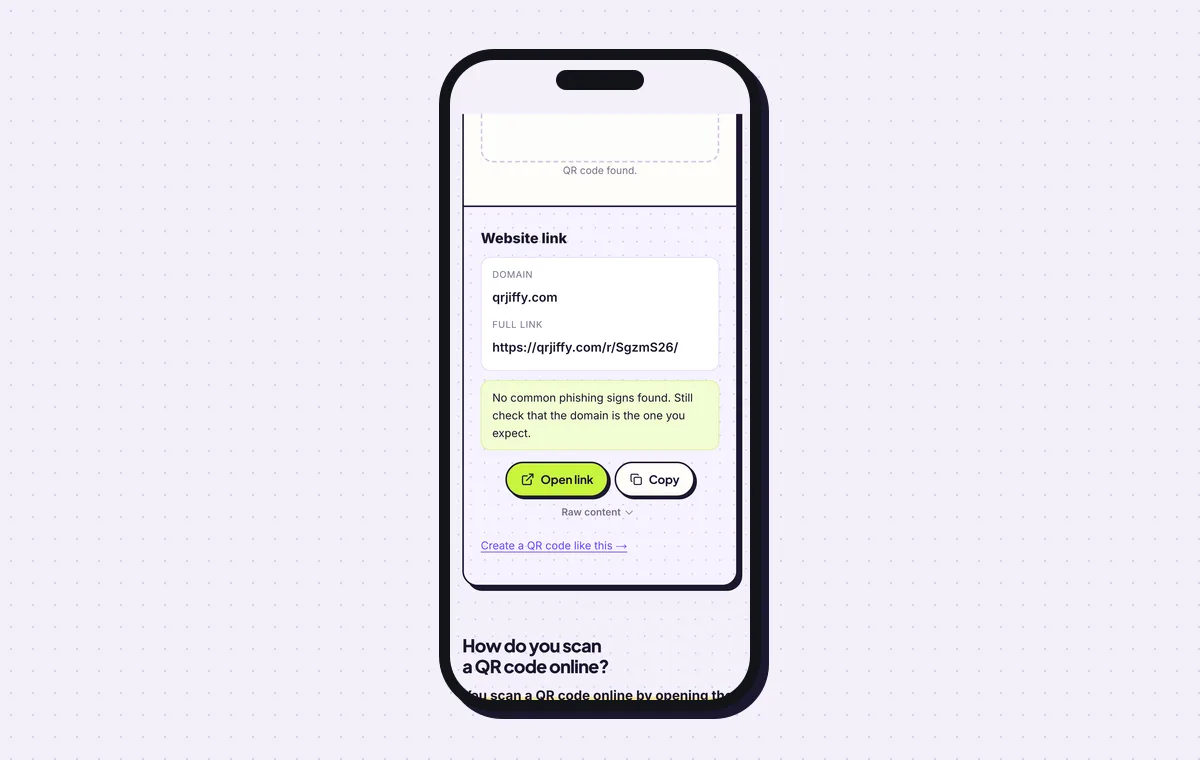
Open link from the scanner result leads to the Pinterest board. 6Rotate the board with the season
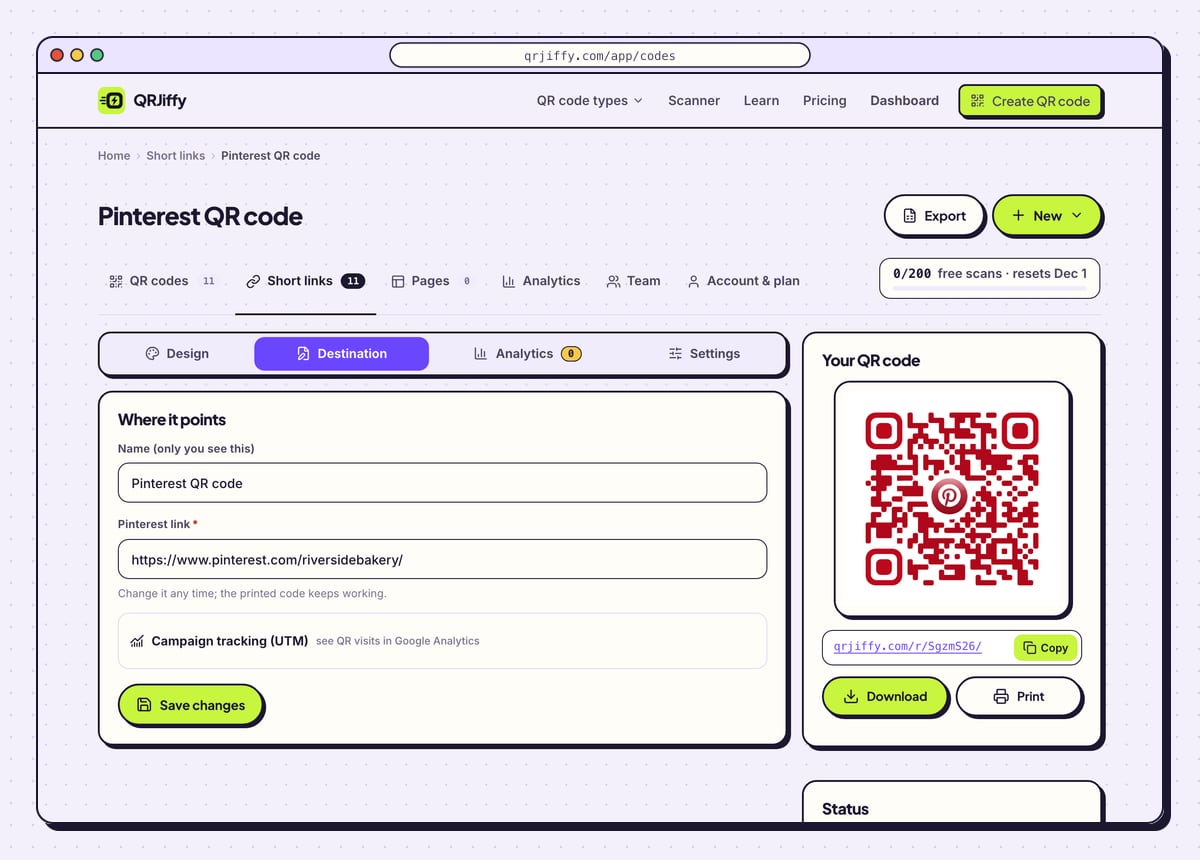
A tag printed in spring still hangs on stock in autumn. In the dashboard, open the code, go to Destination and replace the spring board link with the autumn one. Every tag already printed now opens the new board.
Analytics breaks scans down by day, device and country, which shows whether the craft-fair weekend or the catalogue mailing brought more visits. Up to 200 scans a month are free across all codes, and Pro covers unlimited scans for $30 a year.
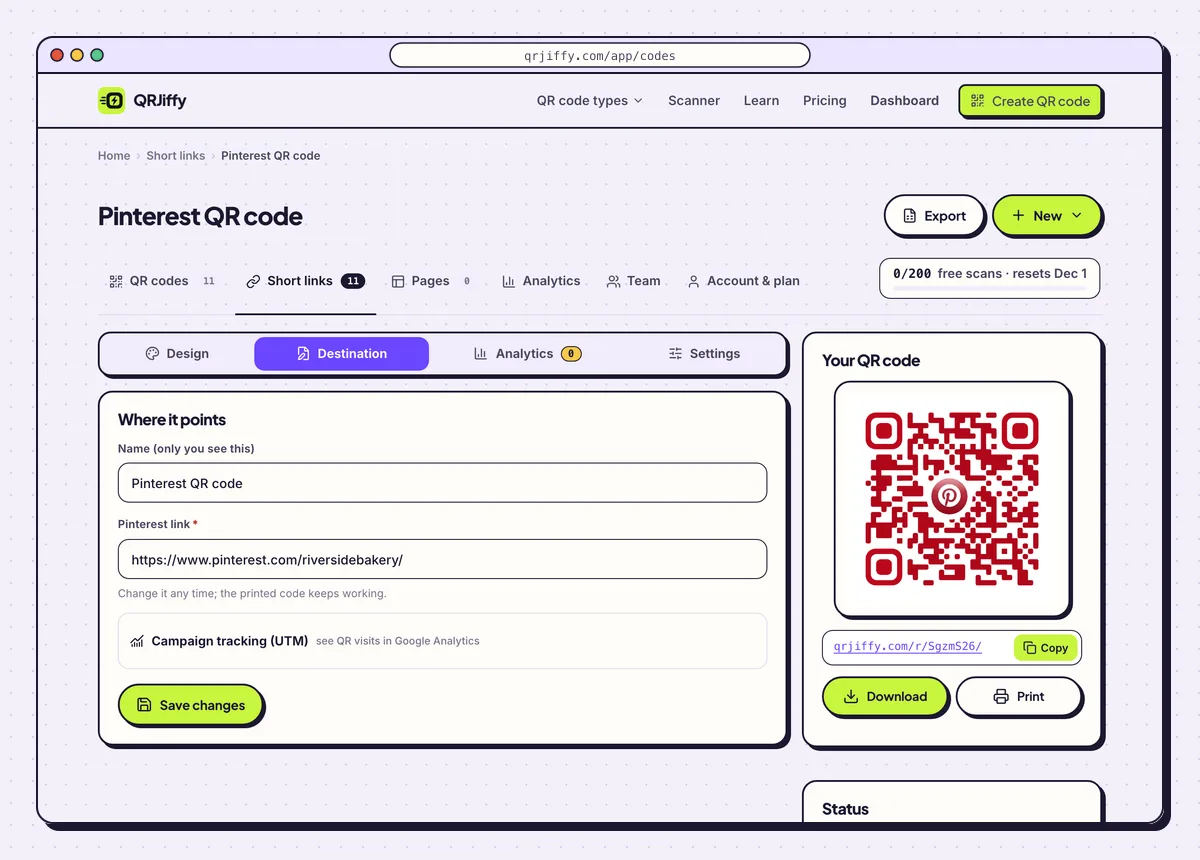
Changing the board under Destination updates every printed tag at once. 7Print on tags, kraft packaging and catalogues
On a product tag, print the code at least 2 × 2 cm (0.8 in) with a blank margin 4 dots wide. On kraft paper and textured card, switch error correction to Q in the Advanced tab when no logo is used; a code with a logo is already on H.
Add a promise beside the code, for example “Scan for 30 more ideas”. Craft-fair tables, wedding brochures, recipe packaging and catalogue pages are where a board code earns its space.
Open the Pinterest QR Code generatorFree. Nothing to install.
What is the difference between a Pincode and a Pinterest QR code?
A Pincode is Pinterest’s own circular code and scans only inside the Pinterest app, while a Pinterest QR code scans in every phone camera. That makes the QR code the one to print for a general audience. It reaches people who do not have Pinterest open, or do not have it installed.
Is it better to link to a board, a Pin or the profile?
A board link works best for products and events, a profile link for brand growth, and a Pin link for one recipe or tutorial. On packaging, a board turns one product into a curated set of related ideas. Pick a board with at least 20 Pins so the visitor finds depth after the scan.
What does the person scanning see?
The phone camera shows a link banner, and one tap opens the board in the Pinterest app or on pinterest.com. iPhones on iOS 11 or later and Android phones on Android 9 or later need no extra app.
- With the Pinterest app: the board opens in the app, ready to browse and save.
- Without the app: the browser shows a preview of the board, and Pinterest asks for a login before saving.
- Secret boards: scanners see an error. Only you and invited collaborators see a secret board.
What mistakes stop a Pinterest QR code from working?
These 5 mistakes cause most failed Pinterest QR codes; each has a quick fix. Test the downloaded file with two different phones before you print anything.
| Mistake | Fix |
|---|---|
| The code links to a secret board | Make the board public first. Secret boards are invisible to scanners. |
| The board has five Pins | Fill it to at least 20 Pins before printing, so the scan feels worth it. |
| A fine-detail code is printed on kraft paper | Use error correction Q or H and print at 2 × 2 cm or larger. |
| A Pincode was printed for the general public | Print a QR code; a Pincode scans only inside the Pinterest app. |
| A username was typed when a specific board was intended | Paste the board’s full link. A username opens the profile. |
Frequently asked questions
Is a Pinterest QR code free?
Yes. The code is free for print and packaging and has no watermark. Free accounts include 200 scans a month.
Can a QR code open a specific Pinterest board?
Yes. Copy the board’s link with Share and Copy link, then paste it into the generator. The scan opens that board.
Does it work for people without the Pinterest app?
Yes. The board opens on pinterest.com in the browser. Pinterest asks visitors to log in before they save Pins.
How big does the code need to be on a product tag?
At least 2 × 2 cm, or 0.8 in, with a blank margin four dots wide around it.
Do pin.it short links work in the generator?
Yes. Both the pin.it redirect copied from the app and the full pinterest.com address work.
Ready to make your Pinterest QR code?
The generator is free and works in the browser on a phone or a computer. Your code downloads as PNG for screens or SVG for print.
Open the Pinterest QR Code generator
Related guides: How to Print a QR Code · QR Code Size · QR Code Not Working