 QRJiffy
How to Make a Product QR Code
You make a product QR code by pasting the address of a product page, manual or reorder page into a product QR code generator and placing the downloaded code on your packaging artwork. A customer scans the box and the page opens in the phone’s browser. Making the code takes 3 minutes. Proofing it on the real material takes longer and matters more.
What do you need before you start?
You need 4 things ready, and no account to try the generator. A free account, or just your email, is asked for only at the download step.
- The URL of the page customers need after buying: setup guide, manual PDF, ingredients, warranty form or reorder page.
- A page on a domain you control that loads quickly on mobile data.
- Your logo file, if the code is to carry it.
- The panel size and material of the pack: flat or curved, matte or glossy.
How do you make a Product QR code step by step?
Follow these 7 steps in the Product QR Code generator; the preview updates as you type. Each screenshot below is the real screen, filled in with a sample bakery’s details.
1Decide what the scan opens
Pick the one page a buyer needs most. For electronics that is a quick-start video or manual. For food it is ingredients, allergens and recipes. For cosmetics it is the full ingredient list, and for consumables a reorder page. Shoppers also scan in the aisle before buying, so the page has to load in under 2 seconds on mobile data.
2Paste the product page URL
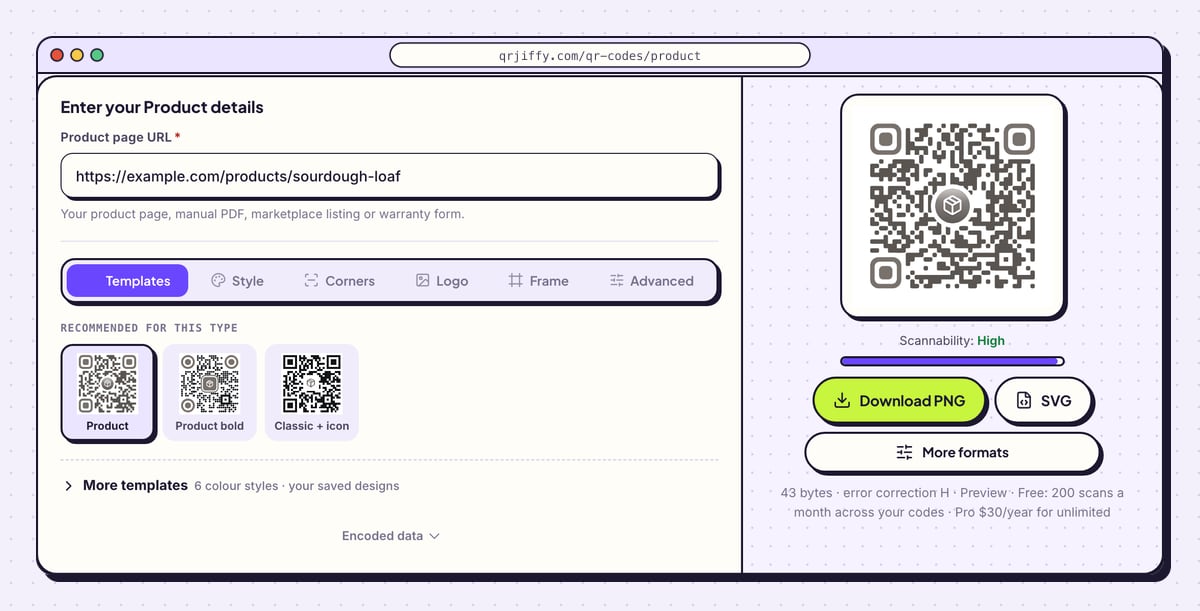
Open the product QR code generator and paste the address into Product page URL, including
https://. The sample ishttps://example.com/products/sourdough-loaf. The helper text lists what fits: a product page, manual PDF, marketplace listing or warranty form.To see pack scans in Google Analytics as well, add
?utm_source=qr&utm_medium=packagingto the end of the address. QRJiffy counts scans in its own dashboard either way.Tip: Open the URL in a private browser window first. A page that asks for a login on first visit stops customers before they reach the content.
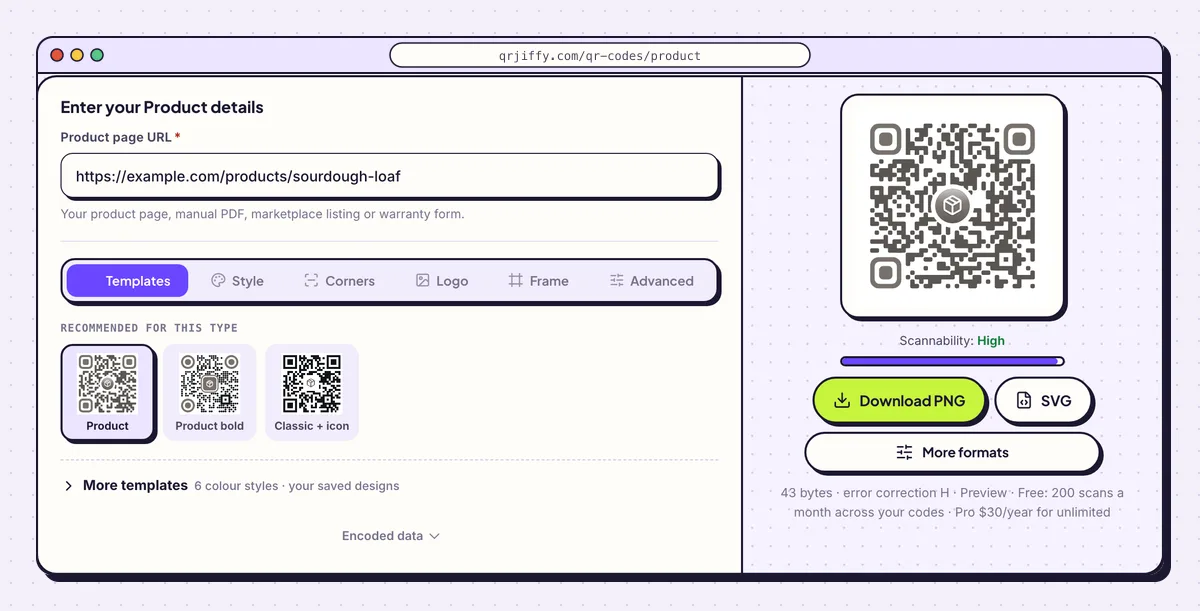
One field: the address the pack sends customers to. 3Add your logo and set error correction
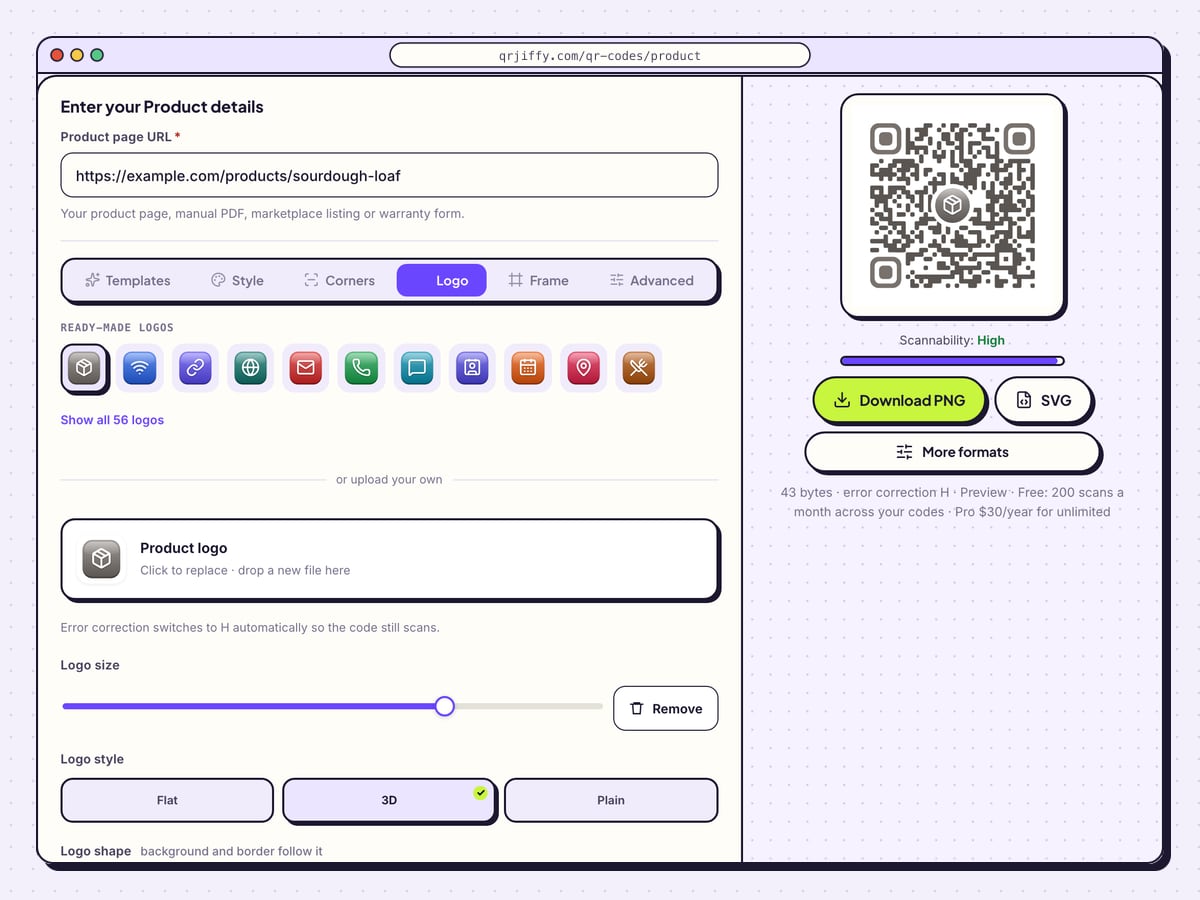
Open the Logo tab and drop your file on the box labelled Product logo. Set Logo size, pick from the options beside it (Flat, 3D, Plain, Square, Rounded, Circle), and tune Padding so the dots do not touch the artwork. Adding a logo raises error correction automatically.
Without a logo, open Advanced and choose error correction Q for curved or glossy packs. Q recovers 25% of a damaged or distorted code.
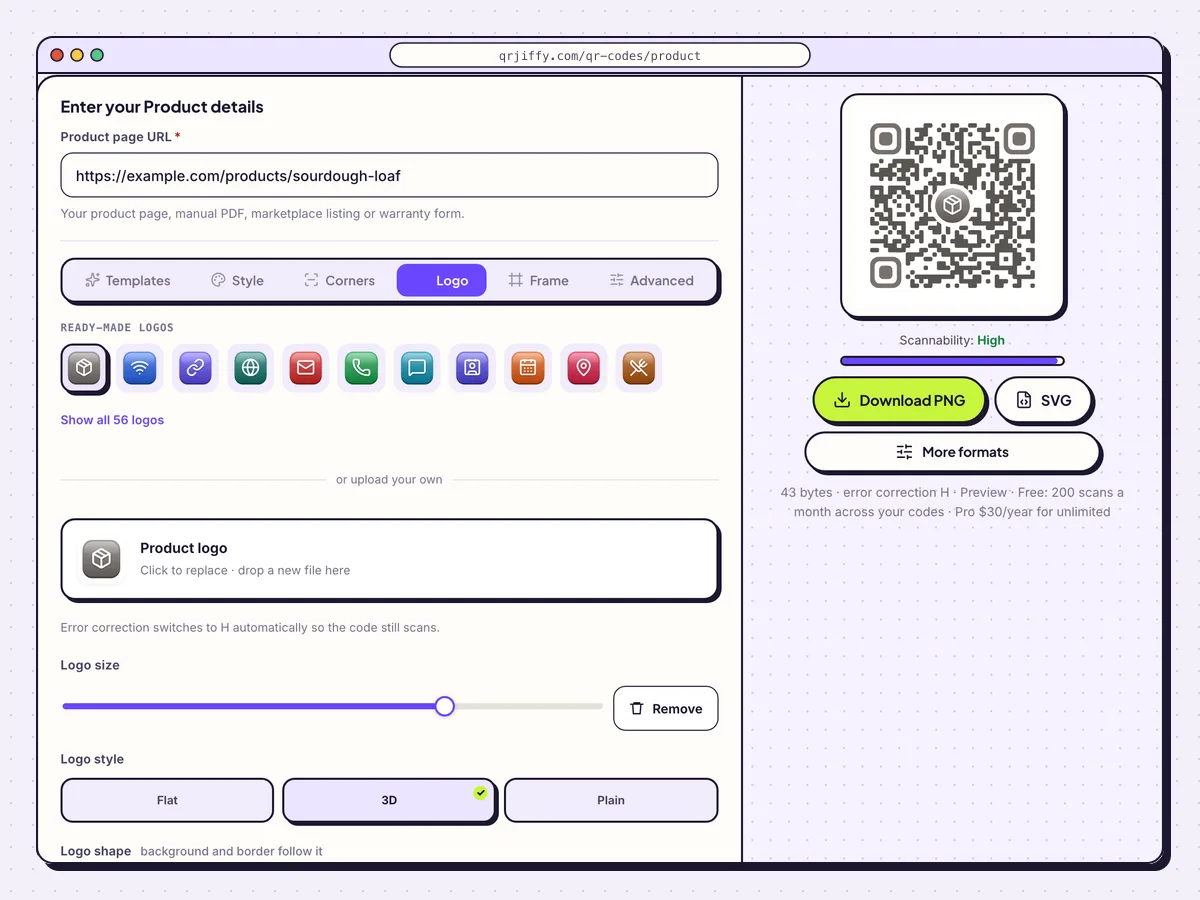
The Logo tab puts your brand mark in the centre of the pack code. 4Download the SVG for the artwork
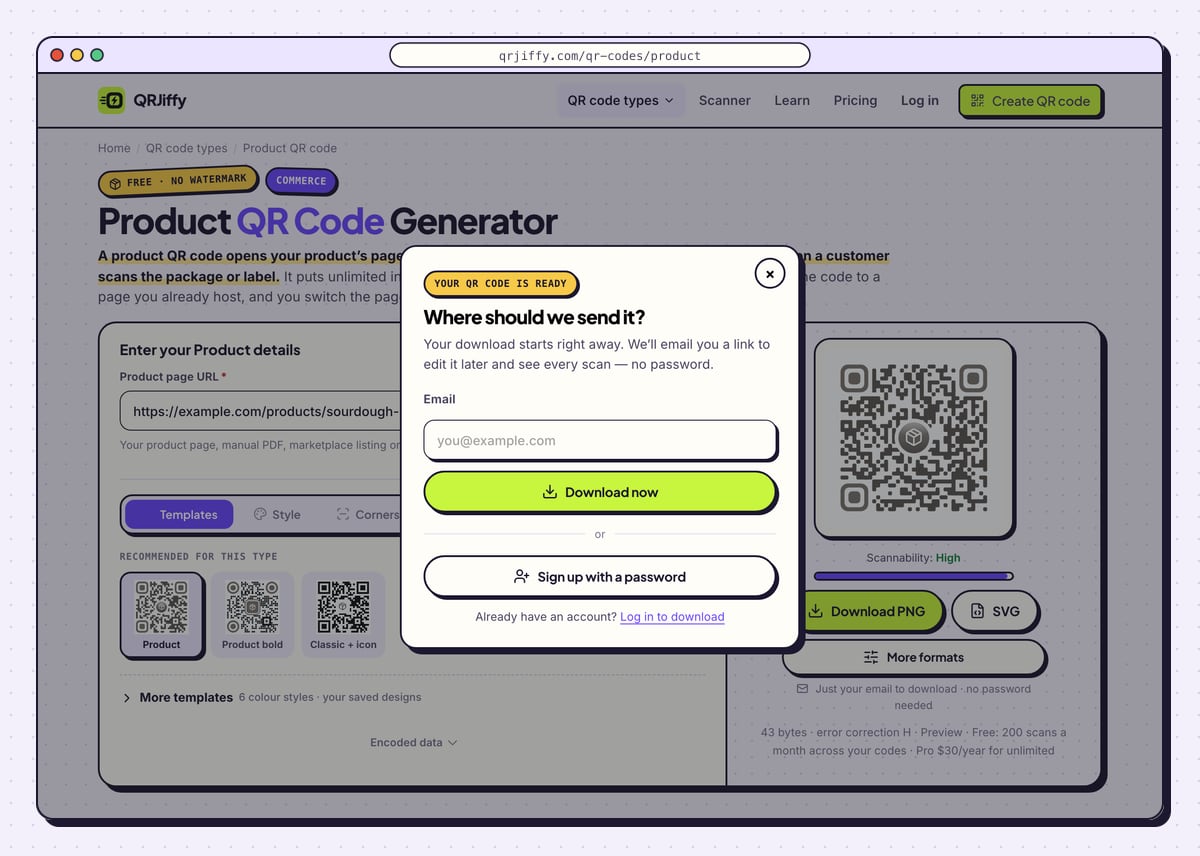
Click SVG: packaging artwork needs a vector file that stays sharp at any size. Download PNG is for mock-ups and slides. Enter an email in the dialog and press Download now. The PNG is named like
qrjiffy-product-7pYAw7E.png, and the page shows the short linkqrjiffy.com/r/…that the code holds.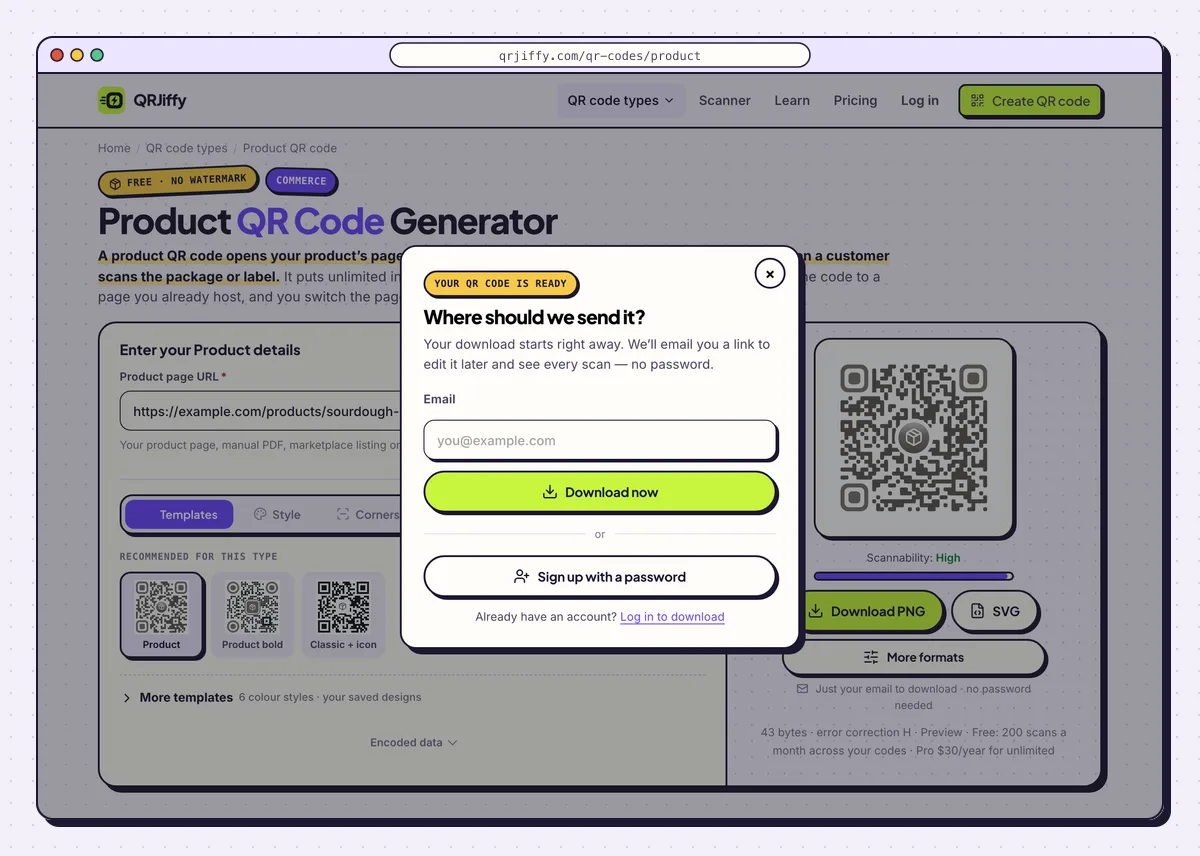
The file downloads as soon as the email is entered. 5Place the code on a flat panel
Set the code at 2 × 2 cm (0.8 in) or larger on the artwork, with a clear margin of 4 dots on all sides. Use a flat panel: curves wider than 15° distort the pattern. Print a call to action beside it, such as “Scan for setup video”. Keep the EAN or UPC barcode on the pack, because a product QR code does not ring up at the checkout.
6Proof it on the real material
Print one proof on the actual carton, pouch or label stock and scan it with an iPhone and an Android phone under shop lighting. Gloss, curves and creases defeat codes that scan perfectly on a monitor. Do this before the full print run.
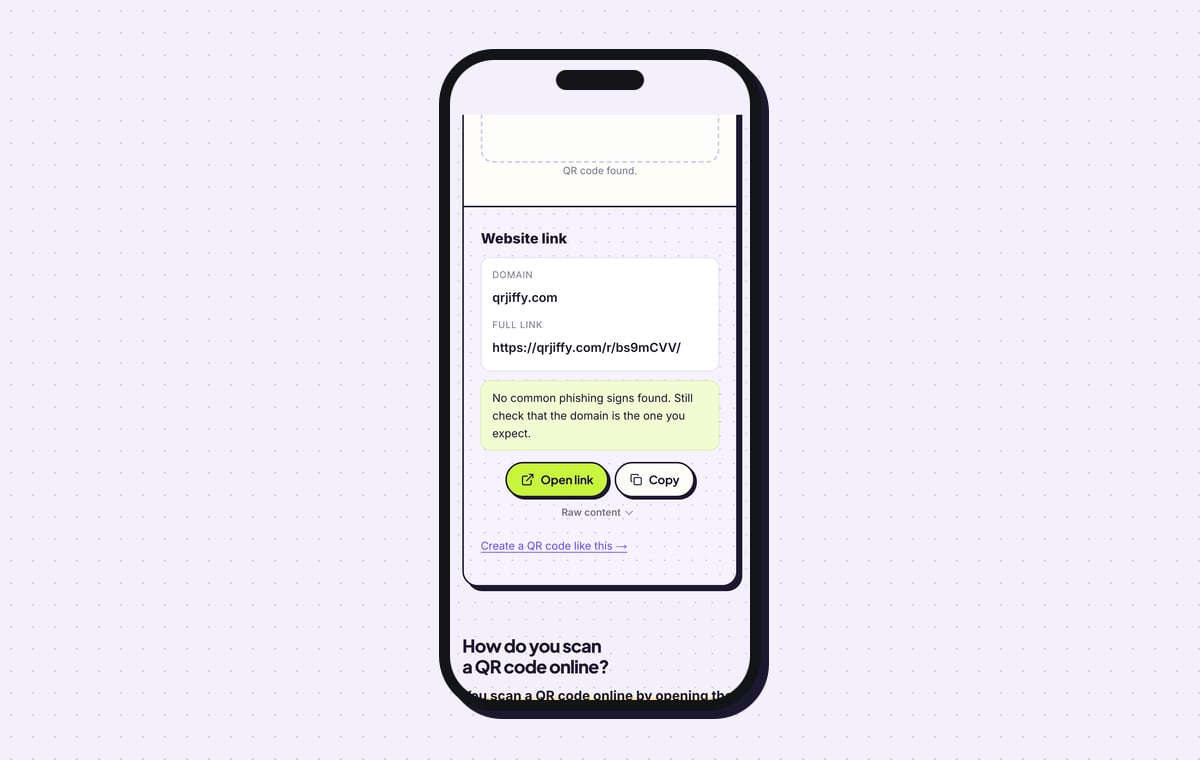
To confirm the file itself, upload it to the QR code scanner: it shows a website link on qrjiffy.com, and Open link lands on your product page.
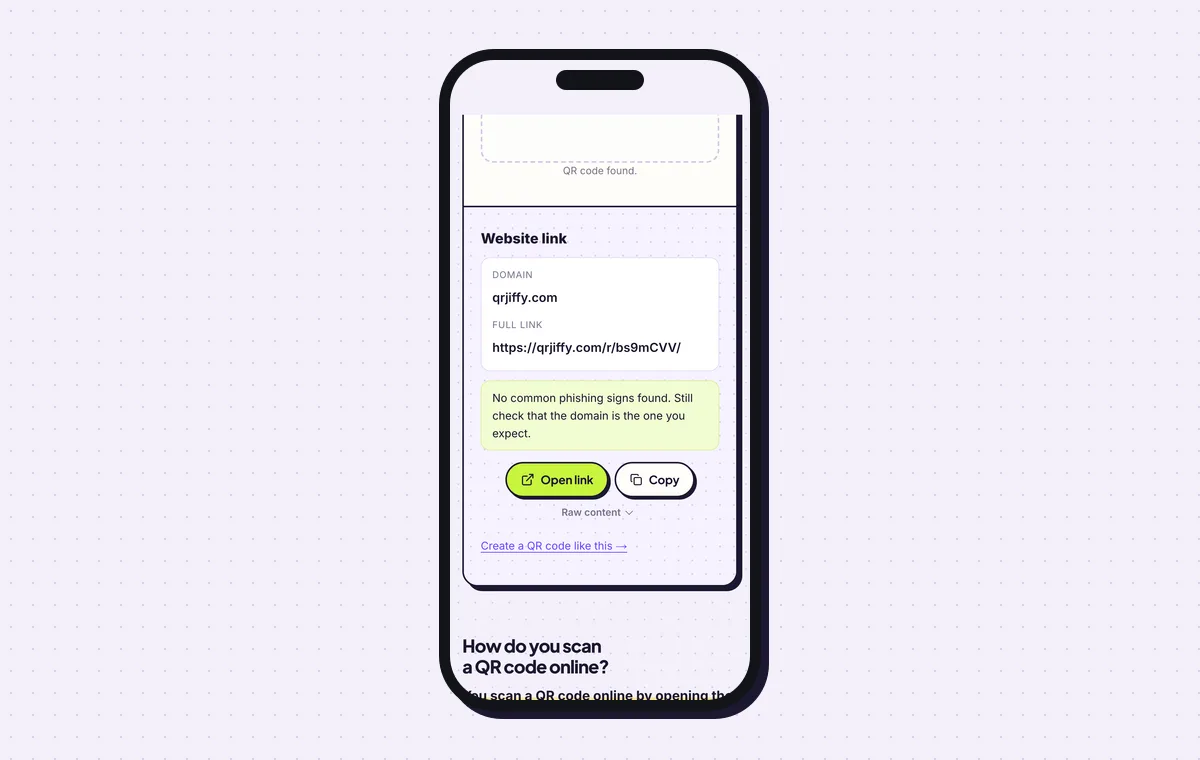
The file check: the short link in the code, which forwards to the product page. 7Repoint the code and read the scan numbers
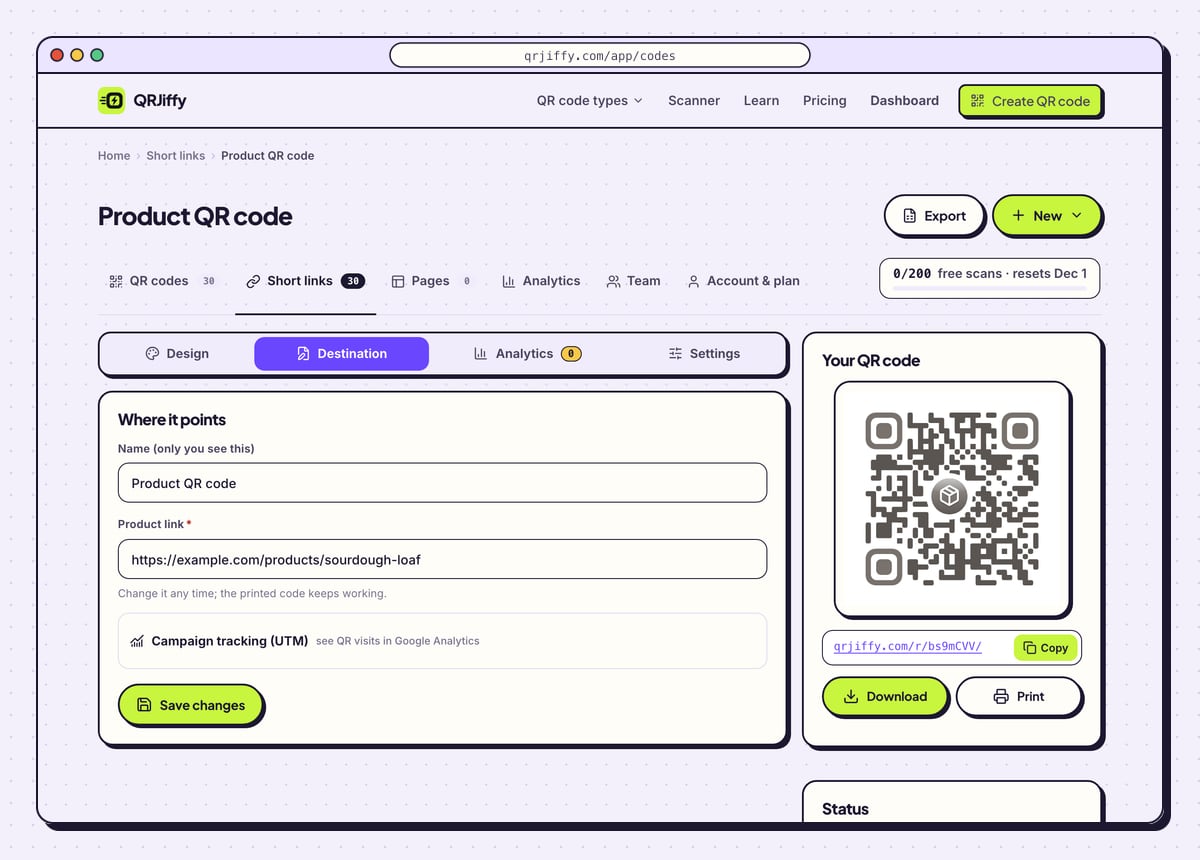
The code appears in your QRJiffy dashboard with four tabs. Destination swaps the page behind the code: a new manual version, a seasonal recipe, a replacement product. The printed packaging stays as it is. Analytics shows scans by day, device and country, and Design re-styles the code for the next print run.
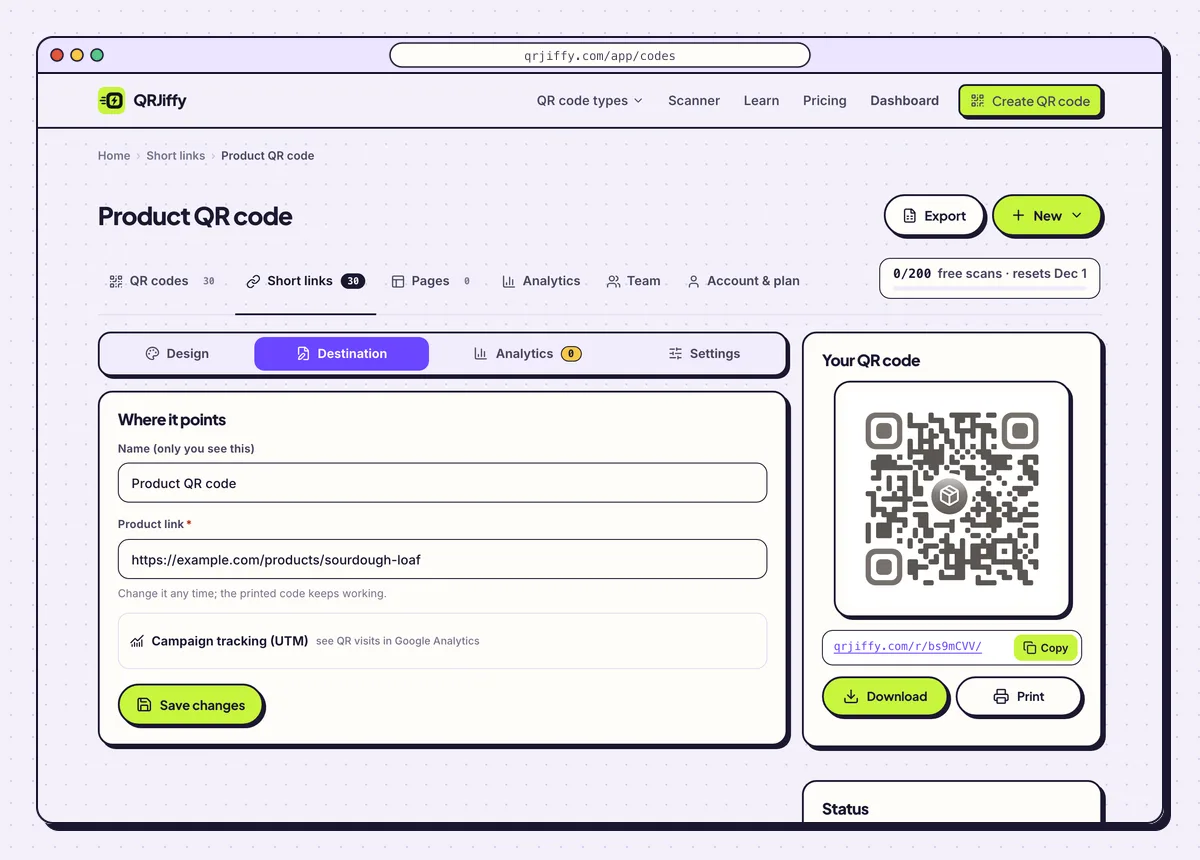
Destination changes the page behind packs already on shelves.
Open the Product QR Code generatorFree. Nothing to install.
Can you change where a product QR code goes after the packaging is printed?
Yes, the code holds a QRJiffy short link, and you point that link at a new page in the dashboard without touching the packaging. This matters for products, because a box stays in a home for years. When a product is discontinued, send the code to a support page or the replacement product. A free account covers 200 scans a month across all codes; Pro is $30 a year for unlimited scans.
How big does a QR code need to be on packaging?
Print it at least 2 × 2 cm (0.8 in), with a quiet margin of 4 dots around it. Larger codes scan faster on shelves and on curved packs. A code read from a distance needs a width of about one tenth of that distance: 10 cm for a display read from 1 metre.
- Glossy or curved surfaces: choose error correction Q in the Advanced tab.
- Contrast: dark dots on a light, unpatterned patch of the artwork.
- File: SVG, placed at 100%, never a screenshot.
Does a product QR code replace the barcode?
No, a product QR code holds a web link that phones open, and checkout scanners need the GTIN from an EAN or UPC barcode. Keep both on the pack. The one QR format that carries a GTIN for the checkout is a GS1 Digital Link QR code, which is a different generator with its own rules.
Can a QR code on a product prove it is genuine?
Not this kind: one shared code printed on every box proves nothing, because counterfeiters copy it along with the box. Authentication needs a unique serialised code per item and a server that checks each scan, flagging a code seen in 2 distant cities or scanned hundreds of times. QRJiffy makes one code per product page, which suits manuals, ingredients and reorders.
What mistakes stop a Product QR code from working?
These 6 mistakes cause most failed Product QR codes; each has a quick fix. Test the downloaded file with two different phones before you print anything.
| Mistake | Fix |
|---|---|
| The code links to the home page | Link to the exact page for that product: its manual, ingredients or reorder page. |
| The URL sits on a campaign site that gets shut down | Use a page on your own domain, and repoint the code under Destination when pages move. |
| The code wraps around a bottle or tube | Move it to a flat panel, or print it small enough that the curve under it stays below 15°. |
| The first scan test happens after 10,000 boxes are printed | Scan a proof on the real stock with two phones before the run. |
| The barcode is removed to make room | Keep the EAN or UPC barcode; a plain product code does not scan at the till. |
| Nothing on the pack says what the code does | Add a short call to action such as “Scan for the manual”. |
Frequently asked questions
Can a product QR code open a PDF manual?
Yes. Paste the address of the hosted PDF into the Product page URL field and the phone opens the file.
Do customers need an app to scan the pack?
No. The built-in camera on iPhones with iOS 11 or later and Android phones with Android 9 or later reads it.
Can I use one code for my whole product range?
Yes, if it opens a range page. A code per product gives each one its own page and its own scan numbers.
Are QR codes on products required by law?
For some categories, yes. The EU Ecodesign regulation introduces Digital Product Passports, starting with batteries in February 2027, accessed through a data carrier such as a QR code.
Does the code work without internet?
No. The phone loads your product page online, so the scanner needs mobile data or WiFi.
Ready to make your Product QR code?
The generator is free and works in the browser on a phone or a computer. Your code downloads as PNG for screens or SVG for print.
Open the Product QR Code generator
Related guides: How to Print a QR Code · QR Code Size · QR Code Not Working