 QRJiffy
How to Make a QR Code Dog Tag
You make a pet QR code by typing your pet’s name, your phone number and one key note into a dog tag QR code generator, then printing or engraving the downloaded code on a tag. Whoever finds the pet scans the tag and reads your number on the screen. The details are stored inside the code, so it works with no subscription and no mobile signal.
What do you need before you start?
You need 4 things ready, and no account to try the generator. A free account, or just your email, is asked for only at the download step.
- Your pet’s name.
- One phone number you answer, in international format, for example +1 415 555 0199.
- One key note: a medical need, or “Microchipped”.
- A tag at least 2.5 cm (1 in) wide, or an engraver who accepts SVG files.
How do you make a QR code dog tag step by step?
Follow these 6 steps in the QR Code Dog Tag & Pet ID generator; the preview updates as you type. Each screenshot below is the real screen, filled in with a sample bakery’s details.
1Choose between a text tag and a pet profile
Open the dog tag QR code generator. It offers two kinds of tag. The text box labelled What the finder sees stores your words in the code itself: it works with no signal, costs nothing to keep, and is fixed once printed. The card Build a pet profile creates a web page with call and message buttons that you edit later, and that page needs the finder to have internet.
Steps 2 to 6 make the text tag. The profile route follows after them.
2Type what the finder sees
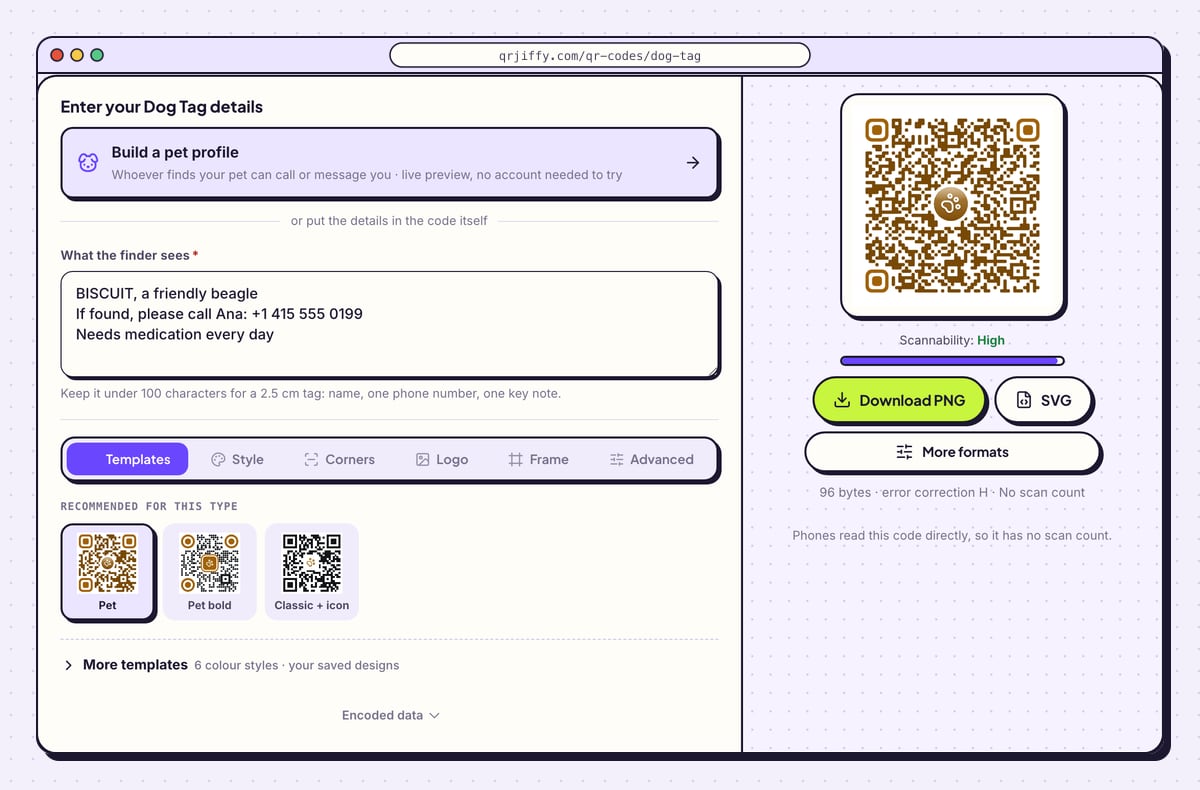
Write three short lines in What the finder sees: the pet’s name, who to call with the number, and one key note. The sample reads “BISCUIT, a friendly beagle / If found, please call Ana: +1 415 555 0199 / Needs medication every day”. Write the number with its country code, because a finder’s phone turns it into a tappable link.
Watch the line under the buttons. It shows the size (96 bytes for the sample), “error correction H” and “No scan count”. Under it the page states: “Phones read this code directly, so it has no scan count.”
Tip: Stay under 100 characters. Every extra character adds dots, and smaller dots are harder to read on a scratched 2.5 cm tag.
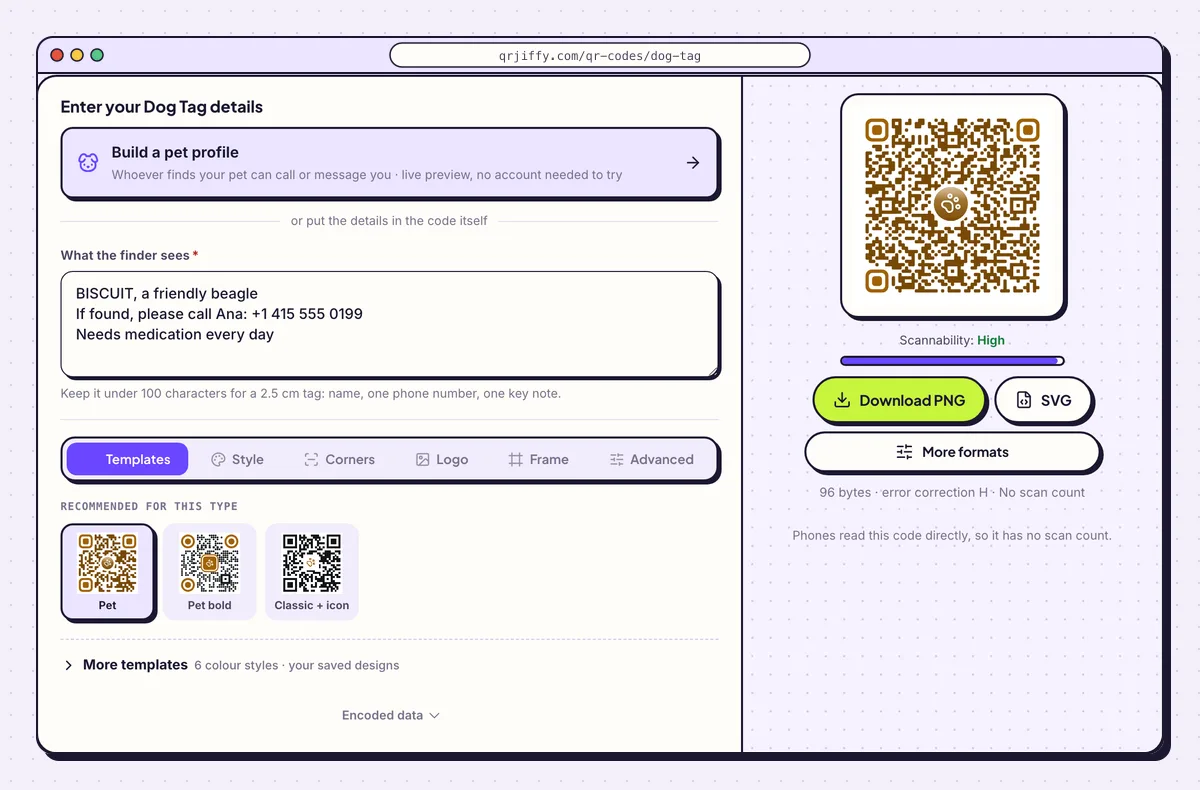
Three lines of text and the code they produce. The paw icon comes from the Pet template. 3Keep the design plain and the error correction high
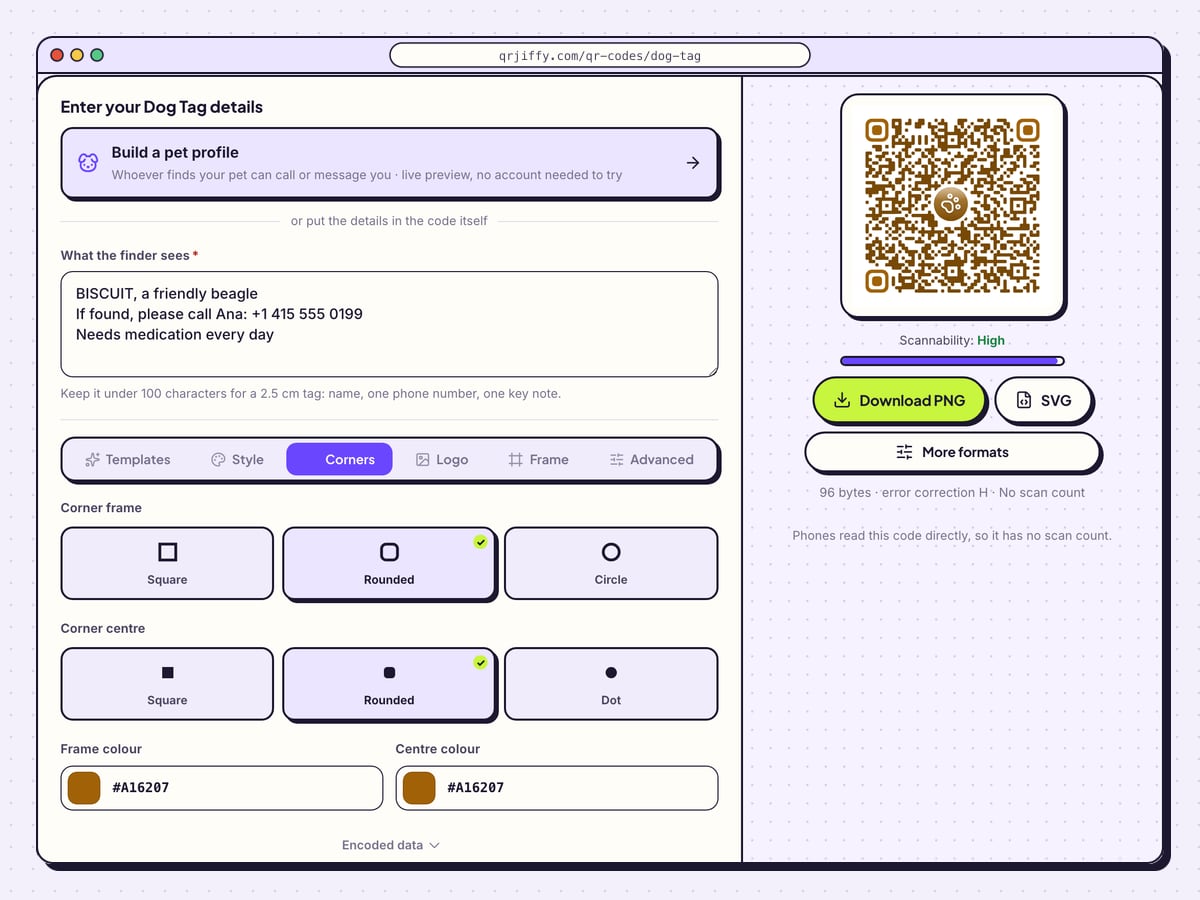
The Corners tab shapes the three corner squares: Square, Rounded or Circle for the outer frame, and Square, Rounded or Dot for the centre. Frame colour and Centre colour set their colours. For engraving, choose one dark colour for everything, since a laser produces a single tone.
Leave error correction on H (30%) in the Advanced tab. H lets the code scan with up to 30% of it scratched or dirty, which is what happens to a tag on a collar.
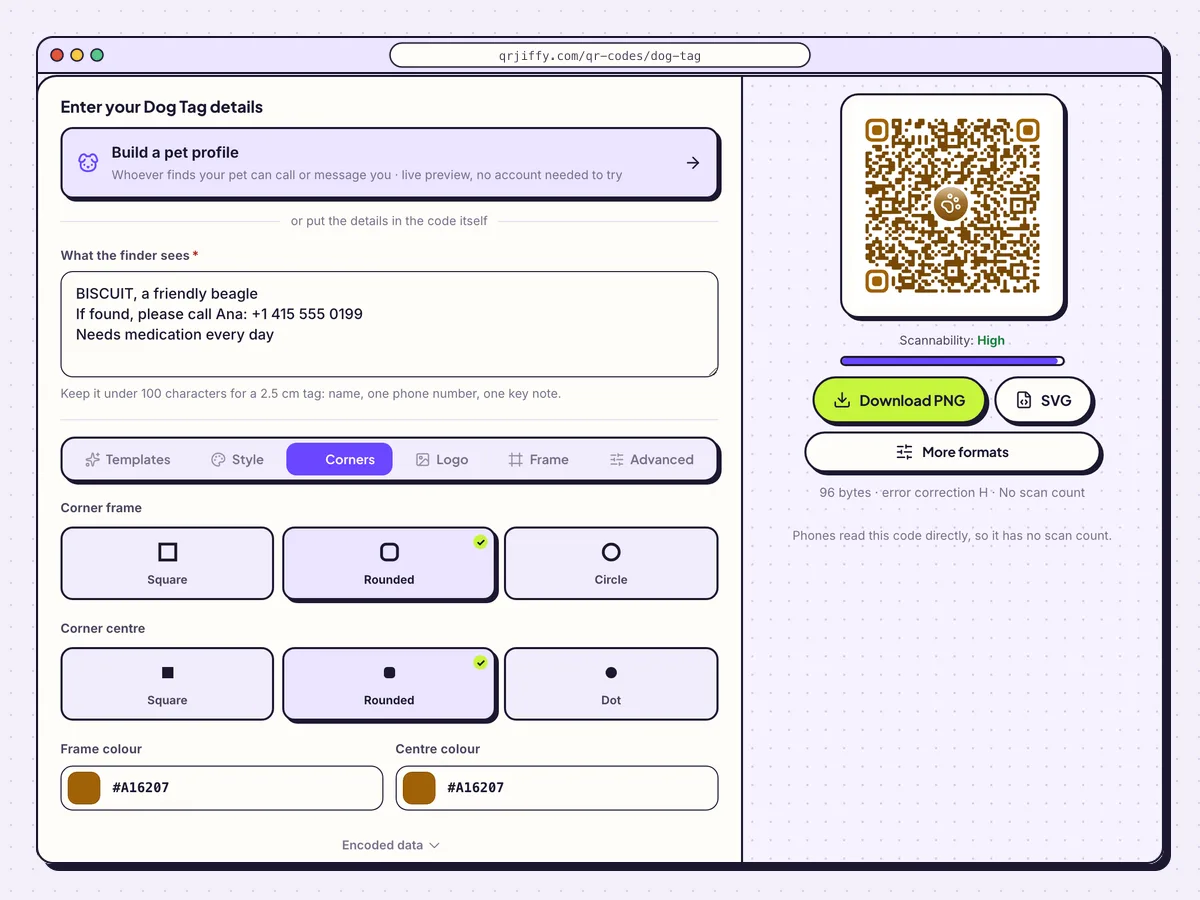
The Corners tab. Simple, high-contrast shapes survive engraving best. 4Download SVG for engraving or PNG for printing
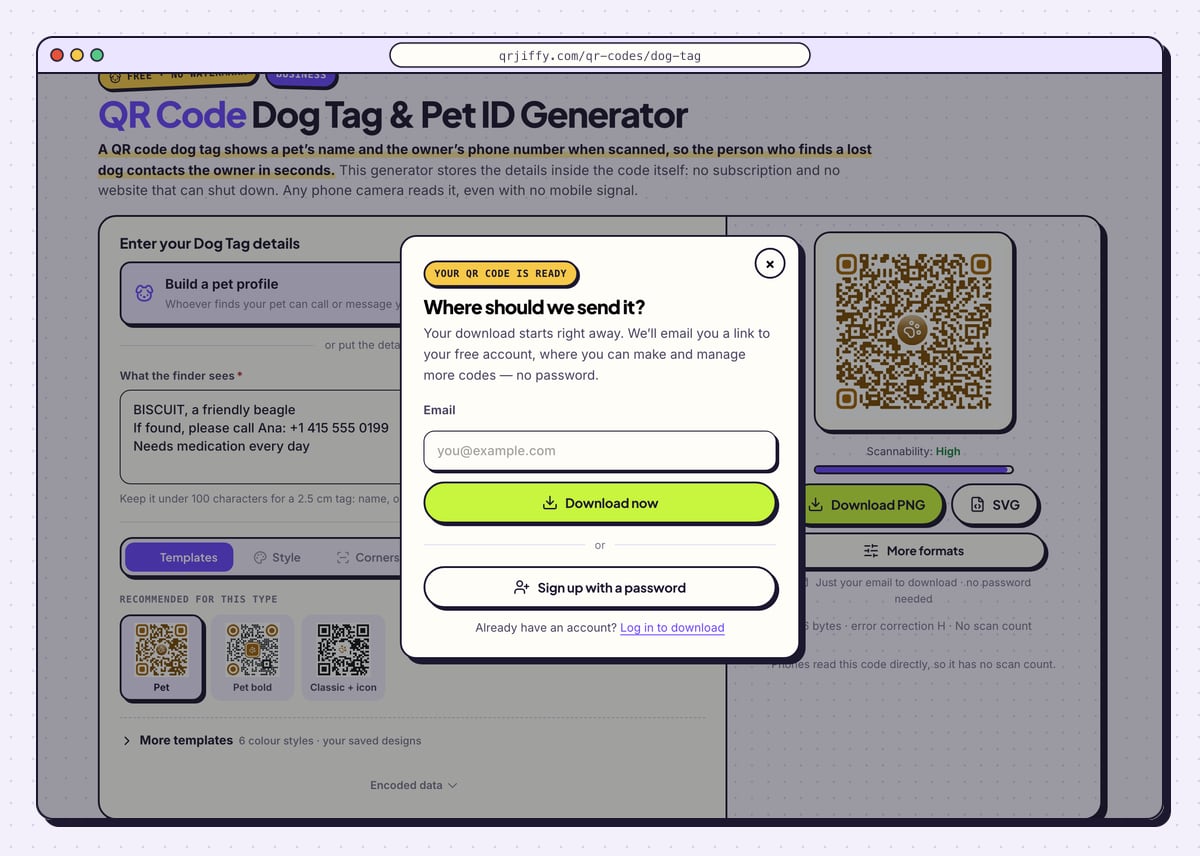
Click SVG if a laser engraver makes the tag, and Download PNG if you print and laminate it yourself. The dialog “Where should we send it?” asks for an email; Download now saves the file as
qrjiffy-dog-tag.png. The name has no ID at the end, because this code has no short link.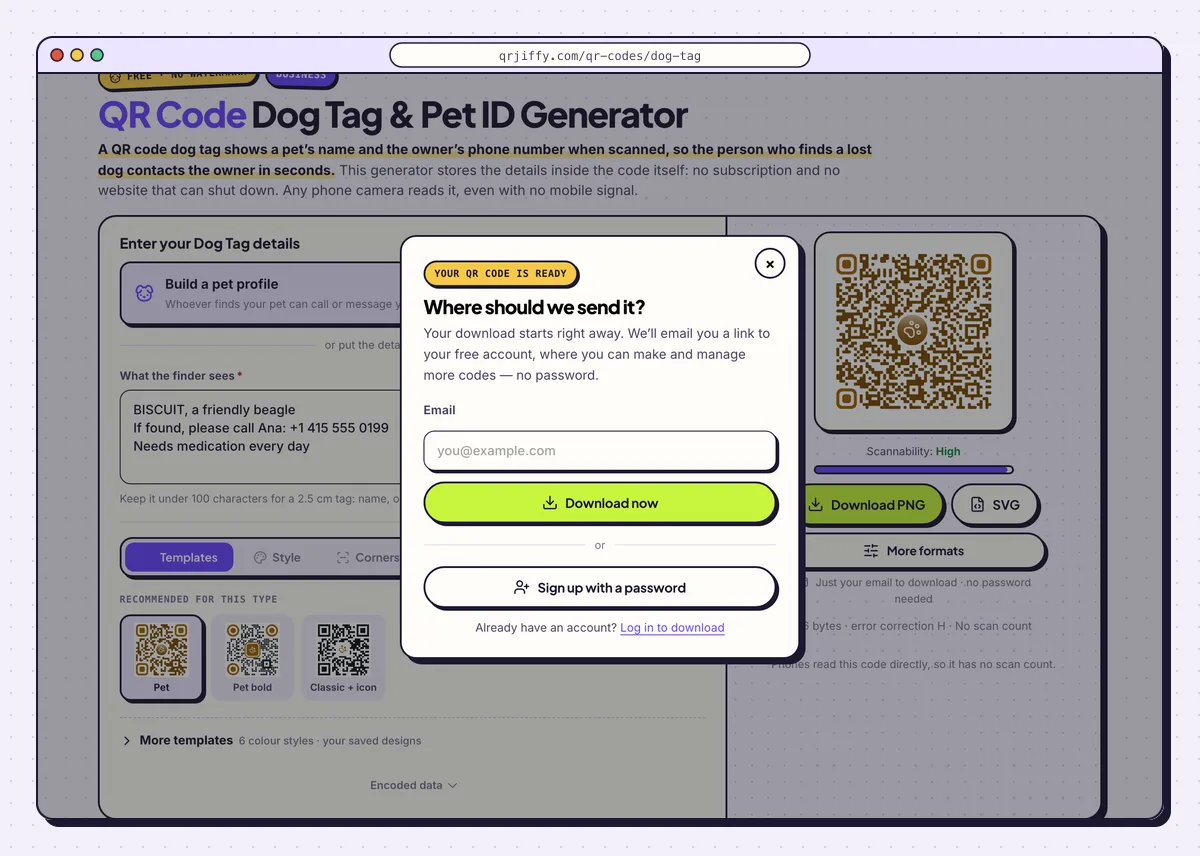
The same download dialog as other codes. The file itself contains your text. 5Read the code back before making the tag
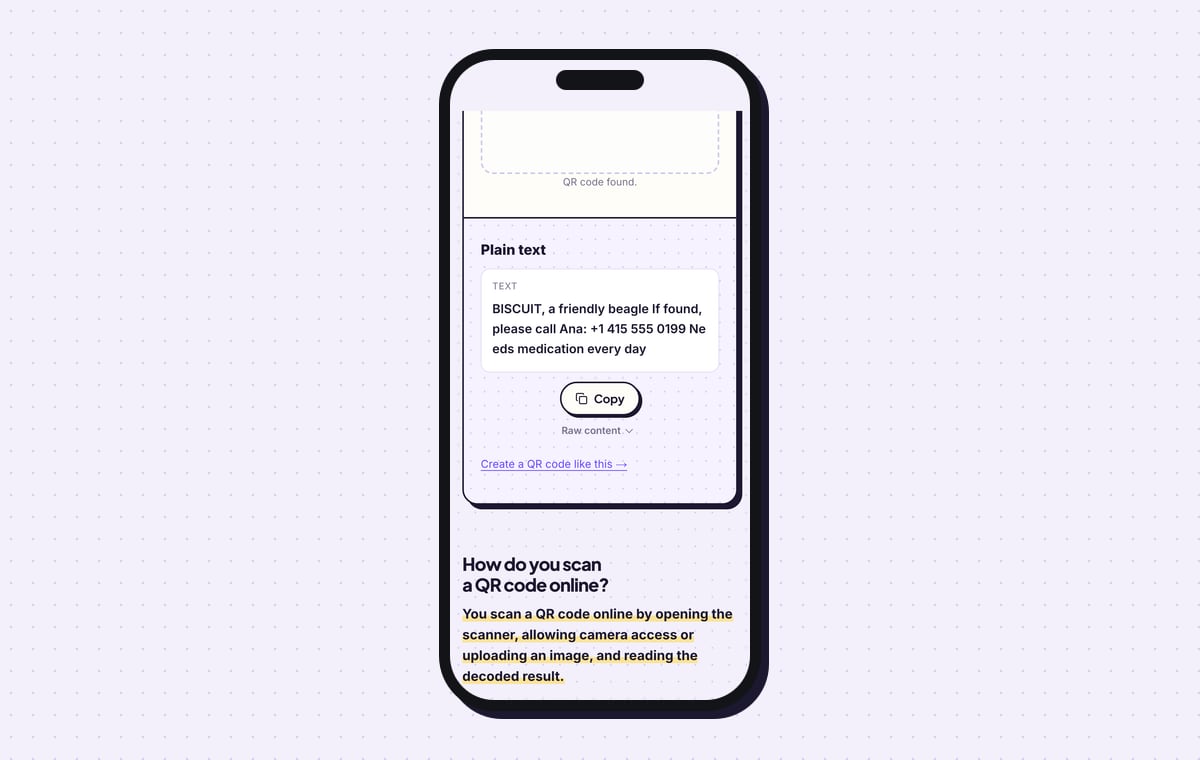
Upload the file to the QR code scanner. It shows “Plain text” and your three lines exactly as stored, with a Copy button. Check the phone number digit by digit: this is the last moment to fix it.
Then scan with real phones. An iPhone camera shows a text preview banner, and tapping it displays the full message with a tappable number. On Android, Google Lens shows the text with Call and Copy actions. Switch one phone to flight mode and scan again: the text still appears.
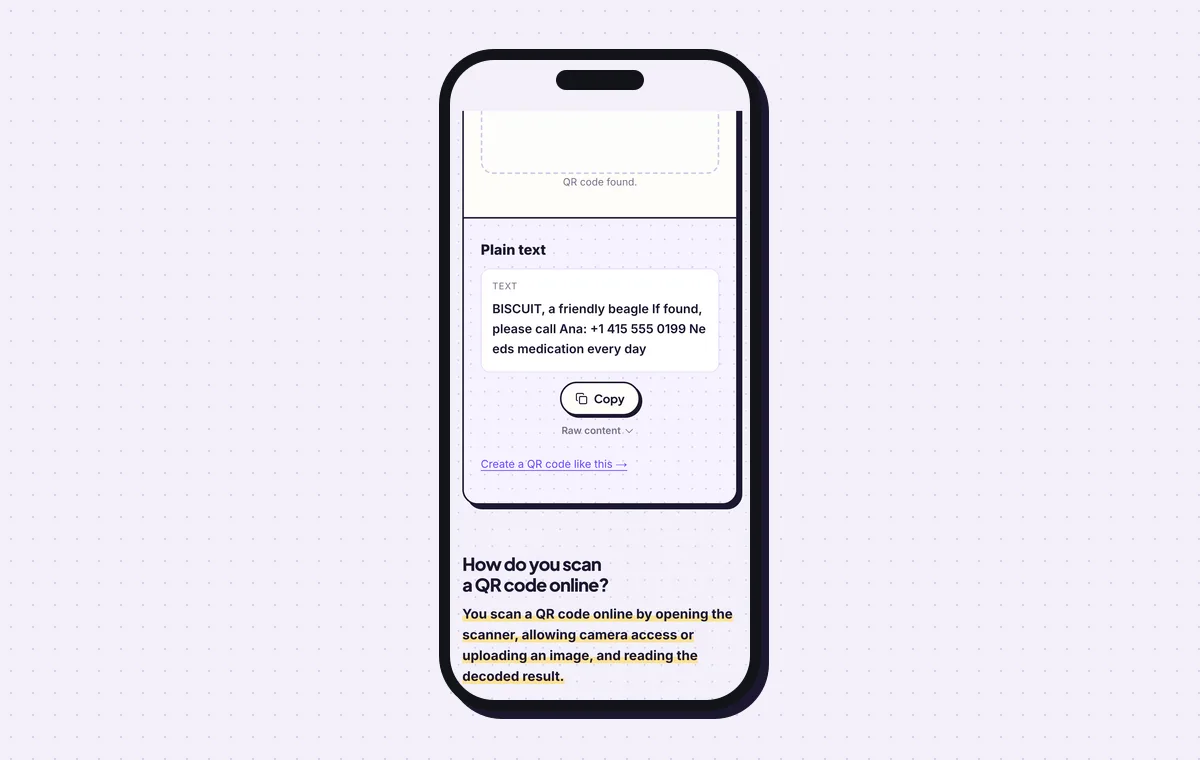
The scanner shows the exact text a finder’s phone reads from the tag. 6Print or engrave the tag and test it on the collar
Make the code at least 2.5 × 2.5 cm (1 in) for text under 100 characters, and 3 cm for a large dog. For metal, send the SVG to a laser engraver: dark anodised aluminium engraved to bright metal gives strong contrast. For a printed tag, laminate it with a matte film or seal it under epoxy.
Scan the finished tag with an iPhone and an Android phone before it goes on the collar. Scan it again every few months, since scratches build up. The guide on how to print a QR code covers materials and margins.
Open the QR Code Dog Tag & Pet ID generatorFree. Nothing to install.
How do you make a pet profile page instead of a text tag?
1Fill in the pet and owner details
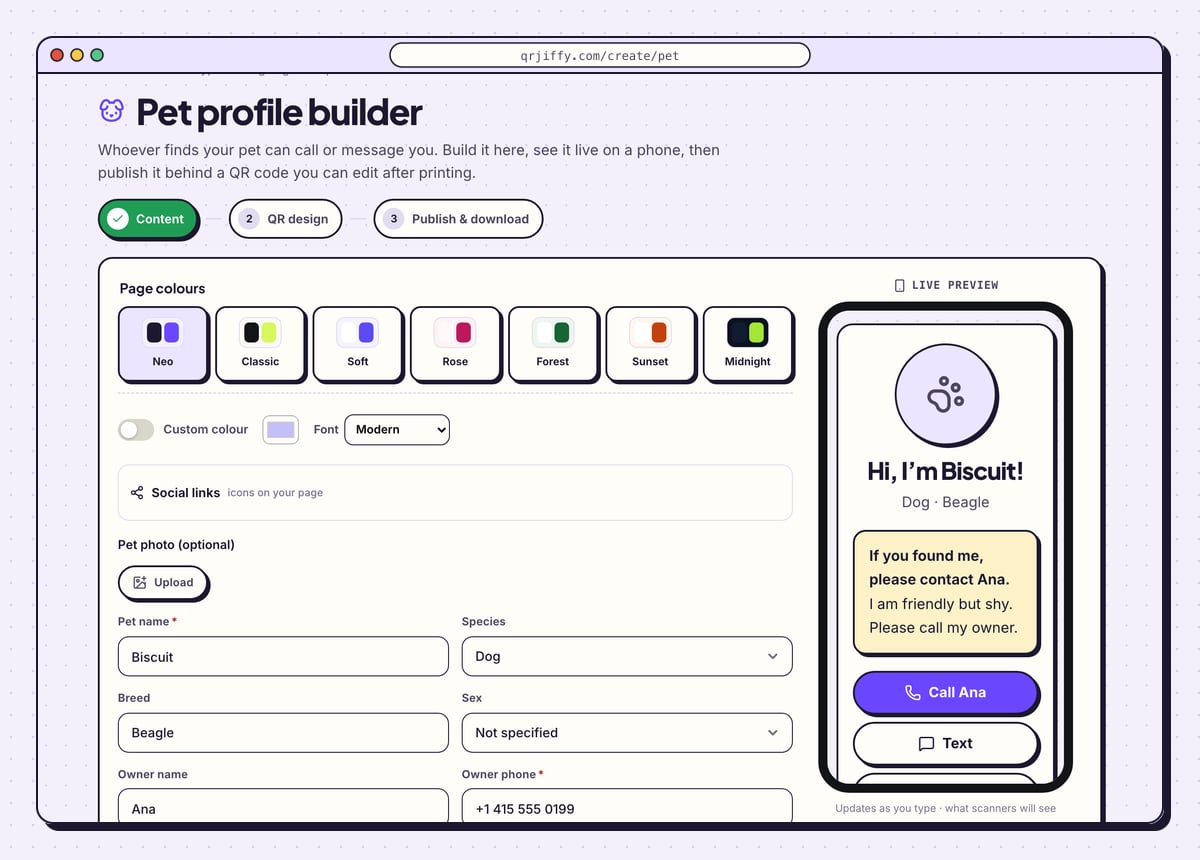
The builder opens on the Content step. Use Upload to add a pet photo, then complete Pet name, Species, Breed and Sex. Further down, add Owner name, your phone and email, a message for the finder and any health notes.
The phone preview shows the page building up: “Hi, I’m Biscuit!”, “Dog · Beagle”, and a highlighted box that begins “If you found me, please contact Ana.”
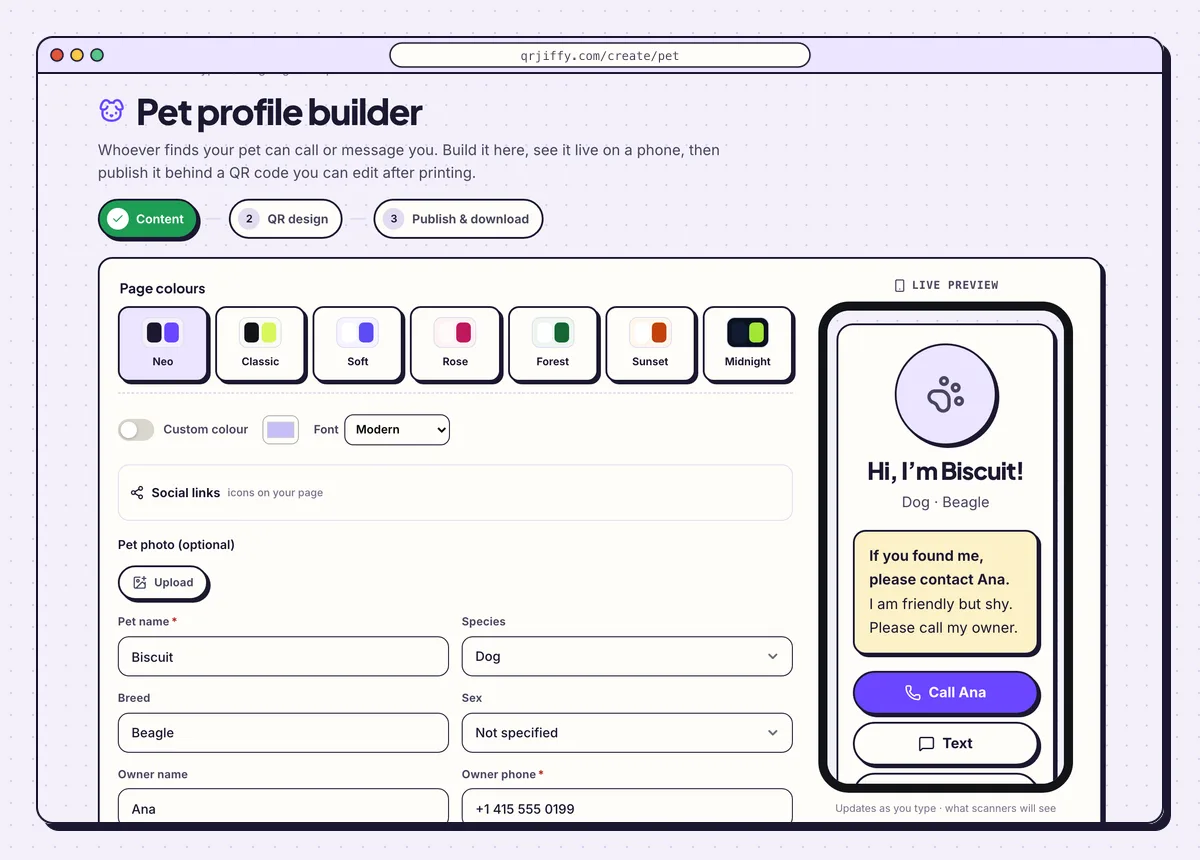
The pet profile builder. Name, species and breed appear in the preview as they are typed. 2Publish the profile and download its code
Click Next: QR design. Keep the code simple and dark for a small tag, then go on to Publish & download. The button Publish & download PNG asks for a free account, puts the profile live at its own short link and saves the code.
3Scan the tag and edit the profile when life changes
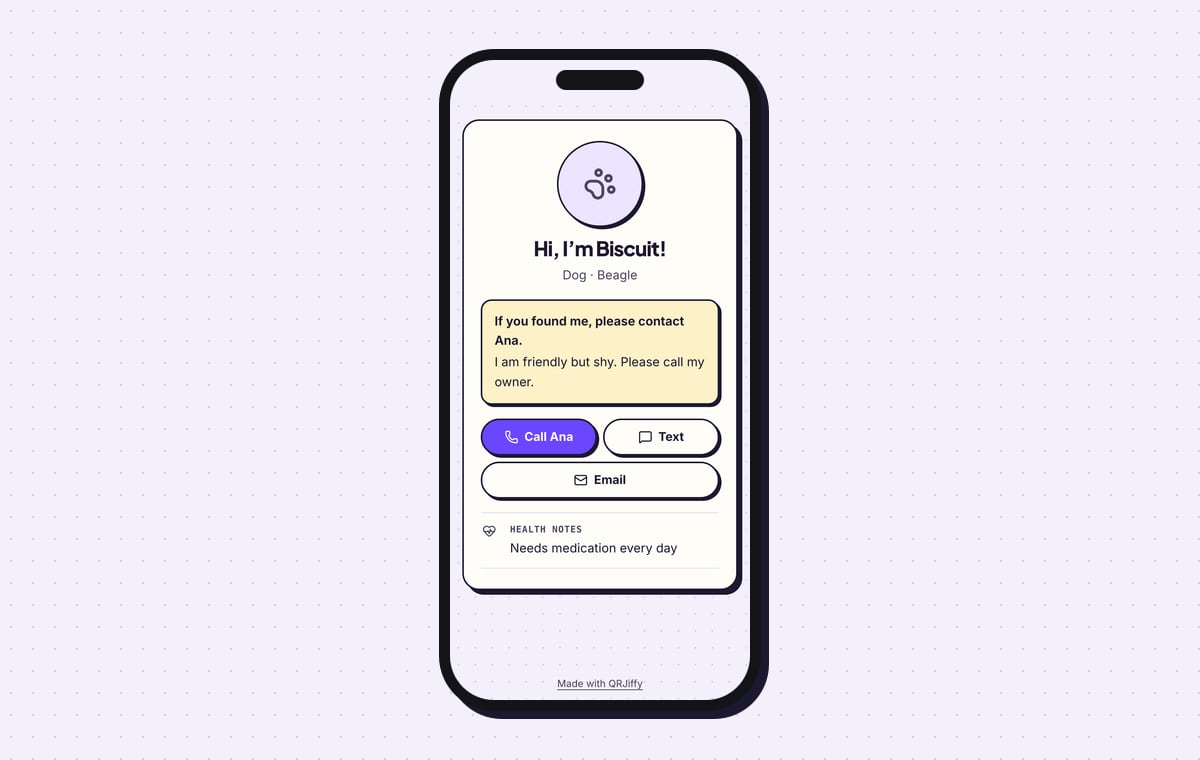
The live page shows the photo or a paw icon, the greeting, the message for the finder and three buttons: Call Ana, Text and Email. Health notes sit under them, here “Needs medication every day”.
A new phone number or a new medication is a 1-minute edit in the dashboard. The tag on the collar stays the same.
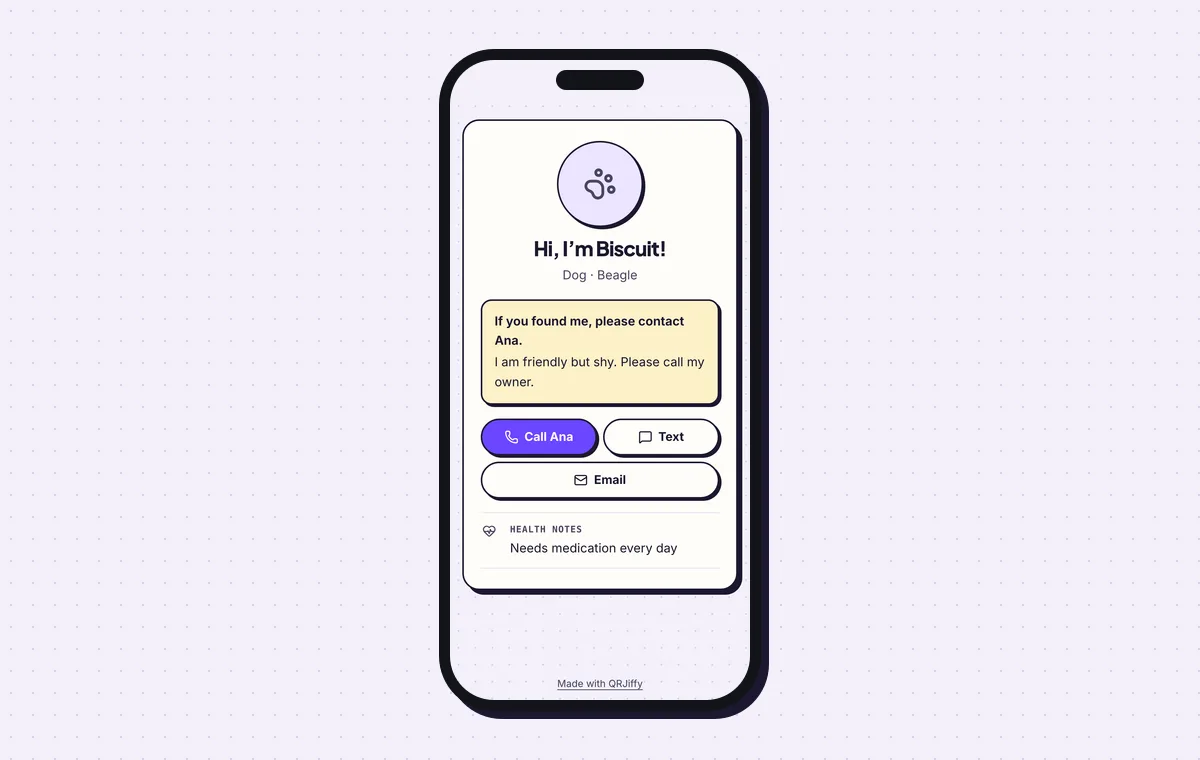
The published profile a finder sees, with one-tap call, text and email.
Build a pet profileLive preview. No account needed to try.
Is a text tag or a pet profile page the better choice?
A text tag is the safer choice where signal is poor, and a profile page is the better choice when your details change often. The two work differently, and the table of differences is short.
- Where the details live: inside the code (text tag) or on a web page (profile).
- No mobile signal: the text tag still shows your number. The profile does not load.
- New phone number: the text tag needs a new tag. The profile is edited online.
- Photo and buttons: the profile has a photo and call, text and email buttons. The text tag shows text only.
- Scan count: none for the text tag. The profile counts scans by day, device and country.
Does a QR code dog tag need a subscription?
No. A tag that stores your details as text needs no subscription, no account to keep paying for and no website. Subscription tags store a link to a company’s profile page, and the tag stops working when the subscription or the company ends. Hosted tags from other companies often cost $2 to $10 a month. With the text tag you pay only for printing or engraving.
Does a QR code tag track where the pet is?
No. A QR code tag has no GPS chip and no battery; it shows information only when someone scans it. GPS collars and AirTag-style trackers are separate devices. A QR tag also does not replace a microchip: vets and shelters read the chip, and any passer-by with a phone reads the tag. Use both, and add “Microchipped” to the text so the finder knows.
What do you write on a pet QR code?
Write the pet’s name, one phone number you answer and one critical note, in under 100 characters. The name helps the finder calm the animal. One number avoids confusion. The note covers medication, an allergy or the microchip. Leave out your home address: anyone who scans the tag reads everything on it.
What mistakes stop a QR code dog tag from working?
These 6 mistakes cause most failed QR code dog tags; each has a quick fix. Test the downloaded file with two different phones before you print anything.
| Mistake | Fix |
|---|---|
| The text runs to 300 characters with two numbers and an address | Cut it to under 100 characters: name, one number, one note. |
| The number is written without a country code | Use international format, +1 415 555 0199, so it dials from any phone. |
| The phone number changed and the tag still shows the old one | Make a new text tag the same day, or use the pet profile, which is edited online. |
| The tag is 1.5 cm wide | Use a tag of at least 2.5 cm, or 3 cm for large dogs. |
| A printed paper tag is left unprotected | Laminate it or seal it in epoxy, or have the code engraved in metal. |
| Error correction was lowered to make the dots bigger | Keep H (30%) and shorten the text instead. |
Frequently asked questions
Is a pet QR code free to make?
Yes. The code is free to create and download, with no subscription. The only cost is printing or engraving the tag.
Can I change the phone number on a text tag later?
No. The number is stored in the pattern of the code, so a new number means a new code and a new tag. The pet profile page is the version that is edited online.
Does the finder need an app to read the tag?
No. iPhones on iOS 11 or later show a text preview in the camera, and Android phones on Android 9 or later read it with Google Lens.
Can I use the same steps for a cat?
Yes. The text is yours to write, and the pet profile has a species field. Use a lightweight tag on a breakaway collar.
Can a QR code be engraved on a metal tag?
Yes. Send the SVG file to a laser engraver. Dark anodised aluminium engraved to bright metal gives strong contrast.
Ready to make your QR code dog tag?
The generator is free and works in the browser on a phone or a computer. Your code downloads as PNG for screens or SVG for print.
Open the QR Code Dog Tag & Pet ID generator
Related guides: How to Print a QR Code · QR Code Size · QR Code Not Working