 QRJiffy
How to Make a QR Code for a Google Form
You make a QR code for a Google Form by copying the form’s link from the Send dialog, pasting it into a Google Forms QR code generator and downloading the image. Google Forms has no QR code button of its own, so the link is the part you take from Google. The job takes about 3 minutes, and most of that is checking the form’s response settings.
What do you need before you start?
You need 4 things ready, and no account to try the generator. A free account, or just your email, is asked for only at the download step.
- A finished Google Form, open in Google Forms on a computer or phone.
- The form’s public link from the Send dialog: it starts with
forms.gleor ends in/viewform. - One minute in the form’s Settings › Responses to check who is allowed to answer.
- A phone or a private browser window that is signed out of Google, for the test in step 6.
How do you make a Google Forms QR code step by step?
Follow these 7 steps in the Google Forms QR Code generator; the preview updates as you type. Each screenshot below is the real screen, filled in with a sample bakery’s details.
1Copy the form link from the Send dialog
Open the form in Google Forms and click Send in the top-right corner. Click the link icon, which is the second tab of the dialog, tick Shorten URL and click Copy. The clipboard now holds a link that starts with
https://forms.gle/.The longer link that ends in
/viewformworks as well. Both open the form for respondents.Tip: Do not copy the address from the browser bar. That link ends in /edit, opens the editor and asks every scanner to request edit access.
2Check that the form accepts responses from your audience
Open Settings › Responses in the form. For a public poster or flyer, turn off “Restrict to users in your organisation”, otherwise the form asks every respondent to sign in with an account from your school or company. The one-response limit also forces a Google sign-in.
Confirm the form is open. A closed form shows scanners “This form is no longer accepting responses”, and the code looks broken even though it scans.
3Paste the link into the generator
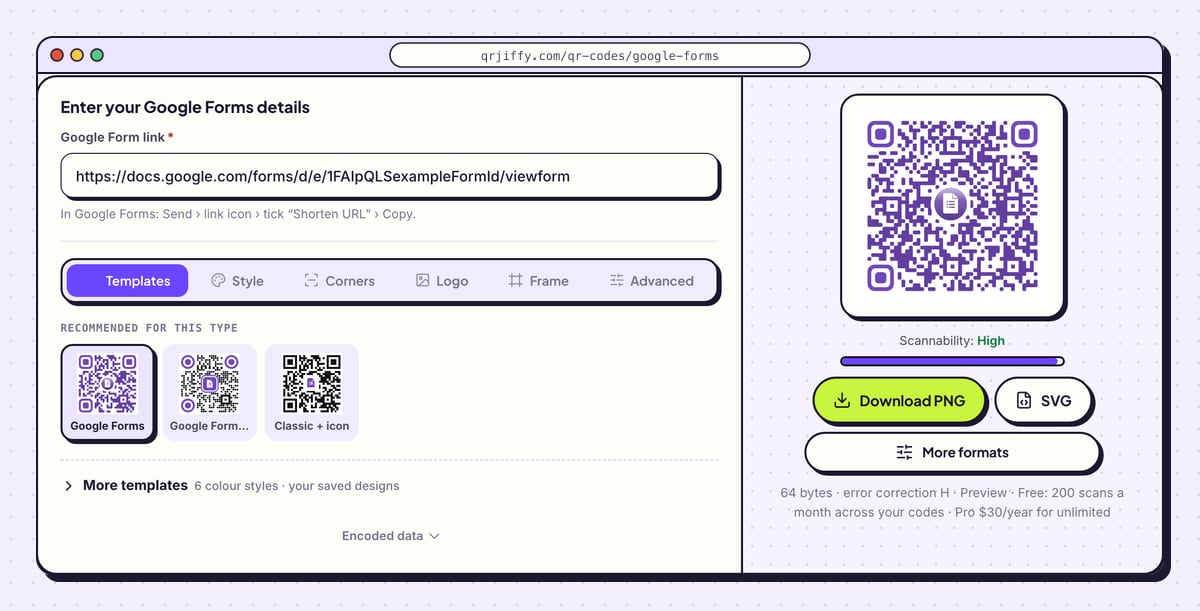
Open the Google Forms QR code generator and paste the link into Google Form link. The preview on the right redraws at once with a small form icon in the centre, and the Scannability bar under it reads “High”.
The line under the buttons shows the size of the link in bytes. The sample in the screenshot is a 64-byte
/viewformlink.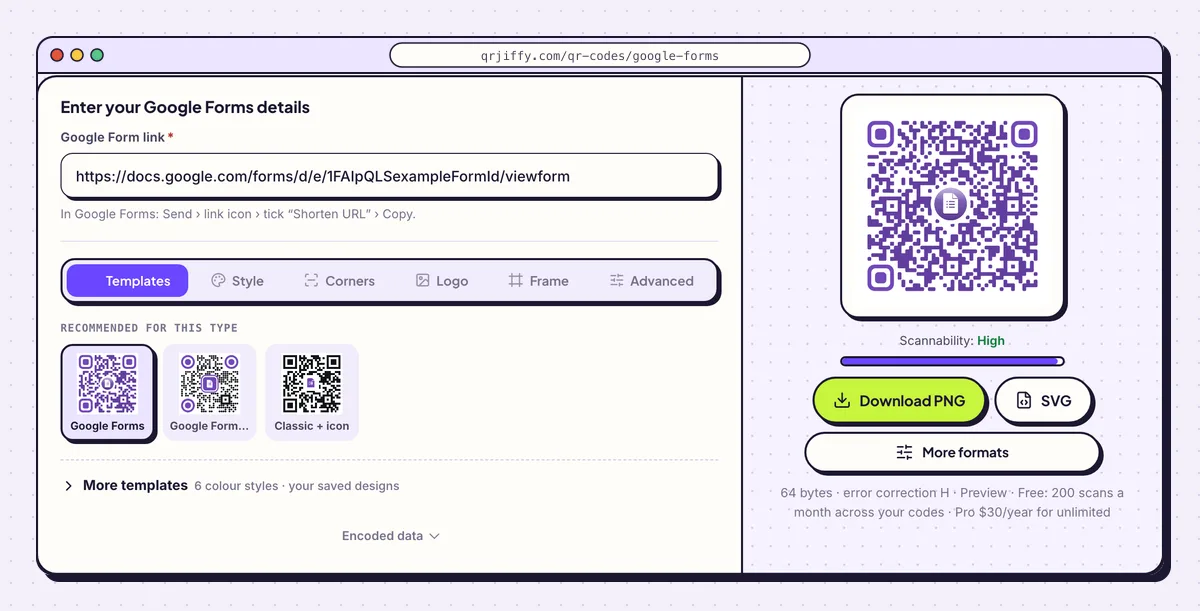
One field takes the form link. The purple code beside it updates as soon as the link is pasted. 4Add a label that says what the form is for
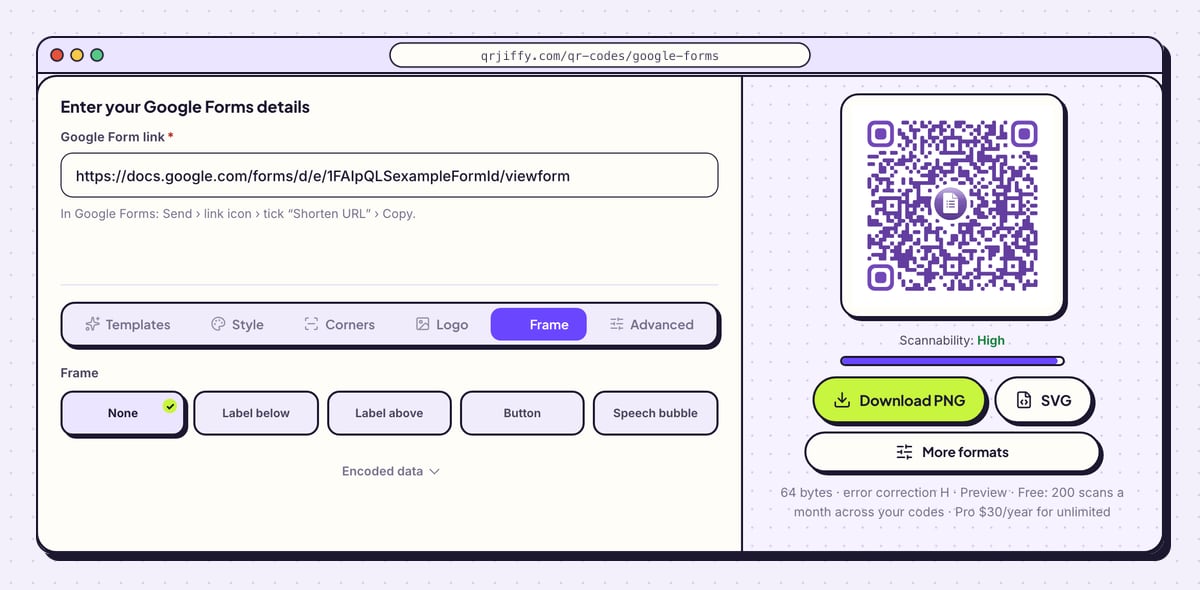
Open the Frame tab and choose Label below, Label above, Button, Speech bubble or Call to action. Type what the scanner gets, for example “Sign up for the workshop” or “2-minute quiz”. Frame colour and Text colour match the label to your poster.
People scan a form code when they know how long the form takes. Put the time in the label or beside the code.
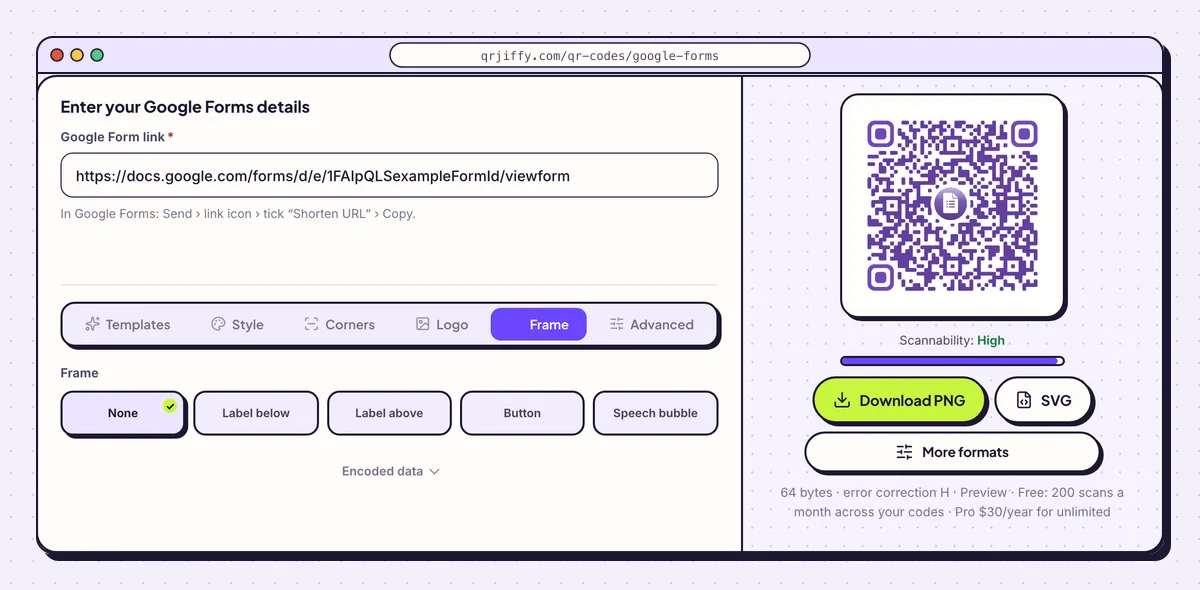
The Frame tab wraps the code in a caption so the poster explains itself. 5Download the code
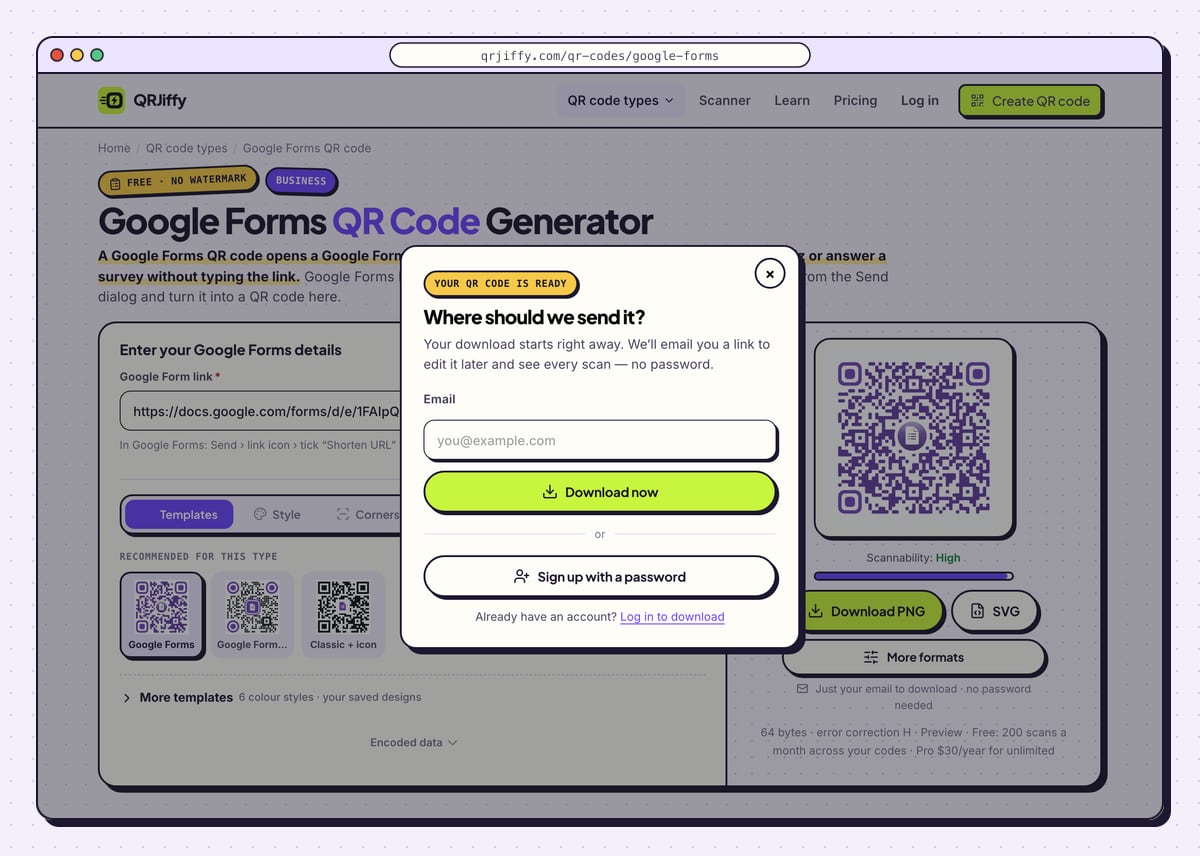
Click Download PNG for slides, documents and classroom printers, or SVG for a large poster. A dialog headed “Where should we send it?” takes your email once; click Download now and the file arrives straight away. The name looks like
qrjiffy-google-forms-68JWKzp.png, and the last part is the ID of the code’s short link.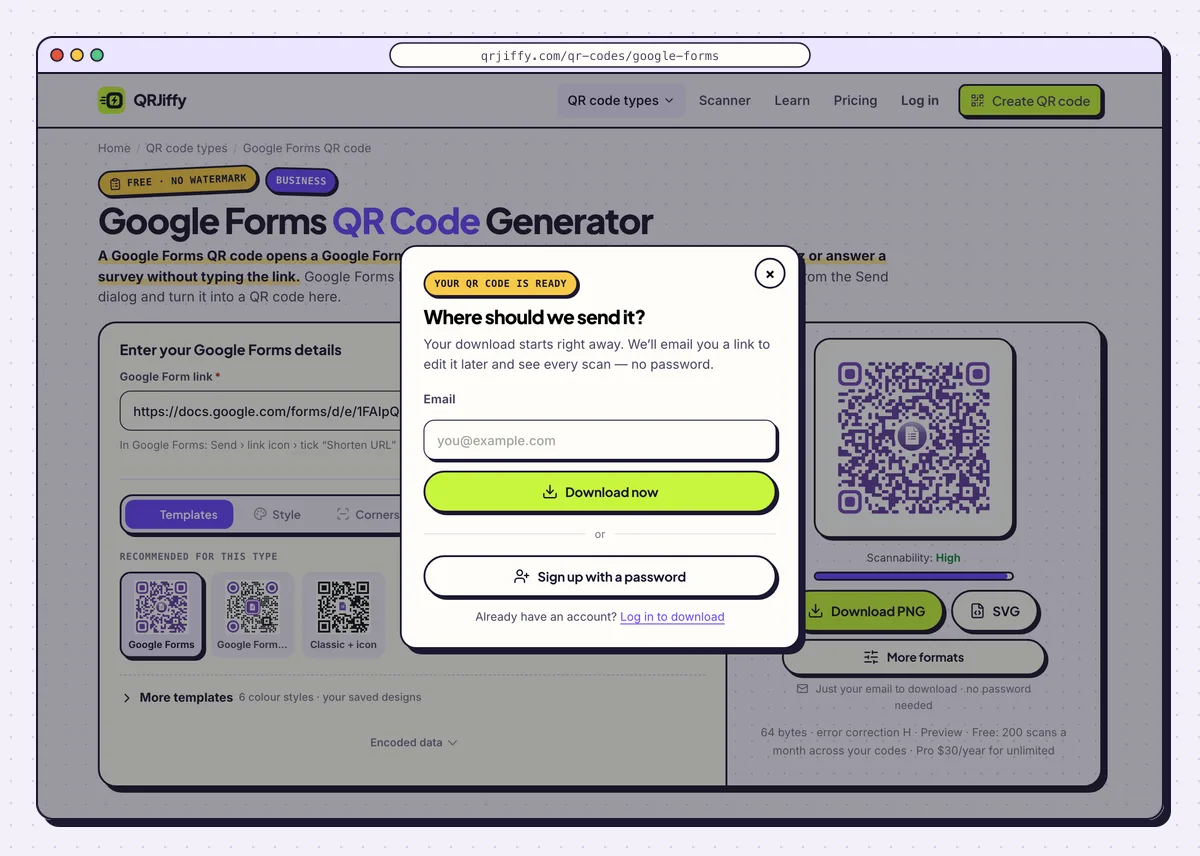
The email is asked for once, and QRJiffy sends a link for editing the code later. 6Test the code while signed out of Google
Sign out of Google on your phone, or use a friend’s phone, and point the camera at the code. The form opens in Safari on an iPhone and in Chrome or the Google app on Android. If the editor or a sign-in page appears instead, go back to steps 1 and 2.
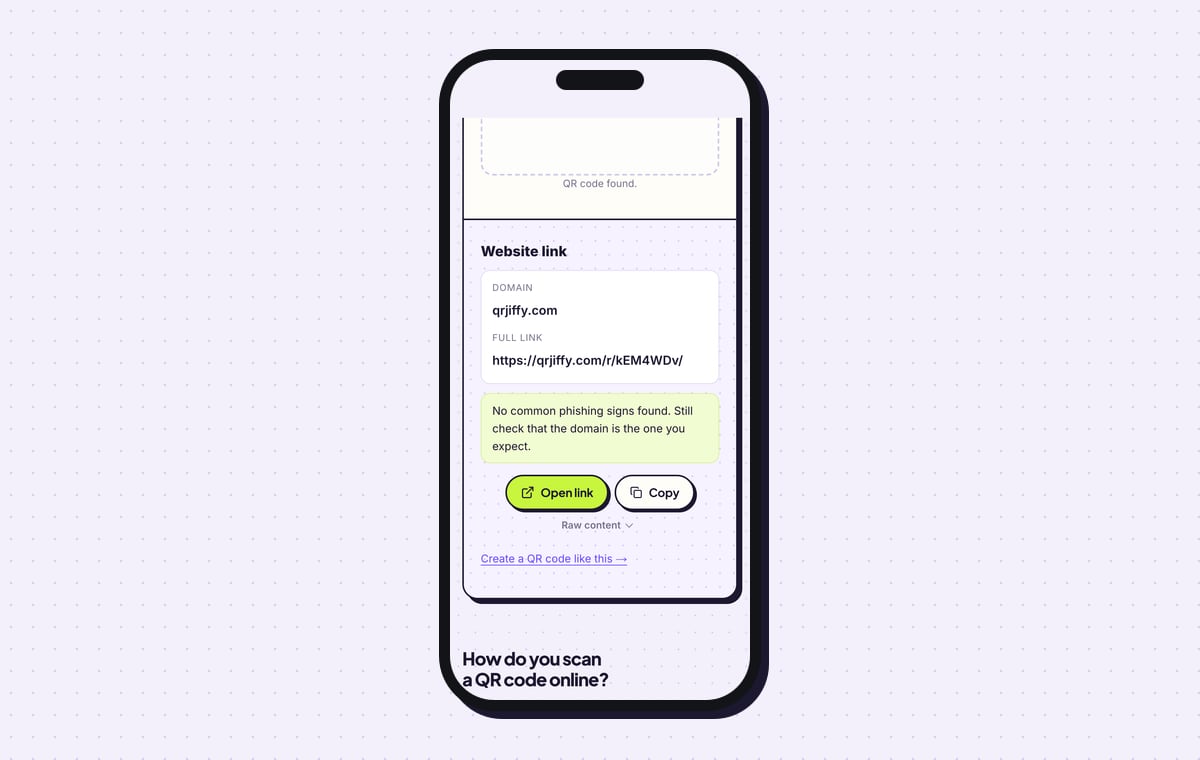
Submit one answer and look for it in the form’s Responses tab. To inspect the file itself, upload it to the QR code scanner: it shows “Website link”, the domain qrjiffy.com and the full short link with an Open link button.
Tip: Delete your test answer from the Responses tab before the real audience arrives, so the count starts at zero.
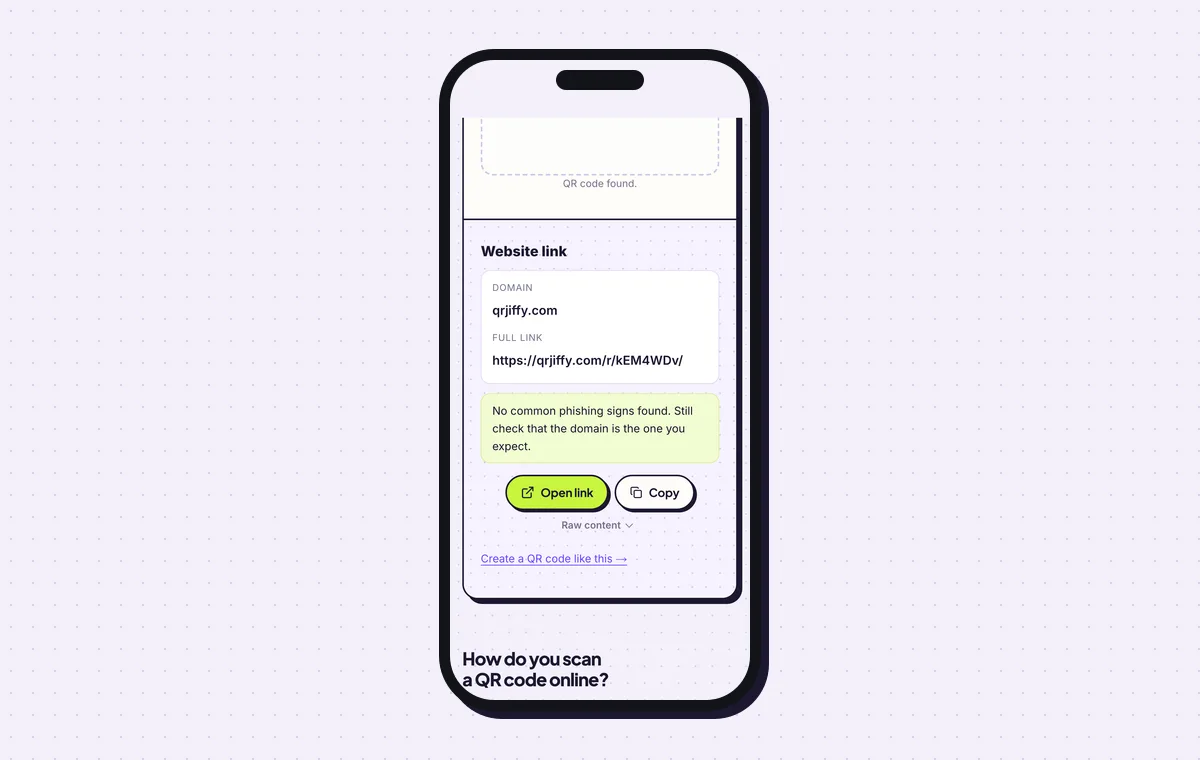
The scanner shows the short link stored in the file. Open link follows it to the form. 7Print it, then reuse the same code for the next form
Print the code at least 2 × 2 cm (0.8 in) on a handout and larger on a poster: one tenth of the reading distance is a reliable width. On a projected slide, let the code fill a third of the slide height.
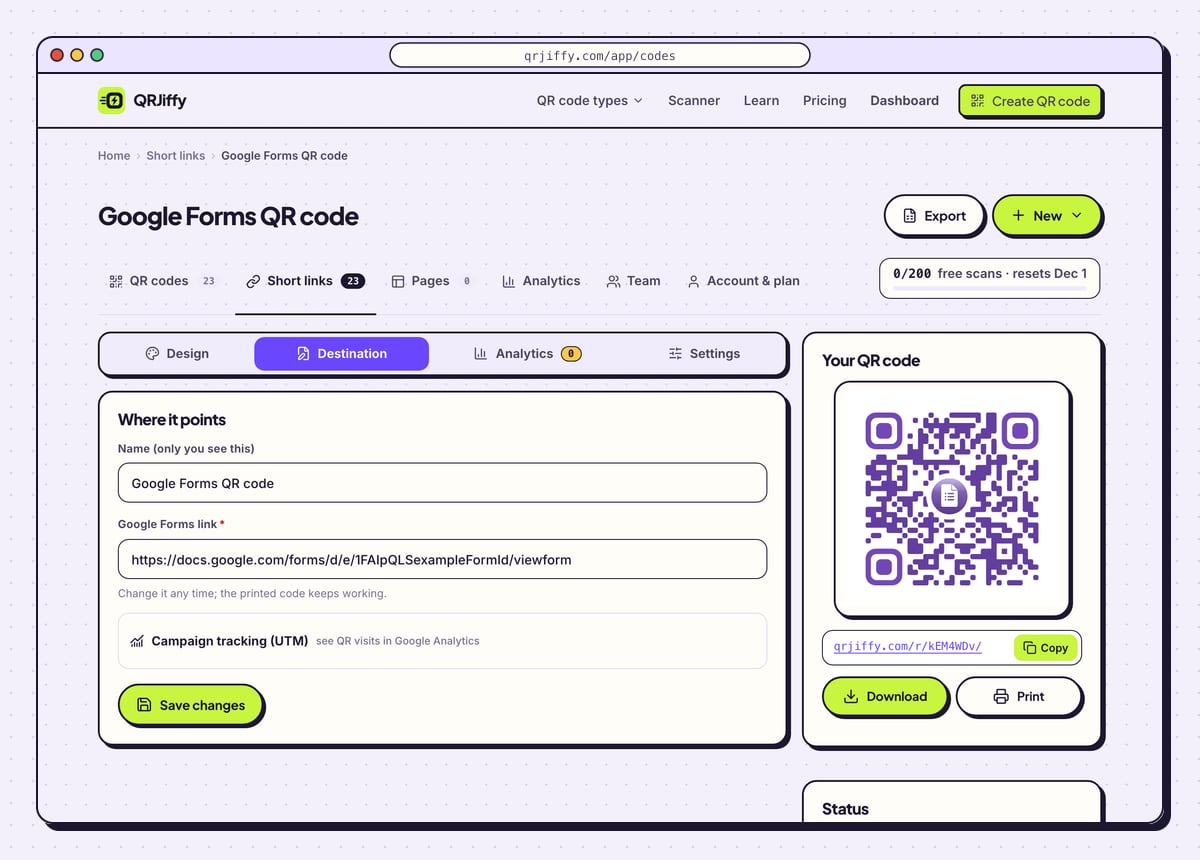
The code is saved in your dashboard under four tabs: Design, Destination, Analytics and Settings. Paste next term’s form link into Destination and the poster on the wall opens the new form. Analytics counts scans by day, device and country.
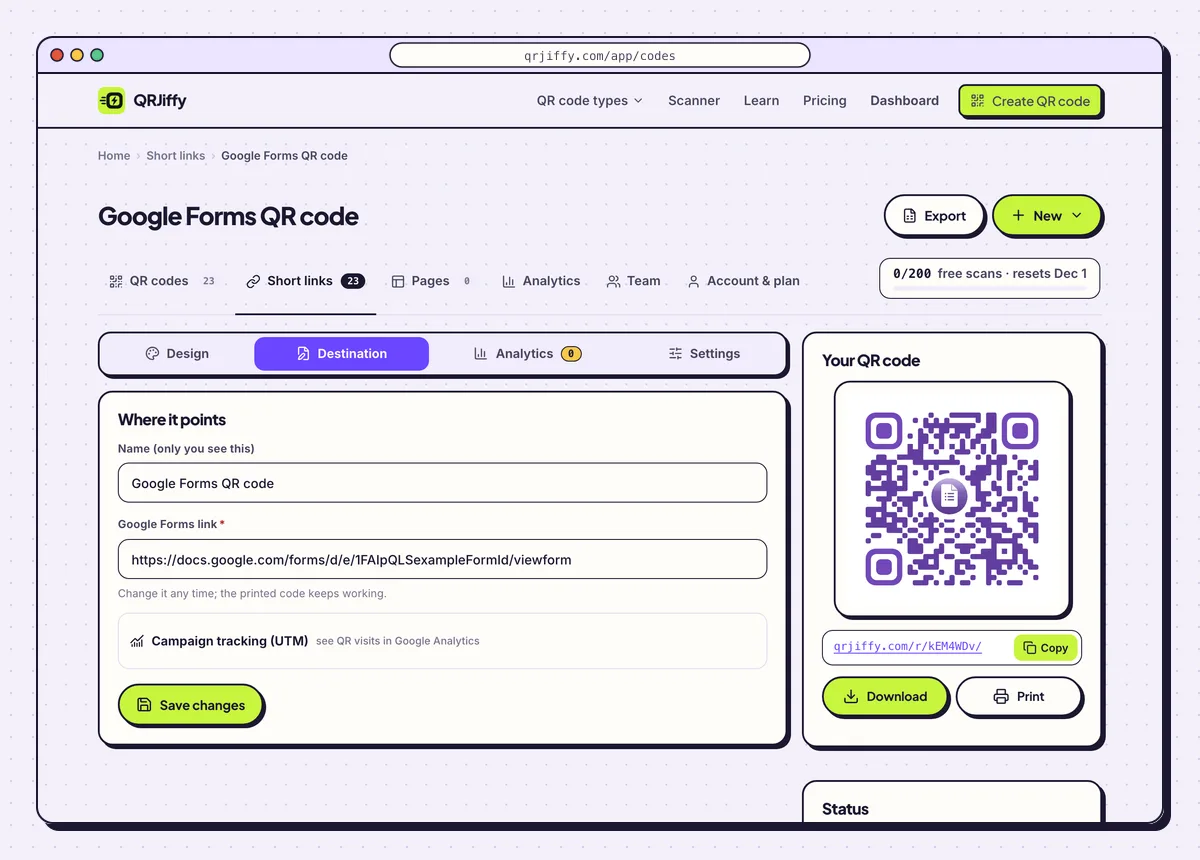
The dashboard page for the code. The Destination tab swaps the form behind a printed code.
Open the Google Forms QR Code generatorFree. Nothing to install.
Does Google Forms have a built-in QR code?
No. Google Forms gives you a link only, so there is no QR code to extract from the form. The link from Send › link icon is what a QR code generator turns into a code. Google Chrome has a general “Create QR code” option: right-click the open form page or use the share icon in the address bar. Chrome’s code has a dinosaur in the centre, no colour options and no SVG file, and it stores the page address as it is, which is the /edit link when you make it from the editor.
Can you edit the Google Form after printing the QR code?
Yes. Questions, titles and settings change inside Google Forms without changing the link, so the printed code keeps opening the form. A different form is also possible with a QRJiffy code. The image holds a short link on qrjiffy.com, and the Destination tab in the dashboard points that short link at any new form.
- Edit questions: change them in Google Forms. Nothing to do in QRJiffy.
- Close the form: Settings › Responses. Scanners then see “This form is no longer accepting responses”.
- Switch to a new form: paste its link into Destination in the dashboard.
Why does the QR code ask people to sign in to Google?
The form restricts responses to one organisation or limits each person to one response, and both settings need a Google account. Change them in Settings › Responses. Forms restricted to a school or workplace only accept accounts from that domain, so parents and visitors are locked out until the restriction is off.
How do you see who scanned and who answered?
Scans are counted in the QRJiffy dashboard and answers are stored in the form’s Responses tab. The two numbers together give a completion rate: 80 scans and 60 responses is 75%. A free account counts up to 200 scans a month across all its codes, and Pro at $30 a year removes the limit.
What mistakes stop a Google Forms QR code from working?
These 5 mistakes cause most failed Google Forms QR codes; each has a quick fix. Test the downloaded file with two different phones before you print anything.
| Mistake | Fix |
|---|---|
| The code holds the /edit link from the address bar | Copy the link from Send › link icon instead. It ends in /viewform or starts with forms.gle. |
| The form is restricted to your organisation | Turn off the restriction in Settings › Responses before a public event. |
| The form was closed after last year’s event | Turn responses back on, or point the code at this year’s form in the Destination tab. |
| The code was tested only on your own signed-in phone | Scan it signed out of Google. The owner always gets in, so the owner’s phone hides access problems. |
| The code is shown on a slide for ten seconds | Keep it on screen for at least a minute and make it a third of the slide height. |
Frequently asked questions
Is it free to make a QR code for a Google Form?
Yes. Google Forms is free, and the QRJiffy code is free to make and download with no watermark. The download asks for an email once.
Can I make a QR code for a Google Form on my phone?
Yes. Open the form in a mobile browser, copy the link from the Send dialog and paste it into the generator, which runs in any browser.
Can a QR code open a Google Form with answers already filled in?
Yes. In the form, open the three-dot menu, choose Get pre-filled link, fill the fields you want fixed and use that link in the generator.
Can I make a QR code for a Google Form I do not own?
Yes. Any public form link works. The owner still controls whether the form accepts responses.
How small can a Google Forms QR code be printed?
2 × 2 cm (0.8 in) is the minimum. Use a larger size on posters: about one tenth of the distance people stand from it.
Ready to make your Google Forms QR code?
The generator is free and works in the browser on a phone or a computer. Your code downloads as PNG for screens or SVG for print.
Open the Google Forms QR Code generator
Related guides: How to Print a QR Code · QR Code Size · QR Code Not Working