 QRJiffy
How to Make a QR Code for a Link
You make a QR code for a link by pasting the web address into a link QR code generator and downloading the image as a PNG or SVG file. Anyone who points a phone camera at the code lands on that page in their browser. The download holds a short QRJiffy link that forwards to your address, so the destination stays editable after the code is printed. Allow 2 minutes from start to finished file.
What do you need before you start?
You need 4 things ready, and no account to try the generator. A free account, or just your email, is asked for only at the download step.
- The full link, copied from the browser’s address bar while the exact page you want people to land on is open.
- A check that the page opens without a login: paste the link into a private browser window first.
- An email address for the one-time download box.
- A phone to test with: any iPhone on iOS 11 or later, or an Android phone on Android 9 or later.
How do you make a Link QR code step by step?
Follow these 7 steps in the Link to QR Code generator; the preview updates as you type. Each screenshot below is the real screen, filled in with a sample bakery’s details.
1Copy the link you want people to open
Open the page in your browser, click the address bar and copy everything in it, including
https://. Links from an admin area, a draft preview or a shopping basket open only for you, so load the copied link once in a private window.Tip: To see QR visits in Google Analytics too, add a campaign tag to the end of the link, for example
?utm_source=qr&utm_medium=poster.2Paste the link into the generator
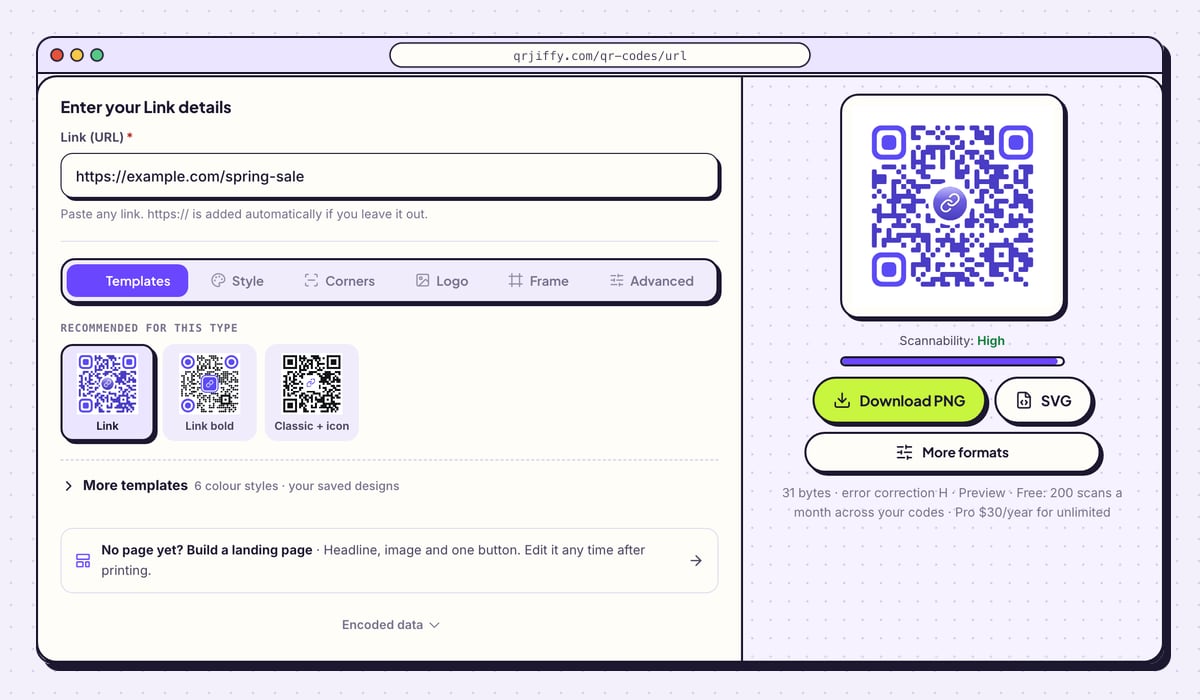
Click the Link (URL) field and paste. The help line under it reads “Paste any link. https:// is added automatically if you leave it out.”, so example.com/spring-sale works as well as the full address. The code on the right redraws at once.
The line under the preview says 31 bytes for the sample link. The word “Preview” beside it means the picture is a draft: the file you download carries the short link.
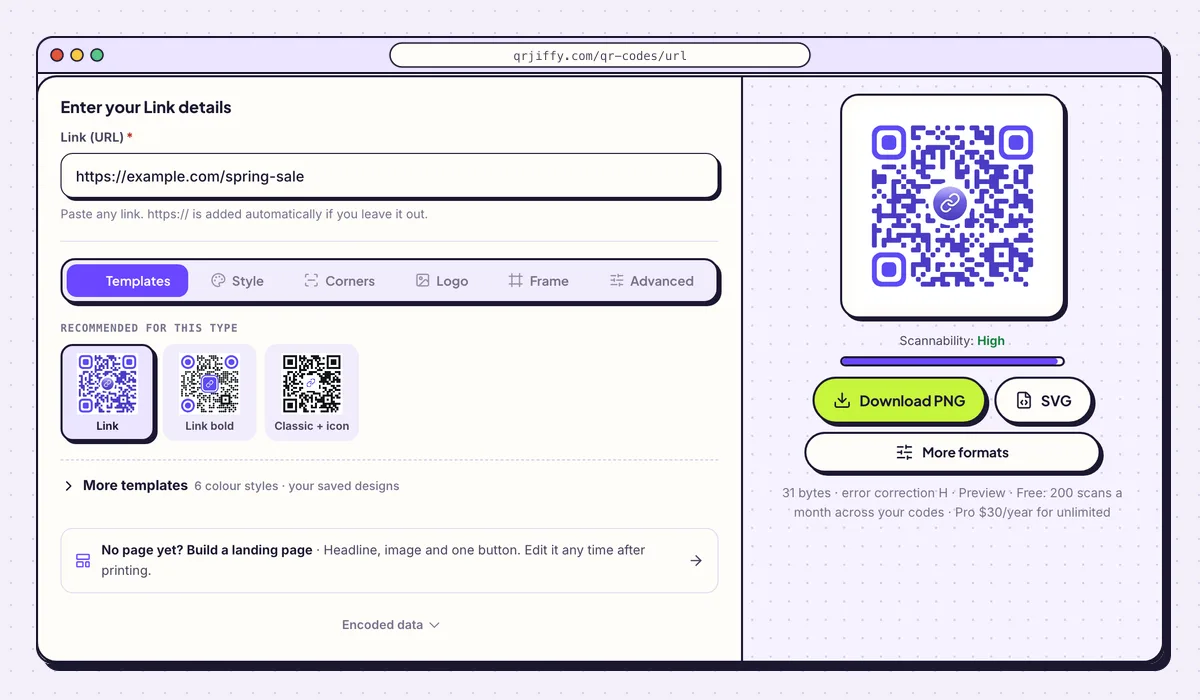
One field is all a link code needs. The preview updates as soon as the link is pasted. 3Add your logo to the centre
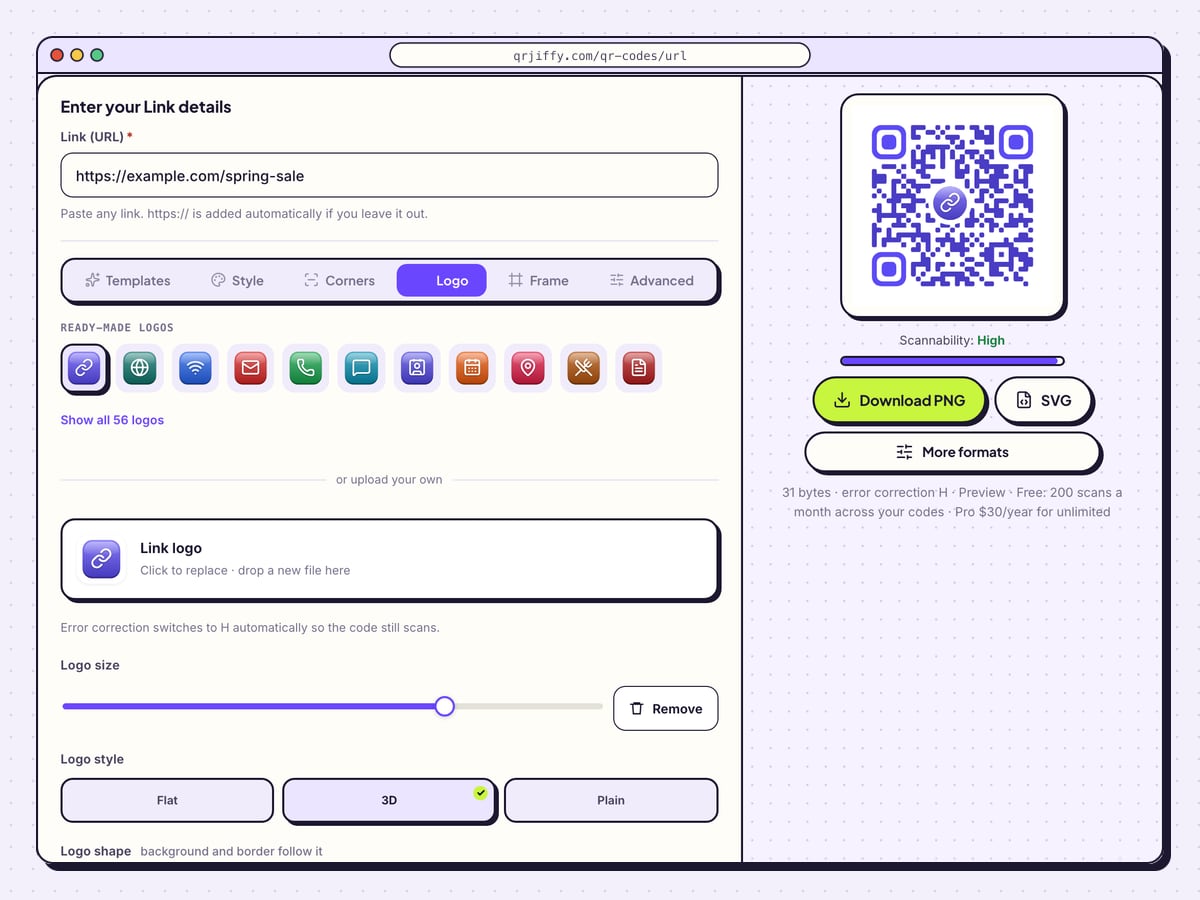
Open the Logo tab. A chain-link icon is already chosen, and Show all 56 logos opens the full set. To use your own, click the box under “or upload your own” and pick the image file.
Drag Logo size to shrink or enlarge it, and choose Flat, 3D or Plain under Logo style. A note on the tab confirms that error correction switches to H, the level that tolerates 30% damage, so the dots hidden behind the logo do not stop the scan.
Tip: Stop enlarging the logo the moment the Scannability bar drops from “High”.
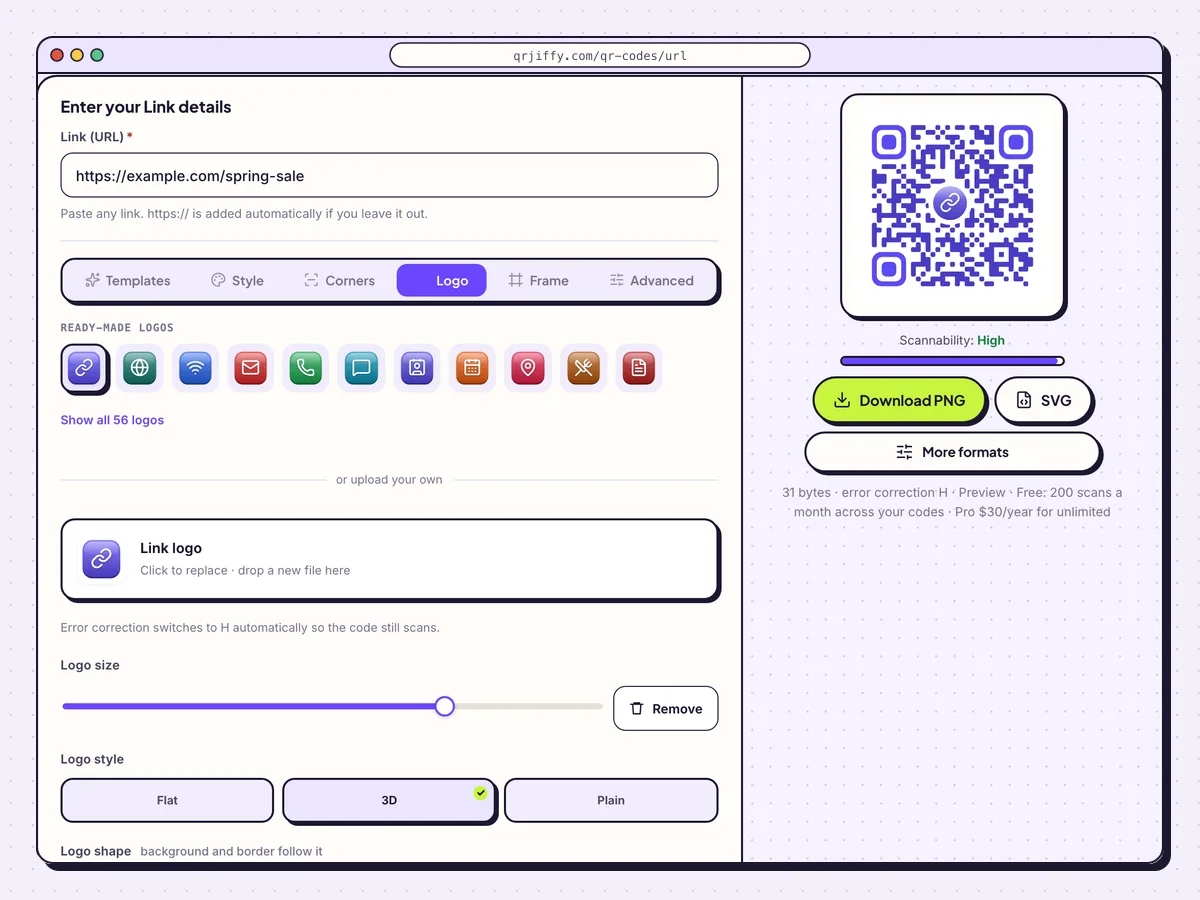
The Logo tab: pick a ready-made icon or drop in your own file, then set its size and style. 4Download the code as PNG or SVG
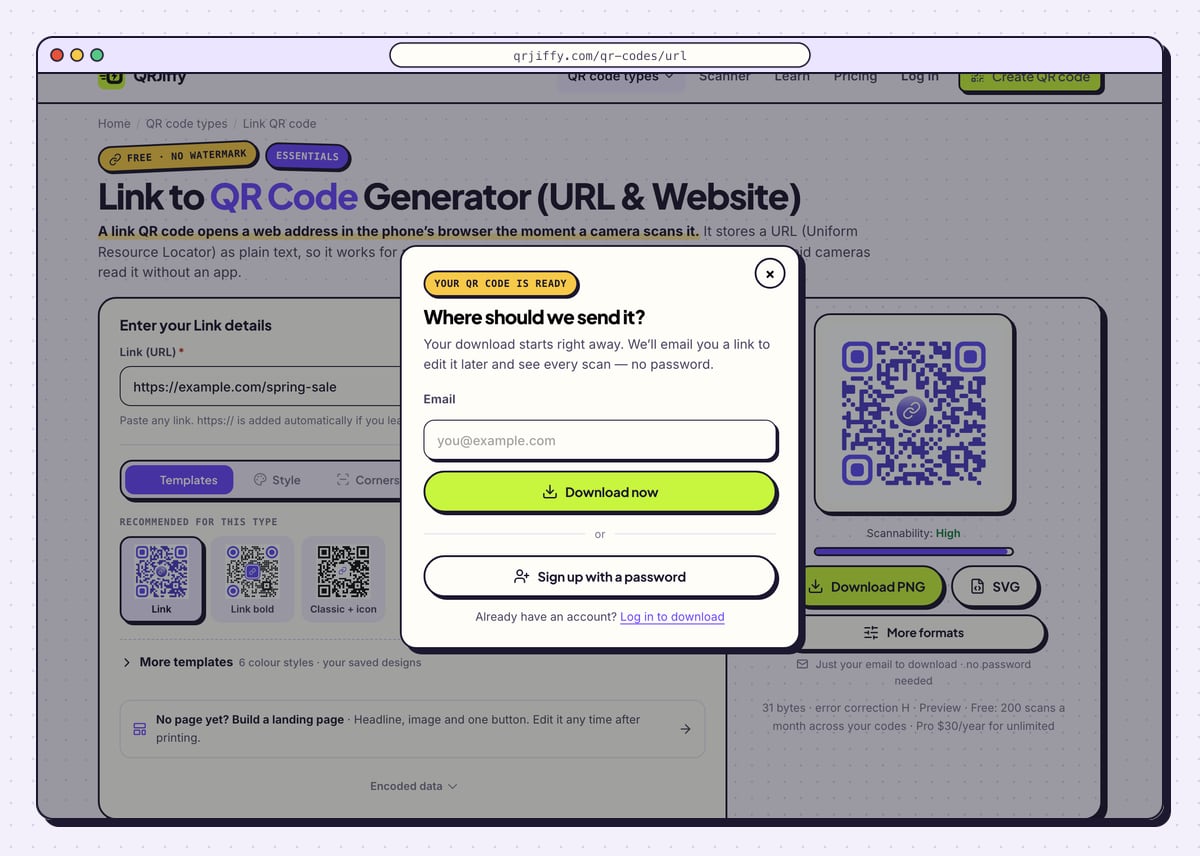
Download PNG suits websites, slides and office printers. SVG is the file a print shop asks for, because it stays sharp at poster size. A box titled “Where should we send it?” appears on the first download: enter your email, click Download now, and the file saves without a wait.
The file name looks like
qrjiffy-url-PXMnXBG.png. The seven characters before the extension are the ID of your short link, which the page now shows in full.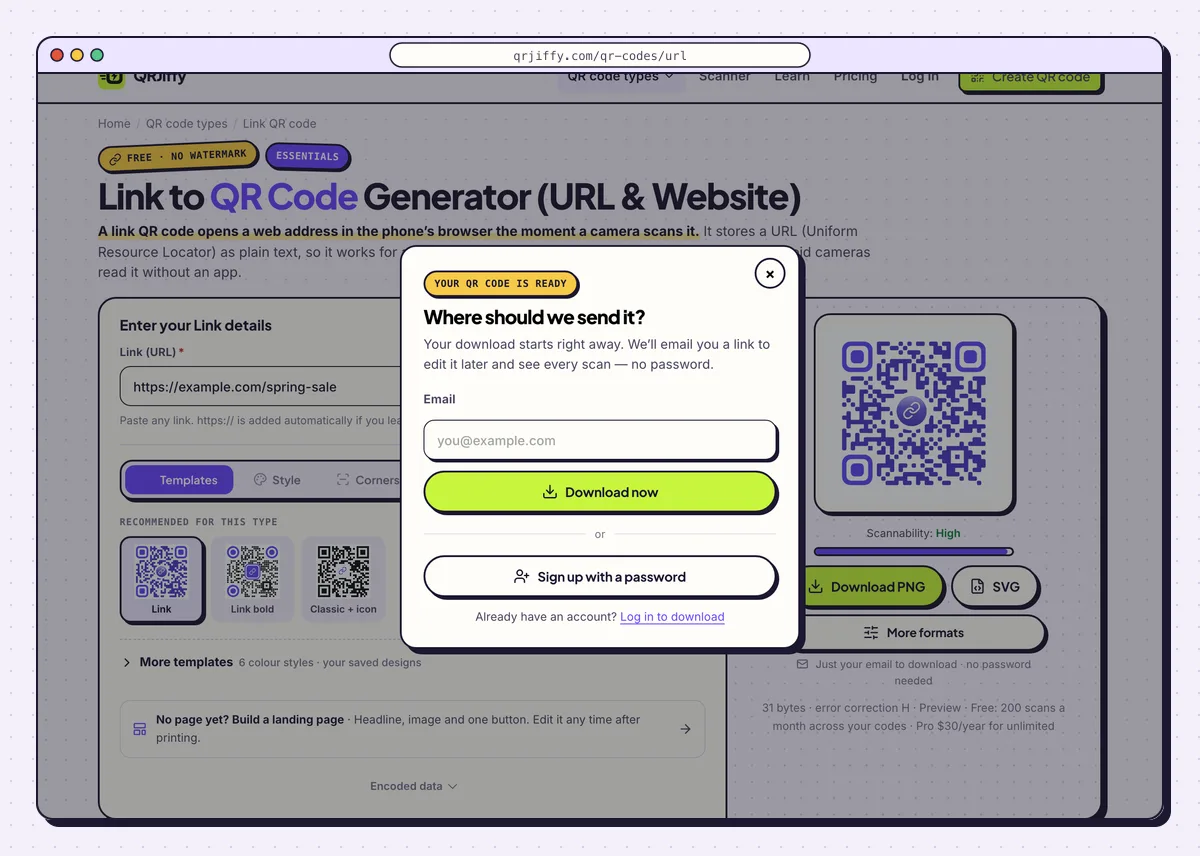
The first download asks for an email address, which also opens your dashboard later. 5Scan the downloaded file
Open the downloaded image on your computer screen and point a phone camera at it. Tap the banner and confirm that your page loads.
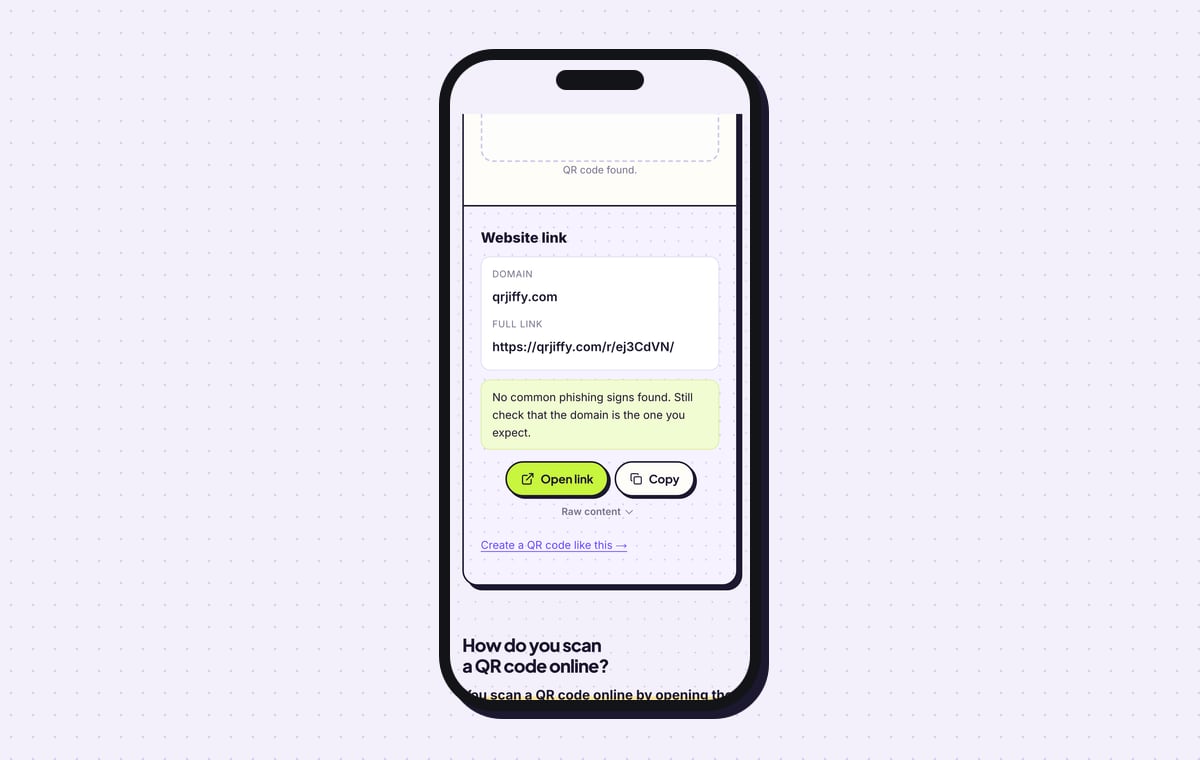
For a second check, upload the file to the QR code scanner. It labels the result “Website link” and lists the domain as qrjiffy.com, because the pattern stores the short link. Tap Open link there to follow it to your own address.
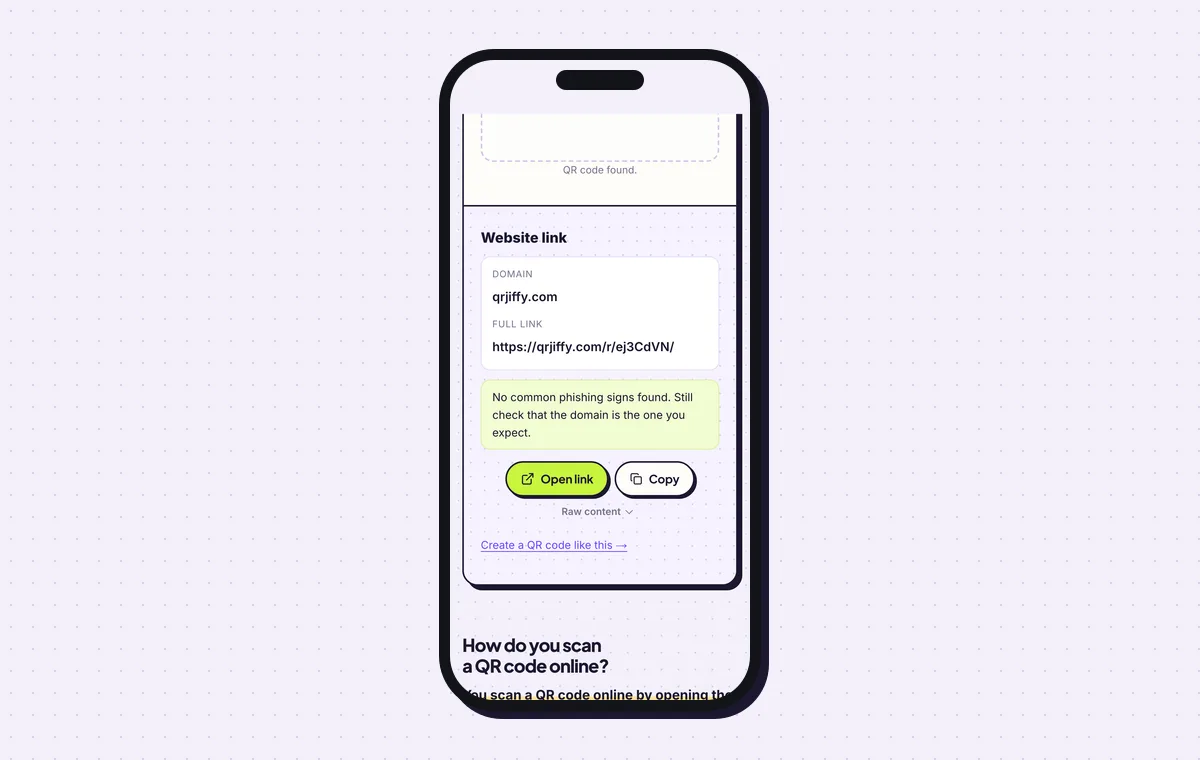
The scanner shows the short link inside the code. Open link follows it to your page. 6Change the destination or read the scan numbers
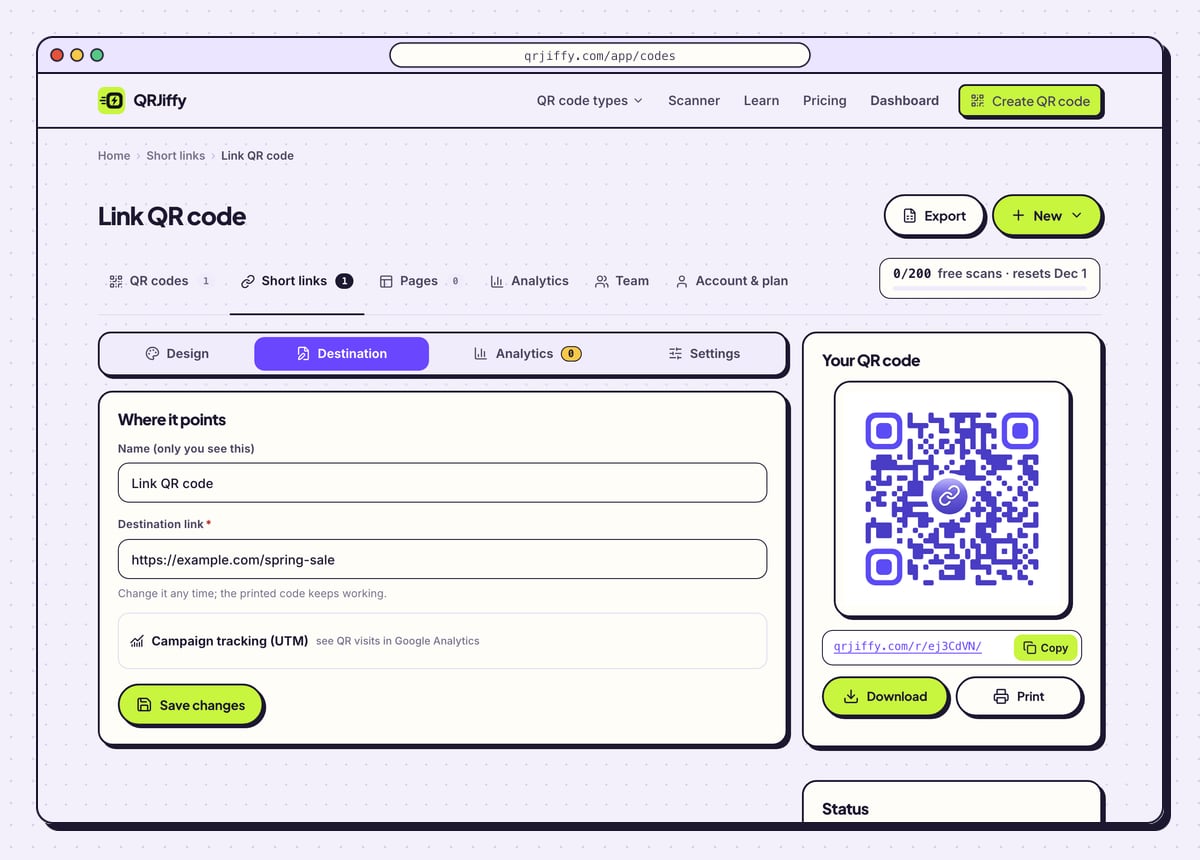
Sign in and open the code from the dashboard. Four tabs run across the top: Design, Destination, Analytics and Settings. Paste a new address under Destination and every printed copy opens that address from the next scan onward.
Analytics breaks scans down by day, device and country. A free account covers 200 scans a month across all of its codes, and Pro at $30 a year removes the limit.
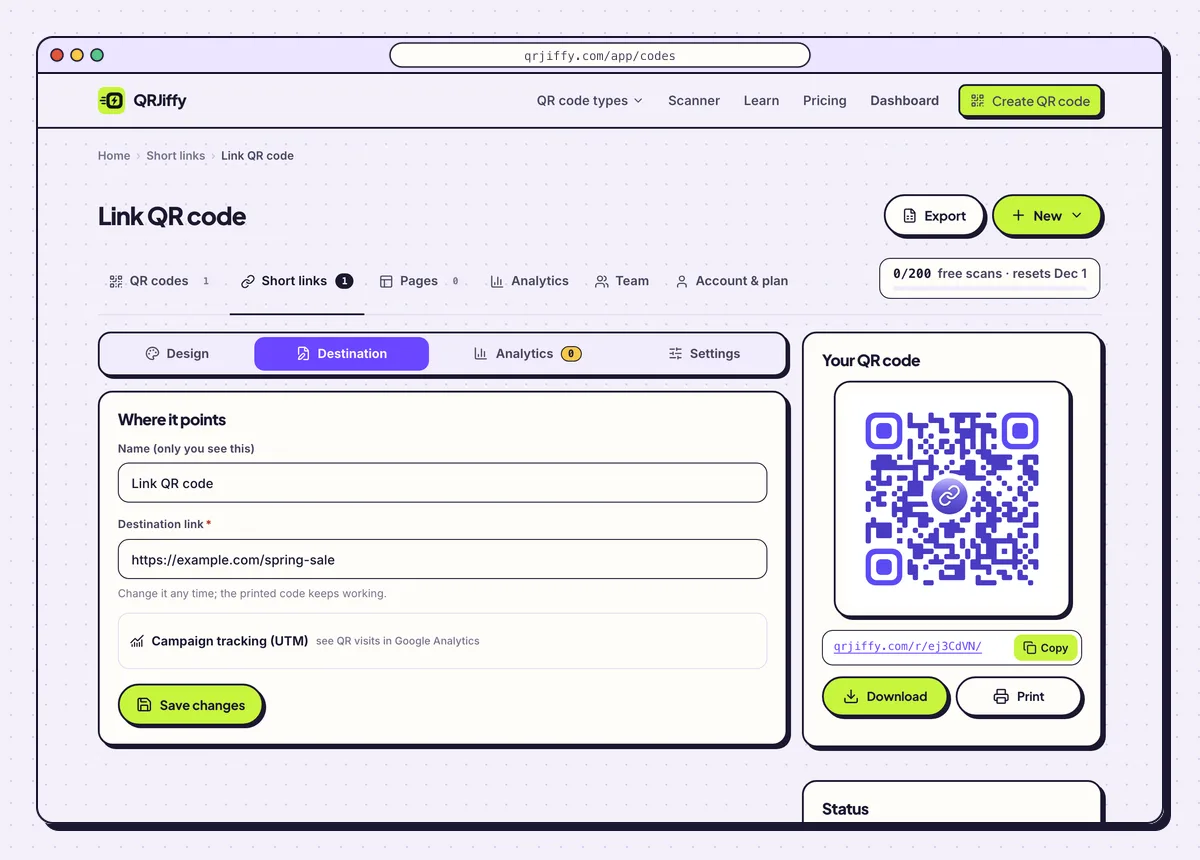
Each link code has its own dashboard page for redesigning, repointing and counting scans. 7Print the code with a call to action
Print a link code no smaller than 2 × 2 cm (0.8 in). For posters, divide the reading distance by 10: a poster read from 3 m needs a code 30 cm wide. Keep an empty margin 4 dots wide on all four sides, and write a line such as “Scan to see the spring sale” beside it. The guide on how to print a QR code covers paper, file formats and bleed.
Open the Link to QR Code generatorFree. Nothing to install.
What happens when someone scans a QR code for a link?
The phone reads the short link, shows it in a banner, and opens your page in the browser after one tap. The hop through qrjiffy.com is what records the scan and lets you repoint the code. No app is needed on current phones.
- iPhone: the Camera app shows a yellow banner with the domain. Tapping it opens Safari or the default browser.
- Android: the camera or Google Lens shows the link and opens it in Chrome or the default browser. Android 13 adds a QR scanner tile in Quick Settings.
- App links: a destination on YouTube, Instagram or another installed app opens in that app instead of the browser.
Can you change the link after the QR code is printed?
Yes. Paste a new address in the Destination tab of the dashboard and the printed code opens it from the next scan. The pattern itself does not change, because it only ever contained the short link. This rescues a print run when a page moves or a campaign ends.
Can Google Chrome make a QR code for a link?
Yes. Chrome on a desktop computer makes a basic QR code for the open page through Share › Create QR code. That code has one fixed design and downloads as PNG only. Use a generator for colours, a logo, an SVG file, scan counts or an editable destination.
What mistakes stop a Link QR code from working?
These 5 mistakes cause most failed Link QR codes; each has a quick fix. Test the downloaded file with two different phones before you print anything.
| Mistake | Fix |
|---|---|
| The link was copied from a logged-in page, a draft preview or a basket | Open the link in a private browser window. Use it only if the page loads there. |
| The code went to the printer without a scan | Scan the downloaded file with a phone and tap through to the page before sending it to print. |
| Pale dots on a dark or busy background | Keep dark dots on a light background and check that the Scannability bar reads “High”. |
| The code is squeezed into a corner under 2 cm wide | Print at 2 × 2 cm or more and leave a blank margin 4 dots wide. |
| The page behind the code was deleted or moved | Paste the new address in the Destination tab. The printed code follows it. |
Frequently asked questions
Does it cost anything to make a QR code for a link?
No. Making and downloading the code is free and the image has no watermark. A free account includes 200 scans a month across all codes, and Pro costs $30 a year for unlimited scans.
Why does my QR code show qrjiffy.com when scanned?
Because the code holds a short qrjiffy.com link that forwards to your address. That short link is what makes the destination editable and the scans countable.
Can I make a QR code for a Google Doc, a form or a PDF link?
Yes. Any web address works, including documents, forms and file links. Set the sharing on the document so people without an account can open it.
How long can the link be?
Any practical length works. The printed pattern stores the short link, so a 100-character address makes the same sparse code as a 20-character one.
Do people need an app to scan a link QR code?
No. The built-in camera on iPhones with iOS 11 or later and on Android phones with Android 9 or later opens the link.
Ready to make your Link QR code?
The generator is free and works in the browser on a phone or a computer. Your code downloads as PNG for screens or SVG for print.
Open the Link to QR Code generator
Related guides: How to Print a QR Code · QR Code Size · QR Code Not Working