 QRJiffy
How to Make a QR Code for a PDF
You make a QR code for a PDF by putting the file online, copying a link that opens without a sign-in, and pasting that link into a PDF QR code generator. The code never contains the document: it holds a short link, and the phone downloads the PDF from wherever you host it. The job takes about 3 minutes once the file is online, and most of the care goes into the sharing setting.
What do you need before you start?
You need 4 things ready, and no account to try the generator. A free account, or just your email, is asked for only at the download step.
- The finished PDF, compressed below 5 MB. A file that size opens in about 2 seconds on 4G.
- A place to host it: your website, Google Drive, Dropbox, or QRJiffy itself (uploads up to 25 MB with a free account).
- The public link to the file. In Google Drive it comes from Share › General access › “Anyone with the link”.
- A phone on mobile data, signed out of your Google or Dropbox account, for the test in step 6.
How do you make a PDF QR code step by step?
Follow these 7 steps in the PDF to QR Code generator; the preview updates as you type. Each screenshot below is the real screen, filled in with a sample bakery’s details.
1Get a link to the PDF that opens for strangers
A QR code holds at most 2,953 bytes, so the PDF itself stays online and the code points at it. Pick the host you already use:
- Google Drive: right-click the PDF, choose Share, change General access from Restricted to Anyone with the link (Viewer), then click Copy link.
- Dropbox: choose Share, then Copy link.
- Your website: upload the file and copy its address, such as
https://example.com/menu.pdf.
Paste the link into a private browser window. The PDF must appear with no sign-in screen. A Drive file left on Restricted shows every scanner a “Request access” page instead of the document.
Tip: No host yet? The generator has an “Upload a PDF” option. QRJiffy hosts files up to 25 MB with a free account.
2Paste the link into the PDF QR code generator
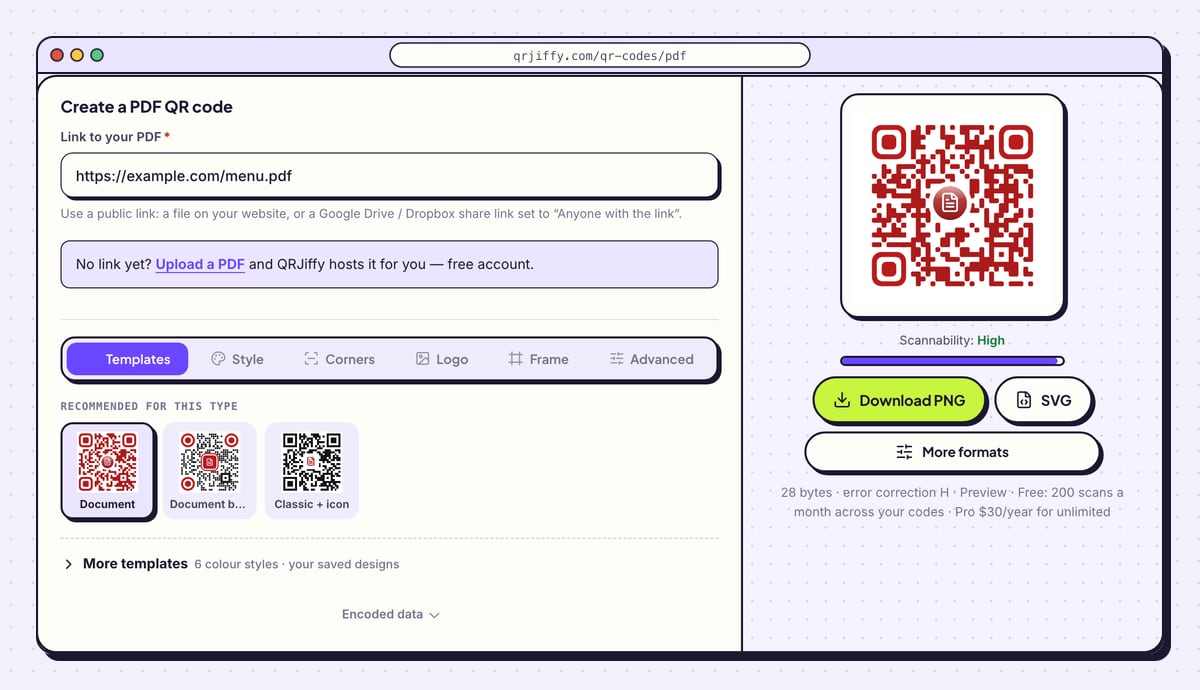
Open the PDF QR code generator and paste the address into Link to your PDF. It is the only field on the form.
The preview on the right redraws as soon as the link is in. The Scannability bar under the preview reads “High” for a plain black-on-white code.
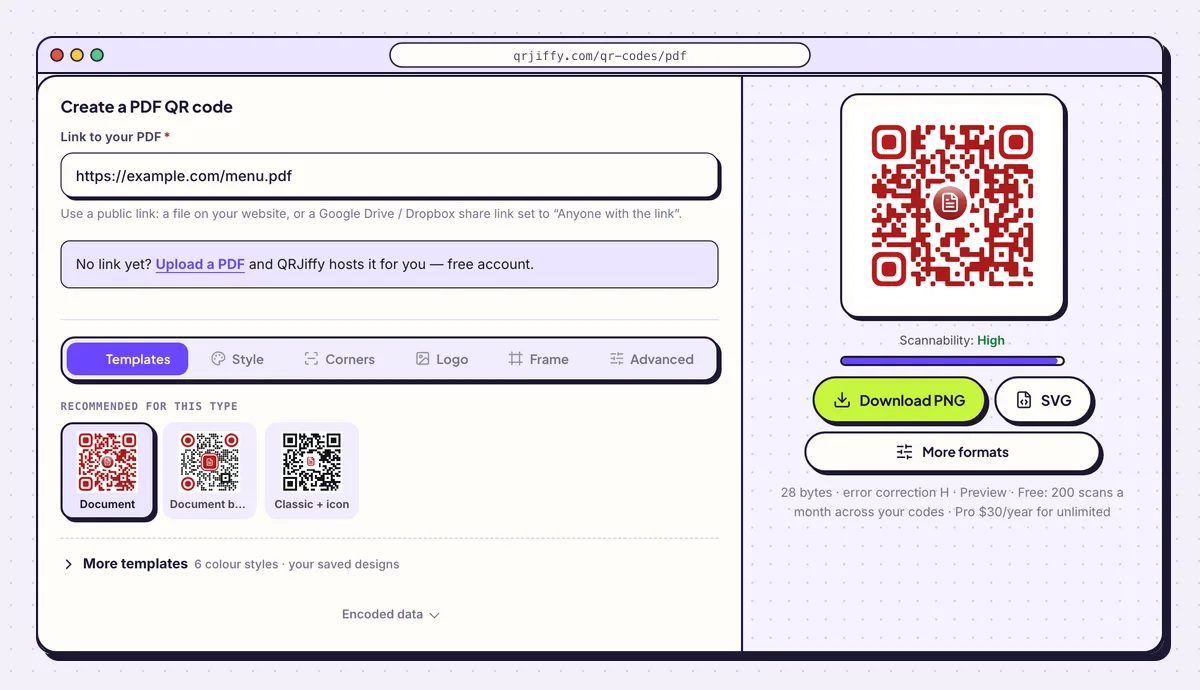
One field to fill: the public link to the PDF, here a sample bakery menu. 3Add a label that says what the document is
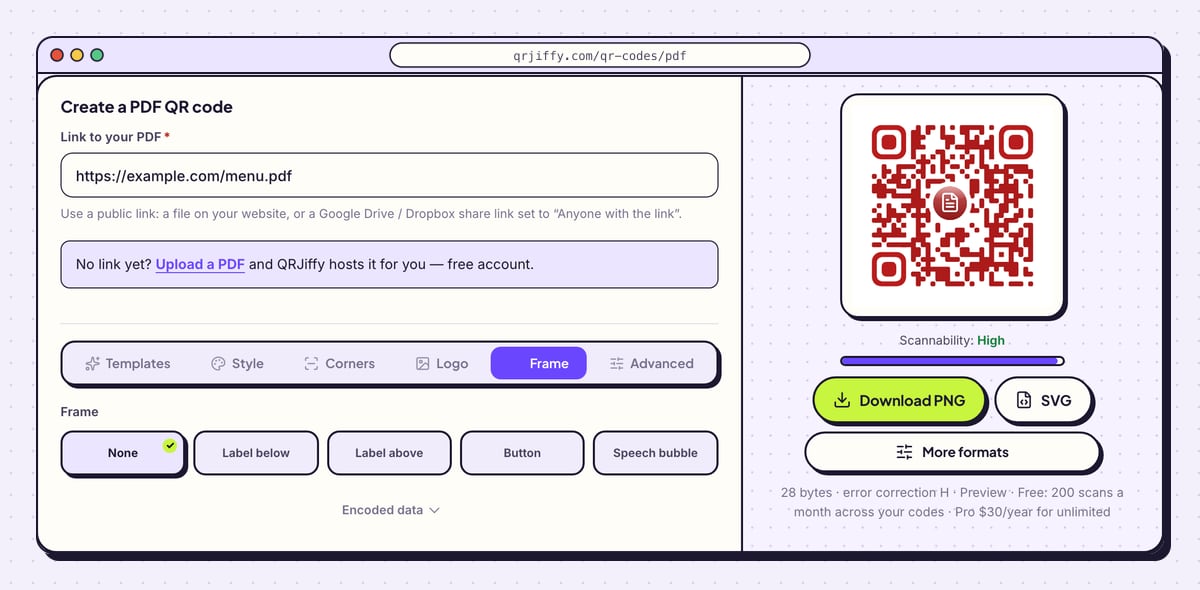
Open the Frame tab under the form. It offers None, Label below, Label above, Button, Speech bubble and Call to action, plus Frame colour and Text colour. Pick Label below and type what the scan opens, with the format and size: “Scan for the full manual (PDF, 2 MB)”.
Leave the dots dark on a light background. For a laminated or outdoor print, open Advanced and raise error correction from M (15%) to Q (25%).
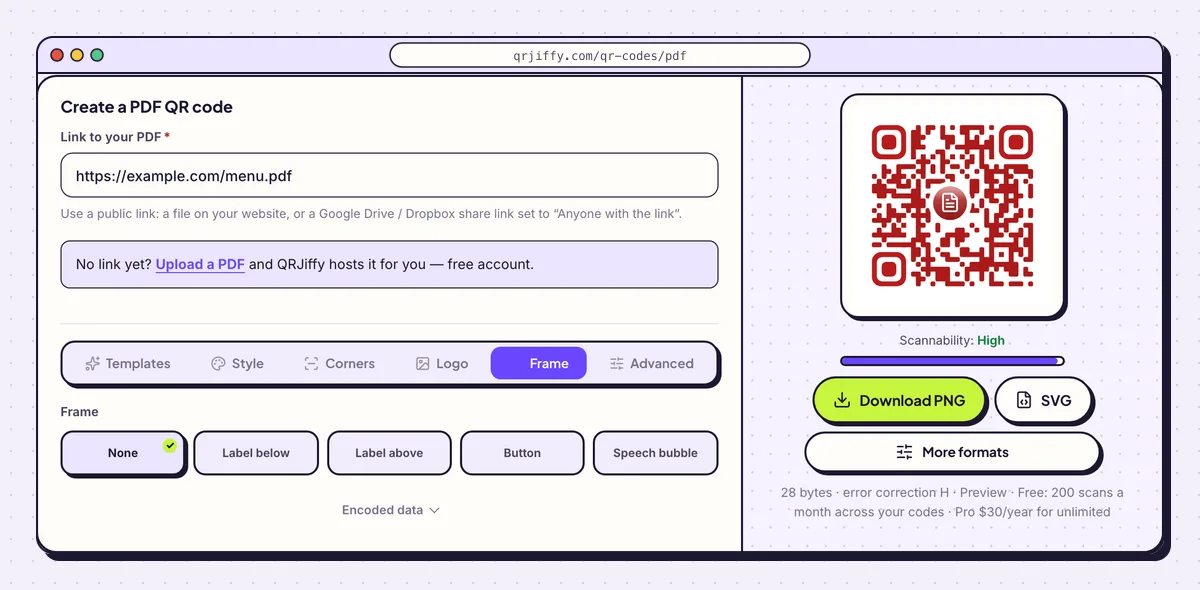
The Frame tab prints a short instruction with the code. 4Download the code as PNG or SVG
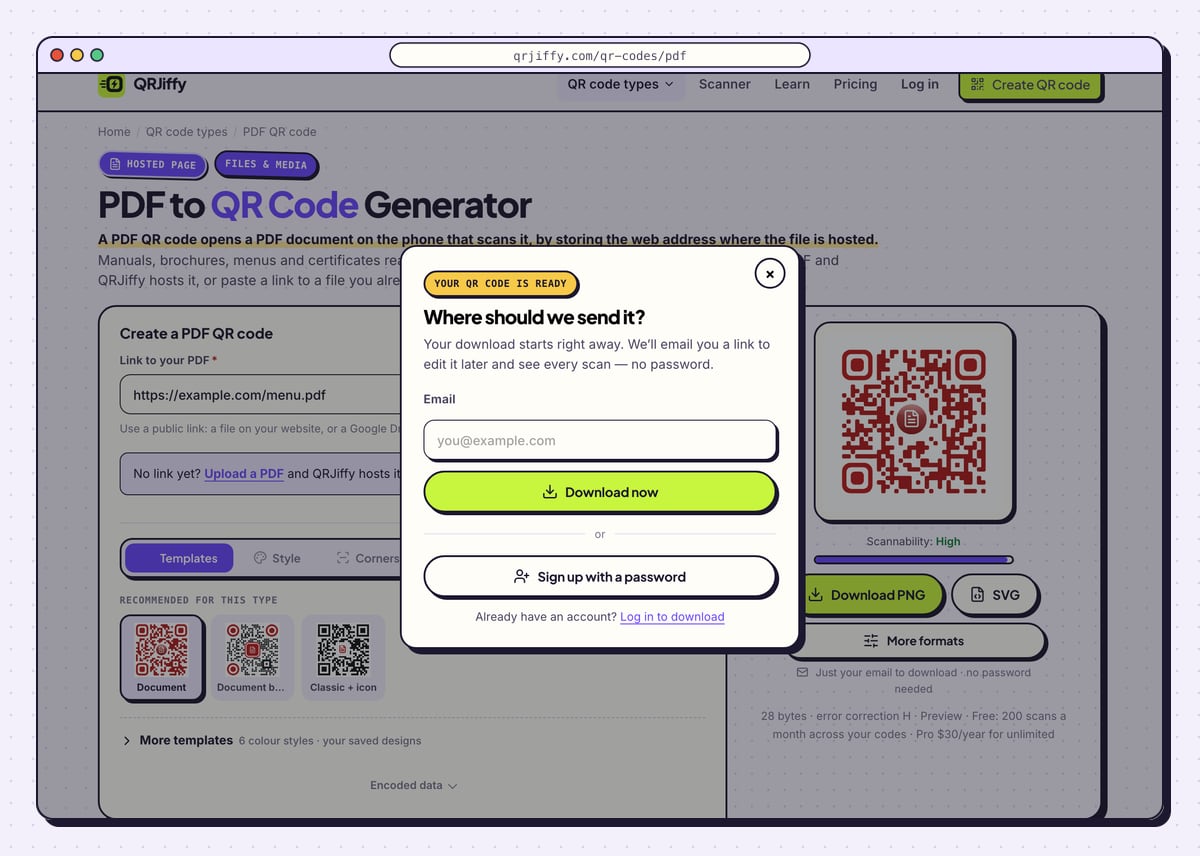
Click SVG when the code goes into a brochure, packaging artwork or anything a print shop handles, and Download PNG for slides, emails and office printers. A dialog headed “Where should we send it?” asks for an email address. Type it and click Download now; the file arrives at once, named like
qrjiffy-pdf-itbqrmn.png.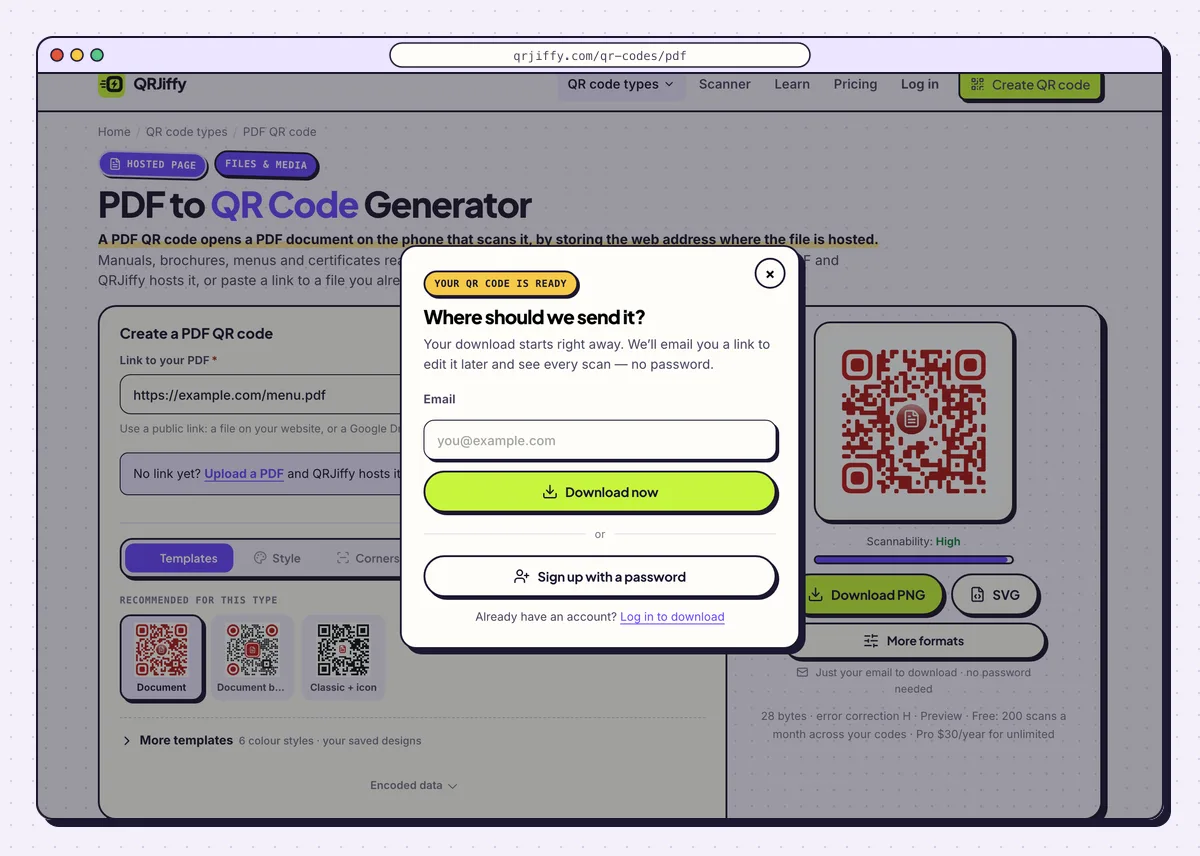
The email is asked for once, and the download starts right away. 5Find the code in your dashboard
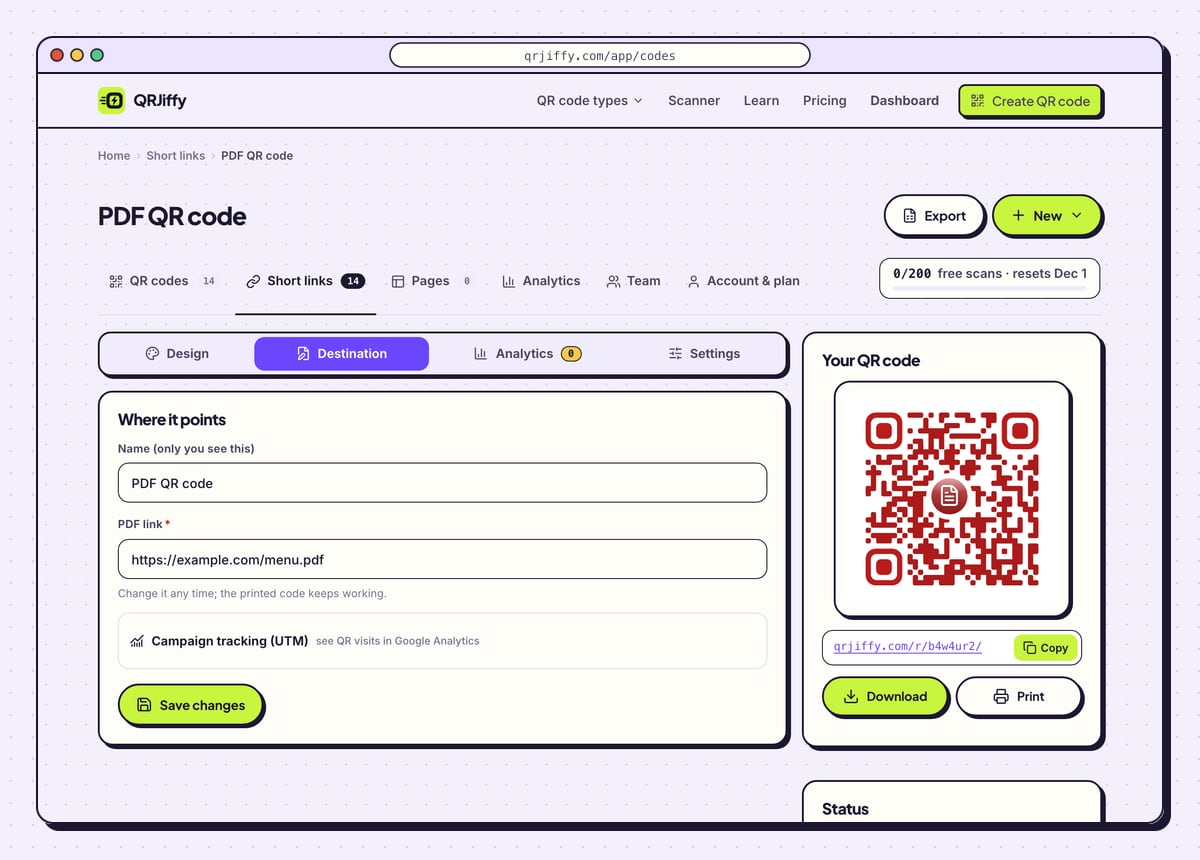
After the download, the page shows the short link inside the code, in the form
qrjiffy.com/r/…, with a note that you can change where it points while the printed code stays the same. Follow Manage it in your dashboard to open the code’s own page.That page has four tabs: Design, Destination, Analytics and Settings. Destination holds the PDF link, and it is the tab you return to when next year’s price list replaces this one.
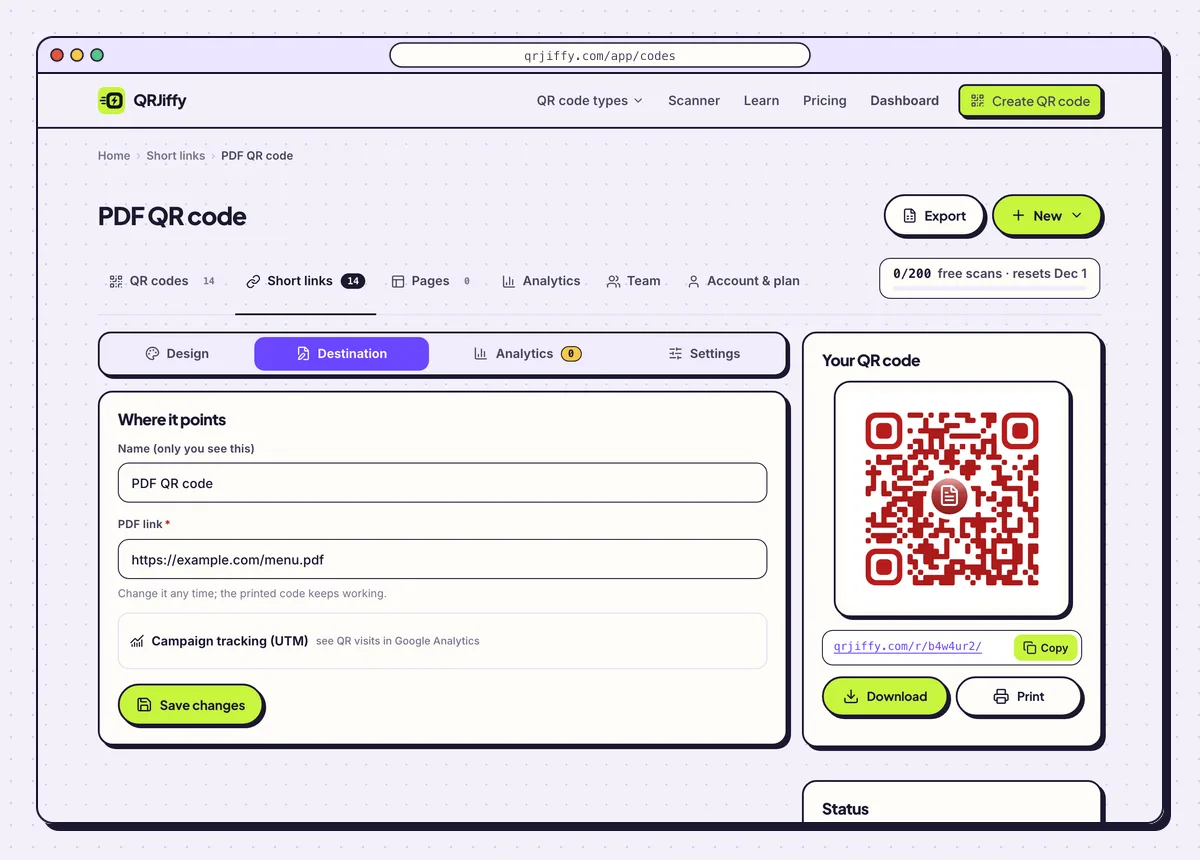
The dashboard page for the code: the Destination tab is where a new PDF link goes. 6Test the code with a signed-out phone
Scan the downloaded file from your screen with a phone that is on mobile data and not signed in to your Google or Dropbox account. This is the test that catches a private file, because your own account always has access. The PDF must open in the browser’s viewer within a few seconds.
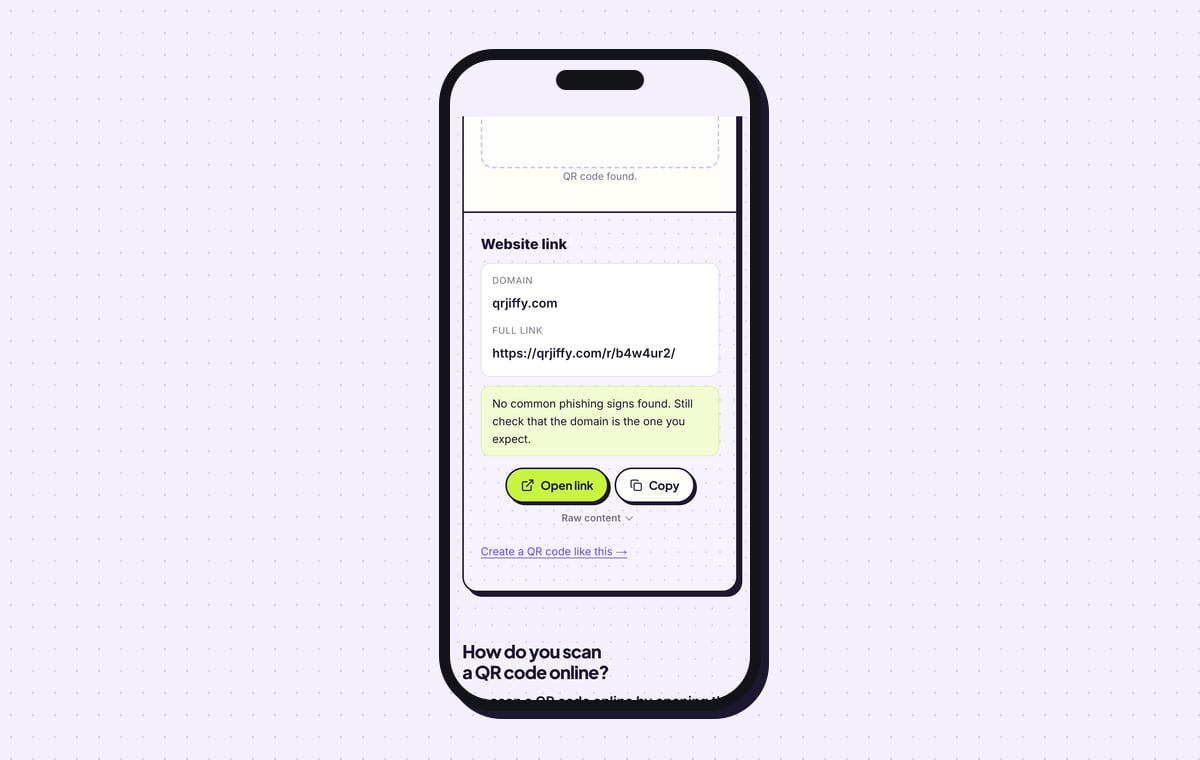
To check the file without a second phone, upload it to the QRJiffy QR code scanner. It reports a “Website link” on the domain qrjiffy.com and shows the full short link with Open link and Copy buttons.
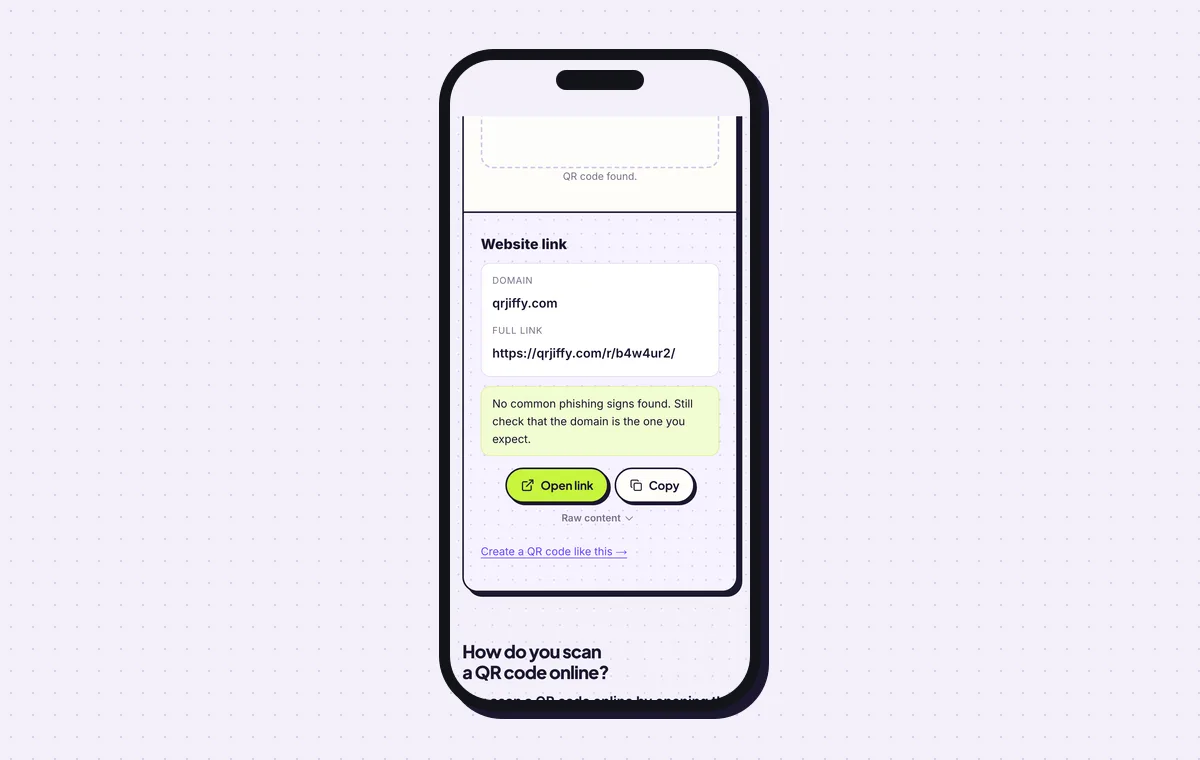
The scanner shows the short link stored in the code, which forwards to the PDF. 7Print the code at 2.5 cm or larger
Print the code at least 2.5 × 2.5 cm (1 in) on a leaflet, label or box. Scanning distance is about 10 times the code’s width, so a poster read from 1 m needs a 10 cm code. Keep a white margin of 4 dots on every side.
Open the PDF to QR Code generatorFree. Nothing to install.
Can you replace the PDF after the QR code is printed?
Yes. The printed code holds a short link, so you replace the PDF behind it and every existing print opens the new file from the next scan. There are two ways to do it, and both leave the printed pattern untouched.
- In QRJiffy: open the code in your dashboard and upload the new version, or paste a different link into Destination.
- In Google Drive: use Manage versions › Upload new version. The share link stays the same, so nothing changes in QRJiffy.
- On your website: overwrite the file under the same name and address.
What happens when someone scans a PDF QR code?
The phone camera shows a link banner, and one tap opens the PDF in the browser’s built-in viewer with no extra app. iPhones on iOS 11 or later and Android phones on Android 9 or later read the code in the normal camera. The phone needs mobile data or WiFi, because it downloads the file at that moment.
- iPhone: the PDF opens in Safari’s viewer. The share button saves it to Files or Books.
- Android: Chrome opens the PDF in its viewer or saves it to the Downloads folder, depending on the Chrome version.
- Drive and Dropbox links: a preview page opens first, then the document.
Why does a PDF QR code show “Request access”?
The Google Drive file is still shared as “Restricted”, so Google asks every scanner to sign in and request permission. Open the file’s Share box and switch General access to “Anyone with the link”, with the role set to Viewer. The printed code starts working straight away, because the link itself has not changed.
How is a PDF QR code different from a QR code placed in a PDF?
A PDF QR code opens a document when scanned, while a QR code placed in a PDF is a picture on a page that opens whatever link it stores. The second kind is any QR code inserted into your layout before export. Use the SVG download for that, since a 300 px PNG blurs when it is printed wider than 2.5 cm.
What mistakes stop a PDF QR code from working?
These 5 mistakes cause most failed PDF QR codes; each has a quick fix. Test the downloaded file with two different phones before you print anything.
| Mistake | Fix |
|---|---|
| The Google Drive file is left on “Restricted” | Set General access to “Anyone with the link” (Viewer), then test in a private browser window. |
| The link was tested only on your own signed-in phone | Scan with a phone that is signed out of your account, on mobile data. |
| The PDF is a 30 MB scan | Compress it below 5 MB. Files over 10 MB open slowly on mobile data. |
| The file was renamed or moved on your website after printing | Paste the new address into the Destination tab; the printed code follows it. |
| The code has no label, so nobody knows it opens a document | Add a Frame label such as “Scan for the price list (PDF)”. |
Frequently asked questions
Is it free to make a QR code for a PDF?
Yes. The PDF QR code generator is free and adds no watermark. A free account covers 200 scans a month across all your codes, and Pro costs $30 a year for unlimited scans.
Can the PDF be stored inside the QR code?
No. A QR code holds at most 2,953 bytes, far less than any PDF, so the code stores a link and the phone downloads the file.
Is there a size limit for the PDF?
The code sets no limit, because the file is not inside it. QRJiffy hosts uploads up to 25 MB, and files over 10 MB open slowly on mobile data.
Can I see how many people opened my PDF?
Yes. The dashboard counts every scan of the code by day, device and country.
Ready to make your PDF QR code?
The generator is free and works in the browser on a phone or a computer. Your code downloads as PNG for screens or SVG for print.
Open the PDF to QR Code generator
Related guides: How to Print a QR Code · QR Code Size · QR Code Not Working