 QRJiffy
How to Make a QR Code for Audio
You make an MP3 QR code by uploading the audio file somewhere public, copying its link and pasting that link into an audio QR code generator. A 3-minute MP3 is about 2.9 MB, roughly 1,000 times what a QR code holds, so the code stores a short link and the phone plays the recording from its host. The steps take about 3 minutes with the recording ready.
What do you need before you start?
You need 4 things ready, and no account to try the generator. A free account, or just your email, is asked for only at the download step.
- The recording as MP3 or M4A: 128 kbps for speech, 192 kbps for music.
- A public home for the file: your website, SoundCloud, Bandcamp, Dropbox, Google Drive, or a QRJiffy upload.
- The link to the file or track, checked in a private browser window.
- The title and length of the recording, to print next to the code.
How do you make a Music QR code step by step?
Follow these 7 steps in the Music & Audio QR Code generator; the preview updates as you type. Each screenshot below is the real screen, filled in with a sample bakery’s details.
1Export the recording as MP3 or M4A
Save the recording as MP3 at 128 kbps for speech or 192 kbps for music. Higher bitrates add loading time with no audible gain on a phone speaker. M4A (AAC) plays everywhere too. WAV plays but is about 10 times larger, and FLAC fails in older versions of Safari.
Trim the silence at the start. Listeners give up on audio that stays silent for more than 3 seconds. For a voice message, record with Voice Memos on an iPhone or Recorder on Android.
2Upload the file and copy its public link
Put the file where anyone can reach it. A file on your own website gives a direct link such as
https://example.com/audio/welcome.mp3, which opens the browser’s audio player with nothing around it. SoundCloud and Bandcamp give a track page, and they count plays. For Google Drive or Dropbox, share the file and set the link to Anyone with the link.The generator’s Upload an audio file option is the shortest route: QRJiffy hosts MP3, M4A, WAV, OGG and AAC files. Whichever host you pick, open the link in a private window and confirm it plays without a login.
Tip: Use a plain MP3 link for a private message and SoundCloud or Bandcamp when you want the plays counted on your profile.
3Paste the link into the audio QR code generator
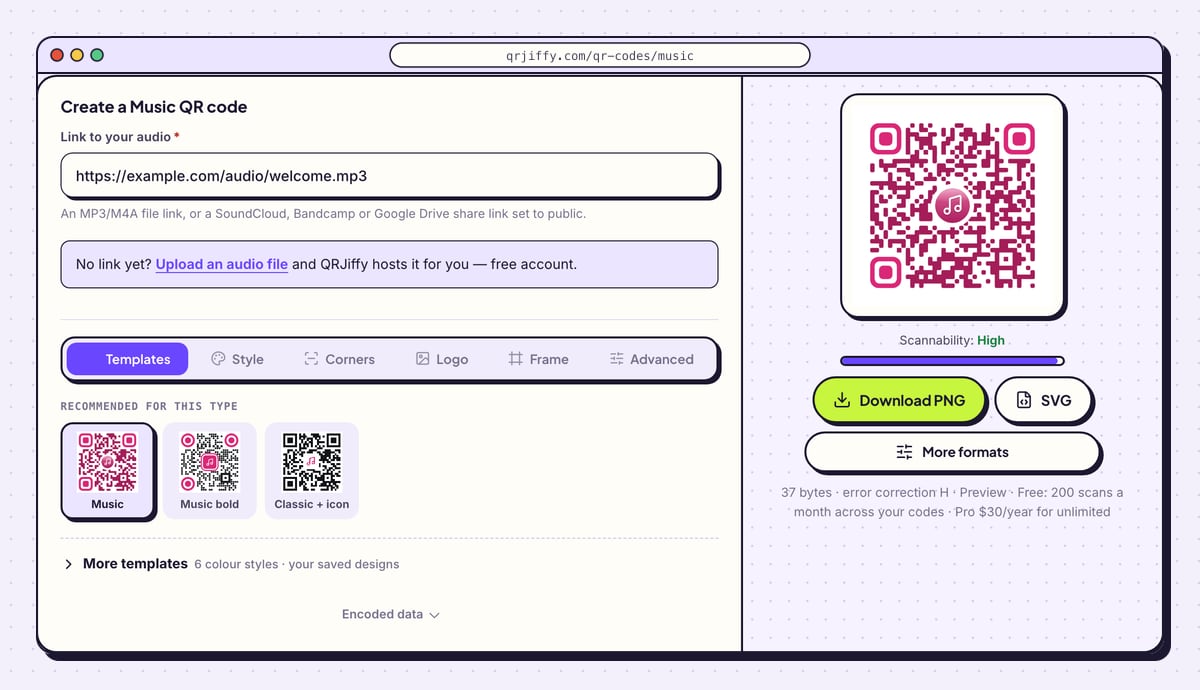
Open the music and audio QR code generator. Paste the address into Link to your audio. Its help text names the accepted links: an MP3/M4A file link, or a SoundCloud, Bandcamp or Google Drive share link set to public.
The sample pattern on the right is replaced by your own code as soon as the link is pasted.
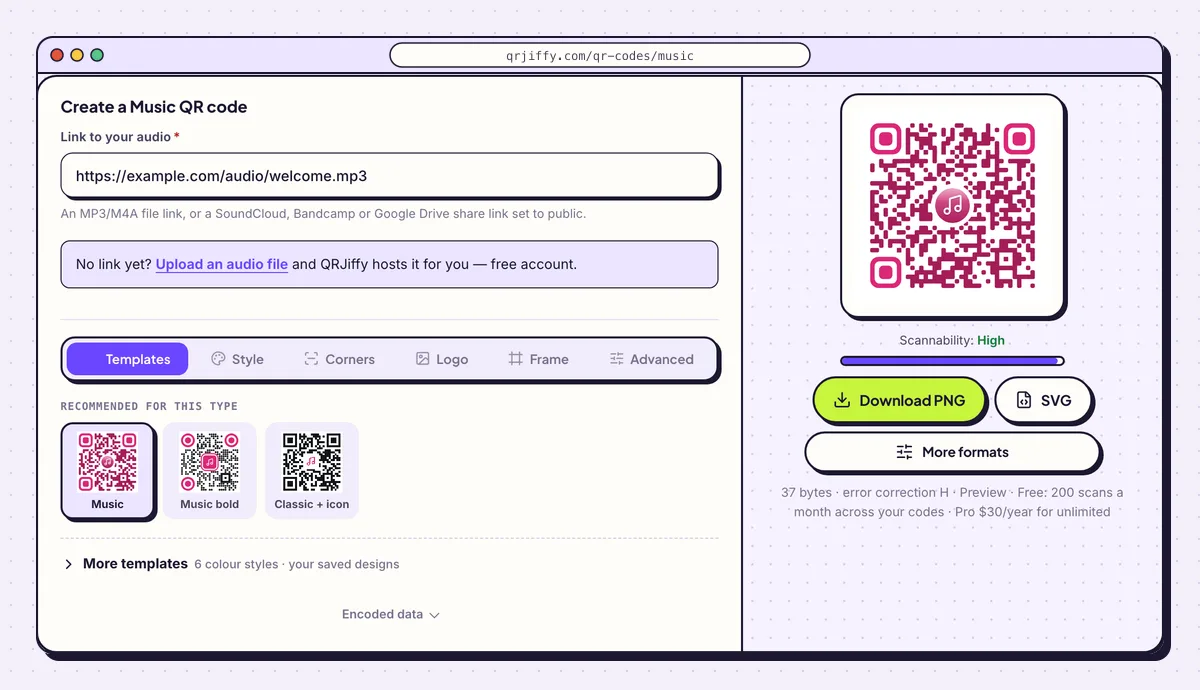
The sample here is a welcome message hosted as an MP3 file. 4Pick a dot style and colours
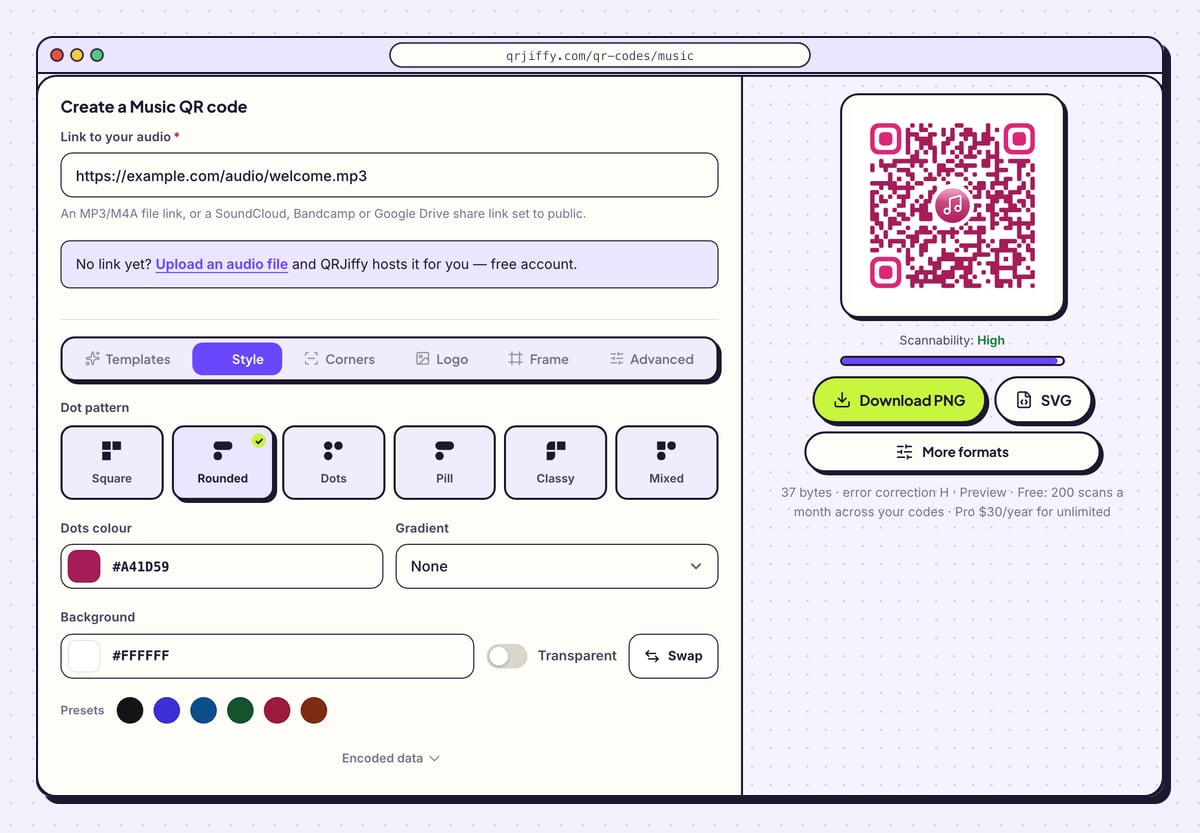
The Style tab holds the look of the pattern. Six shapes are available: Square, Rounded, Dots, Pill, Classy and Mixed. Below them, Dots colour and Background set the two colours, and Gradient adds a Second colour with a Direction.
A band matches the code to its sleeve artwork here; a museum keeps it black on white for speed. In both cases the dots stay dark and the background light. Then open Frame and add the title and running time, such as “Scan to listen · 2:45”.
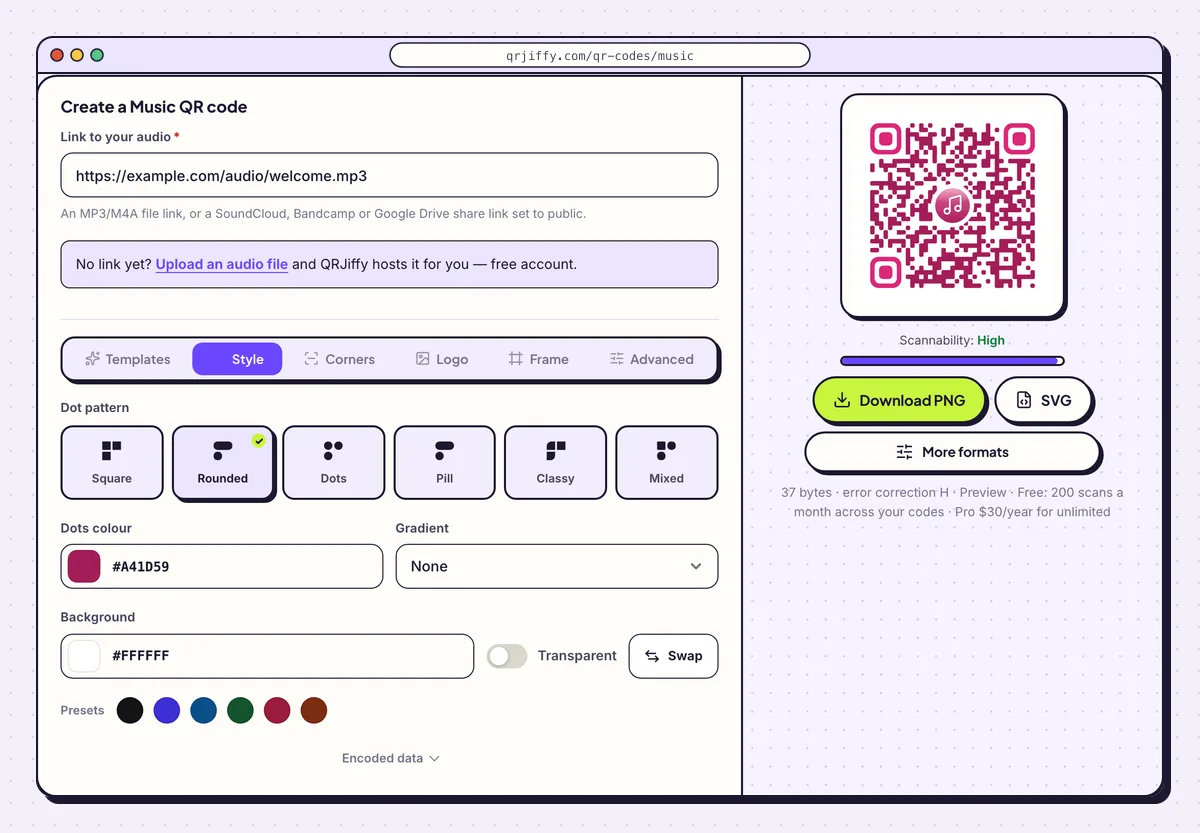
Dot shapes and colours for the code are set in the Style tab. 5Save the code to your device
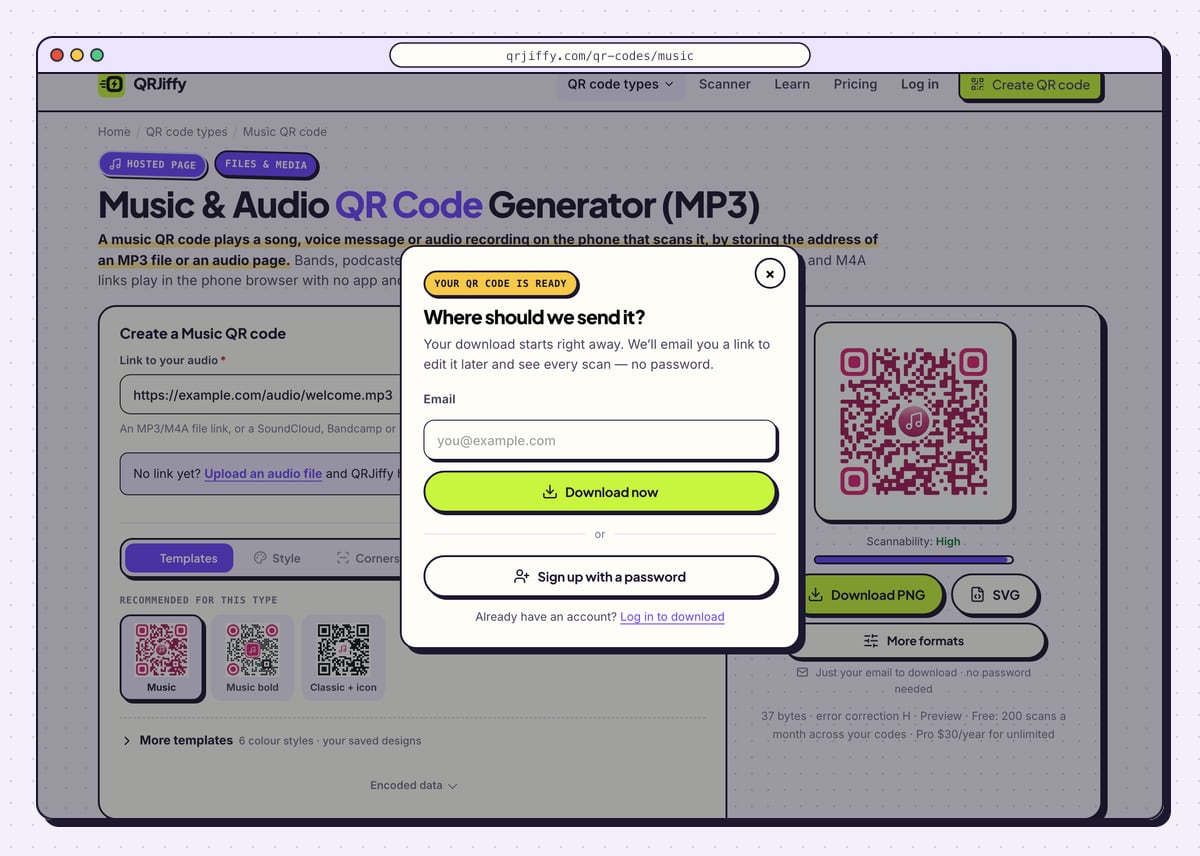
Click SVG for record sleeves, posters and merchandise, or Download PNG for a card printed at home. QRJiffy asks “Where should we send it?” the first time. Fill in your email, click Download now, and a file with a name like
qrjiffy-music-eq7FEM7.pnglands in your downloads folder.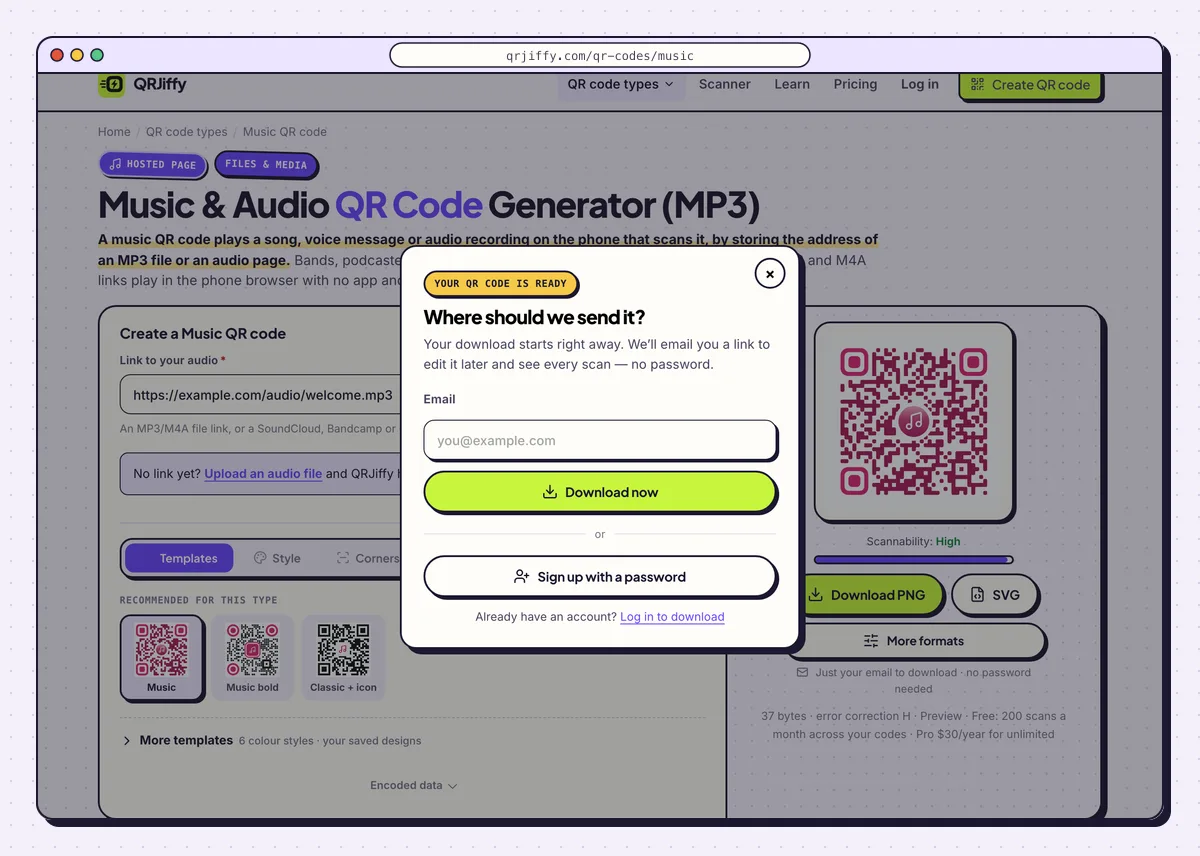
The first download asks where to send the edit link. 6Keep the dashboard page for re-recordings
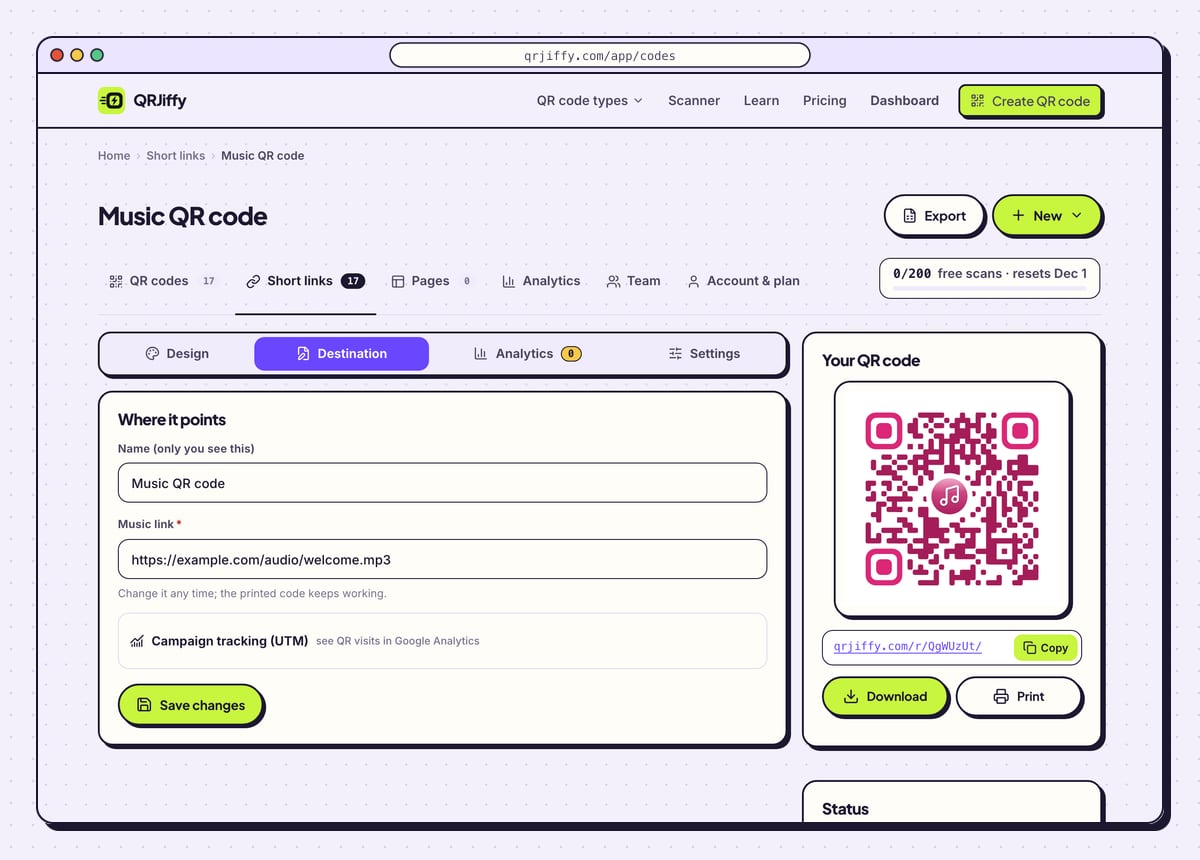
The confirmation under the preview shows the short link stored in the code, such as
qrjiffy.com/r/…. Open the dashboard from there. The code’s page carries the tabs Design, Destination, Analytics and Settings.Audio gets re-recorded often: a corrected museum narration, a remastered demo, a new greeting on the same gift tag. Upload the new recording or paste its link under Destination, and every printed code plays the new version. Analytics shows which stops of an audio tour get scanned, by day, device and country.
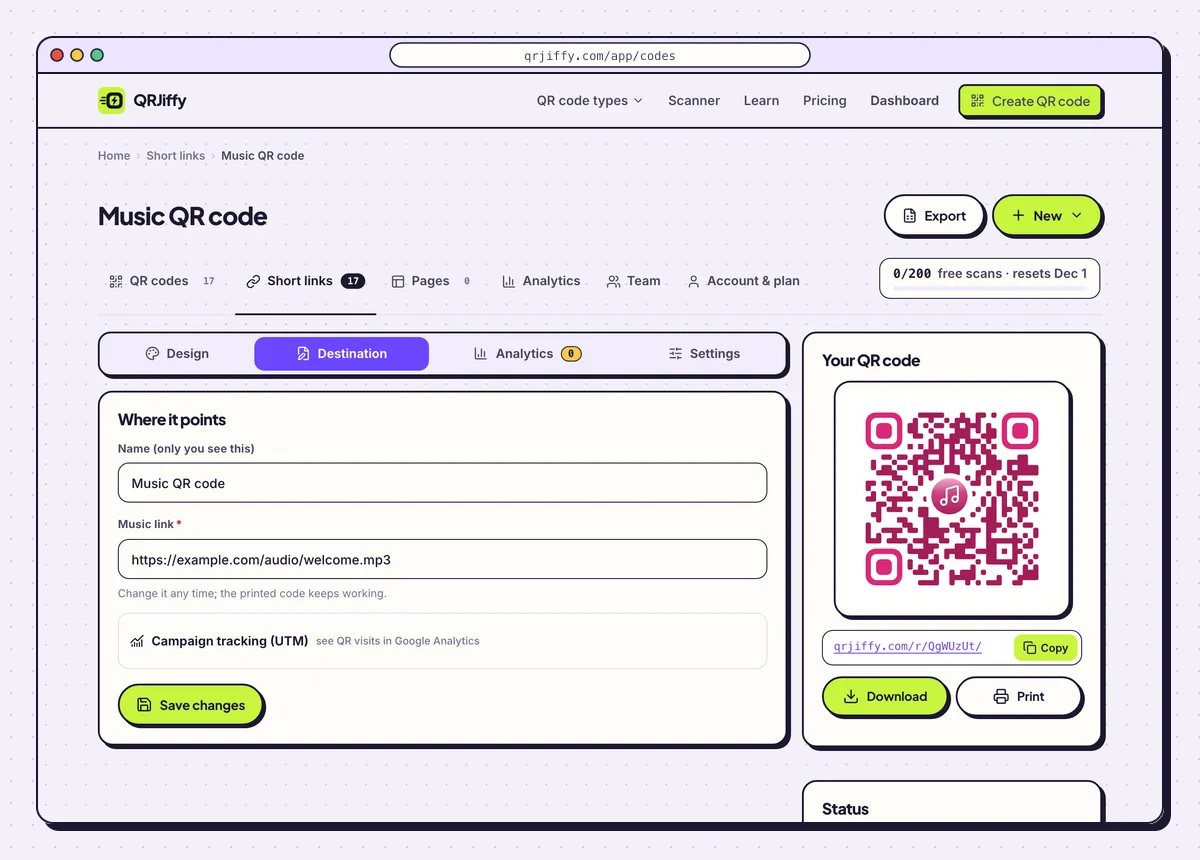
A new recording goes into Destination, and the printed code stays as it is. 7Press play on two phones, then print
Scan the code and press play on an iPhone and on an Android phone. Safari opens an MP3 link in a full-screen audio player, and Chrome shows an inline player with play, seek and download controls. Lock each phone during playback to learn whether the sound continues, since browsers differ on this.
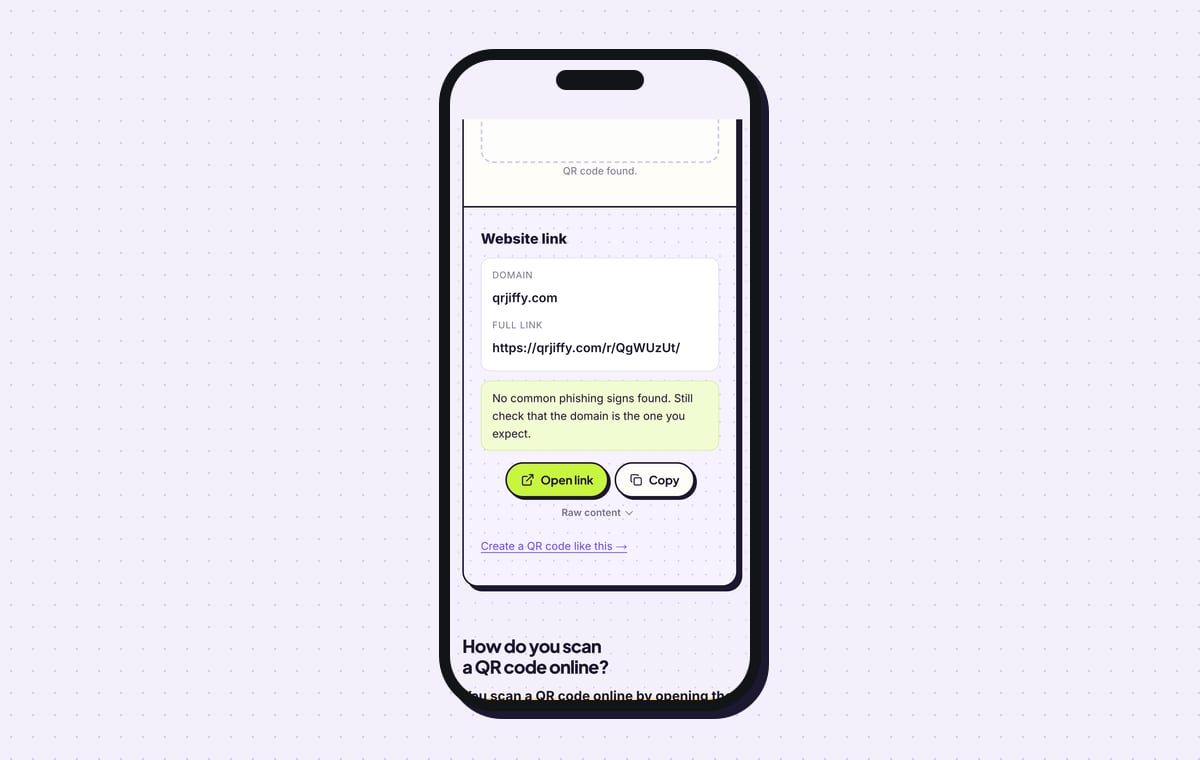
The QRJiffy QR code scanner decodes the downloaded file as a “Website link” on qrjiffy.com and displays the short link. Print the code at 2 × 2 cm (0.8 in) or more. Choose error correction Q (25%) in Advanced for stickers and cards that get handled.
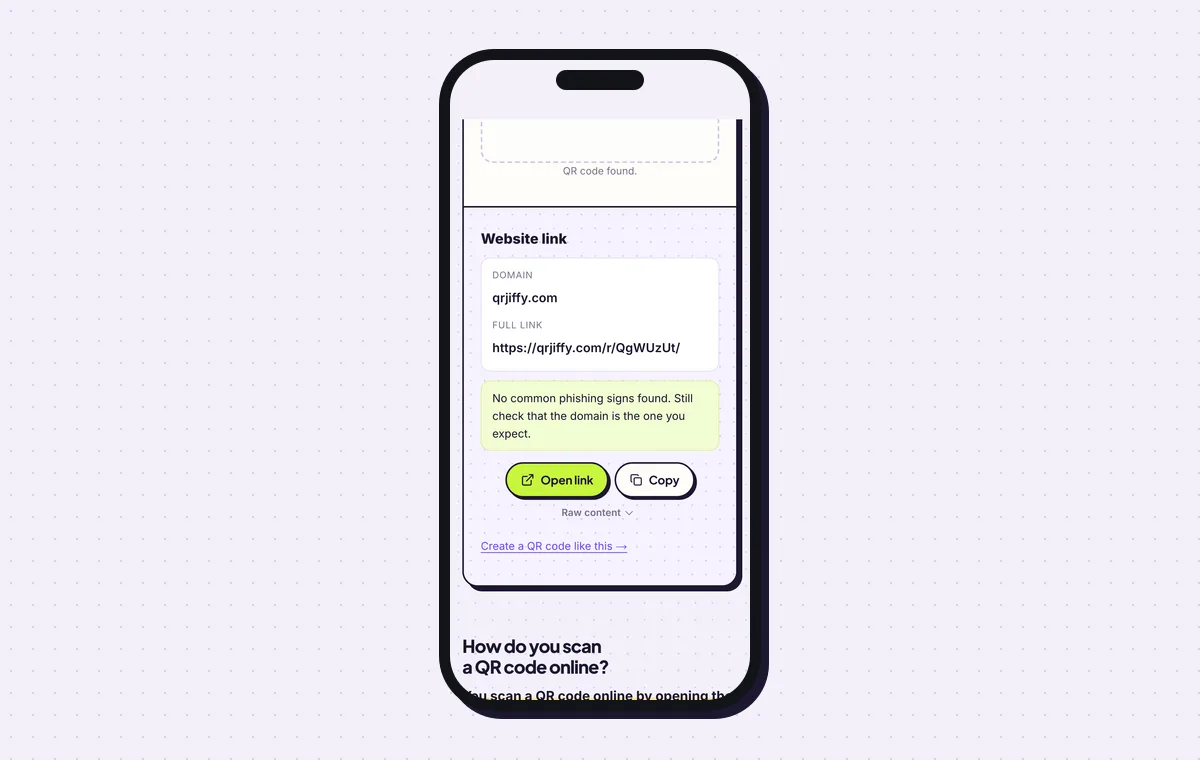
The audio code decodes to its qrjiffy.com short link.
Open the Music & Audio QR Code generatorFree. Nothing to install.
What happens when someone scans an audio QR code?
The phone opens the link in its browser and shows an audio player; the listener taps play, with no app and no login for a plain MP3 or M4A link. The camera reads the code natively on iOS 11 or later and Android 9 or later. The phone streams the audio, so it needs mobile data or WiFi.
- iPhone: Safari opens a full-screen audio player.
- Android: Chrome shows an inline player with play, seek and download controls.
- SoundCloud and Bandcamp: the track opens in the installed app or on the mobile site, and the listener taps play once.
How do you make a QR code for a voice message?
Record the message on your phone, share the audio file to a public link, and paste that link into the generator. The whole message then fits on a gift tag or a greeting card.
- Record with Voice Memos (iPhone) or Recorder (Android).
- Share the file to Google Drive or Dropbox and set the link to Anyone with the link, or upload it in the generator.
- Paste the link, download the code and print it on the card.
Is an MP3 link or a streaming link better for a music QR code?
An MP3 link plays for everyone with no login and offers a download, while a Spotify or Apple Music link opens the listener’s app and counts as a stream. Unreleased demos, voice notes and audio guides work only as file links, because streaming services carry released music. For a released track where streams and followers matter, make a Spotify QR code from the track’s share link instead.
Can QR codes replace an audio guide handset?
Yes. One QR code per exhibit plays that stop’s recording on the visitor’s own phone and headphones. Name the files by stop number, for example stop-07.mp3, and print the number beside each code. When a narration is corrected, replace the recording in the dashboard and the wall label stays in place.
What mistakes stop a Music QR code from working?
These 4 mistakes cause most failed Music QR codes; each has a quick fix. Test the downloaded file with two different phones before you print anything.
| Mistake | Fix |
|---|---|
| The recording is a WAV or FLAC file | Export as MP3 or M4A. WAV is about 10 times larger and FLAC fails in older Safari. |
| Three seconds of silence before the first word | Trim the start; listeners leave when nothing plays. |
| The Drive or Dropbox link asks for a sign-in | Set sharing to “Anyone with the link” and test in a private window. |
| The code gives no title or length | Print “Scan to listen · 2:45” next to it. |
Frequently asked questions
Is it free to make an MP3 QR code?
Yes. The audio QR code generator is free and adds no watermark. Free accounts include 200 scans a month across all codes, and Pro costs $30 a year for unlimited scans.
Does a QR code contain the song itself?
No. A QR code stores at most 2,953 bytes and a song is about 3 MB, so the code stores a link to the audio.
Which audio formats work?
MP3 and M4A play in every phone browser. QRJiffy also accepts WAV, OGG and AAC uploads.
Can I replace the recording after printing?
Yes. Upload a new recording or change the link in your QRJiffy dashboard, and the printed code plays the new audio.
Can I count how many people listened?
The dashboard counts scans of the code by day, device and country. SoundCloud and Bandcamp add their own play counts for track links.
Ready to make your Music QR code?
The generator is free and works in the browser on a phone or a computer. Your code downloads as PNG for screens or SVG for print.
Open the Music & Audio QR Code generator
Related guides: How to Print a QR Code · QR Code Size · QR Code Not Working