 QRJiffy
How to Make a QR Code for Your Business
You get a QR code for your business by pasting the link to your website or contact page into a business QR code generator, adding your logo and downloading the image. A business with no website builds a page with its hours, address and contact buttons in the same tool. Linking an existing page takes 3 minutes; building a page takes about 8.
What do you need before you start?
You need 4 things ready, and no account to try the generator. A free account, or just your email, is asked for only at the download step.
- The link to the page customers land on: a contact page, a campaign landing page or your Google Business Profile link.
- Your logo as a PNG or SVG file, square if possible.
- A list of where the code goes: window, van, receipt, packaging. Each placement gets its own code.
- For the page builder: your opening hours, address, phone number and email.
How do you make a Business QR code step by step?
Follow these 6 steps in the QR Code for Business generator; the preview updates as you type. Each screenshot below is the real screen, filled in with a sample bakery’s details.
1Choose the one page the code opens
Pick a single destination before opening the generator. A contact page with hours and directions suits a shop window. A landing page with one offer and one button suits a campaign poster. One QR code stores one link, so a code that tries to do five jobs does none of them well.
Check the page on a phone over mobile data. A page under 1 MB opens in under 3 seconds on 4G.
2Paste the link into the generator
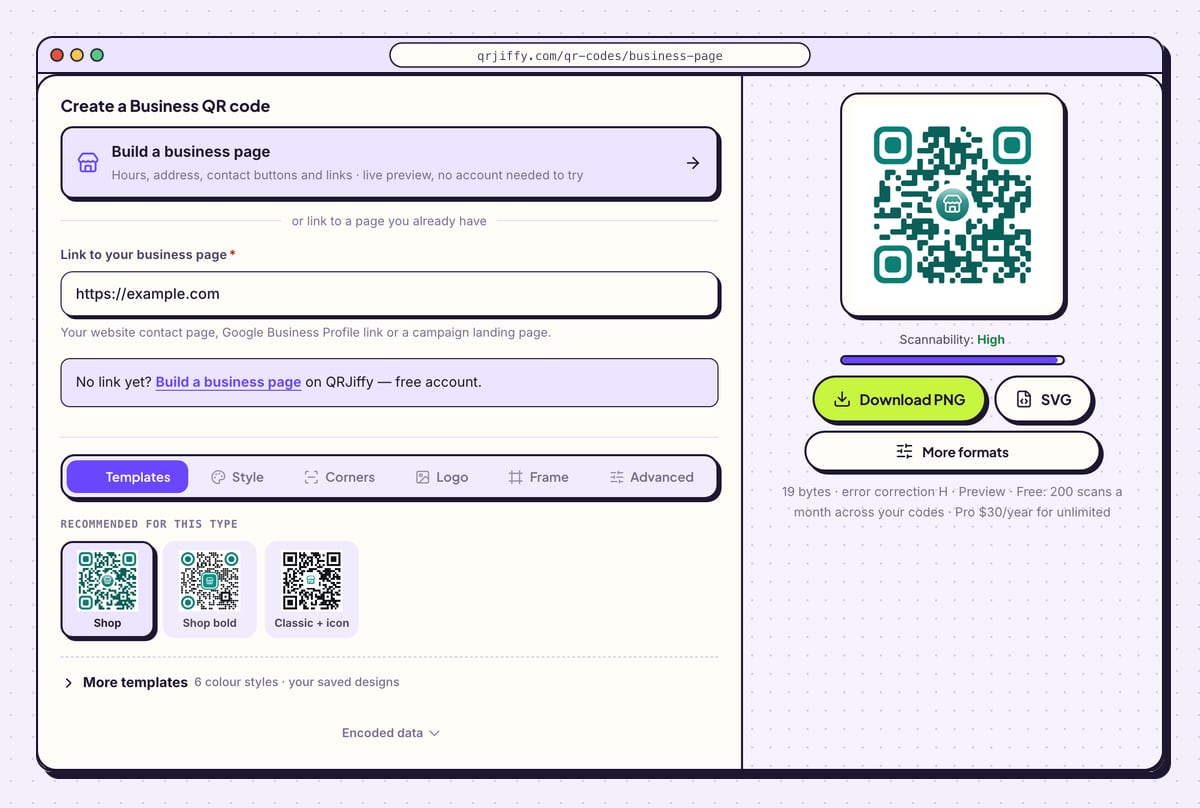
Open the business QR code generator. At the top sits a card labelled Build a business page, covered further down this guide. Under the line “or link to a page you already have”, paste your address into Link to your business page. The preview on the right draws the code at once, and the Scannability bar reads “High”.
Tip: Add ?utm_source=qr&utm_medium=window to the end of the link, changing the last word per placement. Google Analytics then separates window visits from van visits.
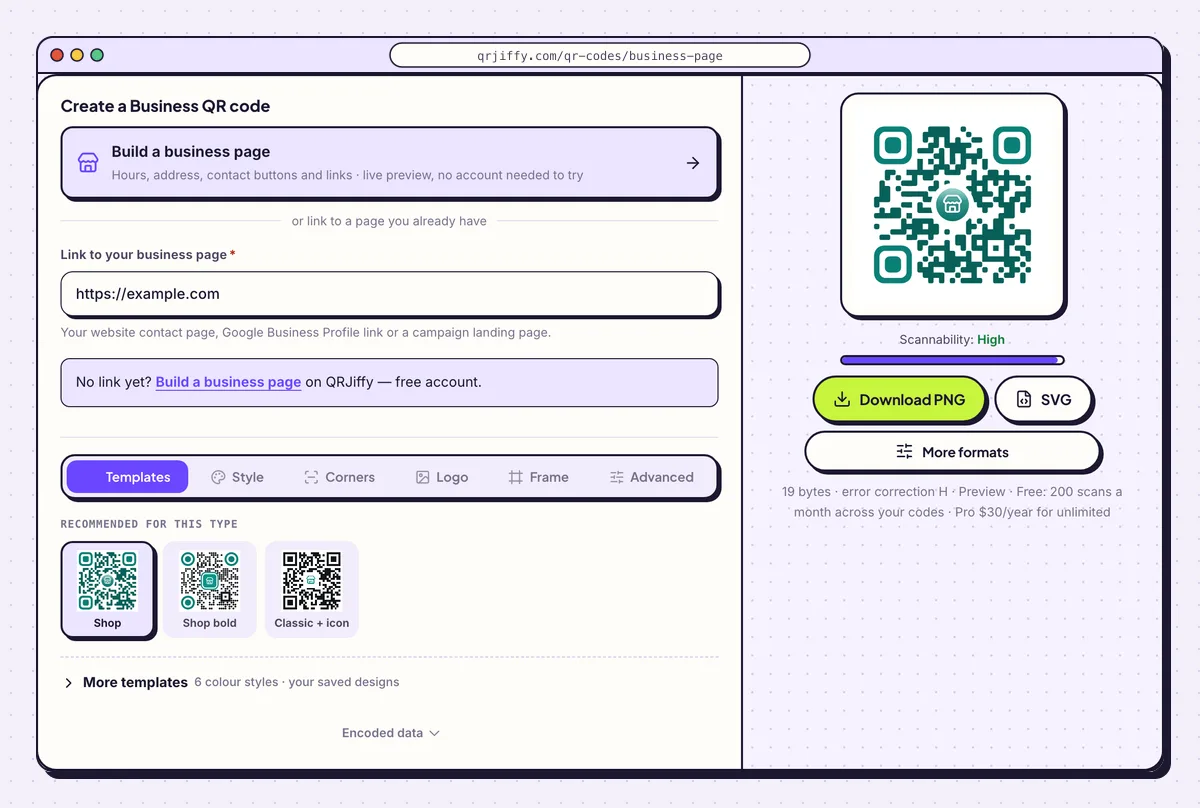
The link field sits below the page-builder card. The sample here is example.com. 3Put your logo in the centre of the code
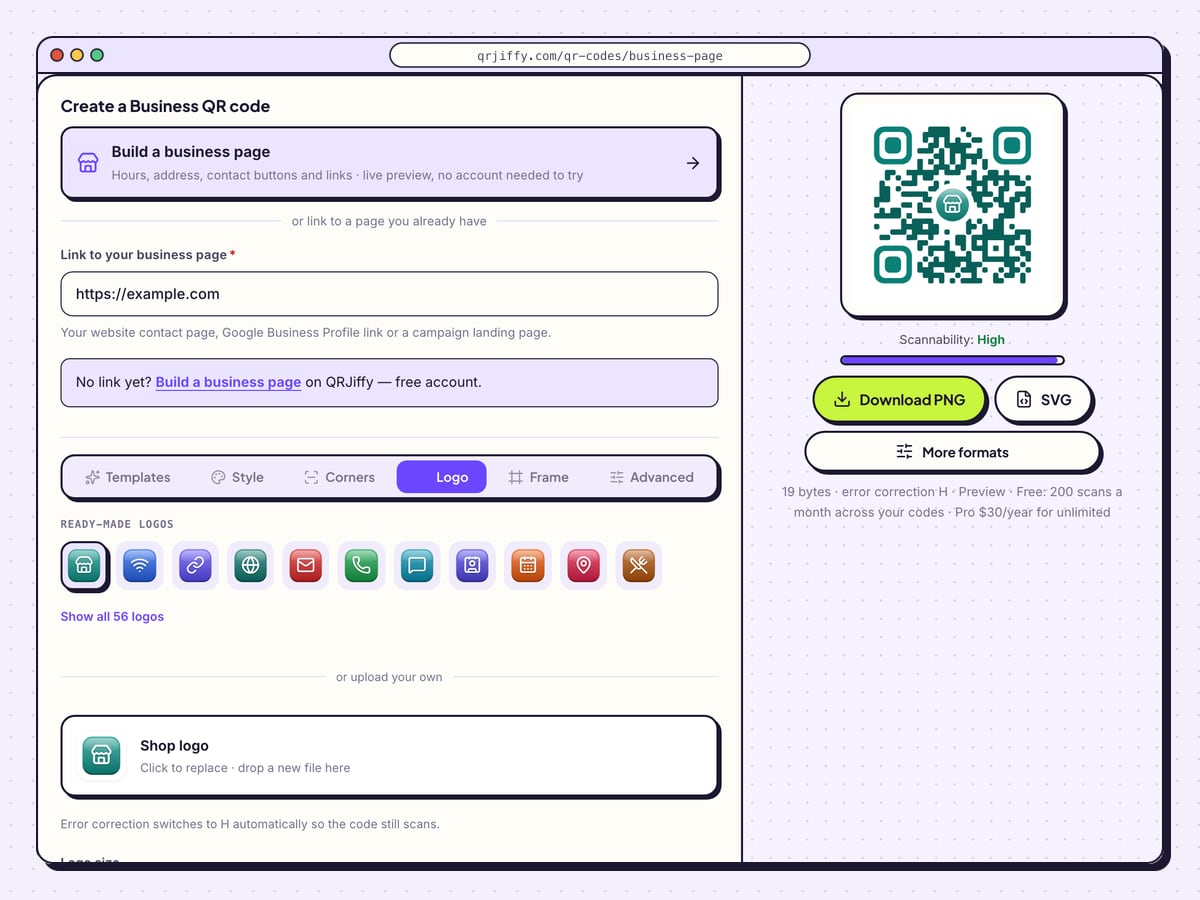
Open the Logo tab and drop your file onto the box marked “Click to replace”. Logo size scales it, and the shape buttons (Plain, Square, Rounded, Circle) set the plate behind it. The Padding control sets the space between the logo and the dots, and Border adds an outline.
The generator raises error correction to H (30%) when a logo is present, which lets the code survive the covered area. A logo up to about 20% of the code scans reliably.
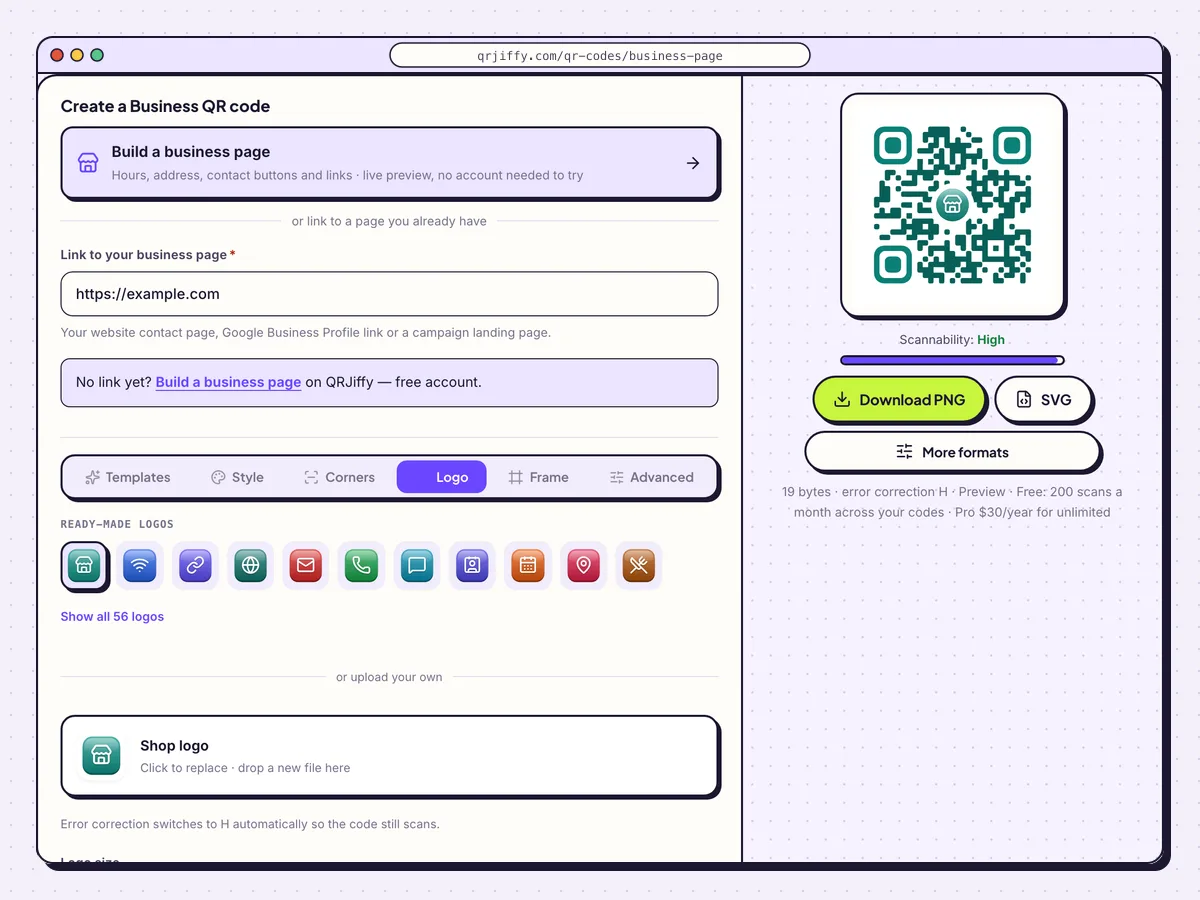
The Logo tab: upload, size, plate shape, padding and border in one panel. 4Download one file per placement
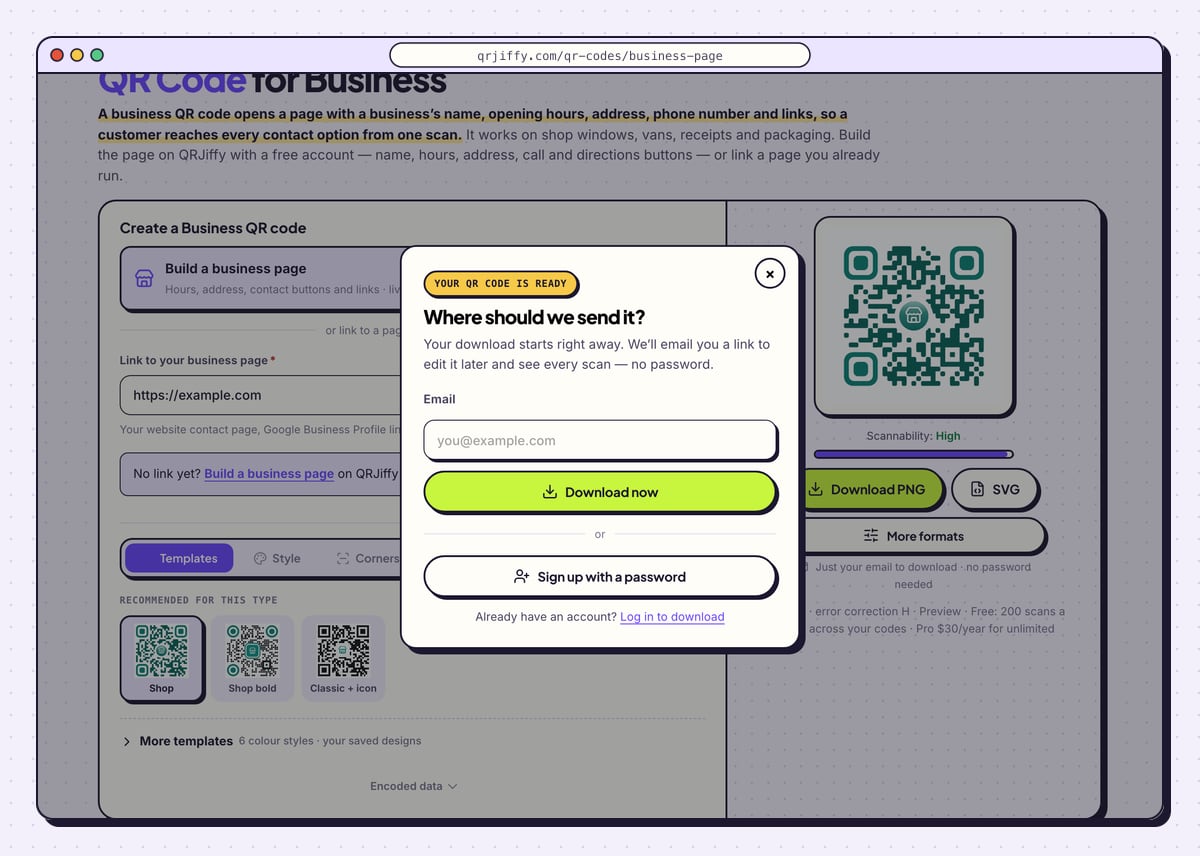
Click SVG for signage, vehicle graphics and packaging, or Download PNG for documents and receipts. The dialog “Where should we send it?” needs an email the first time, then Download now saves a file named like
qrjiffy-business-page-Xid8nk5.png.Repeat the download for each placement so that every code has its own short link. Window, van and receipt scans then show as three separate lines in your account.
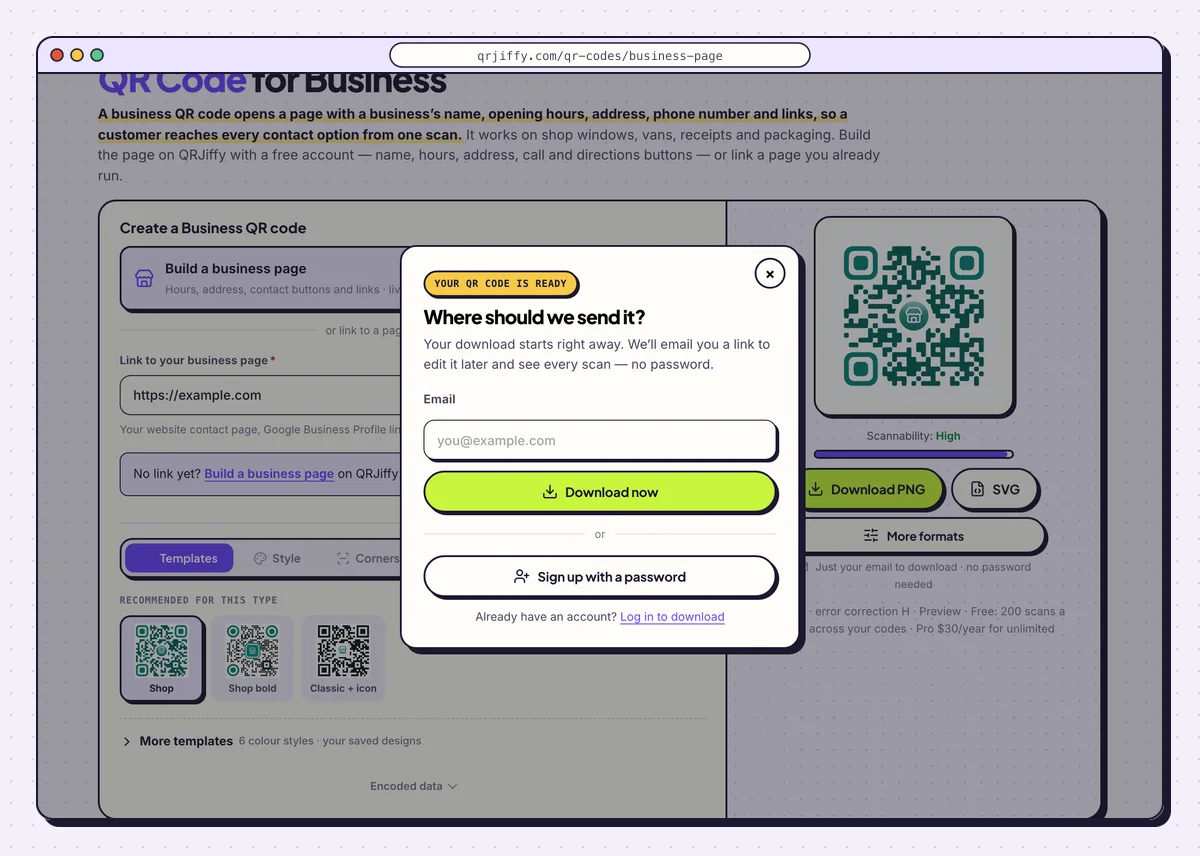
After the first download the code is linked to your email and waits in the dashboard. 5Name the code and check its scans in the dashboard
Open the code in the dashboard. Rename it after its placement, for example “Van, rear door”, so the list stays readable when there are ten codes. The Analytics tab counts scans by day, device and country.
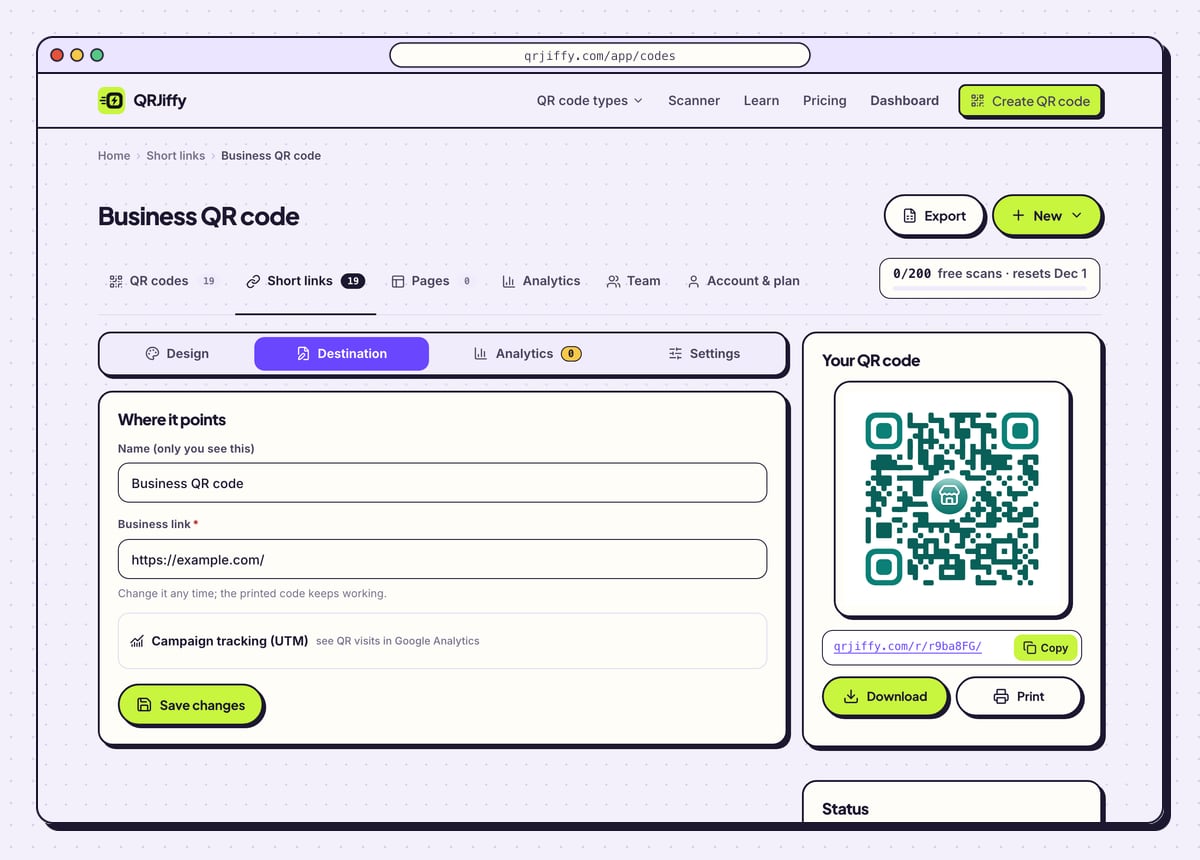
The Destination tab changes the page behind the code. A window sticker printed for the summer sale points at the autumn page in October with no new sticker. The panel on the right shows the short link with Copy, Download and Print buttons.
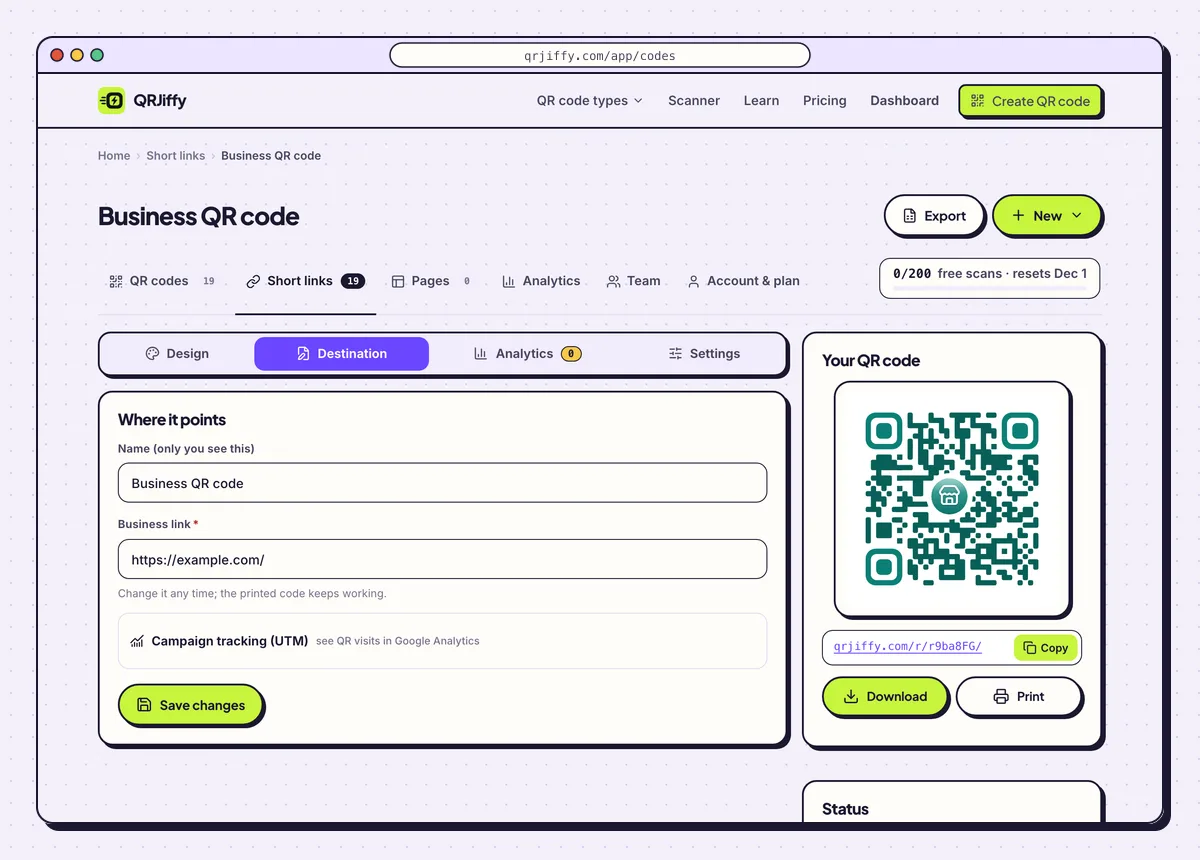
Every downloaded code gets a page like this one, with its own scan count. 6Test on two phones and print at the right size
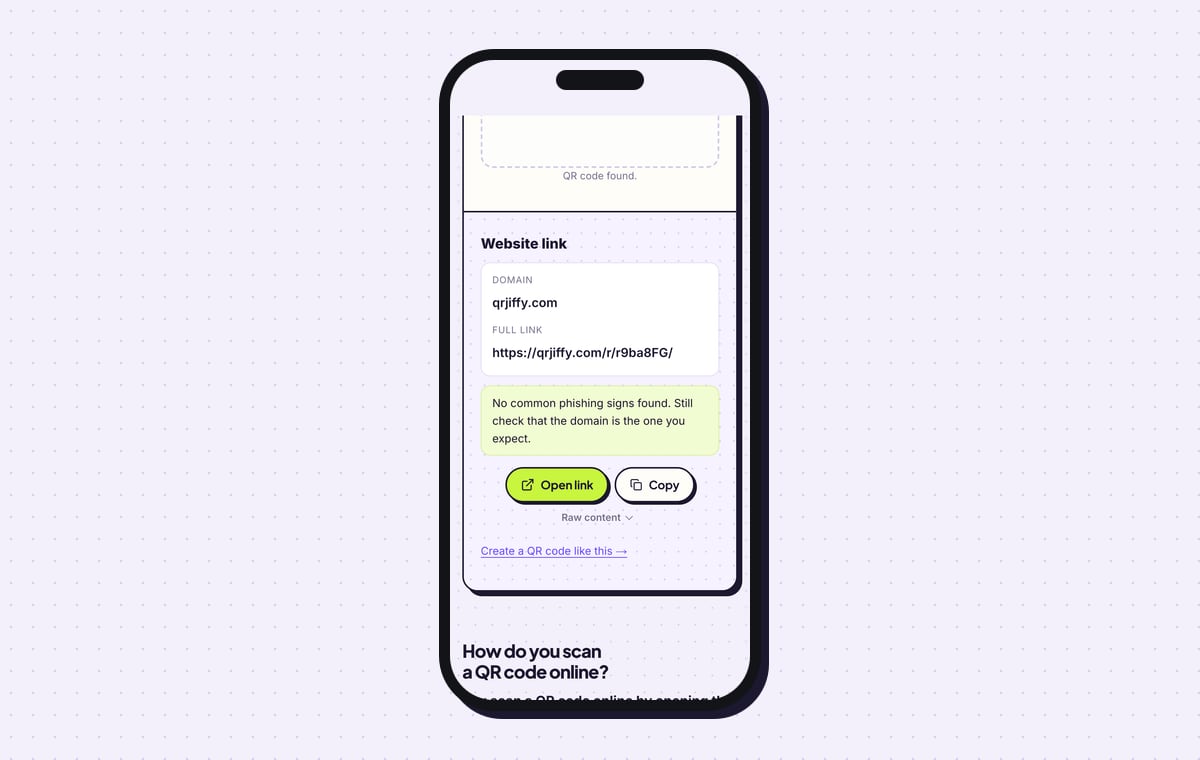
Scan the code with one iPhone and one Android phone. The iPhone camera shows the domain in a yellow banner and opens Safari; Android shows the link and opens Chrome or the default browser. The QR code scanner reads the downloaded file as “Website link” on the domain qrjiffy.com, which is the short link that forwards to your page.
Size the code at one tenth of the reading distance: 2 × 2 cm (0.8 in) on a business card, 10 cm on a window read from 1 m. Choose error correction Q (25%) in the Advanced tab for vehicles and outdoor signs. Print a line beside it that names the result, such as “Scan for hours and directions”.
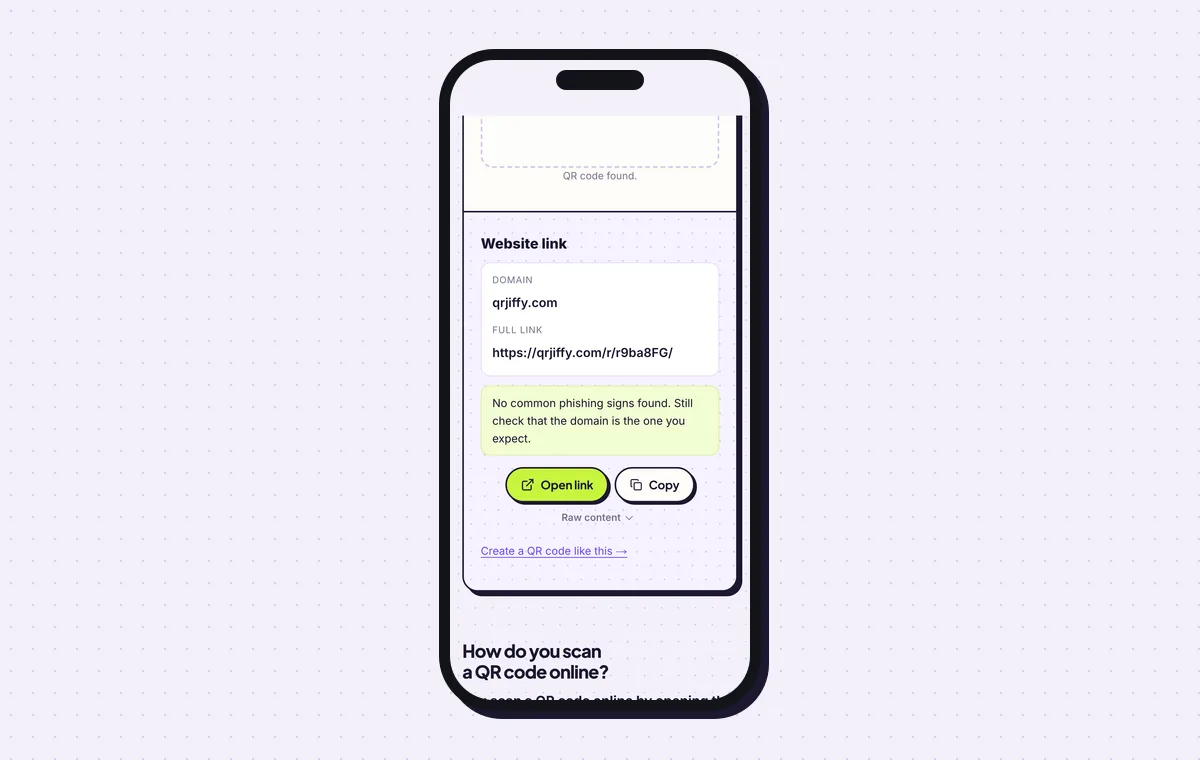
The scanner confirms what the file stores before it goes to the sign maker.
Open the QR Code for Business generatorFree. Nothing to install.
No website? How do you build a business page for the code?
1Fill in your business details
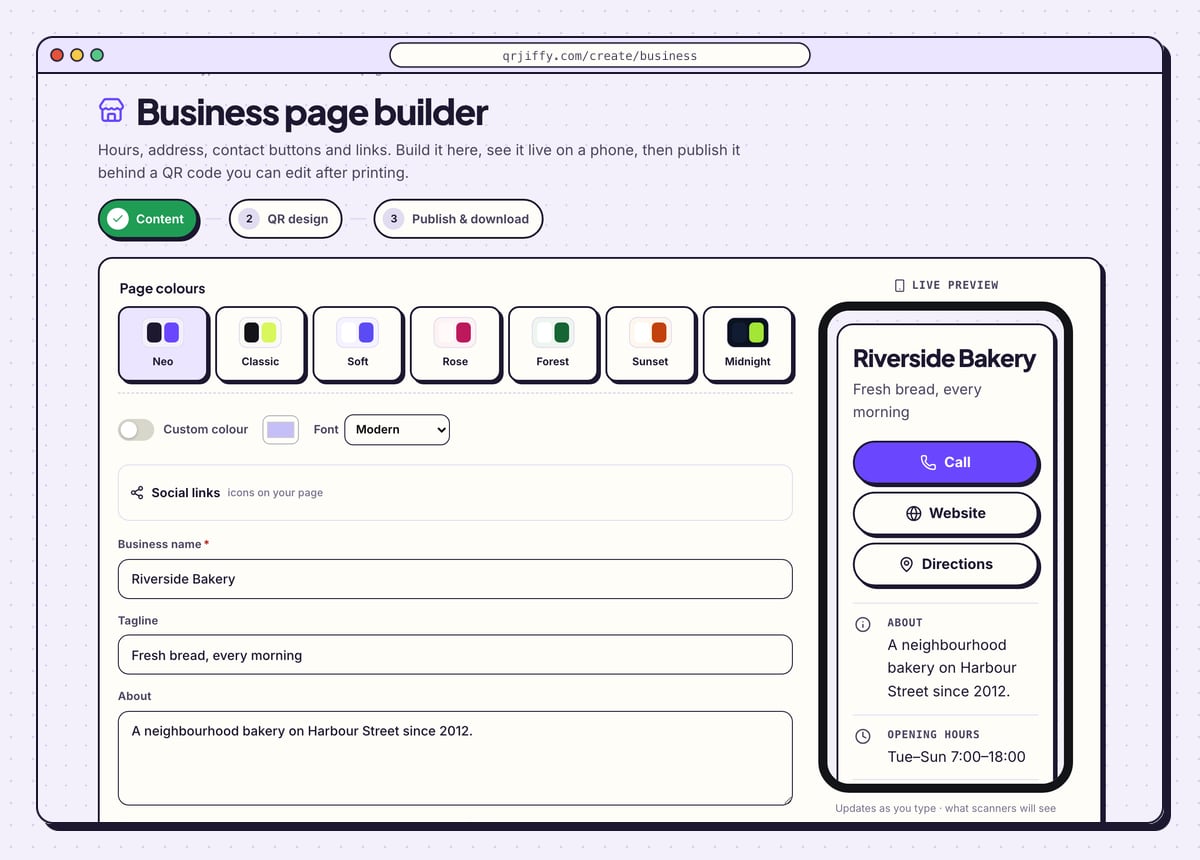
Pick one of seven colour themes under Page colours (Neo, Classic, Soft, Rose, Forest, Sunset, Midnight) or switch on Custom colour. Then complete Business name, Tagline, About, Phone, Email and Website, followed by the address and opening hours. Social links adds icons for Instagram, Facebook, WhatsApp and 13 other networks.
The phone on the right shows the result: the sample page has Call, Website and Directions buttons above the About text and the hours “Tue–Sun 7:00–18:00”.
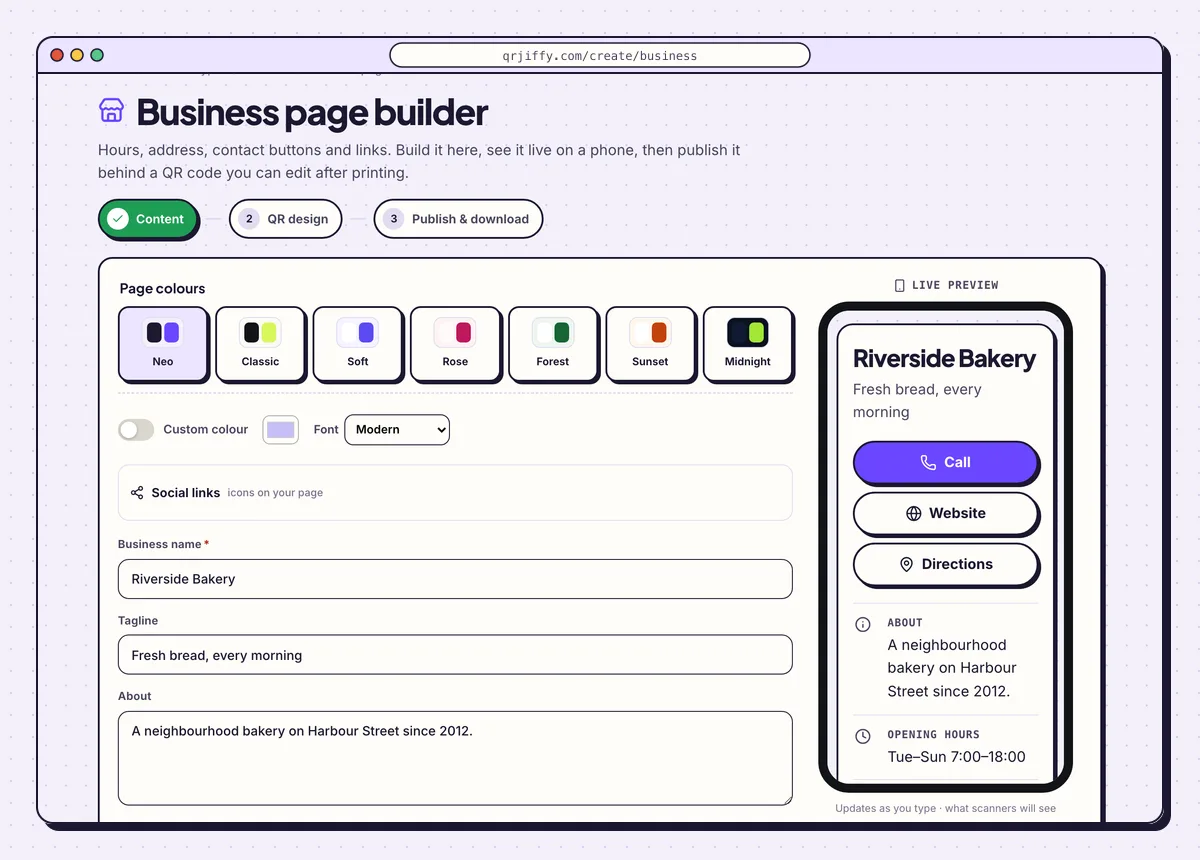
The builder’s Content step with the sample bakery. The phone preview is the page customers get. 2Style the code and publish
Click Next: QR design to set the dots, corners and logo, the same options as in the generator. The last step, headed “Ready to publish”, has one button: Publish & download PNG. Sign up or log in when asked, and the page goes live at its own short link while the code downloads.
3Open the live page and keep it current
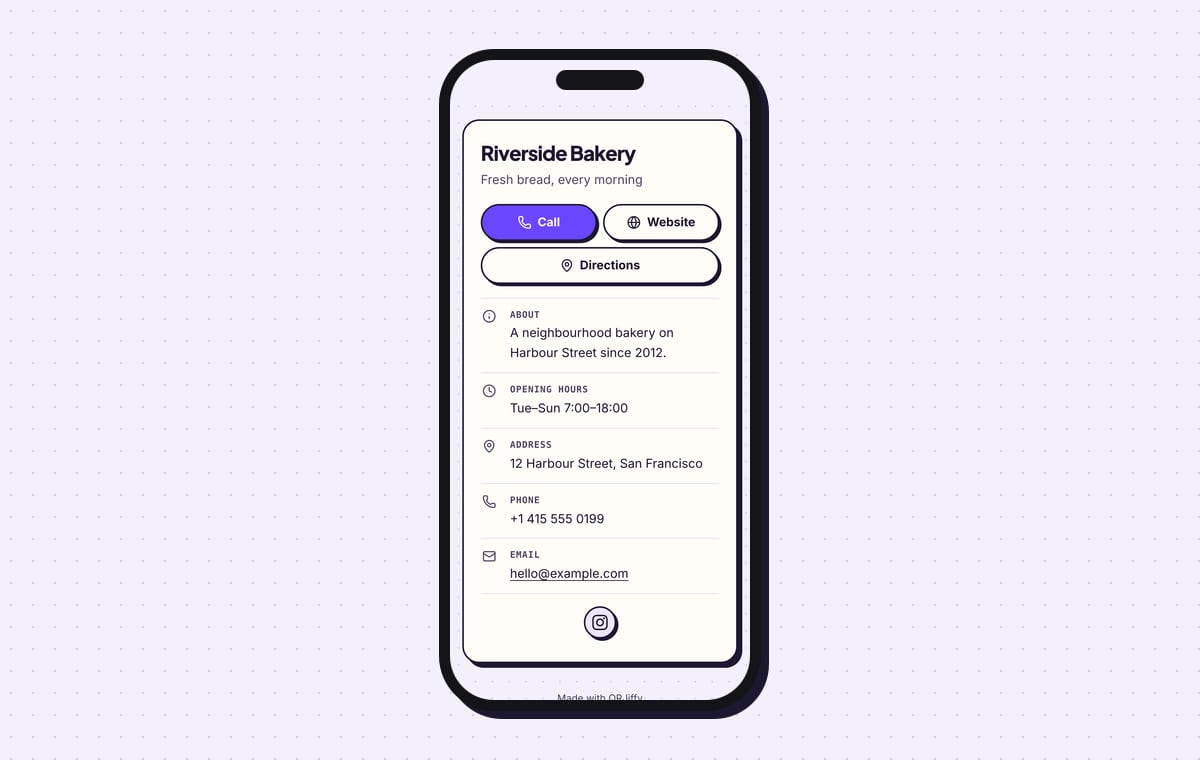
Scan the downloaded code. The page opens in the phone’s browser with tap-to-call, website and directions buttons, then About, Opening hours, Address, Phone and Email. Change the hours for a holiday week in the dashboard and the printed code shows the new hours from the next scan.
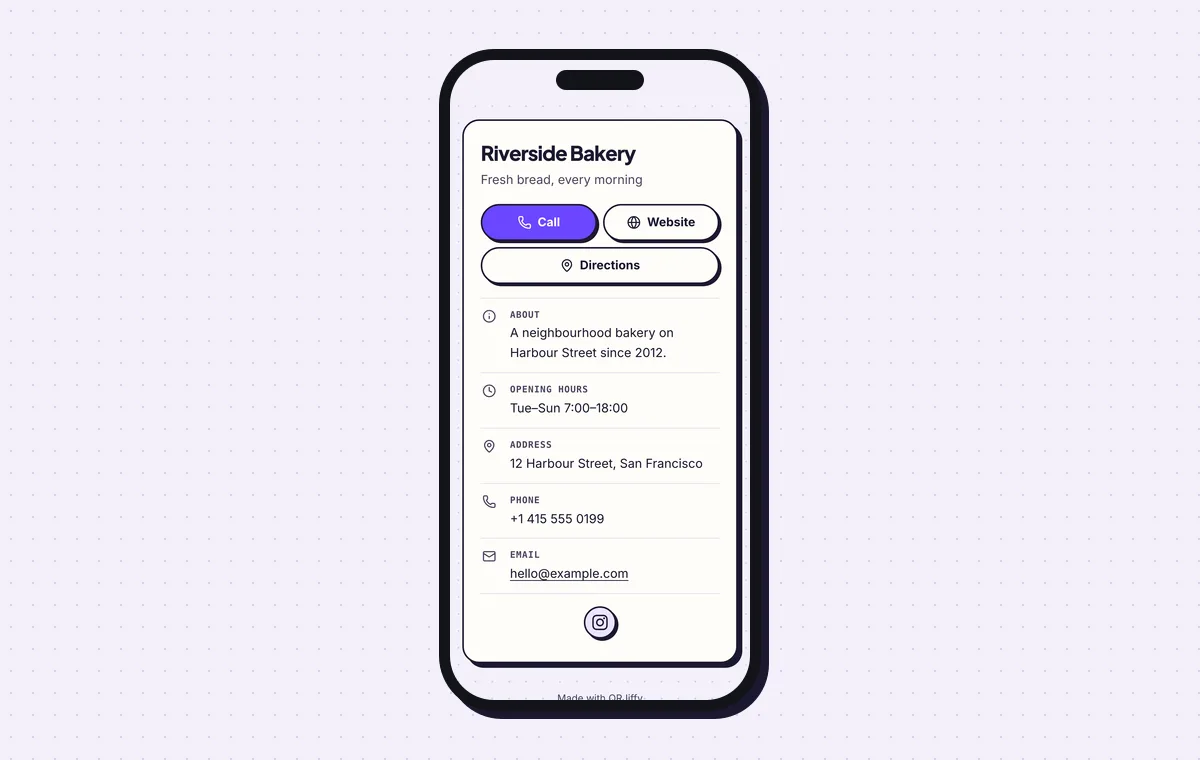
The published page on a phone: three buttons first, details below.
Build a business pageLive preview. No account needed to try.
Which QR code does a business need?
A business needs one code per job: a business page code for hours and contact details, plus a specific type for each specific action. The business page code is the general one for windows, vans and packaging. Specific jobs have their own generators.
- Show the menu: a menu QR code opens the menu page or PDF.
- Collect Google reviews: a Google review QR code opens the rating box.
- Share a staff contact: a vCard QR code saves the contact to the phone.
- Give guests WiFi: a WiFi QR code connects the phone to the network.
- Run a promotion: a coupon QR code shows the offer and its code.
What does a business QR code cost?
Making and downloading the code costs nothing, and a free account covers 200 scans a month across all its codes. Pro costs $30 a year and has unlimited scans. The PNG and SVG files carry no watermark on either plan.
Is the Google Business Profile QR code the same thing?
No. The QR code inside Google Business Profile opens the review form only. A business QR code opens any page you choose, in your colours, with your logo, as an SVG file for print. Many shops use both: the review code at the till and the business code in the window.
Can the page behind a printed code be changed?
Yes. The printed code holds a short link, and the Destination tab in the dashboard points it at a different page at any time. A page built in the builder is edited in place instead. In both cases the stickers, signs and vehicle graphics stay as they are.
What mistakes stop a Business QR code from working?
These 5 mistakes cause most failed Business QR codes; each has a quick fix. Test the downloaded file with two different phones before you print anything.
| Mistake | Fix |
|---|---|
| The code opens a desktop homepage with 40 menu links | Link a contact page or a landing page with one headline and one button. |
| The same code is used on the window, the van and the receipts | Download one code per placement and name each one in the dashboard. |
| The code on the van is 5 cm wide | Size it at one tenth of the reading distance: 30 cm for people standing 3 m away. |
| The code is printed with nothing beside it | Add a line that names the result: “Scan for opening hours”. |
| Light grey dots are used to match the brand | Keep the dots dark on a light background and watch the Scannability bar stay on “High”. |
Frequently asked questions
Can I make a business QR code without a website?
Yes. The business page builder creates a hosted page with your name, hours, address, phone, email and social links, and the code opens it.
Can one QR code open several pages?
No, one code holds one link. Link it to a page with several buttons, such as the business page or a multi-link page.
Do customers need an app to scan the code?
No. iPhones on iOS 11 or later and Android phones on Android 9 or later scan with the built-in camera or Google Lens.
Does the code work when the phone has no signal?
No. The scan opens a web page, so the phone needs mobile data or WiFi.
Which file format do sign makers want?
SVG. It is a vector file that stays sharp at any size, from a business card to the side of a van.
Ready to make your Business QR code?
The generator is free and works in the browser on a phone or a computer. Your code downloads as PNG for screens or SVG for print.
Open the QR Code for Business generator
Related guides: How to Print a QR Code · QR Code Size · QR Code Not Working