 QRJiffy
How to Make a Spotify QR Code
You get a QR code for a Spotify song by tapping ••• › Share › Copy link on the song in Spotify and pasting that link into a Spotify QR code generator. The same steps work for a playlist, album, artist or podcast, and for Apple Music links. The finished code scans with any phone camera and opens the Spotify app. It takes about 2 minutes and needs no Spotify Premium.
What do you need before you start?
You need 4 things ready, and no account to try the generator. A free account, or just your email, is asked for only at the download step.
- The Spotify app or web player, open on the song, playlist, album, artist or podcast.
- The share link from ••• › Share › Copy link. It starts with
https://open.spotify.com/. - For a playlist: the playlist set to public. A private playlist shows scanners an error.
- Two phones for the test, one with Spotify installed and one without.
How do you make a Spotify QR code step by step?
Follow these 7 steps in the Spotify & Apple Music QR Code generator; the preview updates as you type. Each screenshot below is the real screen, filled in with a sample bakery’s details.
1Copy the share link in Spotify
Open the song, playlist, album or podcast in Spotify. Tap •••, then Share, then Copy link. In Apple Music the path is the same: •••, Share, Copy Link.
A Spotify link names the kind of item in its path:
/track/for a song,/playlist/,/album/,/artist/or/show/for a podcast. Each is followed by a 22-character ID.Tip: For a wedding, shop or event, link the playlist and not a single song. You keep adding and removing tracks in Spotify after the code is printed.
2Paste the link into the generator
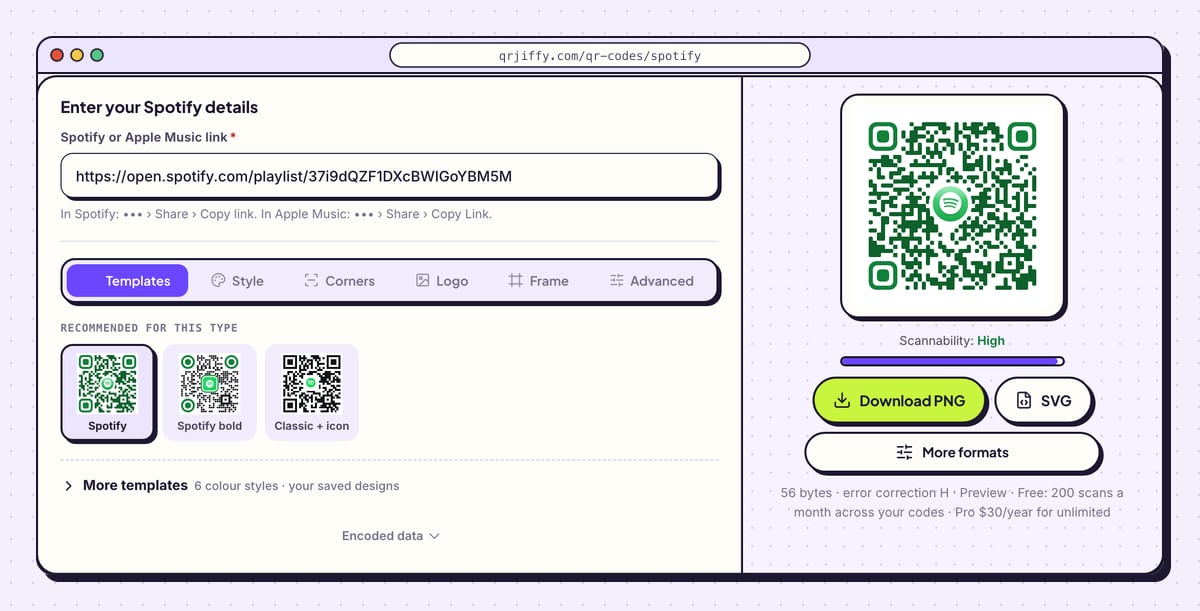
Open the Spotify QR code generator and paste into Spotify or Apple Music link. The help line below the field repeats where the link comes from in each app. Spotify adds
?si=and a string of letters to shared links; delete everything from?si=onwards. That part is a personal tracking ID, and the link works without it.The preview on the right now shows your code with a Spotify logo in the centre.
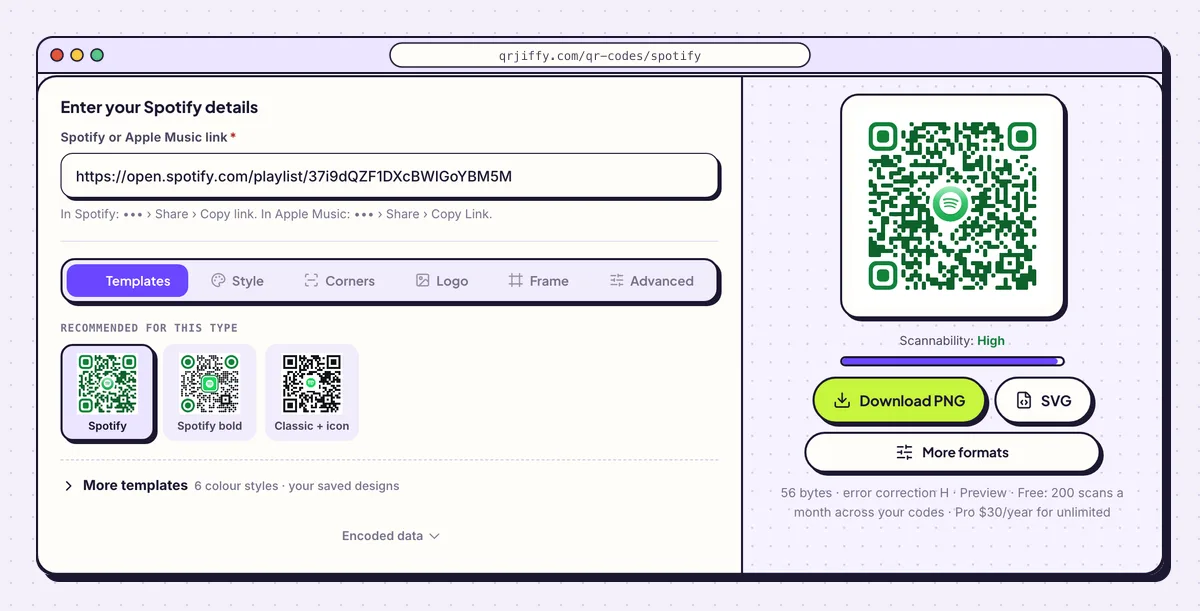
A sample playlist link pasted into the single field of the form. 3Keep or replace the logo in the centre
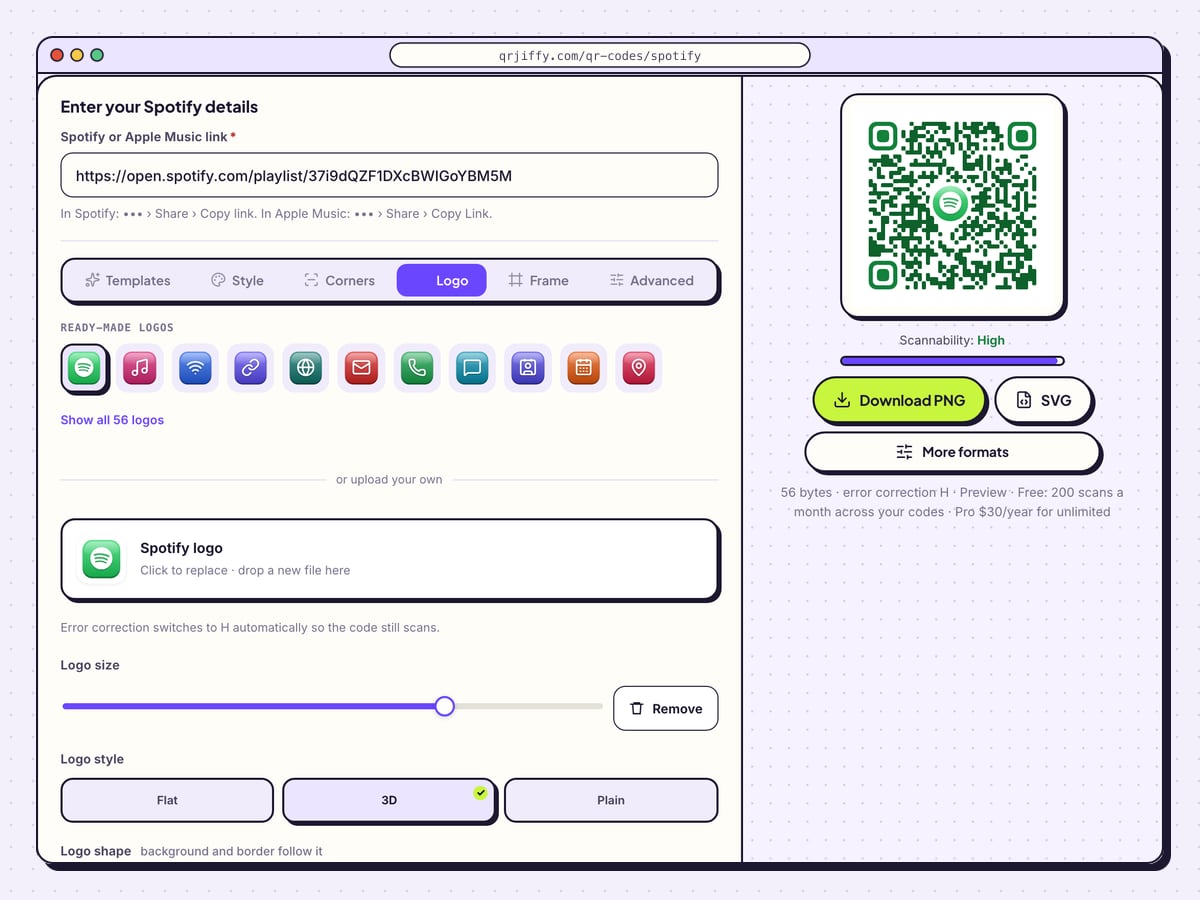
Open the Logo tab. The Spotify logo is already in place, and its tile reads “Click to replace · drop a new file here” for a band logo or an Apple Music mark. Logo size scales it. The style buttons are Flat, 3D and Plain, and the backing shape is Square, Rounded, Circle or None.
The logo tells people which app opens before they scan. Error correction rises automatically when a logo is added, so the dots hidden beneath it are recovered. For colours, Spotify green (#1DB954) scans on a white background and fails on black.
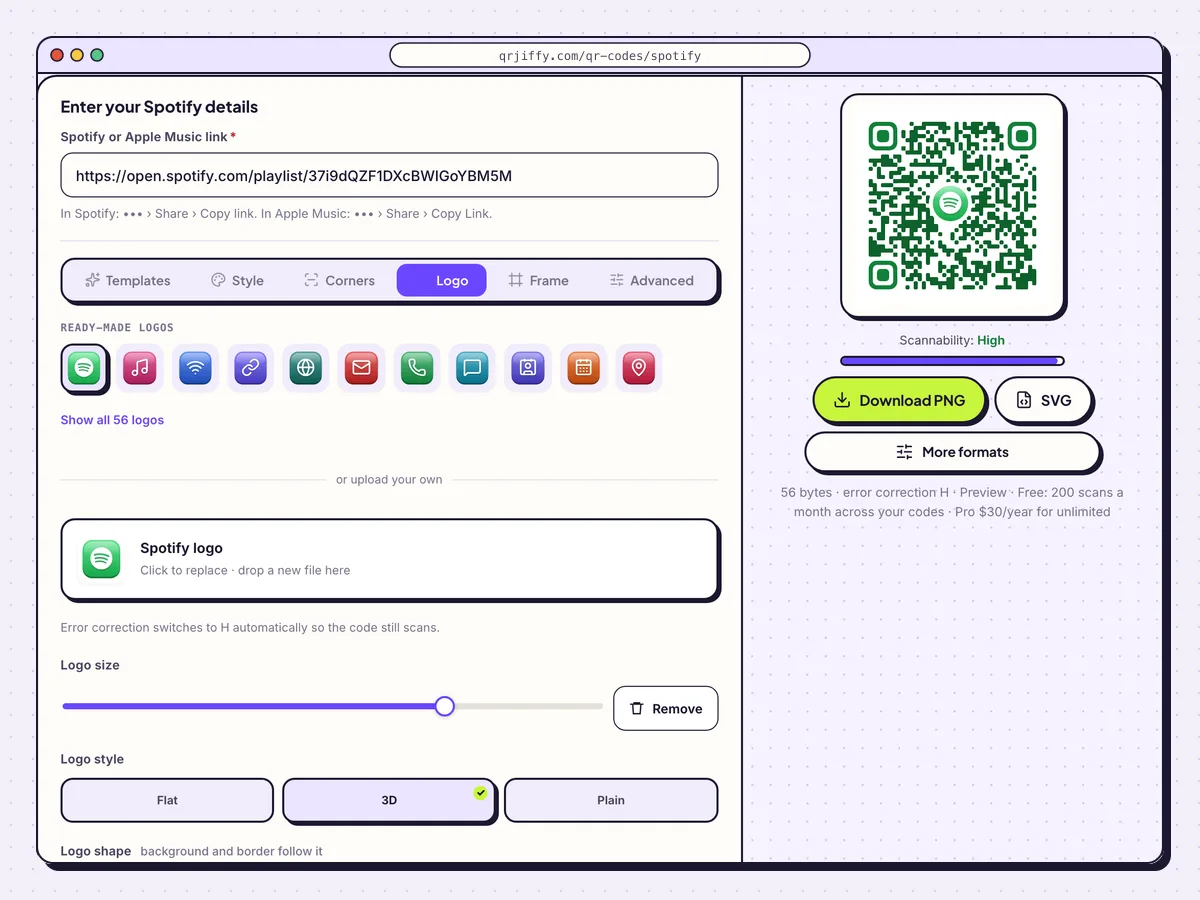
The Logo tab, with the Spotify logo placed in the middle of the code. 4Download the Spotify QR code
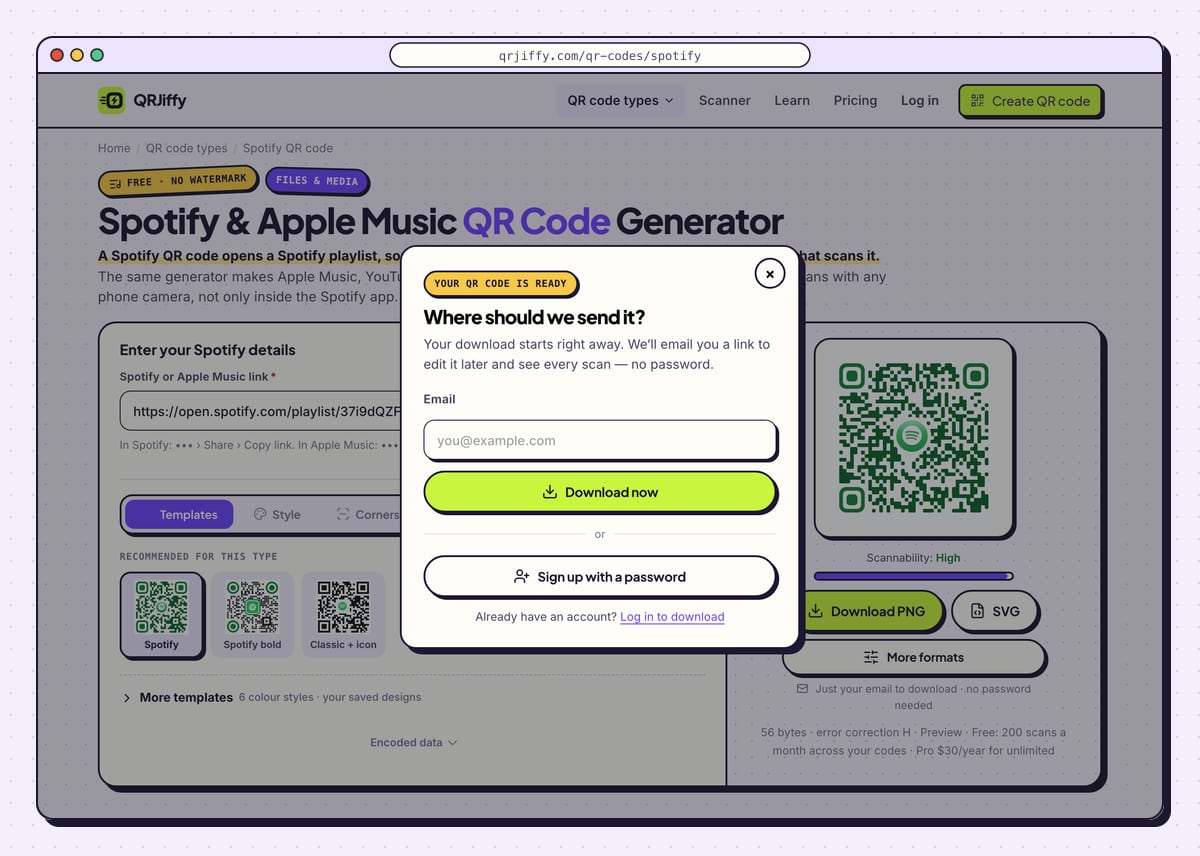
Click Download PNG to post the code on social media or print a party card at home. Click SVG for posters, vinyl sleeves and T-shirts. A prompt titled “Where should we send it?” appears on the first download. Give an email address and choose Download now. The file is saved as
qrjiffy-spotify-H6Z35tM.png, with your own code’s ID in place of the last seven characters.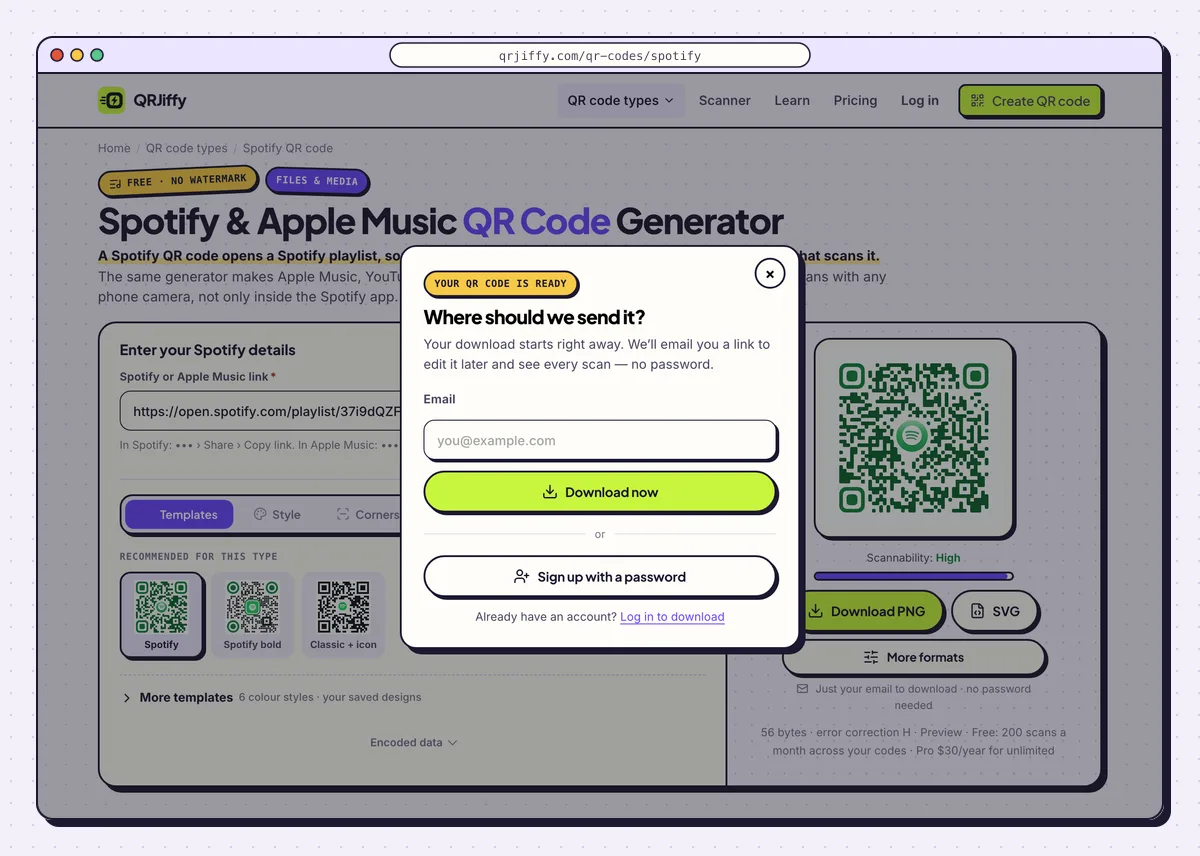
An email address is enough to download the Spotify code. 5Point the code at another playlist later
The code stores a short link, shown after the download as
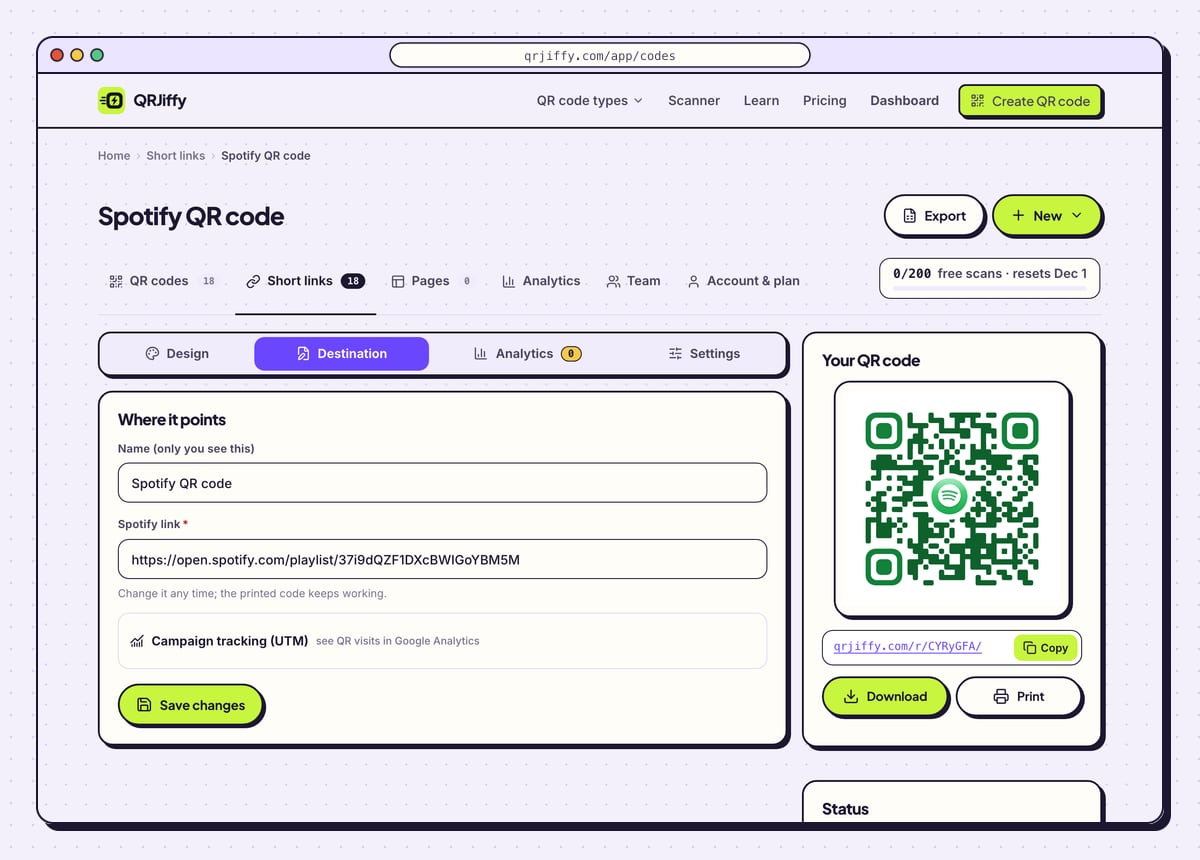
qrjiffy.com/r/…, which forwards to Spotify. Open the code in your dashboard to see its Design, Destination, Analytics and Settings tabs.There are two ways to change the music after printing. Edit the playlist in Spotify, and the next scanner hears the new track list. Or paste a different link under Destination: a poster for last month’s single opens the new single, with the same print. Analytics counts scans by day, device and country, alongside your Spotify for Artists stream figures.
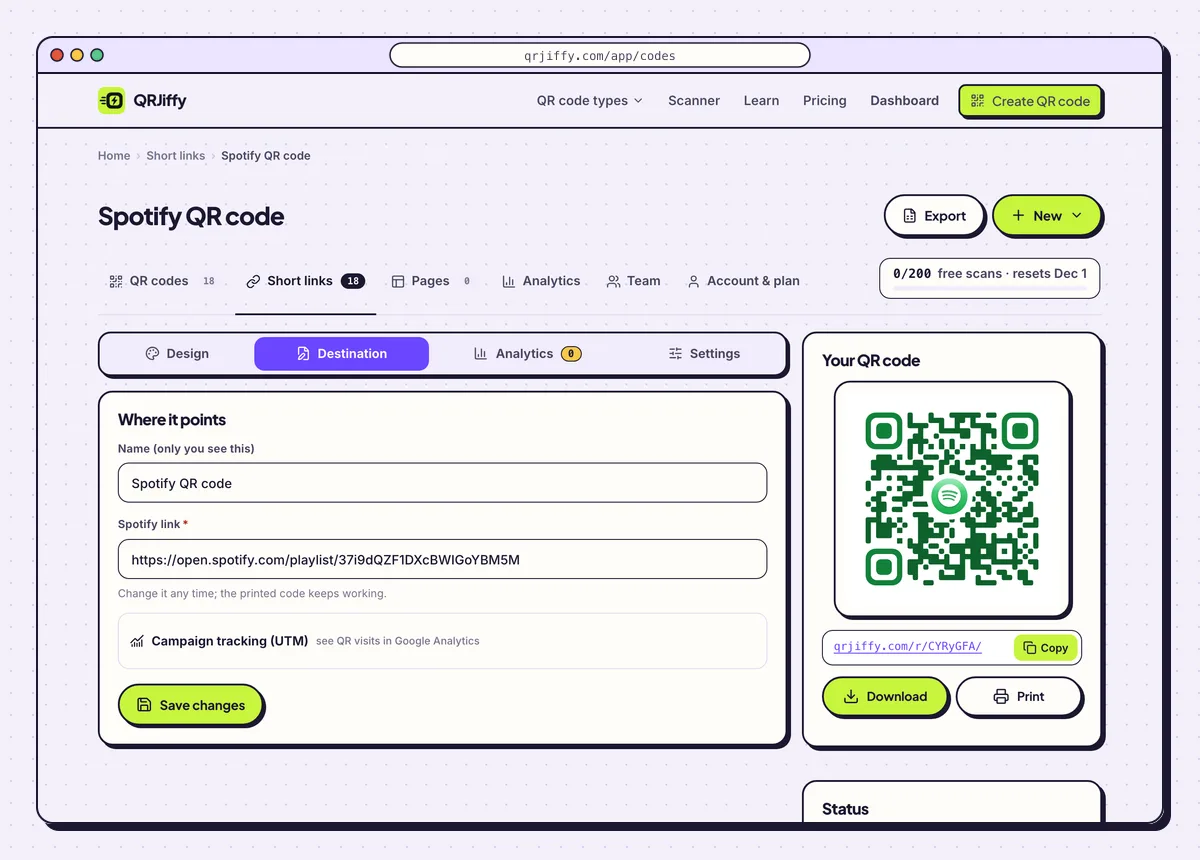
The Destination tab repoints a printed code at a new song, album or playlist. 6Test with and without the Spotify app
Scan the code with a phone that has Spotify installed. The link opens the app on the page of that song, playlist or album. Then scan with a phone that has no Spotify app: the web player at open.spotify.com opens, with 30-second previews, or full tracks after sign-in.
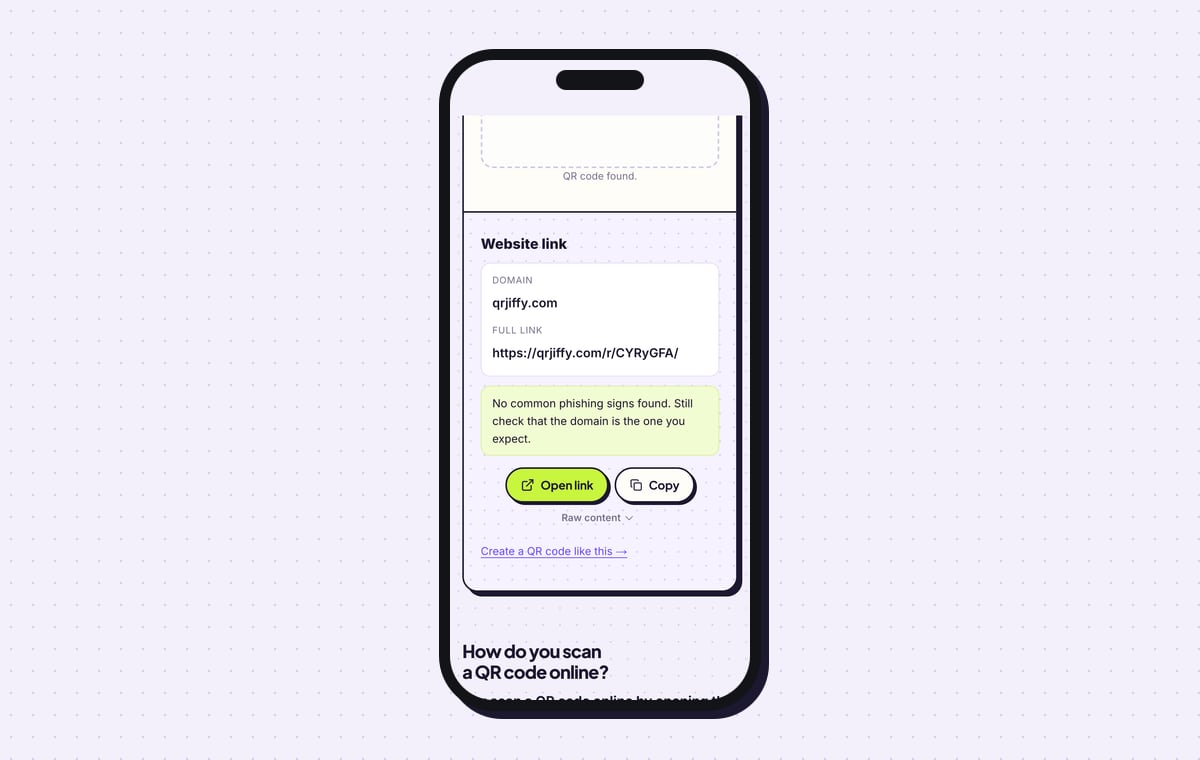
Upload the PNG to the QRJiffy scanner for a last check. The result reads “Website link”, domain qrjiffy.com, followed by the complete short link and an Open link button.
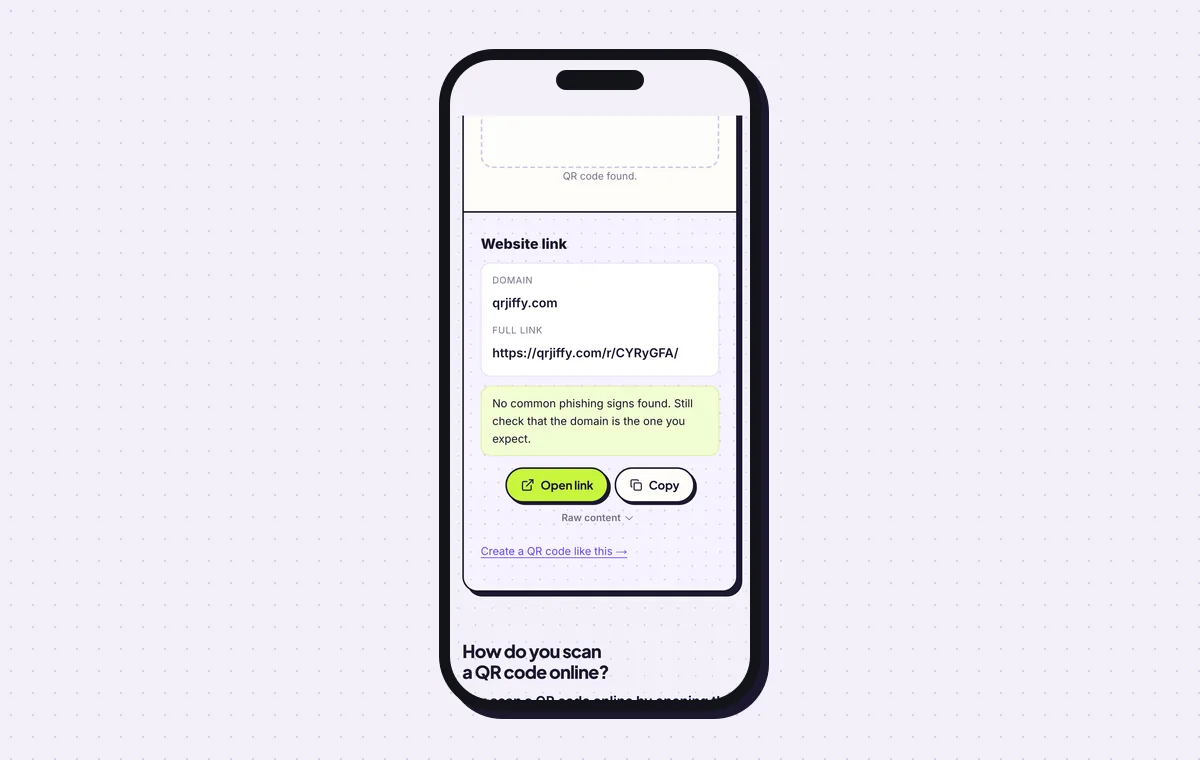
The scanner reads the short link that forwards to the Spotify playlist. 7Print it with a line that names the app
Print the code at 2 × 2 cm (0.8 in) or larger and leave 4 dots of white space around it. Put “Scan to play on Spotify” or “Scan to listen” beside it, in the Frame tab or in your own layout. Set error correction to Q (25%) in Advanced for stickers and merchandise.
Apple Music listeners need their own code. Make a second one from the Apple Music link and print the two side by side, each with its label. The guide on how to print a QR code covers paper, file formats and proofing.
Open the Spotify & Apple Music QR Code generatorFree. Nothing to install.
Is a Spotify QR code the same as a Spotify Code?
No. A Spotify Code is Spotify’s own sound-wave barcode and scans only inside the Spotify app, while a QR code scans with every phone camera. Spotify shows its code under ••• › Share on any playlist, song or album, beneath the cover art. The differences matter on a poster seen by people who do not use Spotify.
- Scans with: a Spotify Code needs the Spotify app’s camera; a QR code needs only the phone’s camera.
- Without Spotify installed: a Spotify Code does nothing; a QR code opens the web player.
- Design: a Spotify Code allows a background colour only; a QR code takes any colours and a logo.
- Apple Music: a Spotify Code does not work for it; a QR code does.
What happens when someone scans a Spotify QR code?
A phone with Spotify installed opens the app directly on the song, playlist or album; a phone without it opens the Spotify web player. The built-in camera reads the code on iOS 11 or later and Android 9 or later. The listener needs an internet connection, because the app streams the music.
Can you change the song after the QR code is printed?
Yes. Point the code at a different Spotify link in your QRJiffy dashboard, or edit the playlist it opens, and the printed code stays the same. A code that opens a playlist is the most flexible, since every song you add or remove in Spotify appears for the next scanner. A code that opens a single track always opens that track until you change its destination.
How do you scan a code inside the Spotify app?
Open Spotify’s Search tab, tap the camera icon and point it at the Spotify Code. A QR code needs none of this: the phone’s normal camera app reads it and offers the link.
What mistakes stop a Spotify QR code from working?
These 5 mistakes cause most failed Spotify QR codes; each has a quick fix. Test the downloaded file with two different phones before you print anything.
| Mistake | Fix |
|---|---|
| The playlist is private | Make it public in Spotify before printing; scanners of a private playlist get an error. |
| The link still carries the ?si= parameter | Delete everything from ?si= onwards; it is a personal tracking ID. |
| A Spotify Code image is printed for a general audience | Print a QR code, which scans in any camera and works without the Spotify app. |
| Green dots on a black background | Use Spotify green #1DB954 on white, or dark dots on a light colour. |
| A Spotify link is the only code on a poster | Add a second code from the Apple Music link for Apple listeners. |
Frequently asked questions
Is a Spotify QR code free?
Yes. QRJiffy creates Spotify QR codes free, with no watermark, and no Spotify Premium is needed. A free account includes 200 scans a month across all your codes.
Does the person scanning need a Spotify account?
No, not to open the link. Without the app, the Spotify web player opens and plays 30-second previews, or full tracks after sign-in.
Does the same generator make Apple Music QR codes?
Yes. Paste an Apple Music share link into the same field. A Spotify link opens Spotify only, so Apple listeners need a second code.
Can I make the QR code Spotify asks for on a Family plan?
No. That code is Spotify’s own address check for plan members, shown in the app or by email, and a generator cannot create it.
Ready to make your Spotify QR code?
The generator is free and works in the browser on a phone or a computer. Your code downloads as PNG for screens or SVG for print.
Open the Spotify & Apple Music QR Code generator
Related guides: How to Print a QR Code · QR Code Size · QR Code Not Working