 QRJiffy
How to Make a Telegram QR Code
You make a Telegram QR code by entering a public username, a t.me link or a private invite link in a Telegram QR code generator and downloading the image. One scan opens the chat, channel, group or bot in Telegram, where the visitor messages you or subscribes. Telegram shows its own code for public usernames; a generated one adds colours, a label, print files and a scan count.
What do you need before you start?
You need 4 things ready, and no account to try the generator. A free account, or just your email, is asked for only at the download step.
- The public username of the person, channel, group or bot. Your own is under Settings › Username in Telegram.
- For a private group: its invite link, which starts with t.me/+.
- A phone without Telegram installed, for the test.
- A welcome message pinned in the channel or group for new arrivals.
How do you make a Telegram QR code step by step?
Follow these 7 steps in the Telegram QR Code generator; the preview updates as you type. Each screenshot below is the real screen, filled in with a sample bakery’s details.
1Find the username or invite link
Every public Telegram destination has a username: a person, a channel, a group and a bot each have one, and a bot’s ends in “bot”. That username is all the generator needs. A private group has no public username, so it is reached through an invite link of the form
t.me/+AbCdEf123.For a permanent poster, prefer a public username. An invite link stops working the moment someone revokes it in Telegram.
2Type the username into the Telegram field
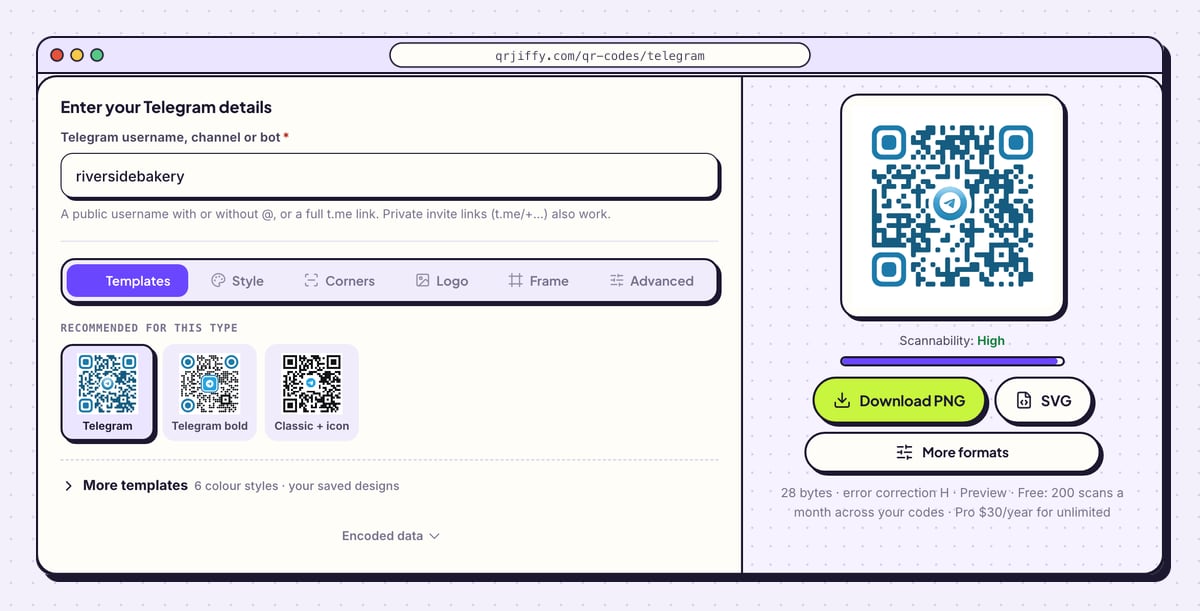
Open the Telegram QR code generator and type into Telegram username, channel or bot. The field takes a username with or without @, a complete t.me link, or a private invite link. The sample
riversidebakeryis turned intohttps://t.me/riversidebakery.Expand Encoded data below the tabs. It reads
https://t.me/followed by the username, which is the quickest place to catch a typing slip.Tip: Usernames are entered here, not display names. “Riverside Bakery” with a space is a display name;
riversidebakeryis the username.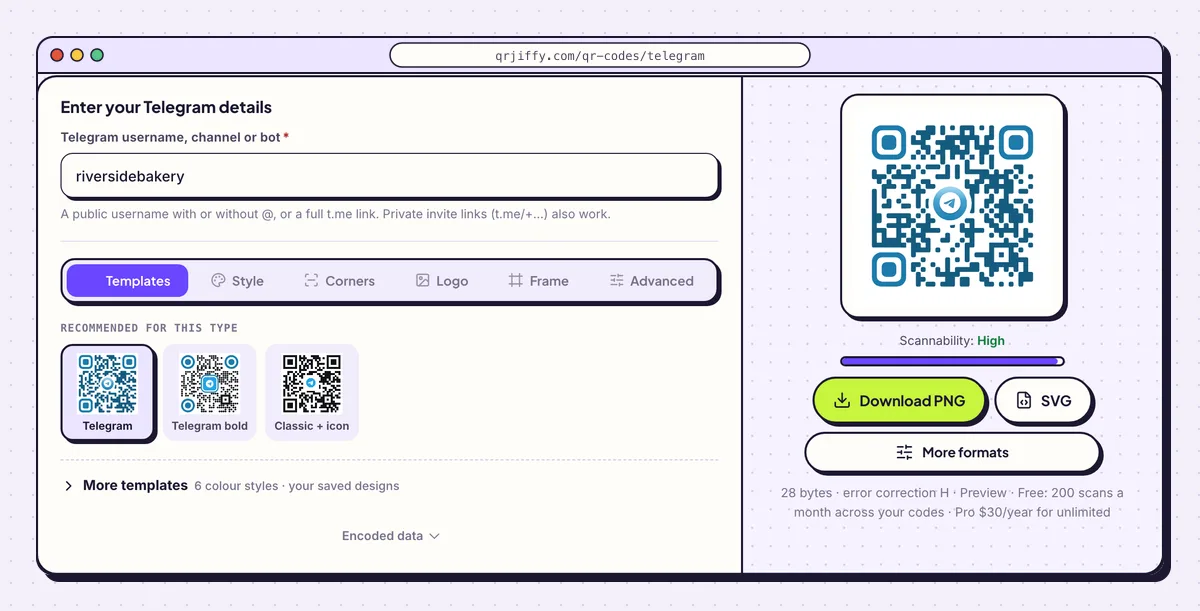
The generator builds the t.me link from a plain username. 3Label the code with what it opens
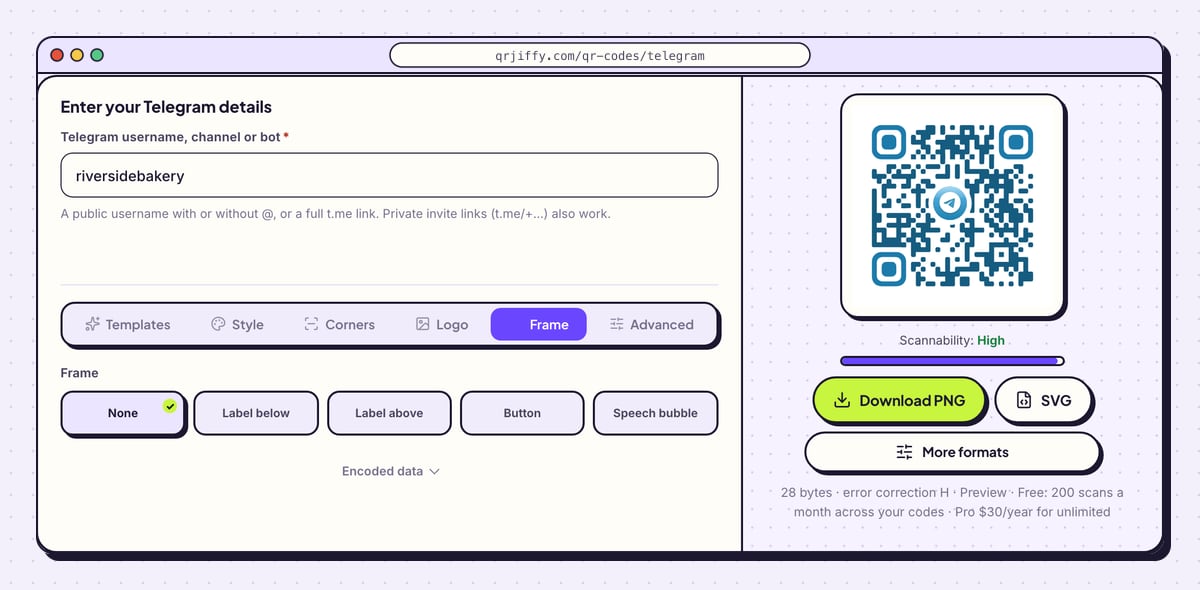
A Telegram code gives no hint whether it leads to a private chat, a news channel or a support bot. Say so in the Frame tab. Choose Label below or Call to action and write “Join our Telegram channel” or “Chat with support”. Button and Speech bubble are louder versions of the same idea, and None removes the label.
Set Frame colour and Text colour so the wording stands out from the paper.
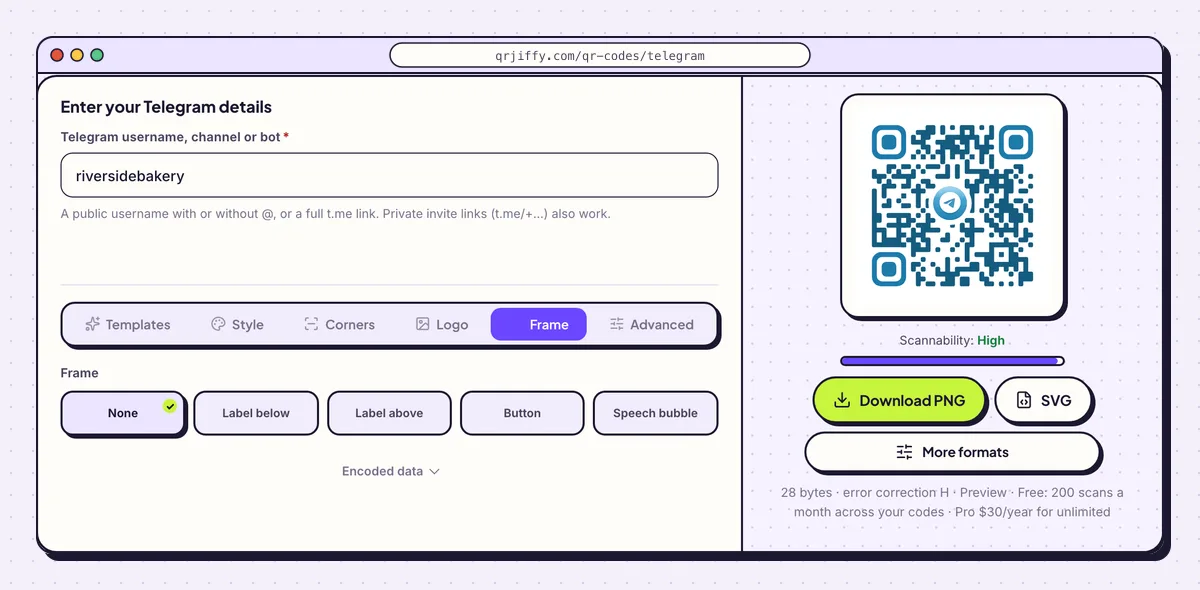
A label tells people whether they are joining a group, a channel or a bot chat. 4Download the Telegram code
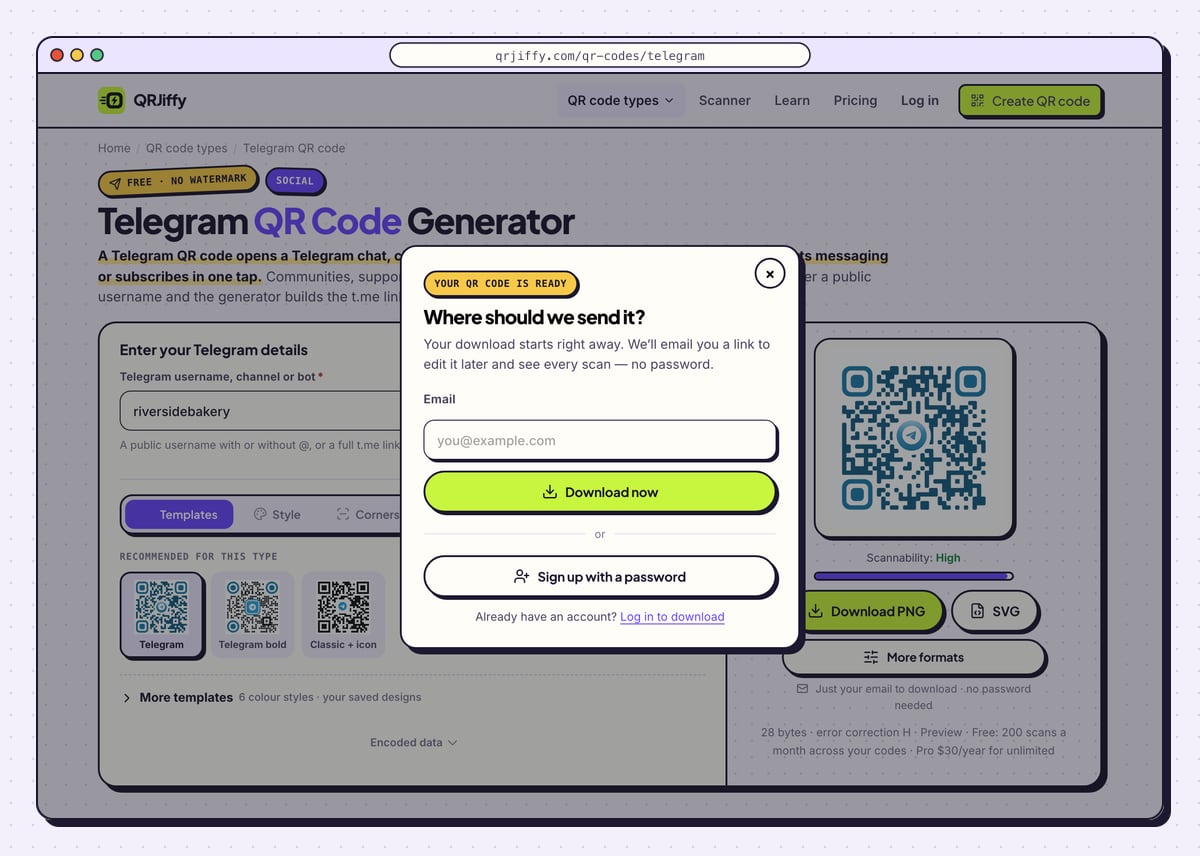
Two buttons under the preview produce the file: Download PNG and SVG. PNG fits a pinned message, a website or a slide; SVG fits posters and packaging. Before the first file, a dialog requests an email address. Download now completes it, and Sign up with a password is there for anyone who prefers a standard login.
The file is saved under a name like
qrjiffy-telegram-BvRjmN2.png.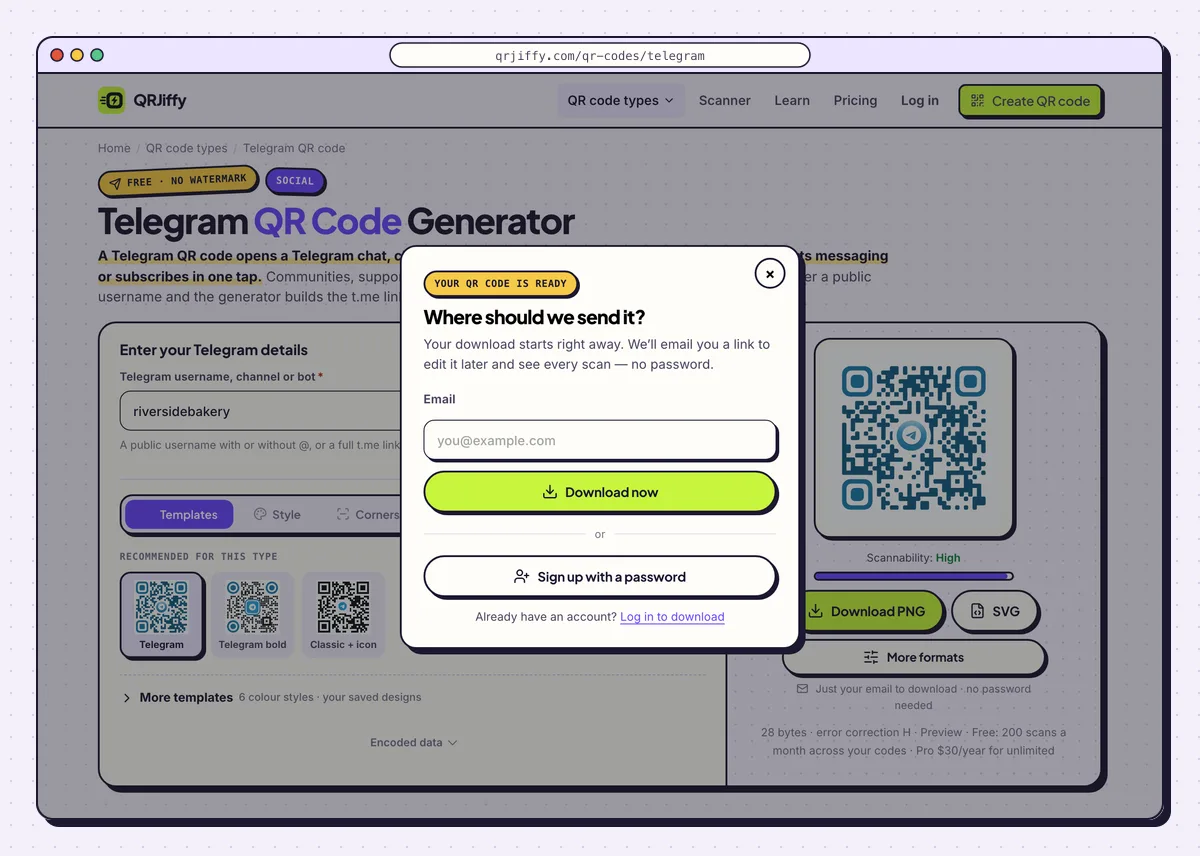
After the email is entered, the code downloads without delay. 5Test on a phone that lacks Telegram
Scan first with Telegram installed: the chat or channel opens in the app. A bot opens as a chat with a Start button. Then scan with a phone that does not have Telegram. The t.me page appears with the channel name, the member count and a button to install Telegram.
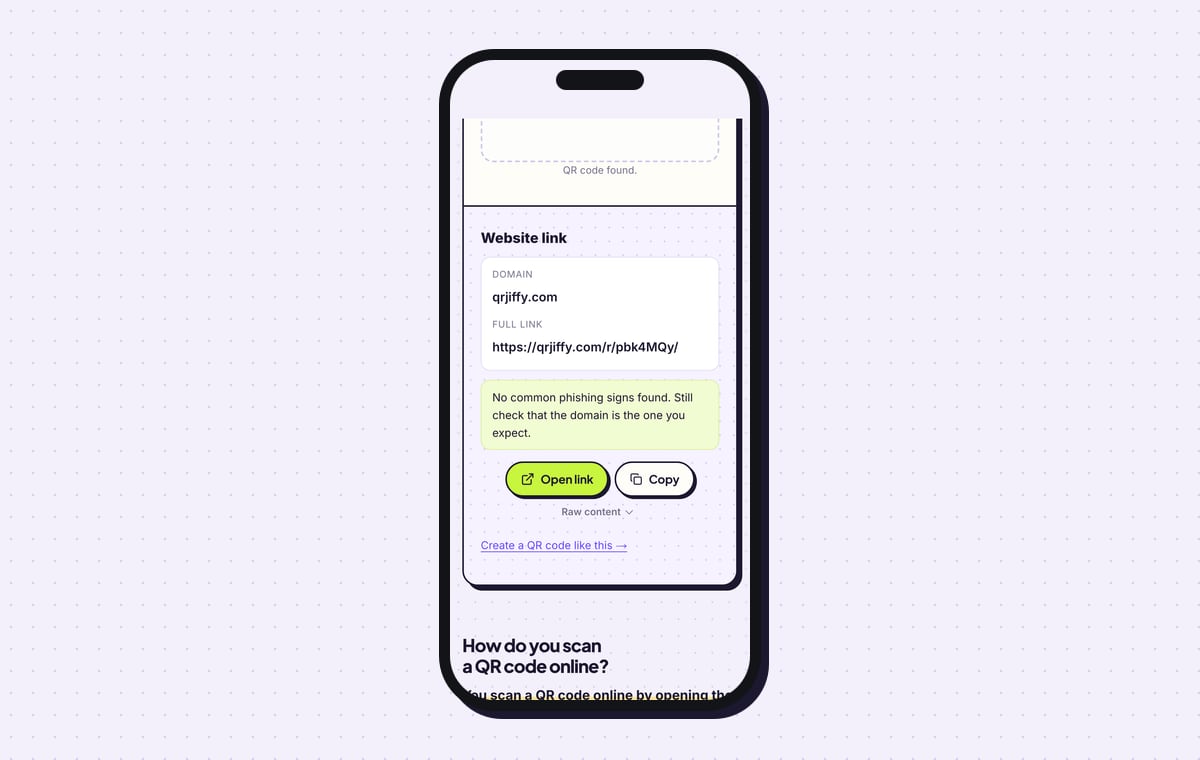
The QRJiffy scanner reports the downloaded file as a Website link, domain qrjiffy.com, and lists the full short link. Tap Open link to continue to the t.me page.
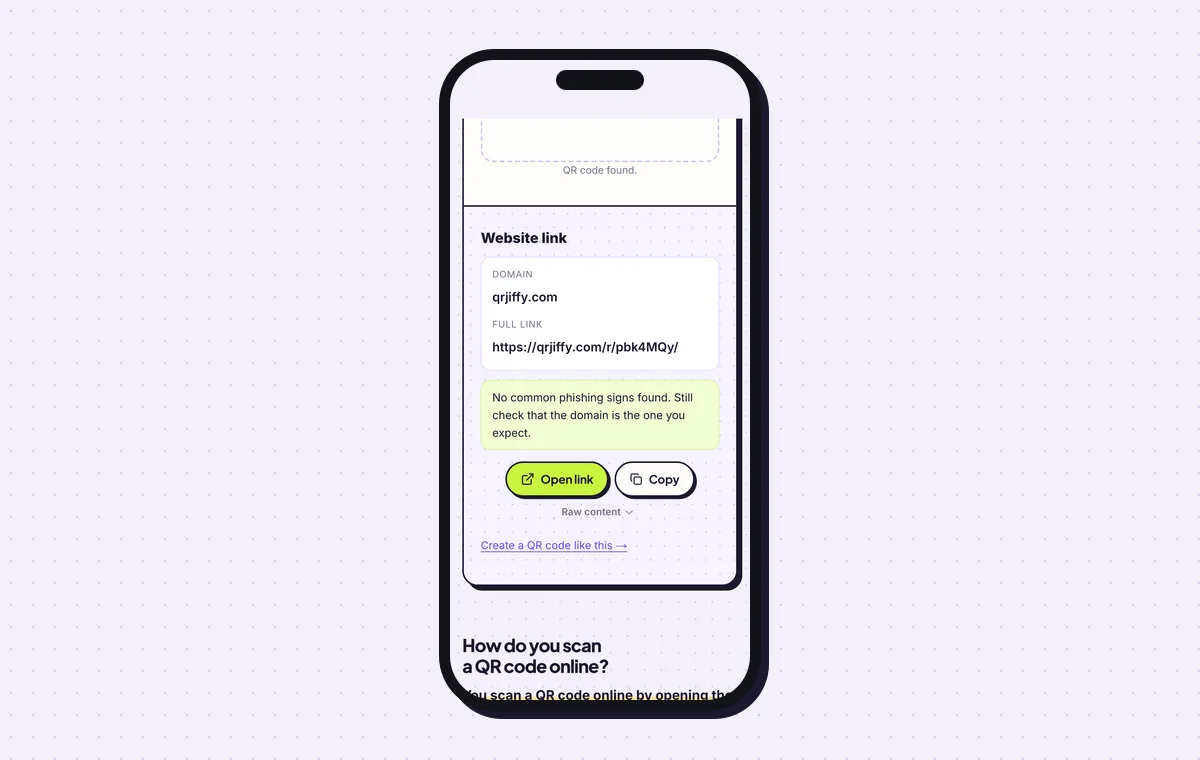
The scanner result shows the short link that leads on to t.me. 6Replace a revoked or renamed link
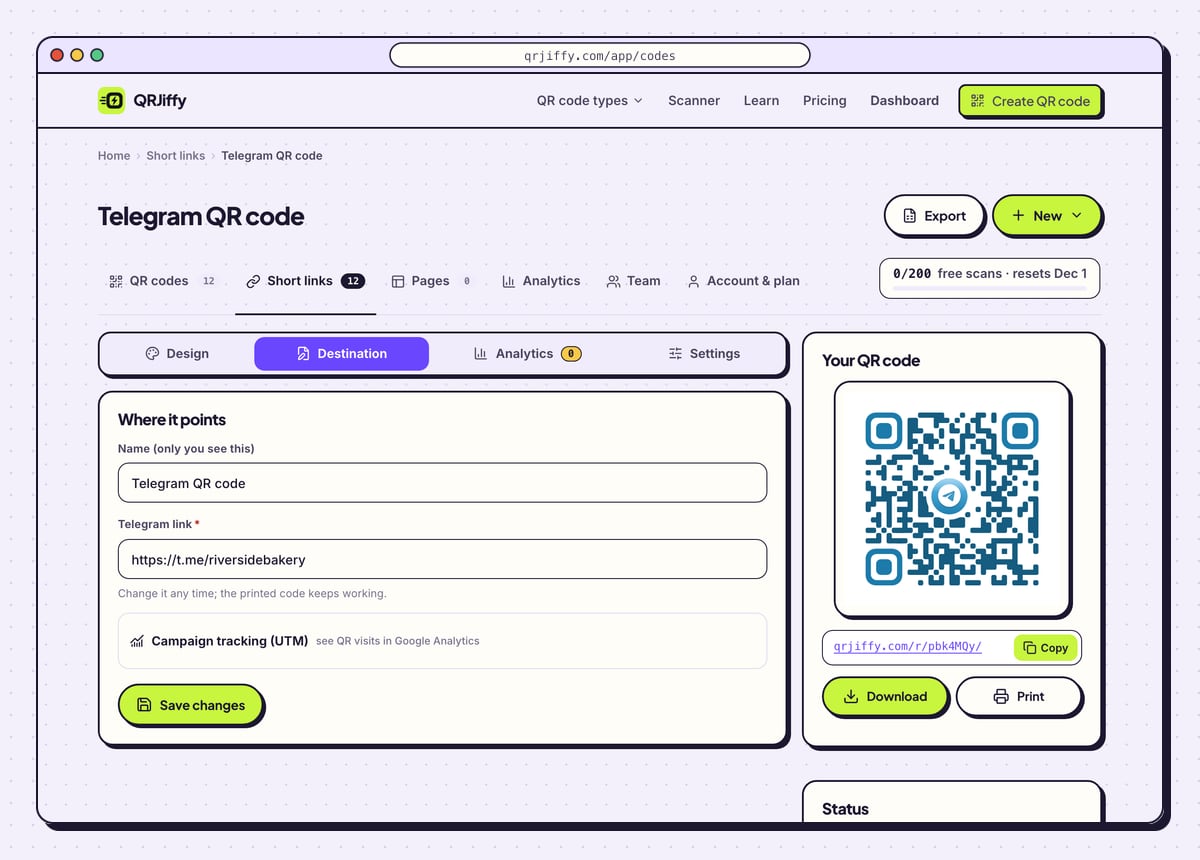
The generator saves this code with a short link,
qrjiffy.com/r/…in the sample, so it has a page in the dashboard. When a username changes or an invite link is revoked, open Destination and enter the new t.me link. Posters already on the wall then open the new chat.Analytics counts scans by day, device and country. Telegram’s own channel stats count the joins, so the two figures together show how many scanners became members. Free accounts get 200 scans a month in total; Pro is $30 a year, unlimited.
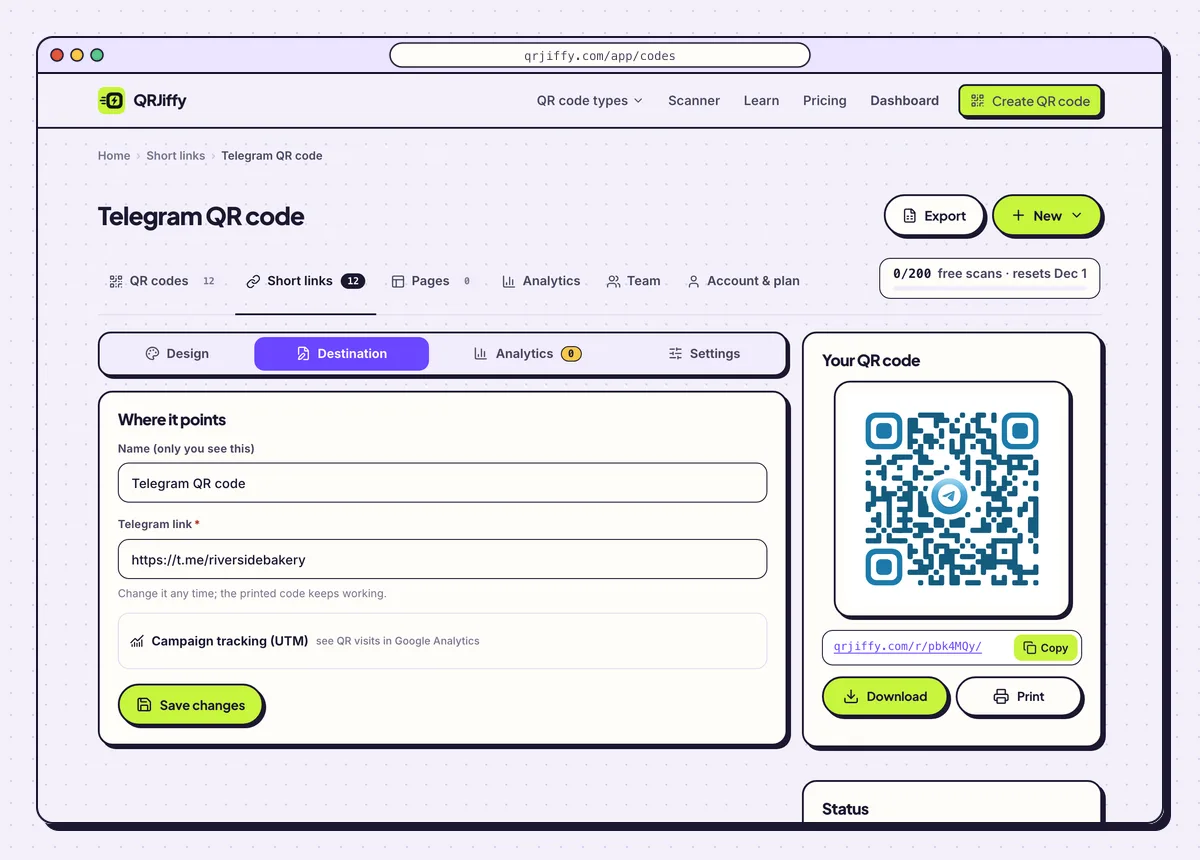
A revoked invite link is replaced under Destination, with no reprint. 7Print it with the @username underneath
Print the code 2 × 2 cm or larger and set the @username in text below it, so people can type the name into Telegram’s search as a fallback. Community posters, packaging that opens a support bot, printed newsletters and the door of a meetup are the standard spots.
Pin a welcome message in the channel or group before the print goes out. It is the first thing a new member reads after the scan.
Open the Telegram QR Code generatorFree. Nothing to install.
Does Telegram have its own QR code?
Yes, Telegram shows a QR code for every public username: open the profile or channel info, tap the QR icon, then save or share it. That code is fine for showing on a phone. Generate one when you need custom colours, a chosen error correction level, an SVG for print, or a link you can replace after printing.
Is this the same as the Telegram Desktop login QR code?
No, the Telegram Desktop login code is a one-time sign-in code shown on the computer, while a Telegram QR code opens a chat or channel each time it is scanned. Scan a login code only from Telegram › Settings › Devices.
Can a QR code invite people to a private Telegram group?
Yes, enter the group’s invite link, which begins with t.me/+, and the scan offers to join the group. Revoking that invite link in Telegram cuts off every code that points to it. With a QRJiffy code, create a fresh invite link and paste it in the dashboard to restore the printed copies.
Can the code open a bot with a start parameter?
Yes, add ?start=parameter to the bot’s link, and the bot receives that parameter when the scanner taps Start. Paste the complete link, for example t.me/yourbot?start=table12, in place of the bare username. Each table, product or poster can carry its own parameter.
What mistakes stop a Telegram QR code from working?
These 5 mistakes cause most failed Telegram QR codes; each has a quick fix. Test the downloaded file with two different phones before you print anything.
| Mistake | Fix |
|---|---|
| The scan shows “username not found” | The username is private, changed or mistyped. Confirm it under Settings › Username and update the code. |
| An invite link was printed on a permanent sign and later revoked | Use a public username for permanent signs, or paste a new invite link under Destination. |
| The display name was typed instead of the username | Type the username, with no spaces. Check it under Encoded data. |
| The code has no label and people do not know what they are joining | Add a Frame label such as “Join our Telegram channel”. |
| It was tested only on phones that have Telegram | Scan with a phone without the app and confirm the t.me page shows the right channel name. |
Frequently asked questions
Is a Telegram QR code free?
Yes. It is free to make and needs no Telegram bot or API key. Free accounts include 200 scans a month across their codes.
Can a Telegram QR code open a bot?
Yes. Enter the bot’s username, which ends in bot. Scanners open a chat with a Start button.
What does someone without Telegram see?
They see the t.me page with the channel name, the member count and a button to install Telegram.
Do I include the @ when typing the username?
It makes no difference. The field accepts the username with or without the @, and it accepts a full t.me link too.
Can I count how many people joined through the code?
Partly. The dashboard counts scans, and Telegram’s channel stats count joins. Comparing the two shows how many scanners subscribed.
Ready to make your Telegram QR code?
The generator is free and works in the browser on a phone or a computer. Your code downloads as PNG for screens or SVG for print.
Open the Telegram QR Code generator
Related guides: How to Print a QR Code · QR Code Size · QR Code Not Working