 QRJiffy
How to Make a Text QR Code
You make a text QR code by typing your message into a text QR code generator and downloading the picture it draws. A phone that scans the code displays the words on screen. No website opens and no internet connection is used, because the message itself sits inside the pattern. Expect to spend 2 minutes, most of it on proofreading.
What do you need before you start?
You need 4 things ready, and no account to try the generator. A free account, or just your email, is asked for only at the download step.
- The final wording, already proofread. Printed text cannot be edited.
- A message of about 300 characters or fewer. A character count in any notes app tells you.
- A phone for the proofreading scan in step 5.
- The size of the label, card or sticker the code goes on, in centimetres.
How do you make a Text QR code step by step?
Follow these 6 steps in the Text to QR Code generator; the preview updates as you type. Each screenshot below is the real screen, filled in with a sample bakery’s details.
1Open the text QR code generator
Load the text QR code generator on a computer or phone. The page has a single large box, Your text, with an example about a locker in grey until you start typing. A code is already drawn on the right so you see the layout before entering anything.
2Type or paste your message
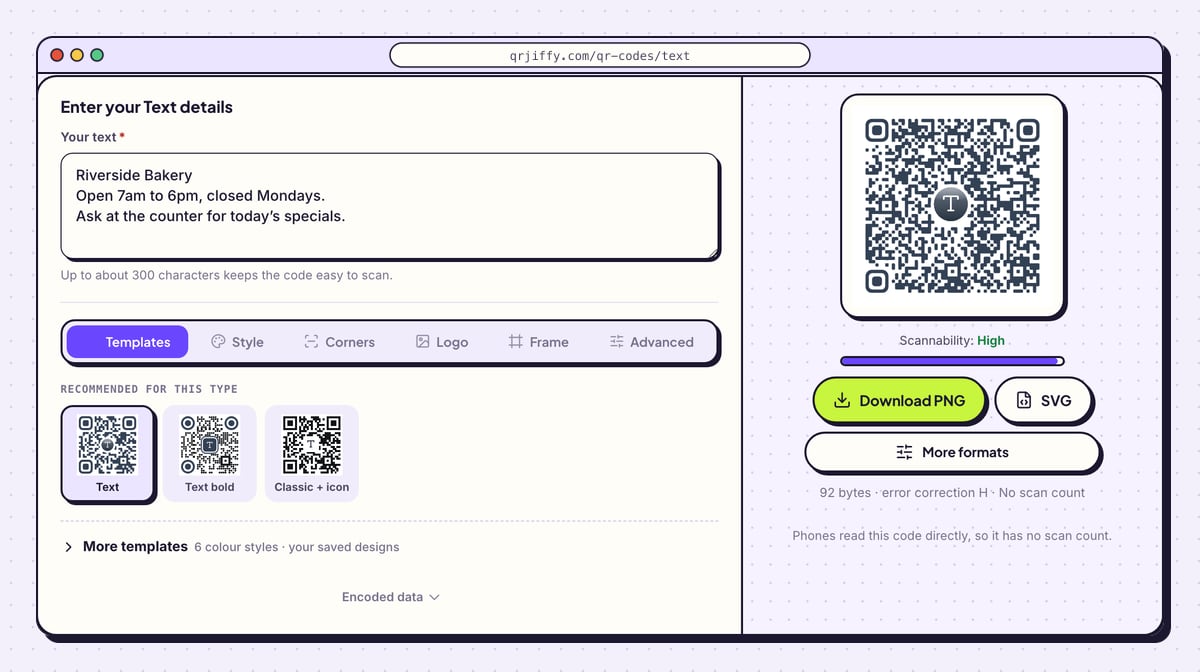
Write in the Your text box, or paste from a document. Press Enter for a new line: the sample in the screenshot has three lines (the bakery name, its opening hours and a note about specials), and phones show those breaks exactly as typed.
The hint under the box says “Up to about 300 characters keeps the code easy to scan.” Watch the byte count under the preview climb as you type. Plain Latin letters cost 1 byte each, accented letters and non-Latin scripts cost 2 to 4, and one emoji costs 4.
Tip: A message that consists only of a web address opens as a link on most phones. Add words around it, or use the link generator for a code you can repoint.
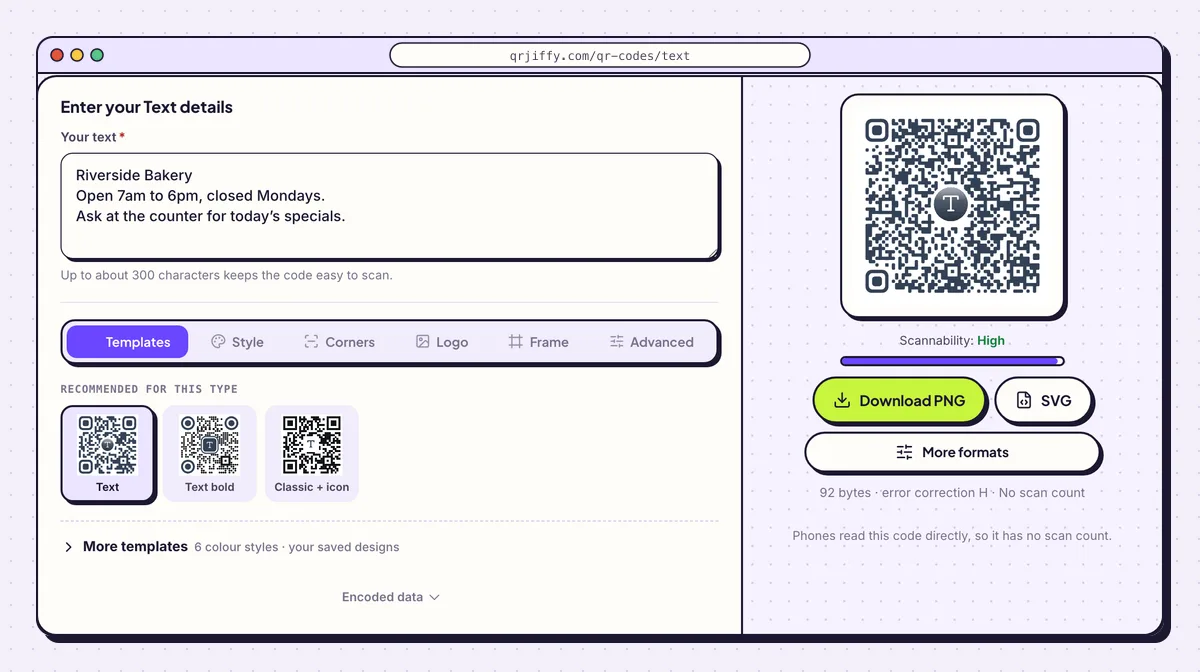
Three lines of sample text in the box, and the matching code on the right. 3Pick a dot pattern and colour
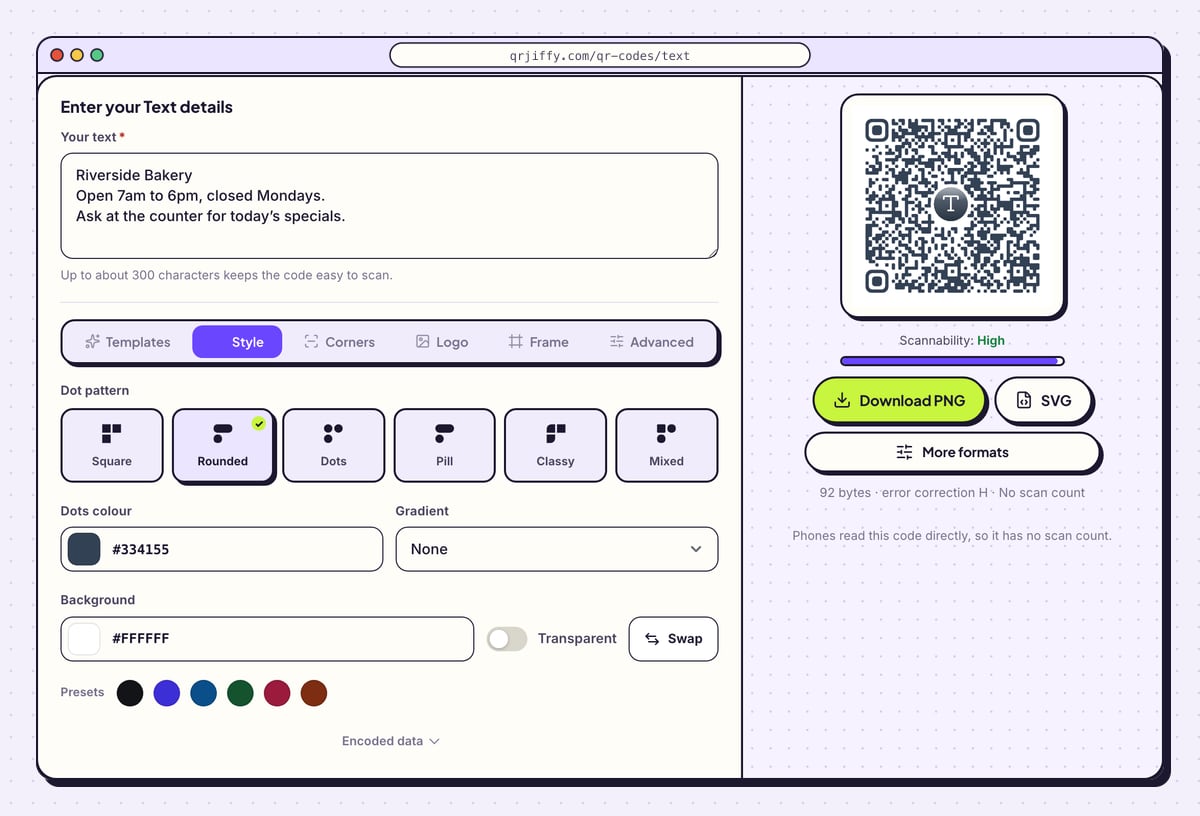
The Style tab controls how the dots look. Six patterns are on offer: Square, Rounded, Dots, Pill, Classy and Mixed. Dots colour takes a hex value or one of the preset swatches, and Gradient blends it into a Second colour.
Long messages make small dots, and small dots need strong contrast. Choose a dark dots colour, leave Background white, and switch on Transparent only when the paper behind the code is white too.
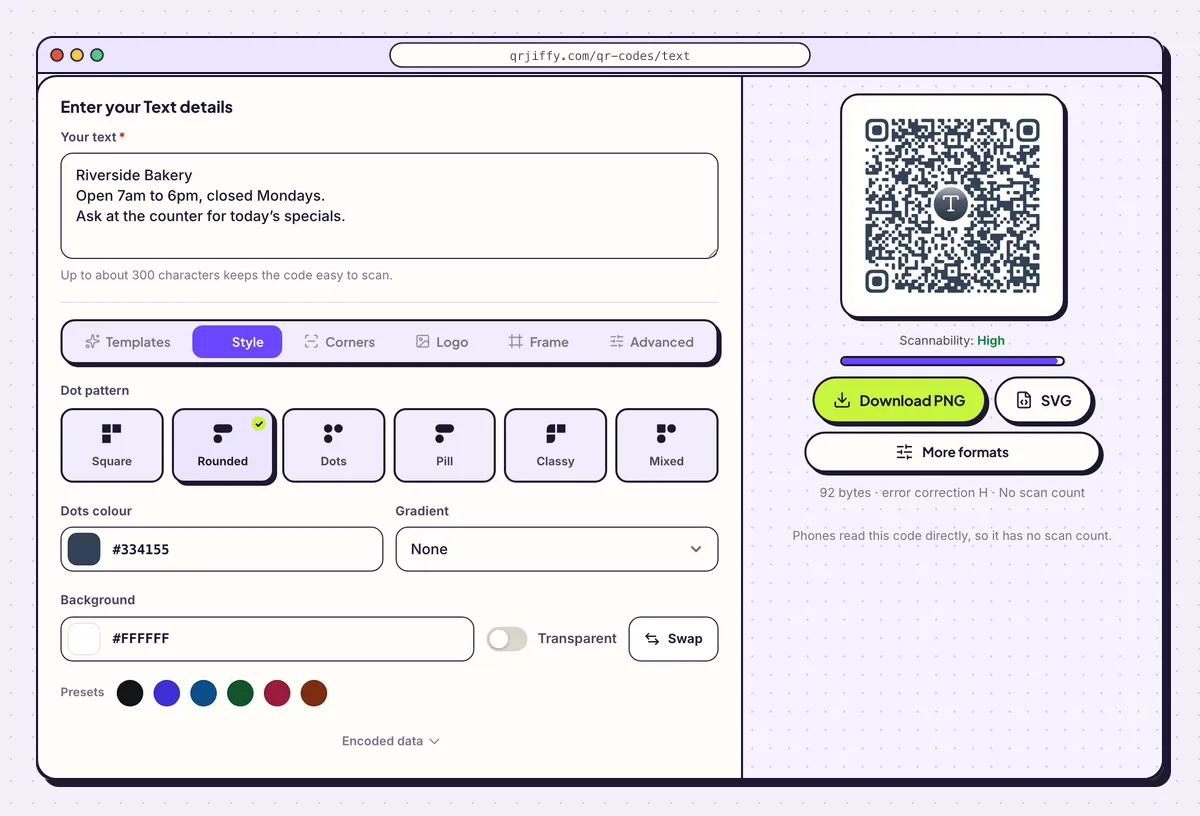
The Style tab sets the dot pattern, the dots colour and the background. 4Download the finished code
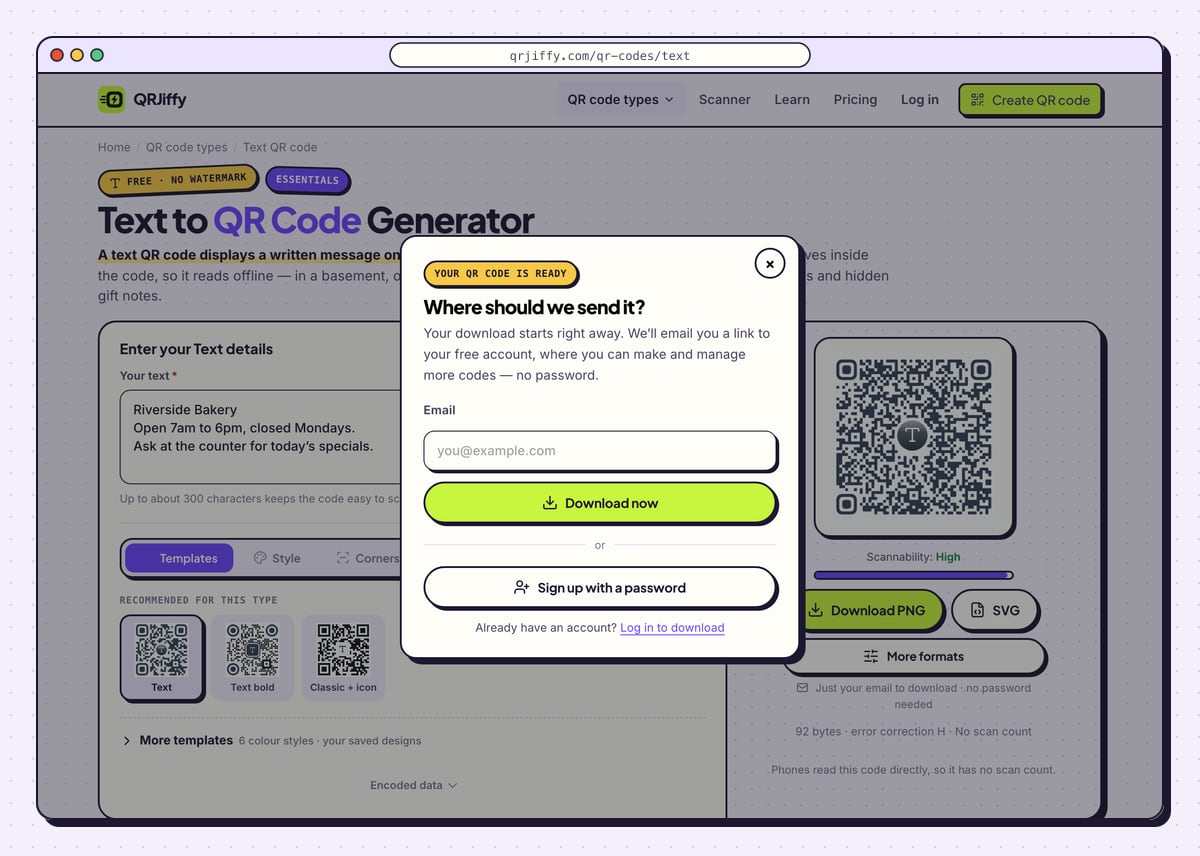
Press Download PNG for a sticker sheet or a document, or SVG when a printer will scale the code. First-time users see a small form asking for an email; fill it in and choose Download now. The browser saves
qrjiffy-text.pngto your downloads folder straight away.The line next to the buttons reads “Phones read this code directly, so it has no scan count.” That is expected for text: nothing passes through a server when the code is scanned.
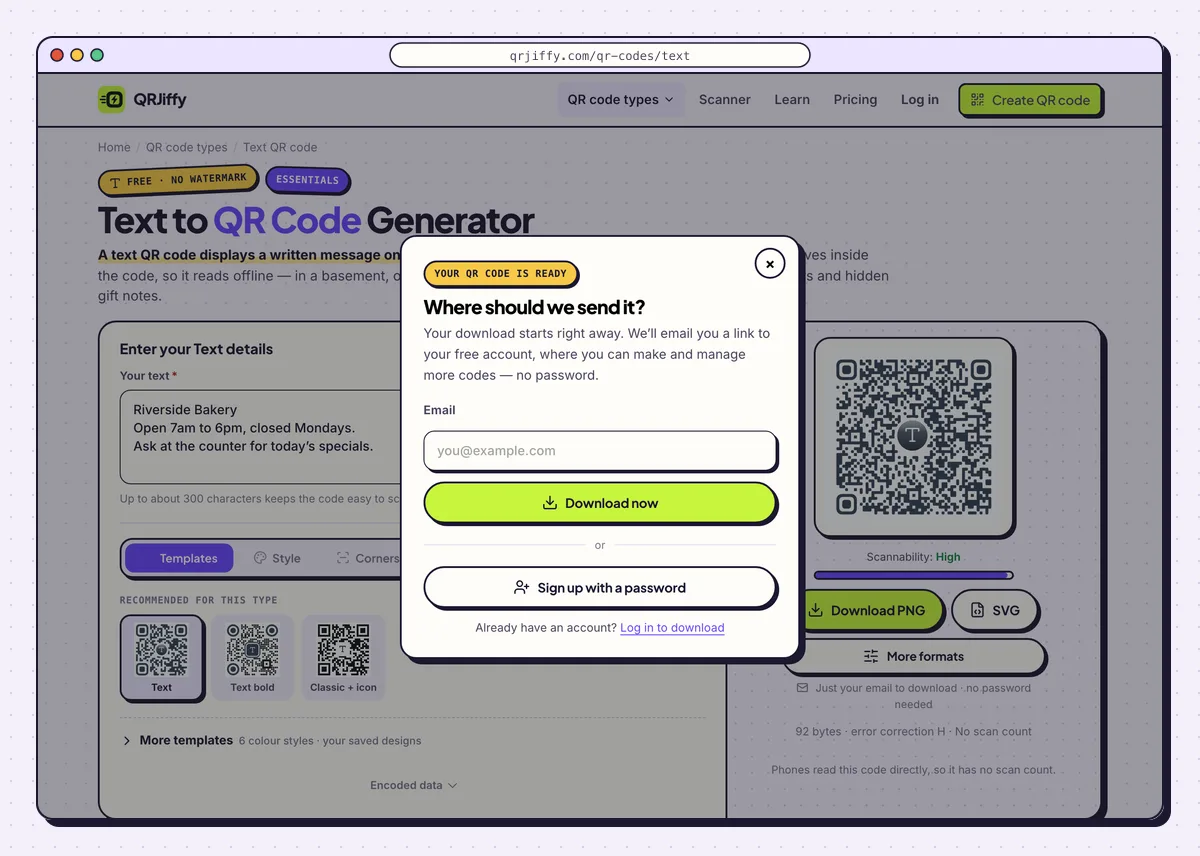
Enter an email once and the PNG saves to your device. 5Proofread the message with a scan
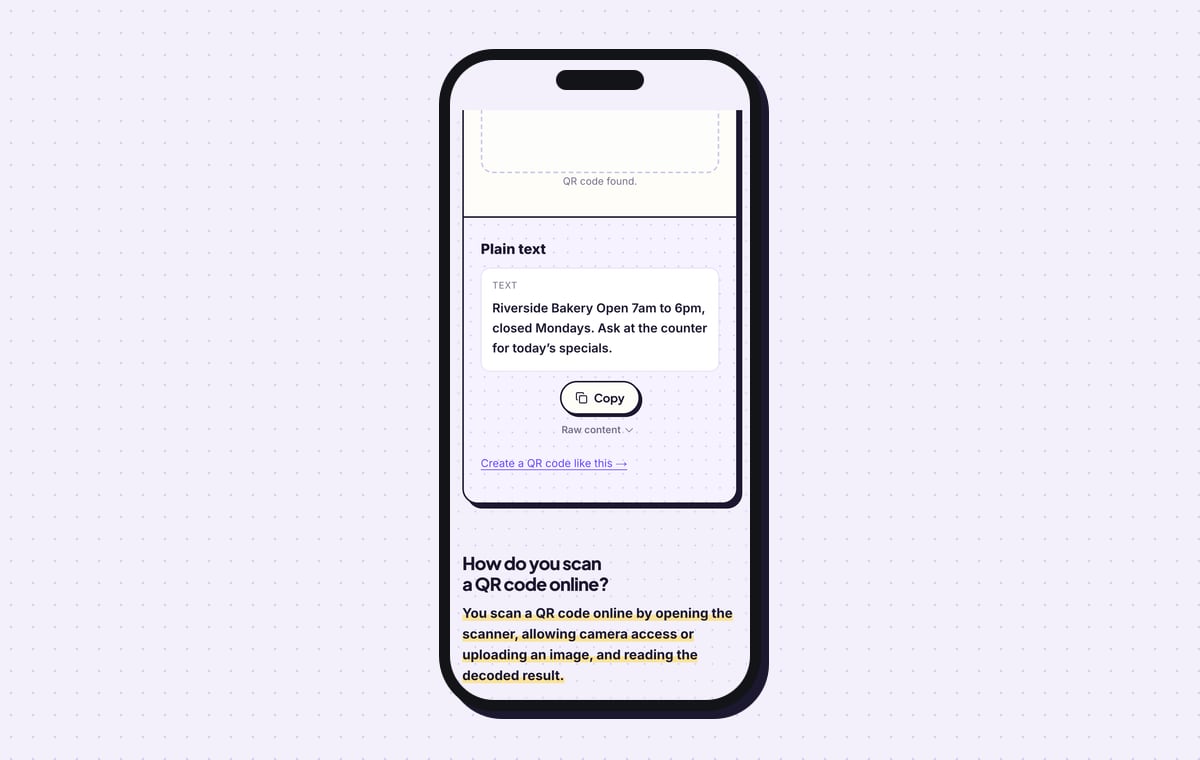
Scan the saved file before anything is printed. The QR code scanner accepts the image as an upload, labels it “Plain text” and prints the whole message under a Text heading, with a Copy button below. Read it line by line against your original.
Then try a phone camera. An iPhone shows the first line in a banner and opens the full text when you tap it. Google Lens on Android shows the text with Copy, Search and Translate buttons.
Tip: Read the scanned text aloud. Typos that hide on your own screen stand out when you hear them.
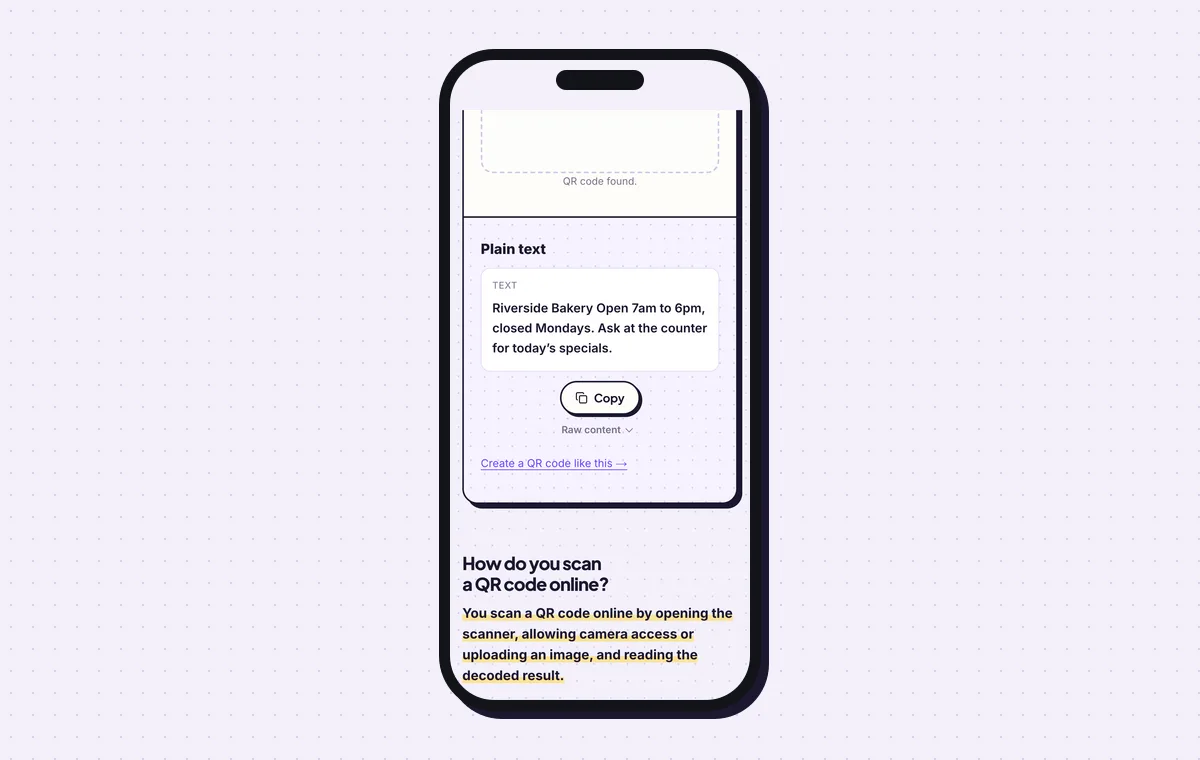
The scanner prints the stored message in full, line breaks included. 6Print it with a line that says what it is
Size the print to the length of the message: 2 × 2 cm holds about 50 characters, 300 characters need 4 × 4 cm, and 1,000 characters need 6 × 6 cm. People expect a QR code to open a website, so print a short line such as “Scan for instructions” next to it. The QR code size guide has the figures for other distances.
Open the Text to QR Code generatorFree. Nothing to install.
What does a phone show when it scans a text QR code?
It shows the message itself, as selectable text, in the camera app. Phones treat any content that is not a link, WiFi network, contact or event as plain text. iPhones on iOS 11 or later and Android phones on Android 9 or later read it without an extra app.
- iPhone: a banner carries the first line. Tapping it opens the full text with Copy and Search options.
- Android: Google Lens displays the text with Copy, Search and Translate buttons.
- No signal: the words appear in a basement, on a plane or in a field, since nothing is downloaded.
Can you edit the text after the code is printed?
No. The words are part of the pattern, so a different message means a new code and a new print. Even a single corrected letter rearranges the dots. For wording that changes often, such as weekly opening hours, put the text on a web page and print a link QR code: its short link is repointed from the dashboard while the print stays in place.
How much text fits in a QR code?
A QR code holds up to 2,953 bytes, which is about 2,900 Latin characters at the lowest error correction level. That maximum produces a pattern too fine for most prints. Stay near 300 characters for a code that reads from 30 cm, and move to error correction L (7%) in the Advanced tab for messages over 500 characters.
Is a text QR code private?
No. Every phone that scans the code reads the full message, and nothing in the format hides or encrypts it. Leave out passwords, alarm codes and personal data. Treat the code like a note taped to the same spot: fine for instructions, wrong for secrets.
What mistakes stop a Text QR code from working?
These 5 mistakes cause most failed Text QR codes; each has a quick fix. Test the downloaded file with two different phones before you print anything.
| Mistake | Fix |
|---|---|
| A 900-character message on a 2 cm sticker | Cut the text to about 300 characters, or print the code at 6 × 6 cm. |
| A typo spotted after the labels are printed | Upload the file to the scanner and read the text against the original before printing. |
| A password or personal detail in the message | Remove it. Anyone who scans the code reads every word. |
| Rows of emoji that swell the code | Each emoji costs 4 bytes. Keep one or two and let words do the rest. |
| No caption, so people expect a website | Print “Scan to read the message” or a similar line beside the code. |
Frequently asked questions
Is the text QR code generator free?
Yes. Typing, styling and downloading cost nothing, and the image carries no watermark. The first download asks for an email address or a free account.
Does a text QR code work without internet?
Yes. The message is stored in the code, so it displays with no mobile data and no WiFi.
What is the difference between a text QR code and an SMS QR code?
A text QR code shows words on the screen. An SMS QR code opens the messaging app with a number and a message ready to send.
Can I see how many times my text QR code was scanned?
No. The phone reads the message straight from the pattern without contacting any server, so no scan is recorded.
Do line breaks survive in a text QR code?
Yes. Phones display the lines as written, which makes short lists and addresses easy to read.
Ready to make your Text QR code?
The generator is free and works in the browser on a phone or a computer. Your code downloads as PNG for screens or SVG for print.
Open the Text to QR Code generator
Related guides: How to Print a QR Code · QR Code Size · QR Code Not Working