 QRJiffy
How to Make a TikTok QR Code
You make a TikTok QR code by entering your @handle or a video’s share link in a TikTok QR code generator and downloading the image. A scan opens the profile grid with the Follow button, or plays the one video you chose. TikTok’s app draws a code for your own profile; a generated code also handles single videos, custom colours and print files.
What do you need before you start?
You need 4 things ready, and no account to try the generator. A free account, or just your email, is asked for only at the download step.
- Your TikTok @handle, or the link from Profile › Share profile › Copy link in the app.
- For a single clip: the link from Share › Copy link on that video.
- One phone with TikTok installed and one without it, for the test.
- A line of text to print beside the code, such as “Watch how it’s made”.
How do you make a TikTok QR code step by step?
Follow these 7 steps in the TikTok QR Code generator; the preview updates as you type. Each screenshot below is the real screen, filled in with a sample bakery’s details.
1Choose between a profile code and a video code
A profile link,
tiktok.com/@yourbrand, opens the profile grid with the Follow button, so new viewers meet your pinned videos first. It does not open the For You feed. A video link plays one clip: a recipe on a food pack, a tutorial on a tool, an unboxing on a shipping carton.Links copied inside the app arrive as a short
vm.tiktok.com/…redirect. Both forms work in the generator. For a profile, typing the handle gives the full @username address.2Enter the @handle in the TikTok field
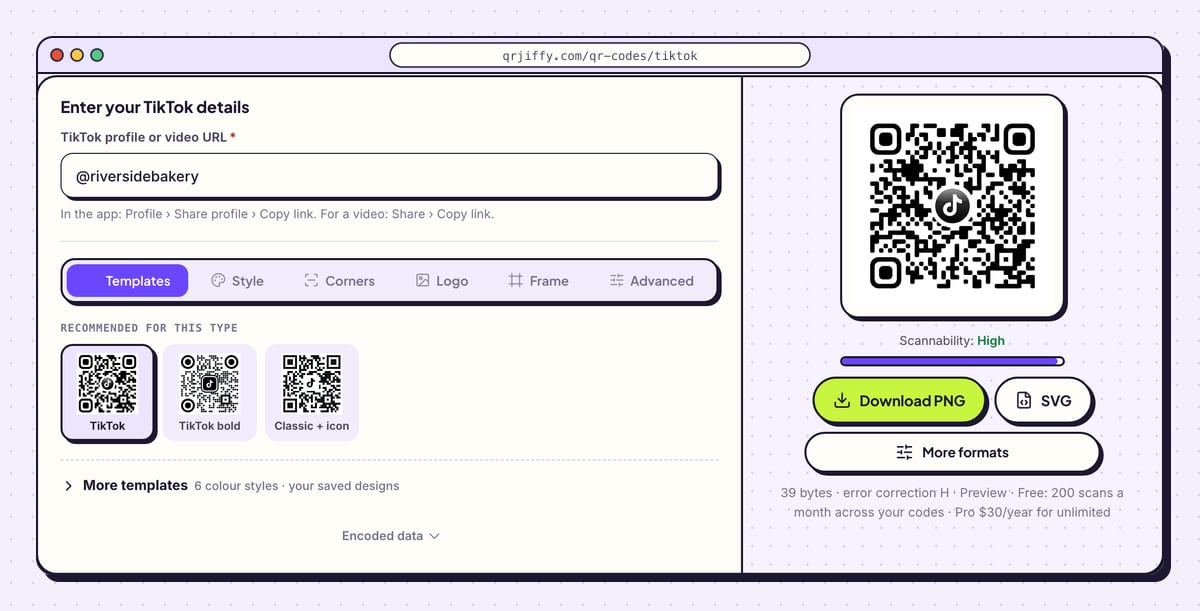
In the TikTok QR code generator, the field is labelled TikTok profile or video URL. Type the handle, for example
@riversidebakery, or paste a video link. The handle is accepted with or without the @, and full stops and underscores inside it are preserved.The generator writes
https://www.tiktok.com/@riversidebakery, which is 39 bytes. The black code in the preview carries a TikTok icon in the middle, and the Scannability reading under it says “High”.Tip: A video link pasted by accident sends every scanner to that clip. Open Encoded data and check the address ends in your @handle.
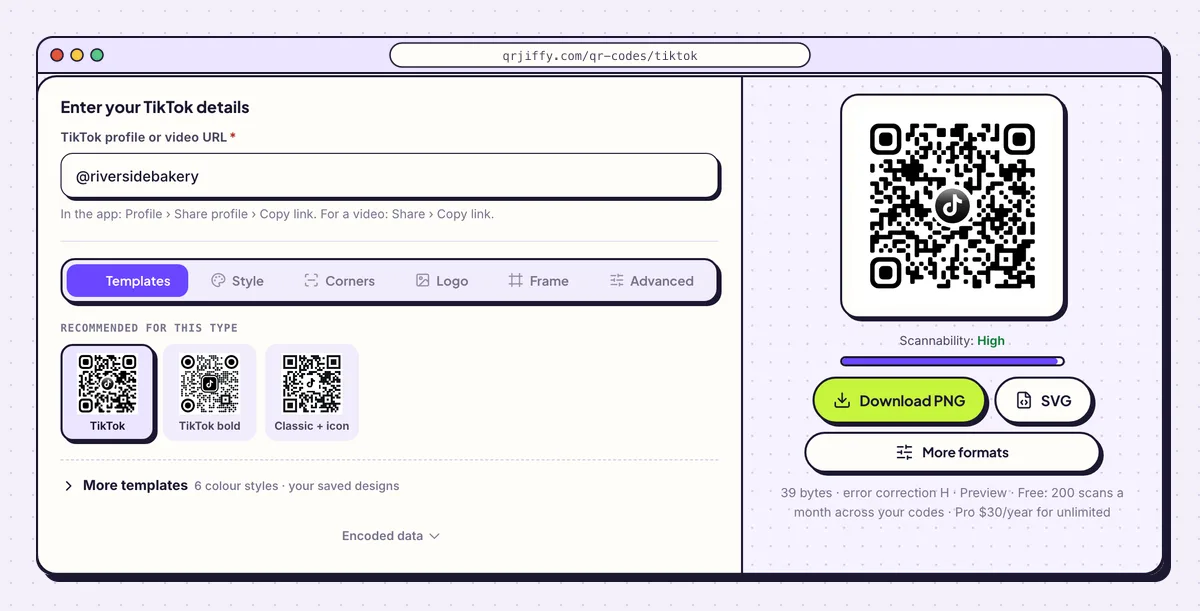
The handle becomes a full tiktok.com profile address as soon as it is typed. 3Shape the three corner squares
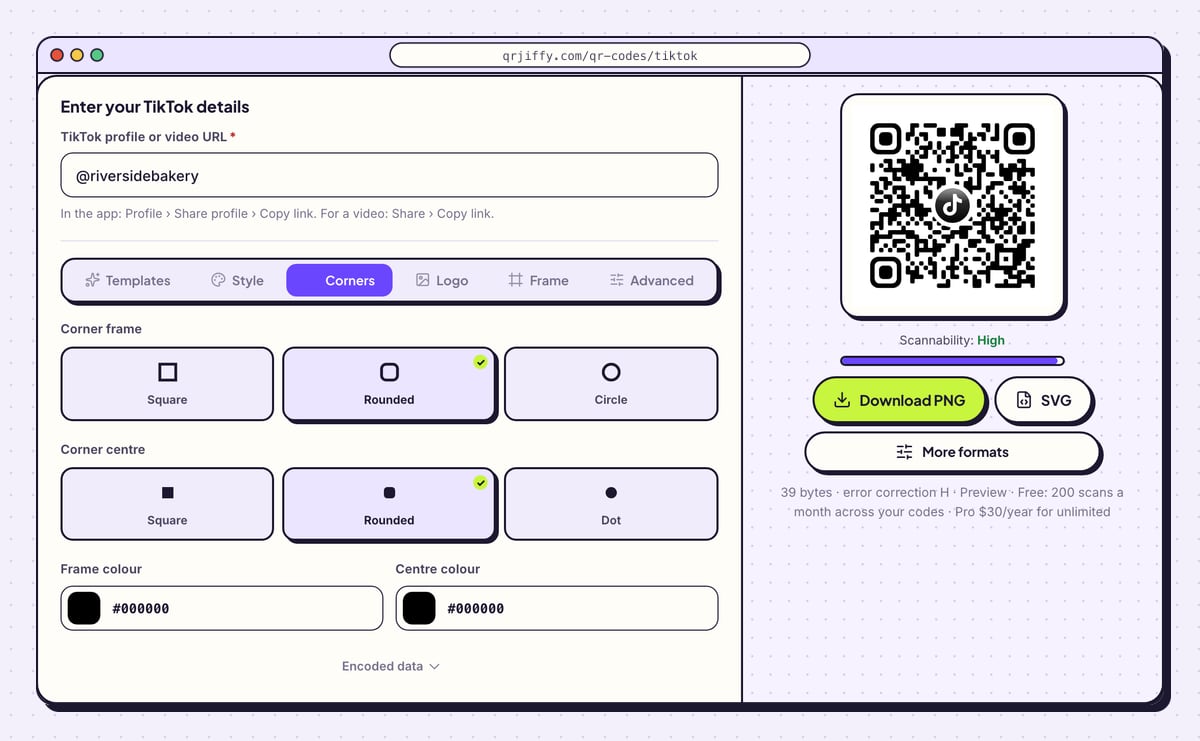
The Corners tab styles the three large squares that scanners use to locate the code. Corner frame sets the outer ring to Square, Rounded or Circle. Corner centre sets the inner block to Square, Rounded or Dot. The TikTok sample uses Rounded for both.
Frame colour and Centre colour both start at black,
#000000. Any brand colour works here as long as it stays dark against the background. All three corners must remain visible in the final artwork.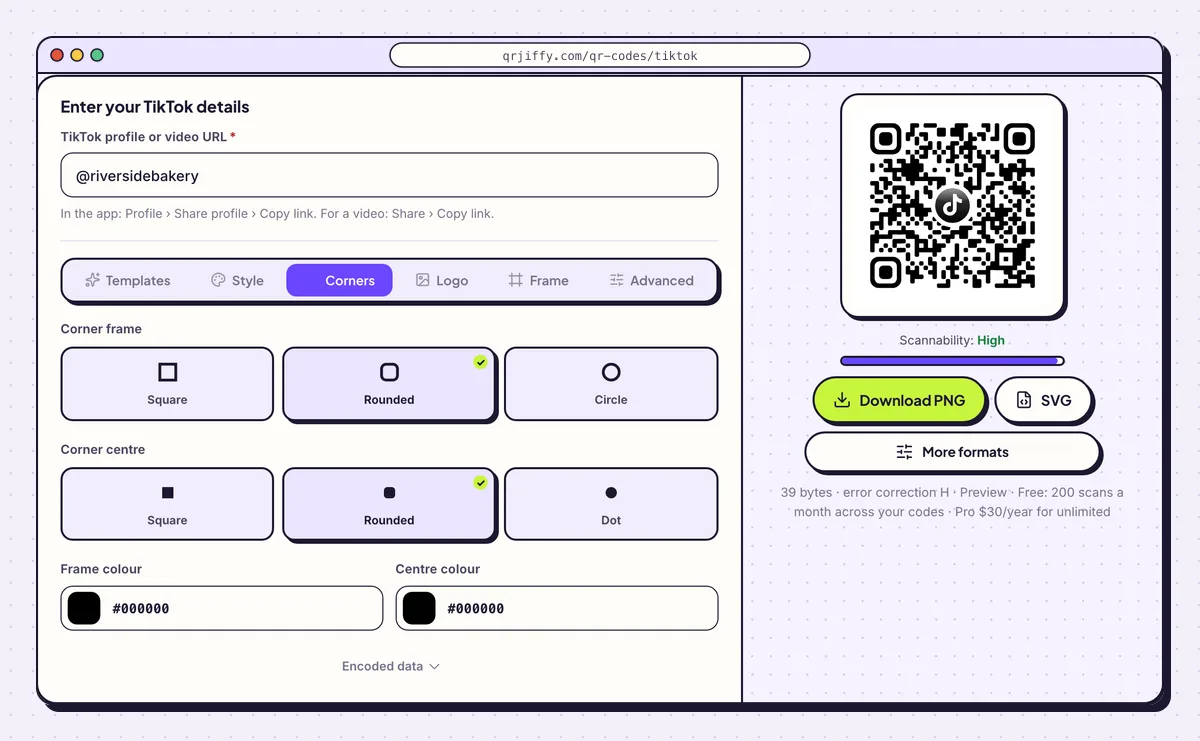
Corners changes the look of the three position squares without touching the rest of the code. 4Download the PNG or the SVG
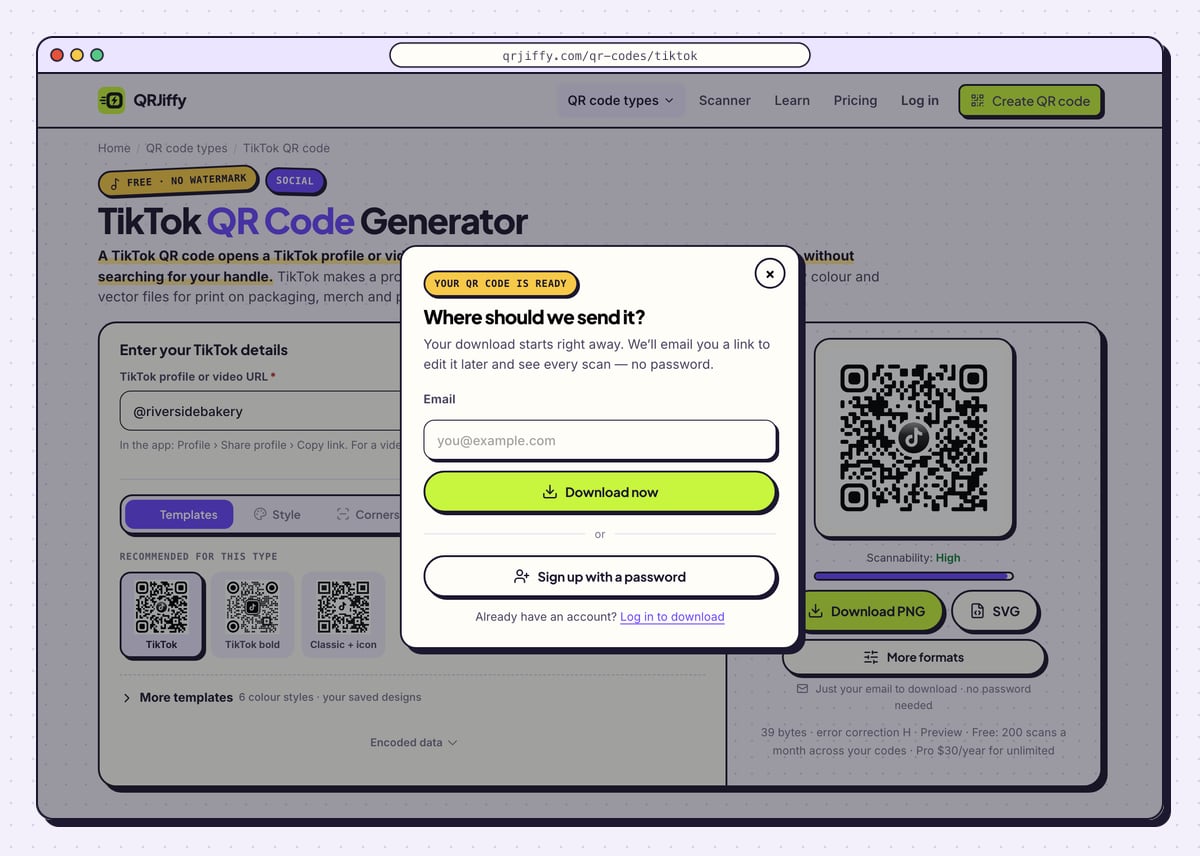
Download PNG gives a file for screens: a video end card, a live-stream overlay or a slide. SVG gives a vector for packaging, merch and posters. The first click brings up a dialog that asks where to send the code. Fill in the email line and select Download now; a password sign-up sits under it for those who want one.
Expect a file named like
qrjiffy-tiktok-RHg36nk.png. The generator then displays the code’s short link and a note that the destination is changeable at any time.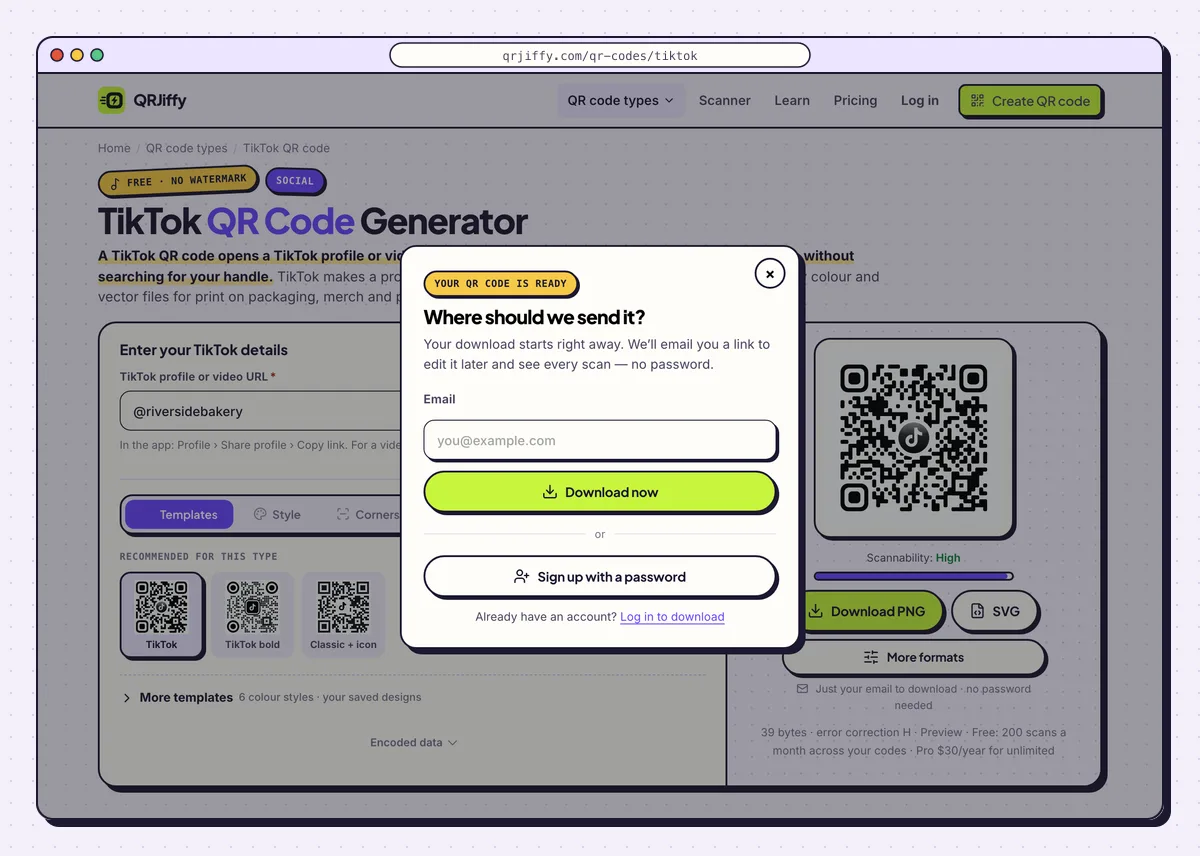
The dialog asks for an email once, then the file saves. 5Test with the TikTok app installed and uninstalled
Scan the code with a phone that has TikTok. The link banner leads into the app, on your profile or on the video. Repeat on a phone without TikTok: the browser shows the same profile or video on tiktok.com with a prompt to open the app. Both routes need to end on the right account.
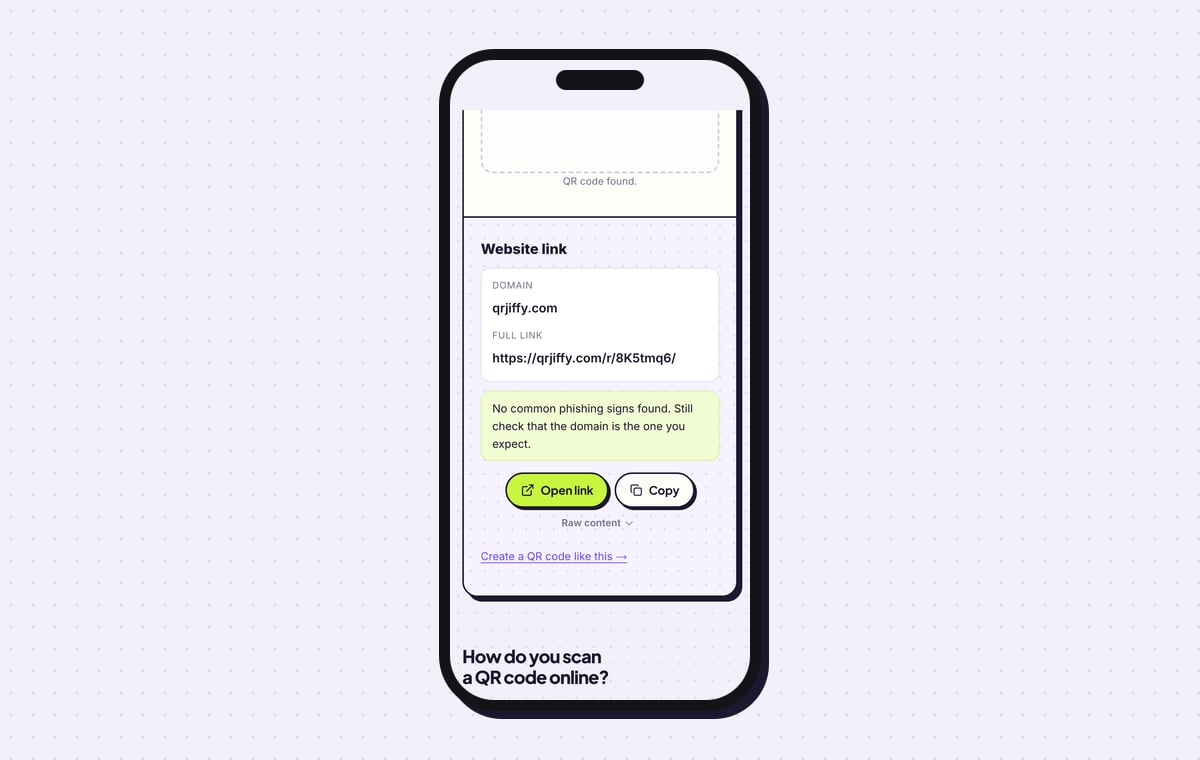
The QR code scanner gives a third check. It labels the result Website link, shows qrjiffy.com as the domain and offers Open link.
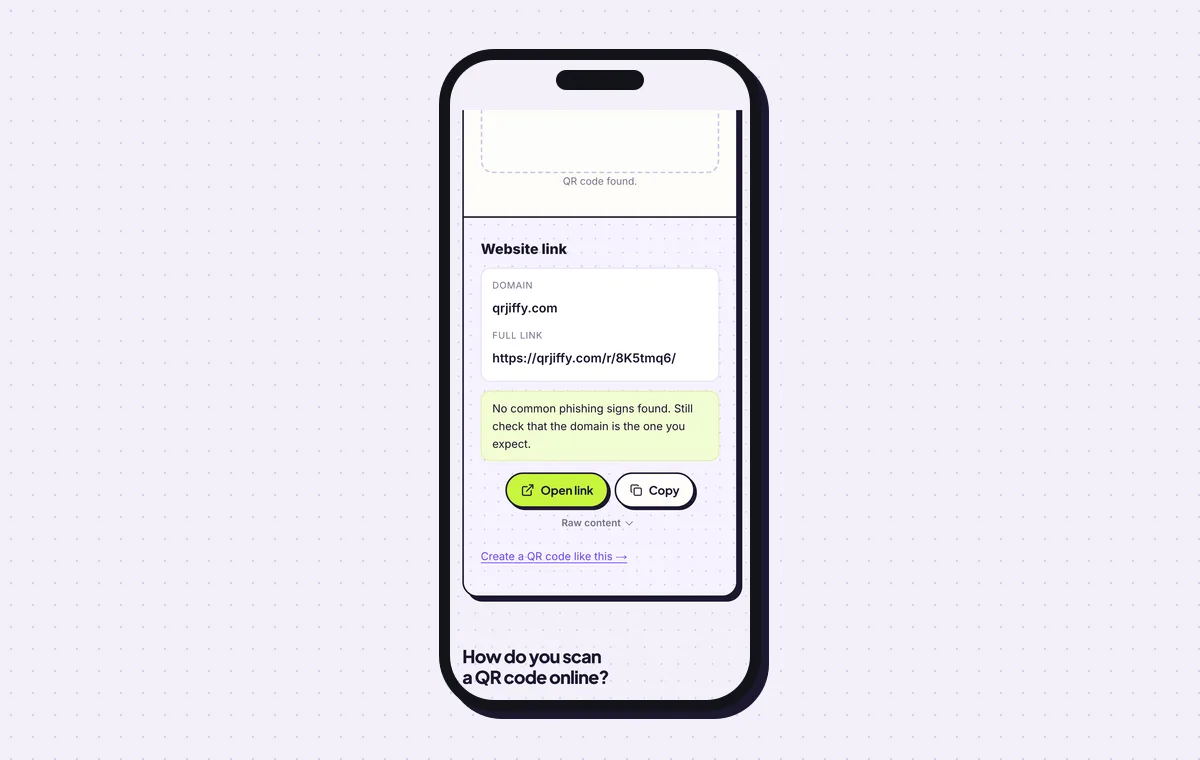
The scanner reads the downloaded TikTok code back as its short link. 6Compare placements and fix a wrong link later
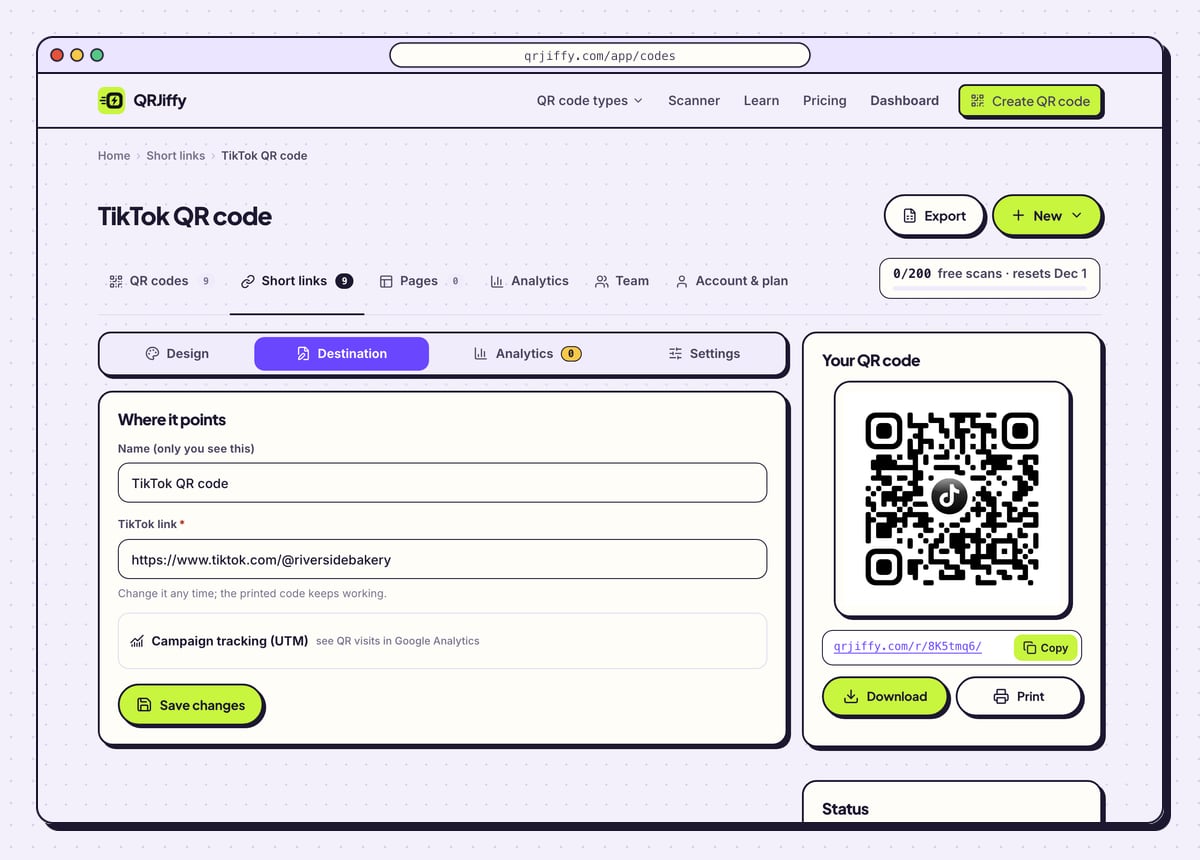
Make one code per location and name each in the dashboard: the till, the packaging insert, the shop window. The Analytics tab on each code totals its scans by day, device and country, so the numbers show which spot earns followers. Free accounts share 200 scans a month between all codes, and $30 a year on Pro lifts the limit.
A code that opens the wrong account is fixed under Destination. Copy the link again from Share profile, paste it, and the next scan lands on the right profile.
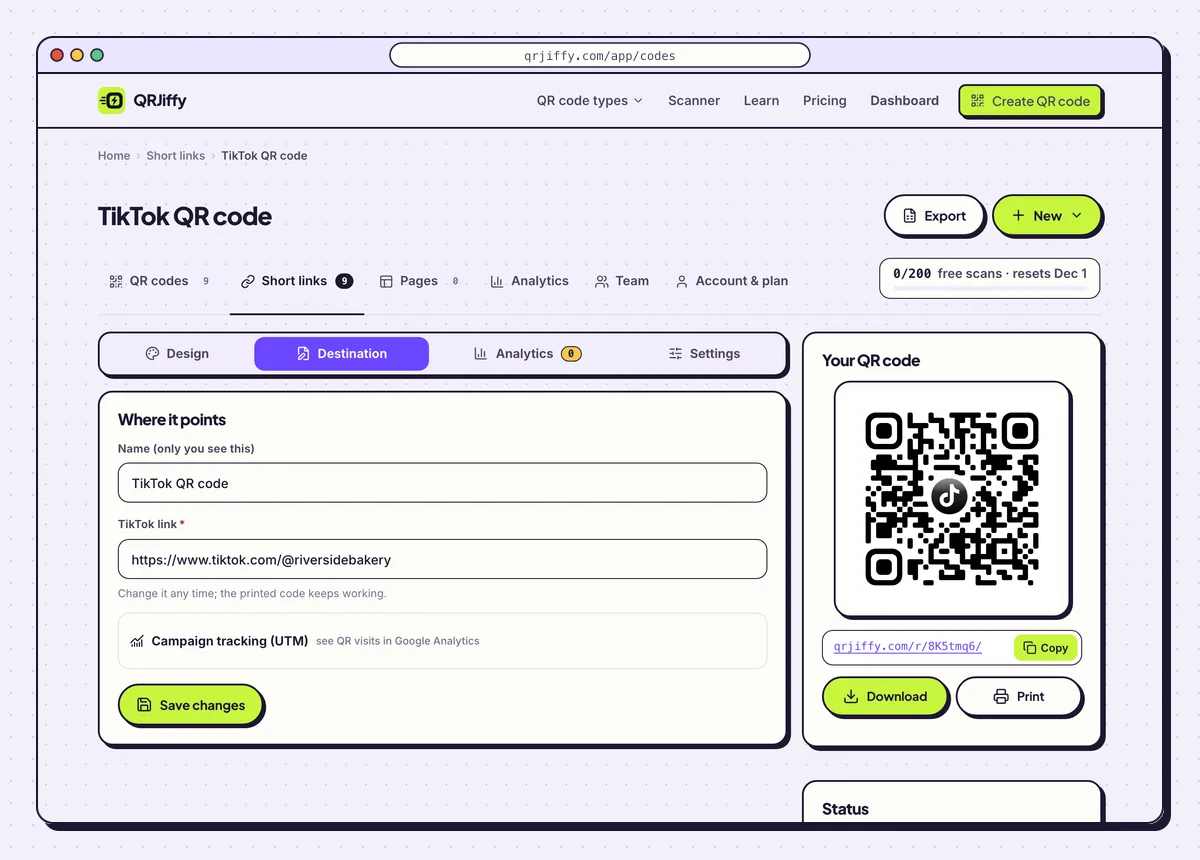
One dashboard page per code makes it possible to compare the till against the shop window. 7Print it on packaging, merch and counters
Keep the code at least 2 × 2 cm on packaging and laptop stickers. On a tee or a tote, scale it for the reading distance: a code scans from roughly 10 times its width, so 1 m needs 10 cm. Print the @handle below it and a reason to scan beside it.
Pop-up shops, restaurant counters and product packaging are common placements. Scan one printed sample before ordering the full run.
Open the TikTok QR Code generatorFree. Nothing to install.
Where is the QR code in the TikTok app?
TikTok keeps your QR code on your profile: tap Share profile and the app shows the code with a Save option. That code links only to your own profile. A specific video, a custom colour or a vector file for a print shop needs a generated code. A generated code also holds a short link, so it survives a change of handle once you update the destination.
How do people scan a QR code from inside TikTok?
TikTok scans QR codes from the Discover search bar: tap the scan icon and point the camera at the code. Nobody has to open TikTok first, though. The built-in camera on an iPhone with iOS 11 or later and on an Android phone with Android 9 or later reads the same code.
Can the code play one specific TikTok video?
Yes, paste that video’s share link and the code plays that video instead of opening your profile. Video codes suit packaging that shows a recipe, a tutorial or an unboxing, where a 30-second how-to sits next to the product. When the campaign ends, the Destination tab moves the same printed code to a newer clip.
How large can a logo be in a TikTok QR code?
Keep the logo under 20% of the code’s area and leave error correction on H, which recovers 30% of the pattern. The generator switches to H automatically when a logo is present. The byte line under the preview confirms the level in use.
What mistakes stop a TikTok QR code from working?
These 5 mistakes cause most failed TikTok QR codes; each has a quick fix. Test the downloaded file with two different phones before you print anything.
| Mistake | Fix |
|---|---|
| The code opens a video when the plan was the profile | Copy the link from Share profile, not from a video’s Share menu, and paste it under Destination. |
| It was tested only on a phone that has TikTok | Scan on a phone without the app as well; the browser version must show the same account. |
| A circle or dot corner style is cropped by the label shape | Keep all three corner squares fully inside the printed area, with a clear margin. |
| A pale brand colour is used for the dots | Pick a colour that stays dark against the background, or use black. |
| The code sits on a tee with no handle and no reason to scan | Print the @handle under it and a line such as “Watch how it’s made”. |
Frequently asked questions
Is a TikTok QR code free?
Yes. Creating and downloading it costs nothing and the image carries no watermark. A free account includes 200 scans a month across all codes.
Does a TikTok QR code work on a laptop?
It works when a phone scans it from the laptop screen. Laptop cameras do not read QR codes by themselves, so the profile opens on the phone.
Does the code open the For You feed?
No. A profile link opens your profile grid with the Follow button, so viewers see your pinned videos first.
Why does my TikTok QR code open the wrong account?
The link behind it is old or mistyped. Copy the link again from Share profile and paste it into the dashboard; the printed code opens the right account from the next scan.
Do I type the @ sign with my handle?
Either way works. The generator accepts the handle with or without the @ and builds the tiktok.com address from it.
Ready to make your TikTok QR code?
The generator is free and works in the browser on a phone or a computer. Your code downloads as PNG for screens or SVG for print.
Open the TikTok QR Code generator
Related guides: How to Print a QR Code · QR Code Size · QR Code Not Working