 QRJiffy
How to Make a Venmo QR Code
You make a Venmo QR code by typing your Venmo username into a Venmo QR code generator, downloading the image and printing it next to your name. A payer points a phone camera at it, lands on your Venmo profile, taps Pay and types the amount. The job takes about 2 minutes. QRJiffy never touches the money: Venmo moves it.
What do you need before you start?
You need 4 things ready, and no account to try the generator. A free account, or just your email, is asked for only at the download step.
- Your Venmo username: open Venmo, tap Me and read the handle under your name.
- A second phone with Venmo installed, logged in to a different account, for the test in step 5.
- The name and photo on your Venmo profile, checked and current, because that is what payers compare against.
- An email address for the download.
How do you make a Venmo QR code step by step?
Follow these 7 steps in the Venmo QR Code generator; the preview updates as you type. Each screenshot below is the real screen, filled in with a sample bakery’s details.
1Open the Venmo QR code generator
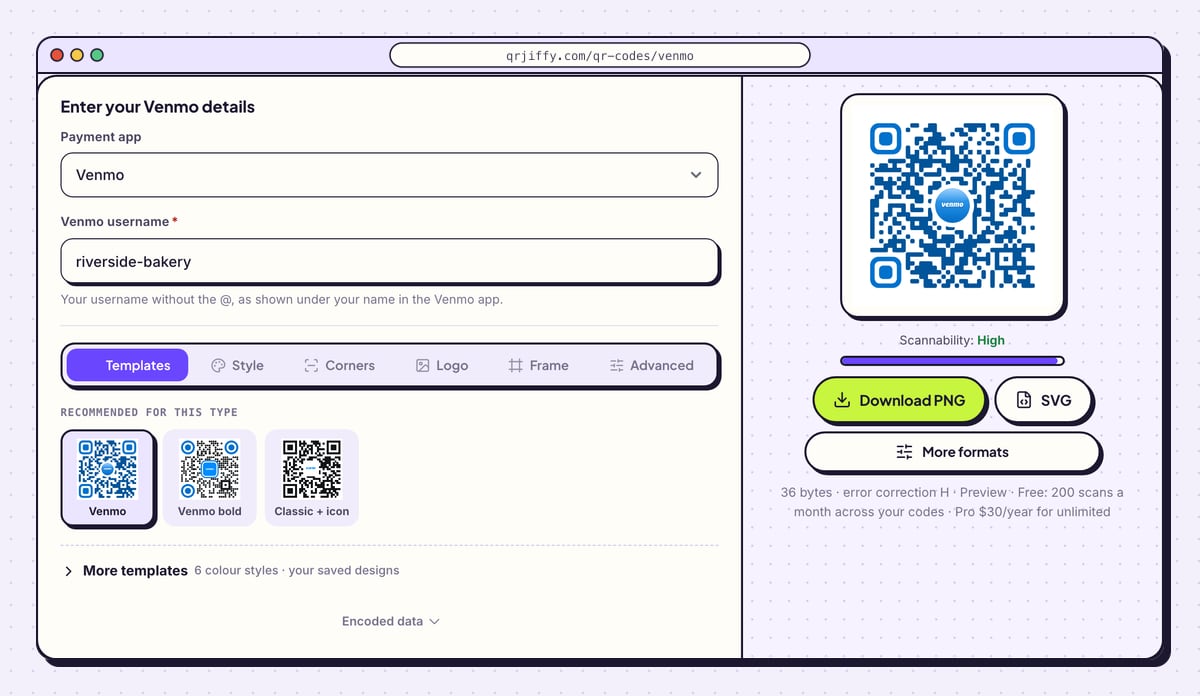
Open the Venmo QR code generator in a browser. The left side is headed “Enter your Venmo details” and holds two fields: Payment app, already set to Venmo, and Venmo username. A blue sample code sits on the right with the Venmo mark in its centre.
Tip: Selling goods or services? Venmo’s terms keep personal profiles for friends and family, so set up a Venmo business profile first and use that username.
2Type your Venmo username
Type the handle into Venmo username without the @, for example riverside-bakery. Venmo usernames contain letters, numbers, hyphens or underscores, and capitals make no difference. The field also takes
@riverside-bakeryor a pastedvenmo.com/u/riverside-bakerylink and turns each one into the same pay link.There is no amount field on this form. A Venmo profile link opens the profile only, so the payer always types the sum. The code on the right redraws as you type.
Tip: Copy the handle from the app instead of typing it from memory. A username that is one character off opens a stranger’s profile, and that stranger gets paid.
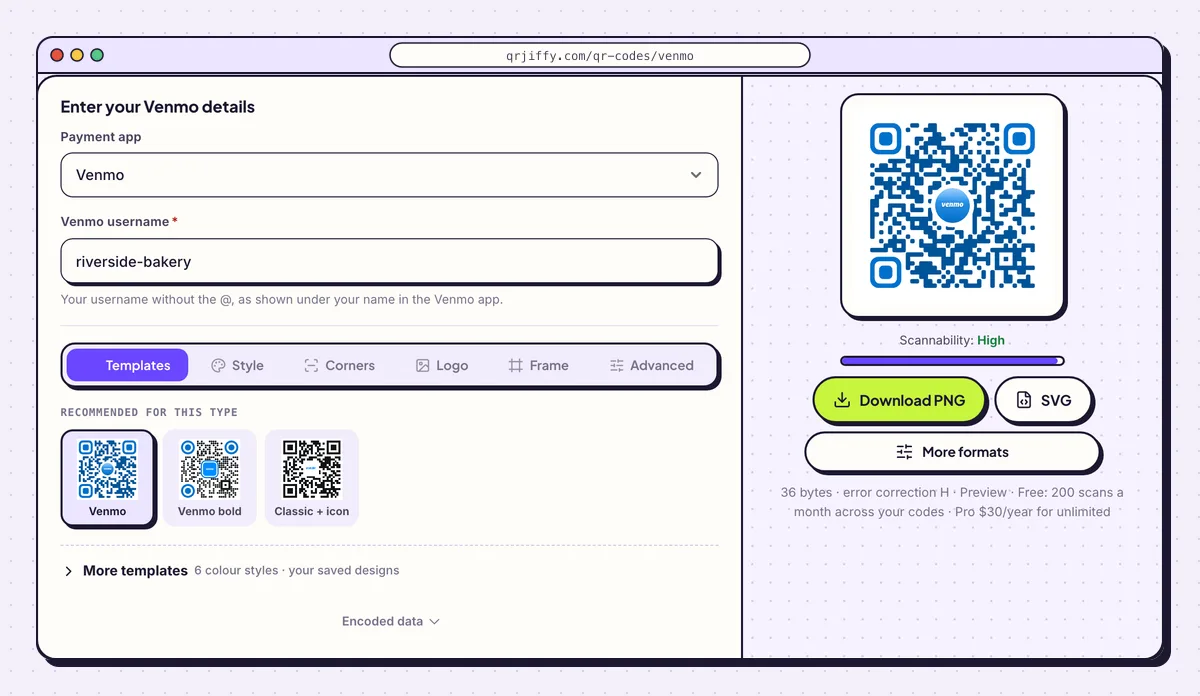
One field is all Venmo needs: the username from under your name on the Me tab. 3Pick a design and add a “Pay with Venmo” label
The Templates tab offers three designs for this type: Venmo, Venmo bold and Classic + icon. Venmo blue (#008CFF) on white matches the app and scans reliably.
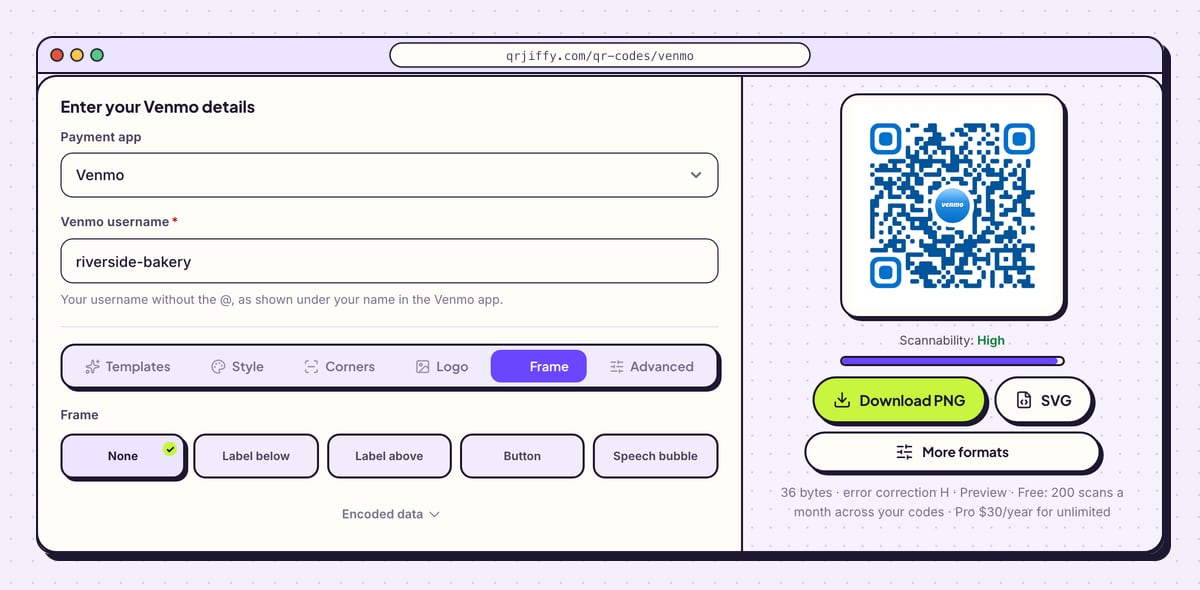
Then open Frame and choose Label below, Button or Call to action, and type “Pay with Venmo”. Frame colour and Text colour set the label’s colours. The Scannability bar under the preview reads “High” while the design is safe.
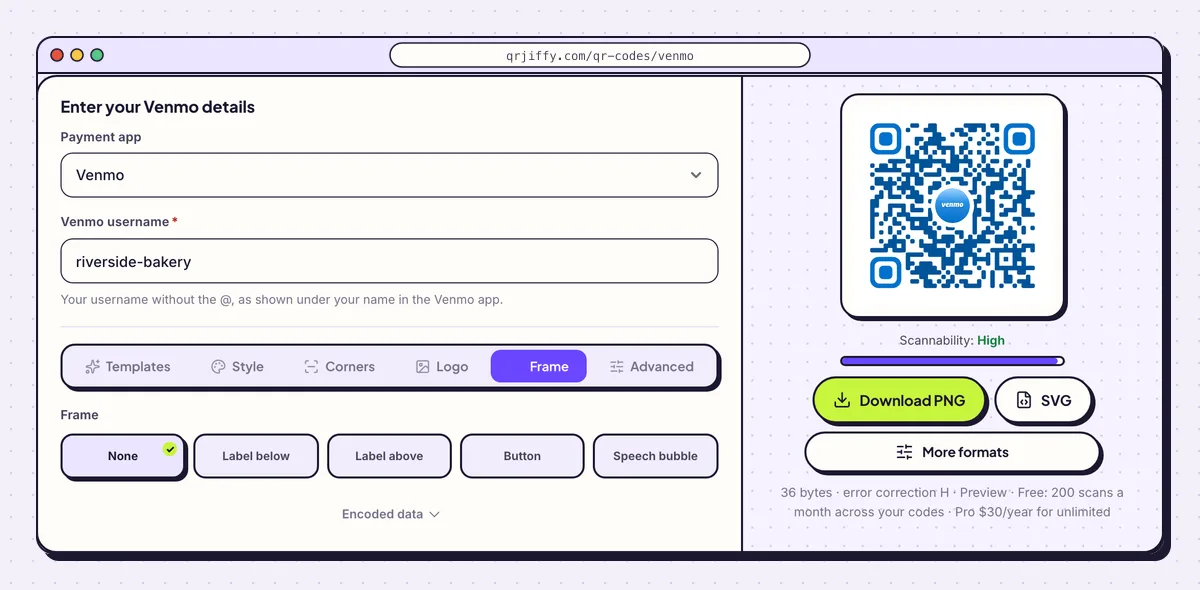
The Frame tab puts a line of text on the code so people know which app it opens. 4Download the PNG or the SVG
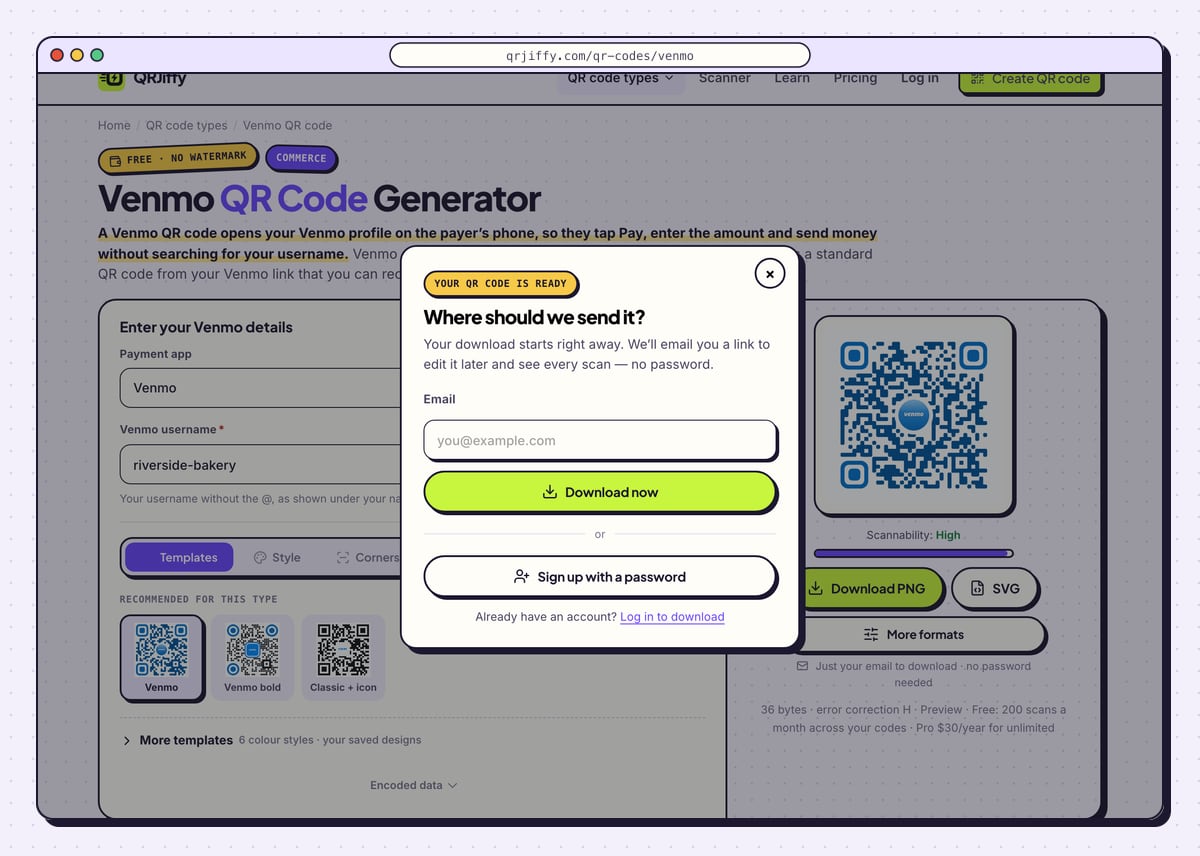
Click SVG for a flyer, sign or sticker sent to a printer, or Download PNG for Canva, Word, Google Docs and screens. A dialog titled “Where should we send it?” asks for an email once; click Download now and the file arrives immediately, named like
qrjiffy-venmo-ui5Pih2.png. The page then shows a short link such asqrjiffy.com/r/…, which is what the code holds.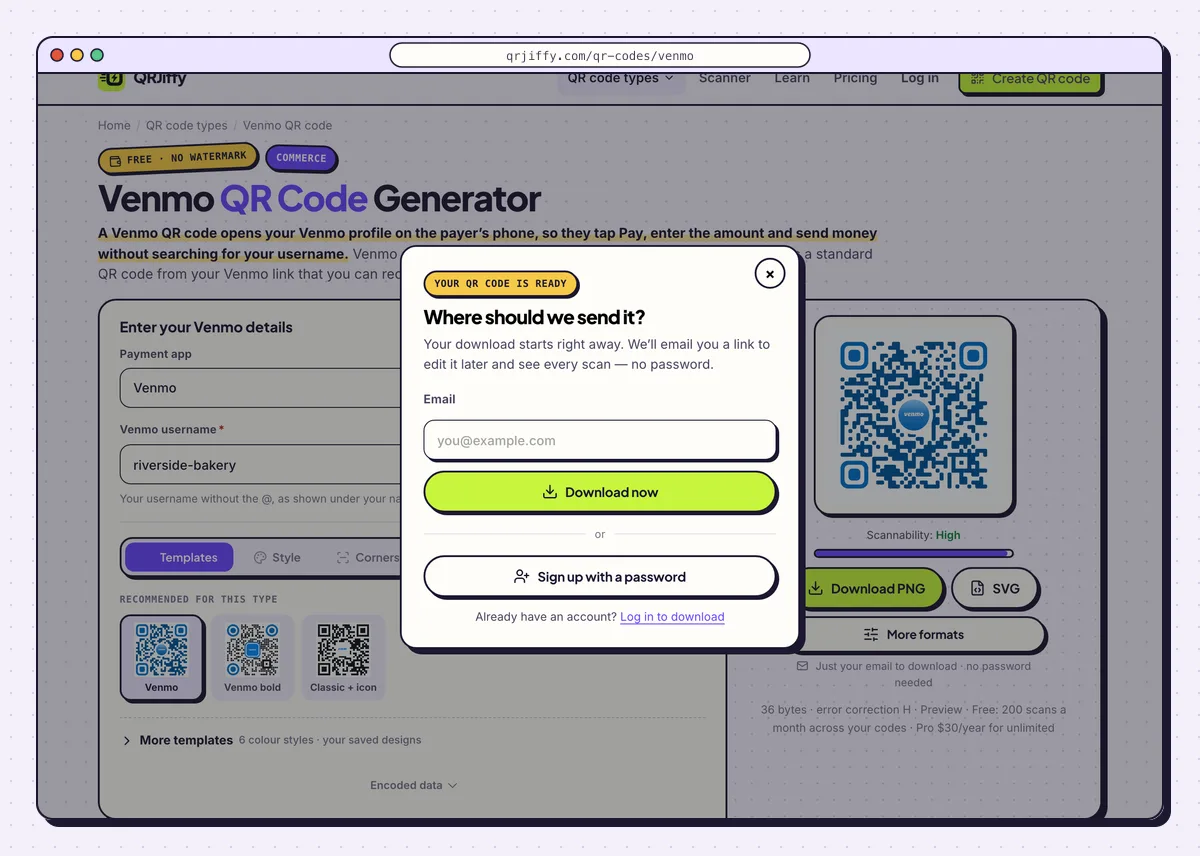
Enter an email once and the Venmo code downloads straight away. 5Scan it with a second phone and check the profile
Point another phone’s camera at the downloaded code. The camera shows a link banner; tapping it opens your profile in the Venmo app, or in the browser when Venmo is not installed. Confirm that your profile photo and your name appear, then send yourself 1 dollar from that second account.
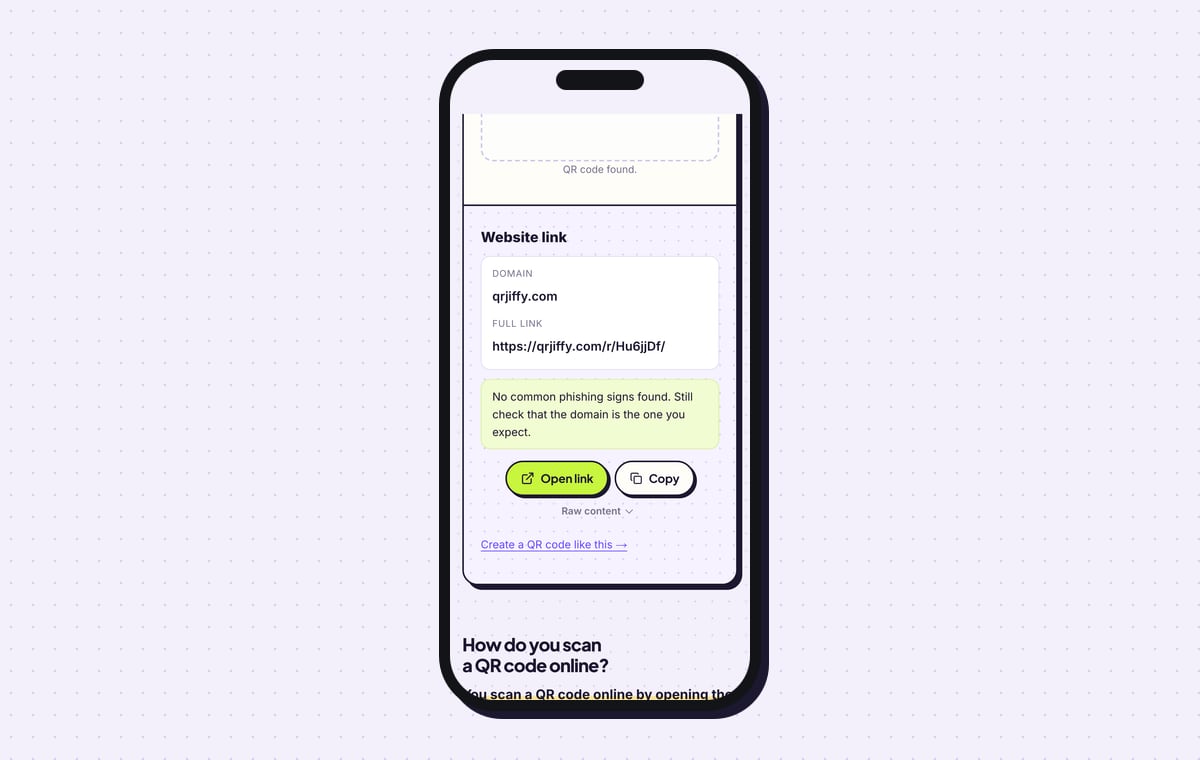
To see what the file holds without paying, upload it to the QR code scanner. It reports a website link on the domain qrjiffy.com with the full short link, which forwards to
venmo.com/u/riverside-bakery.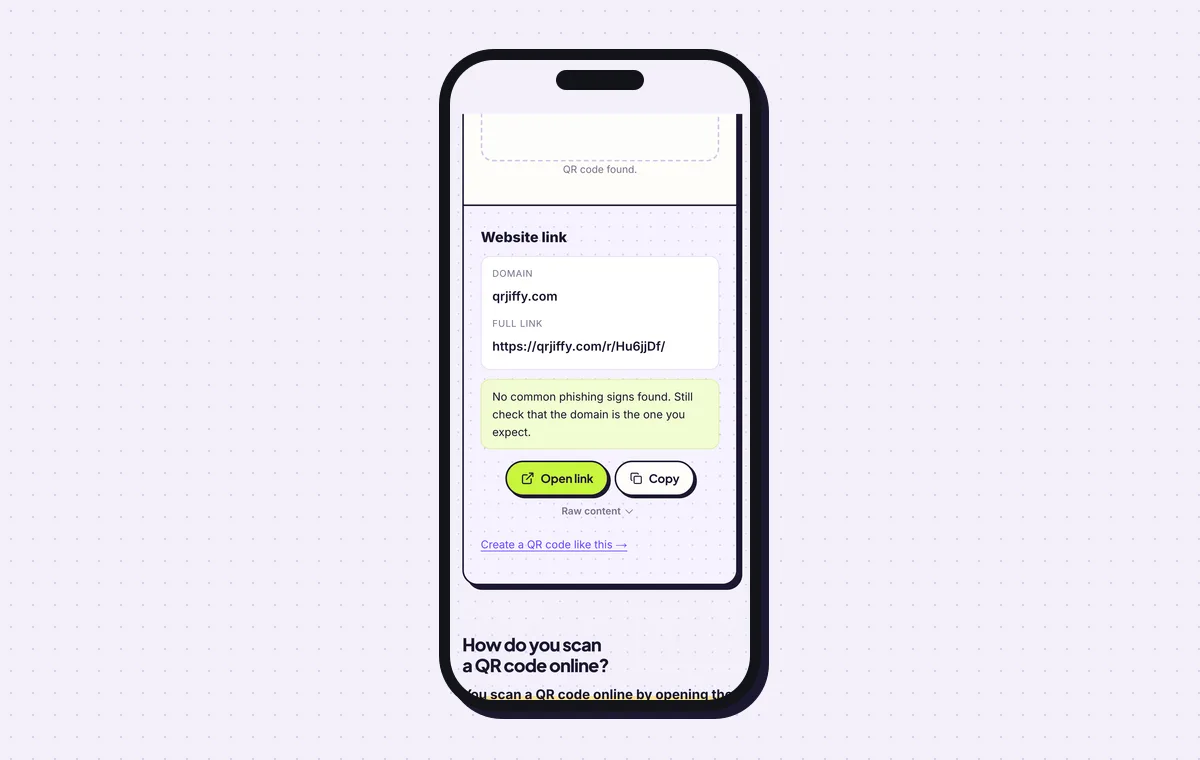
The scanner shows the short link inside the code; opening it leads to the Venmo profile. 6Print it with your name and username beside the code
Print the code at least 2.5 × 2.5 cm (1 in) on a counter sign and at least 2 × 2 cm on a flyer, with 4 dots of white space on every side. Put your name, “Pay with Venmo” and your username under it, so a payer can check the name in the app and search the handle by hand if the camera fails. With no amount in the code, print the price next to it too.
Tip: Laminate the sign or put it behind acrylic. A fake sticker placed over a bare paper code is hard to spot.
7Update the link after a username change
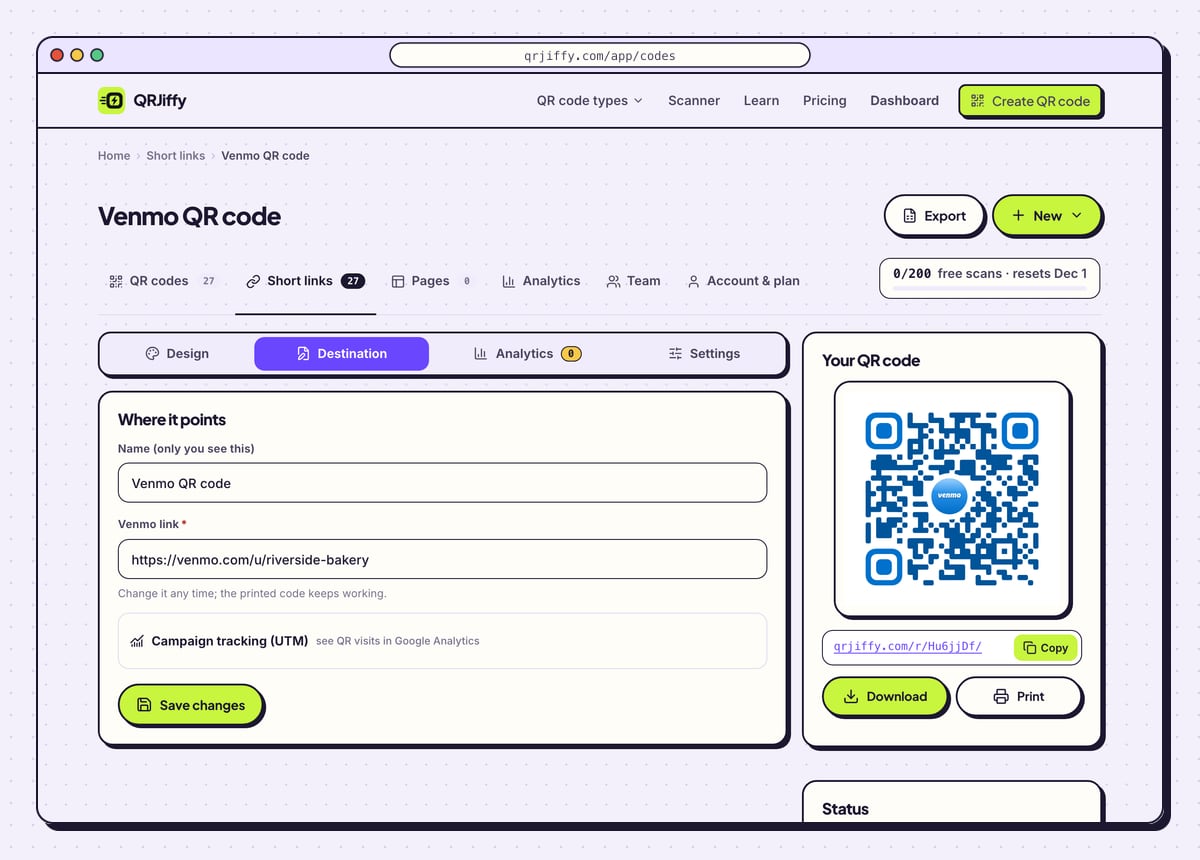
Open the code in your QRJiffy dashboard; the email from step 4 carries the link. Four tabs appear: Design, Destination, Analytics and Settings. After a Venmo username change, the old profile link stops finding you, so paste the new one under Destination and the printed code opens the new profile. Analytics lists scans by day, device and country; the payments themselves stay in your Venmo feed.
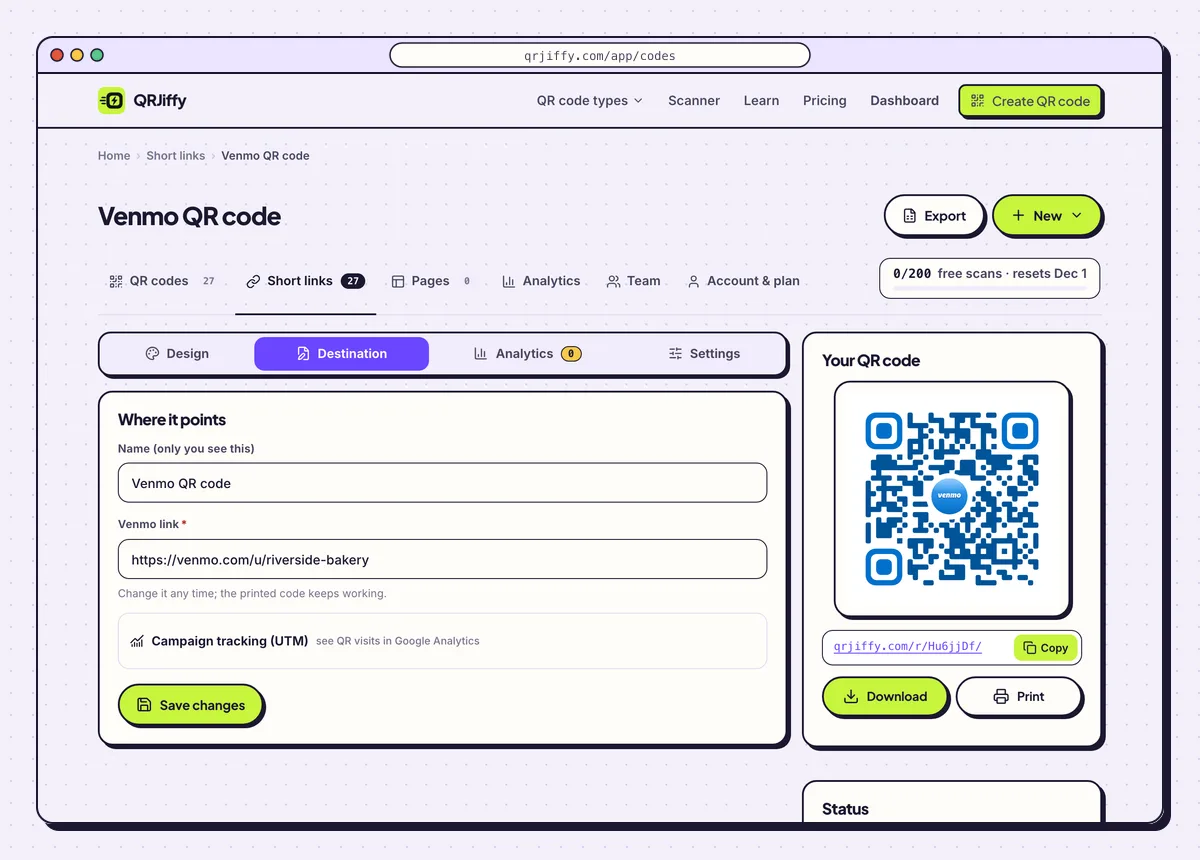
The dashboard keeps the code editable: Destination changes where it leads, Analytics counts scans.
Open the Venmo QR Code generatorFree. Nothing to install.
How do you check a Venmo QR code pays the right person?
Scan the code yourself and confirm that your own profile photo, name and username open in Venmo before anyone else uses it. Nobody reads a QR pattern by eye, so the name shown in the app is the only proof a payer gets. Print that same name beside the code.
- Sticker scams: “quishing” fraudsters paste their own payment code over a real one. Look at your signs every day.
- Protection: lamination or an acrylic cover makes an added sticker stand out.
- What the code exposes: your public profile link only. It holds no password, card number or bank detail.
Is the QR code in the Venmo app the same thing?
No, Venmo’s own code lives in the app, behind the scan icon at the top of the Me tab, and it is built for scanning with Venmo itself. A QRJiffy code uses the standard QR format and opens from the phone’s camera. Both cost nothing.
- Colours: the in-app code has one look; the QRJiffy code takes any colours, a logo and a label.
- Print file: QRJiffy gives an SVG that stays sharp from a sticker to a poster.
- After a username change: the QRJiffy code is repointed in the dashboard, so the printed sign stays.
Can a Venmo QR code ask for a set amount?
No, a Venmo profile link carries no amount, so the payer taps Pay and types the sum. Print the price beside the code, or one price list under it for a stall.
How many times does a Venmo QR code scan, and where?
A free QRJiffy account covers 200 scans a month across all its codes, and Pro costs $30 a year for unlimited scans. The other limit is Venmo’s: it works only with US phone numbers and US bank accounts. A visitor from abroad lands on the profile but cannot complete the payment.
What mistakes stop a Venmo QR code from working?
These 5 mistakes cause most failed Venmo QR codes; each has a quick fix. Test the downloaded file with two different phones before you print anything.
| Mistake | Fix |
|---|---|
| The username has a typo | Copy it from the Me tab, then scan the code and check the photo and name before printing. |
| The sign shows a code and no price | Venmo links hold no amount. Print the price or a price list next to the code. |
| A personal profile is used to sell goods | Create a Venmo business profile and put that username in the code. |
| The username changed and the printed code opens nothing useful | Paste the new Venmo link under Destination in the dashboard. No reprint is needed. |
| The code is pale blue on a coloured background | Keep dark dots on a light background and watch that Scannability stays on “High”. |
Frequently asked questions
Is it free to make a Venmo QR code?
Yes. The generator is free and adds no watermark. A free account covers 200 scans a month across all codes.
Does the payer need the Venmo app?
Yes, to finish paying. Without the app the link opens your profile in the browser, and the payer needs a Venmo account to send money.
Can I put a Venmo QR code on a flyer made in Canva?
Yes. Canva, Word and Google Docs take the PNG. Illustrator and Affinity keep the SVG sharp at any size.
Is my bank account visible in a Venmo QR code?
No. The code leads to your public profile link. It contains no password, card number or bank account number.
Ready to make your Venmo QR code?
The generator is free and works in the browser on a phone or a computer. Your code downloads as PNG for screens or SVG for print.
Open the Venmo QR Code generator
Related guides: How to Print a QR Code · QR Code Size · QR Code Not Working