 QRJiffy
How to Make a Video QR Code
You make a video QR code by hosting the video online, copying a link that plays without a login, and pasting it into a video QR code generator. One minute of 1080p footage is about 100 MB and a QR code holds 2,953 bytes, so the code carries a short link and the phone streams the video. Allow 3 minutes, plus the upload time of your video.
What do you need before you start?
You need 5 things ready, and no account to try the generator. A free account, or just your email, is asked for only at the download step.
- The video as an MP4 with H.264 video and AAC audio. MOV and AVI files often download instead of playing.
- A host: Vimeo, Loom, Wistia, Google Drive, your website, or a QRJiffy upload (up to 25 MB).
- The share link, with the video set to public or unlisted.
- The running time, to print beside the code.
- A phone with WiFi switched off, to check loading speed on mobile data.
How do you make a Video QR code step by step?
Follow these 7 steps in the Video QR Code generator; the preview updates as you type. Each screenshot below is the real screen, filled in with a sample bakery’s details.
1Export the video for phones and upload it
Export the video as MP4 (H.264, AAC audio) at 720p. A 720p file is about 4 times smaller than 4K, with no visible loss on a phone screen, and it starts about 4 times sooner on 4G. Add captions, because viewers in shops, trains and offices start videos with the sound off.
Upload the file to the host you use: Vimeo, Loom, Wistia, your own website, or Google Drive with sharing set to Anyone with the link. The generator also offers Upload a video, and QRJiffy hosts MP4 files up to 25 MB.
Tip: Keep a demo under 90 seconds. People scan standing up, in an aisle or at a stand.
2Copy a link that plays without a login
Copy the video’s share link from the host. Two kinds of link work. A direct file link ending in
.mp4plays in the browser’s own player with no page around it. A page link, such ashttps://vimeo.com/123456789, opens that service’s mobile player.Open the link on a phone in a private window before going further. The video must play with no sign-in. An unlisted video plays for anyone holding the link, and a private one blocks everybody who is not an invited viewer.
3Paste the link into the generator
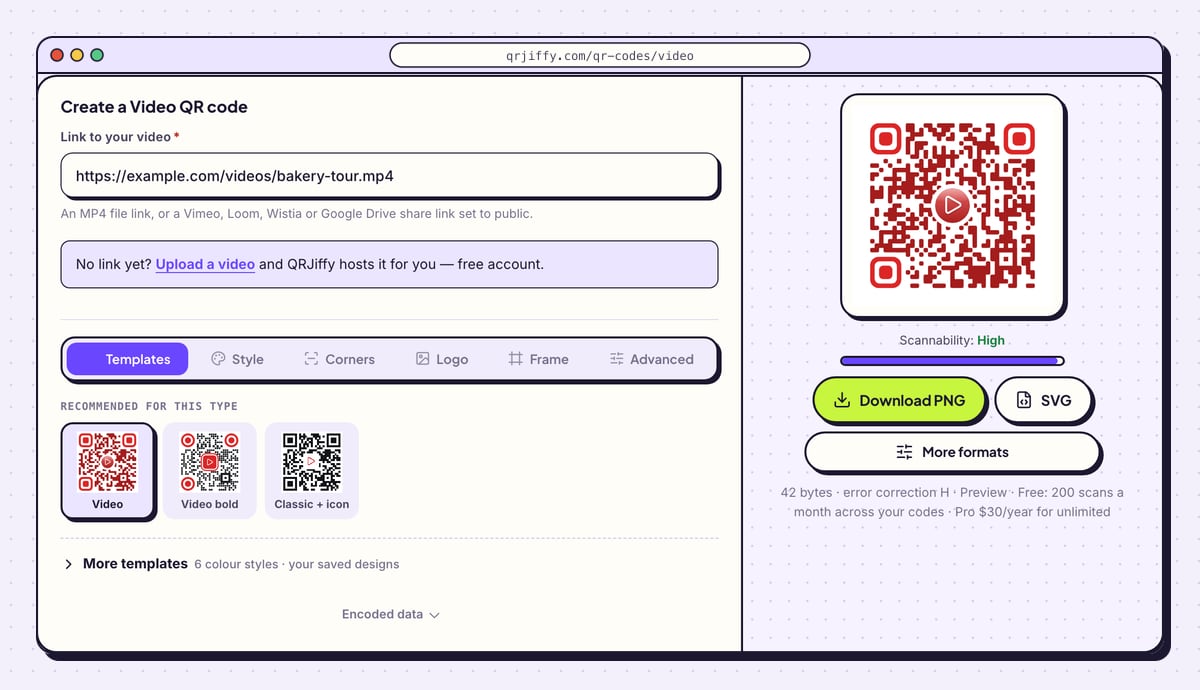
Open the video QR code generator and paste the address into Link to your video. The line beneath the field lists what it accepts: an MP4 file link, or a Vimeo, Loom, Wistia or Google Drive share link set to public. The code on the right updates the moment the link lands, and the Scannability bar below it shows “High”.
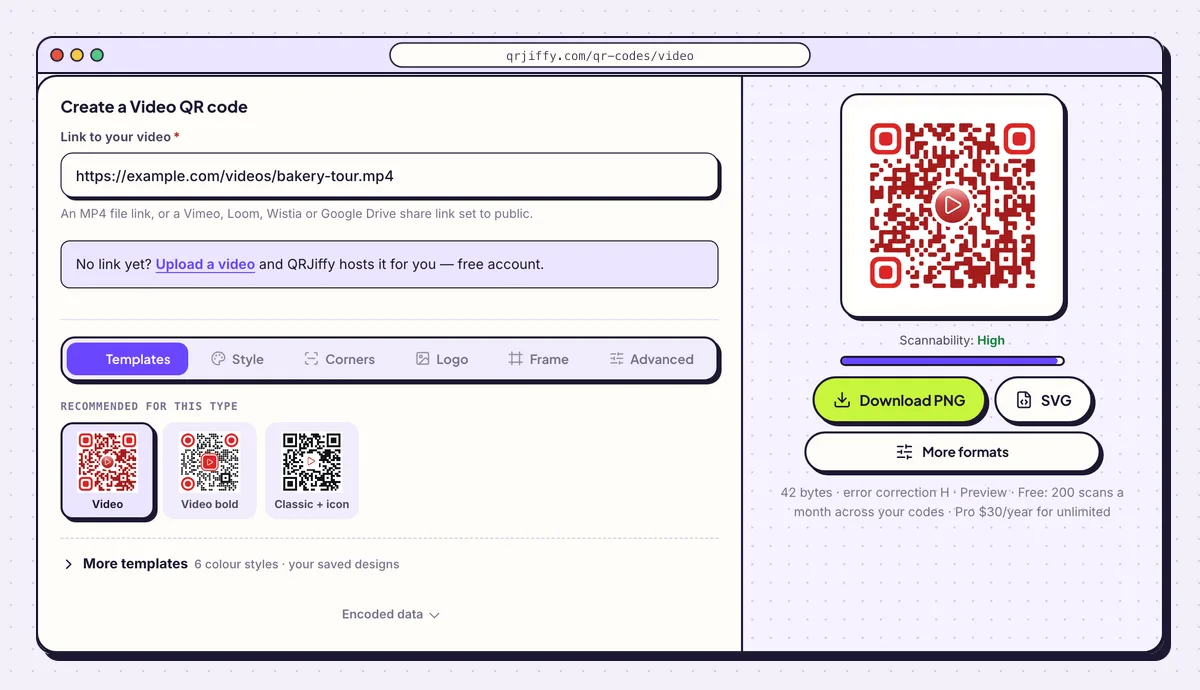
The sample link is a direct MP4 file, a tour of the bakery. 4Tell viewers what they get and how long it runs
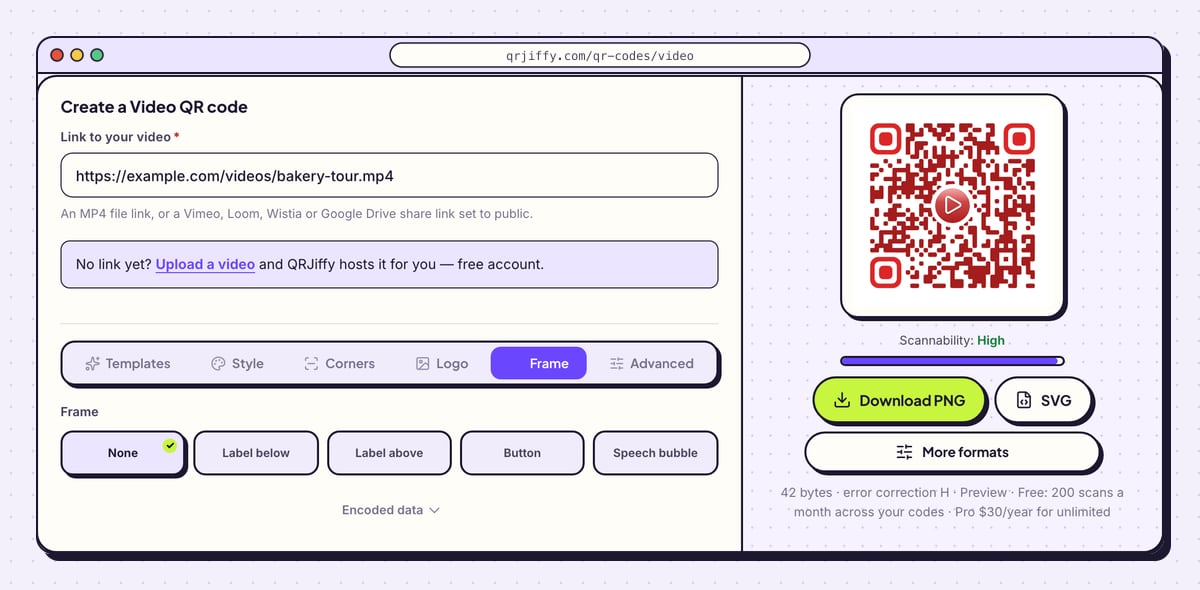
Open the Frame tab and choose Label below or Call to action. Type the action and the length: “Scan to watch (1 min)”. A stated length gets more scans than a bare code, because nobody commits to a video of unknown duration while standing in a shop.
Frame colour and Text colour match the label to your packaging. Open Advanced and set error correction to Q (25%) for a code that lives outdoors.
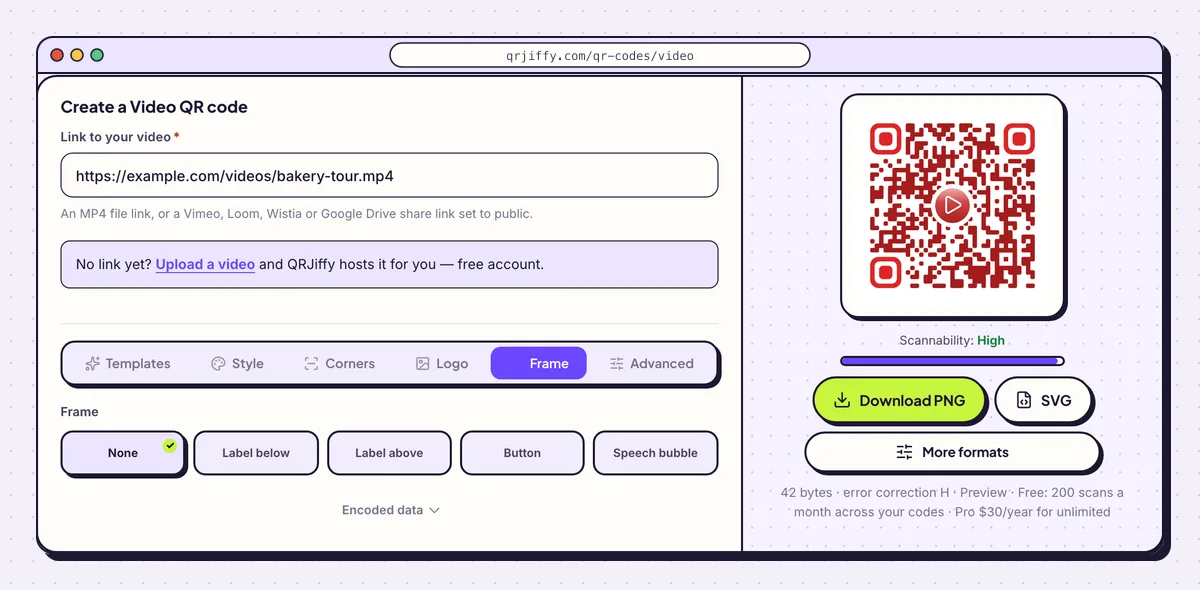
Six frame styles, each with its own caption text and colours. 5Download the file and keep the edit link
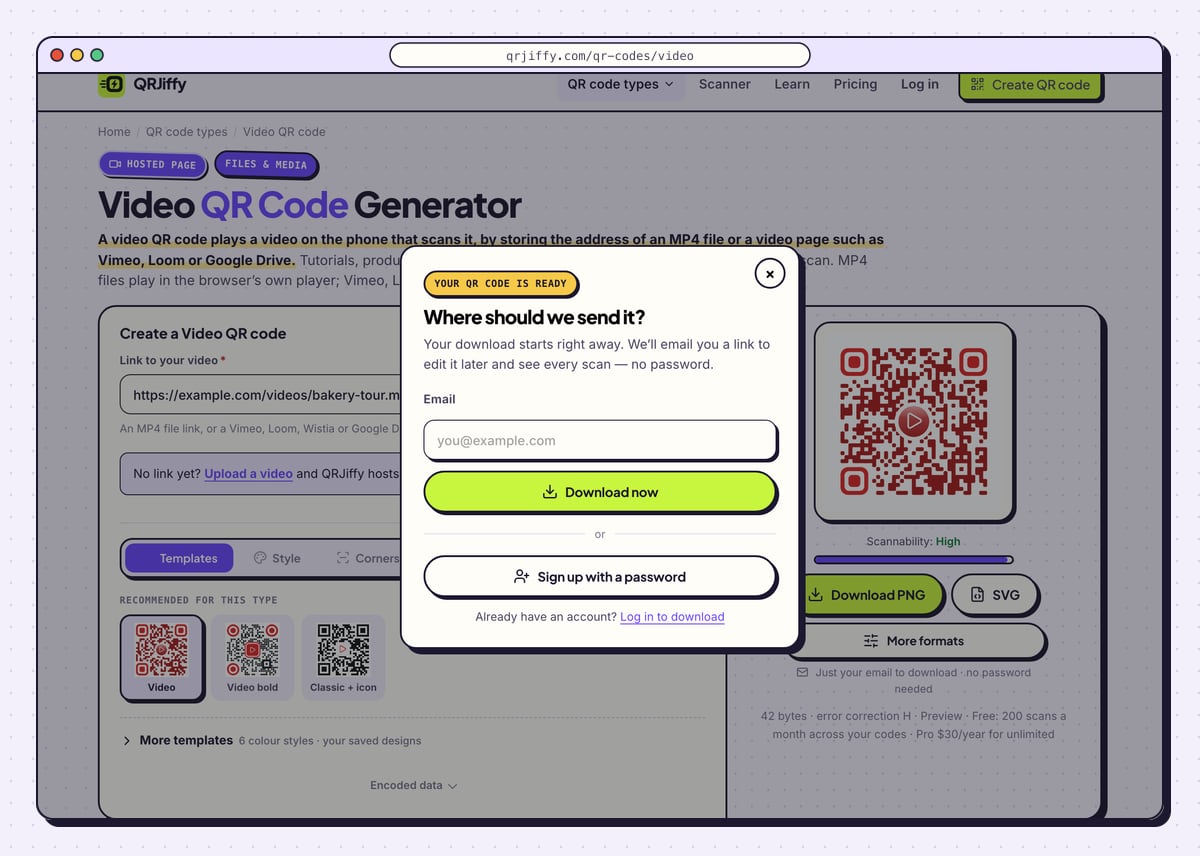
Choose Download PNG for a screen or a desktop printer and SVG for packaging and large formats. The box that opens reads “Where should we send it?”. Enter an email, press Download now, and the browser saves a file named in the pattern
qrjiffy-video-8ZSknKW.png. The seven characters are the code’s short link ID.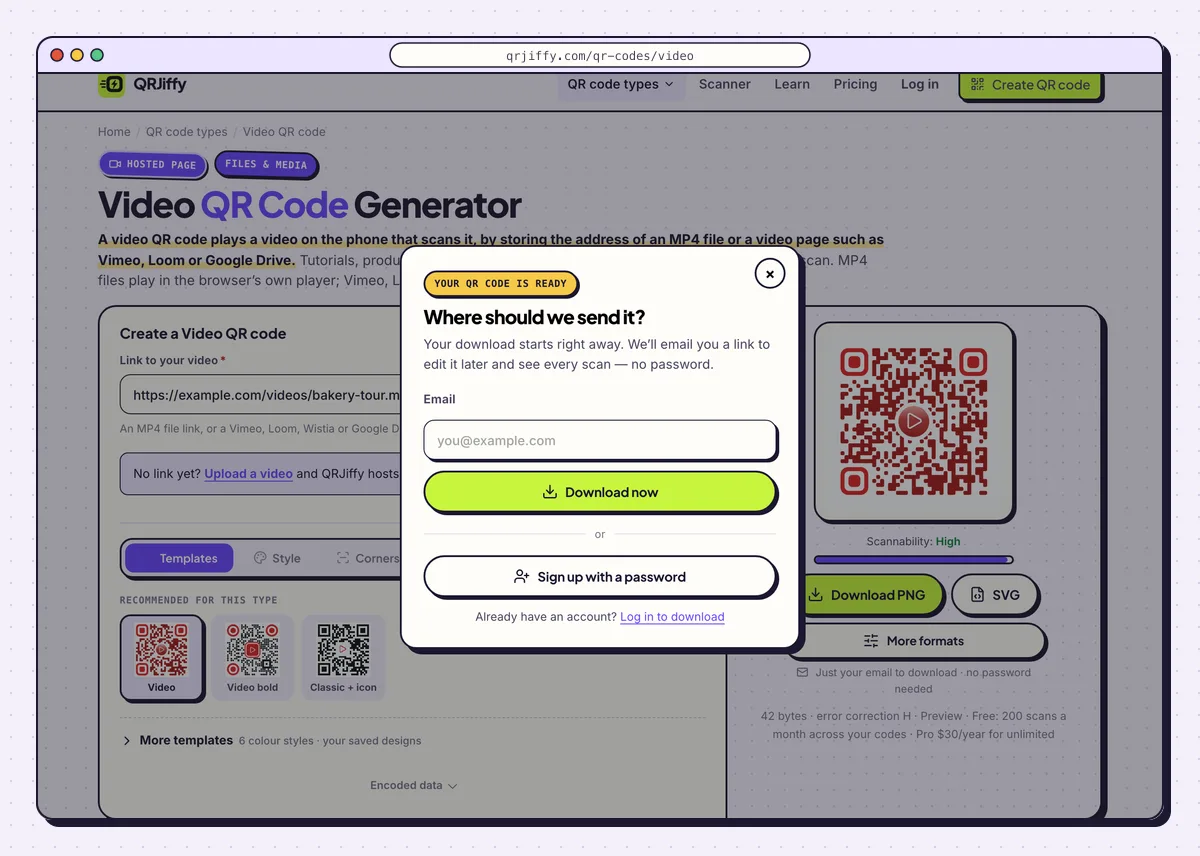
One email address unlocks the download and later edits. 6Open the code’s page to swap the video later
The page now shows a short link such as
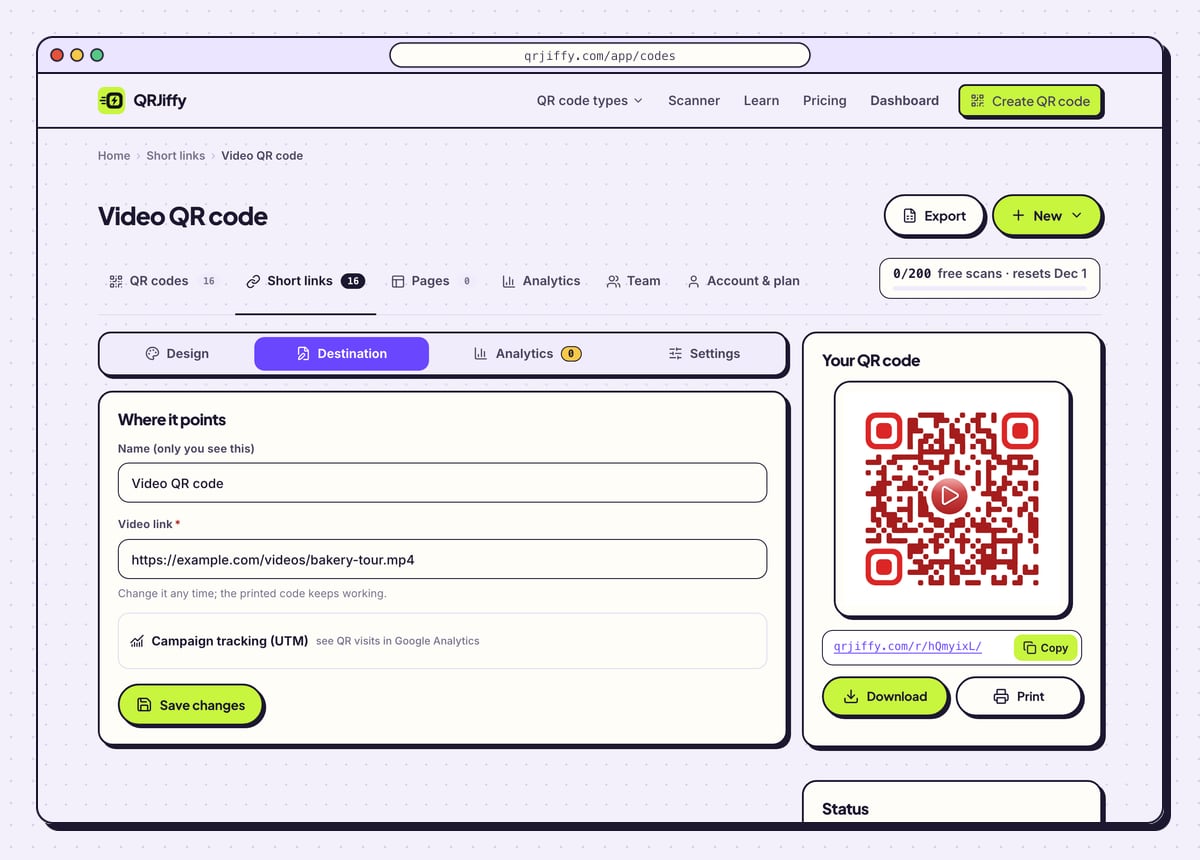
qrjiffy.com/r/…. That address is what the printed pattern stores, and it forwards each scan to your video. Click Manage it in your dashboard.The dashboard page has the tabs Design, Destination, Analytics and Settings. When the product is updated and the demo is re-shot, paste the new video’s link under Destination. Boxes already on the shelf play the new video from the next scan. Analytics breaks scans down by day, device and country, and the video host adds its own view count.
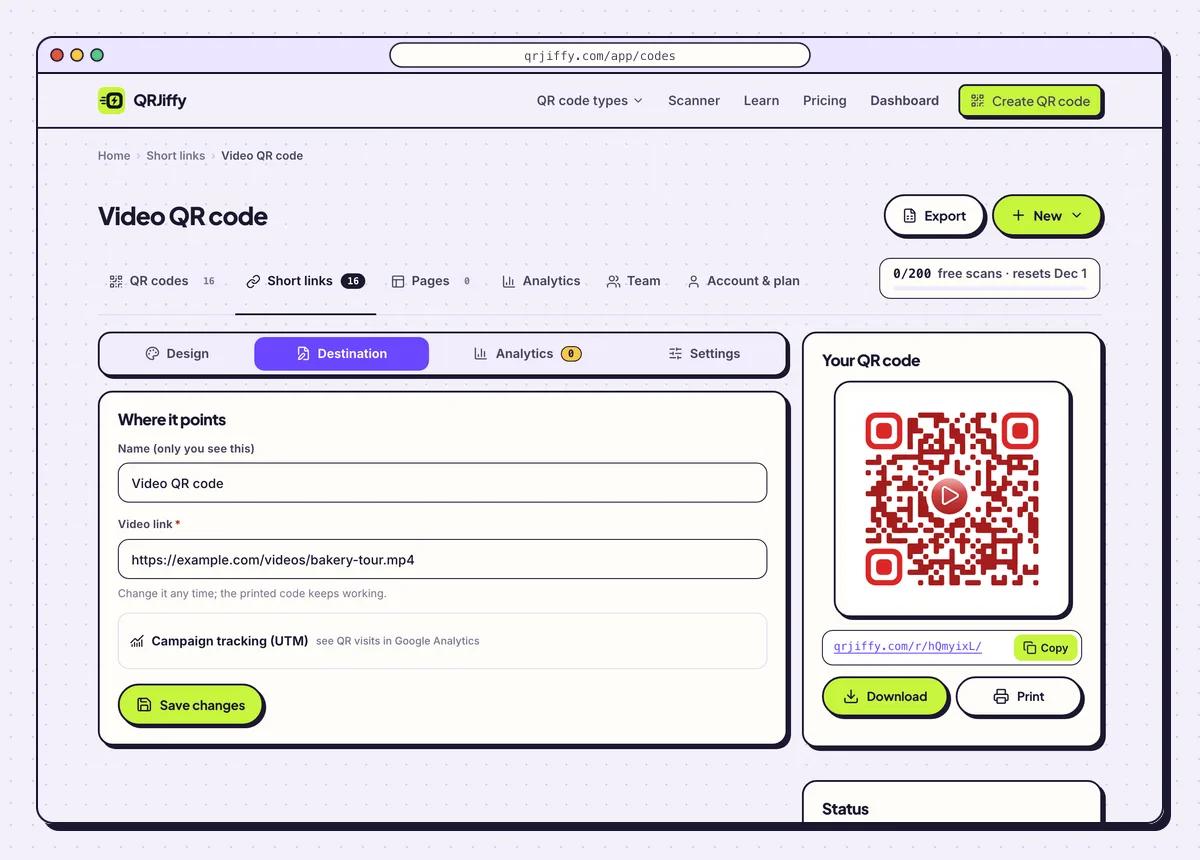
Destination holds the video link. Changing it does not alter the printed code. 7Test on mobile data, then print
Turn WiFi off on your phone and scan the code from the screen. Time how long the video takes to start: that is what a customer in a car park experiences. Phone browsers block autoplay with sound, so expect to tap play once.
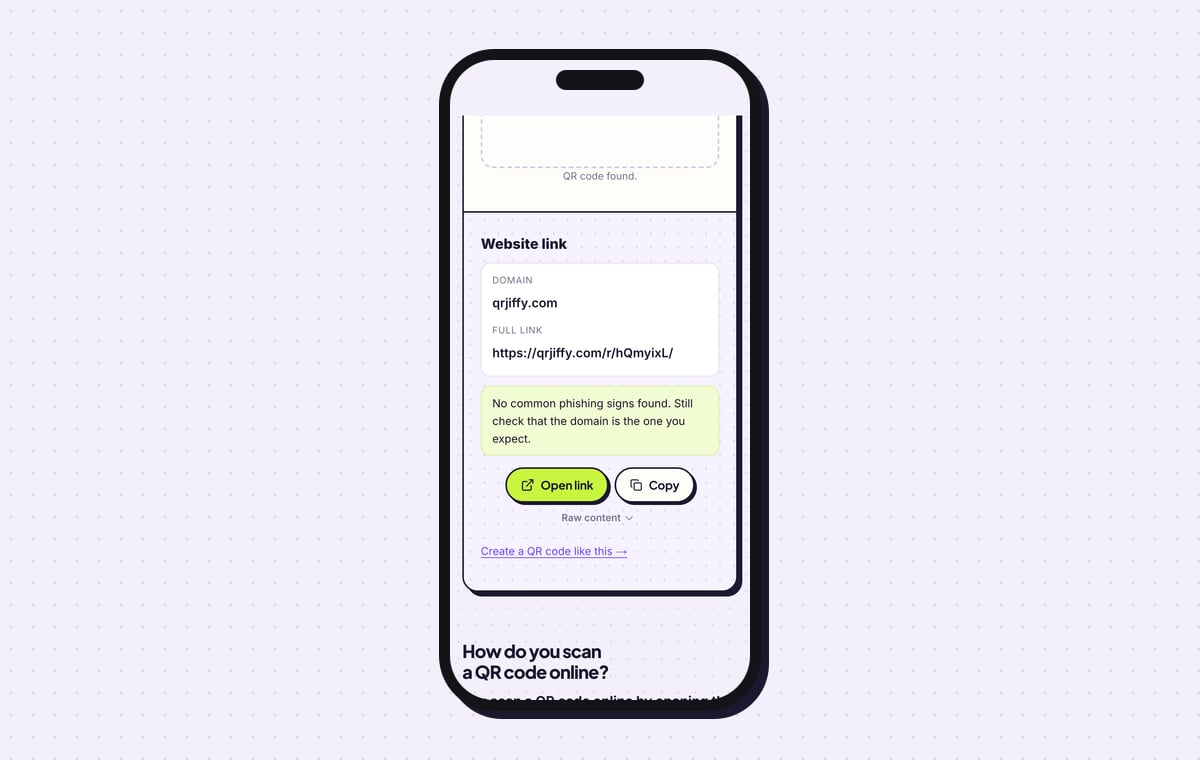
For a check of the file itself, drop the PNG into the QRJiffy QR code scanner. It lists the content as a “Website link”, with qrjiffy.com as the domain and the short link in full. Then print the code at 2 × 2 cm (0.8 in) or larger, with a white border of 4 dots.
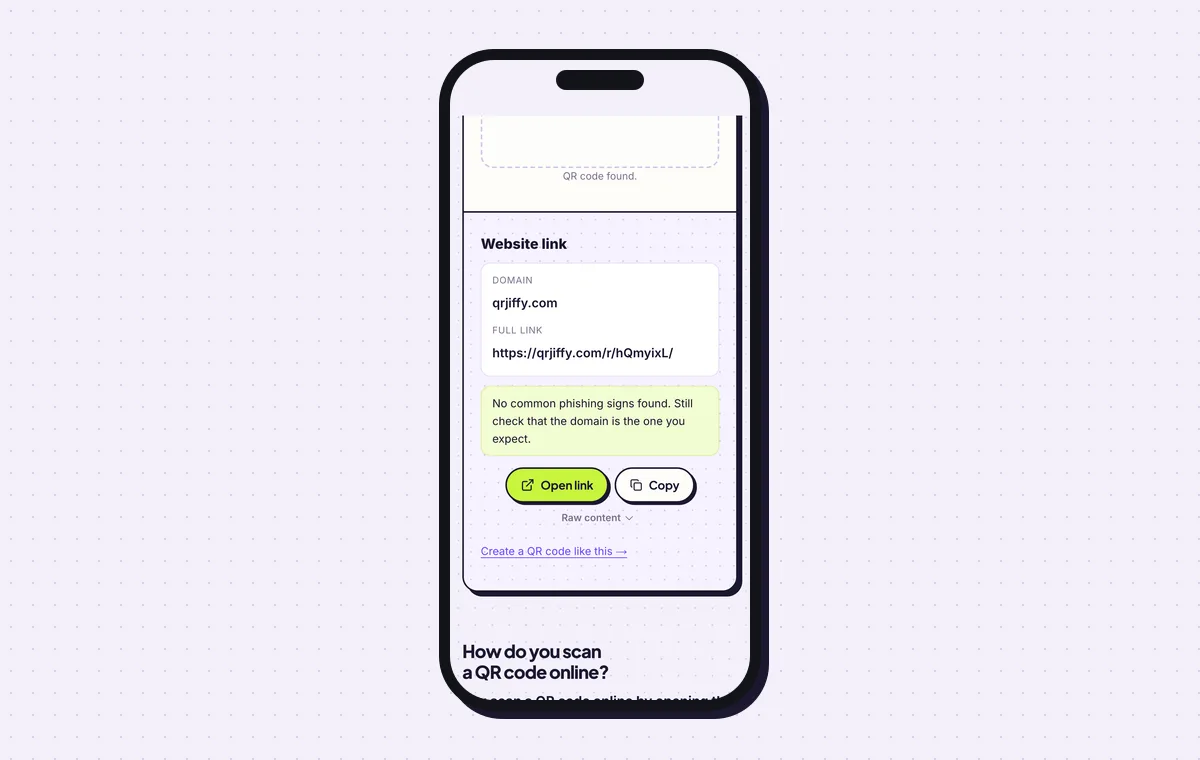
The decoded file shows the qrjiffy.com short link, not the MP4 address.
Open the Video QR Code generatorFree. Nothing to install.
What happens when someone scans a video QR code?
The phone camera shows a link banner, and a tap opens the video in the browser or in the matching video app. No QR app is needed on iOS 11 or later and Android 9 or later. The viewer needs a connection, since the phone streams the video from its host.
- iPhone: Safari plays MP4 files in the full-screen player. Vimeo and Loom links open their mobile pages.
- Android: Chrome plays MP4 files inline. Vimeo and Drive links open the installed app, or the browser when there is none.
- Sound: videos with sound wait for one tap on play. Videos marked muted start on their own.
Is a YouTube link or an MP4 link better for a video QR code?
An MP4 or Vimeo link plays only your video, while a YouTube link opens the YouTube app with ads and suggested videos around it. Pick YouTube when the goal is reach and subscribers, and set the video to unlisted to keep it off your channel page. Pick a direct MP4 or Vimeo for product demos, training and personal messages, where unrelated suggestions pull the viewer away.
How long or large can the video be?
The QR code sets no limit, because it stores a link and never the video; the host sets the limit. These are the free allowances of common hosts.
- QRJiffy upload: 25 MB per MP4.
- Google Drive: 15 GB of total storage.
- Vimeo Basic: 1 GB of storage.
- Loom Starter: videos up to 5 minutes.
- Your website: whatever your hosting plan allows.
Can you change the video without reprinting the code?
Yes. Upload a new video or paste a new link in your QRJiffy dashboard, and the printed code opens the new video from the next scan. This is the main reason the code holds a short link instead of the video address.
What mistakes stop a Video QR code from working?
These 5 mistakes cause most failed Video QR codes; each has a quick fix. Test the downloaded file with two different phones before you print anything.
| Mistake | Fix |
|---|---|
| The video is set to private on its host | Switch it to public or unlisted; unlisted plays for anyone with the link. |
| The file is a MOV or AVI | Re-export as MP4 with H.264 video and AAC audio so it plays in every phone browser. |
| A 4K upload that takes many seconds to start on 4G | Host a 720p version; it starts about 4 times sooner. |
| The link was checked on office WiFi only | Scan with WiFi off and watch the real loading time on mobile data. |
| The code sits on the box with no hint of what it plays | Print “Scan to watch (1 min)” beside it using the Frame tab. |
Frequently asked questions
Is a video QR code free to make?
Yes. The generator is free with no watermark. Free accounts include 200 scans a month across all codes, and Pro is $30 a year for unlimited scans.
Does the video play offline after scanning?
No. The phone streams the video from its host, so the viewer needs mobile data or WiFi each time.
Why does the scan say the video is unavailable?
The video was deleted or set to private. Restore it or paste a working link into the code’s Destination tab, and the same printed code works again.
How do I know whether people watched the video?
The QRJiffy dashboard counts scans by day, device and country, and the video host reports its own view count.
Ready to make your Video QR code?
The generator is free and works in the browser on a phone or a computer. Your code downloads as PNG for screens or SVG for print.
Open the Video QR Code generator
Related guides: How to Print a QR Code · QR Code Size · QR Code Not Working