 QRJiffy
How to Make a YouTube QR Code
You make a YouTube QR code by copying a video, playlist or channel link from YouTube, pasting it into a YouTube QR code generator and downloading the code. The scan plays the video in the YouTube app or opens the channel beside its Subscribe button. YouTube has no print-ready code of its own, so the share link is always the starting point.
What do you need before you start?
You need 4 things ready, and no account to try the generator. A free account, or just your email, is asked for only at the download step.
- The share link of the video: Share › Copy link on the video gives a short youtu.be address.
- For subscribers instead of views: your channel handle, such as @riversidebakery.
- The start time in seconds when only one part of the video matters, for example 90 for 1:30.
- The video’s visibility set to public or unlisted. Private videos play only for invited accounts.
How do you make a YouTube QR code step by step?
Follow these 7 steps in the YouTube QR Code generator; the preview updates as you type. Each screenshot below is the real screen, filled in with a sample bakery’s details.
1Copy the link to the video, playlist or channel
On the video, choose Share › Copy link. YouTube hands over a
youtu.be/VIDEO_IDaddress, which is 13 characters shorter than theyoutube.com/watch?v=form. A playlist link looks likeyoutube.com/playlist?list=…and a channel link likeyoutube.com/@handle.Pick by goal. A video suits one tutorial, trailer or song. A playlist suits a course or series, because YouTube plays the next video automatically. A channel link is the one for subscriber growth.
2Paste the link and add a start time
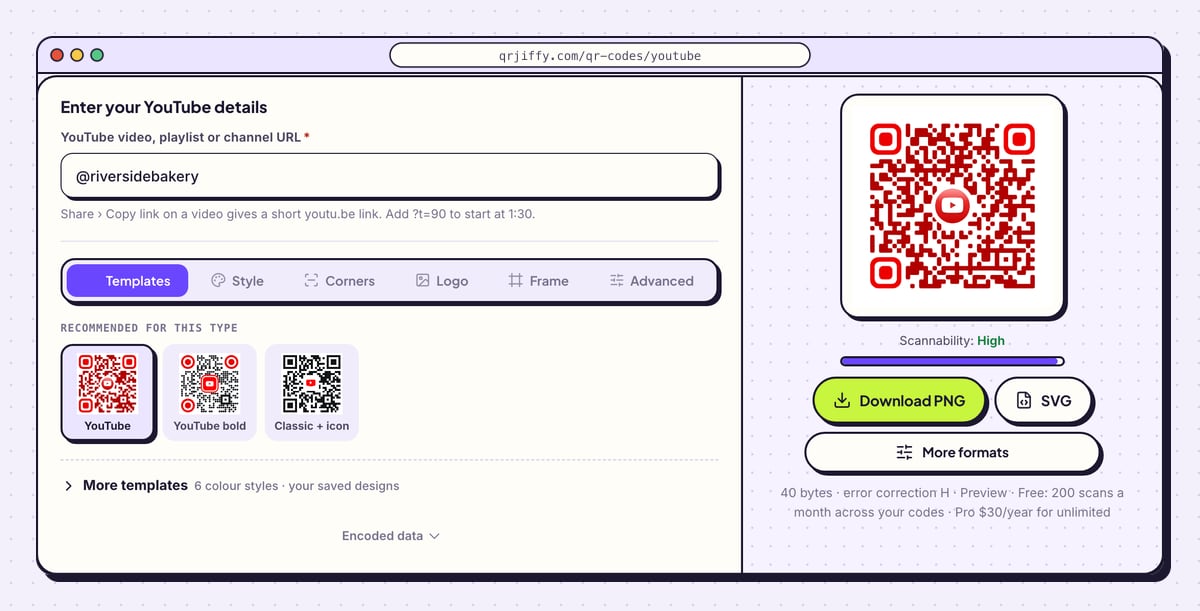
In the YouTube QR code generator, paste into YouTube video, playlist or channel URL. To begin playback partway through, add
?t=and the number of seconds to a youtu.be link:youtu.be/VIDEO_ID?t=90starts at 1:30.For a channel, typing the handle is enough. The sample entry
@riversidebakeryis stored ashttps://www.youtube.com/@riversidebakery, and the code in the preview redraws as soon as the last letter is in.Tip: Convert minutes to seconds for the timestamp: 2 minutes 15 seconds is
?t=135.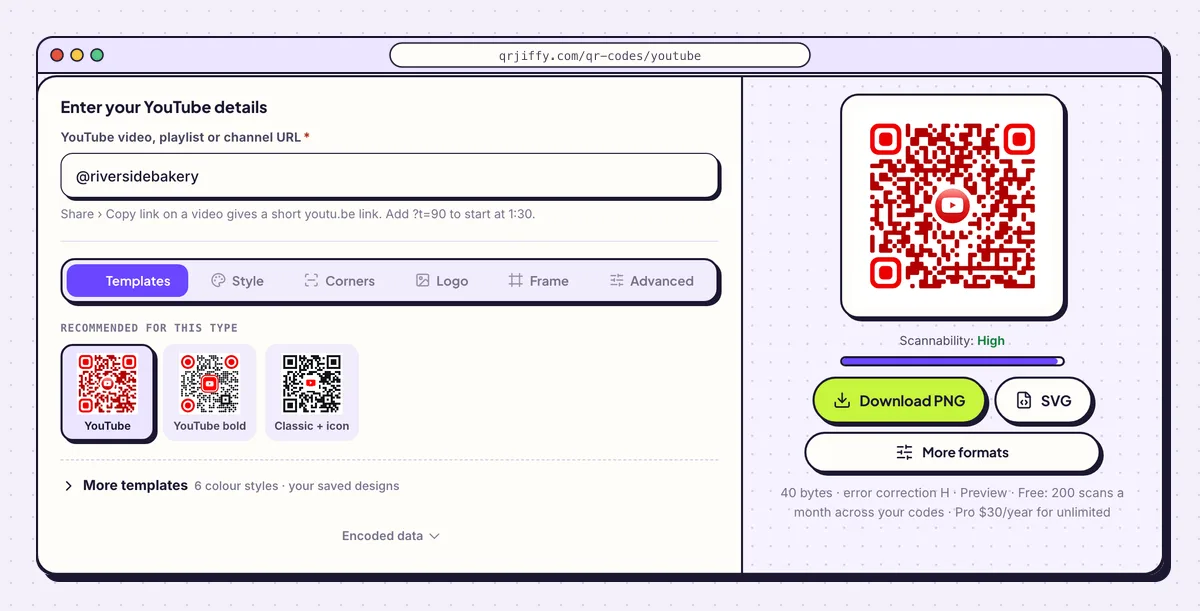
A channel handle or any YouTube link goes in the single field at the top. 3Set the YouTube logo and check the contrast
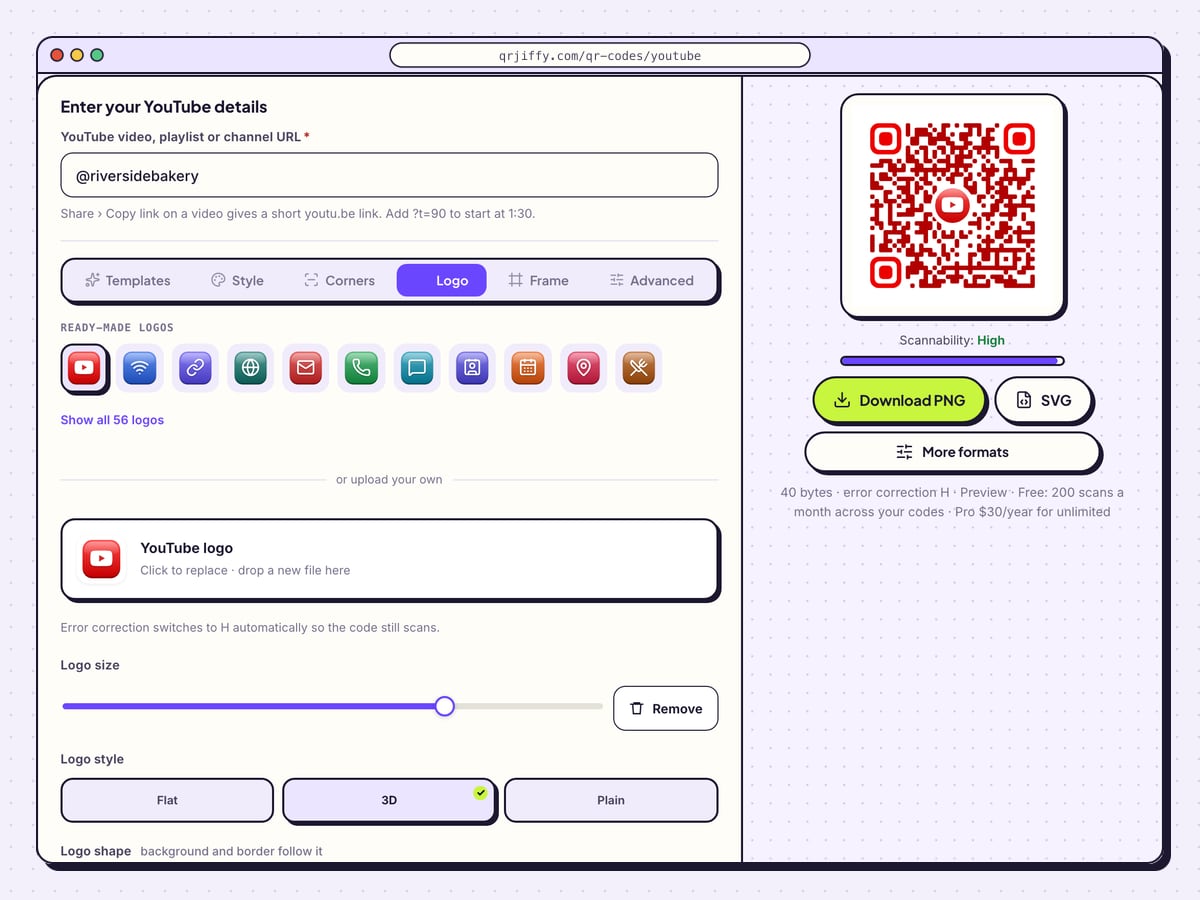
Under Logo, the YouTube logo is already placed in the centre. The box beside it, “YouTube logo, Click to replace · drop a new file here”, swaps it for a channel avatar. Logo size scales it, and the shape buttons Square, Rounded, Circle and None set the plate behind it.
Red is the natural colour for this code, but a light red on white falls below a 4.5:1 contrast ratio and scans poorly. Keep the dots a deep red or near-black, and confirm the Scannability bar reads “High”.
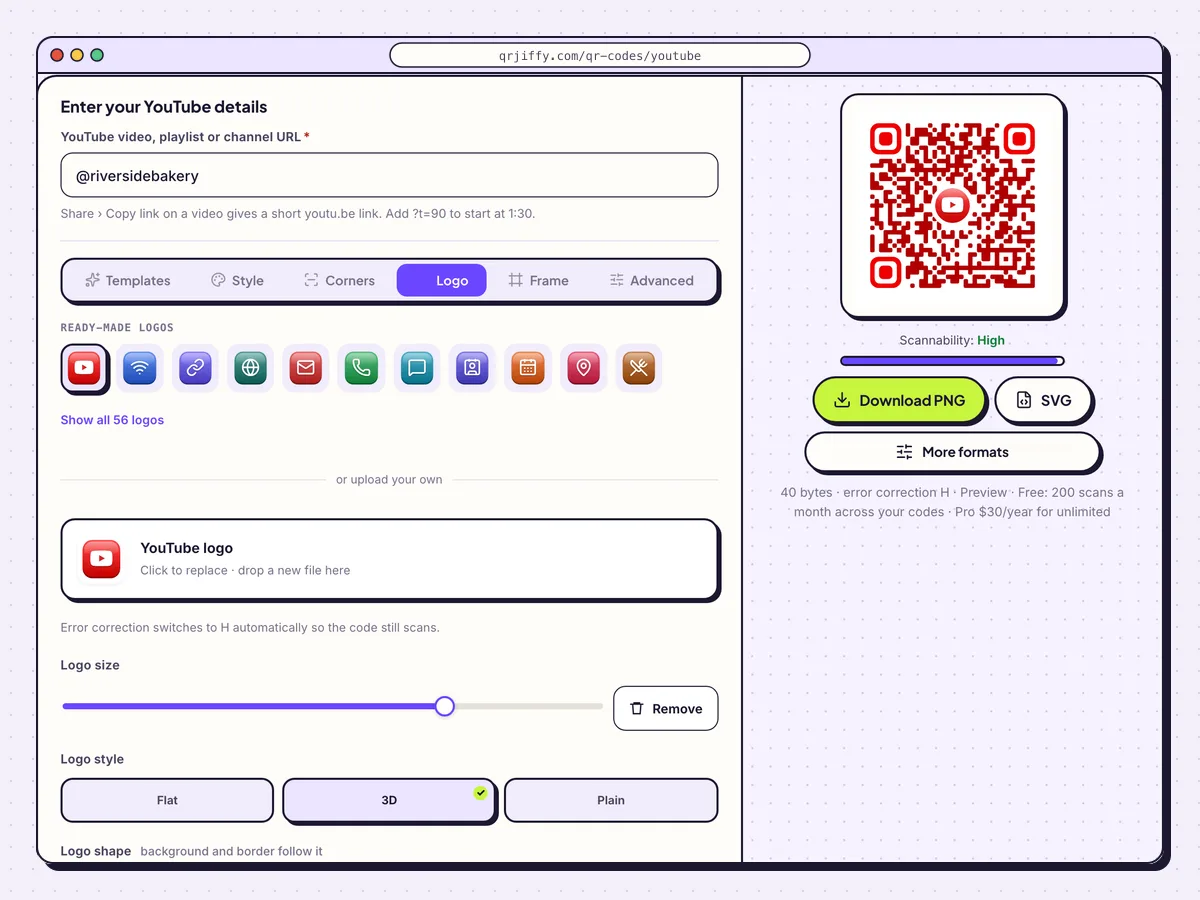
The Logo tab holds the YouTube icon, its size and the plate behind it. 4Download the code for print or slides
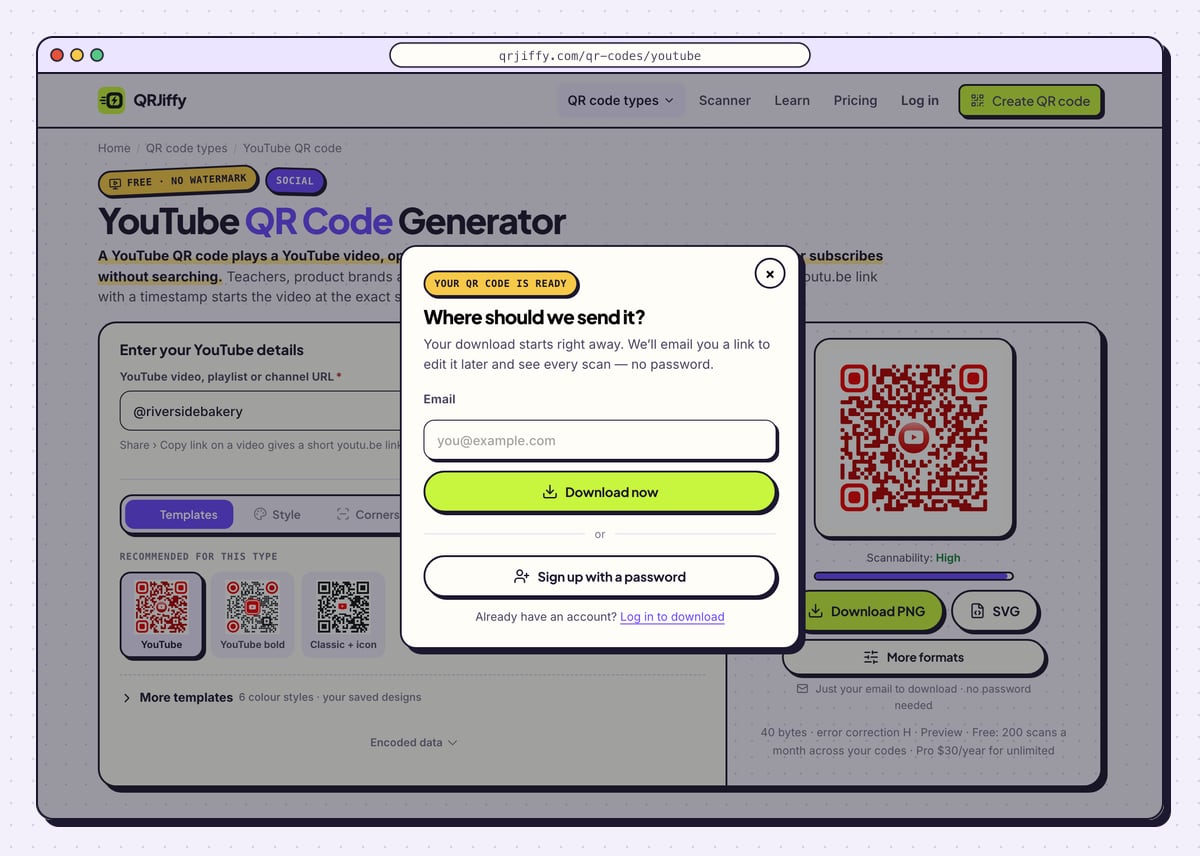
Take the SVG for manuals, worksheets and posters, and Download PNG for presentation slides. A first-time download asks for an email in a box headed “Where should we send it?”. Confirm with Download now, or open a full account through Sign up with a password.
The browser saves
qrjiffy-youtube-jLRcj6S.png, or the same name with your own code’s ID. That ID is the end of the short link stored in the pattern.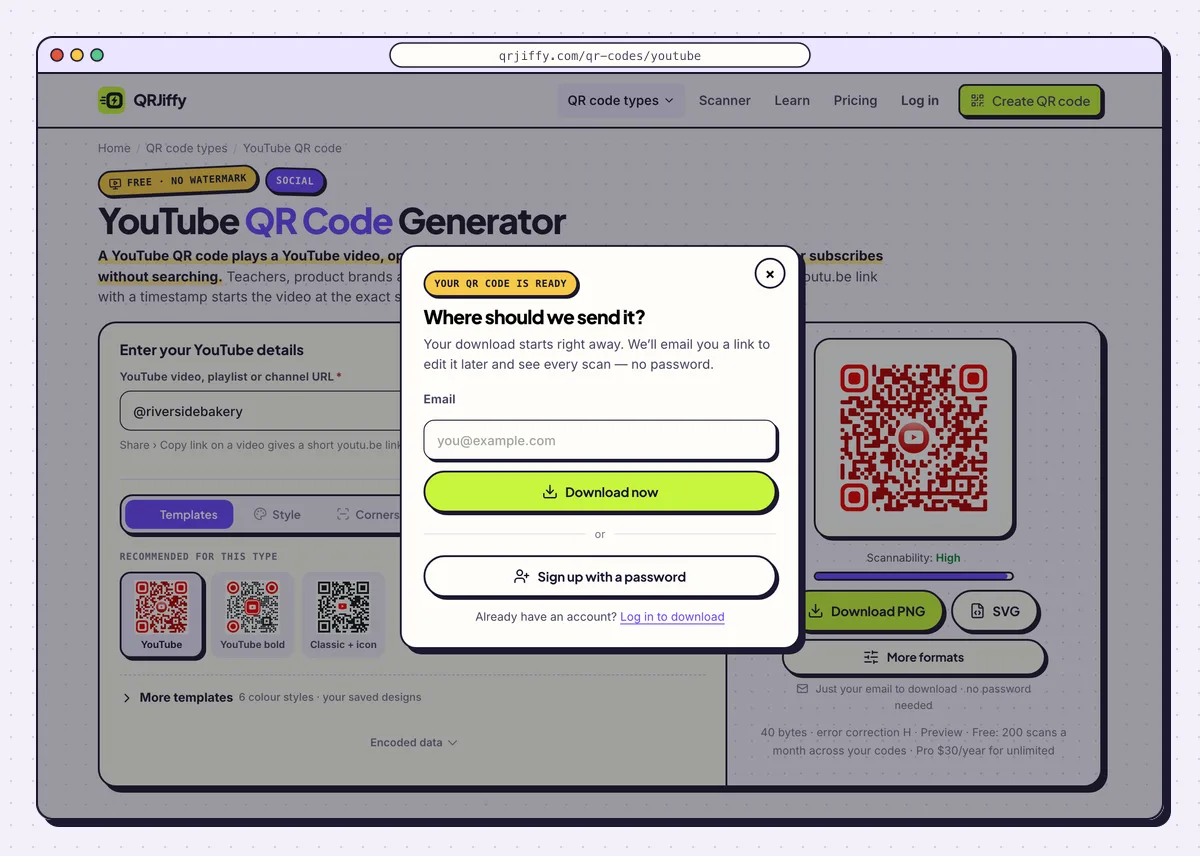
An email address is the only thing between the preview and the saved file. 5Scan it and watch where the video starts
Scan the code from the screen with a phone. On an iPhone the video plays in the YouTube app after one tap on the banner. On Android it opens in the YouTube app as well, which ships pre-installed on most Android phones. Without the app, the video plays on youtube.com in the browser.
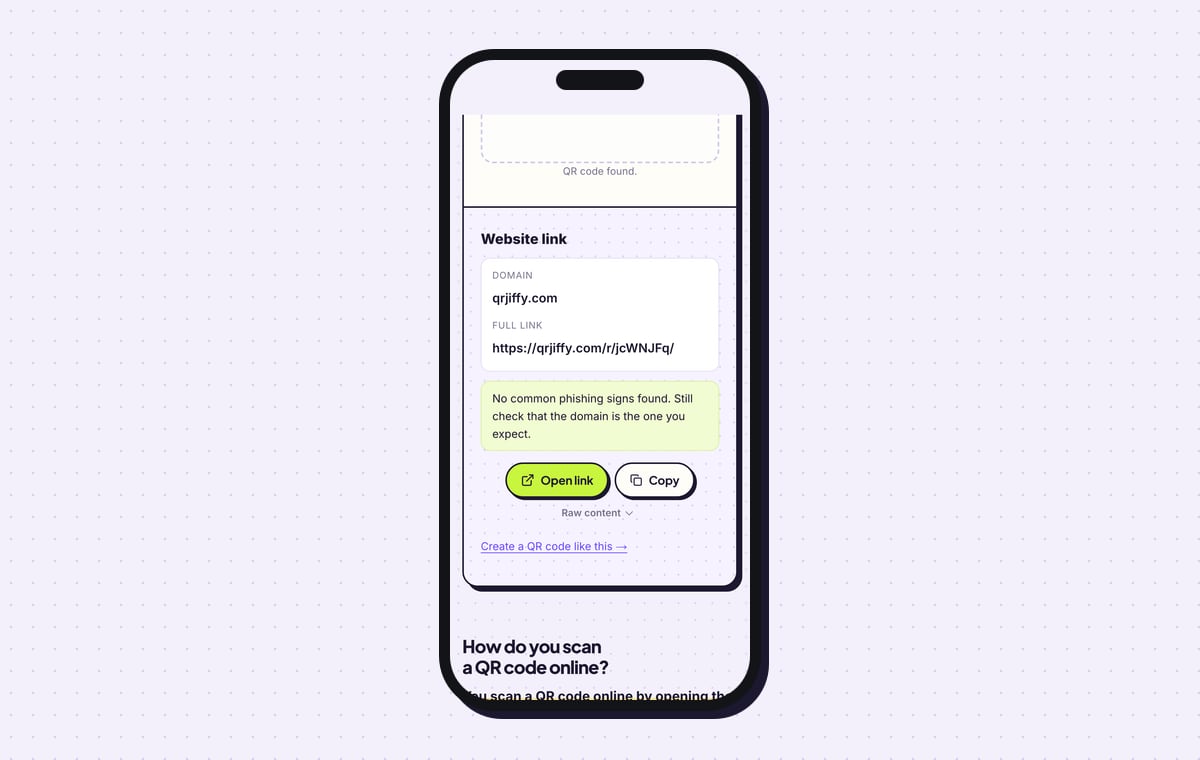
Check the first second that plays against the timestamp you set. The QRJiffy scanner shows the stored content as a Website link on qrjiffy.com, with an Open link button for the same test.
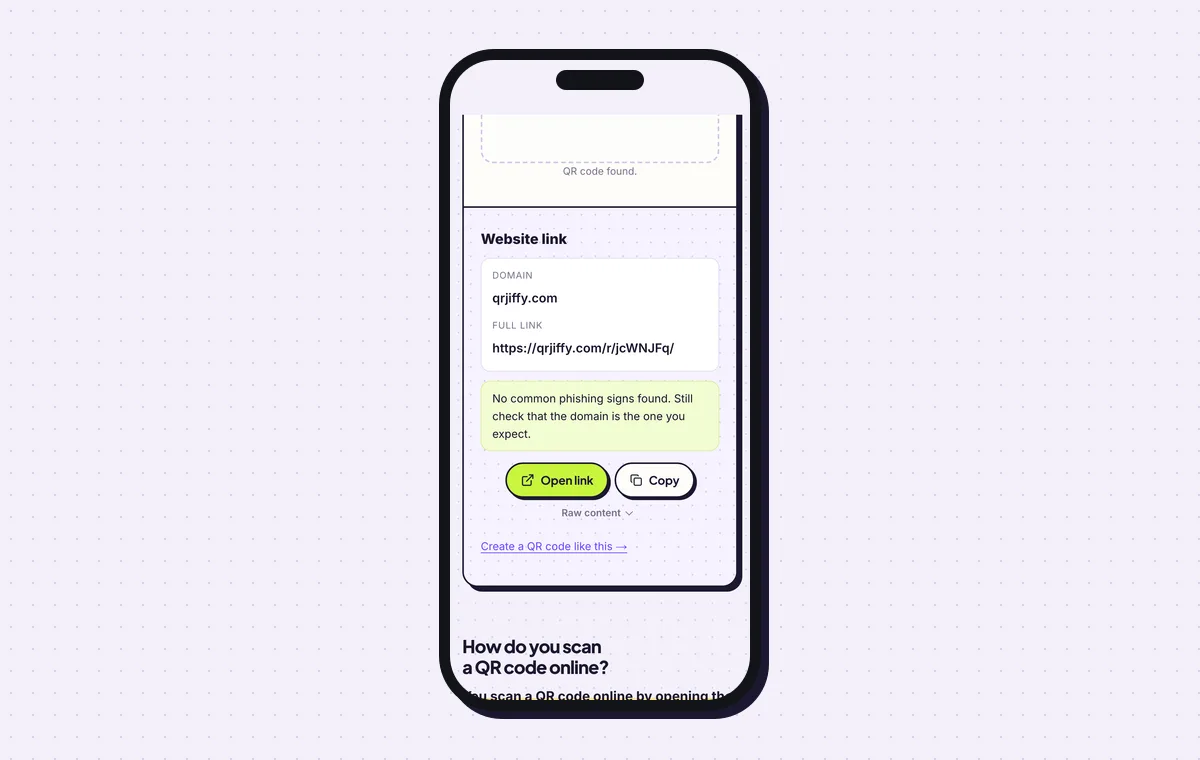
The scanner reads back the short link that forwards to YouTube. 6Point the code at a new video later
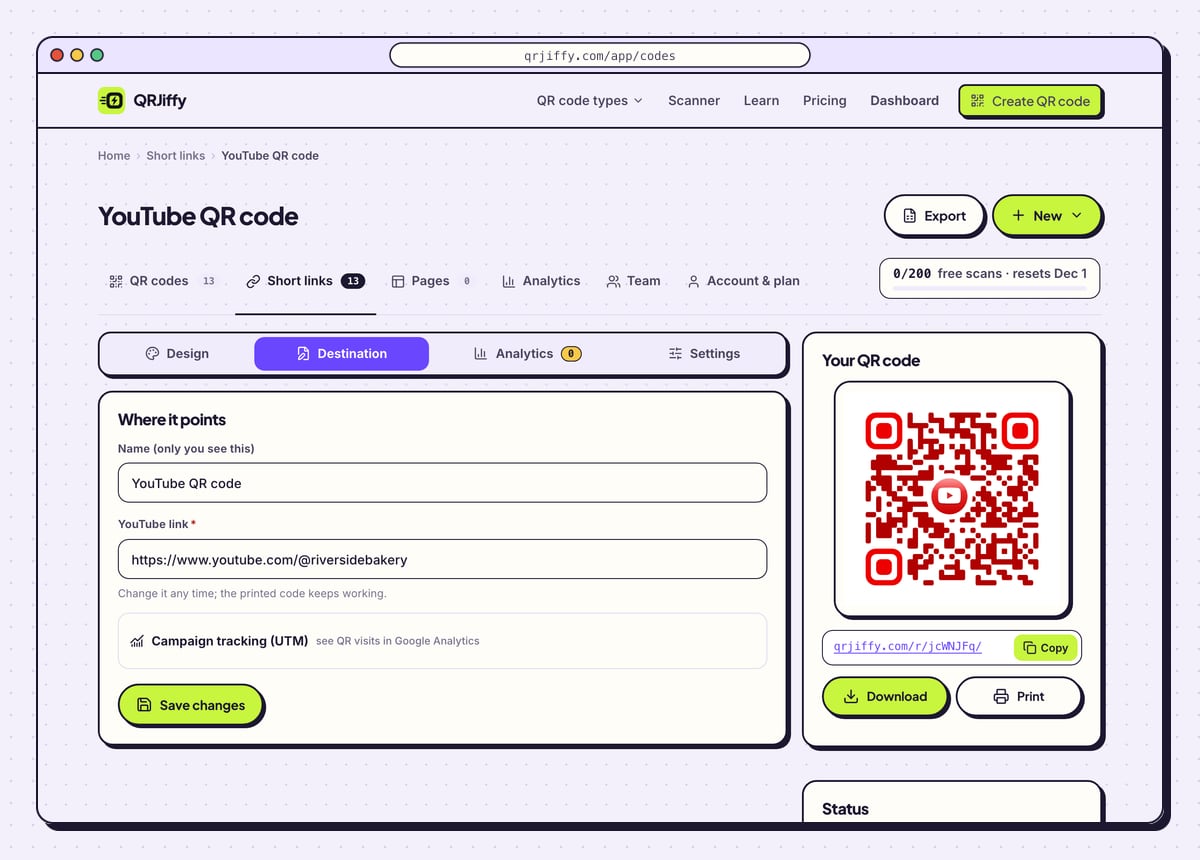
A deleted video breaks every link to it, and a re-upload has a new link. This code stores a short link, so it survives both. Open it in the dashboard, choose Destination, and paste the new video link; the manual or poster in circulation plays the new upload.
The Analytics tab reports scans by day, device and country. The free plan counts 200 scans a month over all your codes, and Pro at $30 a year is unlimited.
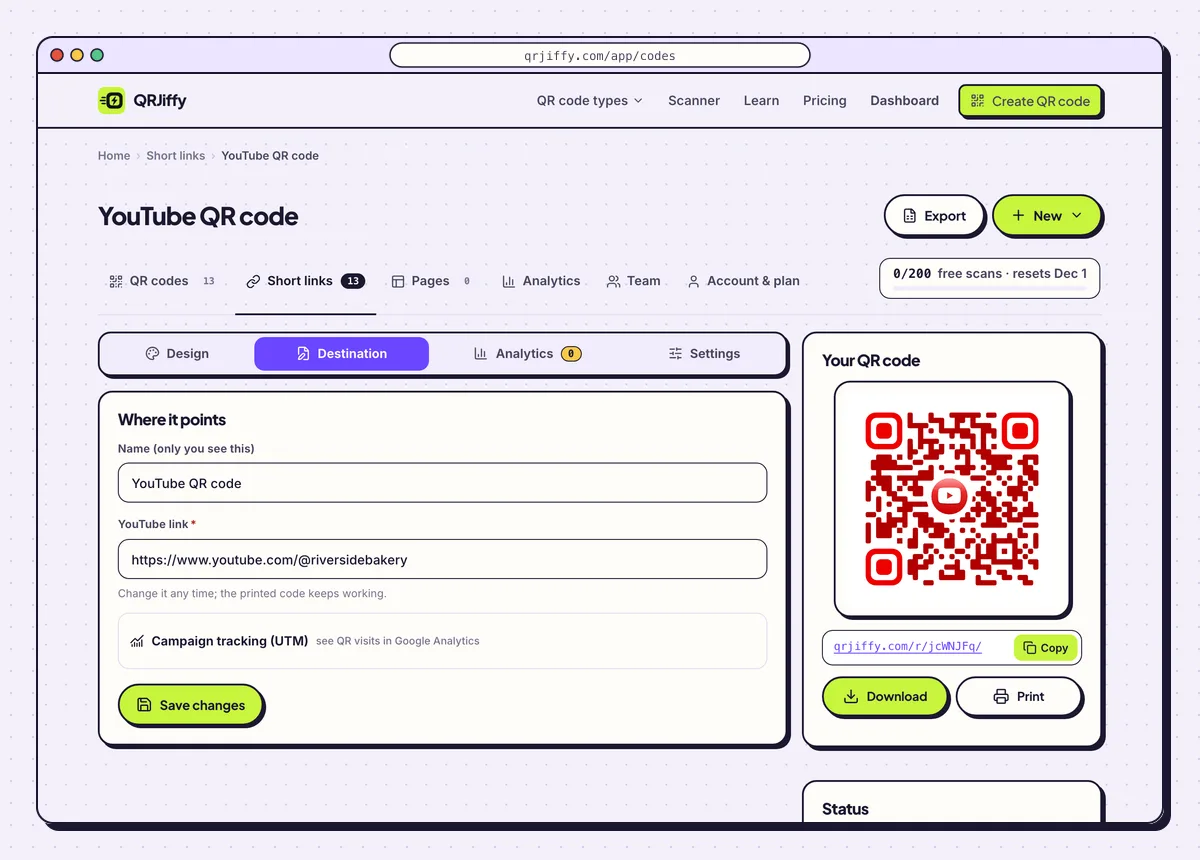
Re-uploaded the video? Paste the new link under Destination and keep the print. 7Print it with the running time
Print “Scan to watch (2 min)” beside the code, so people know the time cost before they scan. The smallest reliable size is 2 × 2 cm, which fits beside a step in a product manual or a question on a classroom worksheet. A real-estate sign read from the kerb at 3 m needs a code 30 cm wide.
The QR code size guide lists sizes for other distances.
Open the YouTube QR Code generatorFree. Nothing to install.
Does YouTube have its own QR code for a video or channel?
No, YouTube does not provide a print-ready QR code for videos or channels, so the code is made from the share link. Copy the link with Share › Copy link, paste it into the generator and download. The result works in every phone camera.
What is the QR code on the YouTube sign-in screen of a TV?
It is a one-time login code that the TV generates, and no QR code generator creates it. Scan it with a phone that is logged in to your Google account and approve the sign-in. The alternative is to open youtube.com/activate on any device and type the code shown on the TV. The code leaves the screen once you sign in or choose “Sign in later” with the remote.
Which YouTube link works best in a QR code?
Use a video link for one tutorial, trailer or song, a playlist link for a series, and a channel link for subscribers. The four formats are:
- Video:
youtu.be/VIDEO_ID, for tutorials, product demos and trailers. - Video at a timestamp:
youtu.be/VIDEO_ID?t=90, for manual steps and lesson sections. - Playlist:
youtube.com/playlist?list=…, for courses, albums and series. - Channel:
youtube.com/@handle, for subscriber growth.
Does a YouTube QR code work with unlisted videos?
Yes, an unlisted video plays for anyone who has the link, and that includes anyone who scans the code. A private video plays only for the accounts you invited, so every other scanner is blocked. Set training and customer-only videos to unlisted, not private.
What mistakes stop a YouTube QR code from working?
These 5 mistakes cause most failed YouTube QR codes; each has a quick fix. Test the downloaded file with two different phones before you print anything.
| Mistake | Fix |
|---|---|
| The video is set to private | Change it to unlisted or public. Private videos block everyone except invited accounts. |
| The timestamp is written as 1:30 | Write it in seconds: ?t=90. |
| The video was deleted and uploaded again after printing | Paste the new link under Destination in the dashboard, then scan the print again. |
| A pale red code on a white background | Darken the dots until the contrast is at least 4.5:1 and the Scannability bar reads “High”. |
| A channel link was used on a manual that needs one specific step | Use the video link with a ?t= start time for that step. |
Frequently asked questions
Can a YouTube QR code start at a specific time?
Yes. Add ?t= and the number of seconds to the youtu.be link. For example, ?t=90 starts playback at 1:30.
Can I make a QR code for a YouTube Short?
Yes. A Short has a share link like any other video. Copy it, paste it into the generator and download the code.
Is a YouTube QR code free?
Yes. The code is free to make and downloads as PNG or SVG with no watermark. Free accounts include 200 scans a month.
Does the viewer need the YouTube app?
No. With the app installed the video opens there. Without it, the video plays on youtube.com in the phone’s browser.
Will a playlist code keep playing after the first video?
Yes. A playlist link opens the list, and YouTube plays the next video automatically.
Ready to make your YouTube QR code?
The generator is free and works in the browser on a phone or a computer. Your code downloads as PNG for screens or SVG for print.
Open the YouTube QR Code generator
Related guides: How to Print a QR Code · QR Code Size · QR Code Not Working