 QRJiffy
How to Make an Instagram QR Code
You get an Instagram QR code by typing your @handle or pasting your profile link into an Instagram QR code generator, then downloading the image as PNG or SVG. A phone camera reads it and lands on your profile, one tap from the Follow button. The Instagram app also draws its own code under Share profile, and this guide shows where that one fits and where a generated code does more.
What do you need before you start?
You need 4 things ready, and no account to try the generator. A free account, or just your email, is asked for only at the download step.
- Your Instagram username, or the profile link: in the app open your profile and tap Share profile › Copy link.
- For one post or reel instead of the whole account: the link from ••• › Copy link on that post.
- A phone with the Instagram app installed, to check that the scan lands in the app.
- The width of the space the code is printed in, in centimetres, such as the corner of a menu or a box lid.
How do you make an Instagram QR code step by step?
Follow these 7 steps in the Instagram QR Code generator; the preview updates as you type. Each screenshot below is the real screen, filled in with a sample bakery’s details.
1Copy your profile link or note your handle
The generator needs one thing: the address of the account. Your handle is enough, so
@riversidebakeryworks as it stands. For a post or reel, open it in Instagram, tap ••• and choose Copy link.Links copied from the app end in a share tag that starts with
?igsh=. That tag adds more than 20 characters without changing where the link opens, so delete it in the next step.2Type the handle into the Instagram field
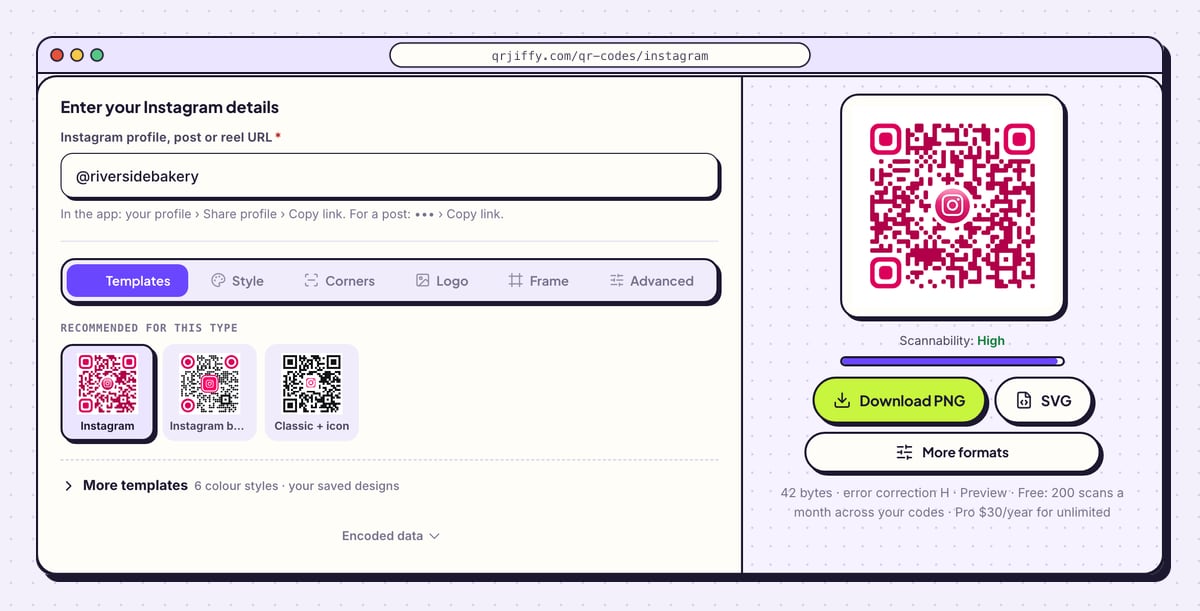
Open the Instagram QR code generator and click the field labelled Instagram profile, post or reel URL. Type the handle with or without the @ sign, or paste the copied link. Dots and underscores in a handle are kept exactly as typed.
The generator turns
@riversidebakeryintohttps://www.instagram.com/riversidebakery/. Open Encoded data under the design tabs to check that address against your profile. The pink code on the right redraws as you type, and the line beneath it reads 42 bytes for this sample.Tip: Pasted a link from the app? Delete everything from the question mark onwards, so the address ends at the username.
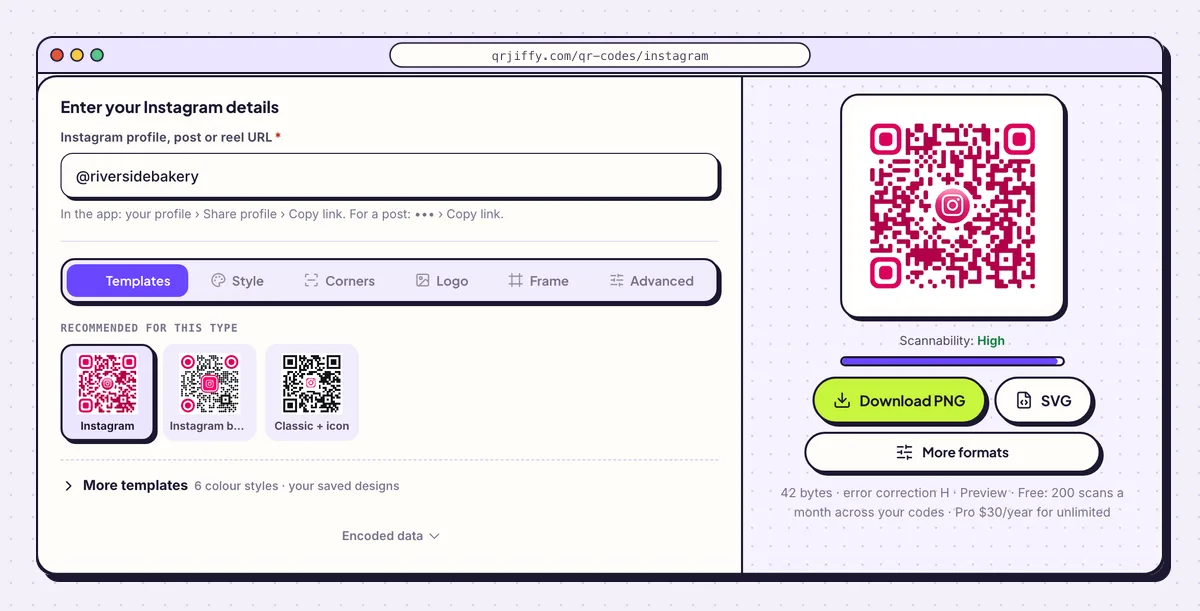
A handle is all the form needs. The preview already carries the Instagram colours and logo. 3Keep or replace the Instagram logo in the centre
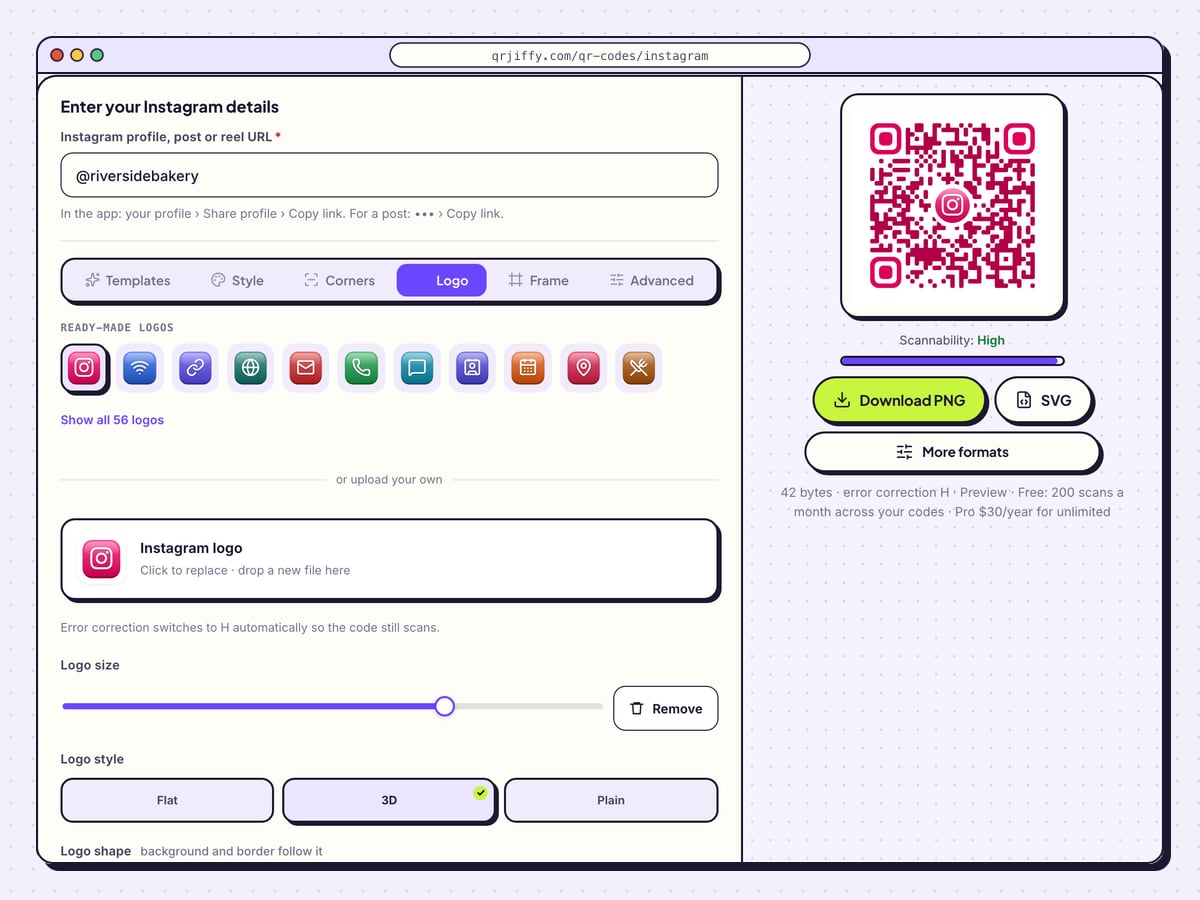
Open the Logo tab. The Instagram icon is selected in the row of ready-made logos, and a note under it reads “Error correction switches to H automatically so the code still scans”. Level H recovers up to 30% of the pattern, which makes room for the icon.
Drag Logo size to shrink or enlarge the icon, and pick Flat, 3D or Plain under Logo style. To use your own mark, click the box that says “Click to replace · drop a new file here”. Watch the Scannability bar while you drag: it reads “High” while the code is safe.
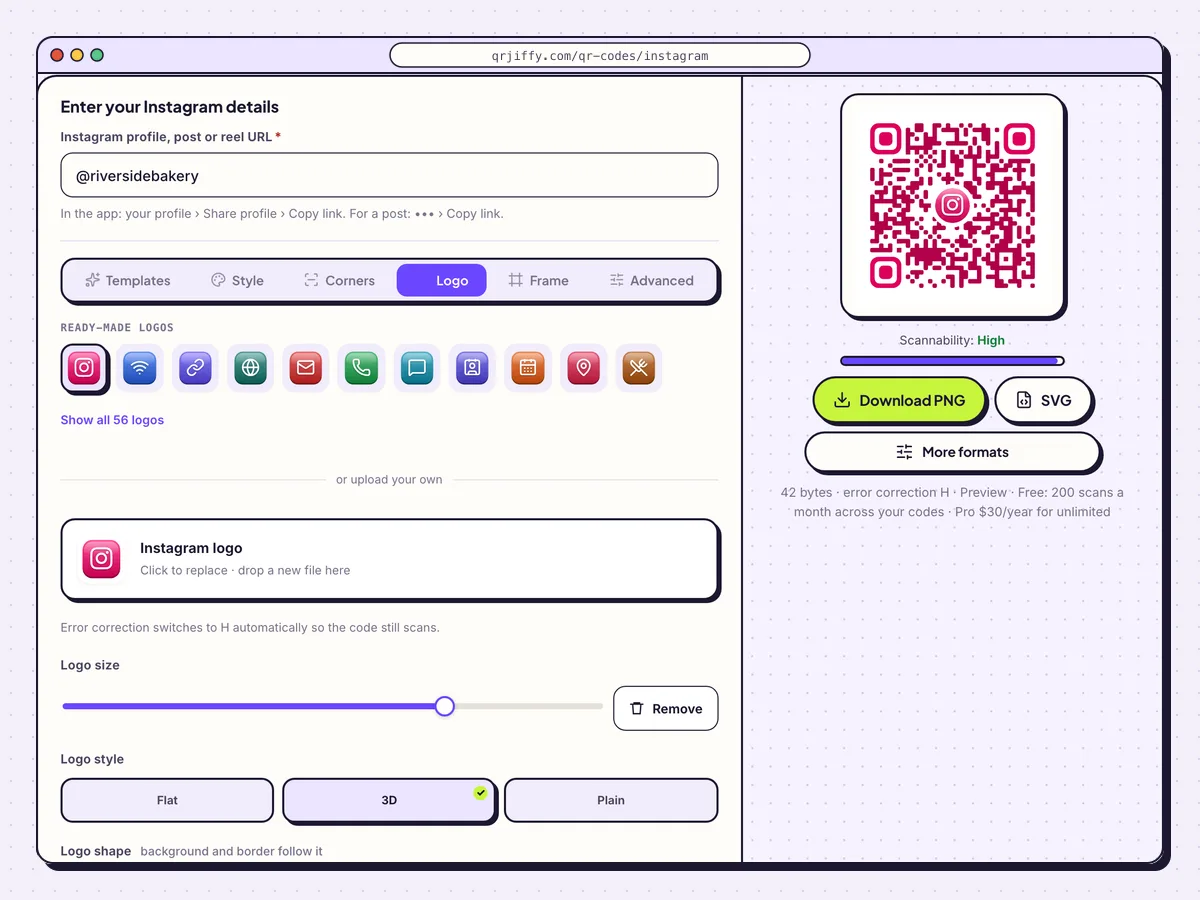
The Logo tab controls the icon in the middle of the code. Error correction rises to H by itself. 4Download the Instagram code as PNG or SVG
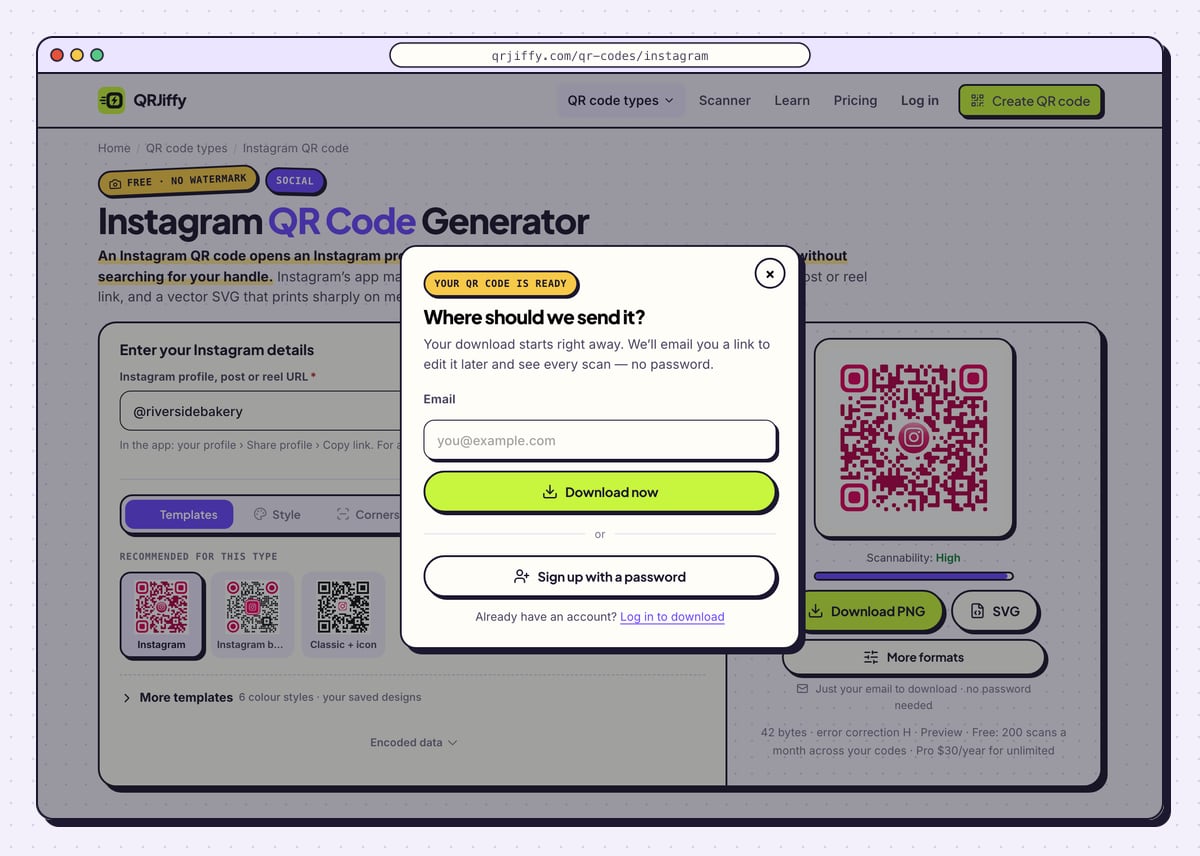
Click Download PNG for a story, a slide or an office printer. Click SVG for menus, packaging and posters, because a vector file stays sharp at any size. A box titled “Where should we send it?” opens the first time: enter an email and press Download now, or choose Sign up with a password.
The file arrives at once, named like
qrjiffy-instagram-D8B72vQ.png. The short link it holds now shows under the preview asqrjiffy.com/r/….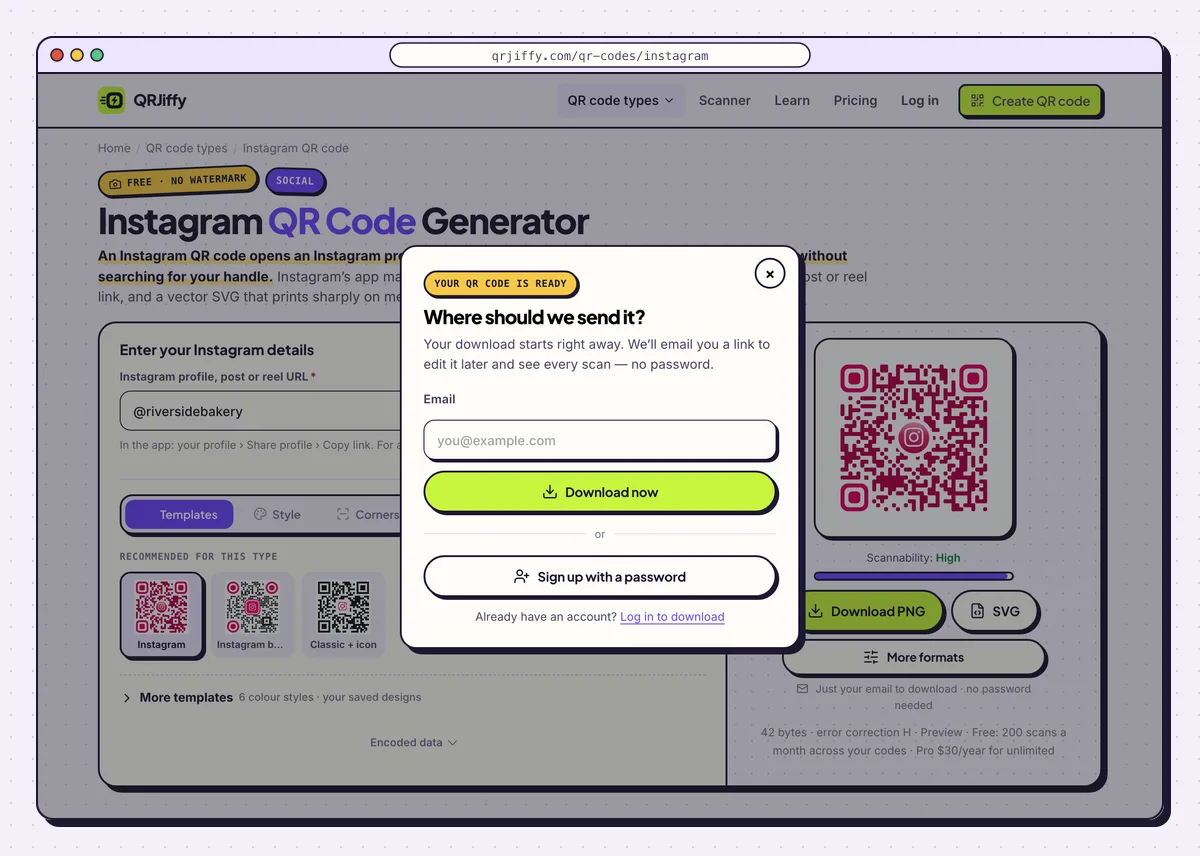
One email address unlocks the download and saves the code to a dashboard. 5Scan the file and check which account opens
Point a phone camera at the code on your monitor and tap the link banner. The Instagram app opens on the profile when it is installed; without the app, Safari or Chrome loads the profile on instagram.com. Confirm the username at the top is yours.
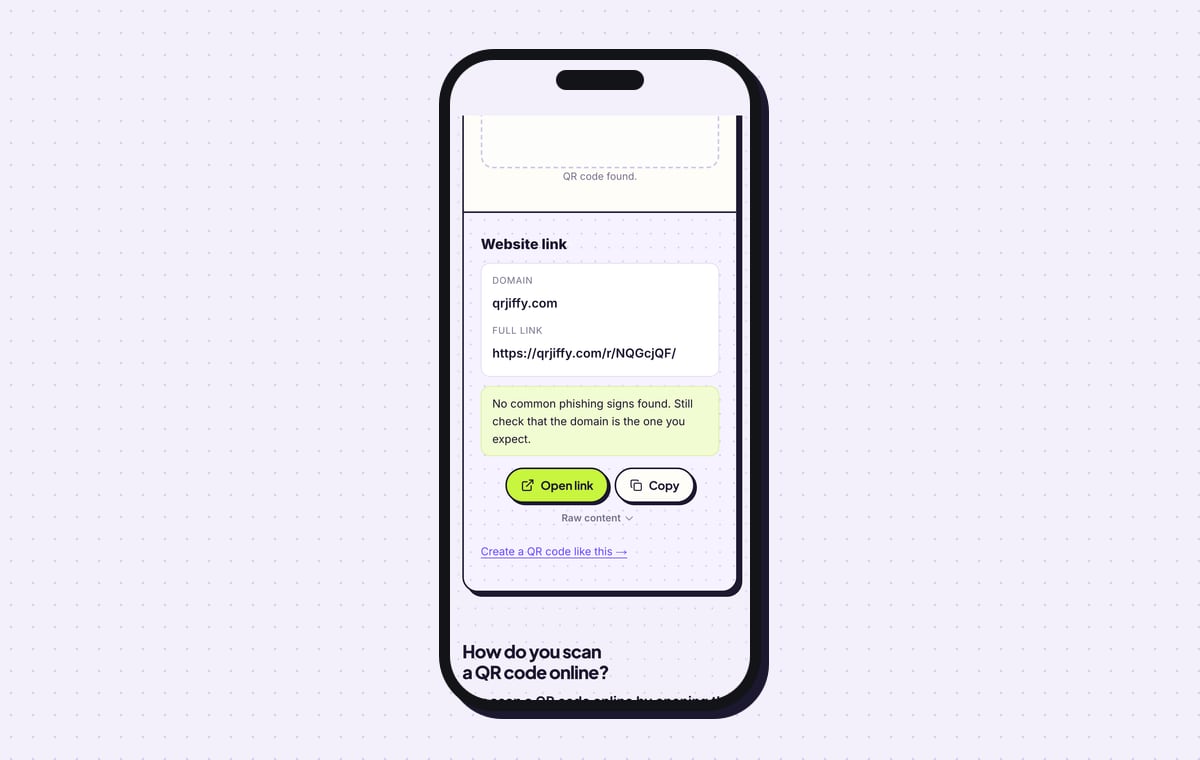
For a second check, upload the PNG to the QR code scanner. It reports a Website link with the domain qrjiffy.com and the full short link, and Open link sends you on to the profile.
Tip: Instagram’s own camera reads QR codes too. Open it, aim at the code and tap the link that appears.
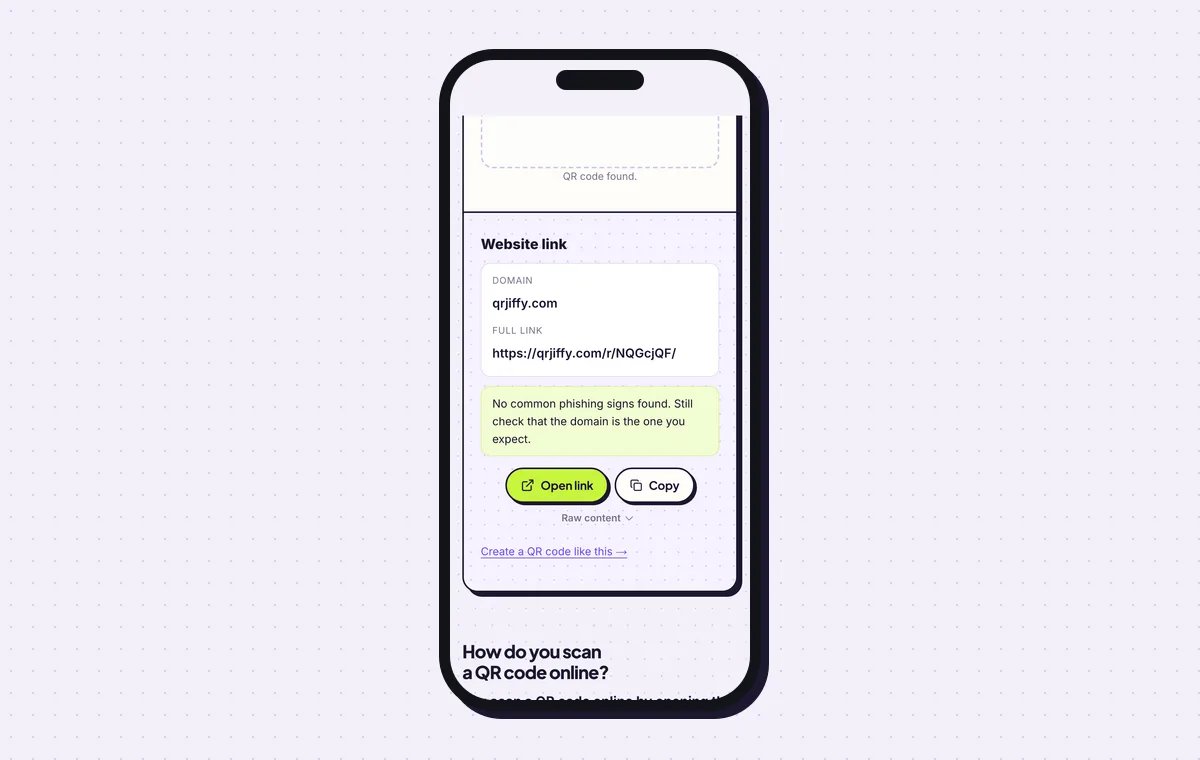
The scanner shows the short link stored in the code. Open link follows it to the Instagram profile. 6Repoint the code or read its scans in the dashboard
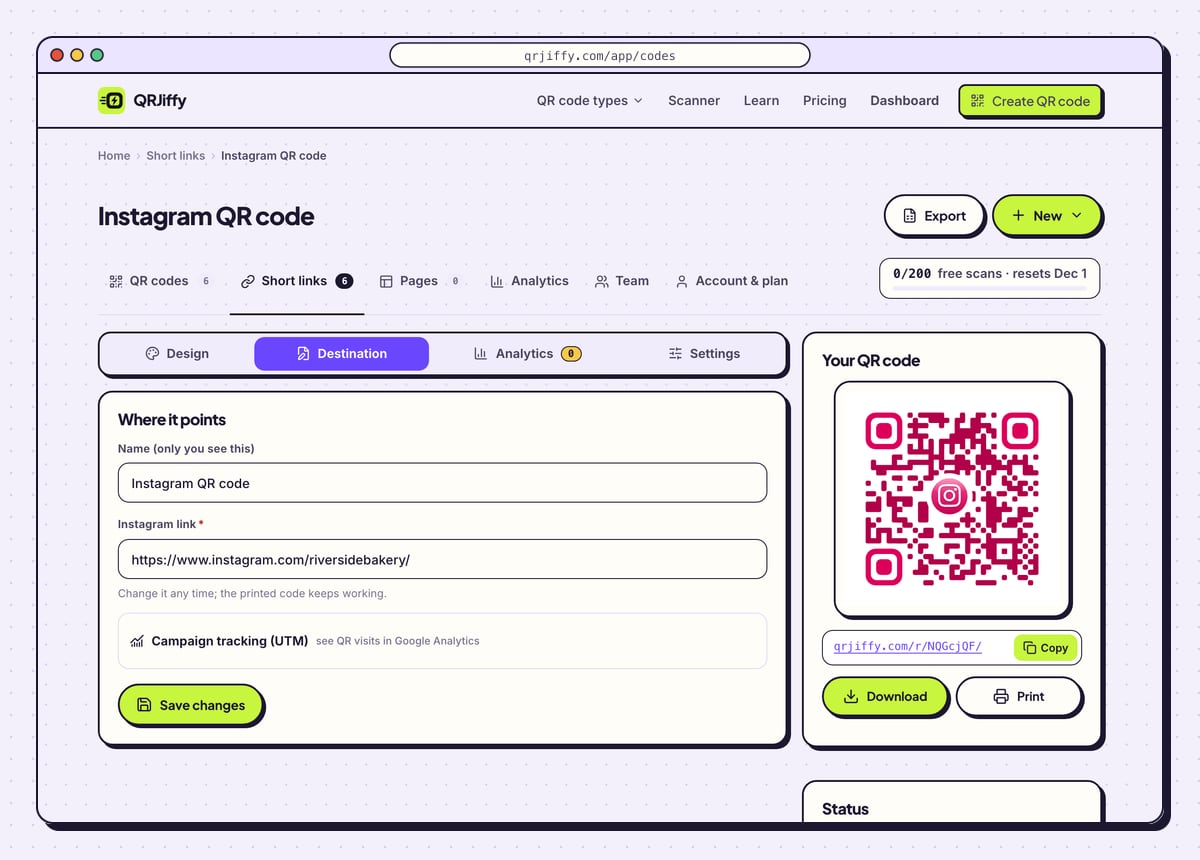
Open the dashboard from the “Manage it in your dashboard” link, or from the email QRJiffy sends after the download. The code’s page has four tabs: Design, Destination, Analytics and Settings. Under Destination you swap the profile for a reel, a giveaway post or a renamed account, and every printed copy follows.
Analytics counts scans by day, device and country. A free account covers 200 scans a month across all its codes, and Pro costs $30 a year for unlimited scans.
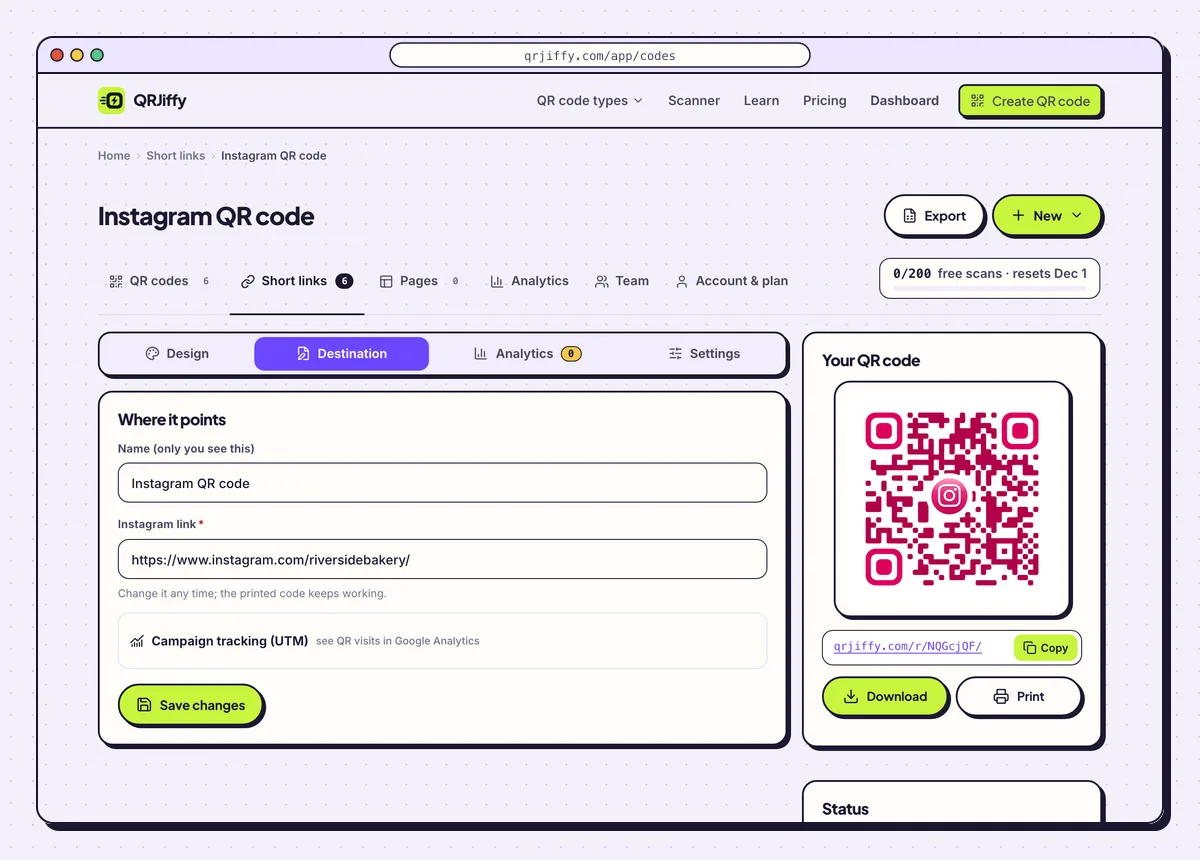
Each downloaded code gets a dashboard page with tabs for its design, destination and scan counts. 7Print the code with your handle underneath
Print the code at least 2 × 2 cm on cards, receipts and packaging, and 10 cm wide on a poster read from 1 m. Leave a blank margin of 4 dots on every side. Set your @handle in small type under the code, so people who prefer to search still find you.
Add a reason to follow next to it, such as “Scan for today’s specials”. Table tents, shop windows, event photo walls and packaging inserts are the usual places.
Open the Instagram QR Code generatorFree. Nothing to install.
Where is the QR code inside the Instagram app?
The Instagram app keeps your QR code on your profile: tap Share profile below your bio and the code appears with a Download option. Older versions of the app place it under the ☰ menu › QR code. Tapping the background switches between the colour, emoji and selfie styles, and Download saves the picture to the camera roll.
Is the Instagram app’s QR code or a QRJiffy code better?
The app’s code suits a quick share on a screen, and a QRJiffy code suits print and anything other than your own profile. Both scan in every phone camera. The differences are these:
- Destination: the app’s code opens your own profile only. A QRJiffy code opens any profile, post, reel or highlight.
- Colours: the app offers 3 preset styles. The generator accepts any foreground and background colour.
- File: the app saves a phone image. The generator gives a PNG up to 1,200 px and a vector SVG.
- Error correction: fixed in the app; L, M, Q or H in the generator’s Advanced tab.
- Login: the app’s code needs an Instagram login to create. The generator does not.
What happens to the code when you change your Instagram username?
The printed code keeps working once you paste the new profile link into the Destination tab of your dashboard. Instagram does not forward an old handle to a new one, so a link to the old name stops opening your account.
Can you post a QR code on Instagram itself?
Yes, a QR code posts as an image, a story or a reel frame, but someone scrolling on the same phone has no way to scan it. Codes on Instagram work for viewers on a second screen, such as a TV or a laptop. A link sticker serves phone viewers better.
What mistakes stop an Instagram QR code from working?
These 5 mistakes cause most failed Instagram QR codes; each has a quick fix. Test the downloaded file with two different phones before you print anything.
| Mistake | Fix |
|---|---|
The pasted link still carries the ?igsh= share tag | Delete everything after the username. The tag adds 20+ characters and changes nothing about where the link opens. |
| A post link was pasted when followers were the goal | Use the profile link for follows. Keep post and reel links for promoting one piece of content. |
| The handle was typed from memory with a missing underscore | Compare the address under Encoded data with the username on your profile before downloading. |
| The app’s phone image was enlarged for a poster | Download the SVG from the generator; a vector file prints sharply at poster size. |
| The username changed after the flyers went out | Paste the new profile link under Destination in the dashboard. The flyers stay valid. |
Frequently asked questions
Is an Instagram QR code free to make?
Yes. The generator is free to use and the download asks only for an email or a free account. A free account covers 200 scans a month across all its codes.
Does the code work for someone without the Instagram app?
Yes. The link opens the profile on instagram.com in the browser, where visitors see public posts and a prompt to open the app.
Is the Instagram QR code the same as the 6-digit login code?
No. The 6-digit code is a two-factor login code sent by Instagram. It is not a QR code and no generator produces it.
Can one QR code open a single reel instead of my profile?
Yes. Open the reel, tap the three dots, copy the link and paste it into the generator. The scan then opens that reel.
Ready to make your Instagram QR code?
The generator is free and works in the browser on a phone or a computer. Your code downloads as PNG for screens or SVG for print.
Open the Instagram QR Code generator
Related guides: How to Print a QR Code · QR Code Size · QR Code Not Working