 QRJiffy
How to Make an SMS QR Code
You make an SMS QR code by entering a phone number and a pre-written message in an SMS QR code generator, then downloading the code. A scan opens the phone’s messaging app with the number and the text in place, and the person presses Send. Plan for 3 minutes, plus one real text message as a test.
What do you need before you start?
You need 4 things ready, and no account to try the generator. A free account, or just your email, is asked for only at the download step.
- The number that receives the texts, in international format, or your 5–6 digit short code.
- The message or keyword, spelled exactly as your SMS system expects it, in 160 characters or fewer.
- A second phone with mobile signal, to send the test message.
- For marketing lists: your opt-in wording, ready to print beside the code.
How do you make a SMS QR code step by step?
Follow these 7 steps in the SMS QR Code generator; the preview updates as you type. Each screenshot below is the real screen, filled in with a sample bakery’s details.
1Open the SMS QR code generator
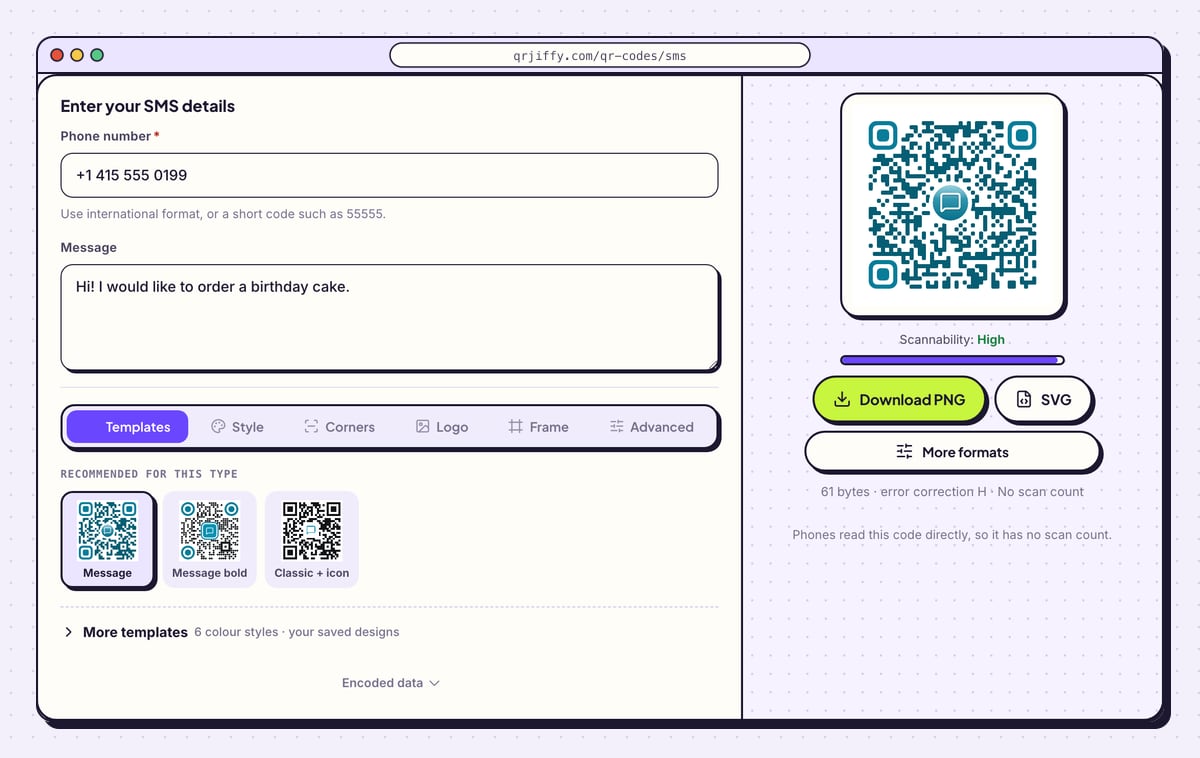
Start on the SMS QR code generator page. There are two fields, Phone number and Message, and a teal code with a speech-bubble icon on the right. Have the receiving number in front of you, written with its country code.
2Enter the number that receives the texts
Type the number into Phone number. The line below the field says “Use international format, or a short code such as 55555.” International format means a plus sign, the country code, then the number: the sample is +1 415 555 0199.
Spaces are for your eyes only. Click Encoded data at the bottom of the form and you see the number stored as
+14155550199.Tip: Text the number from your own phone first. A landline or a desk line that cannot receive SMS makes the code useless.
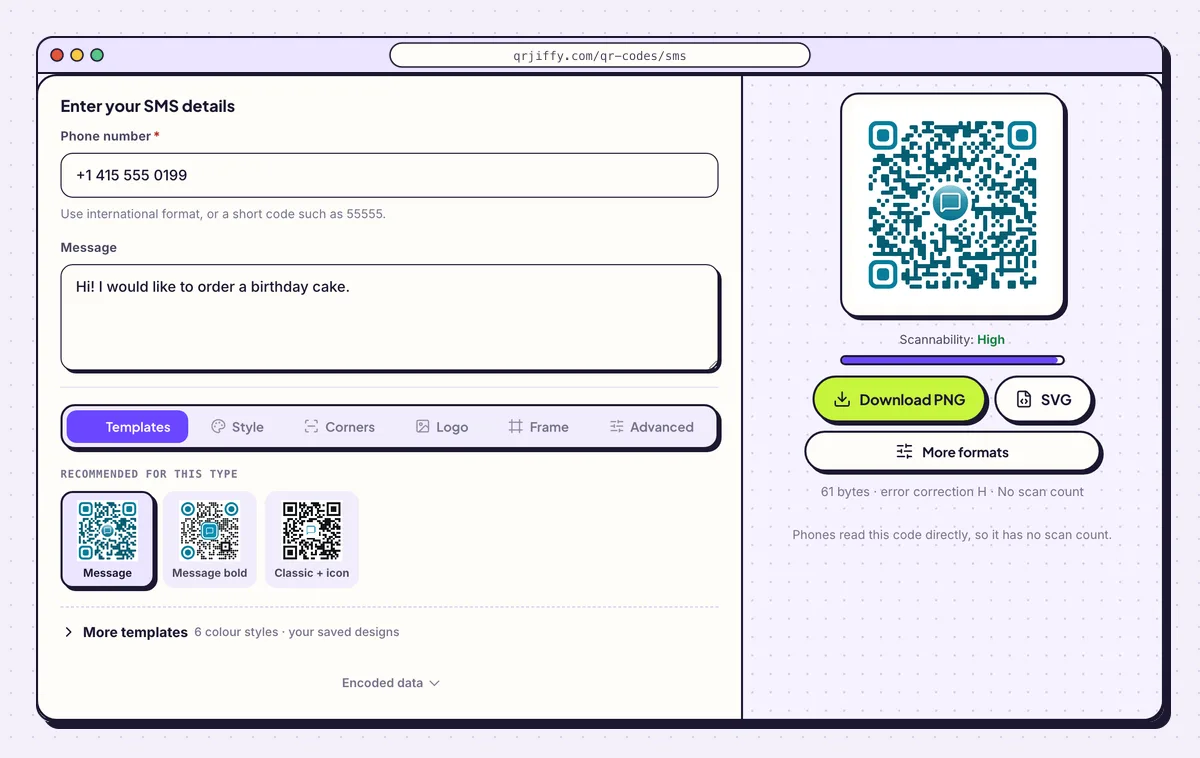
Number and message entered. The preview shows 61 bytes for this sample. 3Write the message people send
Fill in Message with the exact text you want to receive. For a mailing list that is one keyword, such as JOIN. For orders or bookings it is an opening sentence: the sample says “Hi! I would like to order a birthday cake.”
Keep it to 160 characters so it travels as a single SMS. The person can edit the draft, so put the fixed part first and leave the details for them to add.
4Shape the three corner squares
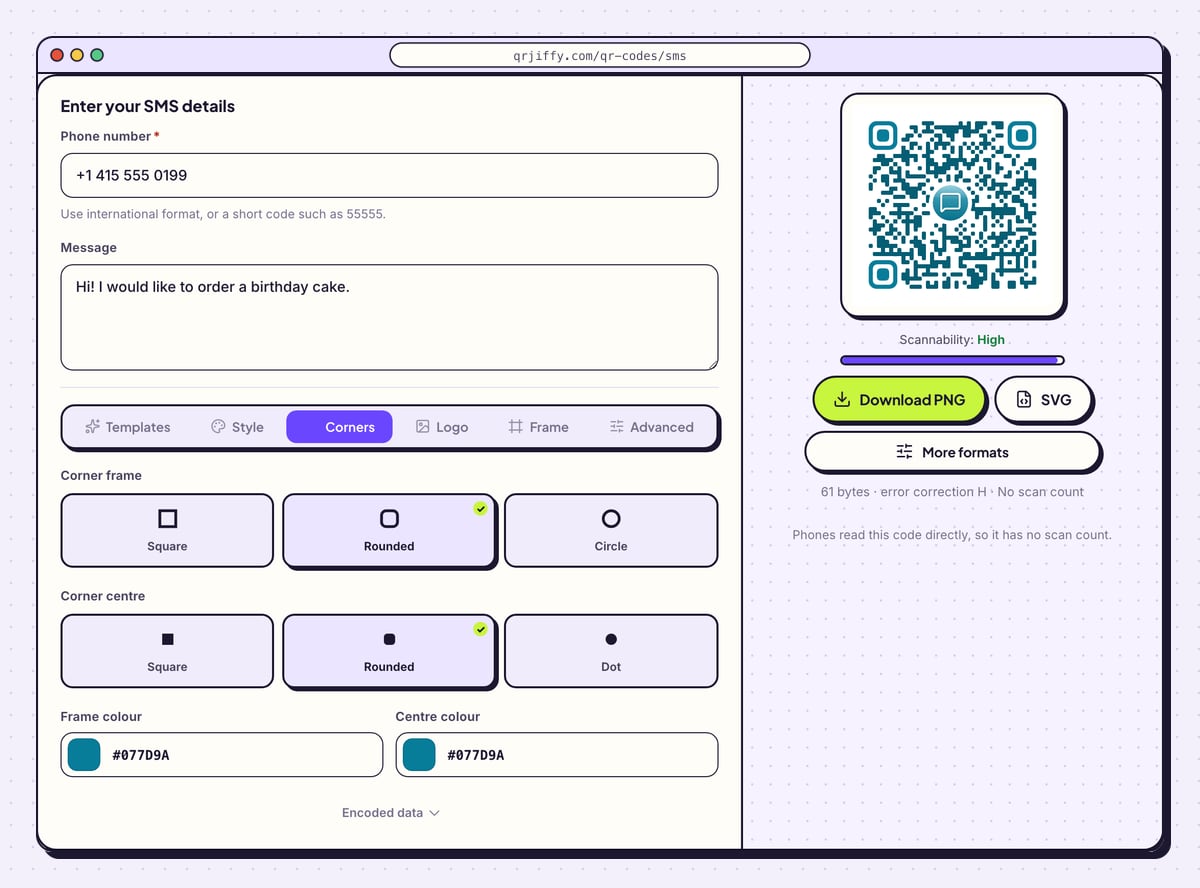
Click Corners. Corner frame sets the outline of the three large squares to Square, Rounded or Circle, and Corner centre sets the block inside each to Square, Rounded or Dot. Frame colour and Centre colour tint them separately from the dots.
Scanners find a code by those three squares. Give them the darkest colour in the design, and confirm the Scannability reading stays on “High”.
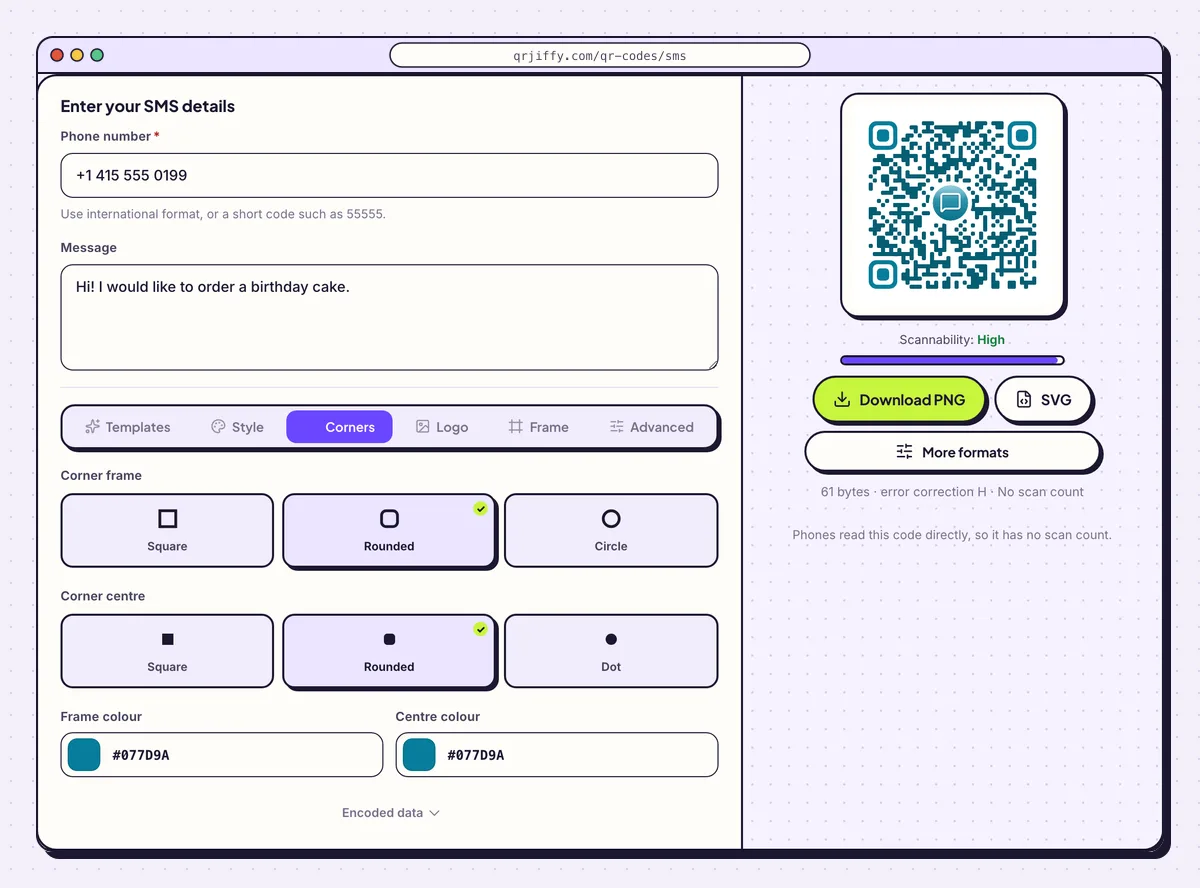
The Corners tab restyles the three squares that scanners lock on to. 5Download the code
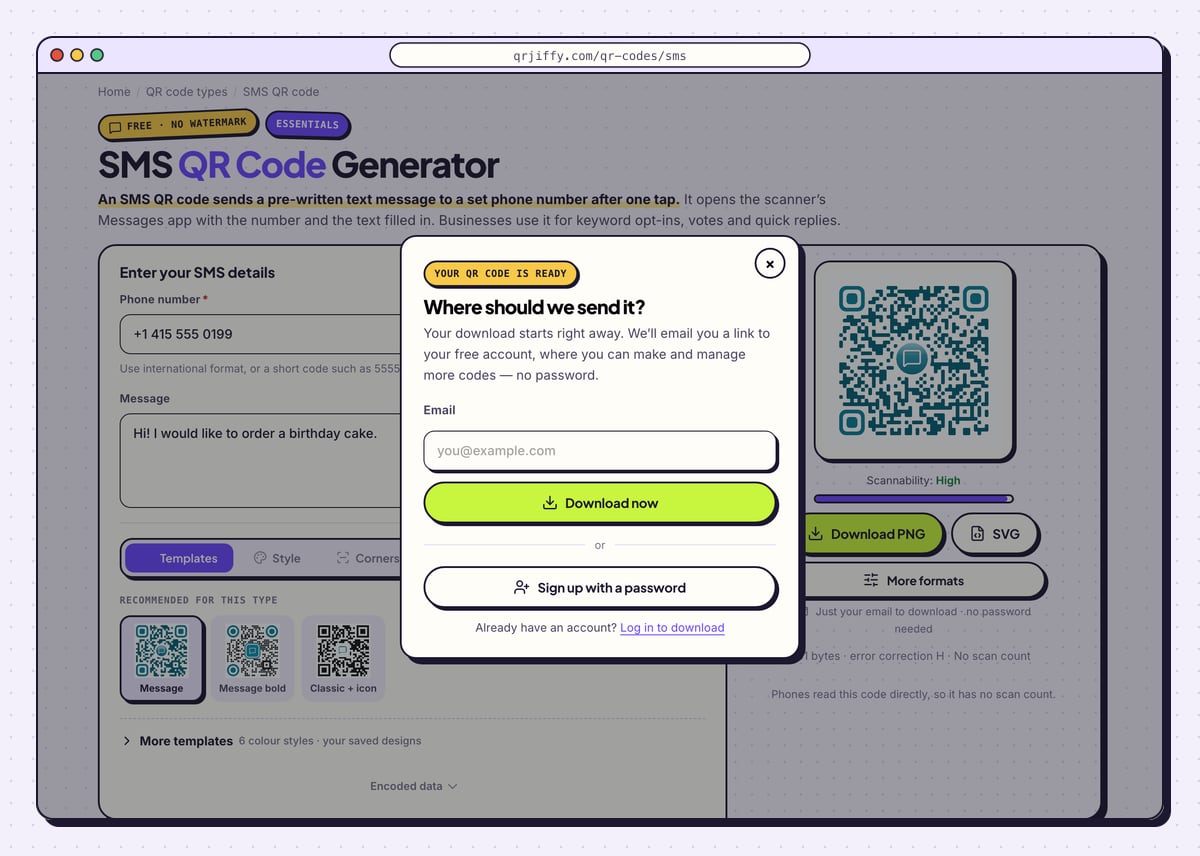
Hit Download PNG to get an image for a till sign or a slide, or SVG for artwork that a printer resizes. On your first download, a pop-up requests an email address; type one and select Download now. You receive
qrjiffy-sms.pngimmediately, and Sign up with a password is there if you prefer a full account.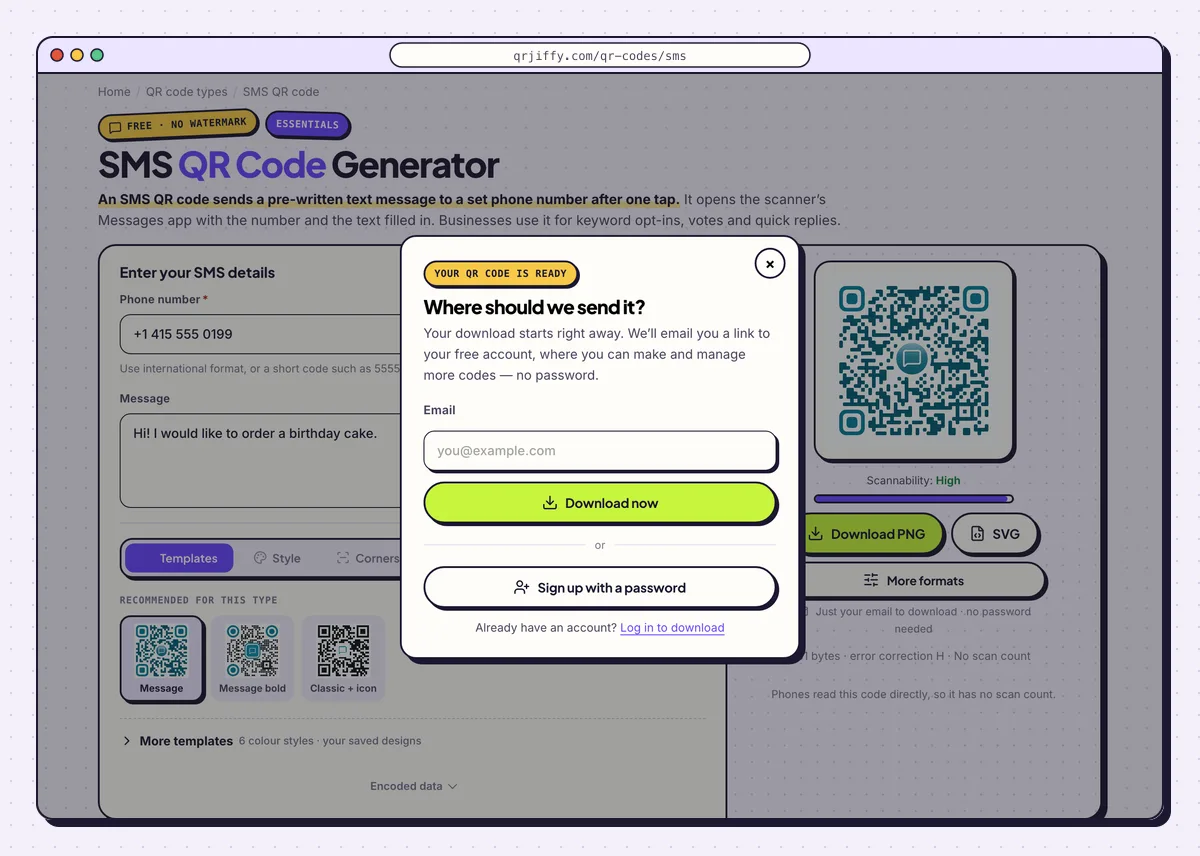
The one-time pop-up before the SMS code downloads. 6Send a real text from a second phone
Point another phone at the code. An iPhone shows a banner beginning “Text +1 415…” and opens Messages with both fields filled. An Android phone offers Send SMS and opens Google Messages or the default SMS app. Press Send, then check that the message arrives and that your SMS system replies to the keyword.
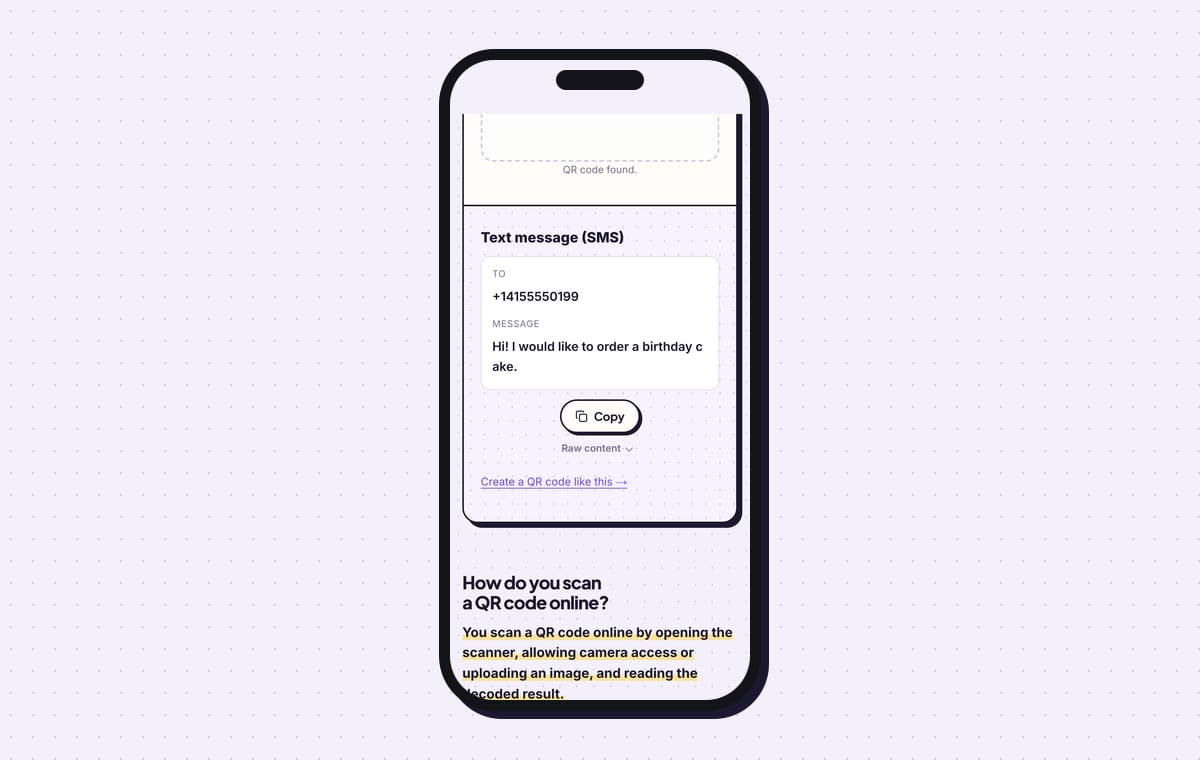
To inspect the file itself, drop it into the QR code scanner. The result is labelled “Text message (SMS)” and shows the To number and the Message on separate lines.
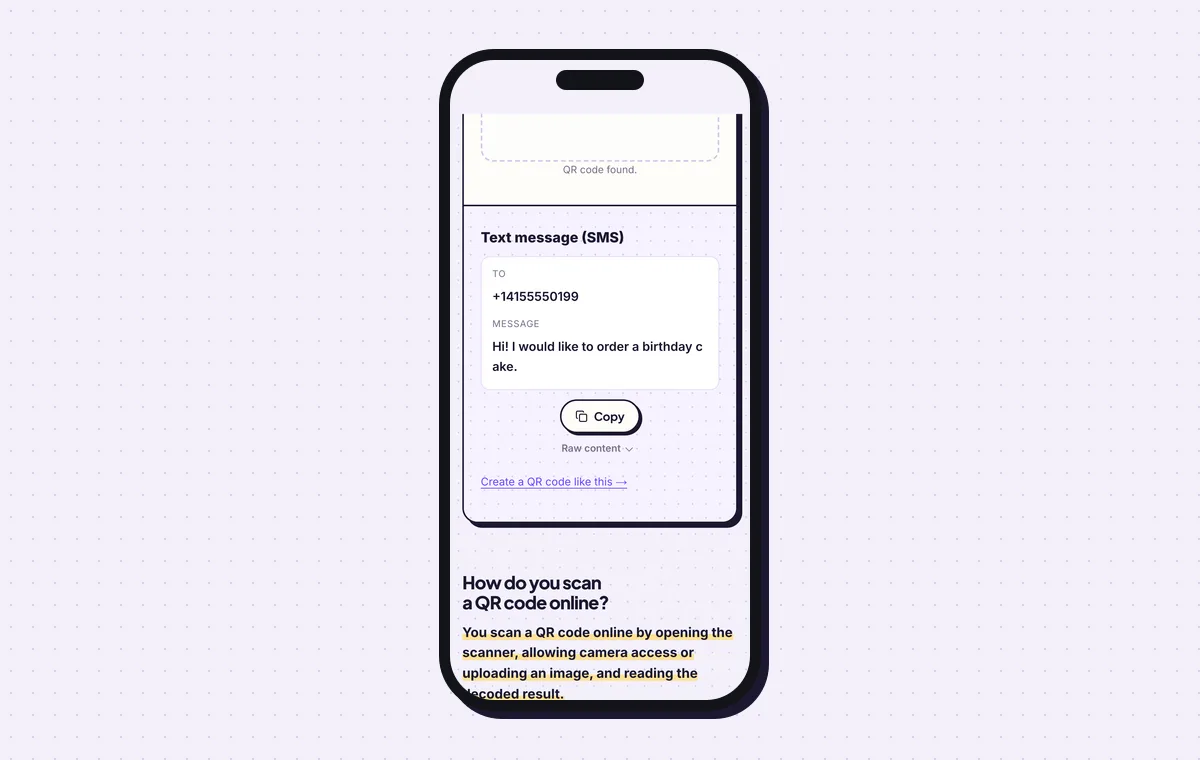
The scanner confirms the number and the message stored in the code. 7Print the number and keyword beside the code
An SMS code prints as small as 2 × 2 cm (0.8 in). Next to it, print the instruction in words, for example “Text JOIN to 55555”, so people without a scanner take part too. For a marketing list, add your consent wording in the same place: sending the message is the person’s opt-in.
Open the SMS QR Code generatorFree. Nothing to install.
What happens when someone scans an SMS QR code?
The phone opens its messaging app with your number in the To field and your text in the message box, ready to send. The code uses the SMSTO format, which iPhone and Android cameras read reliably. iOS 11 and Android 9 or later handle it without an added app.
- iPhone: the Camera banner reads “Text +1 415…”. Tapping it opens Messages with the number and text ready.
- Android: the camera or Google Lens offers Send SMS, which opens Google Messages or the default SMS app.
- Consent: nothing sends by itself. The person taps Send, and that tap is the opt-in action for SMS marketing.
Does it cost the person anything to send the text?
Yes. The sender pays their standard SMS rate, unless their plan includes unlimited texts. Scanning alone costs nothing, since it only prepares a draft. A message over 160 characters splits into several parts, so a short keyword keeps the cost to a single SMS. Sending needs mobile signal, not internet.
Can you change the number or message after printing?
No. The number and the message are stored in the pattern, so a new number or a new keyword means a new code. Plan for that before a large print run. Use a number or short code your organisation keeps for years, and a keyword that is not tied to one week’s promotion.
Does an SMS QR code work with iMessage or WhatsApp?
It works with iMessage and not with WhatsApp. An iPhone sends the draft as an iMessage when both phones support it, and as a regular SMS otherwise. WhatsApp chats use a different link format, so they need a WhatsApp QR code.
What mistakes stop a SMS QR code from working?
These 6 mistakes cause most failed SMS QR codes; each has a quick fix. Test the downloaded file with two different phones before you print anything.
| Mistake | Fix |
|---|---|
| The number has no country code | Write it with + and the country code, or use the short code on its own. |
| The keyword in the code differs from the one in the SMS system | Copy the keyword from the system’s settings and send a test to see the automatic reply. |
| A message longer than 160 characters | Shorten it so it sends as one SMS and not as several parts. |
| The receiving line is a landline | Use a mobile number or short code that accepts texts, and prove it with a test message. |
| One keyword shared by every campaign | Use a separate keyword per placement and compare the inbound counts. |
| A marketing code with no consent wording nearby | Print the opt-in terms beside the code, following TCPA in the US and GDPR in the EU. |
Frequently asked questions
Is the SMS QR code generator free to use?
Yes. Creating and downloading an SMS QR code costs nothing and leaves no watermark. An email address or a free account is requested the first time you download.
Can an SMS QR code use a short code?
Yes. Enter the 5 or 6 digit short code in place of a full phone number.
Can the person edit the message before sending it?
Yes. The text arrives in the messaging app as a draft, and the person changes it or sends it as written.
Can I track scans of an SMS QR code?
No. The phone reads the number and message from the pattern itself, so no scan is logged. Count the inbound messages that carry your keyword.
Is an SMS QR code the same as a text QR code?
No. An SMS QR code prepares a message to send to a number. A text QR code only displays words on the screen.
Ready to make your SMS QR code?
The generator is free and works in the browser on a phone or a computer. Your code downloads as PNG for screens or SVG for print.
Open the SMS QR Code generator
Related guides: How to Print a QR Code · QR Code Size · QR Code Not Working