 QRJiffy
How to Make an X (Twitter) QR Code
You make a Twitter QR code by typing your X handle, or pasting a profile or post link, into an X (Twitter) QR code generator and downloading the image. Scanning opens the account or the post in the X app, where the reader follows or replies. Links on x.com and twitter.com both work, and X itself offers no print-ready profile code.
What do you need before you start?
You need 4 things ready, and no account to try the generator. A free account, or just your email, is asked for only at the download step.
- Your X handle, or the profile address copied from the browser: x.com/yourhandle.
- For one announcement or thread: the post’s link from Share › Copy link.
- A phone with the X app that is logged out, to see what a stranger sees.
- The slide, badge or press kit the code is going on.
How do you make a X (Twitter) QR code step by step?
Follow these 7 steps in the X (Twitter) QR Code generator; the preview updates as you type. Each screenshot below is the real screen, filled in with a sample bakery’s details.
1Decide between your profile and a single post
A profile address has the form
x.com/yourhandleand leads to the Follow button. A post address has the formx.com/handle/status/…and opens that one post, which suits announcements, giveaways and threads you want replies on.Old
twitter.comaddresses are still valid, because twitter.com redirects to x.com. The x.com version is 6 characters shorter, so use it when you copy a fresh link.2Type your handle into the X field
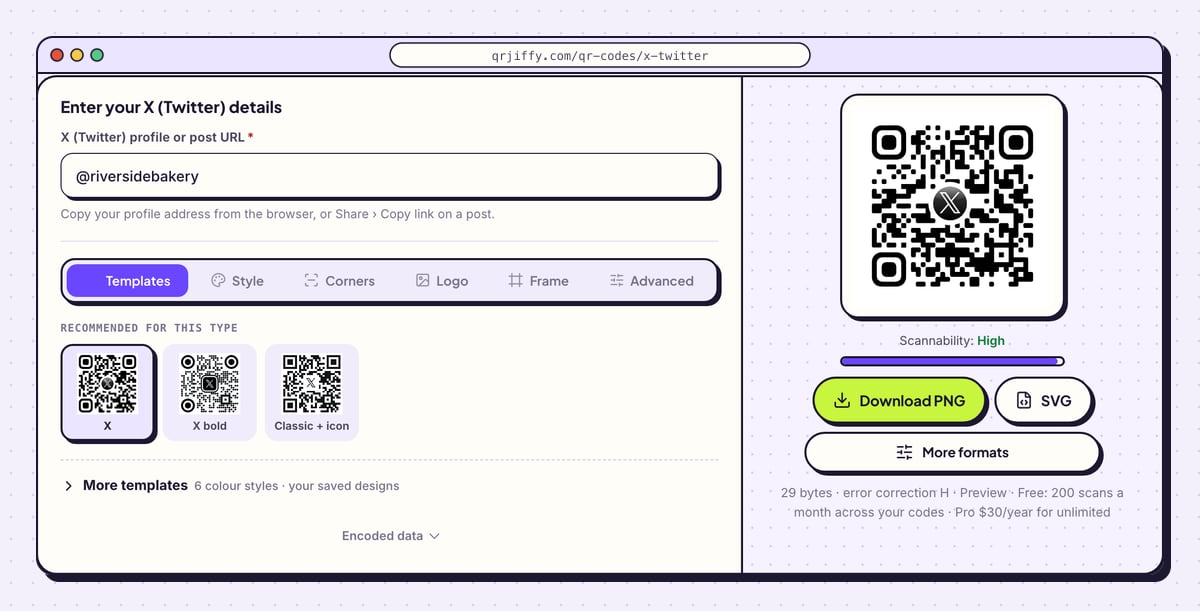
Open the X (Twitter) QR code generator. In X (Twitter) profile or post URL, type the handle. The sample
@riversidebakeryis converted tohttps://x.com/riversidebakery, a 29-character address. Leaving out the @ gives the same result, and underscores in a handle are kept.For a post, paste the whole status link instead. The preview on the right draws the code at once, with the Download PNG and SVG buttons directly beneath it.
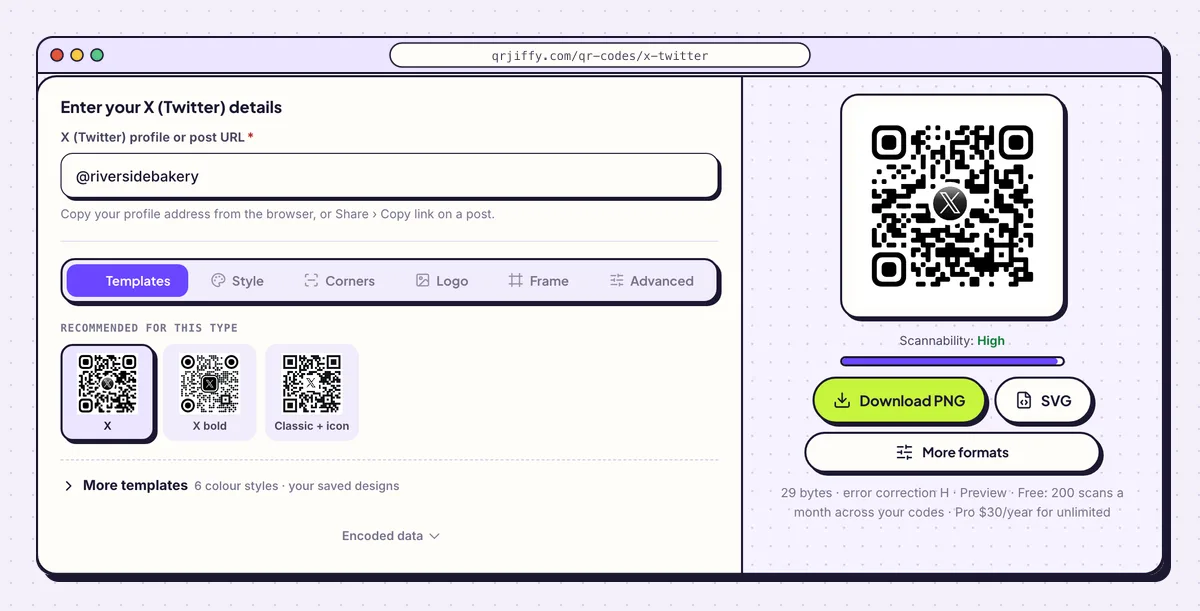
The handle on its own produces the x.com profile address. 3Keep the dots black on white in the Style tab
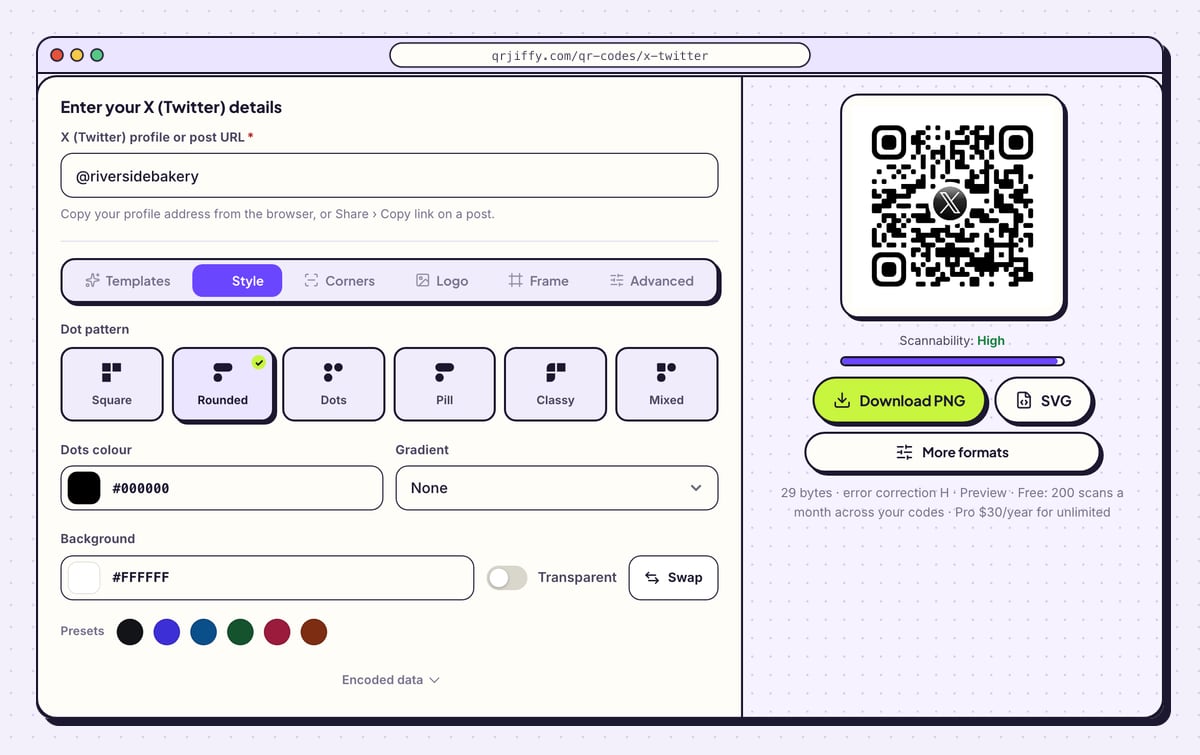
Black on white matches X’s branding and is also the combination that scans fastest. In Style, set Dots colour to black and leave Background white. The Dot pattern row changes the shape of the dots: Square is the classic look, and Rounded, Dots, Pill, Classy and Mixed soften it.
Gradient blends the dots into a Second colour along a chosen Direction. On a projected slide, washed-out colours lose contrast, so keep both ends of a gradient dark.
Tip: The Swap button exchanges the dot and background colours. A light code on a dark background is harder for cameras, so check the Scannability bar after using it.
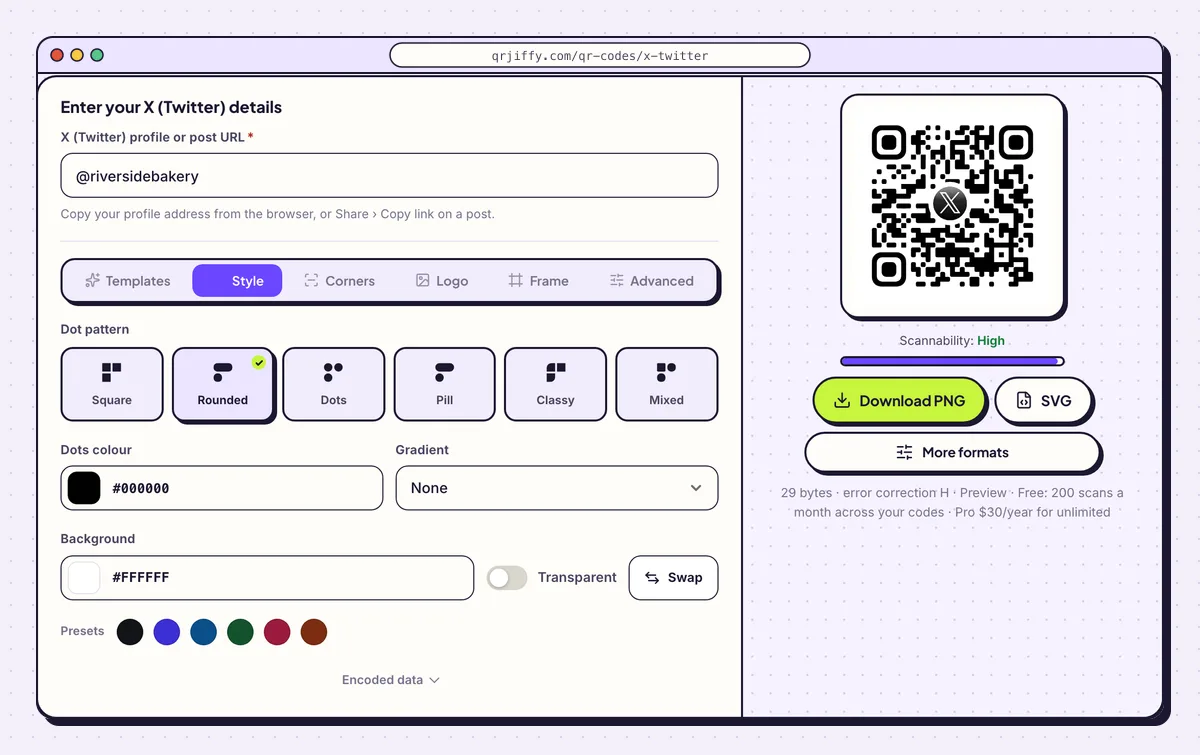
Style controls the dot shape and the two colours of the code. 4Download the file for your slide or badge
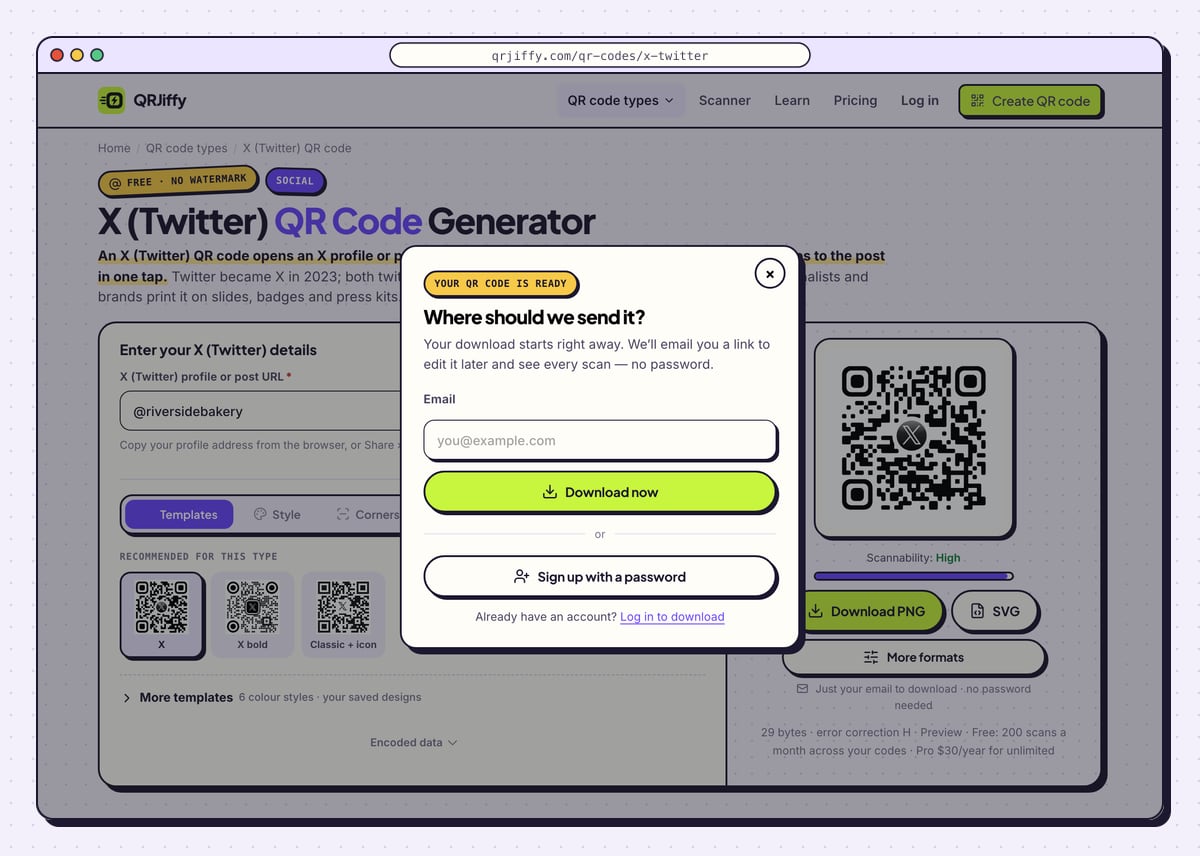
Hit Download PNG for a slide deck or a stream overlay, or SVG for a badge or a printed press kit. The first time, QRJiffy asks for an email address before it hands over the file. Type one, click Download now, and the code saves without further steps. A password account is offered in the same panel.
The file name follows the pattern
qrjiffy-x-twitter-m2e2rdQ.png.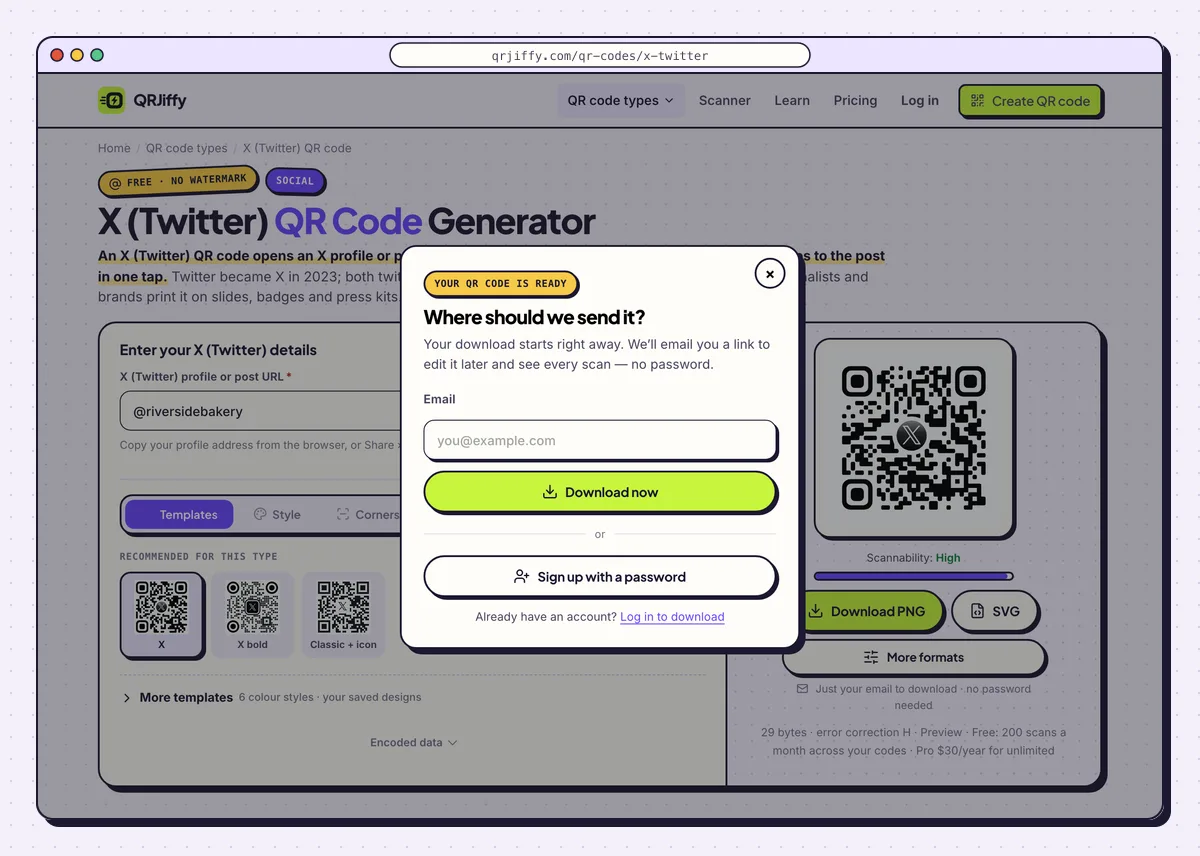
The email panel appears on the first download only. 5Test it logged in and logged out
Scan the code with the X app installed and signed in: the profile or post opens inside the app. Then scan while logged out. X shows a limited preview to logged-out visitors and asks them to sign in to see replies, so check that the preview still shows the right account name.
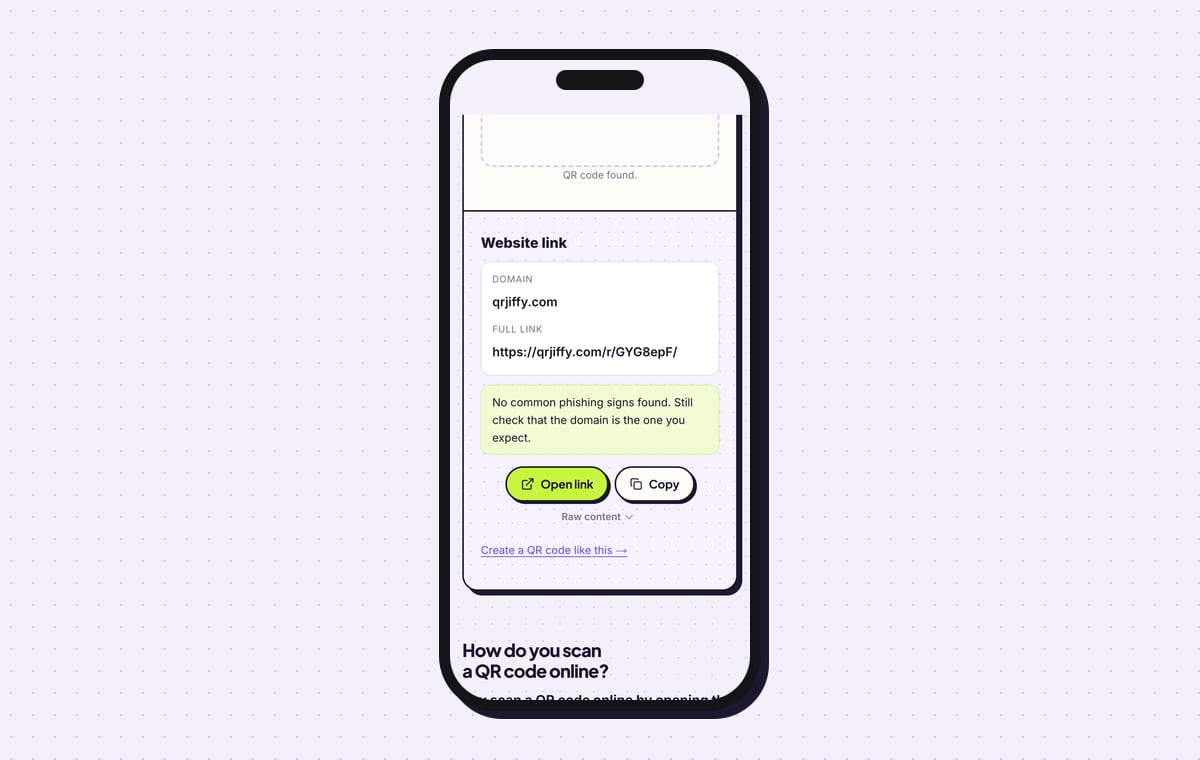
Uploading the file to the QRJiffy scanner returns a Website link with qrjiffy.com as the domain and the short link in full. Open link forwards to X.
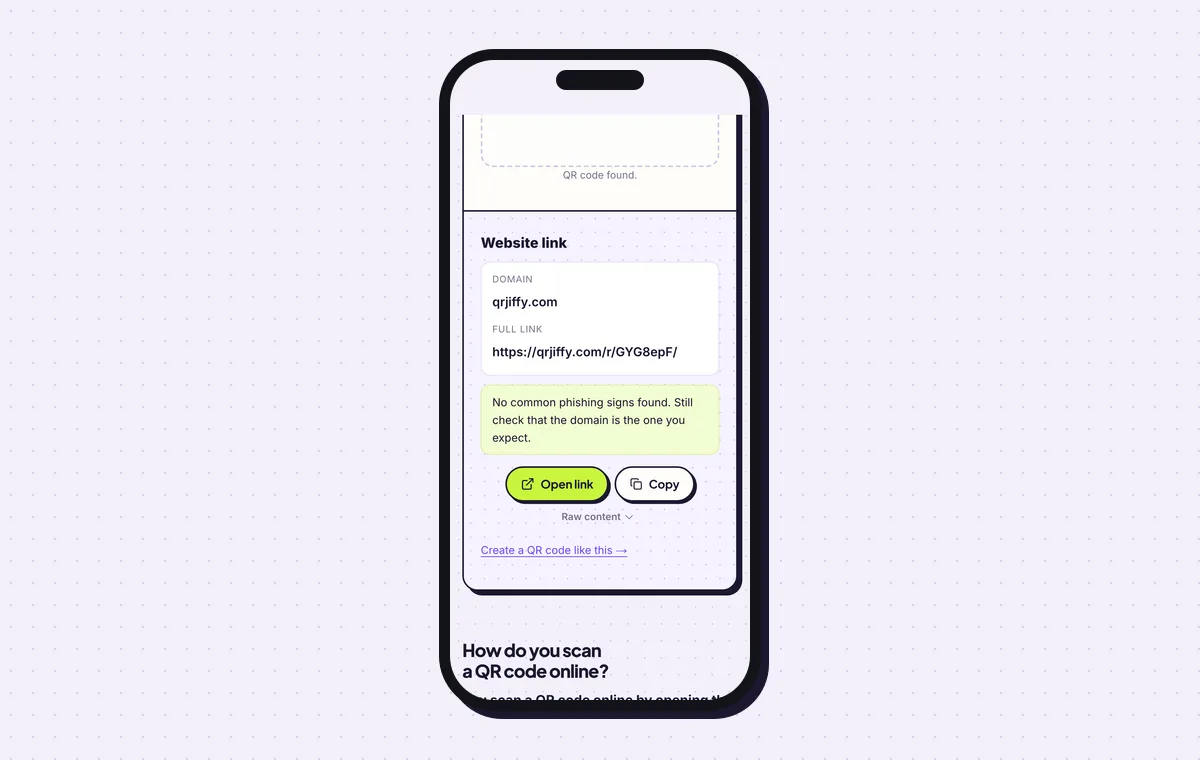
The short link in the code forwards to the X profile. 6Swap the profile for a post during a launch
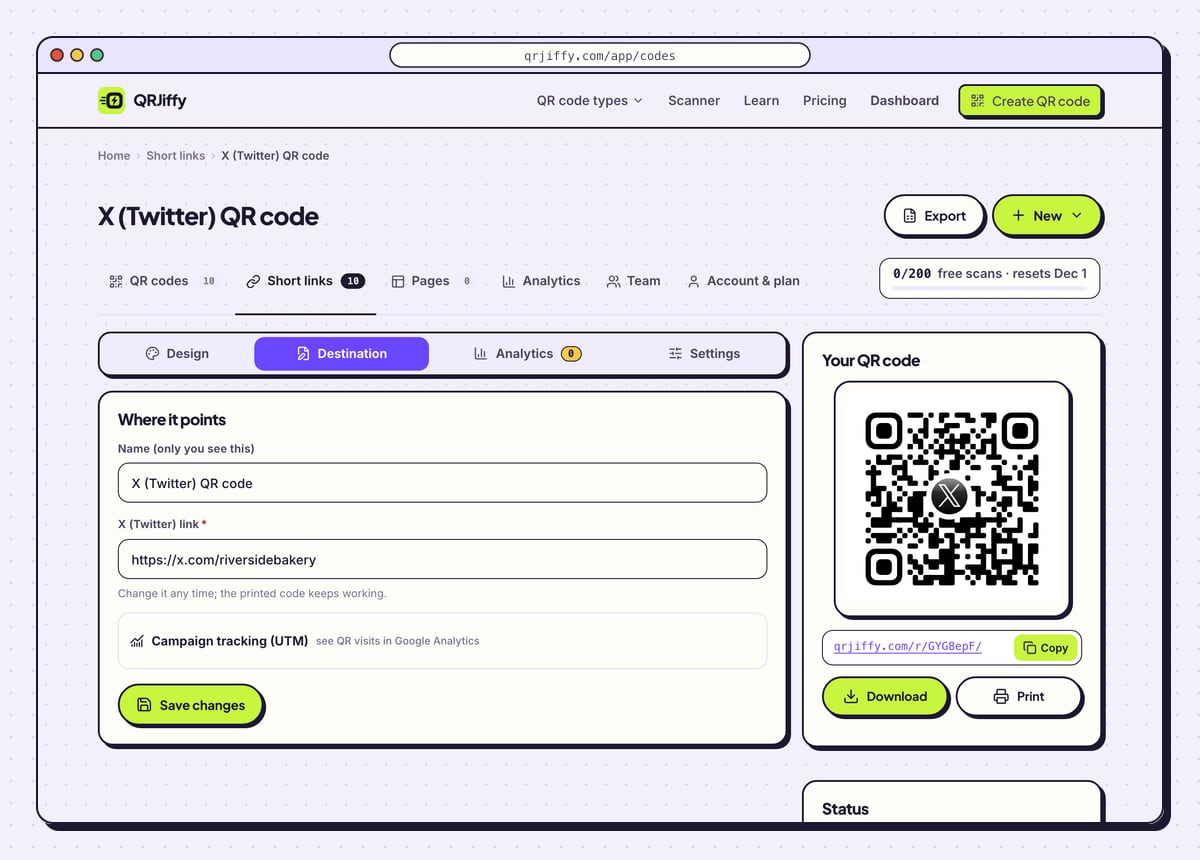
The dashboard page for the code has a Destination tab. Paste a post link there during a launch or a live event, and the code on your slides opens that post. Paste the profile address back when the event is over.
X ignores UTM parameters, so the Analytics tab is where scans get counted: by day, by device and by country. The free allowance is 200 scans a month across all codes on the account, with unlimited scans on Pro for $30 a year.
Tip: Pin the post the code promotes. It then stays at the top of your profile for anyone who arrives by the profile link.
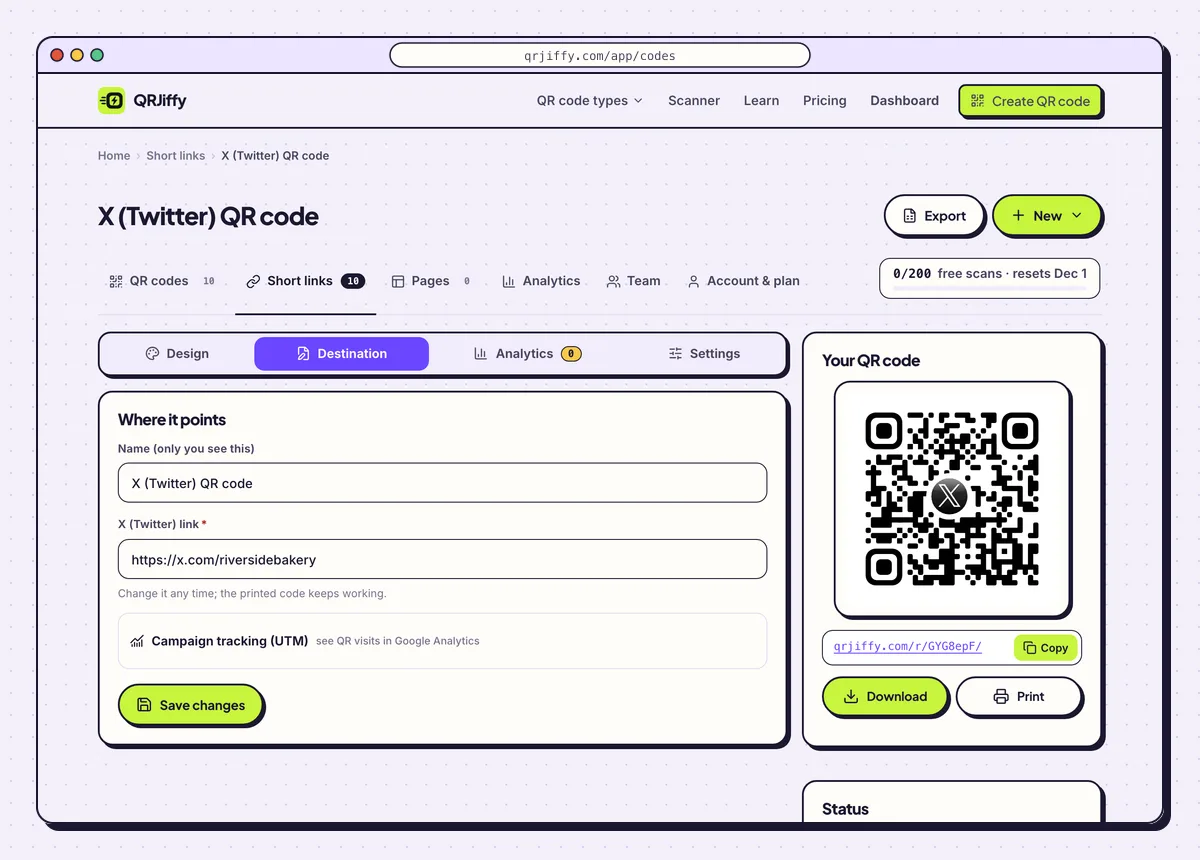
Destination repoints the code; Analytics counts the scans X does not report. 7Show the code on slides, badges and press kits
On a slide, make the code at least 15% of the slide height and leave it up for at least 10 seconds. People in the back row need that time to raise a phone and focus. On a badge or in a press kit, print at 2 × 2 cm or larger, with the @handle in text under the code for anyone who prefers to search.
On live TV and streams, a post code lets viewers open the show’s post and join the conversation.
Open the X (Twitter) QR Code generatorFree. Nothing to install.
Do old twitter.com QR codes still work now that Twitter is X?
Yes, a QR code that contains a twitter.com link still works, because twitter.com redirects to x.com. Twitter became X in 2023, and codes printed before then keep opening the same profiles and posts. There is no need to reprint old material for the rename alone.
Does X have a built-in QR code for your profile?
X does not provide a print-ready vector QR code for profiles, so generating one from your x.com address is the dependable method. A generated code scans in every phone camera and in the X app. It also comes with a scan count, which the platform does not give for print.
Can a QR code open one specific tweet?
Yes, encode the post’s status link, which has the form x.com/handle/status/…, and the scan opens that post. Copy it with Share › Copy link on the post. Post codes fit announcements, giveaways and threads that invite replies.
Why does the code ask some people to log in?
X limits what logged-out visitors see, so people without a session get a preview and a sign-in prompt. The profile still opens. Replies and full timelines need an account, and no setting in the code changes that.
What mistakes stop a X (Twitter) QR code from working?
These 5 mistakes cause most failed X (Twitter) QR codes; each has a quick fix. Test the downloaded file with two different phones before you print anything.
| Mistake | Fix |
|---|---|
| A new code was made only because the old one says twitter.com | Keep the old print. twitter.com links redirect to x.com. |
| The slide with the code is on screen for 3 seconds | Leave it up for at least 10 seconds, at 15% of the slide height or more. |
| A post link was printed and the post later slid down the timeline | Pin the post, or repoint the code to the profile under Destination. |
| UTM tags were added to count scans | Remove them; X ignores UTM parameters. Read the scan count in the dashboard. |
| The handle changed and the badge still shows the old one | Paste the new x.com address in the dashboard and reprint only the text under the code. |
Frequently asked questions
Is it called a Twitter QR code or an X QR code?
Both names mean the same code. People search for Twitter QR code about 12 times more often than X QR code, and both link formats work.
Is an X (Twitter) QR code free?
Yes. The code is free to make and downloads without a watermark. A free account includes 200 scans a month across its codes.
Can I see how many people scanned my X QR code?
Yes. The dashboard counts every scan by day, device and country.
Does the code work if the scanner does not have the X app?
Yes. The link opens in the phone’s browser, where X shows a limited preview to visitors who are not signed in.
Ready to make your X (Twitter) QR code?
The generator is free and works in the browser on a phone or a computer. Your code downloads as PNG for screens or SVG for print.
Open the X (Twitter) QR Code generator
Related guides: How to Print a QR Code · QR Code Size · QR Code Not Working